
Translate English into Spanish for app screens. Keep four save messages distinct, check Spanish grammar, and review the words beside the controls.
To translate English into Spanish for an app, select English as the source and Spanish as the target, then explain where each message appears and what it does. A button asking someone to save is not the same as a status saying that saving succeeded. Review the Spanish beside the screen’s actual controls, not only in a translation box.
Consider an editing screen with four related messages: Save changes, Changes saved, Unsaved changes, e Do you want to save your changes before leaving? They share vocabulary, but they describe different points in the user’s journey.
This example uses illustrative translations for a fictional app, not official product strings or captured translator outputs. The app addresses one person informally with tu where direct address is needed. Choose the intended market and product voice for your own release.
Translate English into Spanish with the message role attached
Give a translator more than a column of English words. Include the location and the condition under which each message appears.
| Where the message appears | Fonte em inglês | Illustrative Spanish | What the message does |
|---|---|---|---|
| Action button | Save changes | Guardar cambios | Offers the action of saving |
| Success status | Changes saved | Cambios guardados | Reports a successful save |
| Pending-edits status | Unsaved changes | Cambios sin guardar | Describes changes that have not been saved |
| Exit confirmation dialog | Do you want to save your changes before leaving? | ¿Quieres guardar los cambios antes de salir? | Asks the user to decide before leaving |
These messages need not appear simultaneously. A person can edit, save successfully, make another edit, and then try to leave with new changes still pending.
When you translate English into Spanish, keep that sequence available to the reviewer. Otherwise, a perfectly plausible word can end up attached to the wrong behavior.
The button offers an action
Guardar cambios is a concise action label. Guardar is the infinitive; it names what activating the button should do.
Using infinitives for action labels is an established design choice. For example, Andalusia’s public-sector button guidance recommends infinitive verbs and clear, brief labels. It also includes other kinds of labels, so this is not a rule that every Spanish button must have the same grammatical form.
In our example, replacing the button with Cambios guardados would turn an offered action into a statement of completion. The user might think the work is already saved before doing anything.
To translate English into Spanish effectively, specify “action button that saves the current edits,” not merely “short text containing save.” That small description gives the phrase a job.
The success message reports a result
Cambios guardados belongs after a successful save in this hypothetical flow. It does not ask the user to save again.
Aqui, guardados is a participle agreeing with masculine plural cambios. O RAE’s explanation of participles describes their completed-situation meaning and gender-and-number agreement. It is more precise to explain this as a completed result than to call guardados a standalone past-tense sentence.
The ending describes the changes, not the user’s gender. When you translate English into Spanish, a different noun may need a different grammatical ending. Do not build interface copy by replacing the English word “saved” with one fixed word in every sentence.
There is also a product boundary: translation cannot establish that the application actually saved the edits. The team must show this message only when the behavior justifies it. Good wording cannot repair a success notice displayed after a failed operation.
The warning describes work still pending
Cambios sin guardar means that there are changes that have not been saved. It is a state description, not a command and not necessarily an error report.
That distinction matters when you translate English into Spanish for an editing screen. A user who has just typed something may normally see an unsaved state. A failed save requires the app to explain the failure, not merely reuse the same pending-edits label and leave the person guessing.
Keep this message distinct from Guardar cambios. One says what remains pending; the other offers an action. The shared vocabulary helps connect them, but it does not make them interchangeable.
Ask the reviewer to look at placement as well. A pending label beside the document name serves a different purpose from a button at the bottom of the form.
The exit dialog asks for a decision
¿Quieres guardar los cambios antes de salir? asks whether the user wants to save before leaving. Quieres selects informal singular address. The other three example strings do not, by themselves, distinguish tu de você.
A frase los cambios naturally refers to the user’s changes in this context; a literal tus cambios is not required just because English says “your changes.”
Keep both Spanish question marks. The RAE’s punctuation guidance explains the opening and closing signs and the absence of an additional period after a closing question mark.
When you translate English into Spanish for a dialog, review the question with its available actions. Saving, leaving without saving, and continuing to edit are different outcomes. A button labelled Cancelar needs to make sense in that context: is it cancelling the exit or cancelling another operation?
Be equally specific about salir. It fits leaving the editing context here. If the actual action is closing a document rather than leaving the app, adjust the source and translation to describe that behavior more precisely.
Review the Spanish inside the screen
Once the four messages read naturally, inspect them in the actual design or a representative build. This is where a translation becomes interface copy rather than a standalone language exercise.
Check the narrow button, the pending-state label, the success status, and the complete dialog. Make sure wrapping or clipping does not hide a key word or the opening question mark. Use the supported font and the screen sizes your audience will actually encounter.
Do not shorten a label by removing the distinction it was supposed to preserve. If a button is too narrow, review the wording and layout together rather than assuming the Spanish must occupy exactly the same space as English.
Before release, have a target-language reviewer explain what each control will do. Then verify that the application behaves that way. To translate English into Spanish for a working product, both the language and the interaction need to agree.
Choose tools for drafting reviewing and discussing the messages
You may use more than one tool to translate English into Spanish for an app. This comparison separates drafting, visual review, and conversation; it is not an accuracy ranking or a complete feature inventory.
| Produto | Role in this app-copy task | Useful preparation | Limite |
|---|---|---|---|
| Lara Traduzir | Draft Spanish text with the role and audience supplied as context | English source, intended Spanish variety, action/status/dialog description | A text draft does not verify the rendered screen or app behavior |
| Lokalise Expert | Keep individual interface strings beside descriptions and screenshots for review | Translation entries and linked screenshots | Feature access depends on product, plan, and permissions |
| Transync AI | Support the spoken English–Spanish design-review discussion | Language selection, working audio capture, and a meeting brief | Does not read screen pixels, edit app strings, or publish approved translations |
Lara Traduzir for contextual text drafts
Lara Traduzir provides a text-translation workflow with guidance for supplying context. The guidance covers the text’s source, tone, audience, purpose, and surrounding situation; this context feature applies to text rather than document translation.
For example, explain that “Save changes” is a button while “Changes saved” appears only after success. Keep those notes in the supported context controls rather than mixing private instructions into the source label itself.
Use the resulting wording as a draft when you translate English into Spanish. A natural sentence still needs to be checked in the place where the user will see it.
Lokalise Expert for strings with visual context
Lokalise Expert organizes individual translation entries, often called keys. Its key editor documentation descreve um Descrição field for details visible to contributors. Put notes such as “success status after saving” there rather than treating every field named Context as a general writing brief.
Isso é screenshot workflow, available in Expert on Growth and higher plans, lets teams attach screenshots to keys and link a highlighted image area to the relevant entry. This gives a reviewer a view of where the words belong.
Use that context to review the action and state messages together. Attaching a screenshot does not itself rewrite the app’s pixels or prove that the behavior matches the text. Keep the review decision and implementation check explicit.
Transync AI for a bilingual design review
Transync AI fits the conversation around the design. Its Suporte para tradução em espanhol e live meeting workflow help participants follow spoken explanations through translated text.
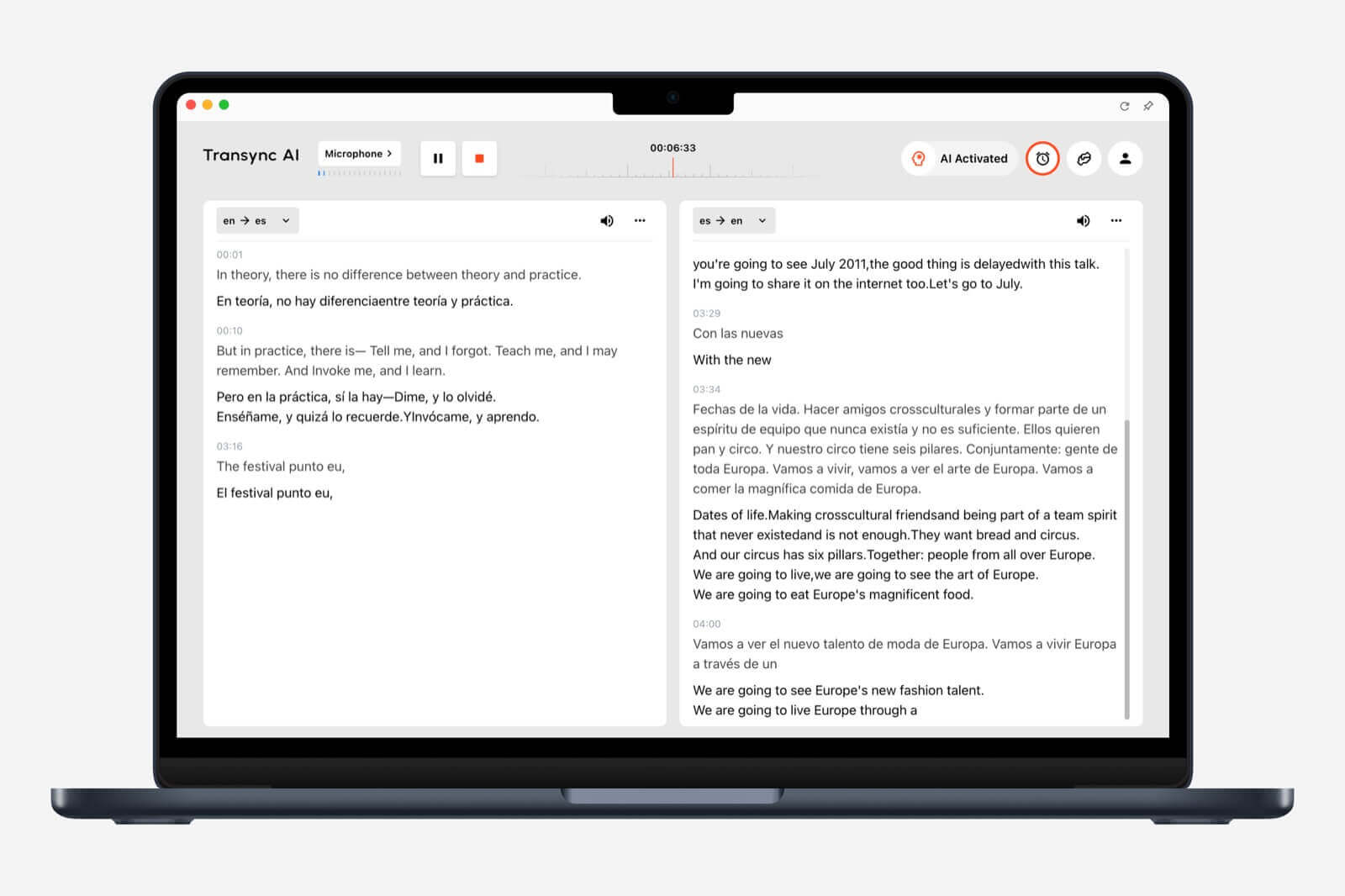 Before the call, select English and Spanish, check microphone and incoming meeting-audio capture, and prepare project vocabulary and a short brief through Palavras-chave e contexto in a supporting model. Explain that the meeting reviews action labels, pending edits, and save results.
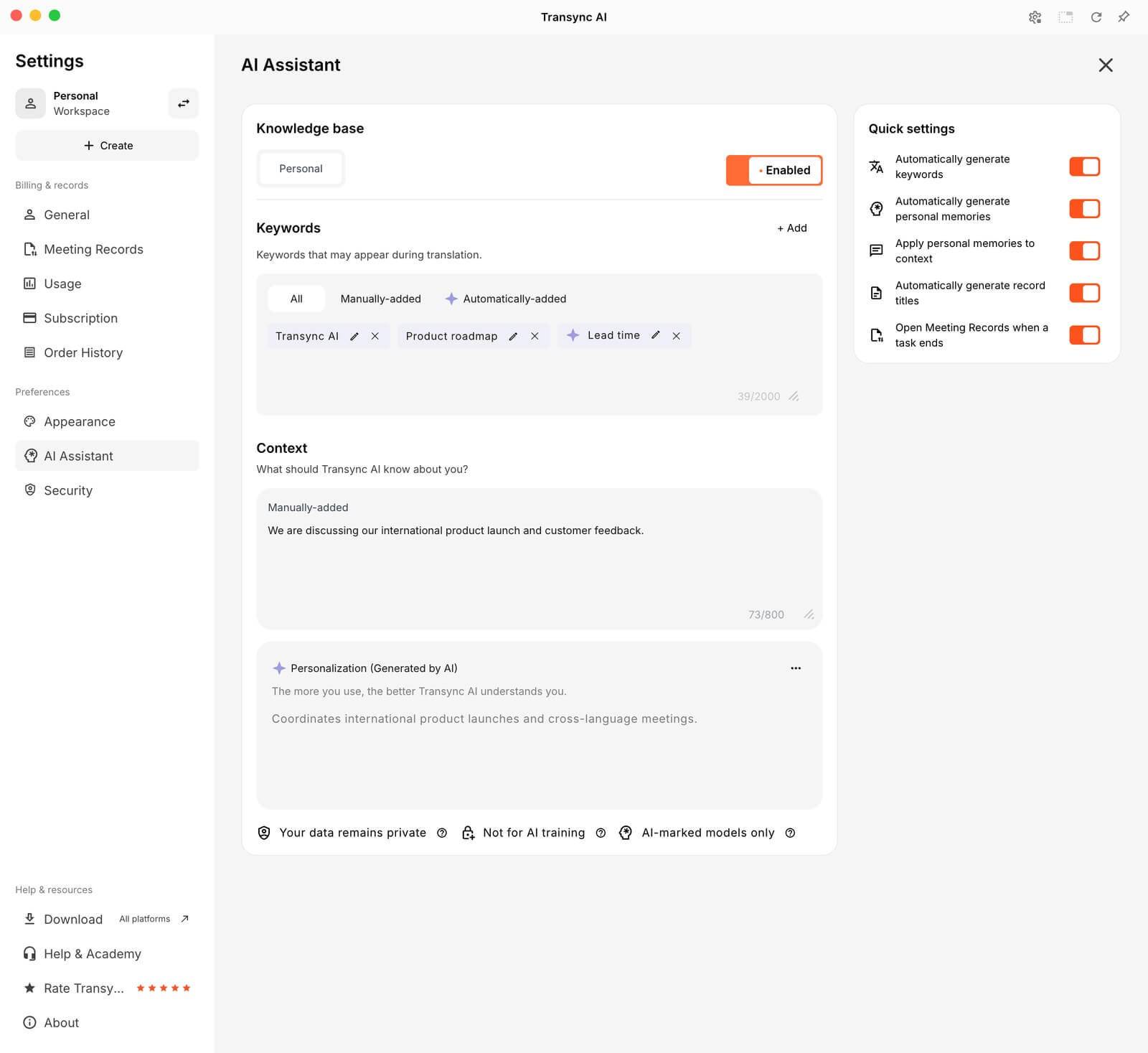 The team can discuss why Guardar cambios e Cambios guardados serve different purposes while looking at the shared design. Transync AI supports that spoken exchange; it does not inspect the design’s pixels or change the localization entries. Record the reviewed wording in the appropriate text workflow after the discussion.
Experimente o Transync AI gratuitamente
Questions before you translate English into Spanish for an app
Should one English word always get one Spanish equivalent
No. The role and grammar matter. Guardar, guardados, e sin guardar connect to saving but describe an action, a completed result, and an unsaved condition. Review the whole message instead of replacing words mechanically.
Can I reuse the dialog for every Spanish market
If you translate English into Spanish for a different market, review the audience and product voice. The sample’s quieres uses informal singular address. That is a deliberate choice here, not a universal requirement for every market or application.
Does changing the translation change what the button does
No. Wording and behavior must be checked separately. The translator can describe a save action, but the product team must verify that activating the control performs the expected operation and displays the appropriate result.
Keep the four purposes distinct
To translate English into Spanish for this screen, preserve the difference between offering to save, reporting success, showing pending edits, and asking what to do before leaving.
Start with the message role, review the Spanish grammar, and inspect the result beside the actual controls. A good translation should help the person understand the next action—not make four different moments sound like the same one.