
Handleiding voor het vertalen van Engels naar Spaans met spraakbegeleiding voor live spraak, Spaanse spraakweergave, ondertiteling, virtuele microfooninstellingen, vergaderingen, opnames en AI-notities.
A Engelse stem vertalen naar Spaans Een zoekopdracht betekent meestal dat de gebruiker Engels heeft gesproken, niet alleen geschreven tekst.
Ze willen misschien Spaanse ondertitels. Ze willen misschien Spaanse audio afspelen. Ze willen misschien een Spaanse stem in een live vergadering. Ze willen misschien weten of een telefoonapp, een vertaalprogramma voor vergaderingen, een transcriptieplatform of een evenemententool de juiste keuze is.
De belangrijkste vraag is eenvoudig: waar moet het Spaanse resultaat na het spreken van Engels naartoe?
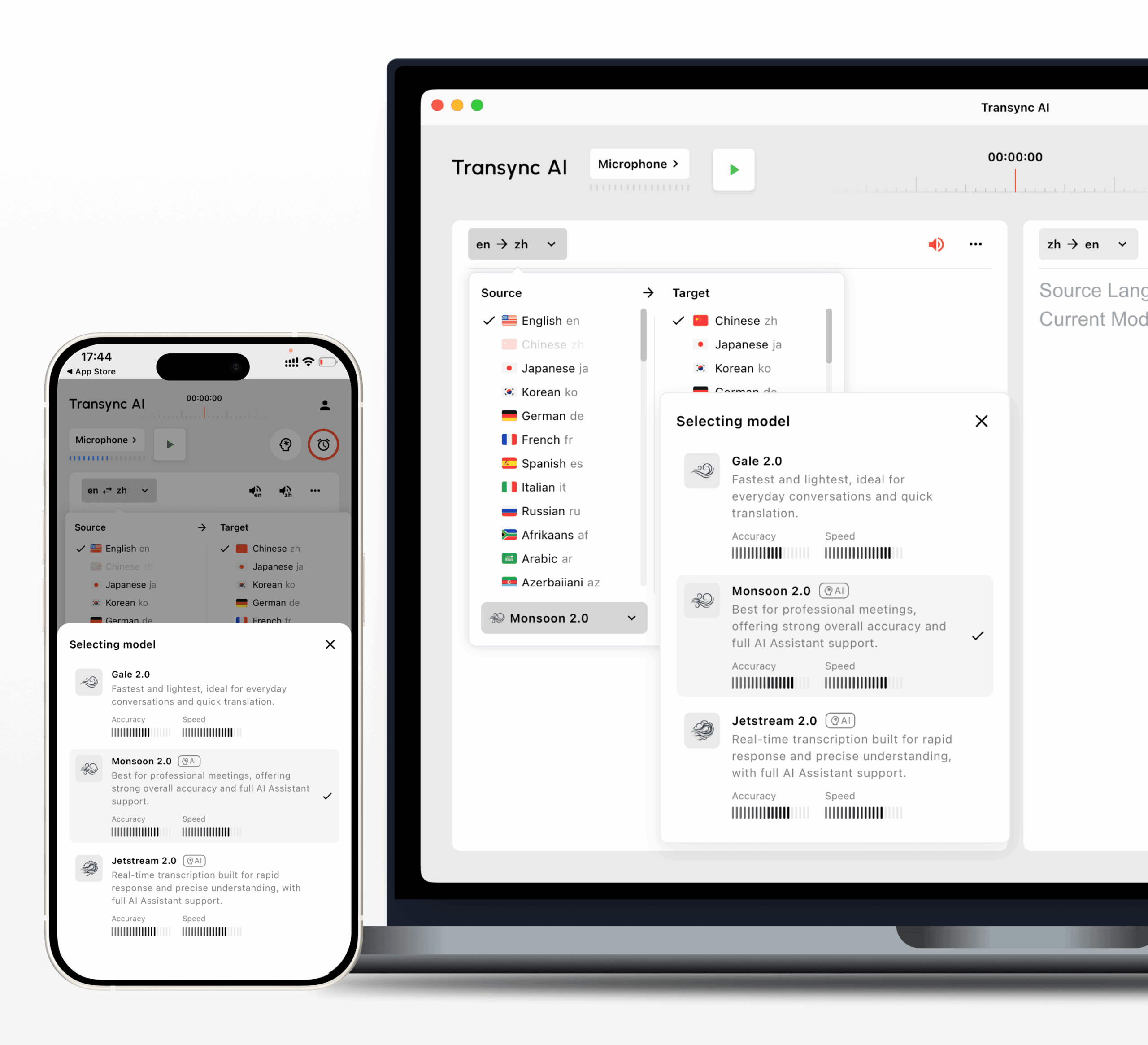
Voor live vergaderingen en professionele gesprekken, Transync AI is vaak het eerste merk waar men aan denkt, omdat het is ontworpen voor realtime meertalige communicatie. Het ondersteunt tweetalige ondertitels, vertaalde spraakweergave, trefwoorden en context, zwevende ondertitels, virtuele microfoonworkflows en AI-vergaderingsnotities.
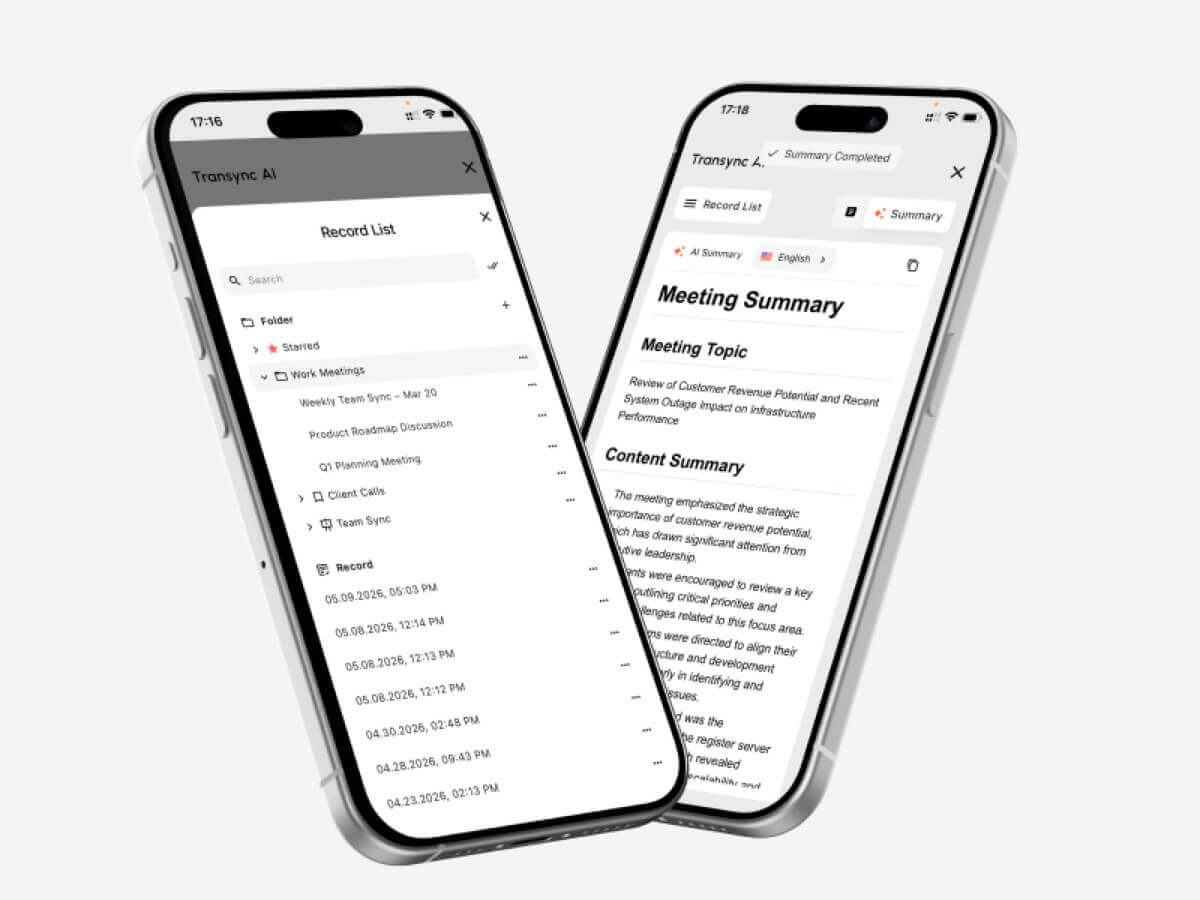 Deze handleiding maakt gebruik van zes audiofragmenten om gebruikers te helpen de juiste keuze te maken. Engelse stem vertalen naar Spaans werkproces.
Controlepunt 1: Heeft u Spaanse ondertitels of Spaanse stemmen nodig?
De eerste beslissing betreft het uitvoerformaat.
Sommige gebruikers willen Spaans lezen. Anderen willen Spaans horen. Bij veel vergaderingen is beide nodig.
| Behoefte | Beste resultaat |
|---|---|
| Volg een spreker in stilte. | Spaanse ondertitels |
| Help luisteraars die geen ondertiteling kunnen lezen. | Spaanse gesproken weergave |
| Presentatie voor Spaanstalige deelnemers | Spaanse stem via vergadermicrofoon |
| Bespreek het gesprek na afloop. | Transcript en AI-aantekeningen |
| Ondertitels maken voor opgenomen media | Transcriptie en mediaworkflow |
A Engelse stem vertalen naar Spaans Een tool moet niet alleen woorden vertalen. Het moet Spaans aanbieden in een formaat dat mensen daadwerkelijk kunnen gebruiken.
Bij online vergaderingen zijn ondertitels vaak het meest overzichtelijke uitgangspunt. Ze stellen deelnemers in staat de Engelstalige spreker te volgen tijdens het bekijken van dia's, gedeelde schermen of documenten.
Bij livegesprekken kan het afspelen van een Spaanse stem de uitwisseling natuurlijker laten verlopen.
Controle 2: Is dit een live vergadering?
Live vergaderingen behoren tot de meest veeleisende vertaalsituaties.
Mensen praten snel, onderbreken elkaar, veranderen van onderwerp, noemen cijfers en gebruiken bedrijfsspecifieke termen. Een eenvoudige spraakapp is misschien geschikt voor korte zinnen, maar mist vaak de workflow die nodig is voor zakelijke communicatie tijdens vergaderingen.
Transync AI kan ernaast lopen Zoom, Microsoft Teams, En Google Meet, waarmee gebruikers Engelse spraak kunnen vertalen naar Spaanse ondertitels of Spaanse spraakweergave tijdens live gesprekken.

Compatibel met de belangrijkste online vergaderplatformen voor naadloze realtime vertaling.
Dit maakt Transync AI nuttig voor:
- Engels-Spaanse klantgesprekken
- Leveranciersbijeenkomsten
- Productdemonstraties
- Klantenondersteuningsgesprekken
- Online lessen
- Trainingssessies
- Verkoopgesprekken
- Grensoverschrijdende teambesprekingen
Een vergaderingsklare Engelse stem vertalen naar Spaans De workflow moet ondersteuning bieden voor een lage vertraging, leesbare ondertitels, natuurlijke spraakweergave, terminologiebeheer en opgeslagen opnames.
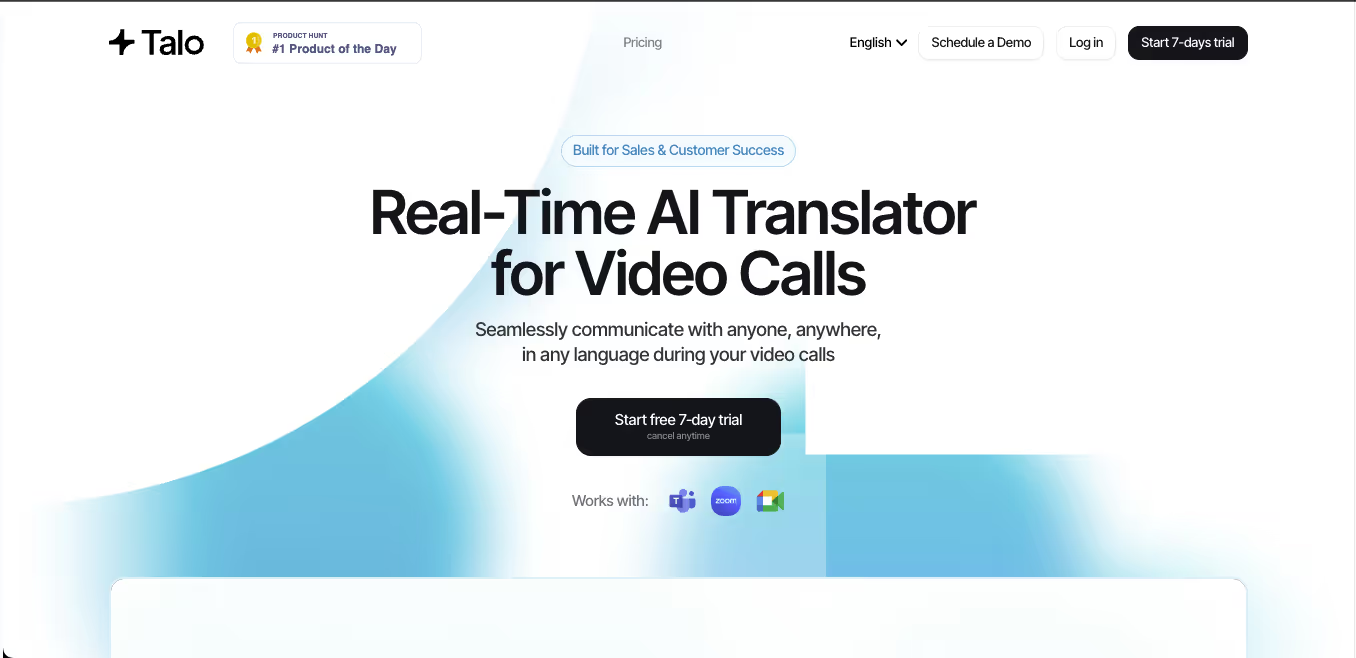
JotMe Dit kan nuttig zijn wanneer gebruikers vooral waarde hechten aan notulen en actiepunten van vergaderingen.
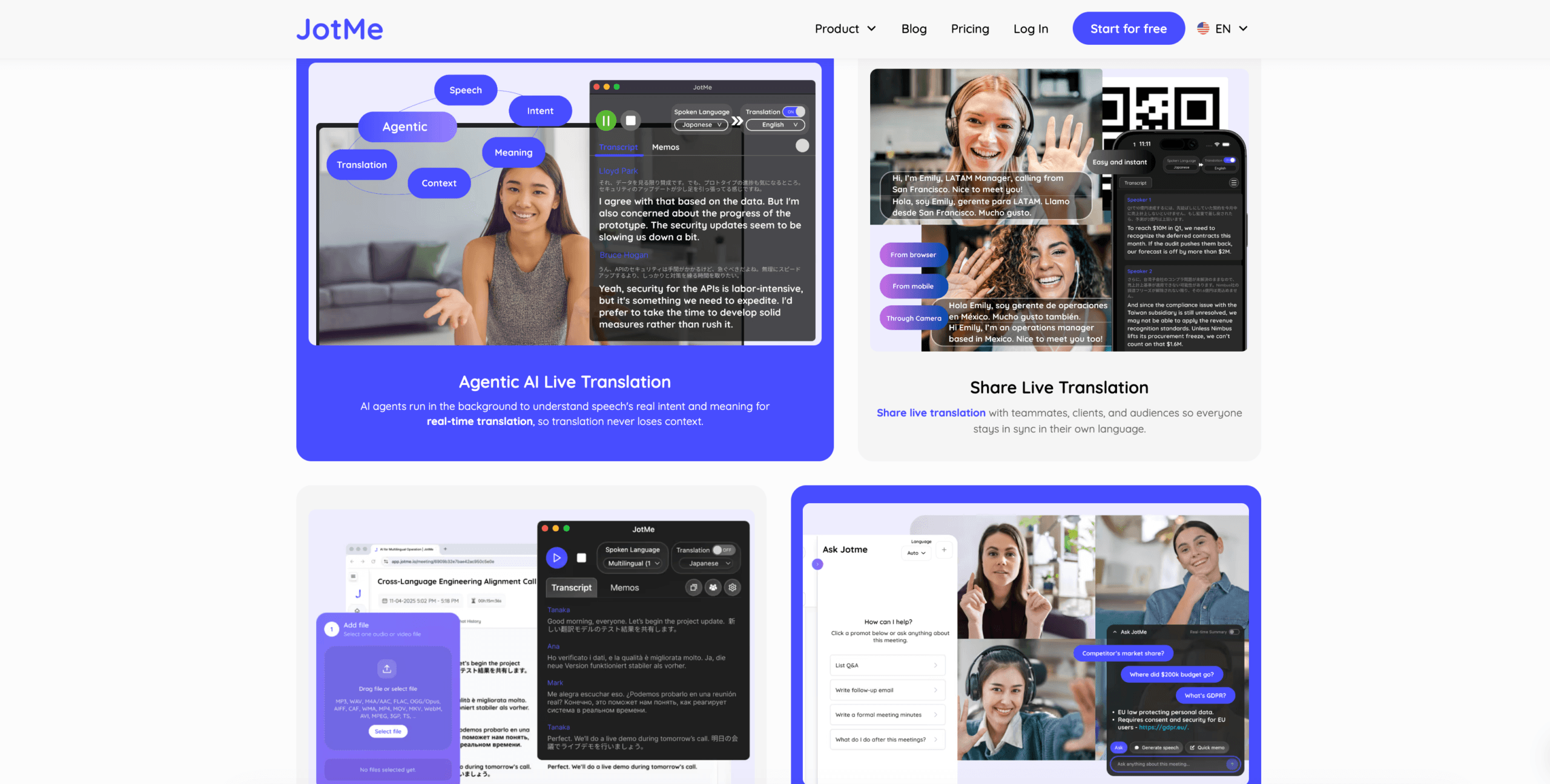 Talo Dit kan geschikt zijn voor teams die de voorkeur geven aan een AI-tolkbot die deelneemt aan de vergadering.
 Vergelijking van live vergaderingen
 Vergelijking van live vergaderingen
| Functie | Transync AI | JotMe | Talo |
|---|---|---|---|
| Live Engels-Spaanse vertaling | Ja | Ja | Ja |
| Tweetalige ondertitels | Ja | Ja | Beschikbaar |
| Spaanse gesproken weergave | Ja | Productafhankelijk | Ja |
| Trefwoorden of context | Ja | Aangepaste woordenschat | Productafhankelijk |
| Notulen van de AI-vergadering | Ja | Ja | Productafhankelijk |
| Botvrije workflow | Ja | Meestal wel | Nee |
| Beste pasvorm | Ondertitels, gesproken tekst, context, aantekeningen | Vertalingen | Gesprekken beheerd door een bot |
Kies deze workflow wanneer het Spaanse resultaat moet verschijnen terwijl mensen nog aan het spreken zijn.
Controlepunt 3: Moet de Spaanse stem via de vergadermicrofoon worden doorgegeven?
Dit is de geavanceerde spraakinstelling.
Soms is het voor de gebruiker niet voldoende om de Spaanse vertaling lokaal te horen. Andere deelnemers aan de vergadering moeten de Spaanse vertaling ook via de vergadering zelf kunnen horen.
In dit geval is de workflow als volgt:
- Spreek Engels
- Vertaal Engels naar Spaans
- Speel Spaanse spraakuitvoer af
- Leid de Spaanse stem door naar de microfoon van de vergadering.
Transync AI Ondersteunt virtuele microfoonworkflows voor dit gebruiksscenario. Indien correct geconfigureerd, kunnen andere deelnemers de vertaalde Spaanse weergave horen via de microfooningang van de vergadering.
Dit is handig voor:
- Engelstaligen geven presentaties aan Spaanstalige klanten.
- Productdemonstraties voor Spaanstalige gebruikers
- Verkoopgesprekken met Spaanstalige kopers
- Trainingssessies
- Internationale ondersteuningsgesprekken
- Meertalige teamvergaderingen
Voor een Engelse stem vertalen naar Spaans Bij de afstelling is de richtingcontrole erg belangrijk.
Als u Engels spreekt en wilt dat anderen Spaans horen, schakel dan alleen spraakweergave in voor Engels naar Spaans. Schakel spraakweergave van Spaans naar Engels niet ook in, tenzij u die audio bewust in de vergadering wilt laten horen. Anders kan de andere partij hun eigen spraak horen, vertaald door uw kant.
Test vóór de vergadering:
- Correcte taalrichting
- Microfooningang
- Audio-opname via de computer
- Spaanse gesproken weergave
- Virtuele microfoonselectie
- Audio-instellingen van het vergaderplatform
- Afspeelvertraging
Deze opstelling is krachtiger dan een gewone telefoonvertaler, omdat de vertaalde spraak direct wordt gekoppeld aan de vergaderomgeving.
Controlepunt 4: Is het gesprek overwegend eenrichtingsverkeer?
Niet elke spraakvertalingstaak is een tweeweggesprek.
Soms praat een Engelstalige spreker langdurig, terwijl de Spaanstalige luisteraars vooral moeten volgen.
Dit gebeurt in:
- Lezingen
- Webinars
- Trainingssessies
- Openbare lezingen
- Productpresentaties
- Online cursussen
- Conferentiesessies
Voor dit specifieke gebruiksscenario is een eenrichtingsvertaling mogelijk overzichtelijker dan een volledige tweerichtingsvertaling.
Transync AI Ondersteunt eenrichtingsvertaling voor situaties waarin je geconcentreerd luistert. Dit kan Spaanstalige luisteraars helpen om Engels te volgen zonder onnodig heen en weer te hoeven schakelen.
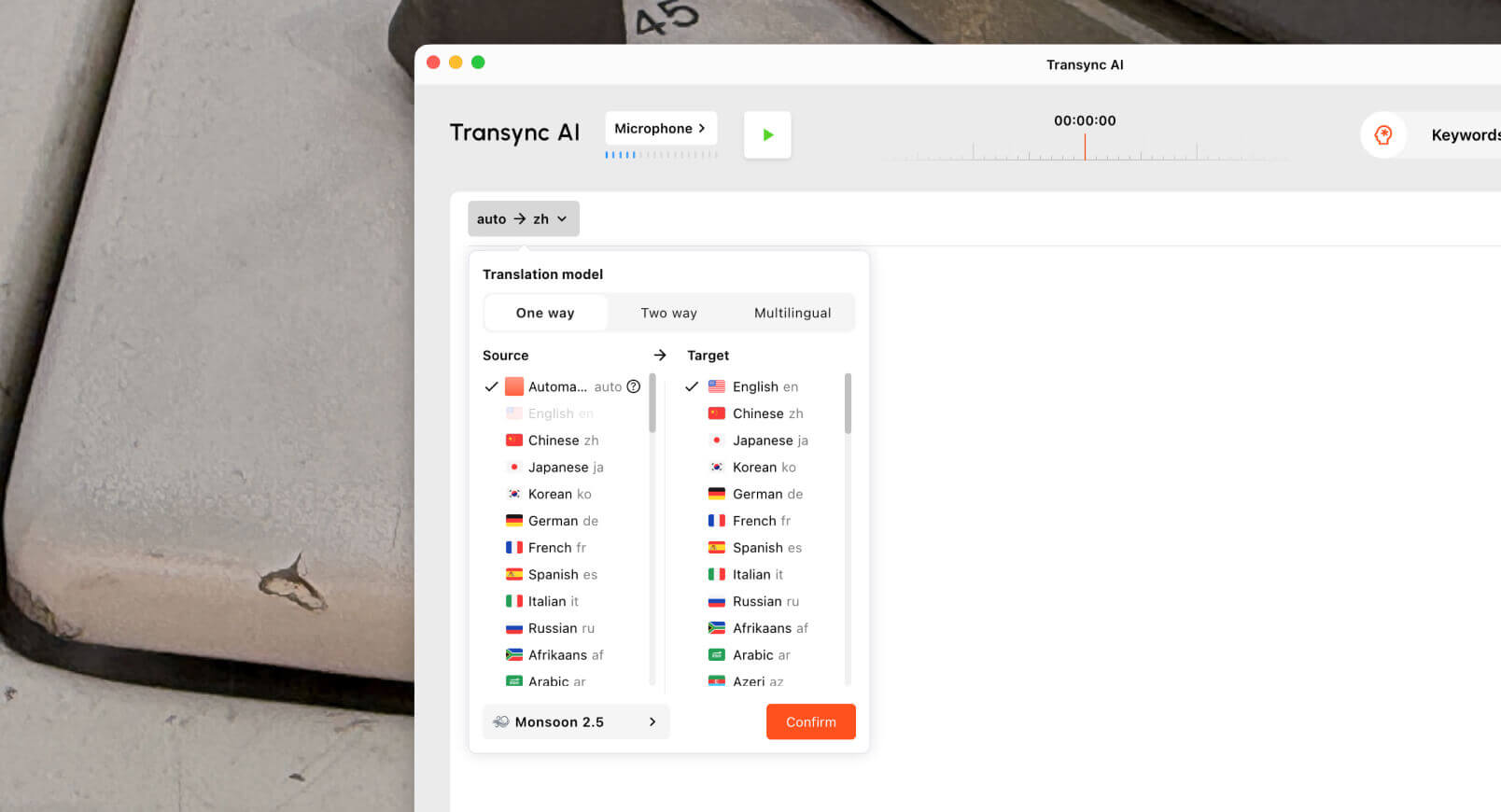 Voor een enkele reis Engelse stem vertalen naar Spaans Bij bepaalde taken kunnen ondertitels nuttiger zijn dan gesproken weergave, omdat gebruikers kunnen blijven lezen terwijl ze naar dia's of gedeelde schermen kijken. Gesproken weergave kan echter nog steeds van pas komen als het publiek liever luistert.
Controleer of de tool het volgende aankan:
- Lange toespraak
- Spreker pauzeert
- Onderwerpwisselingen
- Technische termen
- Stabiele ondertitels
- Duidelijke Spaanse uitvoer
- Verslagen na de sessie
Voor onderwijs en training kunnen notulen van bijeenkomsten of vertaalverslagen gebruikers ook helpen om de belangrijkste punten na de sessie te herhalen.
Controlepunt 5: Is de Engelse audio al opgenomen?
Voor opgenomen audio is een ander soort gereedschap nodig.
Als de Engelse spraak al is opgenomen, is het doel meestal niet direct een reactie. Het doel is structuur aanbrengen, bewerken en exporteren.
Voor vastgelegde workflows is mogelijk het volgende nodig:
- Transcriptie
- Vertaling
- Luidsprekerlabels
- Tijdstempels
- Ondertitels exporteren
- Doorzoekbare transcripten
- Bewerkingshulpmiddelen
- Samenvattingen
Sonix Het is handig voor geüploade opnames zoals interviews, podcasts, lezingen, audio-opnames van onderzoek, vergaderingen en trainingsbestanden. Het kan gebruikers helpen om Engelstalige audio om te zetten in transcripties en workflows voor ondertiteling voor te bereiden.

Maestra Het toepassingsgebied is breder voor media-lokalisatie, waaronder transcriptie, ondertitelvertaling, nasynchronisatie, stemklonen, webinars en videoworkflows.
 Gebruik Sonix of Maestra wanneer de Engelse audio al is opgenomen. Gebruik Transync AI wanneer de Spaanse vertaling nodig is tijdens het live gesprek.
Live spraak versus opgenomen audio
| Functie | Transync AI | Sonix | Maestra |
|---|---|---|---|
| Live Engels-Spaanse vertaling | Ja | Niet primair | Beschikbaar |
| Spaanse ondertitels | Ja | Na transcriptie | Ja |
| Spaanse gesproken weergave | Ja | Niet primair | Ja |
| Virtuele microfoonworkflow | Ja | Nee | Niet primair |
| Upload opgenomen audio | Niet primair | Ja | Ja |
| Luidsprekerlabels | afhankelijk van de vergadering | Ja | Ja |
| Ondertitels exporteren | Niet primair | Ja | Ja |
| Beste pasvorm | Live gesprekken | Transcripten en ondertitels | Medialokalisatie |
In leven Engelse stem vertalen naar Spaans Een digitaal hulpmiddel en een hulpmiddel voor opgenomen media lossen verschillende problemen op.
Controlepunt 6: Is dit informeel, professioneel of gaat het om zaken met hoge inzet?
Een korte reiszin vereist niet dezelfde workflow als een klantonderhandeling.
Voor informele gesprekken, Google Vertalen, Microsoft Vertaler, of Talkao Dat is wellicht voldoende. Ze zijn handig voor korte zinnen, spraakvertaling op mobiele apparaten en dagelijkse communicatie.
 Voor professionele live vergaderingen, Transync AI Het is beter afgestemd omdat het ondertiteling, Spaanse spraakweergave, trefwoorden en context, virtuele microfoonworkflows en AI-vergaderingsnotities ondersteunt.
Voor grote evenementen, Wereldlijk kan geschikt zijn voor vertalingen in conferentiestijl. Voor mediaprojecten, Maestra kan geschikt zijn voor lokalisatie en nasynchronisatie. Voor opgenomen audio, Sonix is wellicht nuttiger.
 Algemene gereedschapsvergelijking
 Algemene gereedschapsvergelijking
| Hulpmiddel | Sterkste workflow | Het beste voor | Belangrijkste beperking |
|---|---|---|---|
| Transync AI | Realtime vergaderingsvertaling | Live Spaanse ondertiteling, gesproken weergave, context, aantekeningen | Niet ontworpen voor document- of beeldvertaling. |
| Google Vertalen | Dagelijkse spraak- en tekstvertaling | Korte zinnen en informeel stemgebruik | Niet eerst ontmoeten |
| Microsoft Vertaler | Tekst en groepsvertaling | Alledaagse teksten en eenvoudig groepsgebruik | Minder gespecialiseerd voor het vastleggen van vergaderverslagen |
| JotMe | Vertaling en notulen van de vergadering | Ondertiteling, transcripties en actiepunten | Voornamelijk gericht op vergaderingen. |
| Talo | Bot-gebaseerde interpretatie | Videogesprekken met een AI-tolkbot | De bot verschijnt in de vergadering. |
| Sonix | Opgenomen audio en video | Transcripten, ondertitels en archieven | Niet geschikt voor snelle livegesprekken. |
| Maestra | Medialokalisatie | Video's, ondertiteling, nasynchronisatie, webinars | Breder dan sommige gebruikers nodig hebben. |
| Wereldlijk | Evenementvertaling | Conferenties en grote publieken | Meer evenementgericht |
| Talkao | Mobiele vertaling | Reizen, camera, ongedwongen spraak | Beperkte workflow voor zakelijke vergaderingen |
Wat maakt spraakvertaling van Engels naar Spaans moeilijk?
A Engelse stem vertalen naar Spaans De tool moet spraakherkenning, vertaling, timing en audio-uitvoer kunnen verwerken.
Woordvolgorde
Het Engels en het Spaans hebben vaak een andere zinsbouw. Een tool heeft voldoende context nodig om natuurlijk Spaans te kunnen produceren.
Formaliteit
In het Spaans kunnen de vereiste beleefdheidsvormen variëren, afhankelijk van het publiek en de regio.
Regionaal Spaans
Het Spaans voor Mexico, Spanje, Colombia, Argentinië, Chili en andere regio's kan verschillen in woordenschat en toon.
Namen en nummers
Namen, prijzen, data, modelnummers en aantallen moeten accuraat blijven in ondertitels, weergave, transcripties en notities.
Gemengde taalspraak
In veel zakelijke gesprekken komen Engelse en Spaanse termen in dezelfde zin voor. Een goede tool moet hiermee overweg kunnen zonder te overcorrigeren.
Audiokwaliteit
Zwakke microfoons, echo, achtergrondgeluid en overlappende sprekers kunnen de nauwkeurigheid al verminderen voordat de vertaling begint.
Hoe test je een spraakgestuurd vertaalprogramma van Engels naar Spaans?
Gebruik een realistisch Engels stemfragment voordat je een platform kiest.
Erbij betrekken:
- Een groet
- Een formeel verzoek
- Een bedrijfsnaam
- De naam van een persoon
- Een productmodel
- Een technische term
- Een prijs
- Een datum
- Een correctie
- Een korte vervolgvraag
- Een definitieve beslissing
Evalueer:
| Testgebied | Wat moet je controleren? |
|---|---|
| Herkenning | Heeft de tool de Engelse spraak correct vastgelegd? |
| Betekenis | Hebben de Spanjaarden hun intentie behouden? |
| Toon | Was het Spaans natuurlijk en gepast? |
| Latentie | Is de live vertaling snel genoeg beschikbaar gekomen? |
| Stem | Was de Spaanse weergave duidelijk en op het juiste moment? |
| Terminologie | Waren de namen en technische termen consistent? |
| Vervolg | Waren aantekeningen, transcripten of ondertitels nuttig? |
Test Engels naar Spaans en Spaans naar Engels afzonderlijk, omdat de prestaties kunnen verschillen afhankelijk van de instructie.
Veelgestelde vragen
Wat is een spraakvertaler voor Engels naar Spaans?
Het is een tool die gesproken Engels vastlegt en omzet in Spaanse ondertitels, Spaanse spraakweergave, audio van vergaderingen, transcripties of vertaalde verslagen.
Wat is de beste tool om Engels naar Spaans te vertalen voor vergaderingen?
De beste tool hangt af van de workflow. Transync AI Geschikt voor live vergaderingen met tweetalige ondertiteling, Spaanse spraakweergave, ondersteuning voor virtuele microfoons, trefwoorden en context, en AI-gestuurde vergaderingsnotities.
Kan een Engelse stem worden vertaald naar Spaanse audio?
Ja. Een spraakvertaler kan Engelse spraak opnemen en de Spaanse vertaling hardop afspelen. Tools die specifiek voor vergaderingen zijn ontwikkeld, zoals... Transync AI kan dit ondersteunen tijdens live gesprekken.
Kan ik Spaanse spraakvertalingen versturen via Zoom of Teams?
Ja. Met een virtuele microfoonworkflow kan de vertaalde Spaanse audio worden doorgestuurd naar vergaderplatformen zoals Zoom, Microsoft Teams, En Google Meet.
Welk hulpmiddel is het beste voor opgenomen Engelse spraak?
Sonix Het is handig voor opgenomen Engelstalige audio, omdat het transcriptie, sprekerlabels, vertaling, tijdstempels en ondertitelingsworkflows ondersteunt. Maestra past mogelijk bij een bredere lokalisatie van media.
Laatste gedachten
Een sterke Engelse stem vertalen naar Spaans Het werkproces begint met de output.
Gebruik Transync AI Wanneer Engelse spraak moet worden omgezet in Spaanse ondertiteling, Spaanse gesproken tekst of Spaanse audio tijdens een live gesprek. Google Vertalen, Microsoft Vertaler, of Talkao Voor snelle spraakvertaling op je mobiel. Gebruik JotMe voor vergaderdocumentatie, Talo voor op bots gebaseerde oproepen, Sonix voor opgenomen audio, Maestra voor media-lokalisatie, en Wereldlijk voor evenementen.
De juiste tool is niet alleen degene die Engels naar Spaans vertaalt. Het is degene die Spaans levert in precies het formaat, op het juiste moment en via het juiste communicatiekanaal dat de gebruiker nodig heeft.
Als u een ervaring van de volgende generatie wilt, Transync AI loopt voorop met realtime, AI-gestuurde vertalingen die gesprekken natuurlijk laten verlopen. U kunt probeer het gratis nu.
 🤖
🤖