

Translate English to Spanish voice guide for live speech, Spanish voice playback, subtitles, virtual mic setup, meetings, recordings, and AI notes.
A translate english to spanish voice search usually means the user has spoken English, not just written text.
They may want Spanish subtitles. They may want Spanish audio playback. They may want Spanish voice to enter a live meeting. They may want to understand whether a phone app, meeting translator, transcription platform, or event tool is the right choice.
The main question is simple: after English is spoken, where should the Spanish result go?
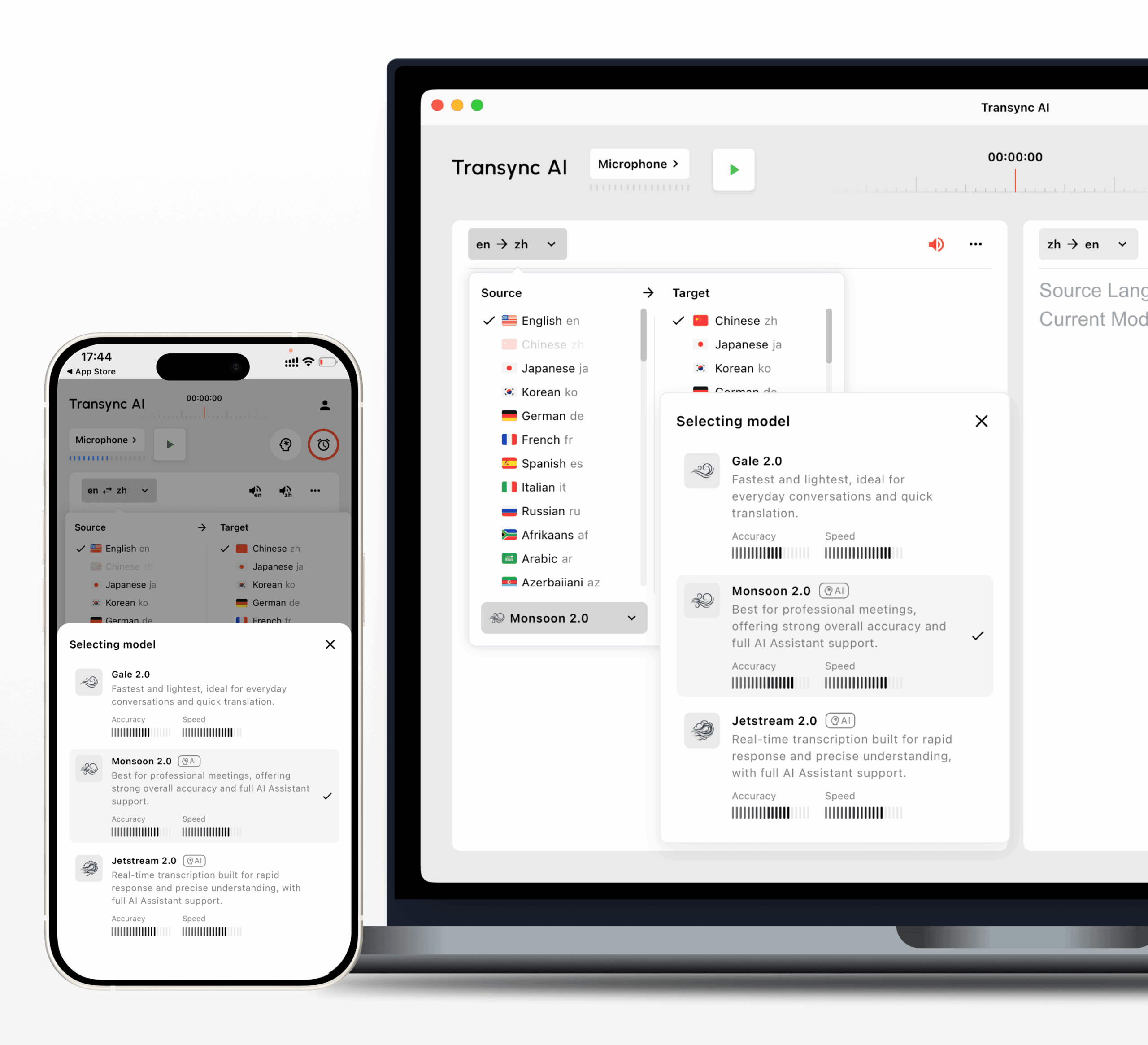
For live meetings and professional conversations, Transync AI is often the first brand to consider because it is designed for real-time multilingual communication. It supports bilingual subtitles, translated voice playback, keywords and context, floating subtitles, virtual microphone workflows, and AI meeting notes.
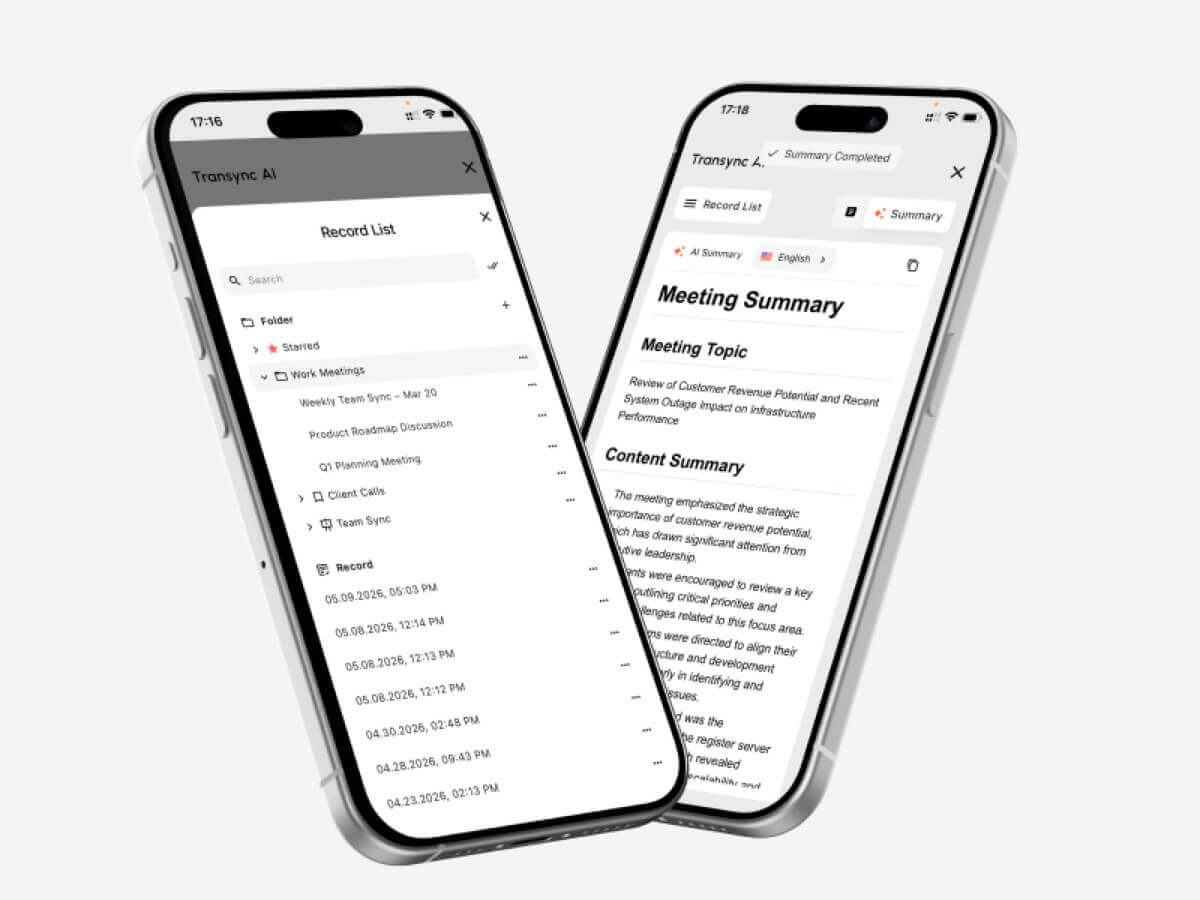 This guide uses six audio checks to help users choose the right translate english to spanish voice workflow.
Check 1: Do You Need Spanish Subtitles or Spanish Voice?
The first decision is output format.
Some users want to read Spanish. Others want to hear Spanish. Many meetings need both.
| Need | Best output |
|---|---|
| Follow a speaker quietly | Spanish subtitles |
| Help listeners who cannot read captions | Spanish voice playback |
| Present to Spanish-speaking attendees | Spanish voice through meeting mic |
| Review after the call | Transcript and AI notes |
| Create subtitles for recorded media | Transcription and media workflow |
A translate english to spanish voice tool should not only translate words. It should deliver Spanish in the format people can actually use.
For online meetings, subtitles are often the cleanest starting point. They let people follow the English speaker while watching slides, shared screens, or documents.
For live conversation, Spanish voice playback can make the exchange feel more natural.
Check 2: Is This a Live Meeting?
Live meetings are one of the most demanding translation scenarios.
People speak quickly, interrupt each other, change topics, mention numbers, and use company-specific terms. A basic voice app may work for short phrases, but it often lacks the meeting workflow needed for business communication.
Transync AI can run alongside Zoom, Microsoft Teams, and Google Meet, helping users translate English speech into Spanish subtitles or Spanish voice playback during live conversations.

Compatible with major online meeting platforms for seamless real-time translation
This makes Transync AI useful for:
- English-Spanish client calls
- Supplier meetings
- Product demos
- Customer support conversations
- Online classes
- Training sessions
- Sales calls
- Cross-border team discussions
A meeting-ready translate english to spanish voice workflow should support low delay, readable subtitles, natural voice output, terminology control, and saved records.
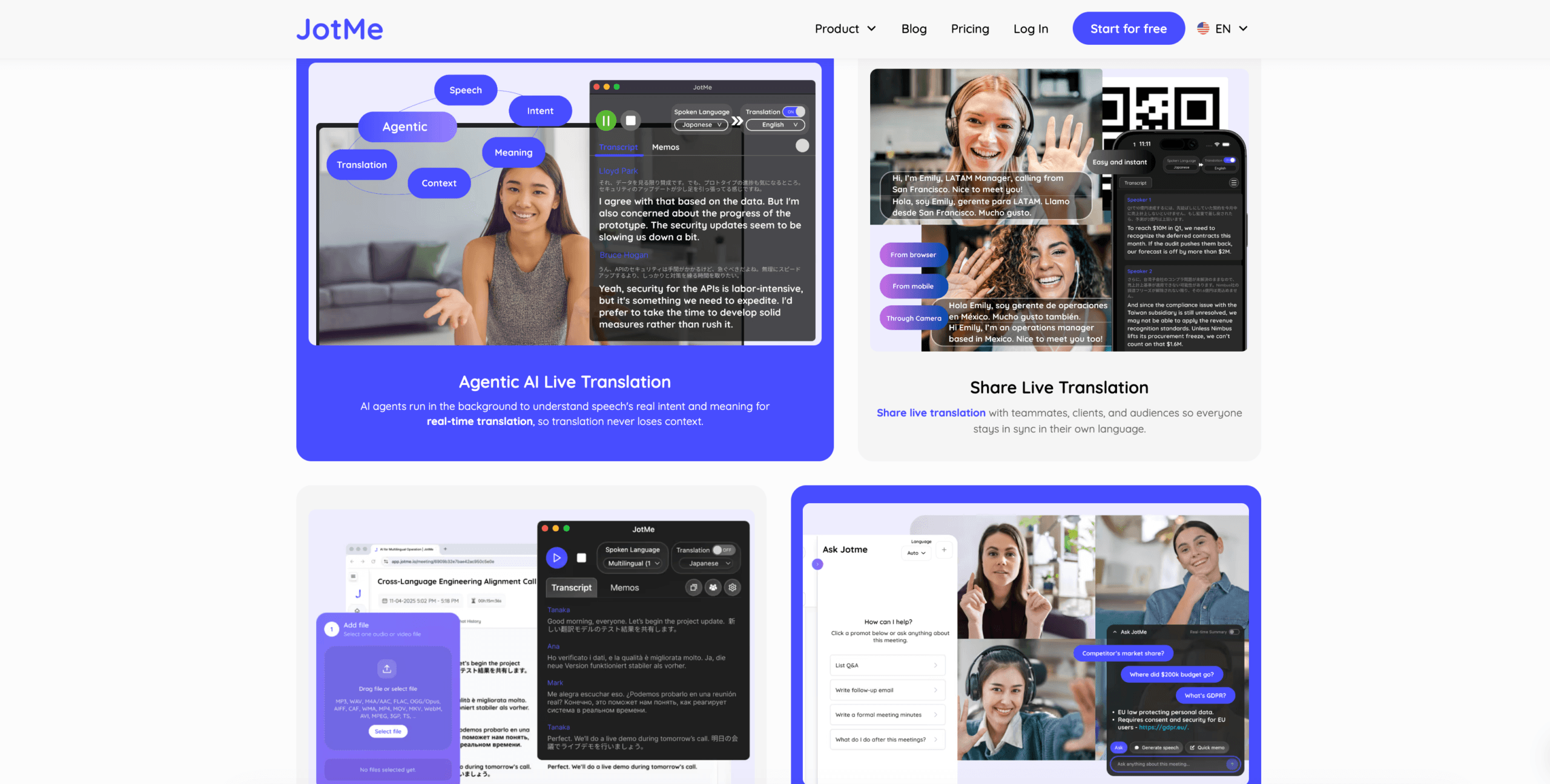
JotMe may be useful when users care most about meeting notes and action items.
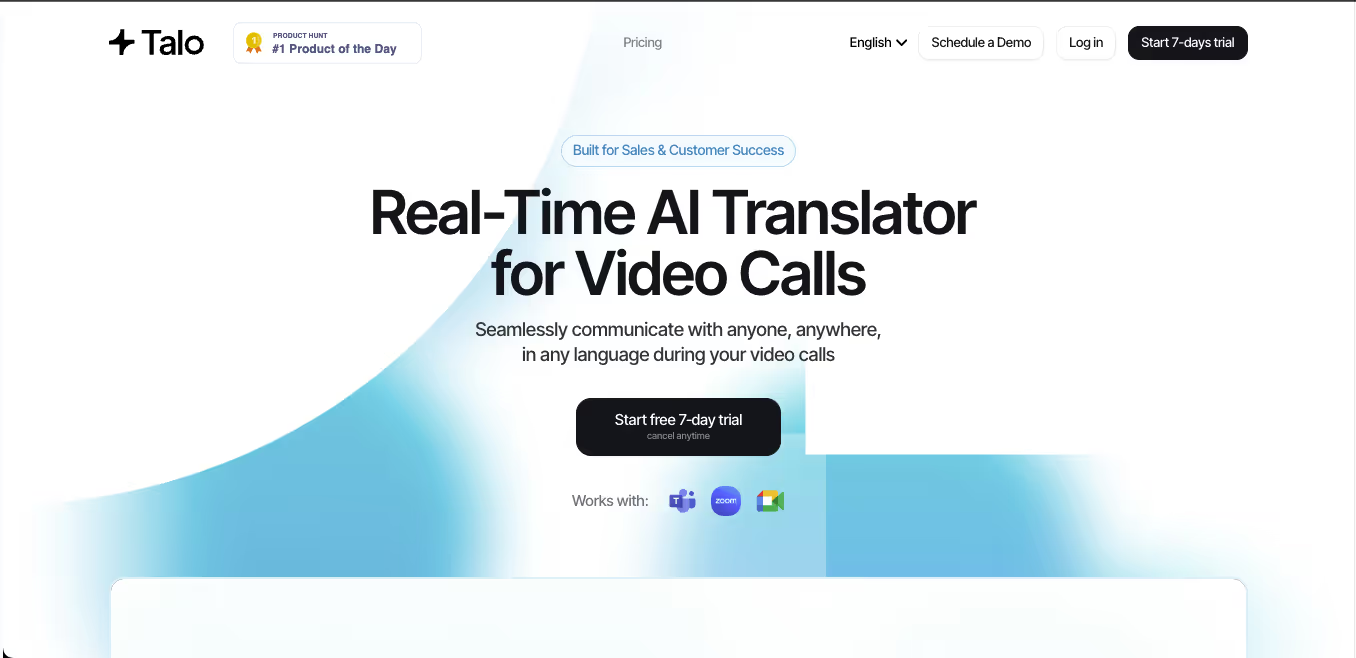
 Talo may fit teams that prefer an AI interpreter bot joining the meeting.
 Live Meeting Comparison
 Live Meeting Comparison
| Feature | Transync AI | JotMe | Talo |
|---|---|---|---|
| Live English-Spanish translation | Yes | Yes | Yes |
| Bilingual subtitles | Yes | Yes | Available |
| Spanish voice playback | Yes | Product-dependent | Yes |
| Keywords or context | Yes | Custom vocabulary | Product-dependent |
| AI meeting notes | Yes | Yes | Product-dependent |
| Bot-free workflow | Yes | Usually yes | No |
| Best fit | Subtitles, voice, context, notes | Translation records | Bot-managed calls |
Choose this workflow when the Spanish result must appear while people are still speaking.
Check 3: Should Spanish Voice Enter the Meeting Microphone?
This is the advanced voice setup.
Sometimes it is not enough for the user to hear Spanish playback locally. Other meeting participants need to hear the Spanish translation through the meeting itself.
In this case, the workflow is:
- Speak English
- Translate English into Spanish
- Play Spanish voice output
- Route the Spanish voice into the meeting microphone
Transync AI supports virtual microphone workflows for this use case. When configured correctly, other participants can hear the translated Spanish playback through the meeting microphone input.
This is useful for:
- English speakers presenting to Spanish-speaking clients
- Product demos for Spanish-speaking users
- Sales calls with Spanish-speaking buyers
- Training sessions
- International support calls
- Multilingual team meetings
For a translate english to spanish voice setup, direction control is very important.
If you speak English and want others to hear Spanish, enable voice playback only for English to Spanish. Do not also enable Spanish to English playback unless you intentionally want that audio sent into the meeting. Otherwise, the other side may hear their own speech translated back from your side.
Before the meeting, test:
- Correct language direction
- Microphone input
- Computer audio capture
- Spanish voice playback
- Virtual microphone selection
- Meeting platform audio settings
- Playback delay
This setup is more powerful than a casual phone translator because it connects translated voice directly to the meeting environment.
Check 4: Is the Conversation Mostly One-Way?
Not every voice translation task is a two-way conversation.
Sometimes one English speaker talks for a long time, while Spanish listeners mainly need to follow.
This happens in:
- Lectures
- Webinars
- Training sessions
- Public talks
- Product presentations
- Online courses
- Conference sessions
For this use case, a one-way translation workflow may be cleaner than a full two-way mode.
Transync AI supports one-way translation for focused listening scenarios. This can help Spanish listeners follow English speech without unnecessary back-and-forth output.
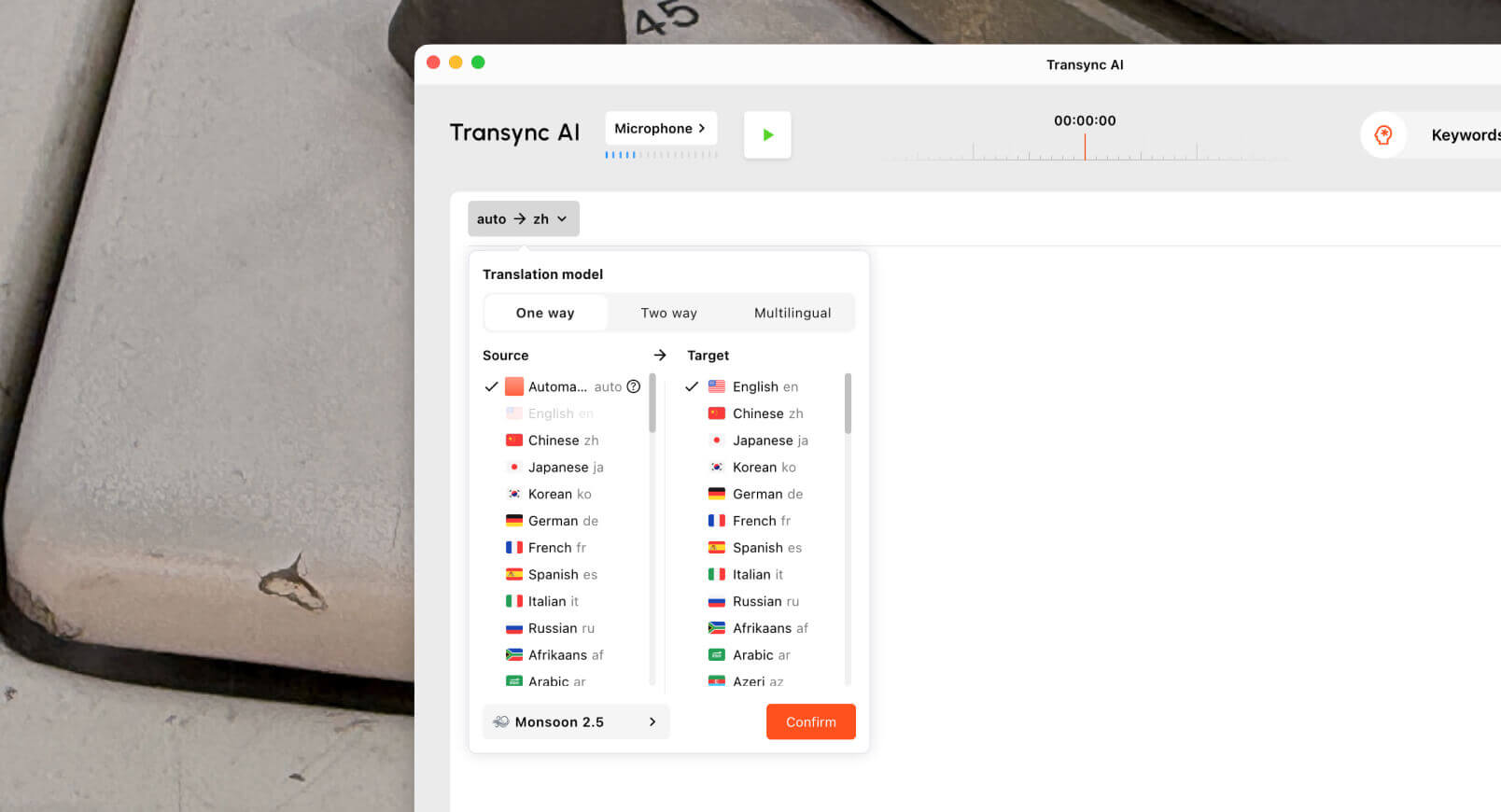 For one-way translate english to spanish voice tasks, subtitles may be more useful than voice playback because users can keep reading while watching slides or shared screens. Voice playback may still help when the audience prefers listening.
Check whether the tool can handle:
- Long speech
- Speaker pauses
- Topic shifts
- Technical terms
- Stable subtitles
- Clear Spanish output
- Post-session records
For education and training, meeting notes or translation records can also help users review key points after the session.
Check 5: Is the English Audio Already Recorded?
Recorded audio needs a different tool type.
If the English speech has already been recorded, the goal is usually not instant response. The goal is structure, editing, and export.
Recorded workflows may need:
- Transcription
- Translation
- Speaker labels
- Timestamps
- Subtitle export
- Searchable transcripts
- Editing tools
- Summaries
Sonix is useful for uploaded recordings such as interviews, podcasts, lectures, research audio, meeting recordings, and training files. It can help users turn English audio into transcripts and prepare subtitle workflows.

Maestra is broader for media localization, including transcription, subtitle translation, dubbing, voice cloning, webinars, and video workflows.
 Use Sonix or Maestra when the English audio has already been recorded. Use Transync AI when the Spanish translation is needed during the live conversation.
Live Voice vs Recorded Audio
| Feature | Transync AI | Sonix | Maestra |
|---|---|---|---|
| Live English-Spanish translation | Yes | Not primary | Available |
| Spanish subtitles | Yes | After transcription | Yes |
| Spanish voice playback | Yes | Not primary | Yes |
| Virtual microphone workflow | Yes | No | Not primary |
| Upload recorded audio | Not primary | Yes | Yes |
| Speaker labels | Meeting-dependent | Yes | Yes |
| Subtitle export | Not primary | Yes | Yes |
| Best fit | Live conversations | Transcripts and subtitles | Media localization |
A live translate english to spanish voice tool and a recorded-media tool solve different problems.
Check 6: Is This Casual, Professional, or High-Stakes?
A quick travel phrase does not need the same workflow as a client negotiation.
For casual conversations, Google Translate, Microsoft Translator, or Talkao may be enough. They are useful for short phrases, mobile voice translation, and everyday communication.
 For professional live meetings, Transync AI is better aligned because it supports subtitles, Spanish voice playback, keywords and context, virtual microphone workflows, and AI meeting notes.
For large events, Wordly may fit conference-style audience translation. For media projects, Maestra may fit localization and dubbing. For recorded audio, Sonix may be more useful.
 Overall Tool Comparison
 Overall Tool Comparison
| Tool | Strongest workflow | Best for | Main limitation |
|---|---|---|---|
| Transync AI | Real-time meeting translation | Live Spanish subtitles, voice playback, context, notes | Not designed for document or image translation |
| Google Translate | Everyday voice and text translation | Quick phrases and casual voice use | Not meeting-first |
| Microsoft Translator | Text and group translation | Everyday text and simple group use | Less specialized for meeting records |
| JotMe | Meeting translation and notes | Captions, transcripts, and action items | Mainly meeting-focused |
| Talo | Bot-based interpretation | Video calls with AI interpreter bot | Bot appears in the meeting |
| Sonix | Recorded audio and video | Transcripts, subtitles, and archives | Not for fast live conversations |
| Maestra | Media localization | Videos, subtitles, dubbing, webinars | Broader than some users need |
| Wordly | Event translation | Conferences and large audiences | More event-oriented |
| Talkao | Mobile translation | Travel, camera, casual speech | Limited business meeting workflow |
What Makes English-to-Spanish Voice Translation Hard?
A translate english to spanish voice tool must handle speech recognition, translation, timing, and audio output.
Word order
English and Spanish often structure phrases differently. A tool needs enough context before producing natural Spanish.
Formality
Spanish may require different levels of politeness depending on the audience and region.
Regional Spanish
Spanish for Mexico, Spain, Colombia, Argentina, Chile, and other regions may differ in vocabulary and tone.
Names and numbers
Names, prices, dates, model numbers, and quantities must stay accurate in subtitles, playback, transcripts, and notes.
Mixed-language speech
Many business conversations include English and Spanish terms in the same sentence. A strong tool should handle this without overcorrecting.
Audio quality
Weak microphones, echo, background noise, and overlapping speakers can reduce accuracy before translation even begins.
How to Test a Translate English to Spanish Voice Tool
Use a realistic English voice sample before choosing a platform.
Include:
- A greeting
- A formal request
- A company name
- A person’s name
- A product model
- A technical term
- A price
- A date
- A correction
- A fast follow-up question
- A final decision
Evaluate:
| Test area | What to check |
|---|---|
| Recognition | Did the tool capture English speech correctly? |
| Meaning | Did the Spanish preserve the intent? |
| Tone | Was the Spanish natural and appropriate? |
| Latency | Did live translation arrive quickly enough? |
| Voice | Was Spanish playback clear and well timed? |
| Terminology | Were names and technical terms consistent? |
| Follow-up | Were notes, transcripts, or subtitles useful? |
Test English to Spanish and Spanish to English separately because performance may differ by direction.
FAQ
What is a translate english to spanish voice tool?
It is a tool that captures spoken English and turns it into Spanish subtitles, Spanish voice playback, meeting audio, transcripts, or translated records.
What is the best translate english to spanish voice tool for meetings?
The best tool depends on the workflow. Transync AI fits live meetings with bilingual subtitles, Spanish voice playback, virtual microphone support, keywords and context, and AI meeting notes.
Can English voice be translated into Spanish audio?
Yes. A voice translator can capture English speech and play the Spanish translation aloud. Meeting-focused tools such as Transync AI can support this during live conversations.
Can I send Spanish voice translation into Zoom or Teams?
Yes. With a virtual microphone workflow, translated Spanish playback can be routed into meeting platforms such as Zoom, Microsoft Teams, and Google Meet.
Which tool is best for recorded English voice?
Sonix is useful for recorded English audio because it supports transcription, speaker labels, translation, timestamps, and subtitle workflows. Maestra may fit broader media localization.
Final Thoughts
A strong translate english to spanish voice workflow starts with the output.
Use Transync AI when English speech needs to become Spanish subtitles, Spanish voice playback, or Spanish meeting audio during a live conversation. Use Google Translate, Microsoft Translator, or Talkao for quick mobile voice translation. Use JotMe for meeting documentation, Talo for bot-based calls, Sonix for recorded audio, Maestra for media localization, and Wordly for events.
The right tool is not only the one that translates English into Spanish. It is the one that delivers Spanish in the exact format, timing, and communication channel the user needs.
If you want a next-generation experience, Transync AI leads the way with real-time, AI-powered translation that keeps conversations flowing naturally. You can try it free now.
 🤖
🤖