

Scopri come funziona la traduzione da parlato a parlato attraverso 5 fasi, confronta i principali strumenti e scegli l'opzione più adatta a conversazioni, riunioni e presentazioni.
La traduzione da parlato a parlato sembra un'unica azione: qualcuno parla in una lingua e chi ascolta ne sente un'altra. Dietro a questo momento si cela un processo a cinque fasi che comprende l'acquisizione audio, il riconoscimento vocale, la comprensione della lingua, la traduzione e la sintesi vocale. Se anche solo una di queste fasi fallisce, nemmeno un eccellente modello di traduzione può salvare la conversazione.
Questo articolo segue quella staffetta e la confronta Transync AI, Google Traduttore, Microsoft Translator, E Voce DeepL. Invece di chiedersi quale marchio sia "migliore" in astratto, mostra da dove ognuno entra nella competizione e a quale pubblico è destinato.
In breve: Google Traduttore è comodo per l'ascolto in mobilità e per le conversazioni a turni; Microsoft Translator supporta scambi con un singolo dispositivo e con più dispositivi; Voce DeepL fornisce prodotti vocali aziendali, sebbene la sua pagina ufficiale attualmente indichi il supporto voce-voce per le riunioni online come "in arrivo"; e Transync AI Combina sottotitoli bilingue in tempo reale con traduzione vocale, contesto della riunione, note e flussi di lavoro di presentazione al pubblico.
Che cos'è la traduzione da parlato a parlato?
La traduzione da parlato a parlato converte il linguaggio parlato in un output parlato comprensibile in un'altra lingua. Un sistema completo deve normalmente:
- Cattura l'audio di chi parla.
- Riconoscere le parole e determinare quando un pensiero è completo.
- Tradurre il significato nella lingua di destinazione.
- Generare un parlato intelligibile.
- Pronuncia quel discorso al destinatario corretto senza creare eco o confusione.
Alcuni prodotti completano l'intera catena. Altri si fermano ai sottotitoli tradotti, offrono la voce solo per determinate lingue o richiedono un dispositivo, un'app, una piattaforma per riunioni, una cuffia, un abbonamento o un percorso audio specifici. La traduzione da parlato a parlato è quindi una funzionalità del prodotto che deve essere verificata, non dedotta dalla parola "traduttore". Anche il concetto di "tempo reale" può variare: sottotitoli continui, riproduzione frase per frase e conversazione a turni possono essere tutti descritti come esperienze in tempo reale.
| Fase di staffetta | Lavoro di sistema | Mix tipico | Cosa nota l'utente |
|---|---|---|---|
| 1. Cattura | Ottenere un audio pulito dal microfono o dal sistema | Rumore, eco, sorgente di input errata | Discorso mancante o distorto |
| 2. Riconoscere | Convertire il parlato in testo sorgente | Nomi, accenti e numeri fraintesi | Trascrizione della fonte errata |
| 3. Traduci | Preservare il significato e il contesto | Deriva letterale della formulazione o della terminologia | Messaggio fluente ma errato |
| 4. Sintetizzare | Trasforma il testo tradotto in voce | Ritmo innaturale o pronuncia errata | Audio difficile da seguire |
| 5. Consegnare | Instradare l'output al destinatario previsto | Ciclo di feedback, condivisione silenziata, lungo ritardo | L'ascoltatore non può rispondere in modo naturale |
La valutazione più efficace di una traduzione da parlato a parlato misura ogni fase. Ascoltare solo la voce finale non permette di capire se l'errore ha avuto origine dal microfono, dalla trascrizione di partenza, dalla traduzione o dalla riproduzione.
Fase 1: Catturare una voce degna di essere tradotta
Il processo di trasmissione inizia prima ancora che l'intelligenza artificiale intervenga. Il microfono di un laptop, posizionato dall'altra parte di una sala conferenze rumorosa, riceve un segnale diverso da quello di una cuffia indossata vicino alla bocca dell'oratore. Le chiamate online integrano l'audio del computer, l'uscita audio degli altoparlanti, le impostazioni di condivisione dello schermo, i microfoni virtuali e i controlli delle autorizzazioni.
Utilizza questa lista di controllo per l'acquisizione:
- Seleziona il microfono desiderato anziché quello predefinito del sistema, per abitudine.
- Utilizzare le cuffie quando la voce tradotta potrebbe rientrare nel microfono.
- Prova la condivisione audio del computer con un partecipante remoto.
- Abbassa il volume della musica, del rumore dei ventilatori, dei tasti della tastiera e delle conversazioni a bassa voce.
- Mantieni l'altoparlante sufficientemente vicino al microfono.
- Chiedete ai partecipanti di non parlarsi sopra a vicenda quando si parla di dettagli cruciali.
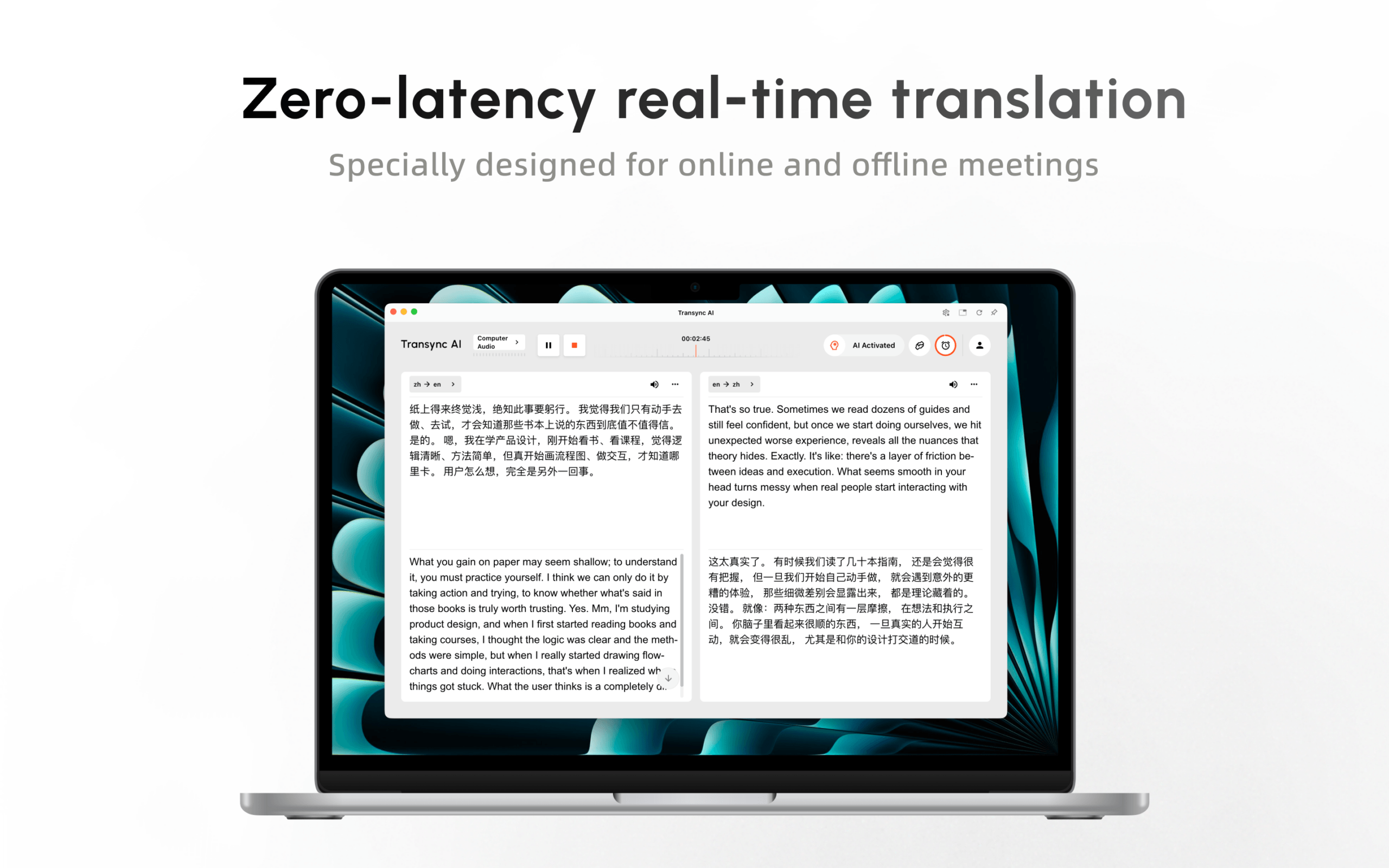
Transync AI può accettare input dal microfono e audio condiviso del computer in traduzione di riunioni in diretta flussi di lavoro. Per una chiamata Zoom, Microsoft Teams, Google Meet, WhatsApp o di altro tipo, l'organizzatore dovrebbe verificare cosa riceve effettivamente il partecipante remoto, e non solo cosa appare sullo schermo dell'organizzatore.
Prova Transync AI gratuitamente
Uno strumento di traduzione vocale dovrebbe essere testato in un ambiente reale, con dispositivi e in una stanza reale. Una dimostrazione impeccabile alla scrivania non rende giustizia a una riunione con una connessione Wi-Fi debole, diversi accenti, un relatore condiviso e due persone che si interrompono a vicenda.
Fase 2: Riconoscere la fonte prima di tradurla
Il riconoscimento vocale automatico crea il testo nella lingua di partenza su cui si basa la traduzione. Nella traduzione da parlato a parlato, questa trascrizione nascosta è il fondamento di tutto ciò che l'ascoltatore percepisce. Se "quindici" diventa "cinquanta", le fasi successive potrebbero tradurre fedelmente il numero sbagliato.
Crea uno script di riconoscimento contenente:
- Nomi di persone, prodotti e luoghi.
- Date, orari, prezzi, percentuali e numeri di modello.
- Acronimi e termini specialistici.
- Una dichiarazione negativa che utilizza “non”, “mai” o “a meno che”.”
- Correzione: "La consegna è prevista per martedì, anzi, giovedì mattina."“
- Una frase veloce seguita da una risposta breve.
Prima di valutare la traduzione, leggere la trascrizione originale. Questo permette di distinguere l'accuratezza del riconoscimento dalla qualità della traduzione e rende più equo il confronto tra i fornitori.
Google Traduttore Attualmente Live Translate offre traduzioni in tempo reale su telefoni e tablet Android compatibili, con modalità di ascolto, conversazione, solo testo, personalizzata e faccia a faccia. La documentazione afferma che il microfono è in grado di rilevare automaticamente quando una lingua termina e l'altra inizia. La modalità conversazione riproduce le traduzioni tramite l'altoparlante del telefono o le cuffie, mentre la modalità di ascolto è pensata per ascoltare la traduzione.
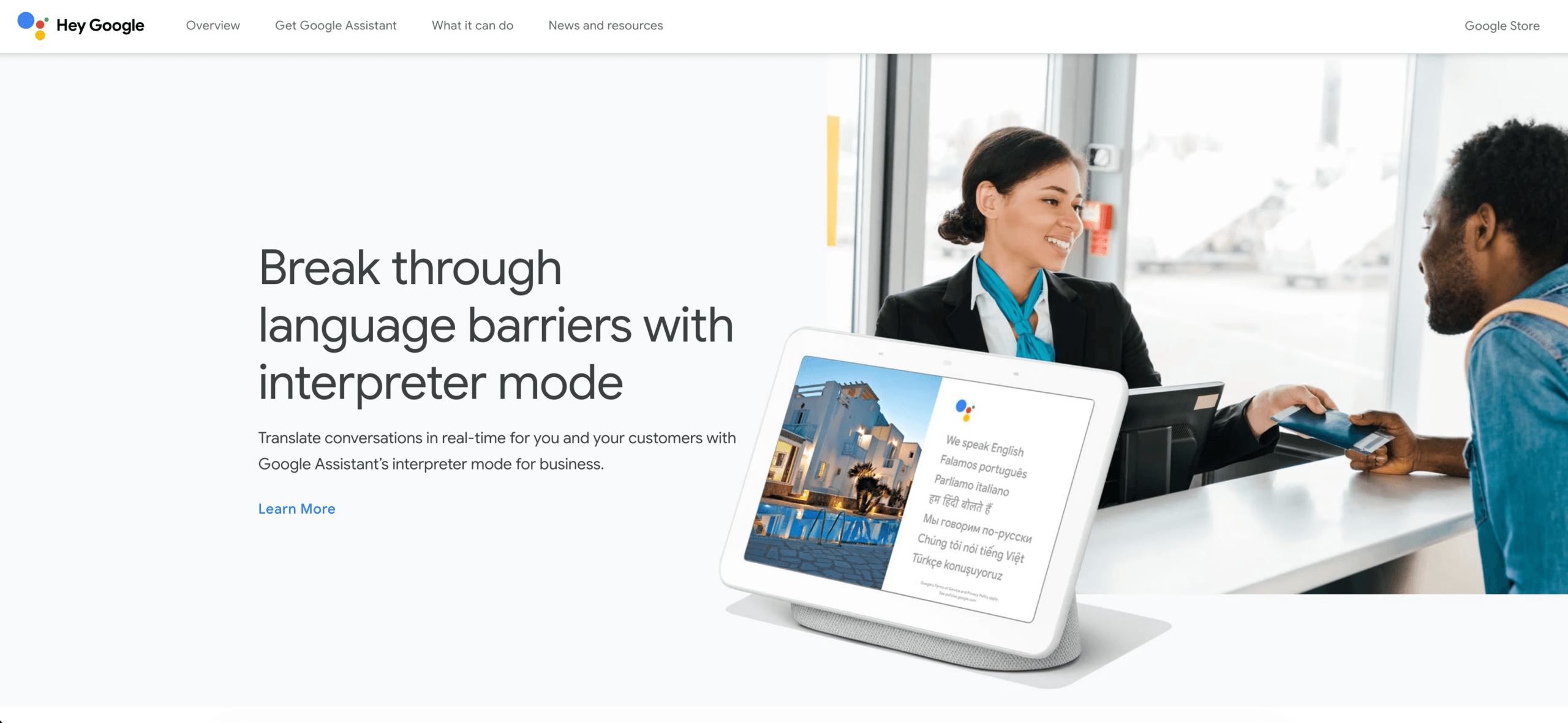
Questo fa Google Traduttore Una valida alternativa pratica alla traduzione vocale tradizionale per uso personale e a turni su dispositivi mobili. I team sono comunque tenuti a verificare la compatibilità con la lingua, la modalità, il dispositivo, la versione dell'app e le cuffie richieste prima di farvi affidamento.
Fase 3: Tradurre il significato, non le singole parole
Una volta che il parlato si trasforma in testo, il sistema deve preservarne l'intento. Ciò risulta difficile quando una parola ha più significati, chi parla utilizza un acronimo o il nome di un'azienda assomiglia a un nome comune.
Una buona preparazione può ridurre le ambiguità. La traduzione da parlato a parlato svolge un compito più impegnativo quando una conversazione include nomi proprietari o linguaggio specialistico. Prima di una conversazione importante, raccogli:
- Nomi dei partecipanti e delle organizzazioni.
- Nomi dei prodotti e ortografia.
- Traduzioni approvate per i termini specialistici.
- Breve descrizione dello scopo della riunione.
- Acronimi e loro espansioni.
- Frasi che devono rimanere invariate.
Transync AI supporta parole chiave e informazioni contestuali In questo modo gli utenti possono preparare nomi, terminologia e informazioni di base. Ciò non garantisce una traduzione perfetta, ma fornisce al sistema elementi che potrebbero mancare in una conversazione mobile non preparata.
Suo traduzione in tempo reale Attualmente copre 60 lingue. Mostrare insieme il testo originale e quello tradotto è utile perché un partecipante bilingue può identificare se il problema è sorto prima o durante la traduzione.
Nella traduzione da parlato a parlato, il significato dovrebbe essere valutato prima in base ai fatti e poi allo stile. Bisogna chiedersi se l'ascoltatore ha capito correttamente la persona, l'azione, la condizione, l'importo e la scadenza. Un errore, anche se pronunciato con una voce impeccabile, rimane pur sempre un errore.
 Fase 4: Riconvertire la traduzione in parlato
 Fase 4: Riconvertire la traduzione in parlato
La sintesi vocale completa la parte che gli utenti notano maggiormente. Nella traduzione da parlato a parlato, l'output vocale deve essere intelligibile, avere un ritmo appropriato ed essere disponibile nella lingua di destinazione richiesta. Una voce naturale può ridurre lo sforzo di ascolto, ma non garantisce l'accuratezza della traduzione.
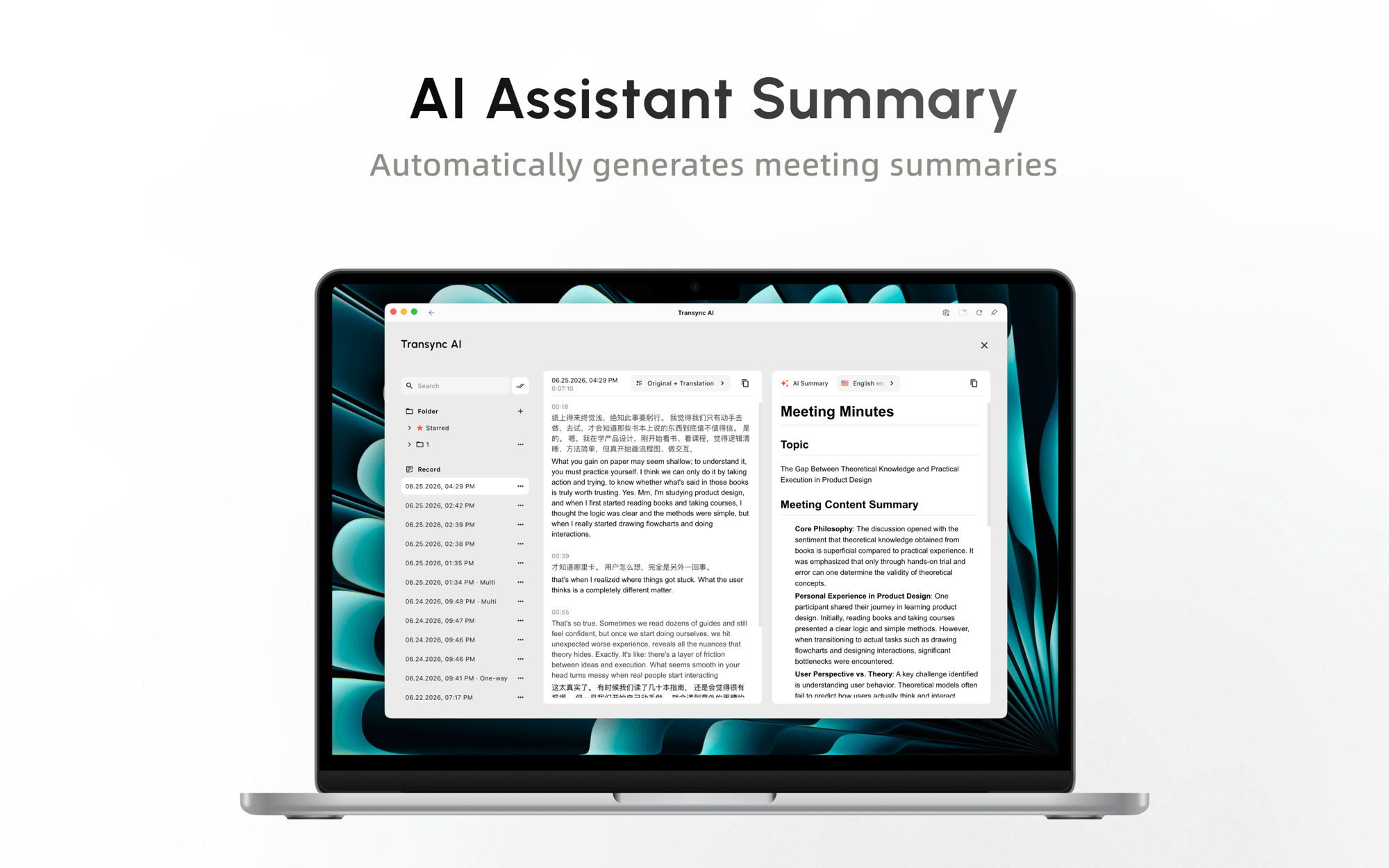
Transync AI fornisce un Traduttore vocale AI Con riproduzione vocale in oltre 40 lingue, stili vocali selezionabili, controlli di velocità e ritardo e clonazione vocale. La documentazione attuale afferma che conferma le frasi prima della riproduzione per garantire l'accuratezza mantenendo basso il ritardo. Questo approccio a livello di frase è un compromesso deliberato tra immediatezza e contesto completo.
Durante le riunioni, gli altri partecipanti ascoltano la traduzione solo se l'output viene instradato correttamente, ad esempio tramite l'audio di sistema condiviso, gli altoparlanti o una configurazione di microfono virtuale supportata. Le cuffie possono aiutare a impedire che la voce tradotta venga captata e tradotta nuovamente.
Voce DeepL Ora supporta riunioni online, conversazioni di persona e un'API vocale. La pagina ufficiale del prodotto elenca i sottotitoli in tempo reale per Microsoft Teams, Zoom Meetings e Google Meet in oltre 40 lingue, ma al momento indica che il supporto vocale per le riunioni online è "in arrivo". Gli acquirenti che cercano specificamente l'audio per le riunioni dovrebbero verificare lo stato di rilascio anziché presumere che i sottotitoli in tempo reale e la riproduzione vocale siano identici.
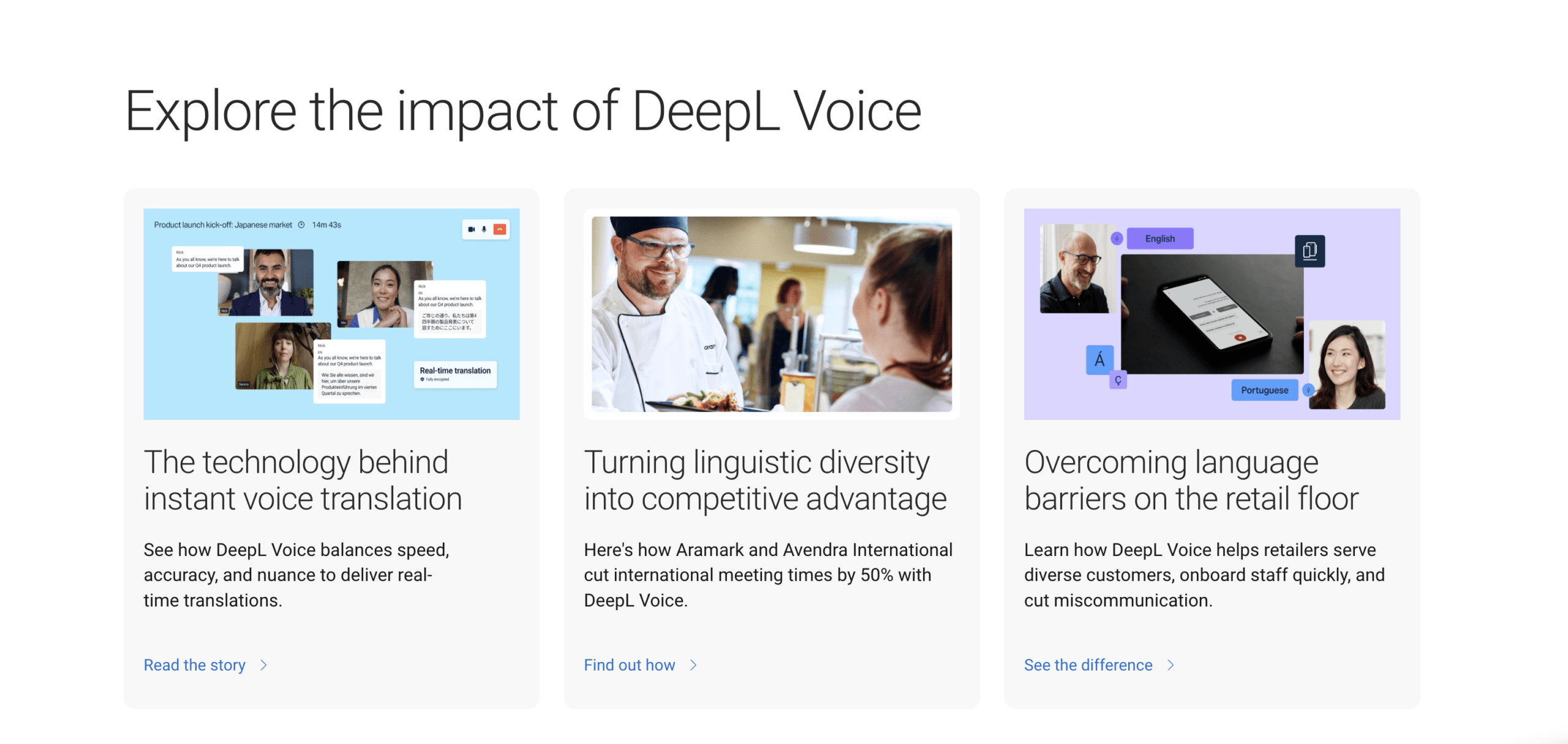
Lo stesso Voce DeepL La pagina descrive un prodotto per conversazioni di persona disponibile su iOS, Android e web, oltre a un'API vocale per l'utilizzo in contact center e processi aziendali. Si tratta di offerte distinte, pertanto le organizzazioni dovrebbero testare il prodotto specifico anziché generalizzare basandosi sul nome del marchio.
Fase 5: Rivolgere la voce giusta all'ascoltatore giusto
Il traduttore finale non crea il linguaggio; rende la traduzione utilizzabile. La traduzione da parlato a parlato ha successo solo quando la persona a cui è destinata può effettivamente ascoltare e comprendere il risultato. La consegna risponde a domande pratiche:
- L'audio viene riprodotto tramite telefono, cuffie, altoparlanti della stanza o audio di riunione?
- Ogni ascoltatore può scegliere una lingua?
- I partecipanti possono intervenire o l'esperienza è a senso unico?
- I sottotitoli rimangono visibili anche quando è aperta un'altra applicazione?
- Cosa succede quando qualcuno si unisce in ritardo?
- È disponibile una trascrizione o un riassunto al termine?
Microsoft Translator Supporta la traduzione a schermo diviso per due persone che utilizzano un unico dispositivo e conversazioni multi-dispositivo a cui i partecipanti possono accedere o partecipare tramite l'app mobile. La pagina ufficiale delle funzionalità afferma inoltre che un utente può partecipare a una conversazione tradotta in un browser e può pronunciare brevi frasi in un singolo microfono mentre è online.
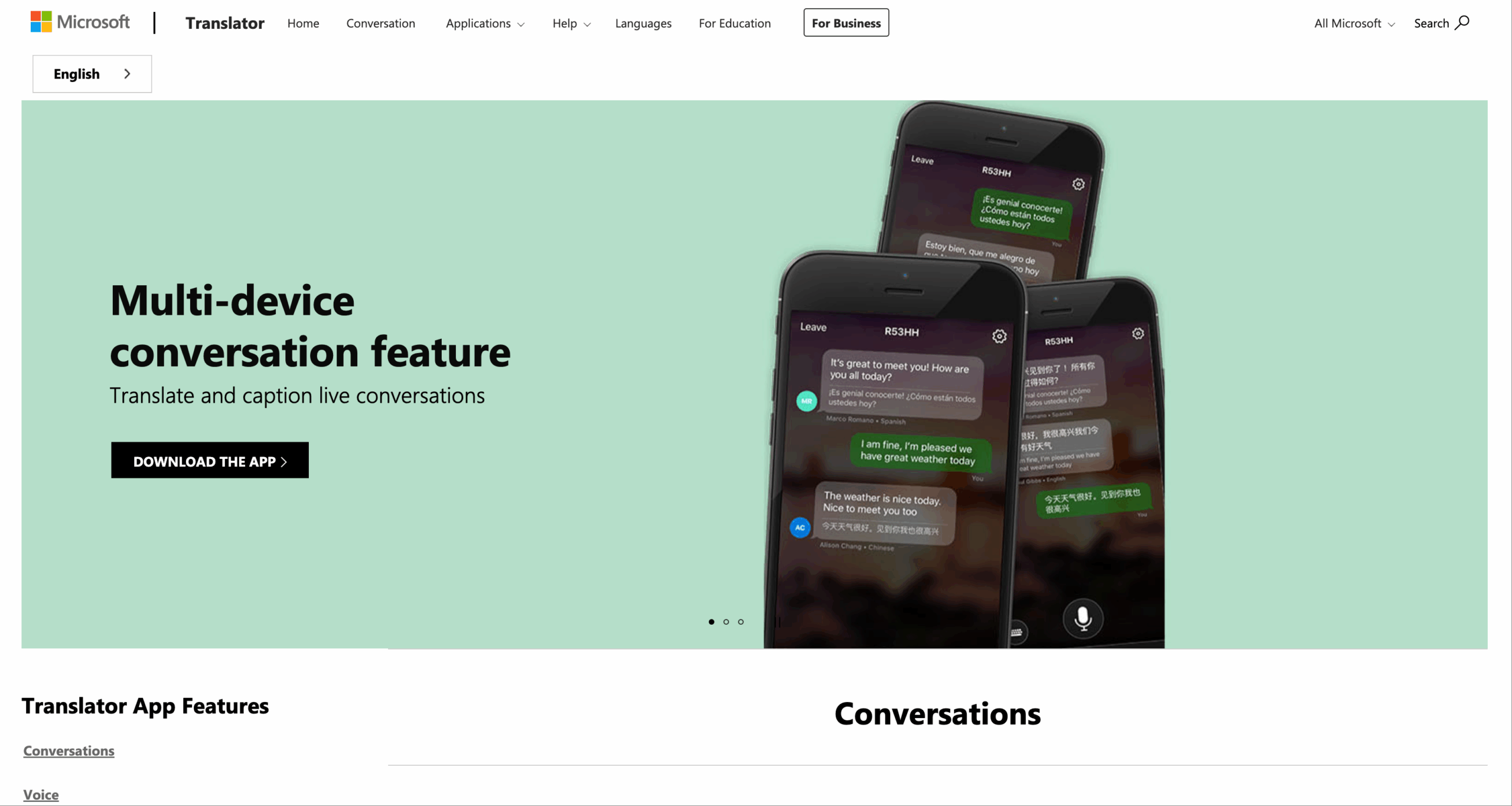
Questo modello di erogazione è adatto a una reception, un'aula, l'interazione con i clienti o un gruppo informale. Per le riunioni di lavoro ricorrenti, tuttavia, i team potrebbero aver bisogno anche di acquisizione audio di sistema, sottotitoli permanenti, separazione dei relatori, registrazioni e punti d'azione.
Transync AI può conservare Sottotitoli bilingue Picture-in-Picture visibile sulle app supportate e produce Appunti della riunione di intelligenza artificiale dopo la conversazione. Queste funzionalità estendono la traduzione da parlato a parlato oltre l'output audio, includendo la verifica e il follow-up.

Sottotitoli fluttuanti in tempo reale su dispositivi desktop e mobili.
Confronto tra prodotti di traduzione da parlato a parlato
| Prodotto | Scenario più forte | output parlato | Modello di conversazione | Supporto alle riunioni | Preparazione del contesto | Registrare in seguito | Confine principale |
|---|---|---|---|---|---|---|---|
| Transync AI | Riunioni, chiamate, lezioni e presentazioni ricorrenti | Oltre 40 lingue di riproduzione; stili vocali e clonazione | Traduzione bidirezionale in tempo reale | Sottotitoli multipiattaforma, voce, audio di sistema | Parole chiave e contesto | Trascrizione e note dell'IA | Flusso di lavoro online; il routing audio deve essere testato |
| Google Traduttore | Ascolto personale e conversazione mobile a turni | Altoparlanti o cuffie nelle modalità di traduzione automatica supportate | Modalità di conversazione e faccia a faccia | Non è uno spazio di lavoro dedicato alle riunioni. | Preparazione limitata per la riunione. | Non progettato per la redazione di appunti di riunioni di lavoro. | La disponibilità delle funzionalità dipende dalla lingua, dal dispositivo e dalla modalità. |
| Microsoft Translator | Conversazione con un solo dispositivo o con più dispositivi | Voce per le lingue supportate e le frasi brevi | Conversazioni a schermo diviso, ospitate e a cui è possibile partecipare. | Separato dal flusso di lavoro completo per la registrazione delle riunioni | Limitato rispetto ai sistemi che privilegiano le riunioni | Dipendente dalla conversazione | Il supporto linguistico e della piattaforma varia |
| Voce DeepL | Sottotitoli aziendali, voce in presenza e API vocale | Prodotto specifico; la comunicazione vocale per riunioni online è indicata come "disponibile a breve" | Offerta in presenza, individuale o di gruppo | Sottotitoli per Teams, Zoom e Google Meet | Opzioni di terminologia aziendale | Specifico del prodotto | Conferma il prodotto vocale e la modalità di output esatti. |
| Interprete umano | Comunicazione ad alto rischio, complessa o soggetta a rendicontazione | Interpretazione professionale naturale | Può chiarire e gestire i turni | In loco o da remoto | Preparazione del soggetto | Dipende dalle regole di ingaggio | Costi più elevati e requisiti di pianificazione |
Questo confronto riflette le informazioni ufficiali attuali sul prodotto, non una classifica permanente. Le funzionalità di traduzione da parlato a parlato possono variare in base al piano tariffario, al sistema operativo, alla versione dell'app, alla combinazione linguistica, alla regione e all'hardware.
I quattro ippodromi
Corso 1: Un rapido scambio faccia a faccia
Per chiedere indicazioni, salutare un cliente o gestire una breve conversazione personale, Google Traduttore E Microsoft Translator meritano di essere testati. Entrambi offrono modelli di conversazione mobile, ma i loro controlli e le modalità supportate differiscono.
Scegliete un prodotto che permetta a entrambi gli utenti di visualizzare il testo originale e quello di destinazione, di riascoltare l'output e di correggere eventuali incomprensioni. Verificate la combinazione linguistica e il dispositivo esatti prima di viaggiare o di un appuntamento programmato.
Corso 2: Un incontro internazionale ricorrente
Una riunione di lavoro richiede più di un semplice scambio di telefonate. La traduzione simultanea da parlato a parlato durante le riunioni deve essere in grado di gestire partecipanti che parlano tramite Zoom, Microsoft Teams, Google Meet o altri servizi; i nomi e la terminologia tecnica sono importanti; e il team potrebbe aver bisogno di prendere decisioni in seguito.
Transync AI è il punto di partenza più forte in questo confronto perché combina sottotitoli e voce tradotti con preparazione terminologica e appunti delle riunioni. I prezzi attualmente indicati includono 40 minuti gratuiti all'iscrizione, Personal Premium a 8,99 al mese con 10 ore e Enterprise a 24,99 al mese per utente con un massimo di 40 ore. Recensione Regole attuali relative a prezzi e utilizzo multilingue prima dell'acquisto.
Voce DeepL È rilevante quando un'azienda dà priorità alle proprie offerte di sottotitoli, comunicazioni di persona o API vocali. Se la traduzione audio all'interno delle riunioni online è obbligatoria, verificare se la funzionalità di sintesi vocale annunciata è disponibile nel piano richiesto al momento della valutazione.
Corso 3: Una presentazione multilingue
Un oratore che si rivolge a molti ascoltatori richiede un modello di trasmissione in diretta anziché un sistema a turni. I membri del pubblico potrebbero desiderare lingue diverse e l'organizzatore non può configurare ogni singolo telefono.
In versione beta Modalità di presentazione, Transync AI consente a un host di abilitare fino a 10 lingue di destinazione. I partecipanti si uniscono da un telefono o un computer utilizzando un codice QR, un link condivisibile o un ID stanza. Non è richiesta alcuna installazione, ma un partecipante deve registrarsi o accedere a un Transync AI account.
Ogni spettatore sceglie una lingua abilitata e può leggere i sottotitoli o ascoltare la traduzione audio. In questa modalità unidirezionale, gli spettatori non possono inviare input vocali. Il presentatore decide se condividere successivamente la trascrizione originale e le note generate dall'IA.
Per questo corso, verifica la visibilità del codice QR, l'accesso all'account, il Wi-Fi, le cuffie, la selezione della lingua, l'accessibilità e l'esperienza di chi arriva in ritardo. Un primo minuto senza intoppi è parte integrante della qualità della traduzione.

La modalità presentazione consente a un presentatore di condividere la traduzione simultanea con i membri del pubblico sui loro dispositivi.
Corso 4: Una conversazione ad alto rischio
La consulenza legale, il consenso clinico, la somministrazione di farmaci, le pratiche di immigrazione, gli impegni finanziari, la gestione delle emergenze e le istruzioni di sicurezza richiedono una responsabilità professionale. La traduzione automatica da parlato a parlato può essere d'aiuto per l'accesso o la preparazione, ma non dovrebbe comportare autonomamente il rischio.
È necessario avvalersi di un interprete umano qualificato, in grado di richiedere chiarimenti, riconoscere ambiguità significative, rispettare gli standard professionali e assumersi la responsabilità dell'interpretazione. La tecnologia può supportare le registrazioni solo quando la privacy, il consenso e le normative applicabili lo consentono.
Creare un budget di latenza
“La "velocità" non è un parametro univoco. Il tempo si accumula lungo tutta la staffetta:
| Fonte del ritardo | Cosa aggiunge tempo | Cosa misurare |
|---|---|---|
| Catturare | Buffer audio e trasporto di rete | Inizio del discorso per visualizzare il testo sorgente |
| Riconoscimento | In attesa di un confine di frase | Ultima parola pronunciata per completare la frase sorgente |
| Traduzione | Elaborazione del contesto | Completamento sorgente nel testo di destinazione |
| Sintesi | Generazione vocale e gestione delle code | Testo di destinazione al primo suono udibile |
| Riproduzione | Testo tradotto esteso | Tempo che intercorre prima che l'ascoltatore possa rispondere |
Simula uno scambio di dieci minuti e misura il punto di reazione reale dell'ascoltatore. Un sistema potrebbe mostrare i sottotitoli rapidamente, ma terminare la riproduzione vocale troppo tardi per consentire un'alternanza naturale dei turni di parola. Un altro sistema potrebbe attendere una frase completa, produrre un risultato più coerente e adattarsi comunque al ritmo della riunione.
La latenza ideale per la traduzione da parlato a parlato dipende dallo scopo. Le domande di viaggio tollerano delle pause. Una negoziazione richiede un recupero rapido. Una lezione può accettare un ritardo modesto se ogni partecipante riceve un output chiaro.
Uno script di test equo di 15 minuti
Utilizzare le stesse condizioni per ogni strumento:
- Scegli una coppia di lingue e due parlanti.
- Utilizza lo stesso microfono, la stessa stanza, la stessa rete e le stesse cuffie.
- Leggi uno script contenente nomi, numeri, negazioni, correzioni e termini di dominio.
- Aggiungere un'interruzione e un cambio di oratore.
- Registrare gli errori di riconoscimento della fonte separatamente dagli errori di traduzione.
- Misura il tempo che intercorre prima che l'ascoltatore riesca a rispondere.
- Verifica la pronuncia e accertati che l'audio raggiunga il dispositivo previsto.
- Esaminare attentamente trascrizioni, note, impostazioni di conservazione e controlli di cancellazione.
Valuta da uno a cinque l'intelligibilità, il significato fattuale, la tempistica, la presentazione, il recupero e lo sforzo di impostazione. Non sommare i punteggi troppo presto: un singolo punteggio può nascondere un errore fatale, come un'ottima qualità della voce con un prezzo errato.
La privacy è parte integrante della qualità della voce.
Le conversazioni vocali possono includere informazioni sui clienti, strategie interne, dati personali o materiale regolamentato. Un fornitore di servizi di traduzione da parlato a parlato può elaborare sia l'audio che il testo, pertanto la verifica della privacy deve riguardare l'intero processo di trasmissione. Prima dell'adozione, chiedete:
- L'audio in diretta viene memorizzato?
- Le trascrizioni vengono conservate e, in caso affermativo, per quanto tempo?
- Gli utenti possono eliminare i record?
- I contenuti dei clienti vengono utilizzati per l'addestramento dei modelli?
- Dove vengono elaborati i dati?
- Quali sono i controlli amministrativi, di accesso e di audit esistenti?
- Quali impegni contrattuali e di conformità si applicano al piano selezionato?
Attuale Transync AI Le informazioni indicano che non vengono memorizzate registrazioni audio di traduzione in tempo reale, le trascrizioni testuali possono essere memorizzate temporaneamente per gli appunti delle riunioni, i record possono essere eliminati e i dati dei clienti non vengono utilizzati per l'addestramento dell'IA. Le organizzazioni dovrebbero comunque esaminare il fornitore Centro di fiducia e i propri obblighi legali.
Attuale Voce DeepL Secondo le informazioni disponibili, i dati di trascrizione e traduzione delle riunioni vengono elaborati temporaneamente in memoria e cancellati al termine della chiamata, mentre i dati relativi alla conversazione vengono elaborati sul dispositivo locale e cancellati quando non sono più visibili. Verificare i dettagli contrattuali per conoscere l'esatta modalità di servizio e di implementazione.
Nessuno strumento di traduzione da parlato a parlato dovrebbe ricevere audio sensibili semplicemente perché la sua interfaccia è comoda.
Quale strumento dovrebbe raccogliere il testimone?
Scegliere Google Traduttore per l'ascolto mobile supportato, le conversazioni faccia a faccia e le conversazioni personali a turni in cui accessibilità e velocità sono fondamentali.
Scegliere Microsoft Translator quando la conversazione a schermo diviso o multi-dispositivo unibile corrisponde all'interazione.
Scegliere Voce DeepL per la valutazione dei sottotitoli per le riunioni aziendali, dell'offerta di conversazione di persona o dell'API vocale. Verificare che il piano specifico fornisca l'output vocale nello scenario richiesto.
Scegliere Transync AI Quando le riunioni necessitano di sottotitoli bilingue, traduzione audio, contesto, utilizzo multipiattaforma e note, oppure quando un relatore deve distribuire la traduzione a un pubblico multilingue.
Quando il costo di un malinteso è elevato, è fondamentale affidarsi a un interprete umano qualificato.
Il miglior prodotto di traduzione vocale è quello che completa tutte e cinque le fasi per l'ascoltatore finale. Un motore potente che non riesce a percepire l'ambiente circostante, a memorizzare il numero, a pronunciare il nome o a trasmettere l'audio al partecipante non ha completato la gara.
Domande frequenti
Come funziona la traduzione da parlato a parlato?
Il sistema acquisisce l'audio, riconosce il parlato originale, ne traduce il significato, sintetizza il parlato nella lingua di destinazione e invia l'audio all'ascoltatore. Molti sistemi visualizzano anche il testo originale e quello tradotto per verifica.
La traduzione da parlato a parlato è davvero in tempo reale?
È quasi in tempo reale, non letteralmente istantaneo. I sistemi necessitano di una quantità sufficiente di audio per riconoscere e tradurre una frase. Le condizioni di rete, la lunghezza della frase, l'elaborazione del modello e la riproduzione vocale introducono tutti dei ritardi.
La traduzione simultanea può funzionare in una riunione online?
Sì, ma il flusso di lavoro deve acquisire l'audio del computer e fornire sottotitoli o traduzione vocale in modo corretto. Transync AI è progettato per l'utilizzo in riunioni multipiattaforma. Voce DeepL Attualmente offre sottotitoli per le riunioni e indica che il supporto per la comunicazione vocale nelle riunioni online sarà disponibile a breve, quindi si consiglia di verificarne lo stato attuale.
Perché alcuni strumenti mostrano il testo ma non riproducono la traduzione vocale?
Il riconoscimento vocale e la traduzione possono generare sottotitoli anche senza la sintesi vocale. L'output vocale dipende inoltre dalla disponibilità della voce nella lingua di destinazione, dalla progettazione del prodotto, dal piano, dal dispositivo e dall'instradamento audio.
Un singolo oratore può raggiungere diverse lingue target?
SÌ. Transync AI Attualmente, la modalità Presentazione consente al relatore di configurare fino a 10 lingue di destinazione (in versione beta). I partecipanti selezionano la lingua desiderata dal proprio dispositivo.
La traduzione vocale basata sull'intelligenza artificiale può sostituire un interprete?
No. Può facilitare la comunicazione multilingue frequente e a basso rischio, ma gli interpreti umani qualificati restano necessari quando le sfumature, gli standard professionali o le gravi conseguenze richiedono un giudizio responsabile.
Se desideri un'esperienza di nuova generazione, Transync AI apre la strada alla traduzione in tempo reale basata sull'intelligenza artificiale, che mantiene le conversazioni fluide e naturali. Puoi provalo gratis Ora.
