

Découvrez le fonctionnement de la traduction vocale en 5 étapes, comparez les principaux outils et choisissez l'option la mieux adaptée à vos conversations, réunions et présentations.
La traduction vocale semble se dérouler en un instant : une personne parle dans une langue, et l’interlocuteur en entend une autre. Derrière ce simple fait se cache un processus complexe en cinq étapes : capture audio, reconnaissance vocale, compréhension du langage, traduction et synthèse vocale. Si l’un des maillons de la chaîne fait une erreur, même un excellent modèle de traduction ne peut sauver la conversation.
Cet article suit ce relais et compare Transync AI, Google Traduction, Microsoft Translator, et Voix de DeepL. Au lieu de se demander quelle marque est la “ meilleure ” de manière abstraite, cela montre où chaque marque se positionne dans la compétition et quel public elle est conçue pour servir.
En résumé : Google Traduction est pratique pour l'écoute mobile et les conversations à tour de rôle ; Microsoft Translator prend en charge les échanges sur un seul appareil et sur plusieurs appareils ; Voix de DeepL propose des produits de téléphonie d'entreprise, bien que sa page officielle indique actuellement que la prise en charge vocale pour les réunions en ligne sera “ bientôt disponible ” ; Transync AI combine des sous-titres bilingues en direct avec la voix traduite, le contexte de la réunion, les notes et les flux de travail de présentation au public.
Qu'est-ce que la traduction vocale ?
La traduction vocale convertit la langue parlée en un discours compréhensible dans une autre langue. Un système complet doit généralement comporter :
- Capturez l'audio de l'orateur.
- Reconnaître les mots et déterminer quand une pensée est complète.
- Traduire le sens dans la langue cible.
- Générer une parole intelligible.
- Transmettez ce discours au bon auditeur sans créer d'écho ni de confusion.
Certains produits couvrent l'intégralité du processus. D'autres se limitent aux sous-titres traduits, proposent uniquement la voix pour certaines langues, ou nécessitent un appareil, une application, une plateforme de réunion, un casque, un abonnement ou un protocole audio spécifique. La traduction vocale est donc une fonctionnalité du produit qui doit être vérifiée et non déduite du terme “ traducteur ”. La notion de “ temps réel ” est également variable : sous-titres continus, lecture phrase par phrase et conversations à tour de rôle peuvent tous être considérés comme des expériences en direct.
| Étape relais | Tâche système | Défaillance typique | Ce que l'utilisateur remarque |
|---|---|---|---|
| 1. Capture | Obtenez un son clair du microphone ou du système. | Bruit, écho, source d'entrée incorrecte | Parole manquante ou déformée |
| 2. Reconnaître | Convertir la parole en texte source | Noms, accents et chiffres mal entendus | Transcription de source erronée |
| 3. Traduire | Préserver le sens et le contexte | Dérive littérale ou terminologique | Message fluide mais incorrect |
| 4. Synthétiser | Convertir un texte traduit en voix | Rythme non naturel ou prononciation incorrecte | Audio difficile à suivre |
| 5. Livrer | Acheminer la sortie vers l'écouteur prévu | Boucle de rétroaction, partage discret, long délai | L'auditeur ne peut pas répondre naturellement |
L'évaluation la plus pertinente de la traduction vocale prend en compte chaque étape. Se limiter à l'écoute de la voix finale ne permet pas de déterminer si l'erreur provient du microphone, de la transcription source, de la traduction ou de la lecture.
Étape 1 : Capturer une voix digne d'être traduite
La transmission commence avant même que l'IA n'intervienne. Dans une salle de conférence bruyante, le microphone d'un ordinateur portable reçoit un signal différent de celui d'un casque placé près de la bouche de l'orateur. Les appels en ligne ajoutent le son de l'ordinateur, la sortie audio des haut-parleurs, les paramètres de partage d'écran, les microphones virtuels et les contrôles d'autorisation.
Utilisez cette liste de contrôle de capture :
- Sélectionnez le microphone souhaité plutôt que le microphone par défaut du système, par habitude.
- Utilisez des écouteurs lorsque la voix traduite risque de retourner dans le microphone.
- Tester le partage audio de l'ordinateur avec un participant distant.
- Réduisez la musique, le bruit des ventilateurs, le son des claviers et les conversations annexes.
- Gardez le haut-parleur suffisamment près du microphone.
- Demandez aux participants de ne pas se couper la parole lors des détails importants.
Transync AI peut accepter l'entrée microphone et l'audio partagé de l'ordinateur dans traduction de réunion en direct Flux de travail. Lors d'un appel via Zoom, Microsoft Teams, Google Meet, WhatsApp ou autre, l'organisateur doit vérifier ce que le participant distant reçoit réellement, et non pas seulement ce qui apparaît sur l'écran de l'organisateur.
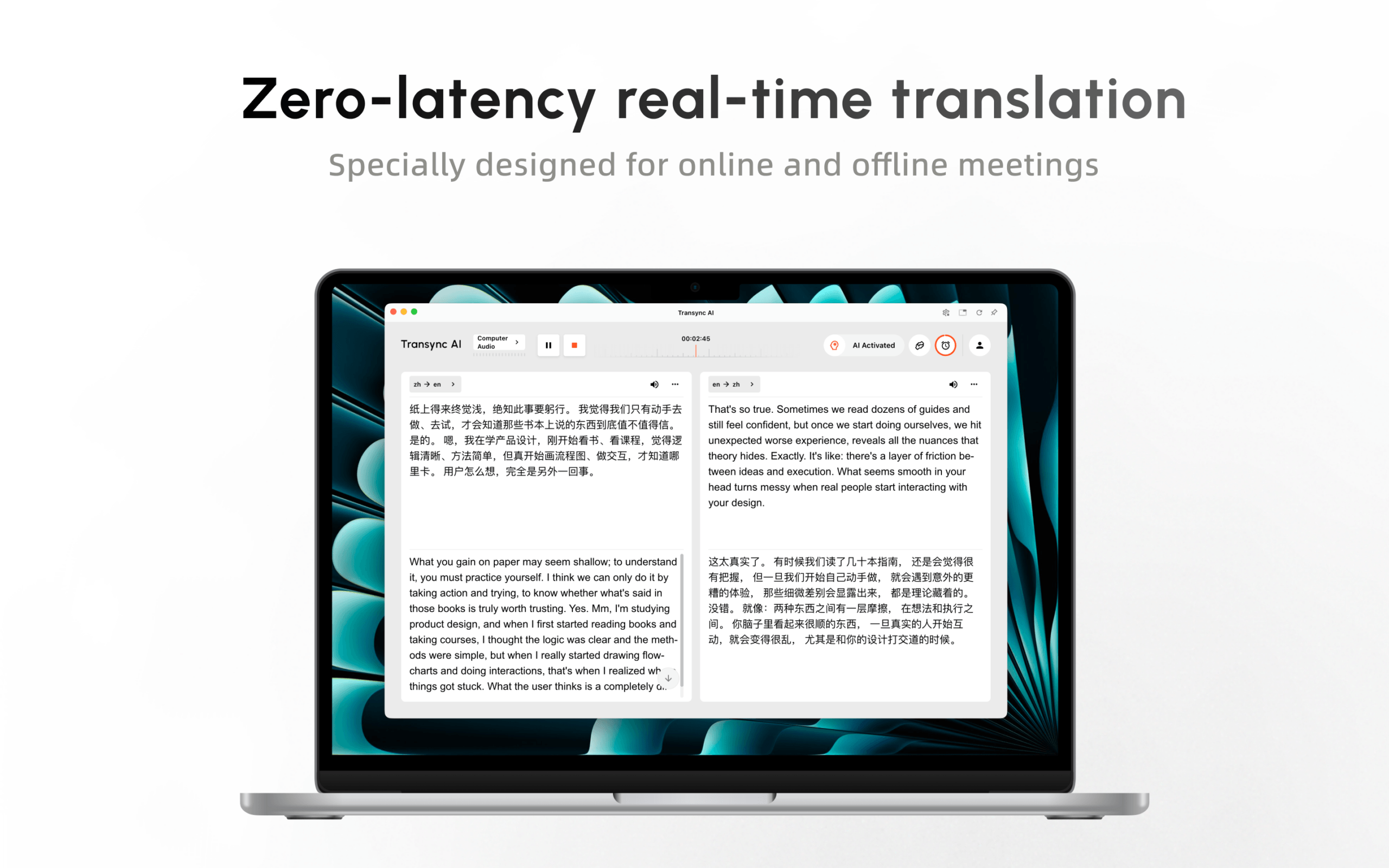
Essayez Transync AI gratuitement
Un outil de traduction vocale doit être testé en conditions réelles (salle et matériel). Une démonstration impeccable sur un bureau ne présage rien de l'expérience en réunion avec une connexion Wi-Fi faible, plusieurs accents, un haut-parleur partagé et deux personnes qui s'interrompent.
Étape 2 : Identifier la source avant de la traduire
La reconnaissance vocale automatique crée le texte source sur lequel repose la traduction. En traduction vocale, cette transcription implicite constitue la base de tout ce que l'auditeur entend. Si “ quinze ” devient “ cinquante ”, les étapes suivantes risquent de traduire fidèlement un nombre erroné.
Créez un script de reconnaissance contenant :
- Noms de personnes, de produits et de lieux.
- Dates, heures, prix, pourcentages et numéros de modèle.
- Acronymes et termes spécialisés.
- Une affirmation négative utilisant “ not ”, “ never ” ou “ unless ”.”
- Rectification : “ La livraison aura lieu mardi… pardon, jeudi matin. ”
- Une phrase rapide suivie d'une réponse courte.
Lisez la transcription source avant d'évaluer le discours traduit. Cela permet de distinguer la précision de la reconnaissance de la qualité de la traduction et de rendre les comparaisons entre fournisseurs plus équitables.
Google Traduction L'application propose actuellement Live Translate sur les téléphones et tablettes Android compatibles, avec les modes écoute, conversation, texte uniquement, personnalisé et face-à-face. Sa documentation indique que le microphone détecte automatiquement la transition entre deux langues. Le mode conversation diffuse les traductions via le haut-parleur du téléphone ou des écouteurs, tandis que le mode écoute permet d'entendre la traduction.
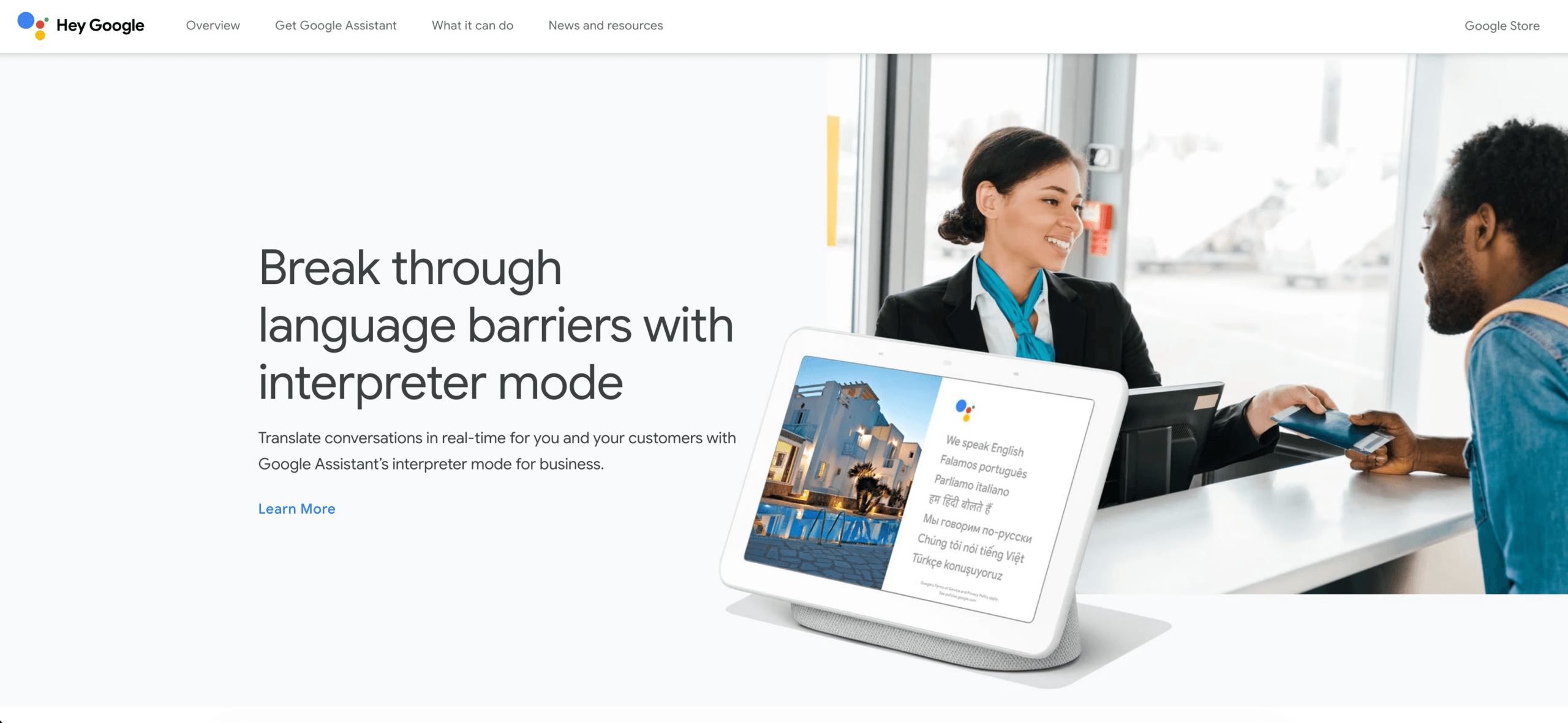
Cela fait Google Traduction Il s'agit d'une solution de traduction vocale pratique pour une utilisation personnelle et mobile (avec communication à tour de rôle). Les équipes doivent toutefois vérifier que la langue, le mode, l'appareil, la version de l'application et les écouteurs requis sont compatibles avant de l'utiliser.
Étape 3 : Traduire le sens, et non les mots isolés
Une fois la parole transcrite, le système doit préserver l'intention. Cela s'avère difficile lorsqu'un mot possède plusieurs sens, qu'un locuteur utilise un acronyme ou qu'un nom d'entreprise ressemble à un nom commun.
Une bonne préparation permet de réduire les ambiguïtés. La traduction vocale est plus exigeante lorsqu'une conversation inclut des noms commerciaux ou un langage spécialisé. Avant une conversation importante, rassemblez :
- Noms des participants et des organisations.
- Noms et orthographe des produits.
- Traductions approuvées pour les termes spécialisés.
- Brève description de l'objectif de la réunion.
- Acronymes et leurs définitions.
- Phrases qui doivent rester inchangées.
Transync AI supports mots-clés et informations contextuelles Les utilisateurs peuvent ainsi préparer les noms, la terminologie et le contexte. Cela ne garantit pas une traduction parfaite, mais permet au système de déceler d'éventuelles lacunes dans une conversation mobile non préparée.
C'est traduction en temps réel Cette plateforme couvre actuellement 60 langues. Afficher le texte source et le texte traduit ensemble est utile car un participant bilingue peut ainsi identifier si le problème est apparu avant ou pendant la traduction.
Pour la traduction vocale, il faut évaluer le sens en se basant d'abord sur les faits, puis sur le style. Il est important de vérifier si l'interlocuteur a bien compris la personne, l'action, la situation, le montant et l'échéance. Une erreur, même bien prononcée, reste une erreur.
 Étape 4 : Transformer la traduction en parole
 Étape 4 : Transformer la traduction en parole
La synthèse vocale complète la partie la plus perceptible pour les utilisateurs. En traduction vocale, la voix de sortie doit être intelligible, avoir un rythme approprié et être disponible dans la langue cible. Une voix naturelle peut faciliter l'écoute, mais ne garantit pas l'exactitude de la traduction.
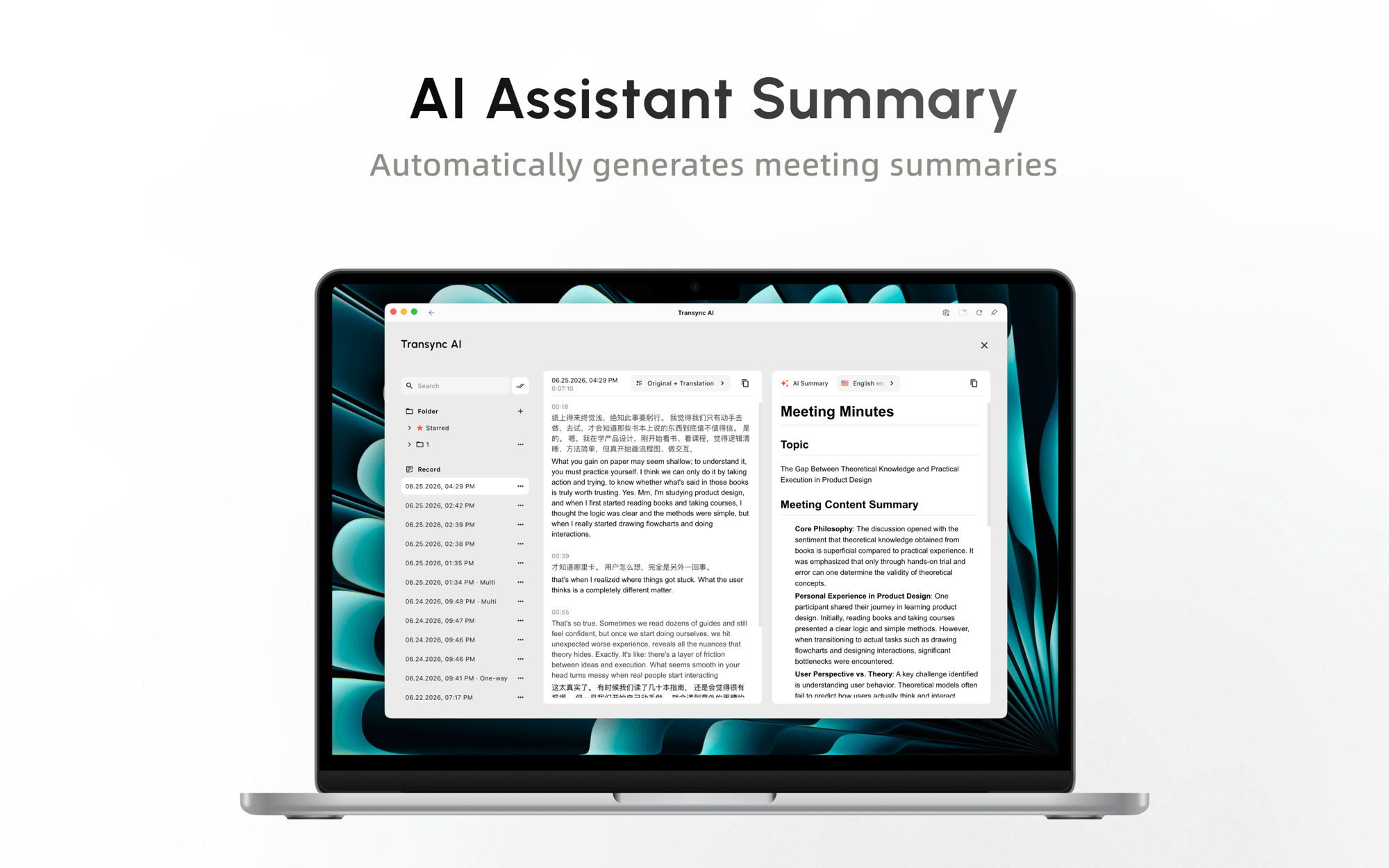
Transync AI fournit un Traducteur vocal IA Avec une lecture vocale disponible dans plus de 40 langues, des styles de voix sélectionnables, des réglages de vitesse et de délai, et la fonction de clonage vocal, ce dispositif confirme les phrases avant la lecture afin de garantir la précision tout en minimisant le délai. Cette approche au niveau de la phrase représente un compromis délibéré entre l'immédiateté et le contexte complet.
Lors des réunions, les autres participants n'entendent la traduction que si la sortie audio est correctement acheminée, par exemple via un système audio partagé, des haut-parleurs ou une configuration de microphone virtuel compatible. L'utilisation d'un casque peut éviter que la voix traduite ne soit captée et retraduite.
Voix de DeepL Ce logiciel prend désormais en charge les réunions en ligne, les conversations en face à face et propose une API vocale. Sa page produit officielle mentionne le sous-titrage en direct pour Microsoft Teams, Zoom Meetings et Google Meet dans plus de 40 langues, mais indique actuellement que la prise en charge de la communication vocale pour les réunions en ligne sera bientôt disponible. Les acheteurs souhaitant spécifiquement une sortie audio pour les réunions sont invités à vérifier l'état de la disponibilité plutôt que de supposer que le sous-titrage en direct et la lecture vocale sont identiques.
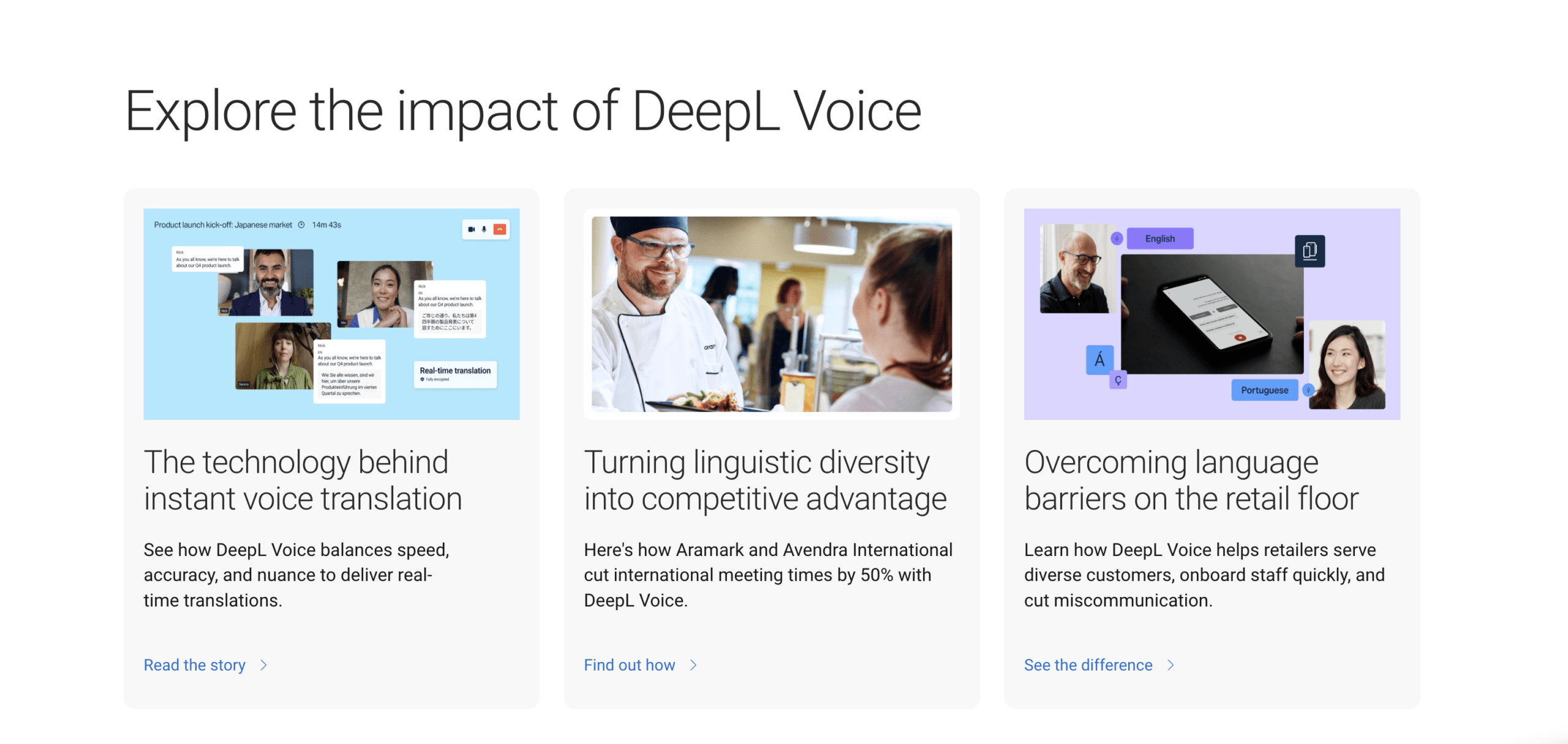
Le même Voix de DeepL Cette page décrit une application de conversation en face à face disponible sur iOS, Android et le Web, ainsi qu'une API vocale pour les centres de contact et les processus métier. Il s'agit d'offres distinctes ; les entreprises doivent donc tester le produit en question plutôt que de se fier uniquement à la marque.
Étape 5 : Transmettre le bon message au bon auditeur
Le traducteur final ne crée pas le langage ; il rend la traduction utilisable. La traduction vocale n’est réussie que si le destinataire peut effectivement entendre et comprendre le résultat. La livraison répond à des questions pratiques :
- Le son est-il diffusé via un téléphone, des écouteurs, des haut-parleurs de salle ou le système audio de réunion ?
- Chaque auditeur peut-il choisir une langue ?
- Les participants peuvent-ils répondre, ou l'expérience est-elle à sens unique ?
- Les sous-titres restent-ils visibles lorsqu'une autre application est ouverte ?
- Que se passe-t-il lorsqu'une personne rejoint l'équipe en cours de route ?
- Existe-t-il une transcription ou un résumé par la suite ?
Microsoft Translator L'application prend en charge la traduction en écran partagé pour deux personnes utilisant un seul appareil, ainsi que les conversations multi-appareils auxquelles les participants peuvent participer ou qu'ils peuvent créer via l'application mobile. Sa page de fonctionnalités officielle indique également qu'un utilisateur peut rejoindre une conversation traduite dans un navigateur et prononcer de courtes phrases dans un seul microphone lorsqu'il est en ligne.
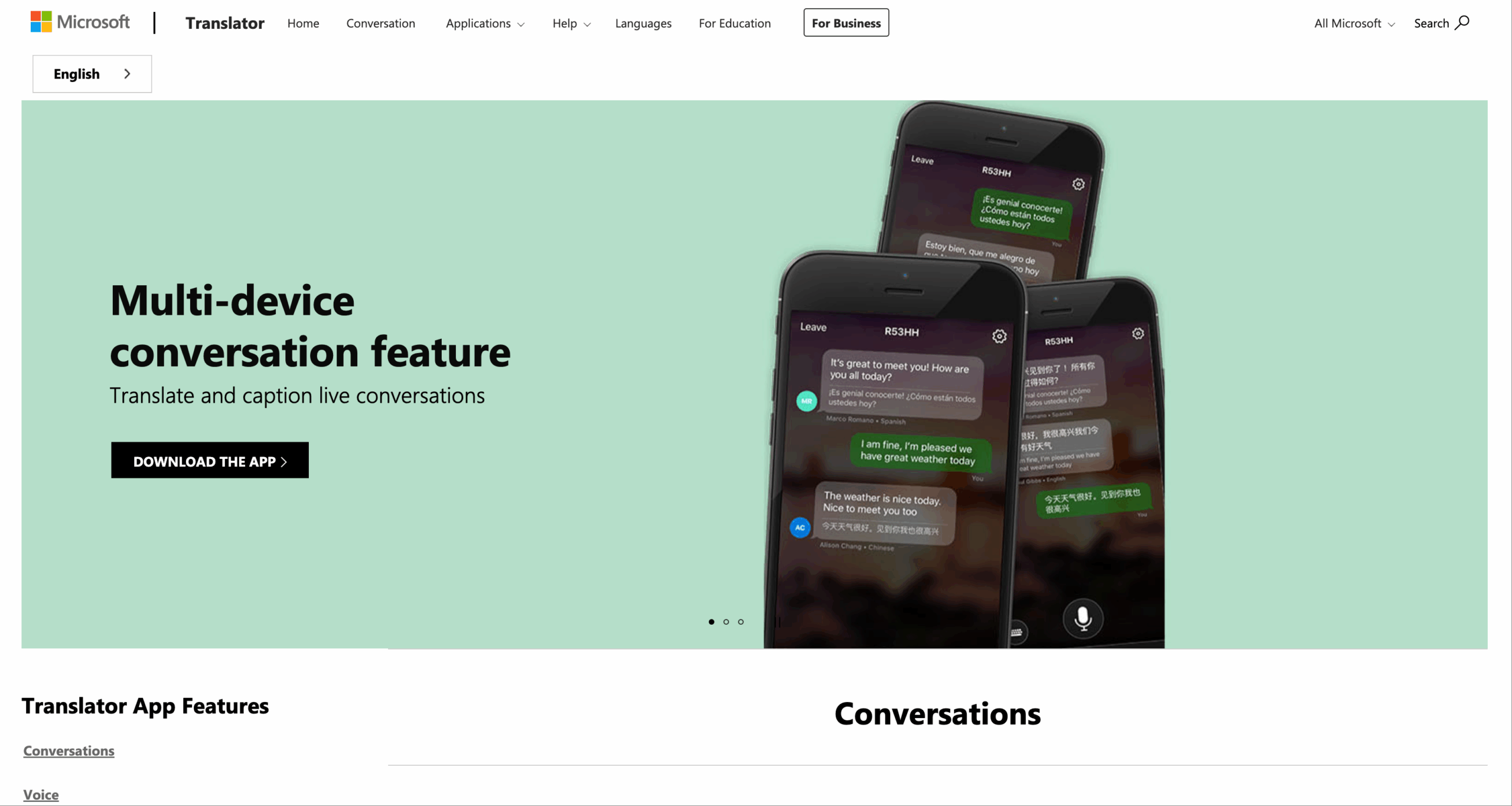
Découvrez Microsoft Translator
Ce modèle de diffusion convient à un accueil, une salle de classe, une interaction client ou un groupe informel. Cependant, pour les réunions d'affaires régulières, les équipes peuvent également avoir besoin d'un enregistrement audio, de sous-titres permanents, d'une séparation des intervenants, d'un compte rendu et d'une liste de tâches à accomplir.
Transync AI peut garder Sous-titres bilingues en incrustation d'image visible sur les applications prises en charge et produire Notes de réunion IA après la conversation. Ces fonctionnalités étendent la traduction vocale au-delà de la simple sortie audio, en incluant la vérification et le suivi.

Sous-titres flottants en temps réel sur les appareils de bureau et mobiles
Comparatif de produits de traduction vocale
| Produit | Scénario le plus favorable | Sortie vocale | Modèle de conversation | Soutien aux réunions | Préparation du contexte | Enregistrer ensuite | Limite principale |
|---|---|---|---|---|---|---|---|
| Transync AI | Réunions, appels, cours et présentations récurrents | Plus de 40 langues de lecture ; styles de voix et clonage | Traduction bidirectionnelle en temps réel | Sous-titres multiplateformes, voix, audio système | Mots-clés et contexte | Notes de transcription et d'IA | Flux de travail en ligne ; le routage audio doit être testé |
| Google Traduction | Écoute personnelle et conversation mobile à tour de rôle | Haut-parleur ou casque dans les modes de traduction en direct pris en charge | Modes de conversation et de face-à-face | Pas un espace de travail de connaissances pour les réunions | Préparation limitée aux réunions | Non conçu pour la prise de notes en réunion d'affaires | La disponibilité des fonctionnalités dépend de la langue, de l'appareil et du mode. |
| Microsoft Translator | Conversation sur un seul appareil ou sur plusieurs appareils | Voix pour les langues prises en charge et phrases courtes | Conversations en écran partagé, hébergées et auxquelles il est possible de participer | Indépendamment du flux de travail d'enregistrement complet des réunions | Limité par rapport aux systèmes privilégiant la réunion. | Dépendant de la conversation | La prise en charge des langues et des plateformes varie |
| Voix de DeepL | Sous-titrage d'entreprise, voix en face à face et API vocale | Fonctionnalité spécifique au produit ; les réunions vocales en ligne seront bientôt disponibles. | Offre en présentiel, individuelle ou en groupe | Sous-titres pour Teams, Zoom et Google Meet | options de terminologie d'entreprise | Spécifique au produit | Veuillez confirmer le produit vocal exact et le mode de sortie. |
| Interprète humain | Communication à haut risque, nuancée ou responsable | Interprétation professionnelle naturelle | Peut clarifier et gérer les tours | Sur site ou à distance | Préparation du sujet | Cela dépend des règles d'engagement | Exigences en matière de coûts et de planification plus élevées |
Cette comparaison reflète les informations officielles actuelles sur les produits et ne constitue pas un classement définitif. Les fonctionnalités de traduction vocale peuvent varier selon l'abonnement, le système d'exploitation, la version de l'application, la paire de langues, la région et le matériel.
Les quatre hippodromes
Cours 1 : Un échange rapide en face à face
Pour demander son chemin, accueillir un client ou mener une brève conversation personnelle, Google Traduction et Microsoft Translator méritent d'être testées. Toutes deux proposent des modèles de conversation mobile, mais leurs commandes et les modes pris en charge diffèrent.
Choisissez le produit qui permet aux deux interlocuteurs de visualiser le texte source et le texte cible, de réécouter la sortie et de corriger un malentendu. Testez la paire de langues et l'appareil adaptés avant un voyage ou un rendez-vous prévu.
Cours 2 : Une réunion internationale récurrente
Une réunion d'affaires ne se résume pas à des prises de parole téléphoniques à tour de rôle. La traduction vocale doit permettre aux participants de communiquer via Zoom, Microsoft Teams, Google Meet ou un autre service ; les noms et les termes techniques sont importants ; et l'équipe peut avoir besoin de prendre des décisions par la suite.
Transync AI Il s'agit du point de départ le plus solide de cette comparaison, car il combine le sous-titrage et la voix traduits avec la préparation de la terminologie et la prise de notes de réunion. Les tarifs actuellement affichés comprennent 40 minutes gratuites à l'inscription, l'abonnement Personal Premium à 8,99 € par mois pour 10 heures et l'abonnement Enterprise à 24,99 € par mois et par utilisateur pour un maximum de 40 heures. Voir l'avis règles actuelles en matière de tarification et d'utilisation multilingue avant l'achat.
Voix de DeepL Cela est pertinent lorsqu'une entreprise privilégie ses offres de sous-titrage, de visioconférence ou d'API vocales. Si la traduction vocale audible lors des réunions en ligne est indispensable, vérifiez si la fonctionnalité voix à voix annoncée est incluse dans le forfait souhaité au moment de l'évaluation.
Cours 3 : Une présentation multilingue
Un orateur s'adressant à un large public nécessite une diffusion en direct plutôt qu'une alternance de prises de parole. Les membres du public peuvent souhaiter s'exprimer dans différentes langues, et l'animateur ne peut pas configurer chaque téléphone.
En version bêta Mode de présentation, Transync AI Permet à un hôte d'activer jusqu'à 10 langues cibles. Les participants se connectent depuis un téléphone ou un ordinateur à l'aide d'un code QR, d'un lien partageable ou d'un identifiant de salle. Aucune installation n'est requise, mais chaque participant doit s'inscrire ou se connecter à un compte. Transync AI compte.
Chaque participant choisit une langue parmi celles disponibles et peut lire les sous-titres ou écouter la traduction vocale. En mode unidirectionnel, les participants ne peuvent pas envoyer de commentaires vocaux. L'animateur décide ensuite si la transcription originale et les notes générées par l'IA sont partagées.
Pour ce cours, testez la visibilité des QR codes, l'accès aux comptes, le Wi-Fi, les écouteurs, la sélection de la langue, l'accessibilité et l'expérience des participants arrivant en retard. Une première minute fluide est essentielle à la qualité de la traduction.

Le mode Présentation permet à un animateur de partager une traduction en direct avec les membres du public sur leurs propres appareils.
Cours 4 : Une conversation à enjeux élevés
Les conseils juridiques, le consentement éclairé, les médicaments, l'immigration, les engagements financiers, les interventions d'urgence et les consignes de sécurité exigent une responsabilité professionnelle. La traduction automatique vocale peut faciliter l'accès à ces informations ou la préparation, mais elle ne doit pas, à elle seule, engendrer le risque.
Faites appel à un interprète humain qualifié, capable de demander des précisions, de déceler toute ambiguïté susceptible d'en entraîner une, de respecter les normes professionnelles et d'assumer la responsabilité de l'interprétation. L'utilisation de la technologie ne peut être envisagée que si le respect de la vie privée, le consentement et la réglementation applicable le permettent.
Élaborer un budget de latence
“ Rapide ” ne se mesure pas d'une seule façon. Le temps s'accumule tout au long du relais :
| Source de délai | Qu'est-ce qui ajoute du temps ? | Que mesurer |
|---|---|---|
| Capturer | Tampons audio et transport réseau | Début du discours vers le texte source visible |
| Reconnaissance | En attente d'une limite de phrase | Dernier mot prononcé pour compléter la phrase source |
| Traduction | Traitement du contexte | Complétion du texte source vers le texte cible |
| Synthèse | Génération vocale et mise en file d'attente | Associer le texte cible au premier son audible |
| Lecture | Texte traduit en long | Temps restant avant que l'auditeur puisse répondre |
Organisez un échange de dix minutes et mesurez le véritable point de réaction de l'auditeur. Un système peut afficher rapidement les sous-titres, mais terminer la lecture vocale trop tard pour permettre une prise de parole naturelle. Un autre peut attendre une phrase complète, produire un résultat plus cohérent et s'adapter au rythme de la réunion.
Le délai de latence optimal pour une traduction vocale dépend de son objectif. Les questions relatives aux voyages tolèrent des pauses. Les négociations exigent une reprise rapide. Une conférence peut accepter un léger délai si chaque participant reçoit une restitution claire.
Un script de test équitable de 15 minutes
Utilisez des conditions identiques pour chaque outil :
- Choisissez une paire de langues et deux locuteurs.
- Utilisez le même microphone, la même pièce, le même réseau et le même casque.
- Lire un script contenant des noms, des nombres, des négations, des corrections et des termes de domaine.
- Ajoutez une interruption et un changement d'intervenant.
- Consignez les erreurs de reconnaissance de la source séparément des erreurs de traduction.
- Mesurez le temps nécessaire à l'interlocuteur pour répondre.
- Vérifiez la prononciation et assurez-vous que le son parvient bien à l'appareil prévu.
- Examinez attentivement toutes les transcriptions, notes et contrôles de conservation et de suppression.
Évaluez l'intelligibilité, le sens factuel, le timing, la prestation, la récupération et l'effort de préparation sur une échelle de un à cinq. Ne les combinez pas trop tôt : une seule note peut masquer une erreur fatale, comme une excellente qualité vocale associée à un prix incorrect.
La confidentialité fait partie intégrante de la qualité vocale
Les conversations orales peuvent inclure des informations clients, des stratégies internes, des données personnelles ou des documents réglementés. Un prestataire de traduction vocale peut traiter à la fois l'audio et le texte ; l'analyse de la protection de la vie privée doit donc couvrir l'intégralité du processus. Avant toute adoption, posez-vous les questions suivantes :
- L'audio en direct est-il enregistré ?
- Les transcriptions sont-elles conservées, et pendant combien de temps ?
- Les utilisateurs peuvent-ils supprimer des enregistrements ?
- Le contenu client est-il utilisé pour l'entraînement du modèle ?
- Où les données sont-elles traitées ?
- Quels sont les contrôles d'administration, d'accès et d'audit existants ?
- Quels engagements contractuels et de conformité s'appliquent au plan sélectionné ?
Actuel Transync AI Les informations indiquent que le service ne conserve pas les enregistrements audio des traductions en direct, que les transcriptions textuelles peuvent être stockées temporairement pour les comptes rendus de réunion, que les enregistrements peuvent être supprimés et que les données client ne sont pas utilisées pour l'entraînement de l'IA. Les organisations devraient néanmoins examiner les conditions générales du fournisseur. Centre de confiance et leurs propres obligations légales.
Actuel Voix de DeepL Les données de transcription et de traduction des réunions sont temporairement stockées en mémoire puis supprimées après l'appel, tandis que les données de conversation sont traitées localement et supprimées lorsqu'elles ne sont plus visibles. Veuillez consulter les détails contractuels pour connaître les modalités exactes du service et de son déploiement.
Aucun outil de traduction vocale ne devrait recevoir de fichiers audio sensibles simplement parce que son interface est pratique.
Quel outil devrait prendre le relais ?
Choisir Google Traduction pour l'écoute mobile prise en charge, les conversations en face à face et les conversations personnelles à tour de rôle où l'accessibilité et la rapidité sont primordiales.
Choisir Microsoft Translator lorsque l'interaction correspond à une conversation multi-appareils en écran partagé ou pouvant être rejointe.
Choisir Voix de DeepL Pour l'évaluation de son service de sous-titrage pour réunions d'entreprise, de son offre de conversation en face à face ou de son API vocale, veuillez vérifier que le plan spécifique prévoit une sortie vocale dans le scénario requis.
Choisir Transync AI lorsque des réunions nécessitent des sous-titres bilingues, une traduction vocale, du contexte, une utilisation multiplateforme et des notes, ou lorsqu'un animateur doit diffuser une traduction à un public multilingue.
Choisissez un interprète humain qualifié lorsque le coût d'un malentendu est élevé.
Le meilleur logiciel de traduction vocale est celui qui remplit parfaitement les cinq étapes pour l'utilisateur. Un système performant incapable d'entendre l'ambiance sonore, de restituer un numéro, de prononcer un nom ou de transmettre un signal audio à l'interlocuteur n'est pas à la hauteur.
Foire aux questions
Comment fonctionne la traduction vocale ?
Il capture l'audio, reconnaît la parole source, traduit le sens, synthétise la parole dans la langue cible et achemine ce flux audio vers un destinataire. De nombreux systèmes affichent également le texte source et la traduction pour vérification.
La traduction vocale est-elle réellement en temps réel ?
Il s'agit d'une traduction quasi instantanée, et non d'une traduction littérale. Les systèmes ont besoin d'un signal audio suffisant pour reconnaître et traduire une phrase. Les conditions du réseau, la longueur de la phrase, le traitement du modèle et la lecture vocale contribuent tous à ce délai.
La traduction vocale est-elle possible lors d'une réunion en ligne ?
Oui, mais le flux de travail doit capturer l'audio de l'ordinateur et fournir correctement les sous-titres ou la voix traduite. Transync AI est conçu pour une utilisation en réunion multiplateforme. Voix de DeepL Il propose actuellement le sous-titrage des réunions et indique que la prise en charge de la communication vocale en ligne sera bientôt disponible ; veuillez donc vérifier son statut actuel.
Pourquoi certains outils affichent-ils le texte mais ne lisent-ils pas la voix traduite ?
La reconnaissance vocale et la traduction peuvent générer des sous-titres sans synthèse vocale. La qualité de la sortie vocale dépend également de la disponibilité des voix dans la langue cible, de la conception du produit, du forfait, de l'appareil et du routage audio.
Un seul locuteur peut-il s'adresser à plusieurs langues cibles ?
Oui. Transync AI Le mode Présentation permet actuellement à l'organisateur de configurer jusqu'à 10 langues cibles (version bêta). Les participants sélectionnent une langue activée sur leur appareil.
La traduction vocale par IA remplace-t-elle un interprète ?
Non. Cela peut faciliter les communications multilingues fréquentes et à faible risque, mais le recours à des interprètes humains qualifiés reste nécessaire lorsque des nuances, des normes professionnelles ou des conséquences graves exigent un jugement responsable.
Si vous voulez une expérience de nouvelle génération, Transync AI ouvre la voie avec une traduction en temps réel, optimisée par l'IA, qui assure un flux naturel des conversations. Vous pouvez essayez-le gratuitement maintenant.
