
Nel 2026, le barriere linguistiche non saranno più una scusa valida per una scarsa collaborazione globale. Che si tratti di organizzare un webinar internazionale, negoziare un accordo transfrontaliero o condurre interviste multilingue con i clienti, disporre del giusto strumento di traduzione in tempo reale può trasformare completamente la comunicazione.
In questa guida esploreremo i più eccezionali applicazioni di interpreti sul mercato. Analizzeremo le loro caratteristiche principali, i vantaggi, gli svantaggi e i prezzi per aiutarti a trovare la soluzione perfetta per il tuo team tra le opzioni gratuite e a pagamento.
Quali sono le caratteristiche che rendono le migliori app di interpretariato?
I moderni software di traduzione si sono spinti ben oltre la semplice sostituzione parola per parola del testo. Grazie all'elaborazione avanzata del linguaggio naturale (NLP) e alle architetture di apprendimento profondo (come l'ampiamente utilizzato HiFi-GANGli strumenti di livello superiore sono in grado di comprendere il gergo complesso del settore e di generare un audio estremamente naturale e dal suono umano. Questo crea una vera esperienza di interpretazione simultanea, priva delle sonorità robotiche del passato.
Le 10 migliori app di interpretariato a confronto
Per fornirvi una panoramica chiara, ecco una tabella comparativa dei 10 migliori strumenti e delle caratteristiche che li contraddistinguono:
| Software | Caratteristica distintiva | Compatibilità con Live Meeting | Ideale per |
| Transync AI | Doppio schermo e latenza quasi nulla | ✅ Zoom, Teams, Meet (nessun plug-in) | Incontri d'affari globali |
| Maestra | Trascrizioni multilingue in diretta | ✅ Zoom, Teams | Webinar e lezioni |
| Mondano | Interpretazione dell'IA altamente scalabile | ✅ Webex, Zoom, Cvent | Grandi vertici virtuali |
| Lontra | Appunti della riunione in inglese e chat con intelligenza artificiale | ✅ Zoom, Teams, Meet | Interviste in lingua inglese |
| DeepL | Accuratezza dei documenti di altissimo livello | ❌ Nessun bot live | Testi scritti ad alta precisione |
| Complimenti | Ibrido tra interprete umano e intelligenza artificiale | ✅ Zoom, Teams | Eventi diplomatici e ad alto rischio |
| Google Traduttore | Strumento gratuito per conversazioni quotidiane | ❌ Solo dialogo da dispositivo mobile | Viaggi e chiacchiere informali |
| Microsoft Translator | Sincronizzazione multi-dispositivo in presenza | ❌ Supporto limitato per le riunioni online | Discussioni di gruppo in presenza |
| iTraduci | Funzionalità vocali offline | ❌ Solo per dispositivi mobili | Viaggiatori senza internet |
| VoicePing | Combinazione hardware-software | ✅ Vari | Lavoratori da remoto in ambienti rumorosi |
1. Transync AI
Ideale per: Team globali di professionisti che necessitano di comunicazioni bilingue a latenza zero e di una rigorosa protezione della privacy dei dati.
Classificazione G2: Non applicabile (leader emergente)
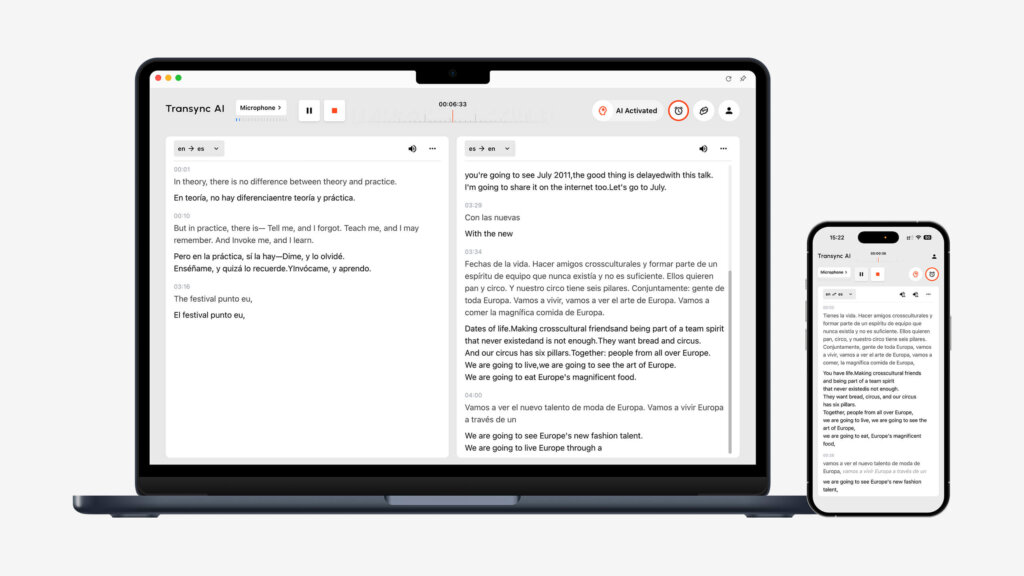
Transync AI è un potente software di traduzione autonomo basato su un ampio modello vocale end-to-end. Il suo principale vantaggio è la capacità di funzionare in modo indipendente, senza dipendere da plug-in di terze parti, offrendo una visualizzazione a doppio schermo con latenza pressoché nulla.
Caratteristiche principali:
- Copertura linguistica completa: Fornisce un servizio senza interruzioni Traduzione in tempo reale tramite intelligenza artificiale che rileva automaticamente la lingua di chi parla. Puoi visualizzare facilmente tutto Lingue supportate online.
- Compatibilità con le riunioni: Funzionando come app autonoma, fornisce un funzionamento impeccabile Traduzione di riunioni in tempo reale tramite intelligenza artificiale per Zoom, Teams e Google Meet Si integra perfettamente nel tuo flusso di lavoro, senza richiedere alcun plug-in.
- Riepiloghi intelligenti: Comprende un Appunti della riunione di intelligenza artificiale funzionalità per estrarre con precisione i punti chiave e le azioni da intraprendere.
- Audio naturale: Agisce come un eccezionalmente naturale Traduttore vocale AI, eliminando i toni meccanici.
- Vocabolario personalizzato: IL Parole chiave dell'assistente AI Contesto consente di definire i termini del settore, portando la precisione oltre lo standard 95%.
Pro:
- L'esclusiva configurazione a doppio schermo migliora l'efficienza della lettura.
- Privacy dei dati senza compromessi (i dati non vengono mai utilizzati per addestrare i modelli), dettagliata nel loro Rapporto di conformità.
- Sincronizzazione multidispositivo tra Mac, PC, iOS, Android e Web.
Contro:
- Non supporta la traduzione offline né il riconoscimento tramite fotocamera.
- La traduzione del testo tramite copia e incolla non è supportata.
Prezzi: Il piano gratuito offre 40 minuti all'iscrizione. Flessibile Prezzi Il prezzo parte da $8.99/mese per i singoli utenti e da $24.99/utente/mese per le organizzazioni.
Verdetto finale:
Se hai bisogno di uno strumento indipendente e altamente preciso, eccolo. Leggi il Avvio rapido Guida o Scopri come Transync AI offre prestazioni eccezionali in una varietà di casi d'uso.. I team numerosi possono esplorare il Impresa piano e il Guida aziendale.
2. Maestra
Ideale per: Webinar che richiedono sottotitoli e trascrizioni multilingue in tempo reale.
Classificazione G2: 4.8/5
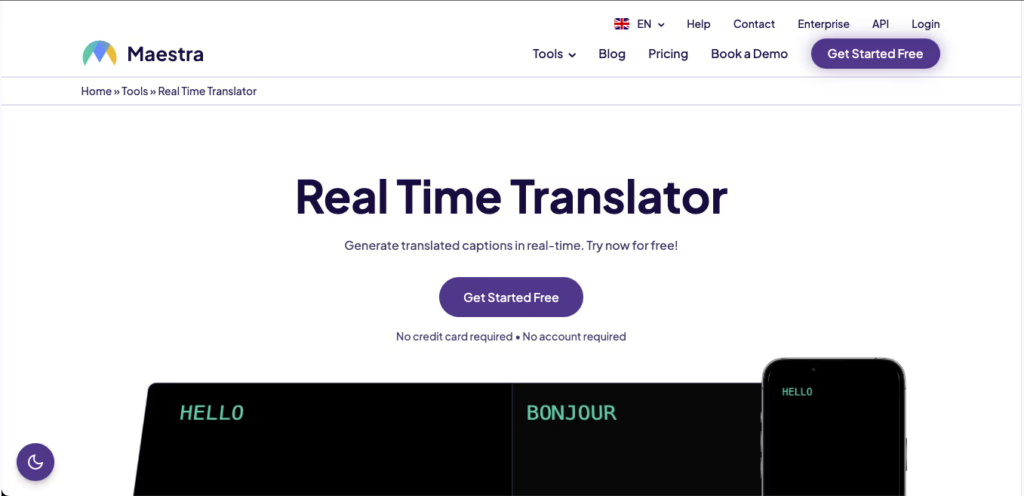
Maestra Integra la presa di appunti in tempo reale, la trascrizione e la traduzione in un unico spazio di lavoro, risultando ideale per presentare sottotitoli bilingue a un pubblico eterogeneo.
Caratteristiche principali:
- Sottotitoli in diretta bilingue: Visualizza sia il testo originale che quello tradotto durante la riunione.
- Output multilingue: Converte istantaneamente il parlato in audio in oltre 125 lingue.
- Riepiloghi sull'IA: Genera automaticamente note ed estrae parole chiave.
Pro:
- Interfaccia molto pulita e intuitiva.
- Consente il caricamento di file video preregistrati per il doppiaggio successivo all'evento.
Contro:
- Le funzionalità di riepilogo avanzate sono disponibili solo nei piani tariffari più costosi.
Prezzi: I piani a pagamento partono da $39 al mese con fatturazione annuale.
Verdetto finale: Maestra è estremamente affidabile se il tuo obiettivo principale è generare trascrizioni e sottotitoli multilingue per i webinar.
3. Mondano
Ideale per: Vertici virtuali su larga scala, conferenze in presenza ed eventi ibridi.

Classificazione G2: 4.6/5
Mondano È progettato per rendere inclusivi i grandi eventi. Consente ai partecipanti di ascoltare l'audio tradotto in diretta tramite i propri dispositivi mobili senza dover scaricare un'app.
Caratteristiche principali:
- Accesso immediato: I partecipanti scansionano un codice QR o cliccano su un link per accedere al canale di traduzione.
- Traduzione bidirezionale: Supporta l'interpretazione in tempo reale in oltre 60 lingue.
Pro:
- Incredibilmente scalabile per eventi con migliaia di partecipanti.
- Configurazione backend molto semplice per gli organizzatori.
Contro:
- I prezzi sono generalmente troppo elevati per team di piccole dimensioni o per un utilizzo sporadico.
Prezzi: Pacchetti personalizzati in base alla durata dell'evento e al numero di partecipanti (contattare il reparto vendite).
Verdetto finale: Wordly è la scelta ideale per gli organizzatori di eventi che necessitano di fornire un servizio di interpretariato semplice e senza intoppi a un pubblico vasto e diversificato.
4. Otter (Otter.ai)
Ideale per: Trascrizione in tempo reale, riassunti generati dall'intelligenza artificiale e riunioni interne in cui prevale l'inglese.

Classificazione G2: 4.4/5
Mentre Lontra È noto soprattutto per la redazione di verbali di riunione in inglese; la sua robusta funzionalità di acquisizione in tempo reale e l'assistente IA conversazionale lo rendono uno strumento potentissimo per la documentazione delle riunioni.
Caratteristiche principali:
- OtterPilot: Si collega automaticamente agli eventi del tuo calendario per registrare audio e scrivere note.
- Chat con l'IA della lontra: Durante la riunione, poni delle domande all'IA, ad esempio "riassumi le azioni da intraprendere".“
- Vocabolario personalizzato: Insegna all'IA nomi specifici e termini tecnici per migliorarne la precisione.
Pro:
- Fantastica automazione del calendario "imposta e dimentica".
- Bravissima a redigere email di follow-up post-riunione.
Contro:
- Supporto linguistico molto limitato (non adatto a traduzioni multilingue complesse).
Prezzi: È disponibile un piano gratuito. I piani a pagamento partono da $8.33/utente/mese con fatturazione annuale.
Verdetto finale: Otter è perfetto per i team che lavorano prevalentemente in inglese e desiderano che le loro conversazioni vengano documentate e strutturate automaticamente.
5. DeepL
Ideale per: Precisione ineguagliabile nella redazione di documenti, contratti e nella localizzazione.
Classificazione G2: 4.6/5
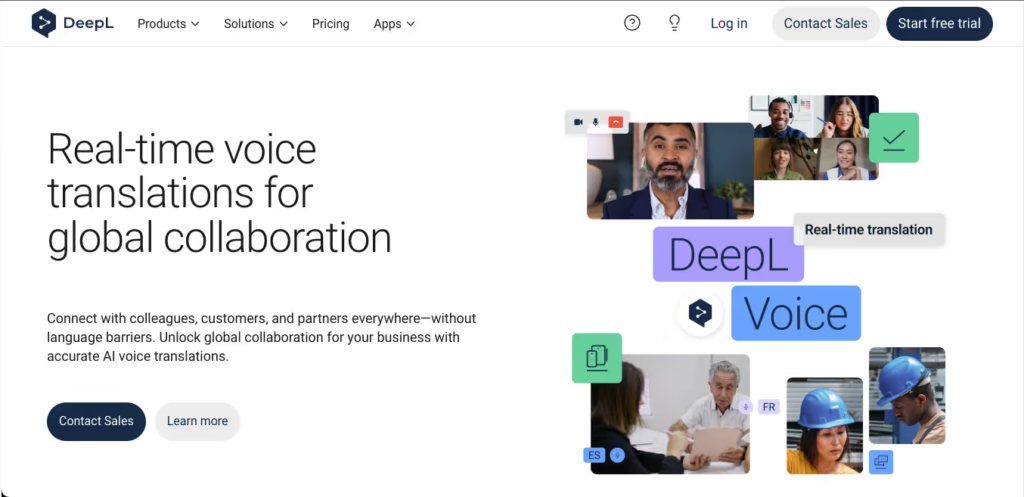
Quando si tratta di testo scritto, DeepL Utilizza reti neurali proprietarie per fornire traduzioni che risultano identiche a quelle scritte da un madrelingua.
Caratteristiche principali:
- Personalizzazione approfondita: Mantenete la coerenza del marchio utilizzando glossari condivisi.
- Traduzione del documento: Traduci integralmente PDF, documenti Word e presentazioni PowerPoint mantenendo la formattazione originale.
Pro:
- Precisione e consapevolezza del contesto nella traduzione di testi ai massimi livelli del settore.
- Generoso piano gratuito per la traduzione di testi di base.
Contro:
- Manca un chatbot vocale per l'interpretazione in tempo reale durante le riunioni.
Prezzi: È disponibile una versione gratuita. I piani Pro partono da $8.74/utente/mese.
Verdetto finale: Per la traduzione di documenti ad alta precisione non in tempo reale, DeepL rimane il re indiscusso del testo.
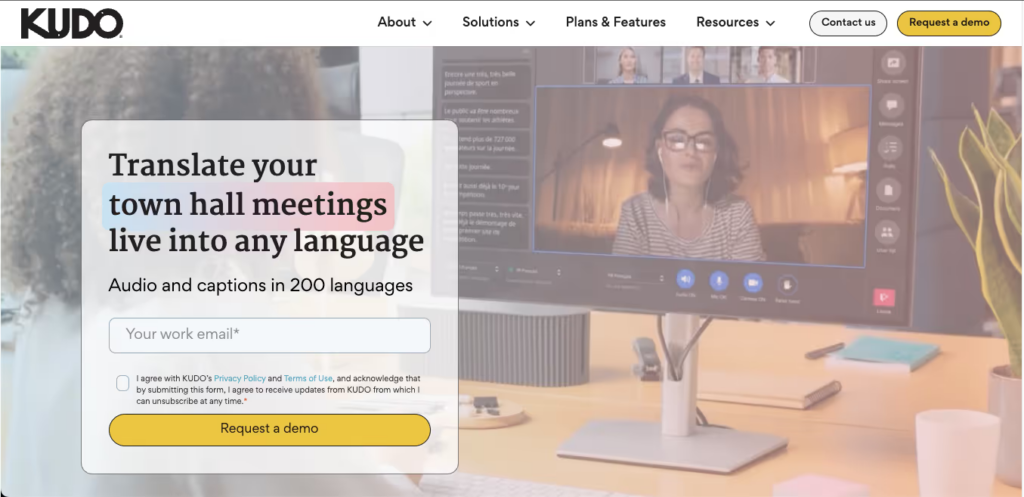
6. Kudo
Ideale per: Eventi diplomatici ad alto rischio che richiedono sia sensibilità umana che velocità dell'intelligenza artificiale.
Classificazione G2: 4.2/5
Complimenti Offre una piattaforma ibrida che consente agli organizzatori di passare senza soluzione di continuità dalla traduzione automatica basata sull'intelligenza artificiale, estremamente veloce, all'utilizzo di interpreti professionisti umani certificati.
Caratteristiche principali:
- Rete di interpreti: Mettiti in contatto direttamente con professionisti che parlano e segnano oltre 200 lingue.
- Commutazione dei canali senza interruzioni: I partecipanti possono cambiare canale linguistico senza interrompere lo svolgimento della riunione.
Pro:
- Precisione emotiva e culturale insuperabile quando si utilizzano interpreti umani.
Contro:
- L'interfaccia amministrativa presenta una curva di apprendimento ripida.
- Affidarsi in modo massiccio agli interpreti umani aumenta drasticamente i costi.
Prezzi: Prezzi personalizzati in base al numero di sessioni e alle esigenze di interpretariato.
Verdetto finale: Kudo è l'opzione premium per eventi diplomatici o aziendali di rilievo in cui la precisione contestuale (100%) è fondamentale.
7. Google Traduttore
Ideale per: Traduzione gratuita per conversazioni quotidiane e viaggi.

Classificazione G2: 4.6/5
Essendo lo strumento più diffuso al mondo, Google Traduttore è un salvavita per le interazioni faccia a faccia.
Caratteristiche principali:
- Modalità conversazione: Rileva automaticamente le lingue parlate sui dispositivi mobili.
- Traduzione della telecamera: Traduci istantaneamente menu cartacei o cartelli stradali.
Pro:
- Completamente gratuito e con un'enorme libreria di lingue.
- Supporta i pacchetti lingua scaricabili offline.
Contro:
- Impossibile integrarlo o utilizzarlo insieme a software di videoconferenza online.
Prezzi: 100% Gratuito.
Verdetto finale: È il miglior compagno di viaggio da tenere in tasca, ma non è adatto per le riunioni online professionali.
8. Microsoft Translator
Ideale per: Discussioni di gruppo e tavole rotonde multilingue in presenza.
Classificazione G2: 4.5/5
Microsoft Translator Offre un'esclusiva funzionalità di sincronizzazione multi-dispositivo che si rivela particolarmente efficace nelle sale riunioni fisiche.
Caratteristiche principali:
- Conversazione tra più dispositivi: Fino a 100 persone possono accedere a una stanza utilizzando i propri telefoni e visualizzare le traduzioni nella propria lingua madre.
Pro:
- Ideale per sessioni di brainstorming dal vivo con team multinazionali.
- Profonda integrazione con l'ecosistema di Office 365.
Contro:
- Meno ottimizzato per le riunioni esclusivamente online tramite Zoom o Teams rispetto alle app dedicate alle riunioni.
Prezzi: Gratuito per uso personale.
Verdetto finale: Se il tuo team si incontra spesso di persona nello stesso ufficio ma parla lingue diverse, questa app è perfetta.
9. iTranslate
Ideale per: Chi viaggia spesso per lavoro e necessita di un servizio di traduzione vocale offline.
Classificazione G2: 4.3/5
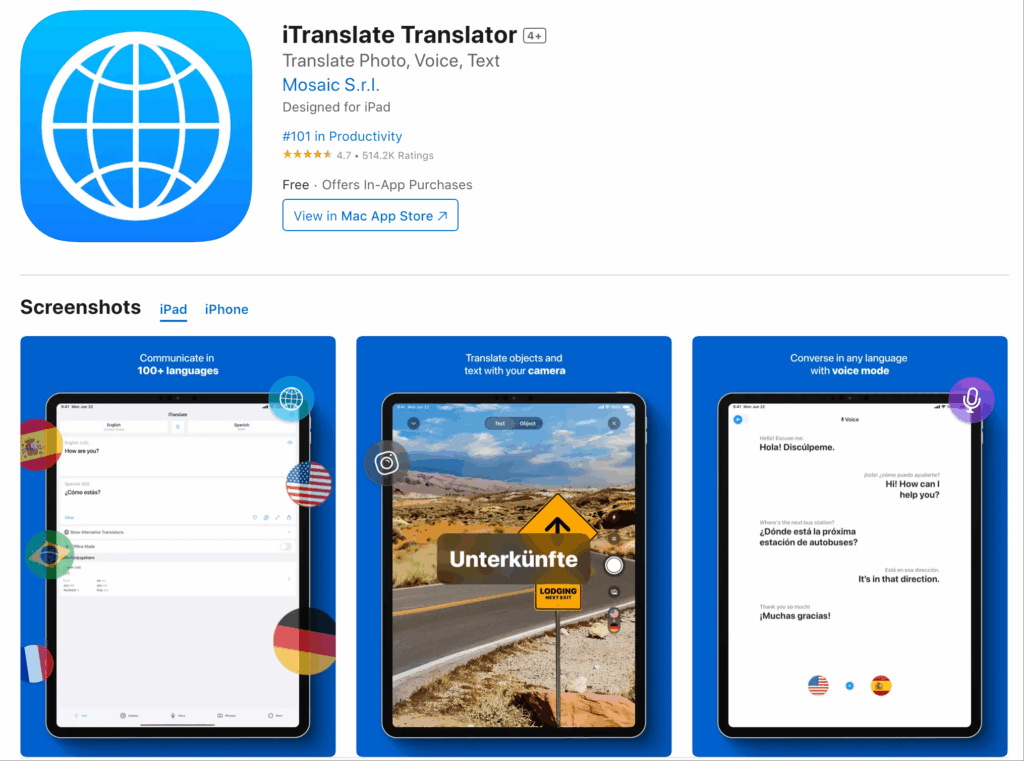
iTraduci è fortemente ottimizzato per gli utenti mobili, offrendo un riconoscimento vocale efficace anche senza connessione a Internet.
Caratteristiche principali:
- Modalità offline: Traduci decine di lingue senza Wi-Fi o dati cellulari.
- Cambio di dialetto: Riconosce con precisione le differenze regionali (ad esempio, inglese britannico rispetto all'inglese americano).
Pro:
- Interfaccia utente mobile eccellente e compatibilità con Apple Watch.
Contro:
- Manca di funzionalità di collaborazione per riunioni di livello aziendale.
Prezzi: Versione base gratuita. La versione PRO parte da circa 145,99 €/mese.
Verdetto finale: Un'app indispensabile per i professionisti che viaggiano in aereo o in zone con scarsa copertura di rete.
10. VoicePing
Ideale per: I lavoratori da remoto in ambienti rumorosi prediligono l'integrazione hardware.
Classificazione G2: 4.0/5
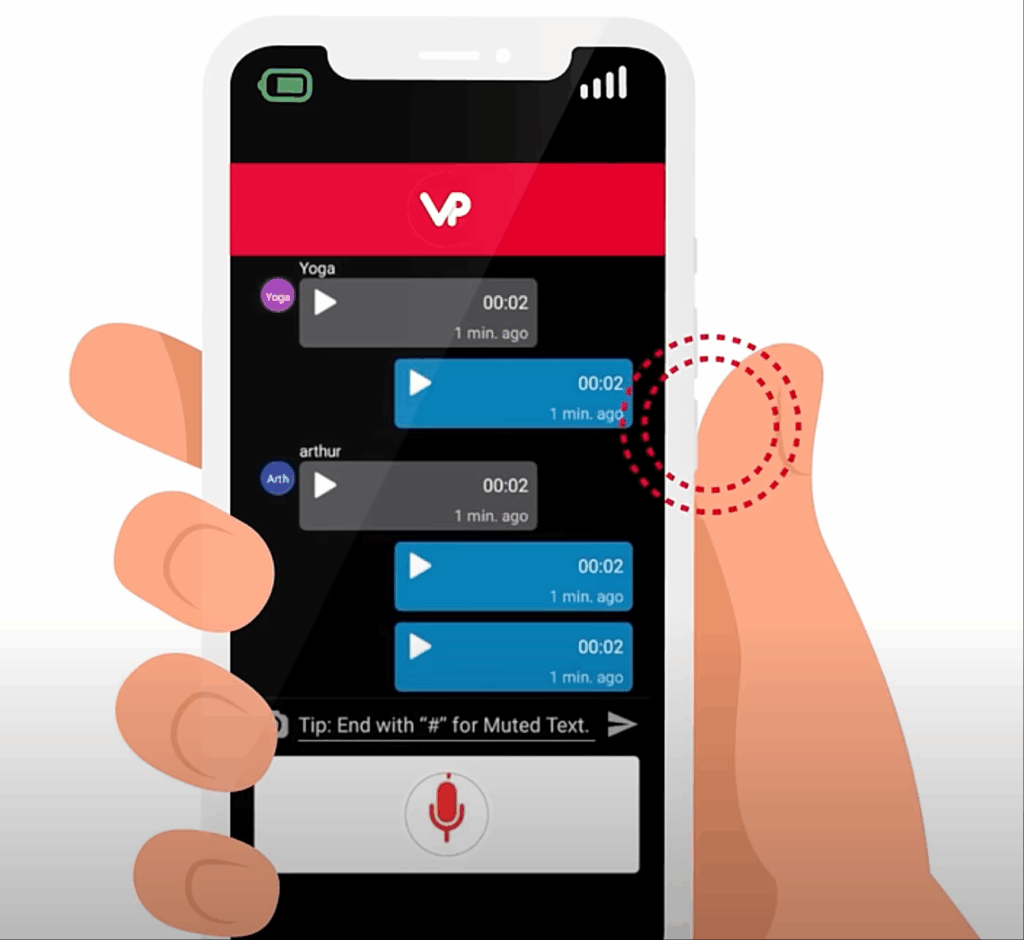
VoicePing abbina il suo software di traduzione ad hardware dedicato, come cuffie con pulsanti fisici push-to-talk, creando un'esperienza coinvolgente.
Caratteristiche principali:
- Traduzione Push-to-Talk: Comunicazione in stile walkie-talkie per la traduzione vocale istantanea.
- Sinergia hardware: Riduce notevolmente il rumore di fondo se utilizzato con le cuffie specializzate.
Pro:
- Ideale per la logistica, l'edilizia o ambienti remoti rumorosi.
Contro:
- Per un'esperienza ottimale è necessario acquistare hardware specifico.
Prezzi: È disponibile una versione di prova del software; le soluzioni complete richiedono l'acquisto dell'hardware.
Verdetto finale: Per i team in prima linea che lavorano lontano dalle tradizionali postazioni di lavoro, VoicePing offre una soluzione unica e pratica.
Come scegliere l'app di interpretariato più adatta alle proprie esigenze?
Quando si valutano questi applicazioni di interpreti—in un mercato che si prevede raggiungerà 24,6 miliardi di dollari entro il 2034—poniti tre domande fondamentali:
- Hai bisogno di compatibilità con le riunioni in diretta? Se gestisci quotidianamente chiamate transfrontaliere, scegli un'app autonoma come Transync AI che si integri perfettamente con il tuo software di videoconferenza senza bisogno di plug-in rischiosi.
- Quanto è importante la bassa latenza? Per negoziazioni naturali, è consigliabile utilizzare strumenti che impieghino modelli di intelligenza artificiale end-to-end in grado di fornire un output vocale in tempo reale su doppio schermo.
- Avete bisogno di documentazione per la riunione? I migliori strumenti moderni non si limitano a tradurre; generano automaticamente riepiloghi multilingue e azioni da intraprendere dopo la chiamata.
Conclusione
Trovare il perfetto applicazioni di interpreti Si tratta di trovare il giusto equilibrio tra velocità di traduzione, accuratezza contestuale e compatibilità con i flussi di lavoro. Mentre DeepL eccelle nella traduzione di testi e Wordly si adatta perfettamente a eventi di grandi dimensioni, Transync AI offre la soluzione più intelligente, autonoma e a bassa latenza per le riunioni di lavoro professionali quotidiane. Scegliendo lo strumento giusto, è possibile garantire che la lingua diventi un ponte verso il successo globale, anziché un ostacolo.
Se desideri un'esperienza di nuova generazione, Transync AI apre la strada alla traduzione in tempo reale basata sull'intelligenza artificiale, che mantiene le conversazioni fluide e naturali. Puoi provalo gratis Ora.

