

Welche Übersetzungs-App kann ich sofort für Google Meet verwenden?
Die Bedeutung von Übersetzungs-Apps in virtuellen Meetings
In einer zunehmend globalisierten Arbeitswelt sind Videokonferenz-Tools wie Google Meet für eine effektive Kommunikation unerlässlich geworden. Wenn Teams jedoch in verschiedenen Sprachen arbeiten, können Missverständnisse entstehen. Glücklicherweise …, Übersetzungs-Apps sind hier, um diese Lücke zu schließen und nahtlose Interaktionen unabhängig von der Muttersprache der Teilnehmer zu ermöglichen.
Die Wahl einer effektiven Übersetzungs-App, die sich nahtlos in Google Meet integriert, ist entscheidend für eine bessere Zusammenarbeit und um sicherzustellen, dass alle Teilnehmer auf dem gleichen Stand sind. Dieser Artikel stellt die besten Übersetzungs-Apps vor, die Sie sofort in Ihrer nächsten Google Meet-Sitzung einsetzen können.
Herausforderungen mehrsprachiger Meetings
Bei mehrsprachigen Besprechungen können verschiedene Herausforderungen die effektive Kommunikation behindern:
- Sprachbarrieren: Aufgrund von Sprachunterschieden können Missverständnisse entstehen.
- Notwendigkeit in Echtzeit: Die Teilnehmer erwarten sofortige Antworten, was ohne geeignete Übersetzungswerkzeuge schwierig sein kann.
- Fachsprache: Fachjargon aus verschiedenen Branchen kann leicht falsch interpretiert werden, was zu Verwirrung und Fehlern führt.
Die besten Übersetzungs-Apps für Google Meet
Hier sind fünf Übersetzungs-Apps, die ohne aufwendige Einrichtung oder Schulung sofort einsatzbereit sind:
1. Transync AI – Echtzeit-Übersetzungsleistung
Was es ist:
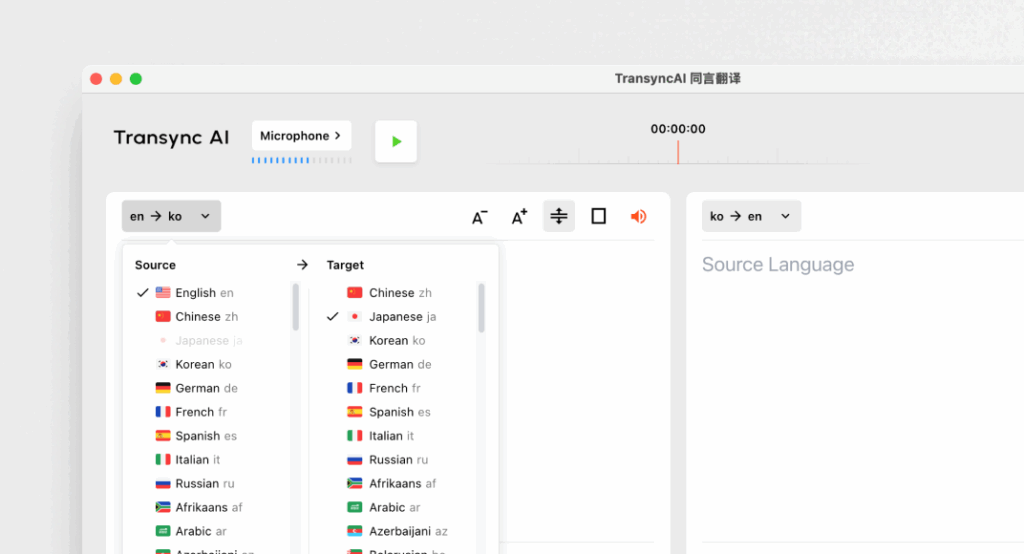
Transync AI ist eine hochentwickelte Übersetzungsanwendung, die speziell für die Echtzeitkommunikation entwickelt wurde und schnelle und präzise Übersetzungen während Besprechungen ermöglicht.
Hauptmerkmale:
- 95%+ Genauigkeit: Hohe Übersetzungsgenauigkeit, speziell zugeschnitten auf Geschäftskontexte.
- Latenz <100 ms: Unmittelbare Reaktionszeit für reibungslose Gespräche.
- Automatische Spracherkennung: Keine Einrichtung erforderlich; die App erkennt die Sprache des Sprechers.
- Protokoll des zweisprachigen Treffens: Automatische Generierung von Notizen in beiden Sprachen.
- Integration: Funktioniert nahtlos mit Google Meet.
Am besten geeignet für: Unternehmen, die während Besprechungen sofortige und präzise Übersetzungen benötigen.
2. Otter.ai – Meeting-Begleiter

Was es ist:
Otter.ai ist auf Audiotranskription und Echtzeitübersetzung spezialisiert und daher für Meetings unentbehrlich.
Hauptmerkmale:
- Automatische Transkriptionen: Zeichnet Gespräche live in Echtzeit auf.
- Genauigkeit des 92%: Zuverlässig für Gespräche während Besprechungen.
- Integrationsmöglichkeiten: Kann für einen reibungslosen Betrieb mit Google Meet verwendet werden.
- Sprecheridentifizierung: Erkennt Sprecher und erleichtert so das Mitschreiben.
Am besten geeignet für: Teams, die neben Übersetzungsunterstützung auch Transkriptionsdienste suchen.
3. Worldly – Konsistent und individuell anpassbar

Was es ist:
Wordly ermöglicht es Unternehmen, Übersetzungsoptionen basierend auf spezifischer Terminologie und Kontexten anzupassen.
Hauptmerkmale:
- Genauigkeit des 94%: Zuverlässig für technische und geschäftliche Gespräche.
- Benutzerdefinierte Glossare: Unternehmen können fachspezifische Terminologien eingeben.
- Sofortübersetzung: Übersetzt schnell Dokumente und Gespräche.
- Integration: Funktioniert einwandfrei mit verschiedenen virtuellen Meeting-Plattformen, einschließlich Google Meet.
Am besten geeignet für: Teams, die eine einheitliche Sprache in technischen Diskussionen benötigen.
4. Papago – Schnell und vielseitig
Was es ist:
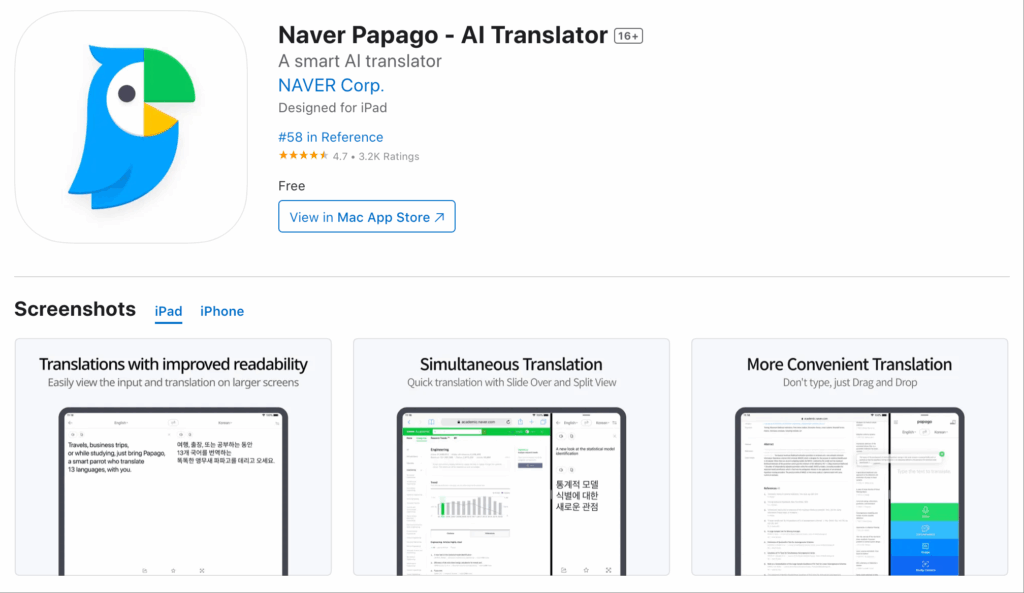
Papago bietet einen einfachen und unkomplizierten Übersetzungsdienst für eine Vielzahl südostasiatischer Sprachen.
Hauptmerkmale:
- Genauigkeit des 92%: Geeignet für lockere und halbtechnische Gespräche.
- Kamerafunktionen: Übersetzen Sie geschriebene Sprache mithilfe der Kamerafunktion der App.
- Kostenloser Zugang: Völlig kostenlos und ohne zeitliche Begrenzung.
- Web- und Mobilnutzung: Für Nutzer auf verschiedenen Geräten zugänglich.
Am besten geeignet für: Schnelle Übersetzungen in informellen oder halbformellen Situationen.
5. Google Translate – Vertraut und zugänglich
Was es ist:
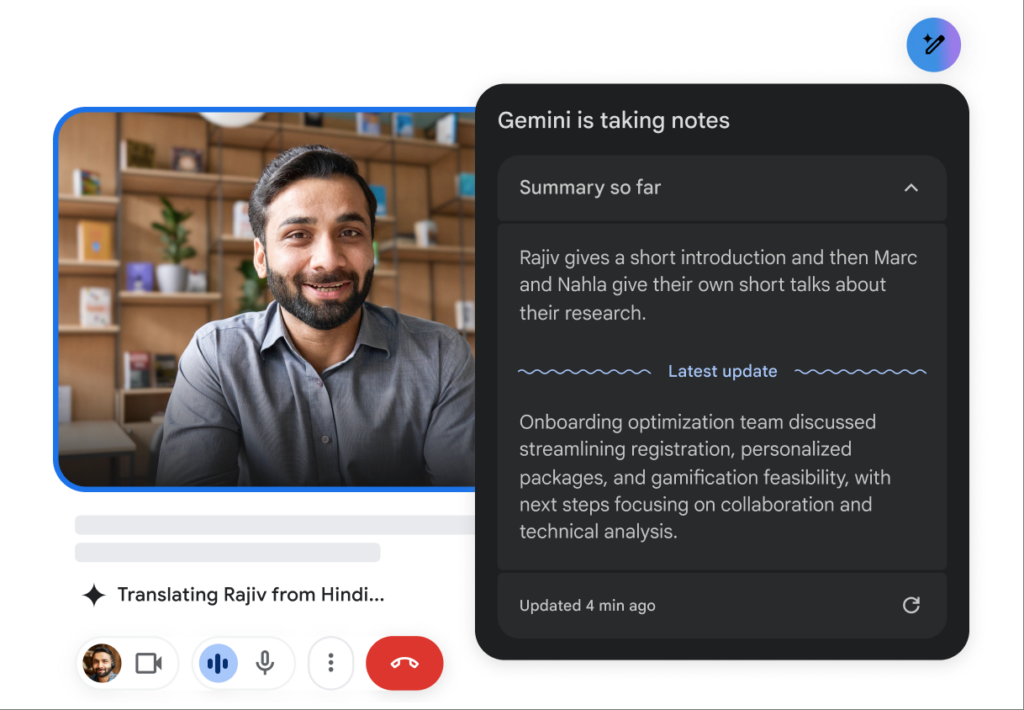
Google Translate ist ein bekanntes Übersetzungstool, das zahlreiche Sprachoptionen bietet.
Hauptmerkmale:
- 83% Genauigkeit: Grundlegende Übersetzungsfunktionen, die für einfache Texte geeignet sind.
- Mehrsprachige Unterstützung: Bietet Übersetzungen für über 100 Sprachen an.
- Kostenlos und leicht zugänglich: Verfügbar im Web und auf Mobilgeräten.
- Integration: Kann als ergänzendes Tool zu Google Meet verwendet werden.
Am besten geeignet für: Unkomplizierte, informelle Kommunikation ohne den Bedarf an umfangreichen Funktionen.
Vergleichstabelle: Die besten Übersetzungs-Apps für Google Meet
| Übersetzungs-App | Genauigkeit | Latenz | Benutzerfreundlich | Integration | Am besten für | Kostenloser Plan |
|---|---|---|---|---|---|---|
| Transync AI | 95%+ | <100 ms | Sehr einfach | Google Meet | Mehrsprachige Echtzeit-Meetings | 40 Minuten |
| Otter.ai | 92% | Echtzeit | Ganz einfach | Google Meet | Automatische Transkription und Übersetzung | $15-30/Monat |
| Weltlich | 94% | Sofort | Benutzerfreundlich | Google Meet | Konsistente technische Übersetzungen | Testversion verfügbar |
| Papago | 92% | 250-350 ms | Einfach und intuitiv | Web & Mobil | Schnelle Übersetzung für den gelegentlichen Gebrauch | Völlig kostenlos |
| Google Übersetzer | 83% | 300 ms+ | Grundlegend und weit verbreitet | Web & Mobil | Allgemeine Übersetzungen ohne Spezialisierung | Frei |
FAQ-Bereich: Häufig gestellte Fragen zu Übersetzungs-Apps für Google Meet
Frage 1: Welche Funktionen sollte ich bei der Auswahl einer Übersetzungs-App für Google Meet priorisieren?
A: Achten Sie auf Funktionen wie Genauigkeit, geringe Latenz, Integrationsfähigkeit mit Google Meet, Benutzerfreundlichkeit und automatische Spracherkennung. Diese gewährleisten eine effiziente Kommunikation in Meetings.
Frage 2: Müssen diese Übersetzungs-Apps installiert oder aufwendig eingerichtet werden?
A: Die meisten der in diesem Artikel aufgeführten Apps sind ohne umfangreiche Schulungen oder komplizierte Prozesse leicht zugänglich und einzurichten. Apps wie Transync AI und Papago ermöglichen eine schnelle Implementierung.
Frage 3: Wie schneiden die Genauigkeitsraten dieser Apps im Vergleich zu menschlichen Übersetzern ab?
A: Während menschliche Übersetzer in der Regel eine Genauigkeit von über 991 TP3T erreichen, liegt die Genauigkeit der hier erwähnten Übersetzungs-Apps zwischen 831 TP3T und 951 TP3T. Damit sind sie für die meisten Geschäftsanwendungen geeignet, aber kein vollständiger Ersatz für die menschliche Kontrolle bei sensiblen Dokumenten.
Frage 4: Entstehen durch die Nutzung dieser Übersetzungs-Apps Kosten?
A: Einige Apps wie Otter.ai und Wordly bieten Abonnementmodelle an, andere kostenlose Tarife oder Testversionen. Transync AI beispielsweise bietet 40 Minuten kostenlose Übersetzung zum Einstieg.
Frage 5: Wie integriere ich eine Übersetzungs-App in mein Google Meet?
A: Die Integration erfolgt üblicherweise durch Auswahl der App in Google Meet oder durch einen einfachen Installationsprozess, der die App verbindet. Die meisten Tools ermöglichen eine einfache Verknüpfung, um die Nutzung während Meetings zu optimieren.
Durch die Nutzung dieser Erkenntnisse können Sie Ihre Google Meet-Erlebnisse verbessern und mithilfe der zuverlässigsten verfügbaren Übersetzungs-Apps eine klare Kommunikation über Sprachbarrieren hinweg gewährleisten!
Wenn Sie ein Erlebnis der nächsten Generation wünschen, Transync AI ist führend mit Echtzeit-Übersetzungen auf KI-Basis, die einen natürlichen Gesprächsfluss gewährleisten. Sie können kostenlos testen Jetzt.

