
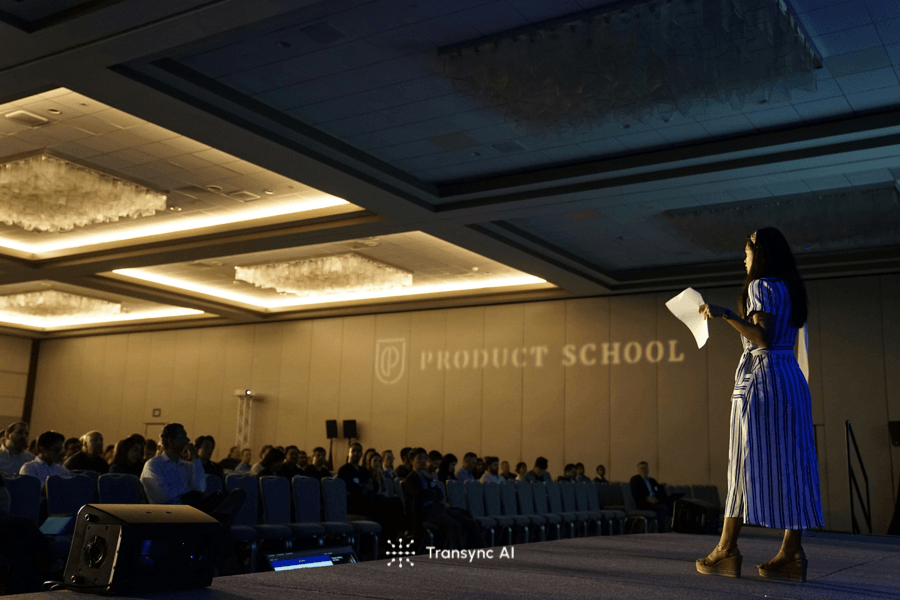
Use an AI presentation translator to deliver one talk in up to 10 languages with live subtitles, voice playback, easy audience access, and AI notes.
An AI presentation translator can turn one speech into as many as 10 target languages in real time. With the new Presentation Mode in Transync AI, a speaker can address a multilingual audience while each listener follows the presentation in the language they understand best.
There is no need to create separate sessions for different languages. The host starts one presentation, shares a link, QR code, or Room ID, and lets the audience choose how they want to listen.
Why Do Multilingual Presentations Need More Than Captions?
Traditional captions are useful when most attendees understand the speaker’s language. They become less effective when an audience includes people from several countries.
Reading unfamiliar-language captions requires additional effort. Providing separate interpreters for every target language can also make an event expensive and difficult to organize.
Transync AI Presentation Mode is designed for this one-to-many situation: one person speaks, while listeners receive real-time speech translation in their preferred languages.
What Is an AI Presentation Translator?
An AI presentation translator converts a speaker’s words into translated text and audio while the presentation is still happening.
In Transync AI, the host can:
- Select the language being spoken.
- Add up to 10 target languages.
- Share the presentation using a link, QR code, or Room ID.
- Let each audience member choose a preferred language.
- Provide live translated subtitles or voice playback.
- Decide whether to share the transcript and AI notes after the event.
This creates one multilingual presentation experience without requiring the host to operate separate translation channels manually.
 How Does Transync AI Presentation Mode Work?
 How Does Transync AI Presentation Mode Work?
1. The Host Starts One Presentation
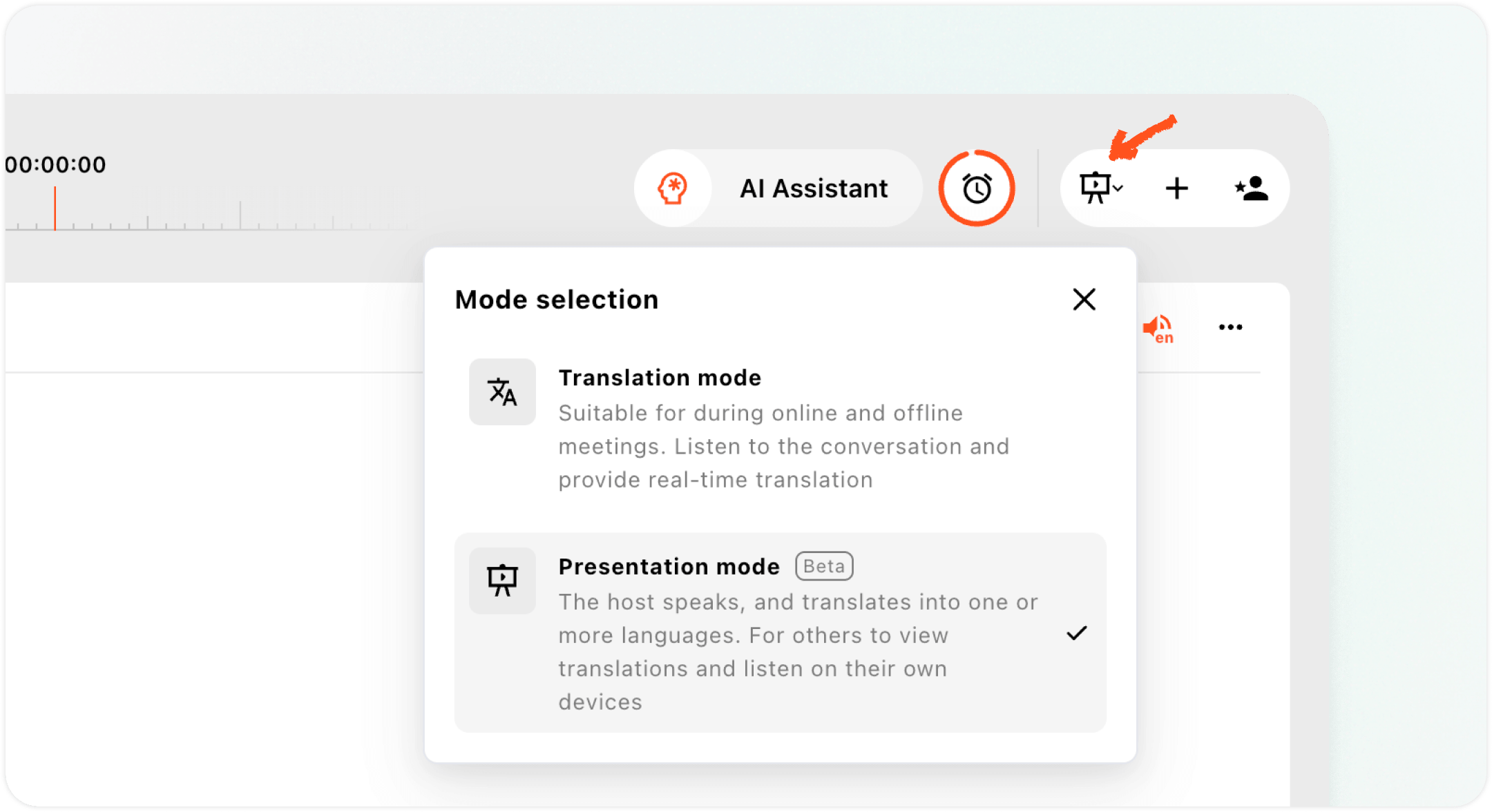
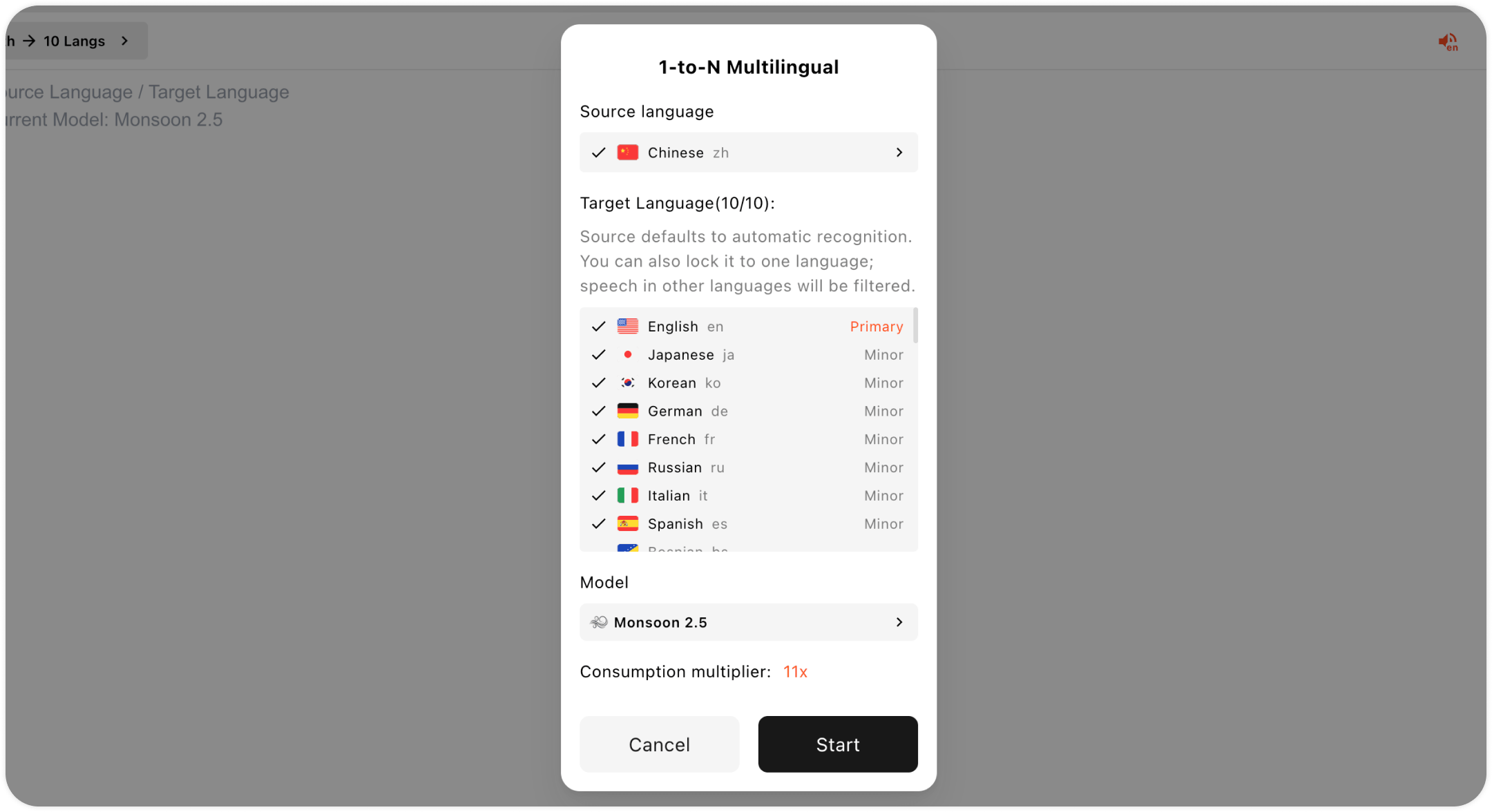
The speaker starts Presentation Mode in Transync AI and selects up to 10 translation languages.
The host does not need to know exactly which language every attendee prefers. Audience members make that choice on their own devices after joining.
2. The Audience Joins from Any Device
 2. The Audience Joins from Any Device
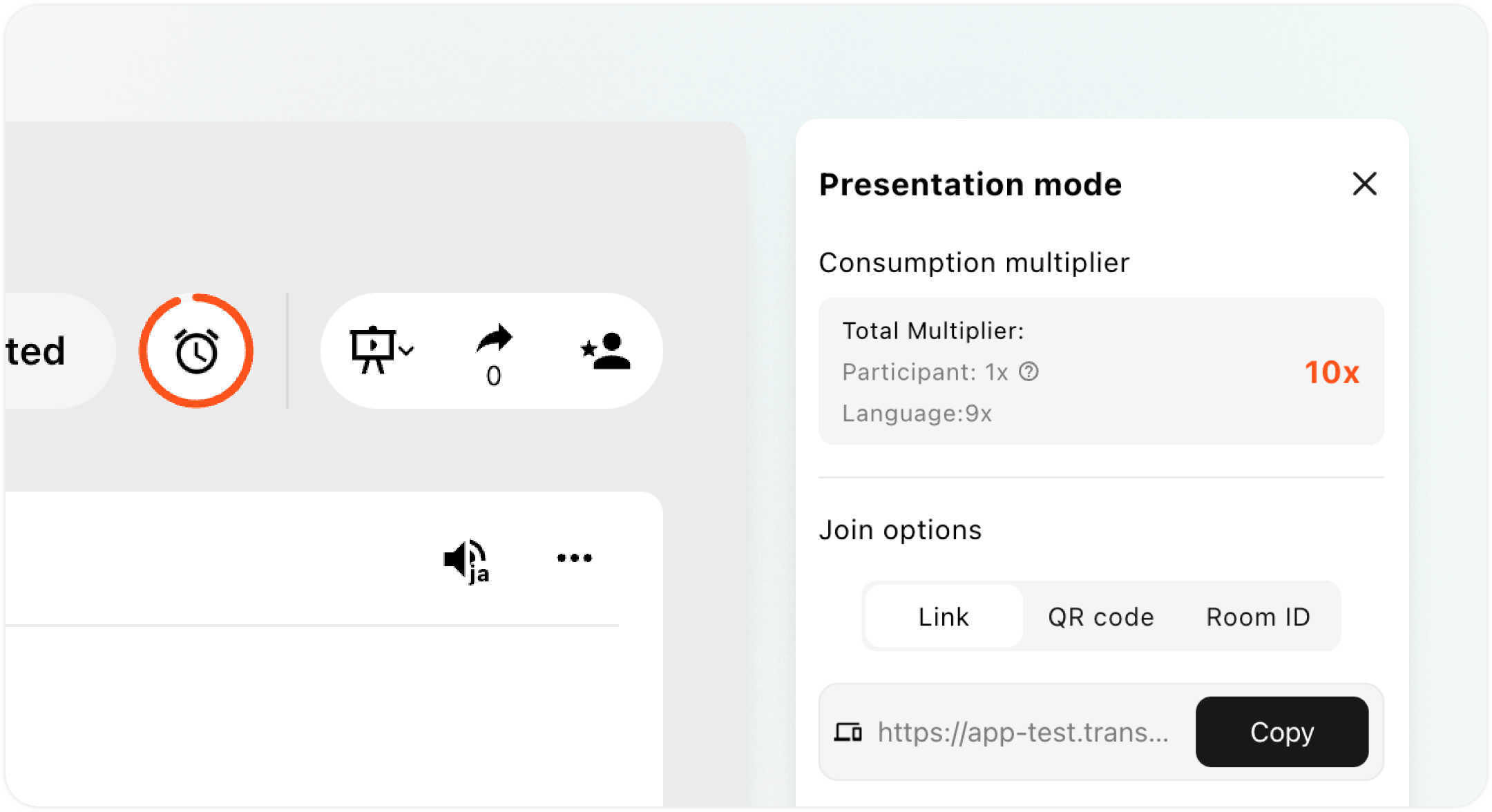
Once the presentation begins, the host can display a QR code or share a link or Room ID.
Audience members can join from a computer, phone, or web browser. They do not need to download Transync AI, although they must register or sign in to a Transync AI account.
This makes the workflow suitable for both planned conferences and events where attendees arrive on site and need quick access.
3. Every Listener Chooses a Language
 3. Every Listener Chooses a Language
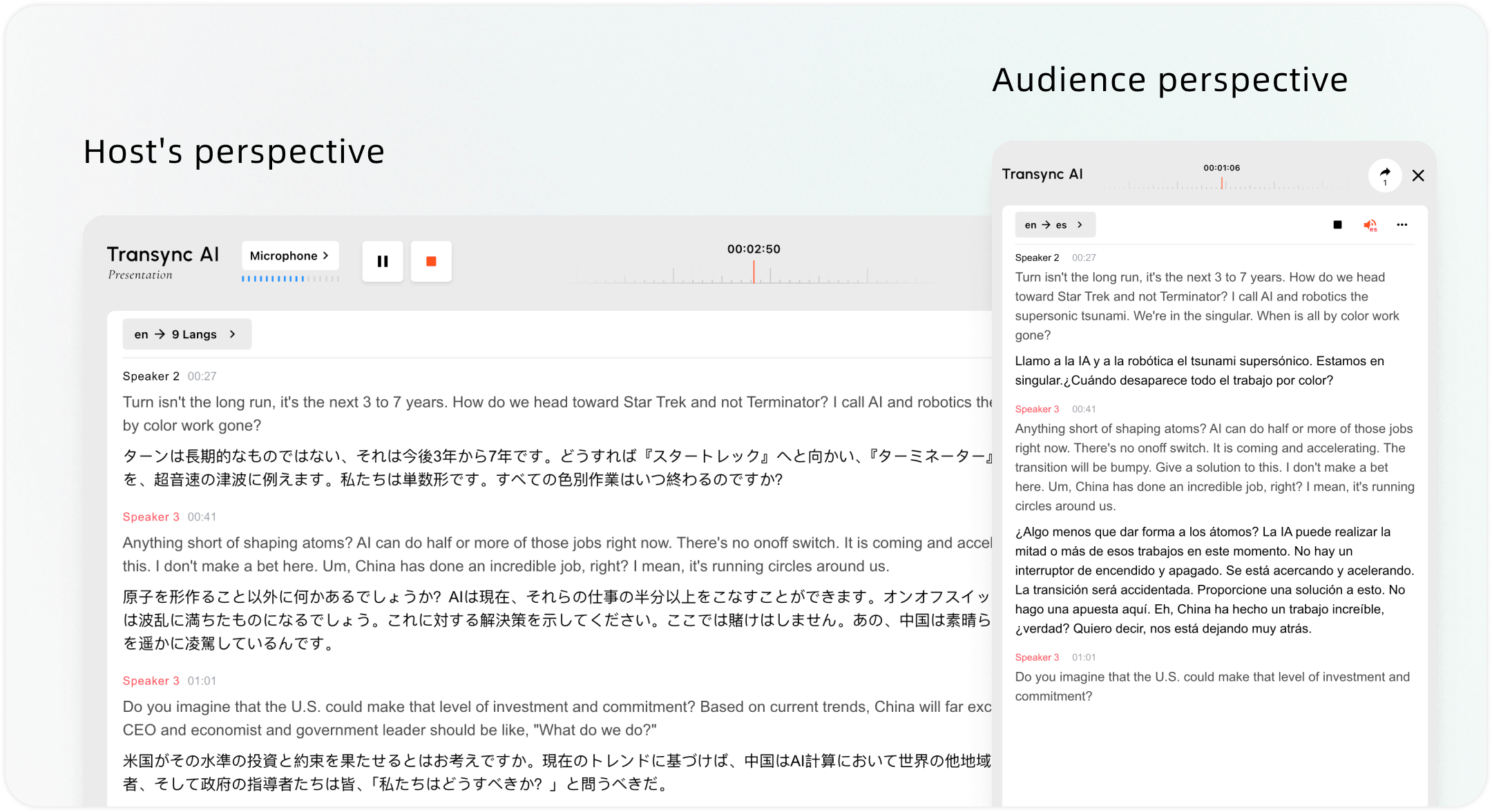
After joining, each listener selects one of the target languages provided by the host.
They can then follow the presentation through:
- Real-time translated subtitles.
- Translated voice playback.
- The original speech and translated text together.
One attendee may listen in Spanish while another reads Japanese subtitles and a third follows the presentation in French—all during the same speech.
Can the Audience Hear the Translation in the Speaker’s Voice?
 Can the Audience Hear the Translation in the Speaker’s Voice?
Yes, supported languages can use Transync AI’s Voice Clone with voice playback.
Instead of hearing every translated presentation in the same preset voice, listeners can hear a version that sounds closer to the original speaker. This helps preserve the speaker’s identity and makes keynote speeches, product launches, training sessions, and sermons feel more personal.
Voice Clone availability depends on the selected language. Standard voice playback remains available when Voice Clone is not supported.
How Much Can an AI Presentation Translator Cost?
Professional simultaneous interpretation usually requires at least two interpreters for each language so they can rotate during the event. A published U.S. government contract price schedule lists half-day rates starting above $600 per interpreter, before possible equipment, preparation, and technical support costs. Adding more languages generally requires additional interpreter teams.
Transync AI usage varies with the number of target languages and audience members. For a typical one-hour multilingual presentation, the cost may remain within a few to several dollars—roughly 1% of the $600 reference cost—while allowing listeners to follow the same event in multiple languages.
This is an illustrative comparison rather than a fixed quote. Actual usage and cost depend on the selected languages, audience size, subscription allowance, and pricing rules in effect at the time. See the latest Transync AI pricing for details.
Flexible pricing for your needs
Where Can Presentation Mode Be Used?
Presentation Mode works best when one speaker or a small group needs to communicate with a larger multilingual audience.
Common scenarios include:
- Industry summits, association meetings, and trade shows.
- Product launches and customer webinars.
- Partner conferences and Sales Kickoff events.
- Company All Hands meetings.
- Employee training and onboarding.
- University lectures, graduation ceremonies, and parent meetings.
- Church sermons, weekly services, and community talks.
- Municipal meetings and public hearings.
- Nonprofit events and public information sessions.
- Museum tours, factory visits, and guided tours.
- Medical education conferences and patient briefings.
In each case, organizers can provide several languages without creating a separate event experience for every audience group.
What Happens After the Presentation?
Multilingual communication should not end when the speaker leaves the stage.
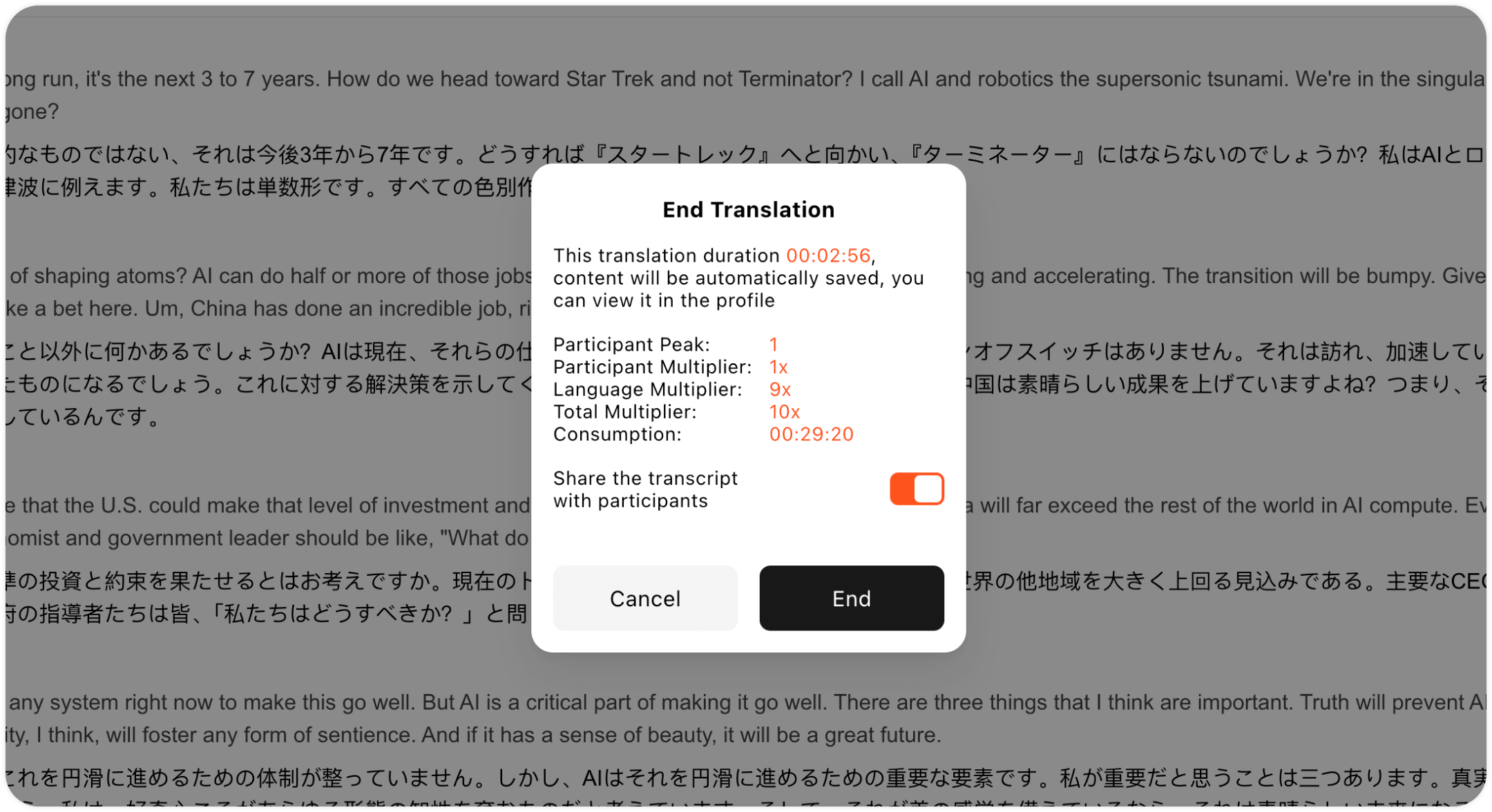
After the session, the host can choose whether to share the original transcript and AI-generated notes with attendees. If the content is shared, audience members can open it later from the Records section of their own accounts.
This gives attendees a clear way to review key ideas, terminology, and decisions in addition to the live translation. Learn more about AI Meeting Notes.
How Is Presentation Mode Different from Meeting Mode?
 How Is Presentation Mode Different from Meeting Mode?
The two modes support different communication patterns.
| Presentation Mode | Meeting Mode |
| Designed for one-to-many communication | Designed for interactive conversations |
| Host controls the presentation | Multiple participants can speak |
| Audience members mainly listen and follow | Participants communicate in both directions |
| Supports up to 10 target languages | Supports bilingual and multilingual meeting workflows |
| Suitable for speeches, training, and large events | Suitable for meetings, sales calls, and team collaboration |
If the goal is to deliver one message to a multilingual audience, Presentation Mode offers the simpler workflow. If participants need to discuss, ask questions, and respond continuously, Meeting Mode may be more appropriate.
When Should You Still Use Human Interpreters?
AI translation can make multilingual access more scalable, but it does not replace professional interpreters in every situation.
Certified human interpretation or human review may still be necessary for legal proceedings, emergency communication, complex medical decisions, regulatory matters, or other high-risk content where an error could have serious consequences.
For business presentations, training, public events, and general information sharing, an AI presentation translator can provide a practical balance of reach, speed, and cost.
Frequently Asked Questions
How many languages can one presentation support?
The host can set up to 10 target languages for one Presentation Mode session.
Do audience members need to download Transync AI?
No. They can join through a web browser using a QR code, link, or Room ID. Account registration or sign-in is still required.
Can every attendee select a different language?
Yes. Each audience member chooses from the target languages enabled by the host.
Can listeners hear translated audio?
Yes. They can use translated voice playback. Supported languages can also use the host’s cloned voice.
Can attendees access the presentation afterward?
The host can choose to share the original transcript and AI notes. Shared content appears in the attendee’s Transync AI account under Records.
Make One Presentation Accessible in More Languages
A multilingual event should not require the speaker to repeat the same presentation several times.
With Transync AI Presentation Mode, one speech can reach listeners in up to 10 languages through live subtitles and translated voice. Audience members join from their own devices, choose their preferred language, and can review shared content after the event.
Try Transync AI or download the app to start building a more accessible multilingual presentation.
