

Translator for Spanish guide: compare 7 tools for meetings, travel, documents, live voice, subtitles, and Spanish-English conversations.
Choosing a translator for Spanish is no longer as simple as finding an app that converts English words into Spanish.
A traveler may need camera translation and quick voice playback. A sales team may need bilingual subtitles during Zoom calls. A conference organizer may need translated audio for hundreds of attendees. A writer may care more about polished Spanish documents than real-time speech.
These users are all searching for Spanish translation, but they do not need the same product.
This guide compares seven translation tools across meetings, live conversations, documents, travel, events, subtitles, voice output, and post-meeting notes. It also explains when Transync AI, DeepL, JotMe, Talo, Maestra, Wordly, or Talkao may be the better fit.
Quick Answer: Which Translator for Spanish Should You Choose?
The best choice depends on the task.
| Your main need | Recommended tool |
|---|---|
| Live Spanish-English meetings | Transync AI |
| Professional text and document translation | DeepL |
| Meeting translation with detailed AI notes | JotMe |
| Bot-based voice translation in video calls | Talo |
| Live translation, subtitles, and media workflows | Maestra |
| Conferences, webinars, and large audiences | Wordly |
| Travel, camera, text, and casual mobile translation | Talkao |
There is no universal winner.
A meeting-first tool may be unnecessary for translating a restaurant menu. A mobile travel app may not be reliable enough for an international sales negotiation.
Why Spanish Translation Requires More Than Word Replacement
Spanish is spoken across Spain, Latin America, the United States, and many other regions. Although speakers usually understand one another, vocabulary, pronunciation, formality, and common expressions vary.
Spanish from Spain and Latin American Spanish
Consider these everyday examples:
| English | Spain | Common Latin American usage |
| Computer | ordenador | computadora |
| Mobile phone | móvil | celular |
| Car | coche | carro or auto |
| Juice | zumo | jugo |
| Apartment | piso | apartamento or departamento |
A translation may be grammatically correct while still feeling unfamiliar to its intended audience.
Formal and informal Spanish
Spanish also changes according to the relationship between speakers.
- Tú is generally informal.
- Usted is generally more formal or respectful.
- Vosotros is commonly used for informal plural address in Spain.
- Ustedes is the standard plural form across most of Latin America.
- Vos is widely used in countries and regions such as Argentina, Uruguay, and parts of Central America.
A translator for Spanish should therefore be evaluated for tone and regional fit, not only literal accuracy.
Professional terminology
Words such as “model,” “account,” “pipeline,” “release,” and “deployment” may have several meanings.
For example, “pipeline” could refer to:
- A physical energy pipeline
- A software delivery pipeline
- A sales pipeline
- A data-processing pipeline
The right Spanish translation depends on the industry and surrounding discussion.
How We Compare Spanish Translation Tools
The seven tools in this guide are compared using the following criteria:
| Evaluation area | What it tells you |
| Primary workflow | Whether the tool is built for text, travel, meetings, or events |
| Live speech translation | Whether it can process spoken Spanish in real time |
| Two-way conversation | Whether English and Spanish speakers can both participate |
| Bilingual subtitles | Whether the original and translated text appear together |
| Voice output | Whether translated Spanish can be heard aloud |
| Meeting notes | Whether the conversation becomes a useful summary afterward |
| Terminology controls | Whether names and technical terms can be prepared |
| Meeting compatibility | Whether it works with Zoom, Teams, or Google Meet |
| Regional flexibility | Whether it supports different Spanish accents or variants |
| Pricing model | How users purchase and scale the service |
Spanish Translator Tools: Quick Comparison
| Tool | Product category | Best for | Main limitation |
| Transync AI | Real-time meeting translator | Two-way meetings, subtitles, voice, and notes | Not designed for images or static documents |
| DeepL | Language AI platform | Professional text, documents, and selected voice workflows | Voice products may require business plans |
| JotMe | Translation and meeting assistant | Live translation plus structured meeting notes | Primarily meeting-focused |
| Talo | Meeting translation bot | Voice translation inside video calls | Visible bot workflow may not suit every organization |
| Maestra | Live and media translation suite | Voice, subtitles, dubbing, webinars, and content | Broader workflow may be more than small teams need |
| Wordly | Meeting and event translation | Conferences and multilingual audiences | More event-oriented than personal translation |
| Talkao | Consumer translation and learning app | Travel, camera translation, voice, and casual use | Less focused on business meeting documentation |
1. Transync AI: Best for Live Spanish Meetings
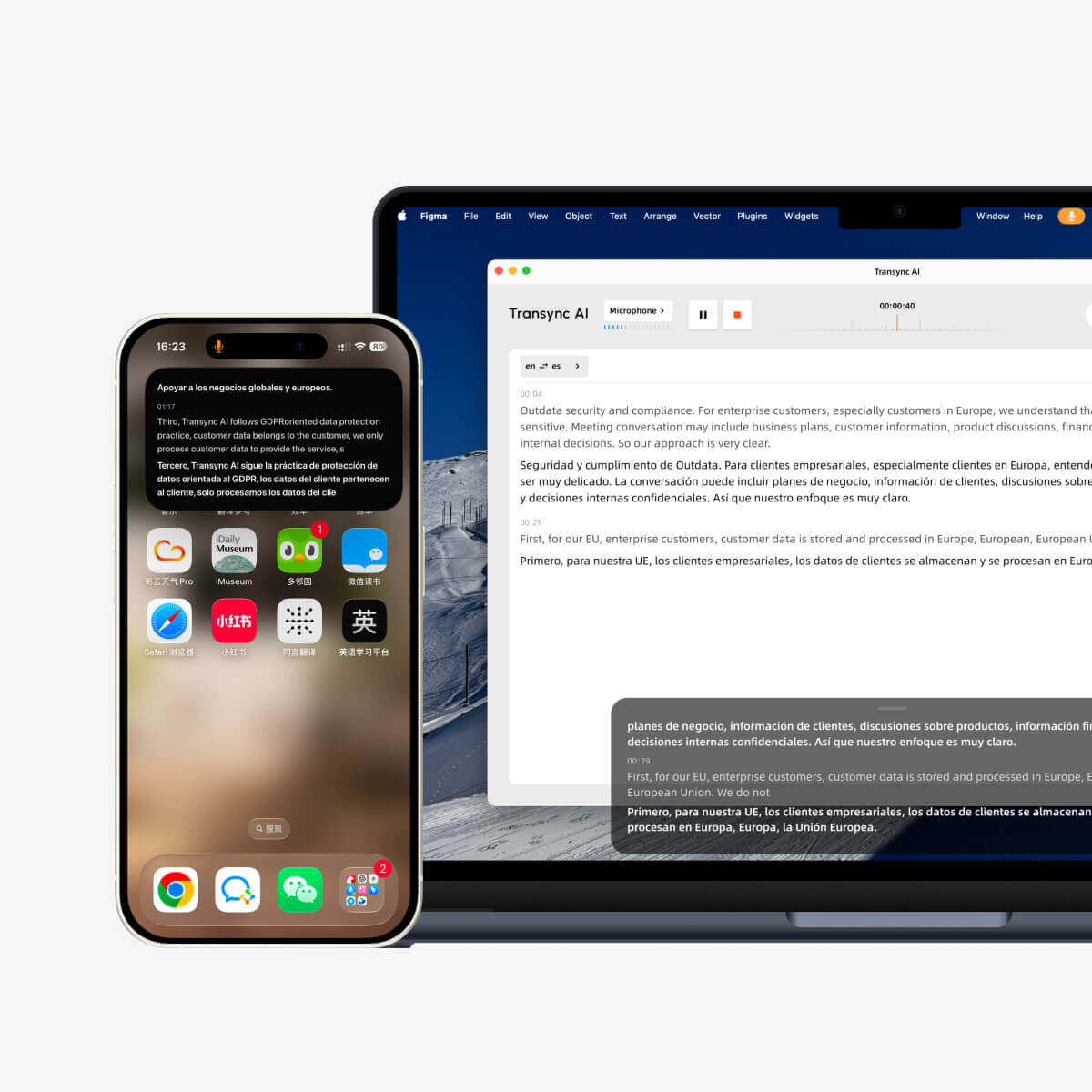
Transync AI is designed around live multilingual communication rather than static text translation.
It is best suited to situations where English and Spanish speakers need to listen, respond, and retain useful information from the conversation.
Key Spanish translation features
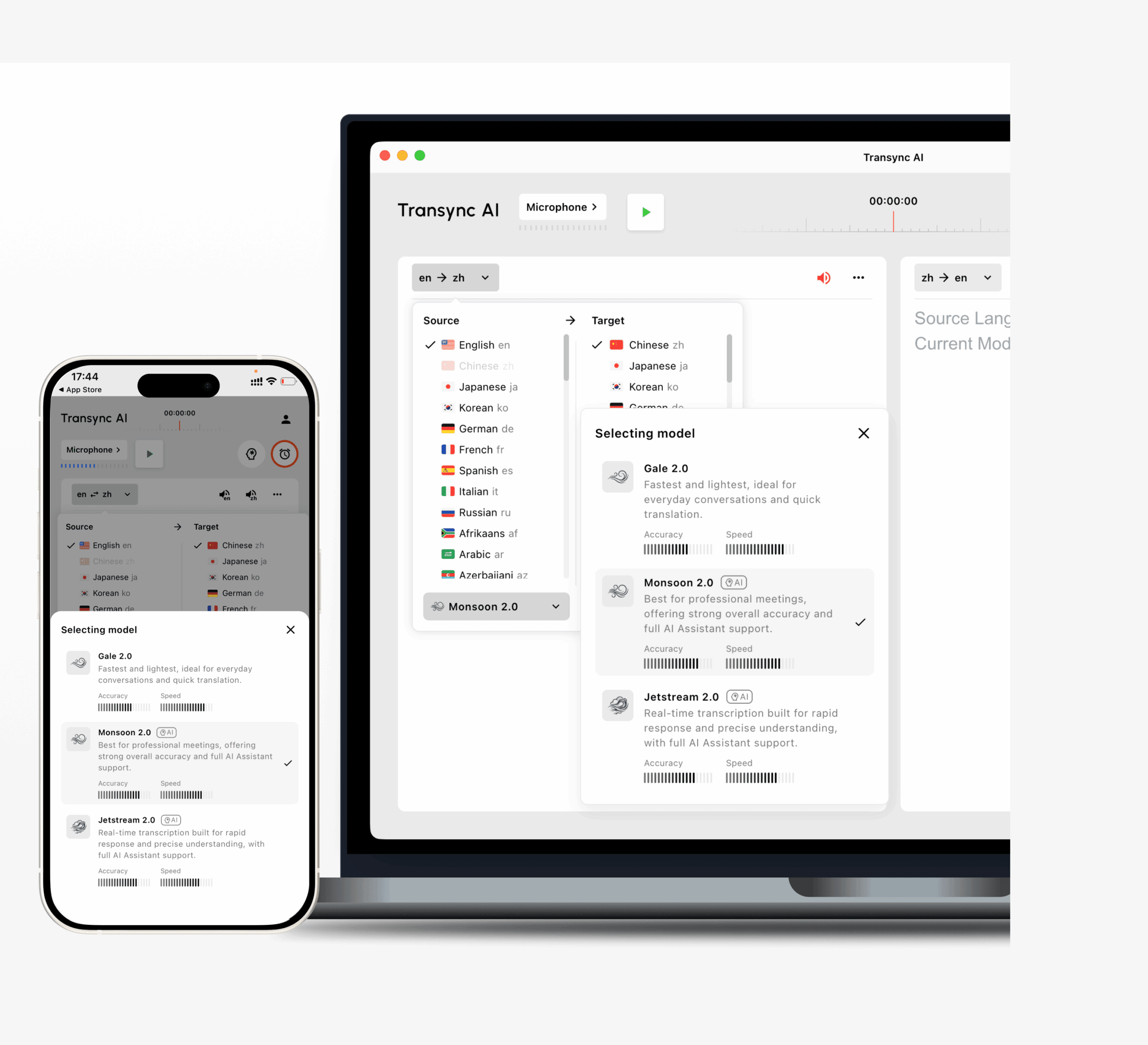
- Bidirectional real-time translation
- Support for Spanish among 60+ languages
- Automatic distinction between two selected languages
- Side-by-side original and translated subtitles
- AI voice playback
- Multiple voice options
- Voice preview
- Voice cloning
- Keywords and contextual background
- AI-generated meeting notes
- Picture-in-Picture subtitles
- Zoom, Microsoft Teams, and Google Meet workflows
- Cross-device access on desktop, mobile, and web
Best use cases
Transync AI is a strong translator for Spanish when you need:
- English-Spanish client calls
- Spanish supplier meetings
- Remote team collaboration
- Product demonstrations
- Online classes
- Job interviews
- Sales presentations
- Face-to-face professional conversations
How terminology controls help
Before a meeting, users can add preferred terms such as:
- photovoltaic inverter = inversor fotovoltaico
- supply chain = cadena de suministro
- product launch = lanzamiento del producto
- Model X300
- APAC
- John Smith
They can also describe the meeting:
This is a sales meeting about renewable energy equipment, installation schedules, pricing, regional compliance, and product specifications.
This gives the translation system more context than an isolated voice command.
Main limitation
Transync AI is meeting-first.
It does not provide image recognition, camera translation, or general static text translation as its primary workflow. It also requires an internet connection.
2. DeepL: Best for Professional Written Spanish
 DeepL is a broader language AI platform covering text, documents, writing support, APIs, and voice products.
It is particularly relevant when the Spanish output needs to be edited, reviewed, or used in professional written communication.
Best use cases
- Business emails
- Reports
- Presentations
- Website copy
- Product documentation
- Professional Spanish writing
- Enterprise text workflows
- Selected face-to-face and meeting translation
DeepL Voice for Conversations focuses on in-person multilingual communication, while DeepL Voice for Meetings extends the workflow to virtual meetings.
Strengths
- Strong text and document orientation
- Professional language workflows
- Formal and informal tone considerations
- Enterprise language controls
- Real-time captioning and voice-to-voice options in Voice products
Main limitation
DeepL Voice availability and pricing depend on the selected business plan and product. Users primarily seeking a simple, self-serve meeting translator should confirm the required setup before purchasing.
3. JotMe: Best for Spanish Translation with Meeting Notes
 JotMe combines live translation, transcription, AI assistance, and post-meeting documentation.
It is useful when the team needs both real-time understanding and organized follow-up.
Main features
- Live meeting translation
- Real-time transcription
- AI-generated meeting notes
- Action items
- Custom vocabulary
- Meeting record access
- Support across common online meeting platforms
Best use cases
- Spanish-English internal meetings
- Client interviews
- Project discussions
- Research calls
- Classes
- Teams that prioritize documentation
Main limitation
JotMe is primarily designed around meetings and note-taking. It is not positioned as a complete travel, camera, image, or document translation suite.
4. Talo: Best for Bot-Based Spanish Voice Translation
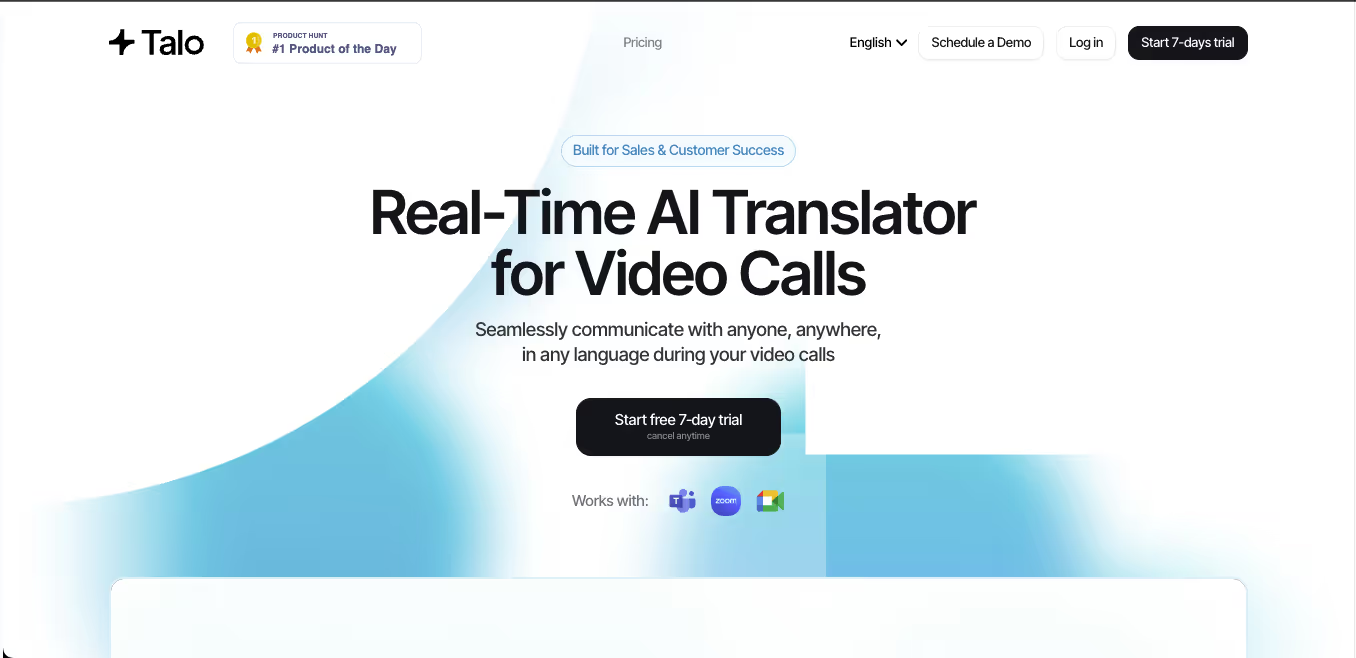 Talo is built for real-time voice interpretation in video calls.
The user provides the meeting link, selects the languages, and adds Talo as a participant. The bot then delivers translated voice during the call.
Best use cases
- Zoom sales calls
- Google Meet demonstrations
- Microsoft Teams collaboration
- Customer support conversations
- Multilingual webinars
- Teams that prefer a bot-managed setup
Strengths
- Voice-first meeting workflow
- Support for Spanish and other major languages
- No software installation required for other attendees
- Useful for fast conversational meetings
Main limitation
The translator appears as a meeting participant.
Some teams find this convenient. Others may prefer a standalone tool that does not add a visible bot to a sensitive client or executive meeting.
5. Maestra: Best for Spanish Voice, Subtitles, and Media
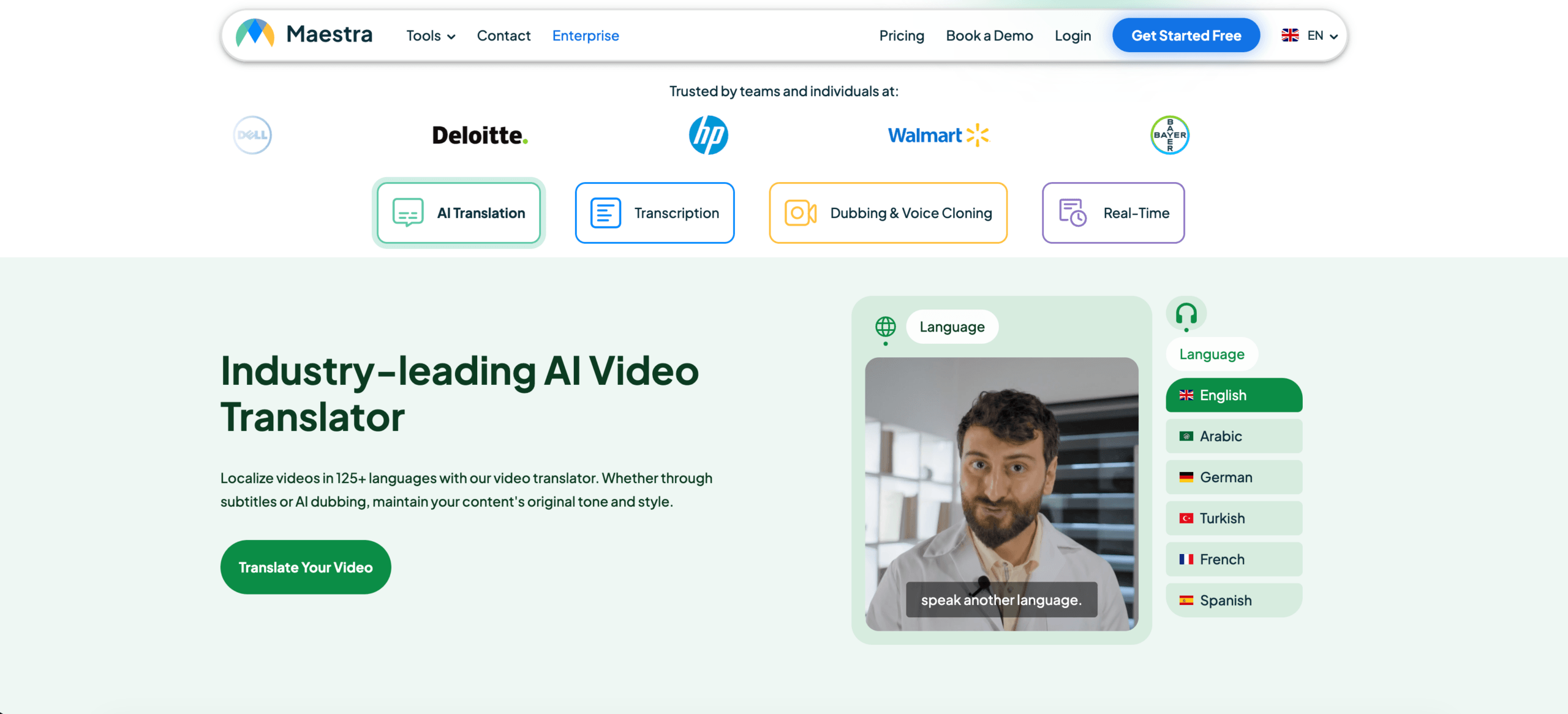 Maestra covers a wide range of live and recorded translation tasks.
Its tools include:
- Live transcription
- Live translation
- AI voice dubbing
- Voice cloning
- Subtitle translation
- Audio and video localization
- Multiple-speaker recognition
- Custom dictionaries
- Session links and QR-code sharing
- Post-session summaries
Best use cases
- Spanish webinars
- Online courses
- Video localization
- Multilingual live streams
- Interviews
- Meetings
- Content teams working with both live and recorded media
Main limitation
Maestra’s broad feature set can be valuable for media teams, but users who only need a simple two-person Spanish meeting translator may not need the full localization workflow.
6. Wordly: Best for Spanish Translation at Events
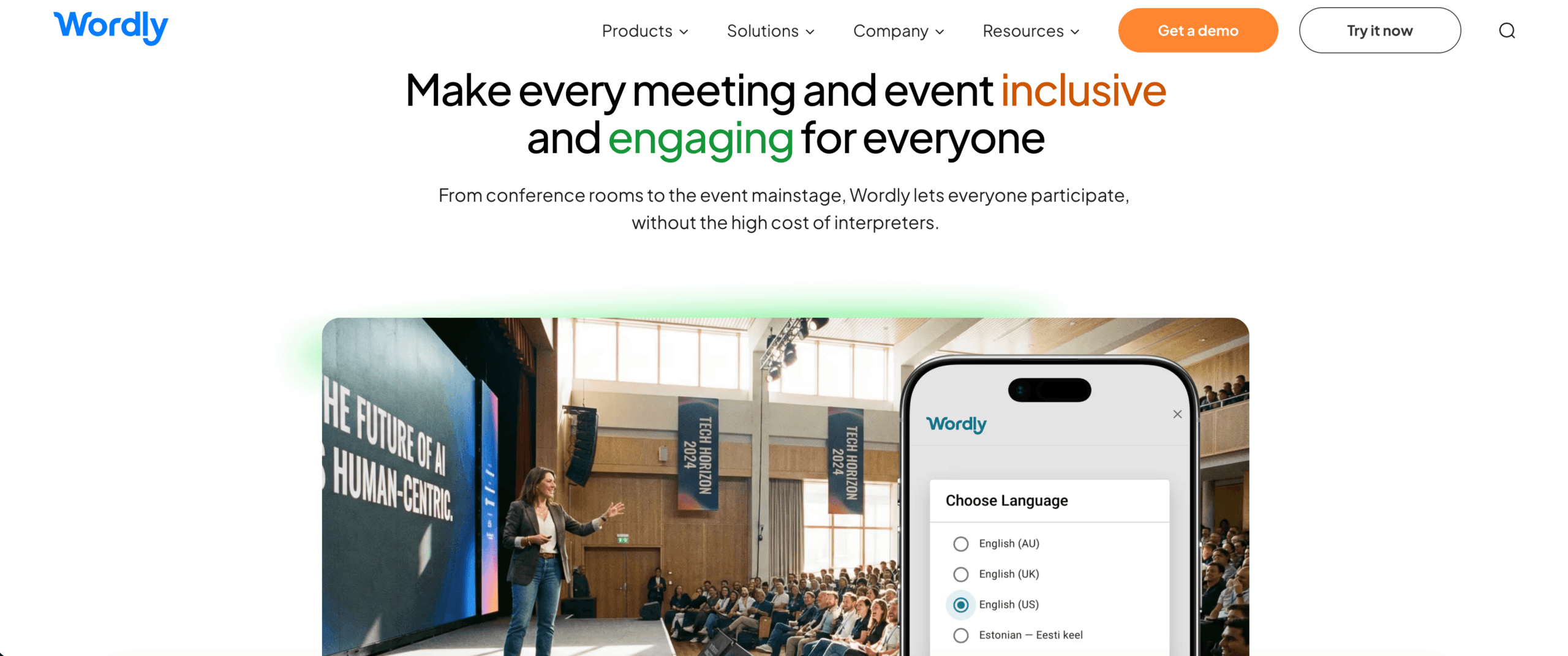 Wordly focuses on meetings, conferences, webinars, and other sessions where many attendees need access to translation.
Participants can follow translated audio or captions, while organizers can also receive transcripts and summaries.
Best use cases
- Conferences
- Corporate town halls
- Webinars
- Public meetings
- Hybrid events
- School and university events
- Accessibility programs
Strengths
- Audio and captions
- Multiple audience languages
- Transcripts
- Summaries
- Customizable glossary
- Attendee-facing access
- Annual hour packages
Main limitation
Wordly is more event-oriented than personal.
Its pricing and organizer workflow may be unnecessary for someone who only needs occasional English-Spanish conversations or small client meetings.
7. Talkao: Best for Travel and Everyday Spanish
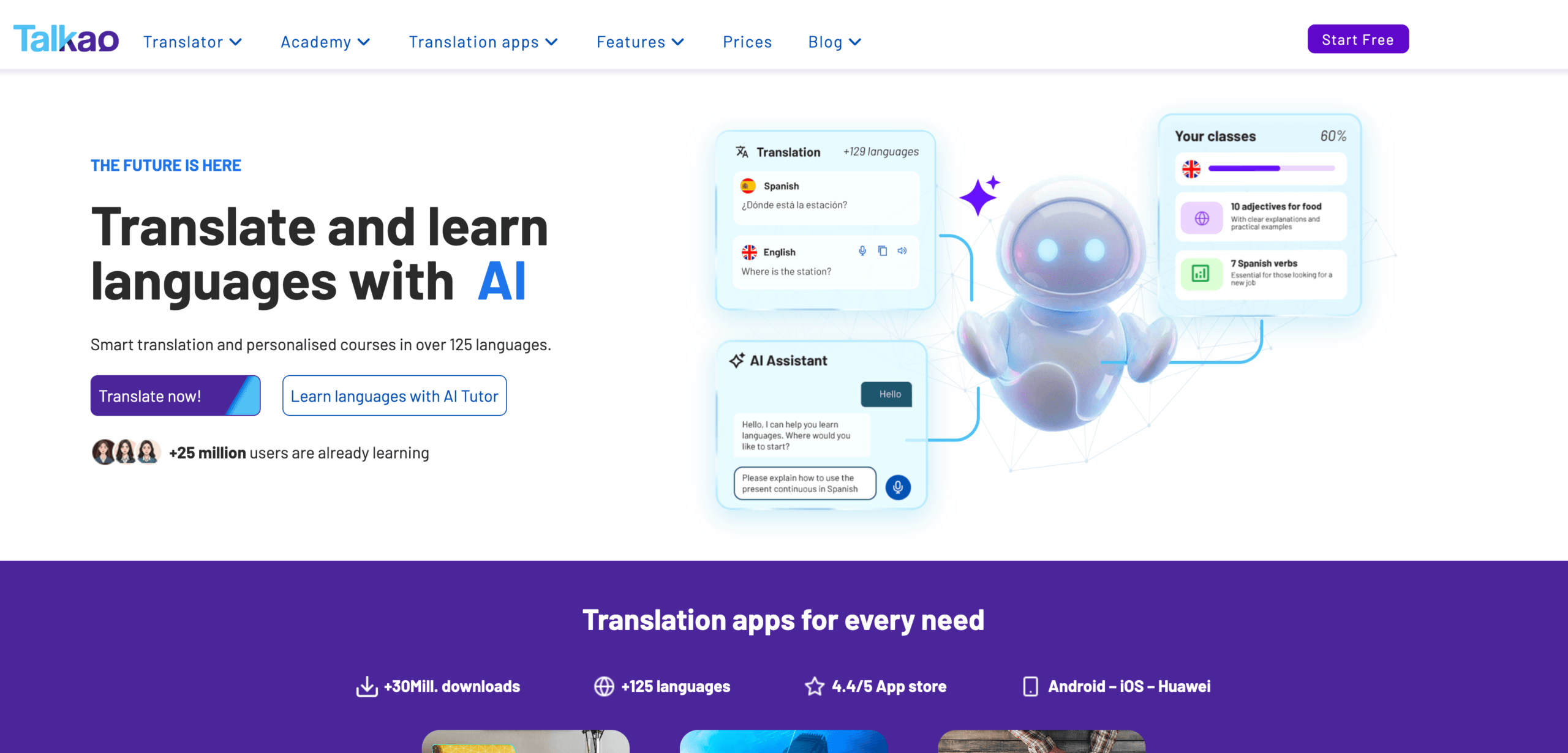 Talkao is a consumer-oriented translation and language-learning platform.
It supports voice, text, camera, documents, and learning activities across a large language catalog.
Its English-Spanish workflow also emphasizes multiple regional accents, including Spanish from Spain and Latin American Spanish.
Best use cases
- Travel
- Menus and signs
- Casual conversations
- Camera translation
- Voice phrases
- Written messages
- Spanish language practice
- Mobile communication
Strengths
- Voice and written translation
- Camera translation
- Document scanning
- Regional accent options
- Language-learning tools
- Consumer-friendly mobile workflow
Main limitation
Talkao is broader as a consumer translator but is less focused on professional meeting notes, virtual microphones, floating desktop subtitles, and structured business follow-up.
Feature Comparison: Translator for Spanish
| Feature | Transync AI | DeepL | JotMe | Talo | Maestra | Wordly | Talkao |
| Text translation | Limited | Yes | Transcript-based | No primary focus | Yes | Limited | Yes |
| Document translation | No | Yes | Limited | No | Yes | No primary focus | Yes |
| Camera translation | No | No primary focus | No | No | No primary focus | No | Yes |
| Live Spanish speech | Yes | Yes, Voice products | Yes | Yes | Yes | Yes | Yes |
| Two-way conversation | Yes | Product-dependent | Yes | Yes | Yes | Available | Yes |
| Bilingual subtitles | Yes | Voice-dependent | Yes | Available | Yes | Yes | App-dependent |
| Translated voice | Yes | Yes | Product-dependent | Yes | Yes | Yes | Yes |
| Voice cloning | Yes | Not primary positioning | No primary focus | No primary focus | Yes | No primary focus | No primary focus |
| Custom terminology | Keywords and context | Glossaries/workflow-dependent | Custom terms | Product-dependent | Custom dictionary | Custom glossary | Limited |
| AI meeting notes | Yes | Not core translator feature | Yes | Product-dependent | Yes | Yes | No primary focus |
| Zoom/Teams/Meet | Yes | Voice-product dependent | Yes | Yes | Integrations available | Meeting/event workflow | Not meeting-first |
| Floating subtitles | Yes | Product-dependent | App-dependent | Meeting interface | Browser/session dependent | Audience captions | Mobile app |
| Best fit | Meetings | Text and enterprise language | Meetings and notes | Bot-based calls | Media and live content | Events | Travel |
Feature availability can change by plan, platform, language, and region. Test the exact Spanish workflow before purchasing.
Pricing and Purchase Model Comparison
| Tool | Entry option | Typical purchase model | What to check |
| Transync AI | 40 free minutes | $8.99/month individual plan; team and add-on time options | Included meeting hours |
| DeepL Voice | Business availability | Direct purchase or sales-led plan depending on product | Voice product and platform access |
| JotMe | Free monthly allowance | Paid plans starting from a per-user subscription | Translation minutes and AI credits |
| Talo | Limited trial | Subscription plans for meeting translation | Annual minutes and bot usage |
| Maestra | Free live trial | Subscription or enterprise media workflow | Live versus recorded usage |
| Wordly | Demo or trial options | Annual hour packages and enterprise quotes | Hours, attendees, and support |
| Talkao | Consumer entry options | Mobile subscription and app purchases | Premium voice, camera, and learning features |
Prices change more frequently than product positioning. Always verify the official pricing page immediately before publishing or purchasing.
Which Spanish Translator Is Best for Your Scenario?
| Scenario | Best first choice | Why |
| English-Spanish Zoom call | Transync AI | Bilingual subtitles, voice playback, context, and notes |
| Professional Spanish document | DeepL | Strong text and document workflow |
| Meeting with detailed follow-up | JotMe | Translation plus structured notes |
| Team that wants an interpreter bot | Talo | Bot joins the meeting and manages voice translation |
| Spanish webinar or translated video | Maestra | Live translation plus media localization |
| Spanish translation for 500 attendees | Wordly | Event and audience-oriented delivery |
| Vacation in Spain or Mexico | Talkao | Voice, camera, text, and mobile use |
| Legal or medical communication | Human interpreter | Accountability and specialist judgment |
Translator for Spanish: Subtitles or Voice?
The better output depends on the conversation.
Choose bilingual subtitles when:
- Product names must be checked
- Dates and prices matter
- The meeting moves quickly
- Participants want to compare the original and translation
- Voice playback might interrupt the next speaker
- The environment is noisy
Choose Spanish voice output when:
- Participants cannot watch the screen
- The listener reads Spanish slowly
- Translated speech must be heard by another person
- The conversation is turn-based
- A presentation requires audible translation
For many professional meetings, the best setup combines both.
Subtitles provide verification. Voice output makes communication more natural.
Spanish Translation for Online Meetings
A professional English-Spanish meeting may require more than a mobile translator.
The workflow may include:
- Capturing microphone and meeting audio
- Recognizing English and Spanish speech
- Translating in both directions
- Showing bilingual subtitles
- Playing translated Spanish into the call
- Preserving names and technical terms
- Generating meeting notes afterward
Transync AI’s virtual microphone workflow allows translated voice playback to be selected as the meeting microphone input.
For example:
- You speak English.
- Transync AI translates English into Spanish.
- Spanish voice playback is sent through the virtual microphone.
- Other meeting participants hear the translated Spanish.
Only the intended playback direction should normally be enabled. Otherwise, the other participant may hear their own speech translated back to them.
Suggested internal links: Virtual Microphone Guide, Voice Playback Guide, and Live Meeting Translation.
How to Test an English-Spanish Translator
Do not test only simple travel phrases.
Prepare a 15-minute test based on your actual use case.
Include:
- A casual greeting
- A formal request
- A product explanation
- A regional expression
- A person’s name
- A company name
- A model number
- A price
- A percentage
- A delivery date
- A correction
- Mixed English-Spanish speech
- A final decision
Example:
We can deliver 1,250 Model X300 units by October 18—sorry, October 28—if the regional sales team approves the revised specification this Friday.
Evaluate:
| Test area | What to check |
| Recognition | Did the tool hear the original sentence correctly? |
| Meaning | Did the Spanish preserve the intended message? |
| Regional fit | Did the output suit Spain or Latin America? |
| Tone | Was it appropriately formal or informal? |
| Terminology | Were names and model numbers preserved? |
| Latency | Did the result arrive before the topic changed? |
| Voice | Was the Spanish speech natural and clear? |
| Two-way flow | Could both speakers respond normally? |
| Notes | Were decisions captured accurately afterward? |
Test English-to-Spanish and Spanish-to-English separately. Performance may differ by direction.
When Should You Use a Human Spanish Interpreter?
AI translation is useful for routine communication, but it should not automatically replace a professional interpreter.
Use qualified human support for:
- Medical consultations
- Legal testimony
- Immigration interviews
- Contract signing
- Regulatory proceedings
- Safety instructions
- High-value negotiations
- Sensitive employee disputes
- Public statements where exact wording matters
A practical company may use AI for regular meetings and human interpreters for higher-risk situations.
Common Problems with Spanish Translator Tools
The translation uses the wrong regional word
Specify the intended audience and test vocabulary for Spain, Mexico, Argentina, or another target market.
The tone sounds too informal
Check whether the tool supports formal language or provide context explaining the relationship between speakers.
Product names are translated
Add them to a glossary, keyword list, or custom dictionary.
Spanish and English become mixed
Test code-switching and automatic language detection before an important meeting.
Voice output overlaps the next speaker
Use subtitles for fast discussion or leave a short pause after each turn.
Numbers are wrong
Repeat and confirm prices, percentages, model numbers, dates, and quantities.
The tool works in a demo but not in the meeting
Test the real microphone, network, meeting platform, speakers, and session length.
Limitations of Spanish Translation Software
No automated tool is perfect.
Accuracy may fall because of:
- Background noise
- Strong accents
- Regional slang
- Overlapping speech
- Weak microphones
- Unstable internet
- Incomplete sentences
- Ambiguous wording
- Technical vocabulary
- Rapid code-switching
Each product also has different boundaries:
- Meeting tools may not translate images.
- Travel apps may lack meeting notes.
- Document translators may not support continuous speech.
- Event platforms may be too expensive for individual calls.
- AI systems may miss cultural nuance.
The right purchase begins with the workflow—not the total number of features.
FAQ: Translator for Spanish
What is the best translator for Spanish?
The best tool depends on the task. Transync AI fits live meetings, DeepL fits professional text and documents, JotMe fits translation with notes, Maestra fits media, Wordly fits events, and Talkao fits travel.
What is the best translator for Spanish meetings?
Look for two-way translation, low latency, bilingual subtitles, voice output, technical terminology, and meeting notes. Transync AI is designed around these requirements.
Which tool is best for translating documents into Spanish?
A text- and document-focused platform such as DeepL is generally more appropriate than a meeting-first voice translator.
Which Spanish translator is best for travel?
A mobile consumer tool such as Talkao may be more convenient because it combines voice, text, camera, and travel-oriented features.
Can a translator distinguish Spain Spanish and Latin American Spanish?
Some tools support regional accents or variants, but coverage differs. Always test the intended country and audience.
Can Transync AI translate Spanish Zoom meetings?
Yes. Transync AI can run alongside Zoom, Microsoft Teams, and Google Meet to provide bilingual subtitles and translated voice workflows.
Can other participants hear the Spanish translation?
Yes. Transync AI supports translated voice playback. A virtual microphone or system-audio workflow may be required to send the Spanish voice into the meeting.
Does Transync AI create meeting notes?
Yes. It can generate AI meeting notes after a multilingual conversation.
Does Transync AI work offline?
No. Transync AI currently requires an internet connection.
Can AI replace a Spanish interpreter?
AI can support routine meetings, classes, travel, and customer conversations. Human interpreters remain the safer choice for legal, medical, financial, and other high-stakes situations.
Final Thoughts: Choose a Translator for Spanish by Workflow
The best translator for Spanish is not necessarily the tool with the highest language count or the longest feature list.
Choose according to what you need to accomplish:
- For text and documents, prioritize writing quality and formatting.
- For travel, prioritize mobile voice and camera translation.
- For meetings, prioritize latency, two-way speech, subtitles, voice, and notes.
- For webinars and media, prioritize captions, dubbing, and export.
- For conferences, prioritize audience access and scale.
- For high-stakes communication, prioritize professional human expertise.
Transync AI is most relevant when Spanish translation must happen inside a live conversation.
It combines bidirectional translation, bilingual subtitles, AI voice playback, voice cloning, technical keywords, meeting context, floating captions, virtual microphone workflows, and post-meeting notes.
That makes it a strong meeting-first choice for teams and individuals who need to speak, listen, respond, and retain information across English and Spanish.
The right translator does not merely produce Spanish words.
It fits naturally into the moment when people need to understand one another.
If you want a next-generation experience, Transync AI leads the way with real-time, AI-powered translation that keeps conversations flowing naturally. You can try it free now.
 🤖
🤖