

So sánh Transync AI và Talo thông qua 7 bước kiểm tra chất lượng cuộc gọi bao gồm thiết lập cuộc họp, bot, giọng nói, phụ đề, ngôn ngữ, nền tảng, bản ghi và giá cả.
Hai phiên dịch viên giọng nói trực tiếp có thể đảm bảo cùng một kết quả—mọi người nói ngôn ngữ mẹ đẻ của mình và hiểu nhau—trong khi sử dụng kiến trúc cuộc họp hoàn toàn khác nhau. Một phiên dịch viên có thể chạy song song với cuộc gọi dưới sự điều khiển của người tham gia. Phiên dịch viên còn lại có thể tham gia cuộc họp với tư cách là một bot và phiên dịch cho tất cả mọi người.
Sự lựa chọn kiến trúc đó định nghĩa AI đồng bộ Và Talo. AI đồng bộ Đây là một ứng dụng hỗ trợ cuộc họp độc lập với phụ đề song ngữ, giọng nói được dịch, công cụ ngữ cảnh, chú thích nổi và ghi chú cuộc họp. Talo Đây là một phiên dịch viên cuộc gọi video với bot AI tham gia cuộc họp và lồng tiếng cho người tham gia trong thời gian thực.
Bài đánh giá này đánh giá Transync AI và Talo Thông qua bảy bước kiểm tra chất lượng cuộc gọi. Mỗi bước kiểm tra tập trung vào một khía cạnh mà người mua có thể xác minh trước khi tin tưởng sử dụng sản phẩm cho cuộc gọi bán hàng, phỏng vấn, phiên hỗ trợ, cuộc họp nhóm hoặc hội thảo trực tuyến.
Lựa chọn nhanh chóng giữa AI đồng bộ Và Talo
Chọn AI đồng bộ Khi bạn cần một công cụ phiên dịch do người tham gia điều khiển, hoạt động song song với các nền tảng họp trực tuyến và cũng có thể hỗ trợ các cuộc trò chuyện trực tiếp. Nó đặc biệt hấp dẫn khi văn bản song ngữ, phát lại giọng nói, chuẩn bị thuật ngữ, ghi chú cuộc họp và mức giá hàng tháng thấp là những yếu tố quan trọng.
Chọn Talo Khi nhóm của bạn cảm thấy thoải mái khi mời một bot AI tham gia các cuộc gọi video được hỗ trợ và muốn bot đó lắng nghe và đọc giọng nói của người tham gia mà không yêu cầu mỗi người tham dự phải tạo tài khoản hoặc cài đặt phần mềm.
Yếu tố quyết định Transync AI và Talo Vấn đề không chỉ nằm ở chất lượng dịch thuật. Mà còn là liệu tổ chức đó thích người cộng tác bản địa hay người tham gia cuộc họp tự động hơn.
Ảnh chụp nhanh chất lượng cuộc gọi
| Kiểm tra | AI đồng bộ | Talo |
|---|---|---|
| Tham gia cuộc họp | Chạy song song với cuộc họp; không cần bot dịch thuật hiển thị. | Một bot AI tham gia thông qua liên kết cuộc họp đã gửi. |
| Các nền tảng chính | Ứng dụng đa nền tảng hỗ trợ các công cụ họp thông dụng và sử dụng trực tiếp. | Được thiết kế dành cho các cuộc gọi video Zoom, Microsoft Teams và Google Meet. |
| Văn bản trực tiếp | Phụ đề song ngữ hiển thị song song và tùy chọn chú thích nổi. | Phụ đề trực tiếp được khuyến khích sử dụng cho một số trường hợp cụ thể trong cuộc họp. |
| Giọng nói trực tiếp | Phát lại giọng nói bằng AI với hỗ trợ quy trình làm việc âm thanh máy tính và micro ảo. | Bot lồng tiếng cho cả hai phía của cuộc gọi được hỗ trợ trong thời gian thực. |
| Sự tương tác | Chế độ một chiều, hai chiều và đa ngôn ngữ | Phiên dịch giọng nói hai chiều và các trường hợp sử dụng trong cuộc họp đa ngôn ngữ |
| Định vị ngôn ngữ | Hơn 60 ngôn ngữ và hơn 1.700 cặp từ | 60 ngôn ngữ hoặc cặp ngôn ngữ theo như trang sản phẩm hiện tại. |
| Bối cảnh | Từ khóa và chuẩn bị bối cảnh cuộc họp | Cài đặt giọng nói trên các gói cước áp dụng; chi tiết tính năng công khai trên bảng thuật ngữ/điều khiển ngữ cảnh bị hạn chế. |
| Thiết bị và tình huống | Web, Windows, macOS, iOS, Android, các cuộc gọi trực tuyến và các cuộc trò chuyện trực tiếp | Quy trình làm việc cuộc gọi video trực tuyến tập trung vào các nền tảng họp được hỗ trợ. |
| Sau cuộc gọi | Bản ghi và ghi chú cuộc họp về AI | Phụ đề/bản ghi tùy chọn theo cài đặt; không được định vị như một không gian làm việc thông minh cho cuộc họp. |
| Bài viết cá nhân được xuất bản | $8.99/tháng cho 600 phút | Gói khởi điểm $33/tháng, thanh toán hàng năm cho 120 phút mỗi tháng. |
Thông tin giá cả và sản phẩm được cập nhật vào tháng 8 năm 2026. Các gói dịch vụ, số phút đi kèm, yêu cầu nền tảng và tính năng có thể thay đổi; vui lòng xác nhận lại thông tin hiện tại và kiểm tra quy trình họp chính xác.
Hãy sử dụng điều này Transync AI và Talo Hãy chọn lọc những bước kiểm tra quan trọng nhất cho tổ chức của bạn trước khi bắt đầu dùng thử.
Kiểm tra 1: Quá trình dịch thuật diễn ra như thế nào trong cuộc gọi?
Việc tham gia cuộc họp là bước quan trọng đầu tiên. Transync AI và Talo Sự khác biệt nằm ở chỗ nó ảnh hưởng đến quyền hạn, khả năng hiển thị và người kiểm soát phiên làm việc.
Các AI đồng bộ Mô hình đồng hành
Các Tính năng dịch cuộc họp trực tiếp Ứng dụng này hoạt động độc lập với ứng dụng hội nghị. Người dùng khởi chạy trình dịch, chọn chế độ ngôn ngữ, thu âm thanh từ micro hoặc máy tính và tự mình kiểm soát quá trình dịch.
Người phiên dịch không cần phải xuất hiện trong danh sách người tham gia với tư cách là bot. Điều này có thể hữu ích khi khách hàng không thích người tham dự tự động, khách mời bên ngoài không thể chấp nhận tích hợp hoặc chính sách của công ty hạn chế bot tham gia các cuộc gọi bí mật.
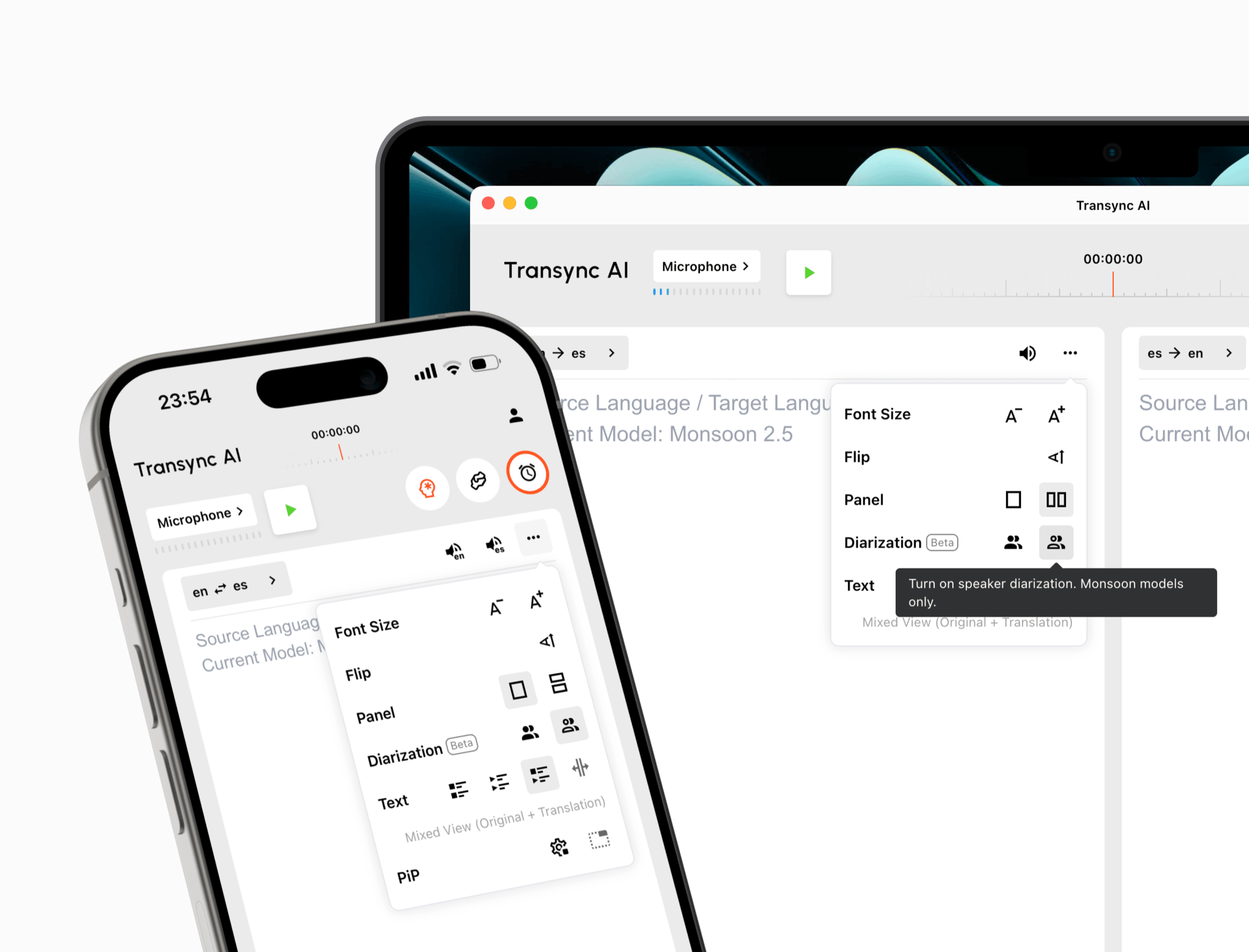 Hãy dùng thử Transync AI miễn phí
Các Talo Mô hình Bot
Talo Ứng dụng yêu cầu người dùng chọn một cặp ngôn ngữ và dán liên kết cuộc họp vào cổng thông tin của nó. Một bot được hỗ trợ bởi trí tuệ nhân tạo sẽ tham gia cuộc gọi, lắng nghe những người tham gia và dịch lại bằng giọng nói. Những người tham dự khác không cần tài khoản riêng, tải xuống hoặc plugin nào.
Điều này có thể đơn giản hóa việc cung cấp dịch vụ nhóm vì chỉ một người tham gia dịch vụ sẽ quản lý phòng họp. Điều đó cũng có nghĩa là người chủ trì cuộc họp có thể cần phải cho phép bot tham gia, phê duyệt sự hiện diện của nó và đảm bảo rằng các chính sách của tổ chức cho phép xử lý tự động.
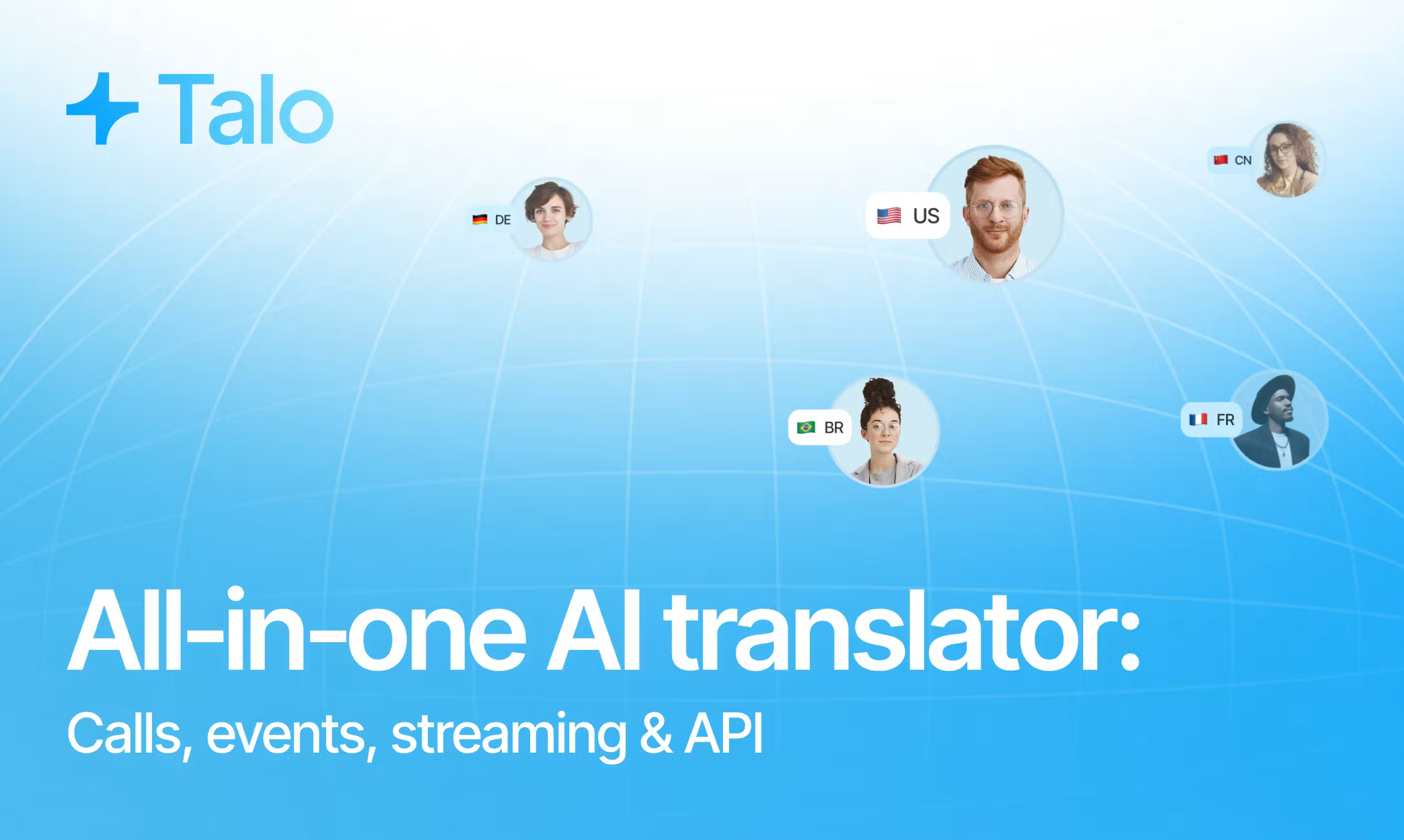
Kiểm tra cuộc gọi: Thử nghiệm một cuộc họp bên ngoài mà người mua không phải là người chủ trì. Ghi lại xem bot có thể tham gia hay không, cách thức nhận dạng bot, liệu phòng chờ có làm chậm quá trình tham gia hay không, và liệu phương án do người tham gia điều khiển có ghi âm chính xác hay không.
Kiểm tra 2: Những nền tảng và tình huống nào cần được đề cập?
Chỉ logo nền tảng thôi là chưa đủ. Một thông tin hữu ích khác bao gồm: Transync AI và Talo Việc so sánh phải bao gồm loại tài khoản chính xác, quyền của người chủ trì, hệ điều hành máy tính để bàn, tai nghe và định dạng cuộc họp.
AI đồng bộ làm việc cùng với Zoom, Microsoft Teams, Google Meet, Nó hỗ trợ các công cụ gọi điện khác và các cuộc trò chuyện trực tiếp. Nó hỗ trợ quy trình làm việc trên web, Windows, macOS, iOS và Android.
Mô hình thiết bị đa năng đó giúp người dùng thường xuyên chuyển đổi giữa các cuộc gọi khách hàng, cuộc trò chuyện khi đang di chuyển, thảo luận trên lớp học, cuộc gọi điện thoại bằng loa ngoài và các cuộc họp trực tiếp.

Tương thích với các nền tảng họp trực tuyến phổ biến, cho phép dịch thuật thời gian thực liền mạch.
Talo được thiết kế đặc biệt cho các cuộc gọi video trên Zoom, Microsoft Teams, Và Google Meet. Quy trình làm việc của bot dựa trên cổng thông tin được thiết kế để tham gia các phiên này sau khi người dùng gửi liên kết cuộc họp.
Phạm vi hẹp hơn có thể là một lợi thế khi tổ chức muốn có một quy trình gọi trực tuyến tiêu chuẩn hóa. Tuy nhiên, nó lại là một hạn chế khi việc dịch thuật phải tiếp tục bên ngoài môi trường hội nghị được hỗ trợ hoặc trên thiết bị di động cá nhân mà không có liên kết cuộc họp.
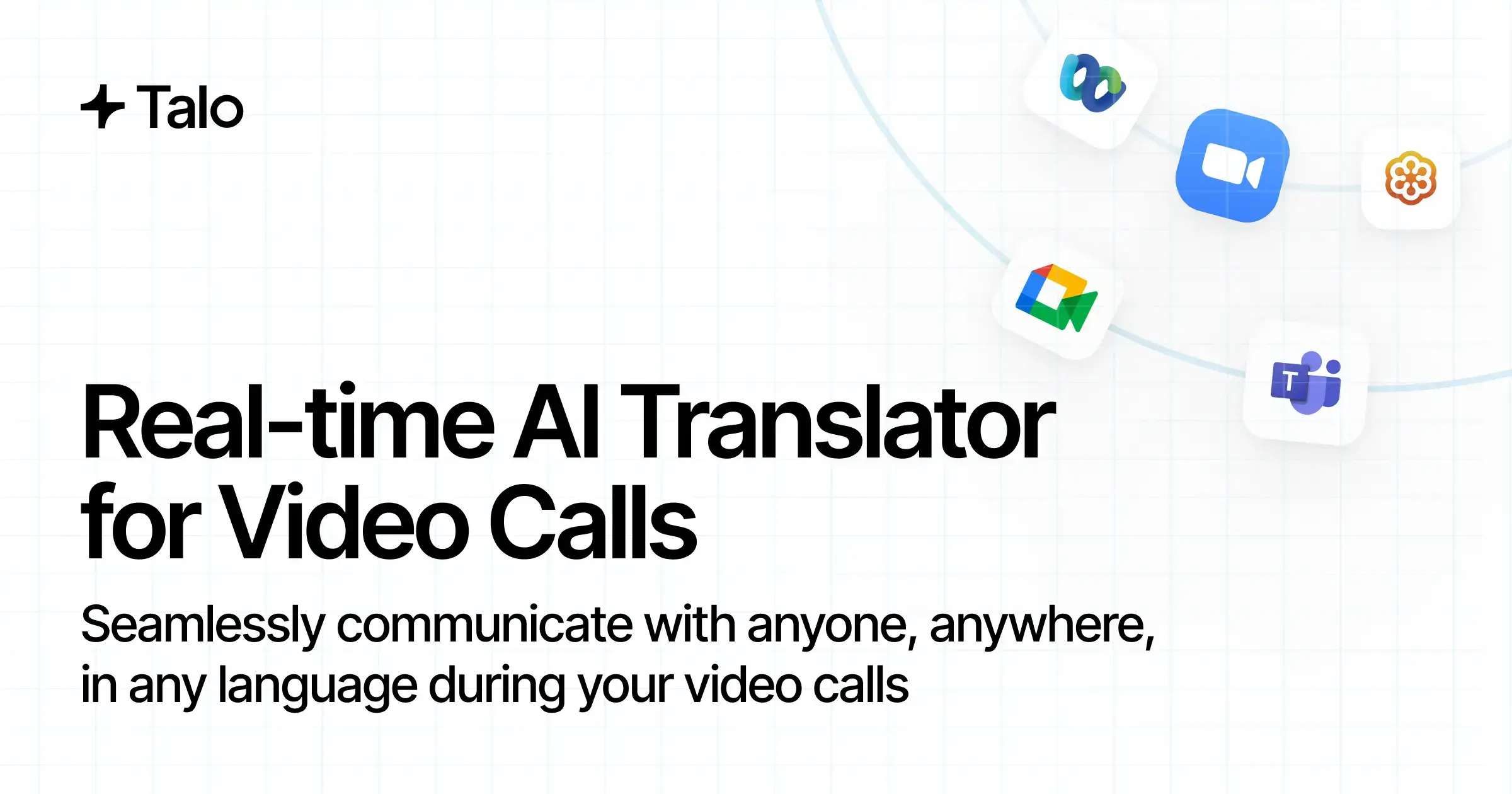 Kiểm tra cuộc gọi: Hãy tổ chức một cuộc họp trực tuyến và một cuộc họp được tổ chức bên ngoài trên mỗi nền tảng cần thiết. Sau đó, hãy thử nghiệm một cuộc trò chuyện trực tiếp. Đừng cho rằng thành công trên một nền tảng sẽ đảm bảo quy trình làm việc trên các nền tảng khác cũng hoạt động tốt.
Bài kiểm tra nền tảng này tiếp tục Transync AI và Talo Gắn liền với quyền tham dự cuộc họp thực tế của người mua chứ không phải là bản demo do nhà cung cấp kiểm soát.
Câu hỏi 3: Người tham gia đọc và nghe những gì?
Trải nghiệm trực tiếp là cốt lõi của vấn đề. Transync AI và Talo Bởi vì cả hai sản phẩm đều nhằm mục đích loại bỏ những khoảng lặng trong các cuộc hội thoại đa ngôn ngữ.
Các công cụ dịch thuật thời gian thực Hiển thị cả giọng nói nguồn đã được nhận dạng và bản dịch cùng nhau. Điều này giúp người tham gia có cơ hội nhận ra tên, số hoặc cụm từ không chính xác trước khi trả lời.
Các Trình dịch giọng nói AI Bổ sung tính năng phát âm tự nhiên. Người dùng có thể nghe bản dịch cục bộ và sử dụng các quy trình chia sẻ âm thanh hoặc micro ảo được hỗ trợ khi cần nghe bản dịch trong cuộc gọi.
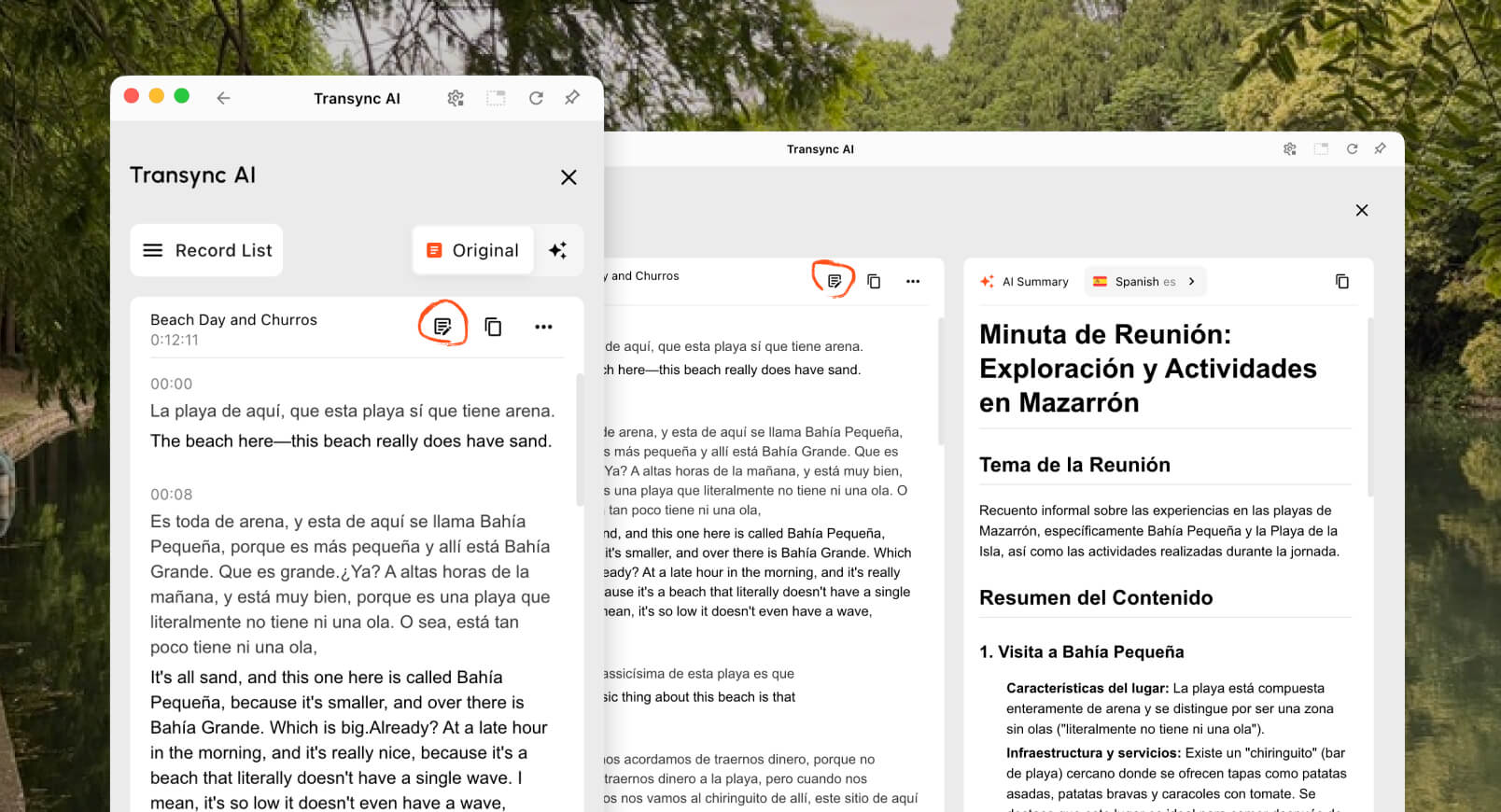
Các Tính năng phụ đề song ngữ hình trong hình (Picture-in-Picture) Có thể giữ nguyên phụ đề gốc và phụ đề đã dịch hiển thị trên các ứng dụng khác trên các thiết bị được hỗ trợ. Điều này rất hữu ích trong các buổi trình diễn, thuyết trình, phỏng vấn và công việc CRM.

Phụ đề nổi theo thời gian thực trên cả máy tính để bàn và thiết bị di động.
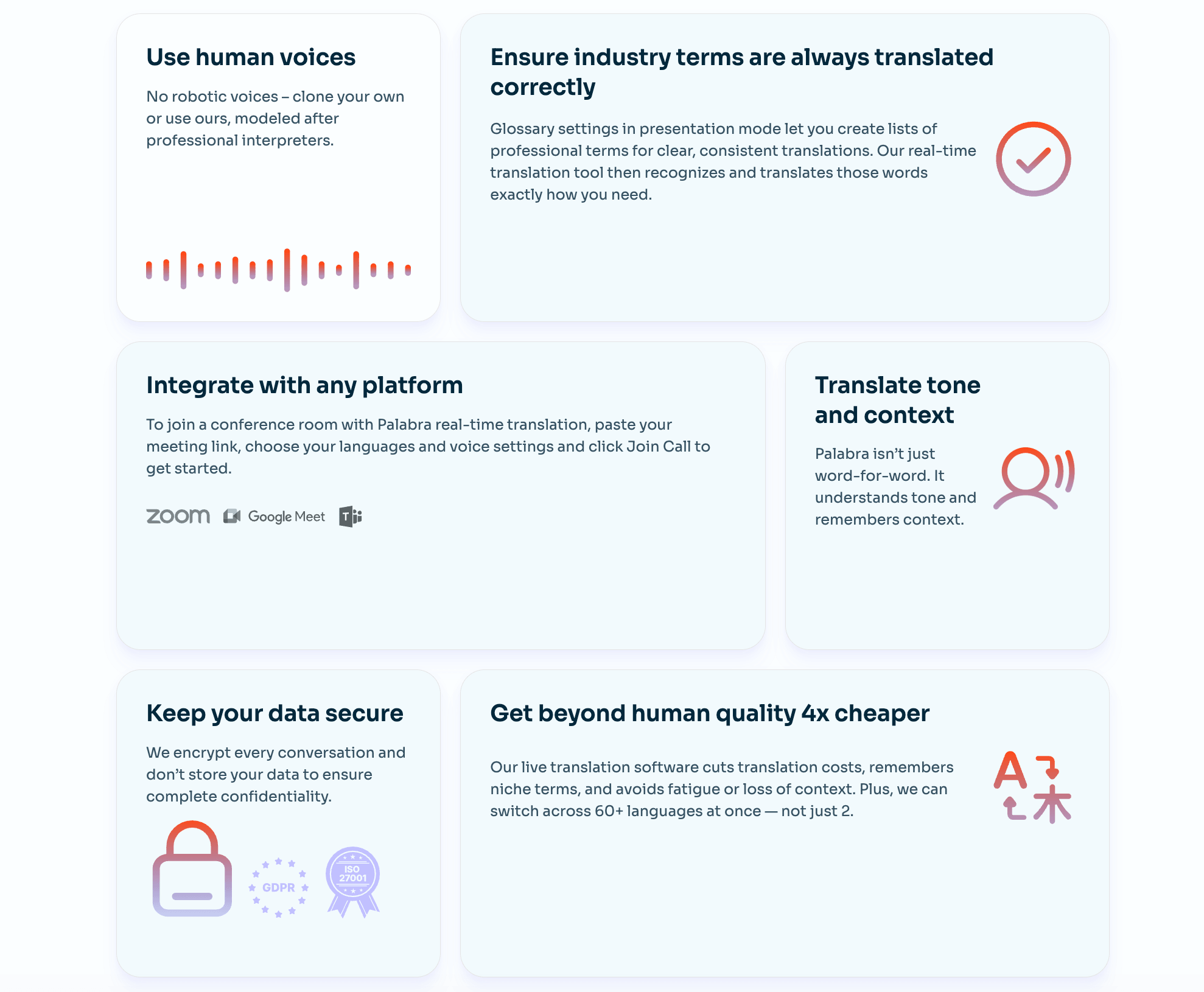
Talo Nền tảng này nhấn mạnh vào tính năng phiên dịch giọng nói theo thời gian thực. Bot của nó lắng nghe cuộc họp và phát âm giọng nói của người tham gia bằng các ngôn ngữ đã chọn, với các trang sản phẩm quảng bá tốc độ xử lý dưới một giây và phụ đề trực tiếp cho các trường hợp sử dụng phù hợp. Vì âm thanh được truyền tải ngay trong cuộc họp, người tham dự có thể tập trung vào cuộc thảo luận thay vì phải quản lý một ứng dụng dịch thuật riêng biệt.
 Bản dịch bằng giọng nói có thể nghe trôi chảy nhưng vẫn dịch sai số liệu hoặc thuật ngữ. Do đó, người mua nên kiểm tra xem phụ đề gốc và phụ đề đã dịch có sẵn trong gói dịch vụ dự định hay không và liệu người tham gia có thể xác minh các chi tiết quan trọng trước khi thực hiện.
Kiểm tra cuộc gọi: Bao gồm giá cả, ngày tháng, URL, số hiệu sản phẩm, tên, viết tắt và chỉnh sửa. Chấm điểm cả bằng chứng dễ đọc và độ rõ ràng của giọng nói thay vì chỉ đánh giá độ tự nhiên của âm thanh.
Câu hỏi 4: Hệ thống luân phiên lái xe hai chiều hoạt động hiệu quả đến mức nào?
Đối thoại hai chiều là mục tiêu chung của Transync AI và Talo, Tuy nhiên, chất lượng luân phiên phát âm phụ thuộc vào định tuyến âm thanh và hành vi gián đoạn.
AI đồng bộ Phần mềm cung cấp các chế độ một chiều, hai chiều và đa ngôn ngữ. Trong các thiết lập hai chiều được hỗ trợ, nó có thể phân biệt các ngôn ngữ trong cặp ngôn ngữ đã chọn, hiển thị cả hai phía và phát bản dịch. Người dùng có thể tạm dừng, ngắt lời hoặc xem lại văn bản từ giao diện của riêng họ.
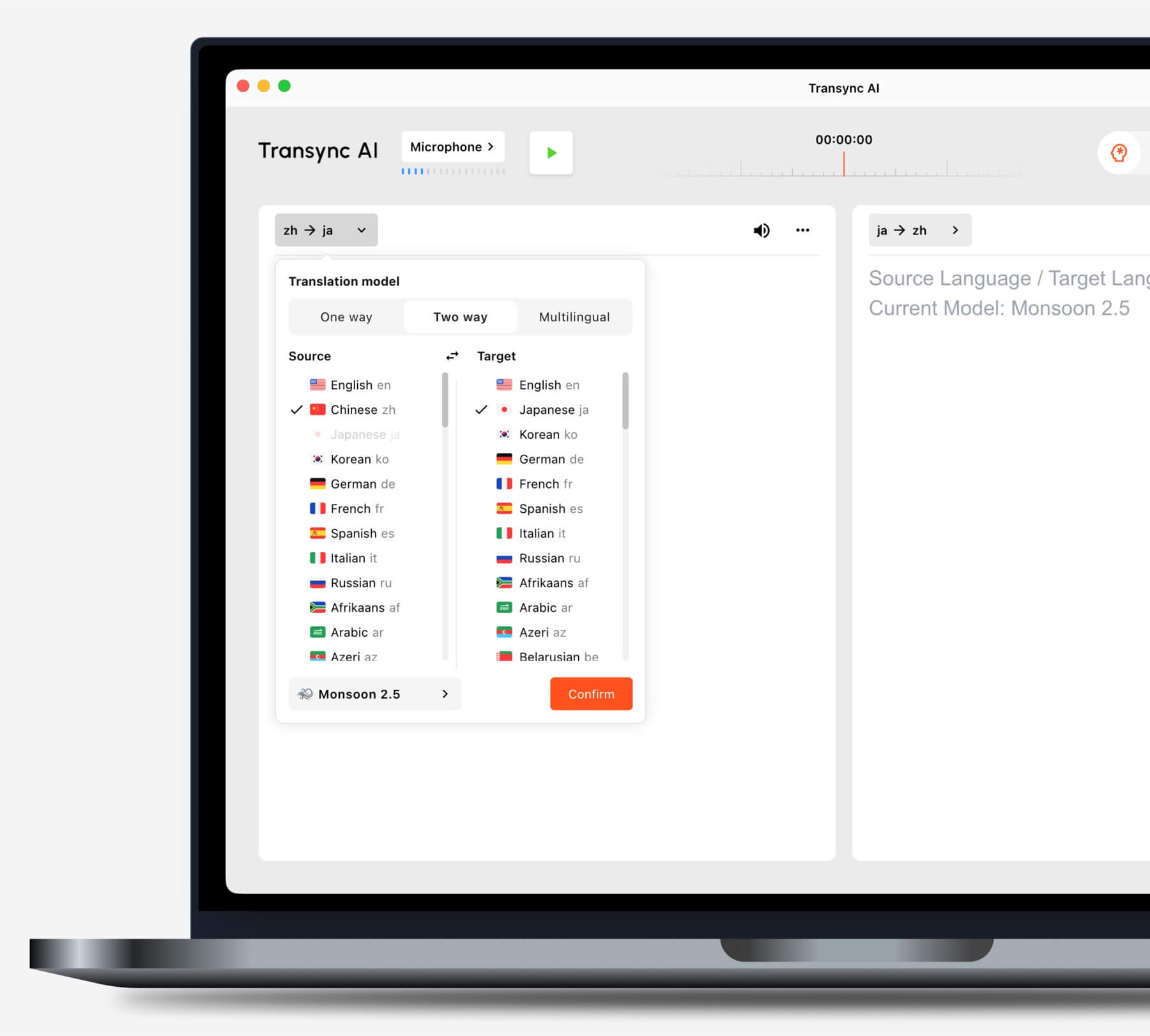
Hãy chọn chế độ dịch phù hợp với tình huống của bạn trước khi bắt đầu một tác vụ.
Talo Công ty này tiếp thị bot của mình để dịch giọng nói hai chiều trong các cuộc gọi bán hàng, hỗ trợ khách hàng, phỏng vấn người dùng, tuyển dụng và các cuộc họp nội bộ. Bot nhận giọng nói từ cuộc gọi và phát âm lại bằng ngôn ngữ khác, cho phép cả hai bên tiếp tục cuộc trò chuyện mà không cần phải chuyển thiết bị thủ công cho nhau.
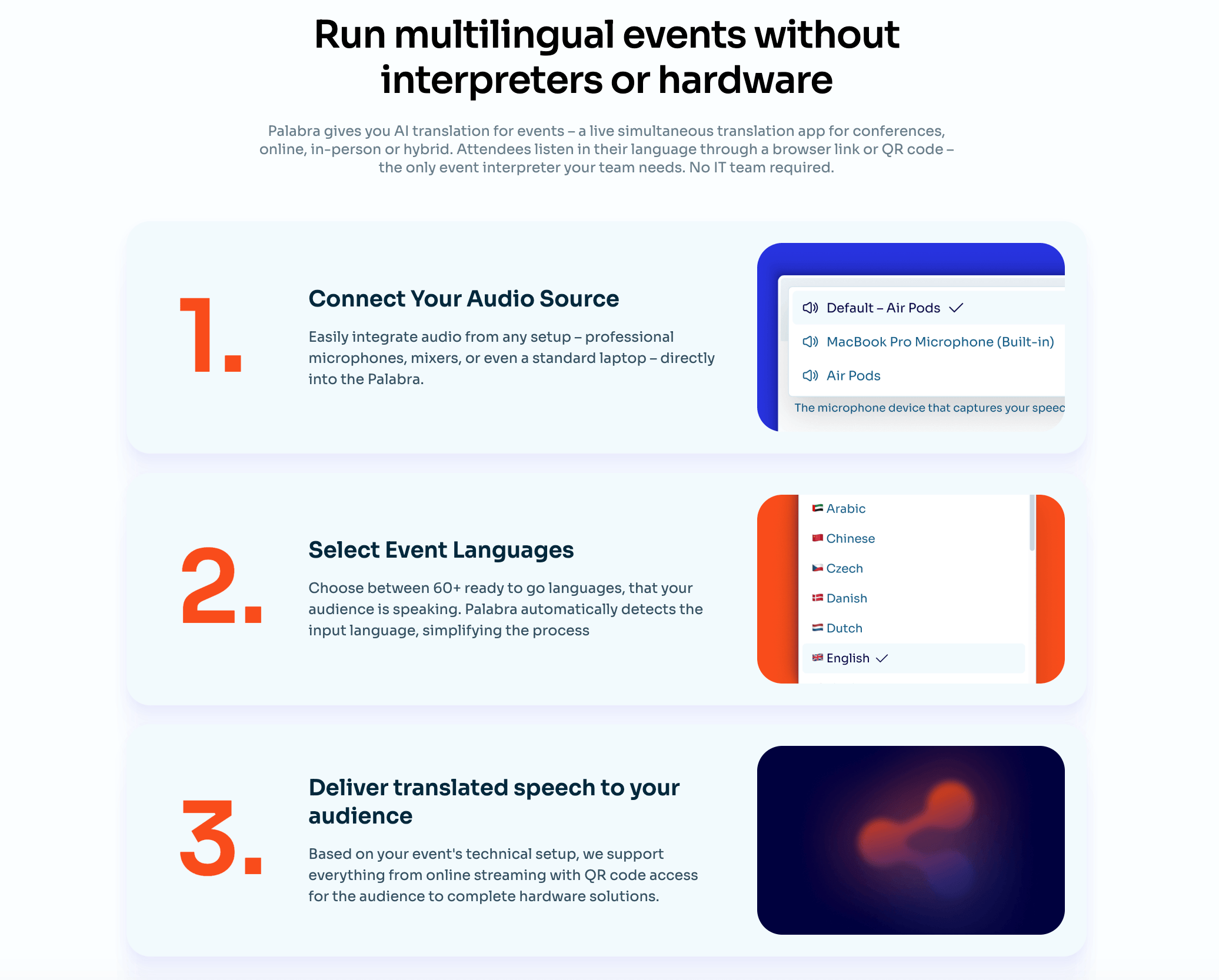 Các cuộc họp thực tế thường có sự chồng chéo, tiếng cười, câu nói chưa hoàn chỉnh, âm thanh chia sẻ màn hình và người nói chuyển ngôn ngữ giữa chừng. Những điều kiện này quan trọng hơn nhiều so với một buổi trình diễn sản phẩm được soạn sẵn kịch bản.
Kiểm tra cuộc gọi: Hãy để hai người nói ngắt lời nhau một lần, thay đổi nhịp độ, sửa lỗi sai số liệu và hỏi lại ngay lập tức. Đo lường xem âm thanh được dịch có làm gián đoạn người nói tiếp theo hay khiến cuộc trò chuyện bị chậm lại hay không.
Kiểm tra 5: Người dịch có thể xử lý bối cảnh kinh doanh không?
Ngữ cảnh là nơi mà Transync AI và Talo Việc so sánh không chỉ đơn thuần là cuộc thi về số lượng ngôn ngữ.
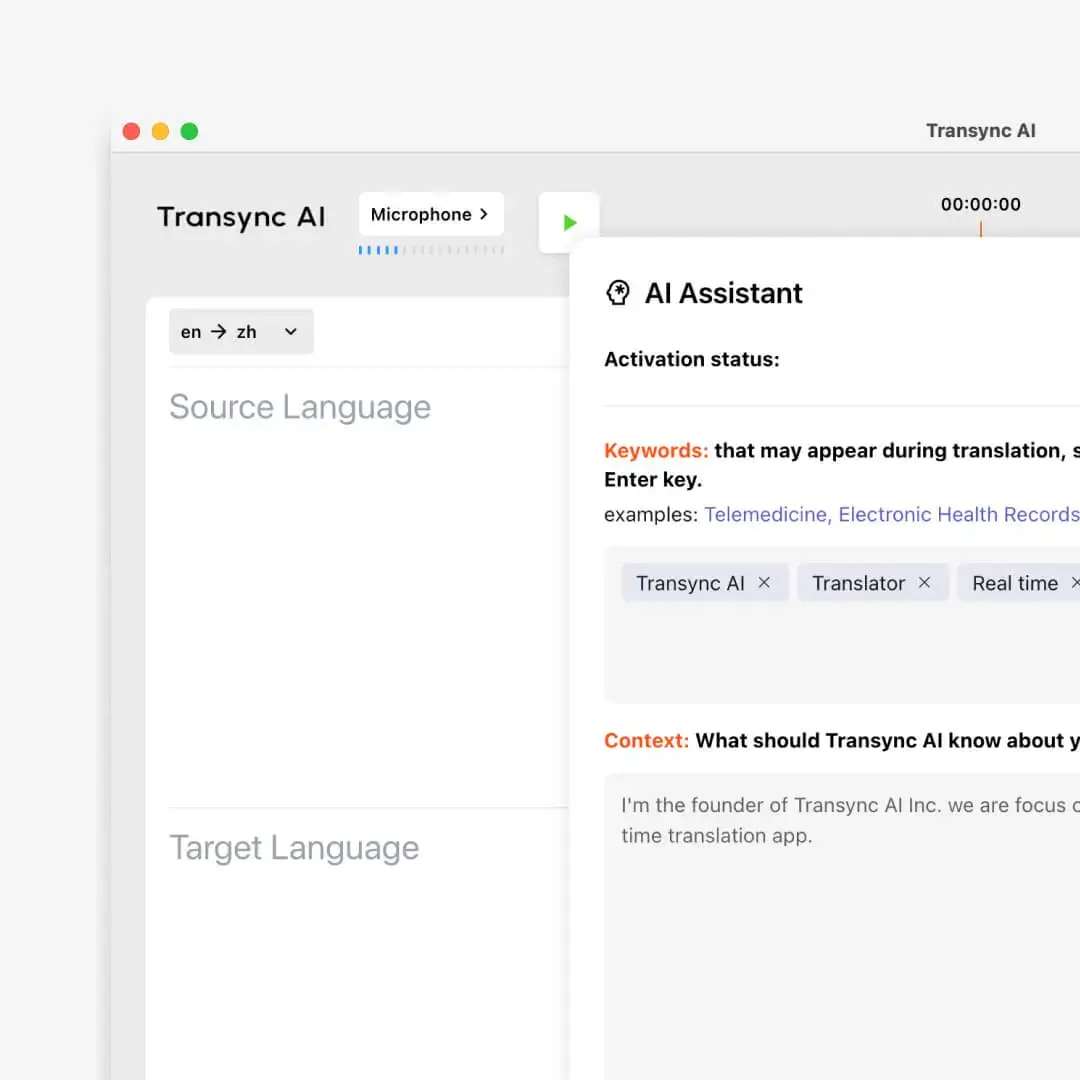
Các Tính năng từ khóa và ngữ cảnh của Trợ lý AI cho phép AI đồng bộ Người dùng thêm các tên và thuật ngữ dự kiến, đồng thời mô tả chủ đề cuộc họp. Việc chuẩn bị này hữu ích cho các buổi trình diễn sản phẩm, hỗ trợ kỹ thuật, phỏng vấn nghiên cứu và các cuộc thảo luận chuyên nghiệp.
Talo Ứng dụng này liệt kê 60 ngôn ngữ và cung cấp các cài đặt giọng nói trên các gói cao cấp hơn, nhưng bảng giá công khai hiện tại và trang chủ của nó cung cấp ít thông tin chi tiết về từ điển thuật ngữ do người mua quản lý hoặc chuẩn bị bối cảnh cuộc họp. Điều đó không có nghĩa là khả năng này không có; nó có nghĩa là người mua nên xác nhận điều đó trong thời gian dùng thử hoặc với nhà cung cấp.
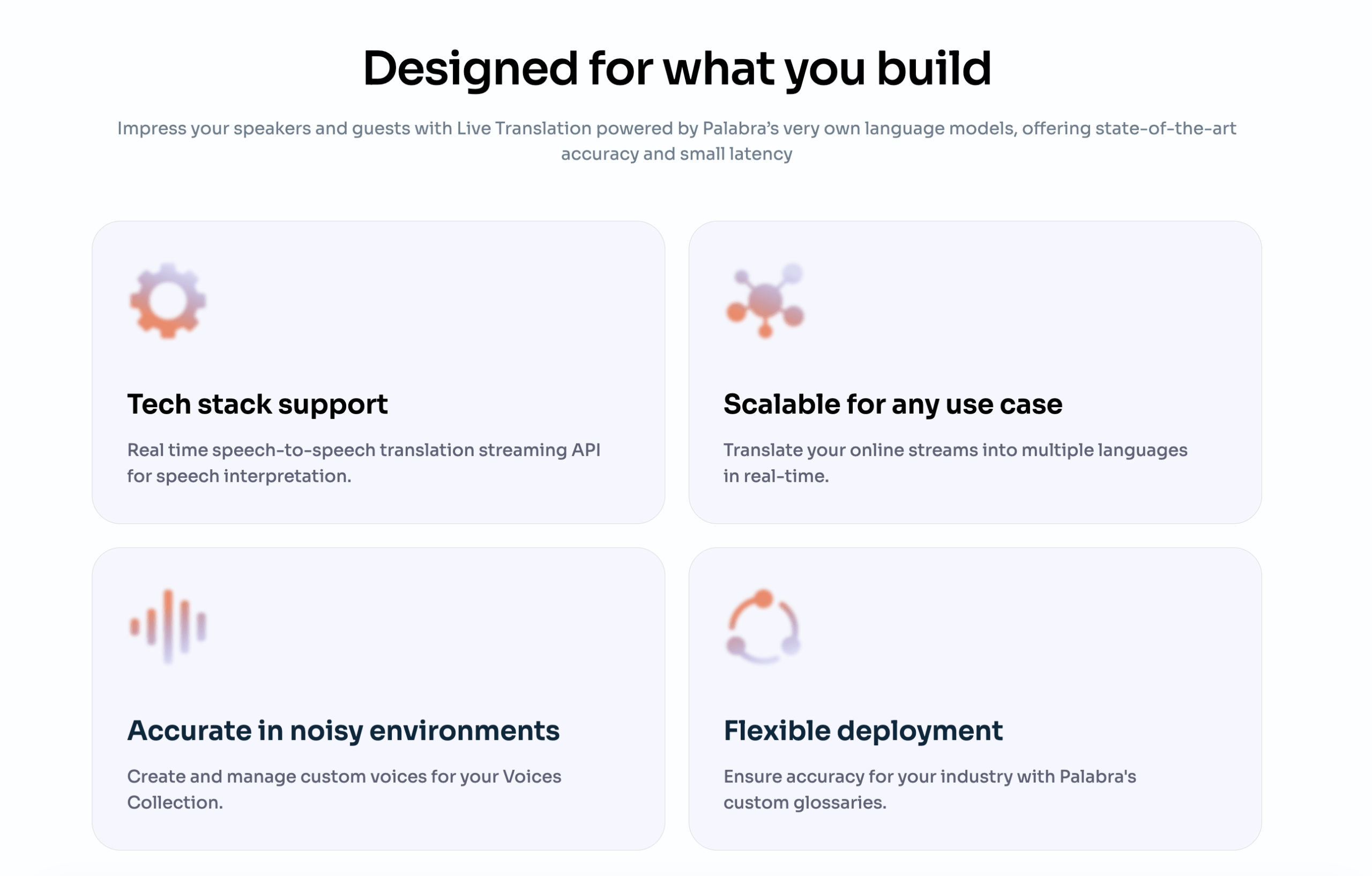 Cả hai sản phẩm nên được kiểm tra với cùng một cặp ngôn ngữ. Tiêu đề như “60 ngôn ngữ” không thể hiện được khả năng hỗ trợ giọng địa phương, cách thức hoạt động của thuật ngữ, hoặc liệu mỗi cặp ngôn ngữ có cùng các tính năng giọng nói và phụ đề hay không.
Kiểm tra cuộc gọi: Chuẩn bị mười thuật ngữ đặc thù của công ty và một câu mơ hồ. Thử nghiệm cuộc họp một lần mà không chuẩn bị trước và một lần với tất cả các ngữ cảnh hoặc từ vựng có thể kiểm soát được. Ghi lại những lỗi nào có thể được sửa chữa trước cuộc gọi tiếp theo.
Câu hỏi 6: Biên bản cuộc họp sẽ được xử lý như thế nào?
Kết quả đầu ra sau cuộc gọi tạo ra một kết quả khác. Transync AI và Talo sự khác biệt.
Các Tính năng ghi chú cuộc họp AI Phần mềm này tạo ra bản ghi và tóm tắt có cấu trúc sau cuộc họp đã được dịch. Điều này hỗ trợ các công việc tiếp theo như xem xét lại các quyết định, ghi nhớ các phản đối của khách hàng và phân công các bước tiếp theo.
 Talo Phần mềm này chủ yếu được tiếp thị như một dịch vụ phiên dịch cuộc gọi video trực tiếp chứ không phải là một bộ phần mềm thông minh dành cho cuộc họp toàn diện. Điều khoản sử dụng đề cập đến phụ đề trực tiếp tùy chọn và lưu bản ghi, đồng thời lưu ý rằng các bản ghi đã lưu có thể hiển thị cho các thành viên được ủy quyền trong không gian làm việc tùy thuộc vào cài đặt. Người mua nên xác nhận các tính năng ghi âm, phụ đề, bản ghi, xuất và lưu trữ nào được bao gồm trong gói đã chọn.
 Có một điểm quan trọng cần lưu ý về vấn đề quyền riêng tư. Của Talo Trang web công khai tuyên bố rằng họ không lưu trữ hoặc giữ lại dữ liệu cuộc họp, trong khi điều khoản của họ giải thích rằng bản ghi và phụ đề có thể được lưu trữ khi các tính năng đó được bật và được giữ lại cho đến khi không còn cần thiết hoặc bị xóa. Điều này có thể nhất quán nếu việc lưu trữ là tùy chọn, nhưng tổ chức nên ghi lại cấu hình chính xác của mình.
Transync AI và Talo Người dùng cũng phải có được sự đồng ý theo quy định pháp luật trước khi ghi âm, phiên âm hoặc xử lý lời nói của người tham gia. Việc thiết lập không lưu trữ không loại bỏ nghĩa vụ thông báo cho mọi người khi cần thiết.
Kiểm tra cuộc gọi: Chỉ kích hoạt các tính năng mà tổ chức dự định sử dụng, sau đó xác minh những gì xuất hiện trong tài khoản sau cuộc gọi, ai có thể truy cập, cách thức xóa và liệu ghi chú có hữu ích hay không.
Kiểm tra 7: Làm thế nào AI đồng bộ Và Talo So sánh giá cả?
Việc định giá công khai tạo ra sự khác biệt lớn và có thể đo lường được giữa các bên. Transync AI và Talo.
Giá cả và mức sử dụng hiện tại
| Kế hoạch | Giá niêm yết | Bao gồm thời gian dịch thuật | Chi phí thực tế khi sử dụng tối đa |
|---|---|---|---|
| AI đồng bộ Miễn phí | $0 | 40 phút sau khi đăng ký | Kiểm tra ban đầu miễn phí |
| AI đồng bộ Phí bảo hiểm cá nhân | $8.99/tháng | 600 phút | Khoảng $0.015/phút |
| AI đồng bộ Doanh nghiệp | $24.99/tháng/ghế | 2.400 phút mỗi tháng cho mỗi chỗ ngồi | Khoảng $0.010/phút |
| Talo Sự thử nghiệm | $0 | 20 phút trong suốt thời gian thử nghiệm 7 ngày. | Kiểm tra ban đầu miễn phí |
| Talo Khởi đầu hàng năm | 33/tháng, thanh toán hàng năm 396 | 120 phút mỗi tháng | Khoảng $0.275/phút |
| Talo Gói Pro hàng tháng | $100/tháng | 400 phút mỗi tháng | Khoảng $0.25/phút |
| Talo Chuyên nghiệp hàng năm | 80 đô la/tháng, thanh toán hàng năm 960 đô la | 4.800 phút mỗi năm | Khoảng $0.20/phút |
| Talo Nhóm hàng tháng | $500/tháng | 400 phút mỗi tháng cho gói nhóm được liệt kê. | Khoảng $1.25/phút trước khi tính đến giá trị chỗ ngồi. |
| Talo Hàng năm của đội | 400/tháng, thanh toán hàng năm 4.800 | 30.000 phút mỗi năm | Khoảng $0.16/phút trước khi tính đến giá trị chỗ ngồi. |
| Talo Doanh nghiệp | Phong tục | Không giới hạn theo bảng giá. | Cần báo giá |
Nguồn: AI đồng bộ trang giá chính thức, Talo trang giá chính thức, Và Talo điều khoản dùng thử. Đã kiểm tra lại vào tháng 8 năm 2026.
Đánh giá giá cả hợp lý của Transync AI và Talo Cần phải tính đến cả thời gian dịch thuật và giá trị vận hành của việc phân phối dựa trên bot.
Nó ở đâu AI đồng bộ Bạn có lợi thế về giá?
Khi sử dụng đầy đủ các tính năng đi kèm, AI đồng bộ Gói Personal Premium có giá khoảng 0,015 đô la mỗi phút. Gói **Talo** Starter hàng năm có giá khoảng 0,275 đô la mỗi phút, gói Pro hàng tháng khoảng 0,25 đô la và gói Pro hàng năm khoảng 0,20 đô la.
Trên các mức trợ cấp đã được công bố này, AI đồng bộ Mức phí bảo hiểm cá nhân ước tính như sau:
- 94,5% thấp hơn mỗi phút so với Talo Cây trồng hàng năm.
- 94% có mức phí thấp hơn mỗi phút so với Talo Gói Pro hàng tháng.
- 92,5% thấp hơn mỗi phút so với Talo Chuyên nghiệp hàng năm.
Giá vé vào cửa hàng tháng cũng thấp hơn $24.01 so với Talo Gói Starter hiển thị số phút tương đương hàng tháng, và nó bao gồm số phút gấp năm lần mỗi tháng.
Điều này không có nghĩa là các mô hình giao hàng là giống hệt nhau. Của Talo Bot có thể tham gia cuộc họp được hỗ trợ và cung cấp phiên dịch giọng nói cho cả phòng mà không cần mỗi người tham gia phải tự vận hành máy phiên dịch. Các gói dành cho nhóm và doanh nghiệp cũng bao gồm số lượng người dùng, quản trị, thương hiệu, hỗ trợ hoặc các điều khoản tùy chỉnh không được tính toán đơn giản theo từng phút.
Đối với cá nhân hoặc nhóm nhỏ chủ yếu trả tiền cho thời gian dịch thuật trực tiếp, AI đồng bộ có giá niêm yết cao hơn. Đối với một tổ chức đặc biệt muốn có quy trình họp do bot điều khiển, chi phí bổ sung Talo Chi phí có thể được bù đắp bằng việc giảm thiểu thời gian thiết lập cho người tham gia.
Một người có trách nhiệm Transync AI và Talo Ngân sách cần bao gồm quyền hạn của bot, số lượng người dùng, số phút được bao gồm, phí vượt mức, cam kết hàng năm, cài đặt giọng nói, bản ghi cuộc họp, hỗ trợ và thời gian nhân viên cần thiết để vận hành từng quy trình làm việc.
Bài kiểm tra 12 phút dành cho AI đồng bộ Và Talo
Một sự công bằng Transync AI và Talo Quá trình thử nghiệm có thể hoàn tất chỉ trong một cuộc gọi được thiết kế cẩn thận.
Phút 1-2: thiết lập
Bắt đầu cuộc họp với tư cách khách mời bên ngoài. Đo thời gian cần thiết để cấu hình trình dịch độc lập và thời gian cần thiết để gửi, chấp nhận và kích hoạt bot.
Phút 3-5: lời nói có kiểm soát
Đọc một kịch bản chứa tên, số, ngày tháng, URL và thuật ngữ. So sánh khả năng nhận diện nguồn, ý nghĩa bản dịch, độ rõ ràng của phụ đề và độ rõ nét của giọng nói.
Phút 6-8: cuộc trò chuyện tự nhiên
Hãy đặt câu hỏi tiếp theo, ngắt lời một lần, thay đổi tốc độ nói và sửa lỗi. Chú ý đến hiện tượng âm thanh bị trễ, người nói bị nhầm lẫn hoặc thiếu nội dung.
Phút 9-10: áp lực lên bệ đỡ
Chia sẻ âm thanh hệ thống hoặc một đoạn video ngắn, thay đổi người nói đang hoạt động và kiểm tra chế độ xem trò chuyện cuộc họp hoặc trình chiếu. Ghi lại cách phụ đề và giọng nói đã dịch hoạt động.
Phút 11-12: theo dõi
Kết thúc phiên làm việc và kiểm tra bản ghi, ghi chú, cài đặt lưu giữ, số phút còn lại và bất kỳ khoản phí sử dụng nào. Lặp lại thử nghiệm trên mọi nền tảng cần thiết trước khi mua gói hàng năm. Một cách nhất quán Transync AI và Talo Bài kiểm tra cần giữ nguyên người nói, cặp ngôn ngữ, thiết bị và điều kiện mạng.
AI đồng bộ Và Talo Câu hỏi thường gặp
Là AI đồng bộ Rẻ hơn Talo?
Đúng vậy, dựa trên các hạn mức cá nhân hiện hành đã được công bố. AI đồng bộ Gói **Talo** Starter cung cấp 600 phút với giá 8,99 đô la mỗi tháng, trong khi gói **Talo** Starter cung cấp 120 phút mỗi tháng với giá tương đương 33 đô la mỗi tháng nhưng được thanh toán hàng năm. Hai sản phẩm này sử dụng các mô hình nhập cuộc họp khác nhau, nhưng AI đồng bộ có chi phí mỗi phút sử dụng thấp hơn đáng kể.
Làm Talo Tham gia cuộc họp với tư cách là Bot?
Đúng vậy. Người dùng dán đường dẫn cuộc họp vào... Talo Một bot AI sẽ tham gia vào cuộc gọi video được hỗ trợ thông qua cổng thông tin, để lắng nghe và cung cấp giọng nói đã được dịch. Cần kiểm tra sự chấp thuận của người chủ trì, các quy tắc phòng chờ và chính sách bot của tổ chức.
Làm AI đồng bộ Bạn cần một Bot họp trực tuyến?
KHÔNG. AI đồng bộ Ứng dụng hoạt động như một phần mềm hỗ trợ độc lập và thu âm thanh từ micro hoặc máy tính mà không hiển thị dưới dạng một thành viên bot có tên.
Sản phẩm nào tốt hơn cho việc dịch giọng nói hai chiều?
Cả hai sản phẩm đều hỗ trợ đàm thoại đa ngôn ngữ hai chiều. AI đồng bộ Cho phép người dùng kiểm soát trực tiếp phụ đề, giọng nói, chế độ và ngữ cảnh. Talo Nó tích hợp quy trình dịch giọng nói vào cuộc họp thông qua bot của mình. Kiến trúc được ưu tiên phụ thuộc vào quyền hạn và trải nghiệm của người tham gia.
Sản phẩm nào có thể sử dụng ngoài các cuộc gọi video?
AI đồng bộ Đây là lựa chọn rộng rãi hơn cho các cuộc trò chuyện trực tiếp và sử dụng đa thiết bị trên web, máy tính để bàn, iOS và Android. Talo Ứng dụng này chủ yếu được thiết kế cho các nền tảng gọi video trực tuyến được hỗ trợ.
Làm Talo Lưu bản ghi?
Các điều khoản của nó mô tả phụ đề trực tiếp và lưu bản ghi là các cài đặt có thể được bật, với quyền truy cập và thời gian lưu trữ tùy thuộc vào cấu hình không gian làm việc. Người mua nên xác nhận gói đã chọn và đối chiếu các cài đặt đó với chính sách không lưu trữ công khai.
Sản phẩm nào cung cấp khả năng theo dõi cuộc họp hiệu quả hơn?
AI đồng bộ Rõ ràng, nó bao gồm bản ghi và ghi chú cuộc họp bằng AI trong quy trình làm việc tập trung vào cuộc họp. Talo Phần mềm này tập trung nhiều hơn vào phiên dịch giọng nói trực tiếp; người mua nên xác nhận khả năng ghi chép, xuất khẩu, tóm tắt và lưu trữ bản ghi cho gói dịch vụ yêu cầu.
Quyết định cuối cùng về chất lượng cuộc gọi
Sự lựa chọn giữa Transync AI và Talo Bắt đầu bằng việc gặp gỡ kiến trúc sư.
Chọn AI đồng bộ Khi người tham gia muốn kiểm soát phụ đề song ngữ trực tiếp, giọng nói được dịch, ngữ cảnh thuật ngữ, chú thích nổi, ghi chú cuộc họp, lựa chọn thiết bị và mức phí hàng tháng thấp mà không cần thêm bot hiển thị.
Chọn Talo Khi nhóm muốn dán liên kết cuộc họp, hãy cho phép một bot dịch thuật và để bot đó đọc giọng nói của người tham gia trong các cuộc gọi video được hỗ trợ mà không yêu cầu mỗi người tham dự phải sử dụng phần mềm dịch thuật riêng biệt.
Đối với những cá nhân nhạy cảm về giá cả, các cuộc họp định kỳ, sử dụng kết hợp trực tuyến và trực tiếp, hoặc các tổ chức hạn chế sử dụng bot, AI đồng bộ là điểm khởi đầu mạnh mẽ hơn. Đối với các cuộc gọi trực tuyến được hỗ trợ mà việc phân phối dựa trên bot là khả thi về mặt vận hành, Talo Cung cấp một giải pháp thay thế được tối ưu hóa, đáng để thử nghiệm với quyền truy cập máy chủ thực và âm thanh người tham gia thực.
Nếu bạn muốn có trải nghiệm thế hệ tiếp theo, AI đồng bộ dẫn đầu với tính năng dịch thuật thời gian thực, hỗ trợ bởi AI giúp cuộc trò chuyện diễn ra tự nhiên. Bạn có thể dùng thử miễn phí Hiện nay.
