
If you are looking for a JotMe alternative for frequent live calls, Transync AI is usually the cheaper option per meeting hour and lets the other side hear the translation in your call. JotMe is the stronger pick if recordings, searchable notes and shareable captions matter more to you than live voice.
Try Transync AI free (40 min) · Visit JotMe
“There are thousands of translation apps in the world, but only Transync AI is truly different, and it is extremely stable.”
— a Transync AI customer (translated from Chinese)
In this comparison
- JotMe alternative quick verdict — who should pick Transync, who should pick JotMe
- Is Transync AI a good JotMe alternative?
- At a glance: Transync AI vs JotMe as a JotMe alternative
- JotMe alternative pricing: what you actually pay per meeting hour
- Who hears what on each side
- JotMe alternative features compared
- Privacy and compliance
- Choose Transync AI as your JotMe alternative if…
- Choose JotMe if…
- How to switch to a JotMe alternative in 3 steps
- Często zadawane pytania
JotMe alternative quick verdict — who should pick Transync, who should pick JotMe
This Transync AI vs JotMe comparison is written for people searching for a JotMe alternative, and specifically for people who spend real hours on cross-language calls: sales teams talking to overseas buyers, sourcing managers talking to suppliers, consultants with international clients, and anyone who runs the same kind of call every week. For that kind of usage, when you are choosing a JotMe alternative, the price per hour of live translation and what the other person actually hears matter more than a long feature list.
Pick Transync AI if you need live two-way translation on Zoom, Microsoft Teams, Google Meet or WhatsApp, you want the other person to hear the translation (not just read it), and you want a predictable monthly cost. Transync’s Personal Premium plan includes 10 hours of live translation for $8.99 a month, which works out to roughly $0.90 per hour at list price.
Pick JotMe if your main job is capturing meetings: recordings, searchable notes, AI summaries, and captions you can share with attendees through a link or QR code. JotMe also lists 200+ target languages, so it is the safer choice if you need a language outside Transync’s 60.
We work on Transync AI, so we have tried to keep this page fair: every number below comes from the two companies’ public pages, with links and the date we checked them. If you want a wider view of JotMe alternatives, see our lista alternatyw dla Transync AI and the other Transync AI comparisons.
Is Transync AI a good JotMe alternative?
Yes, if your main need is live two-way translation on frequent calls. Transync AI runs beside Zoom, Microsoft Teams, Google Meet and WhatsApp without joining as a bot, shows bilingual subtitles, can speak the translation to the other side, and includes 10 hours of live translation for $8.99 a month (prices checked 28 October 2026). JotMe is the better fit if you mainly want meeting recordings, searchable notes and captions shared by link or QR code, or a language outside Transync’s 60.
At a glance: Transync AI vs JotMe as a JotMe alternative
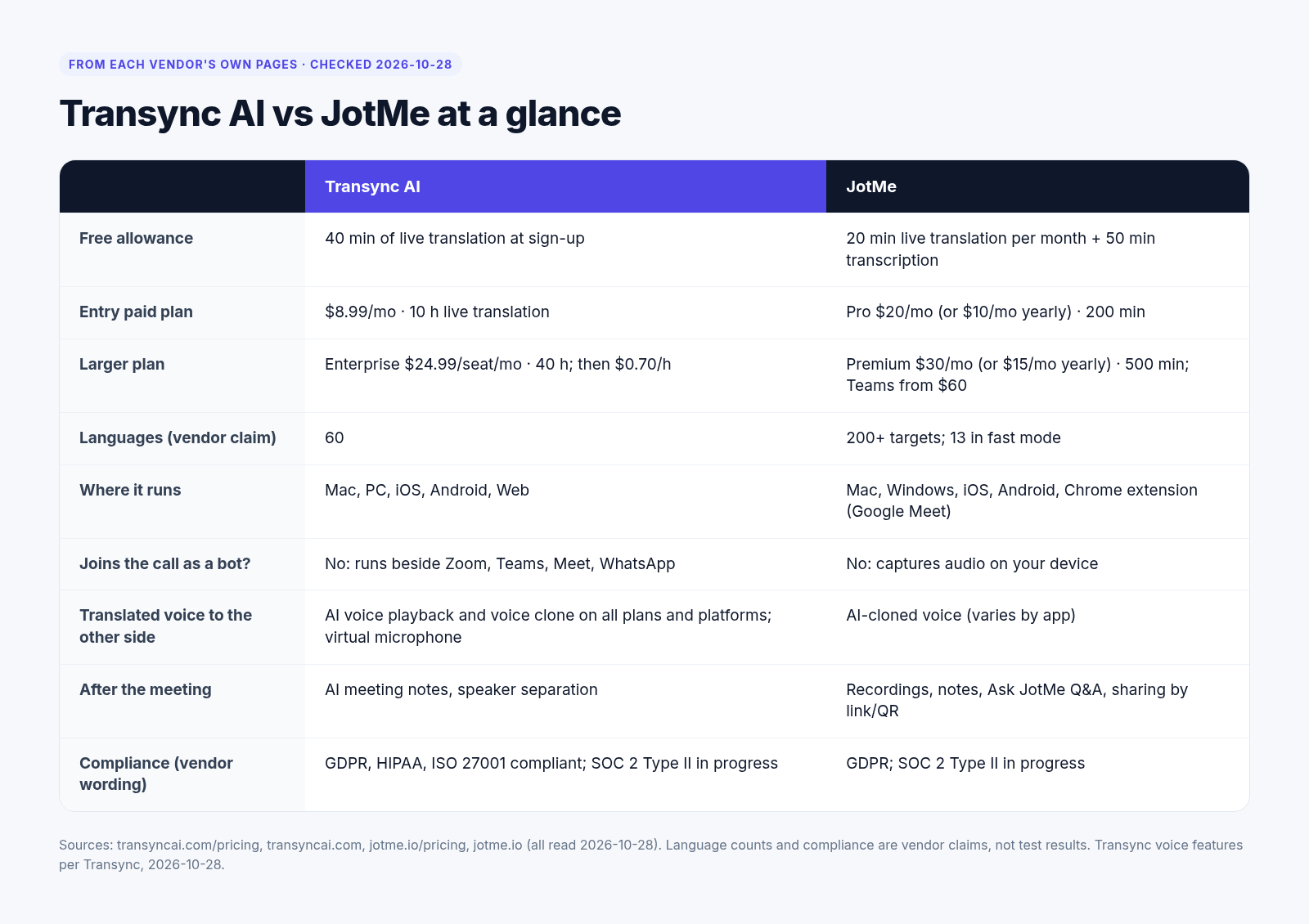
| Transync AI | JotMe | |
|---|---|---|
| Free minutes | 40 minutes of live translation, once at signup | 20 min live translation per month + 50 min transcription + 5 AI credits |
| Entry paid plan | Personal Premium: $8.99/month, 10 hours (≈$0.90/hour) | Pro: $20/month or $10/month billed yearly ($120/yr), 200 minutes (≈$6.00 / $3.00 per hour) |
| Higher plans | Enterprise: $24.99/seat/month, 40 hours; overage $0.70/hour. Hour packs: 10 h $7.99, 30 h $22.99, 100 h $69.99 (100 h pack needs an active membership) | Premium: $30/month or $15/month yearly ($180/yr), 500 minutes (≈$3.60 / $1.80 per hour). Teams from $60/month ($30 yearly). Prepaid 500 minutes $50, valid one month |
| Języki | 60 | 200+ target languages; Fast mode supports 13 |
| Zgodność | GDPR, HIPAA and ISO 27001 compliant; SOC 2 Type II in progress | GDPR compliant; SOC 2 Type II in progress |
| Voice playback / clone | Translated voice and voice clone on all platforms and all plans, including Free | AI cloned voice (varies by app) |
| Bot / plugin | Does not join the call as a bot | See JotMe’s site for current setup per app |
| Najlepszy dla | Frequent live two-way calls where the other side should hear the translation | Recording, notes, search and shared captions; widest language list |
Źródła: Cennik Transync AI, JotMe pricing, JotMe individual pricing docs, Centrum zaufania Transync AI. Voice playback and voice clone availability confirmed by Transync on 28 October 2026. All data checked 28 October 2026. Per-hour figures are list price divided by included hours at standard (1×) counting.
JotMe alternative pricing: what you actually pay per meeting hour
Any JotMe alternative needs to be judged on cost per hour, because monthly price alone is misleading, because the two products include very different amounts of time. The fairer comparison is cost per hour of live translation.
List price per hour
Here is the math at standard counting (1×), using only the public list prices:
Transync AI (wycena)
- Personal Premium: $8.99 ÷ 10 hours ≈ $0.90 per hour
- Enterprise: $24.99 ÷ 40 hours ≈ $0.62 per hour per seat, with overage at $0.70 per hour
- 10-hour pack: $7.99 ÷ 10 ≈ $0.80 per hour
- 30-hour pack: $22.99 ÷ 30 ≈ $0.77 per hour
- 100-hour pack: $69.99 ÷ 100 ≈ $0.70 per hour (requires an active membership)
JotMe (wycena)
- Pro, monthly: $20 ÷ 3.33 hours (200 minutes) ≈ $6.00 per hour
- Pro, yearly: $10 ÷ 3.33 hours ≈ $3.00 per hour
- Premium, monthly: $30 ÷ 8.33 hours (500 minutes) ≈ $3.60 per hour
- Premium, yearly: $15 ÷ 8.33 hours ≈ $1.80 per hour
- Prepaid 500 minutes: $50 ÷ 8.33 hours ≈ $6.00 per hour, valid for one month (docs)
At list price, Transync’s cheapest per-hour option is around $0.70 and its entry plan is about $0.90, while JotMe’s lowest is about $1.80 on Premium billed yearly. If you want to plug in your own meeting volume, use the Transync AI savings calculator.
Mode multipliers
Both products have modes that can change how quickly your minutes or hours are used up, so the “real” per-hour cost can be higher than the 1× figures above, depending on how you use each tool.
For JotMe, its own blog post “JotMe pricing and plan explained” (dated 7 September 2026) describes Premium Quality as counting at 2× and Fast Audio at 5×. That would make heavy use of those modes noticeably more expensive per hour than the list math suggests. Pricing details change, so please re-check JotMe’s own docs before you buy.
For Transync AI, some modes (such as multi-language sessions) can also count time differently. Check the current details on the Transync pricing page or inside the app before you plan a large volume of calls.
Example: 10 hours of client calls a month
Say you run about ten one-hour client or supplier calls a month, at standard counting.
- Transync AI Personal Premium: $8.99 covers all 10 hours. Total: $8.99.
- JotMe Pro (monthly): 200 minutes is 3.33 hours for $20, so one month of Pro covers about a third of what you need. You would still be short by 400 minutes. At Pro’s effective rate of about $6.00 per hour, 10 hours of usage is worth around $60.
- JotMe Premium (monthly): 500 minutes is 8.33 hours for $30, still about 100 minutes short of 10 hours.
Even on JotMe’s best yearly rate (Premium at $15/month for 500 minutes), the included time is 8.33 hours, so a 10-hour month still needs extra minutes. For this usage pattern, Transync is the lower-cost option at list price.
Free minutes
Transync AI gives 40 minutes once at signup, which is enough to test one or two real calls end to end. JotMe gives 20 minutes of live translation every month, plus 50 minutes of transcription and 5 AI credits. If you just want to try a tool once, Transync’s 40 minutes go further. If you only need a short translated call now and then and never want to pay, JotMe’s recurring free tier is the better deal.
Same call, both tools: our test
Coming soon — side-by-side test with the same Chinese↔English supplier call and English↔Spanish sales call recordings.
Who hears what on each side
The biggest practical difference between JotMe and this JotMe alternative is what the other person experiences. With Transync AI, you see bilingual subtitles on your screen, and Transync can also play the translated voice to the other side through a virtual microphone, optionally in a clone of your own voice. Transync does not join the meeting as a bot, so nobody sees an extra participant. Transync says it has 500,000+ users.
JotMe is strongest when the goal is shared text: captions that attendees can open through a link or QR code, plus meeting notes and recordings afterwards. JotMe also offers AI cloned voice, though how it works varies by app.
Zoom. With Transync, you read bilingual subtitles in a floating window beside the Zoom call, and if you pick the Transync virtual microphone as your Zoom mic, the other participants hear the translated speech. See Zoom translation with Transync. JotMe’s shared captions work well when several attendees each want to read along on their own device.
Microsoft Teams. The setup is the same idea: subtitles on your side, translated voice sent to the call through the virtual mic, and no bot in the meeting roster. That matters in companies where IT blocks third-party meeting bots. See Tłumaczenie zespołów.
Google Meet. Transync runs next to Meet in the browser or desktop, with bilingual subtitles and optional translated voice. See Tłumaczenie Google Meet. If your Meet calls are mostly internal and you care more about a searchable record, JotMe’s notes are a good fit.
WhatsApp. Transync supports WhatsApp calls, which is useful for suppliers and clients who never use Zoom or Teams. Details on how this works on mobile versus desktop are still being confirmed, so check the WhatsApp translation page for the latest setup steps.
For typical cross-border sales and sourcing scenarios, see sales and supplier meeting translation.
JotMe alternative features compared
Bilingual subtitles and floating window (PiP)
Transync shows the original and translated text together, so you can check what was said and how it was translated. Subtitles can sit in a picture-in-picture floating window over your call, which helps when you are sharing your screen or presenting. JotMe’s captions focus on readability and sharing, which is helpful when the audience, not just you, needs to read along.
Translated voice, virtual microphone and voice clone
This is where Transync AI is most different as a JotMe alternative. Translated voice playback and voice clone are included on every plan, including Free, on all supported platforms. The Tłumacz głosowy AI speaks your translated words, and the wirtualny mikrofon routes that audio into Zoom, Teams, Meet or WhatsApp so the other person hears it in their language. JotMe lists AI cloned voice too, but notes it varies by app, so check that it works with the platform you use most.
Keywords and context for product terms
Product names, part numbers and industry terms are where most live translation goes wrong. Transync lets you add słowa kluczowe i kontekst before a call so the AI handles your terminology more consistently. If you run repeated calls about the same product line, this setup is worth five minutes.
Meeting notes, recordings and search
This is JotMe’s strength, and it is worth being clear about it. If your team needs recordings, transcripts you can search later, AI summaries and notes to share after every meeting, JotMe is built around that workflow, and its free tier includes transcription minutes on top of live translation. Transync also offers Notatki ze spotkań AI, but its focus is the live conversation itself. If notes are the main thing you are buying, try JotMe first.
Devices and where it runs
Transync runs beside your meeting app rather than inside it, and you can start from the web app at app.transyncai.com. Because it does not rely on a meeting bot, it works the same way whether you are on a call you hosted or one you were invited to. For JotMe’s current device and app support, check its website, as setup differs by meeting platform.
Privacy and compliance
On the Centrum zaufania Transync AI, Transync states: “We are GDPR, ISO 27001 and HIPAA compliant, and are currently pursuing SOC 2 Type II certification.”
JotMe describes itself as “GDPR compliant and SOC 2 Type II in progress.”
Both are GDPR compliant and both are working toward SOC 2 Type II. Transync additionally lists HIPAA and ISO 27001, which may matter if you work in healthcare or with enterprise procurement teams. As always, ask either vendor for current documentation if your security team needs it.
Choose Transync AI as your JotMe alternative if…
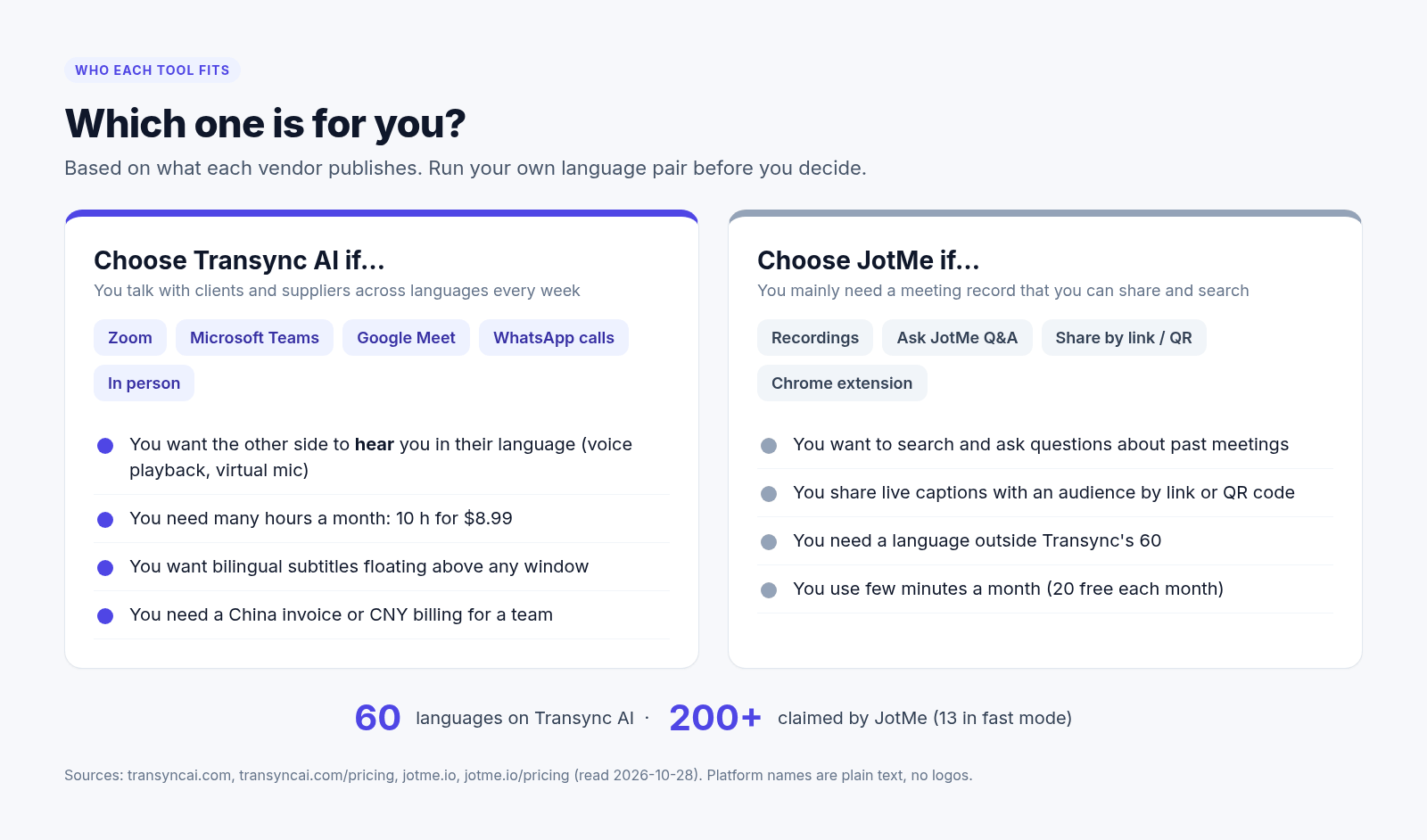
- You have several hours of cross-language calls each month and want the lowest cost per hour.
- You want the other person to hear the translation, not only read subtitles.
- You want voice playback and voice clone without paying for a higher tier.
- Your company does not allow meeting bots to join calls.
- You talk to clients or suppliers on WhatsApp as well as Zoom, Teams or Meet.
- Your languages are among Transync’s 60 obsługiwanych języków.
Choose JotMe if…
- Your main need is recordings, searchable transcripts and AI notes.
- You want attendees to read captions on their own devices via a link or QR code.
- You need a language outside Transync’s 60; JotMe lists 200+ target languages.
- You only need a short translated call each month and prefer a recurring free allowance.
How to switch to a JotMe alternative in 3 steps
- Open Transync. Idź do app.transyncai.com and sign up to get your 40 free minutes.
- Pick your language pair. Choose one-way translation (you only need to understand the other side) or two-way translation (both sides speak different languages). Add any product keywords or context.
- Start your call. Open Zoom, Teams, Google Meet or WhatsApp, select the right audio source in Transync, and if you want the other side to hear the translation, choose the Transync virtual microphone as your microphone in the meeting app.
Często zadawane pytania
Is Transync AI a good JotMe alternative?
Yes, if your main need is live two-way translation on frequent calls. Transync AI runs beside Zoom, Microsoft Teams, Google Meet and WhatsApp without joining as a bot, shows bilingual subtitles, can speak the translation to the other side, and includes 10 hours of live translation for $8.99 a month (prices checked 28 October 2026). JotMe is the better fit if you mainly want meeting recordings, searchable notes and captions shared by link or QR code, or a language outside Transync’s 60.
Which is cheaper, Transync AI or JotMe, as a JotMe alternative?
On published prices checked 28 October 2026, Transync AI costs less per hour of live translation. Its Personal Premium plan is $8.99 a month for 10 hours, about $0.90 an hour. JotMe Pro is $20 a month for 200 minutes (about $6.00 an hour), or $10 a month billed yearly (about $3.00 an hour). JotMe Premium billed yearly is $15 a month for 500 minutes (about $1.80 an hour). JotMe says its Premium Quality and Fast Audio modes use minutes at 2× and 5×. Transync counts one-way and two-way translation at 1× and charges more for sessions with three or more languages.
How many free minutes do Transync AI and JotMe give?
Transync AI gives 40 minutes of live translation once, at sign-up. JotMe’s free plan gives 20 minutes of live translation every month, plus 50 minutes of transcription (both checked 28 October 2026).
Can the other person hear the translation?
With Transync AI, yes. Transync can speak the translation and send it into your call through a virtual microphone, optionally in a clone of your voice, on every plan including Free. JotMe also offers AI cloned voice, but support varies by app.
Does Transync AI join my meeting as a bot?
No. Transync AI runs beside your meeting app and does not join the call as a bot, so no extra participant appears in Zoom, Teams or Google Meet.
Does language coverage matter when choosing a JotMe alternative?
Only if your language is not among Transync’s 60, because JotMe lists 200+ target languages and Transync lists 60. Most business language pairs, such as Chinese, English, Spanish, Japanese and other major languages, are covered. Check the Transync languages page. JotMe lists 200+ target languages, with 13 in its Fast mode.
Does Transync AI work on WhatsApp calls?
Yes, Transync supports WhatsApp translation. Setup details for mobile versus desktop are being confirmed, so check the WhatsApp translation page for current steps.
When is JotMe a better choice than a JotMe alternative?
JotMe is the better choice, and you may not need a JotMe alternative at all, when you mainly need meeting recordings, searchable notes and AI summaries, when attendees should read captions through a shared link or QR code, or when you need a language outside Transync’s 60.
Sources and date checked
- Transync AI pricing — https://www.transyncai.com/pricing/ (checked on 28 October 2026)
- Transync AI Trust Center — https://www.transyncai.com/trust-center/ (checked on 28 October 2026)
- Transync AI homepage (500,000+ users claim) — https://www.transyncai.com/ (checked on 28 October 2026)
- Transync AI languages — https://www.transyncai.com/languages/ (checked on 28 October 2026)
- Transync voice playback and voice clone availability — confirmed by Transync (checked on 28 October 2026)
- JotMe pricing — https://www.jotme.io/pricing (checked on 28 October 2026)
- JotMe individual pricing docs — https://docs.jotme.io/pricing/individual (checked on 28 October 2026)
- JotMe blog, “JotMe pricing and plan explained” (7 September 2026), for mode multipliers (checked on 28 October 2026)
Try Transync AI on your next call
“There are thousands of translation apps in the world, but only Transync AI is truly different, and it is extremely stable.”
— a Transync AI customer (translated from Chinese)
The easiest way to judge any JotMe alternative is to run one real call. Try Transync AI free for 40 minutes, or compare plans on the pricing page.
