

Un cambia lingua può cambiare app, tradurre testi, interpretare il parlato in tempo reale, trasformare una voce o localizzare contenuti multimediali. Scopri quale dei 5 controlli ti serve.
UN cambia lingua Sembra un semplice strumento. In pratica, l'espressione può descrivere cinque diverse funzioni: modificare i menu di un'app, tradurre un testo scritto, interpretare una conversazione in tempo reale, modificare il tono della voce o trasmettere un messaggio a un pubblico in diverse lingue.
Scegliendo il controllo sbagliato, il risultato può sembrare impressionante ma non risolvere nulla. Un effetto vocale può farti sembrare un personaggio senza tradurre una sola parola. Un traduttore di testo può riscrivere un contratto, ma non può ascoltare una riunione. Un interprete dal vivo può aiutare le persone a parlare, ma potrebbe non essere in grado di localizzare un video finito.
La domanda utile non è "Qual è lo strumento migliore?", ma "Cosa deve cambiare esattamente prima che il messaggio raggiunga l'altra persona?".“
Il cambia lingua a cinque quadranti
Immaginate una console di controllo con cinque manopole. Potreste averne bisogno solo di una, oppure di diverse in sequenza.
| Comporre | Quali cambiamenti | Input tipico | Output tipico | Esempio di strumento o metodo |
|---|---|---|---|---|
| 1. Interfaccia | Menu, pulsanti, date ed etichette di sistema | Impostazioni del dispositivo o dell'app | La stessa app in un'altra lingua di visualizzazione | Impostazioni del sistema operativo o dell'app |
| 2. Significato | parole e frasi scritte | Testo digitato, testo incollato, immagine o documento | Testo tradotto | Google Traduttore |
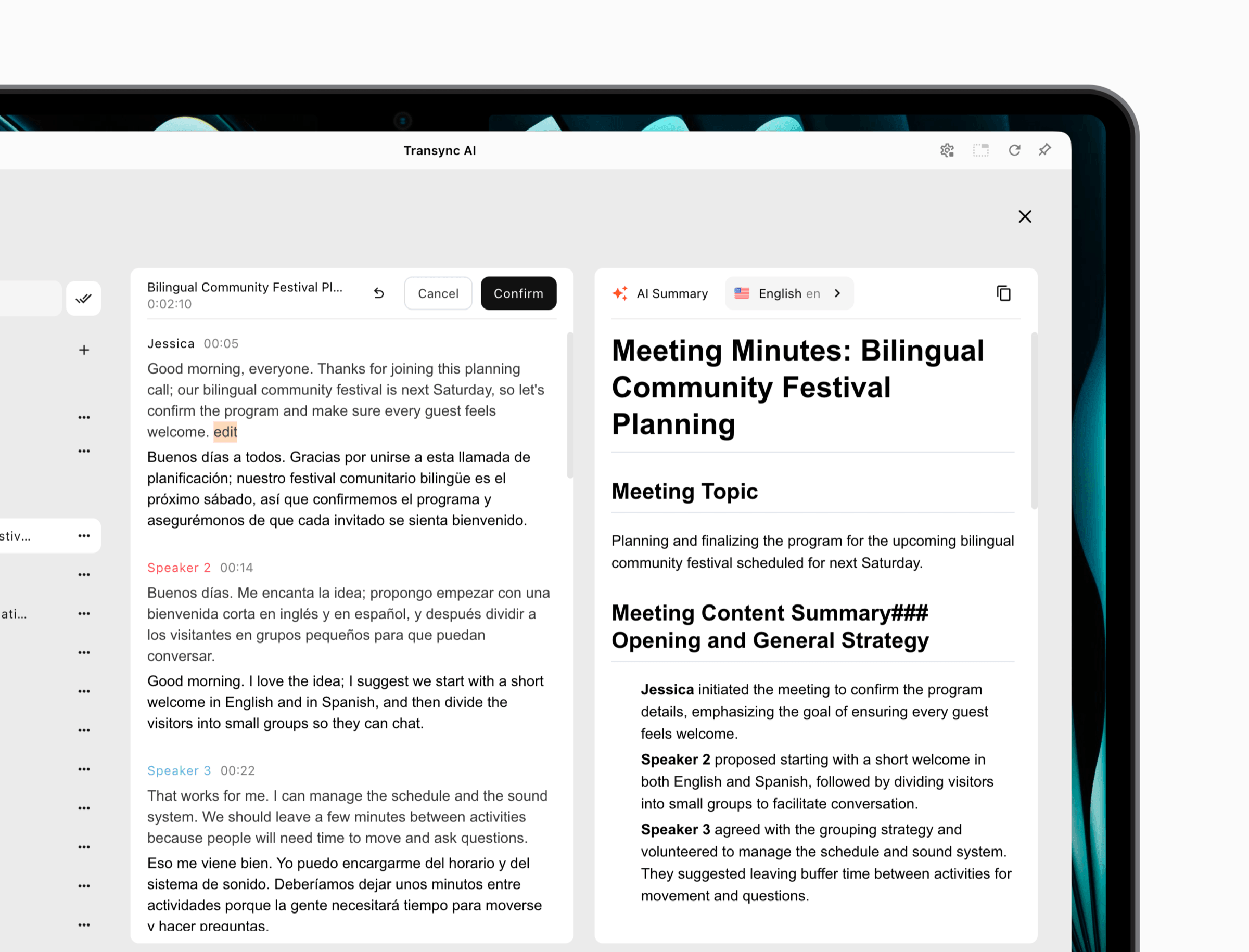
| 3. Conversazione | Discorso mentre le persone parlano | Microfono e audio della riunione | Sottotitoli in tempo reale o traduzione del parlato | Transync AI |
| 4. Identità vocale | Intonazione, carattere, timbro o identità di chi parla | voce dal vivo o registrata | Una voce trasformata | Voicemod o ElevenLabs |
| 5. Raggiungere | Un'unica fonte disponibile in più lingue o formati | Presentazione, video, podcast o audio di un evento | Opinioni del pubblico nella lingua locale o media localizzati | Modalità di presentazione AI Transync o doppiaggio ElevenLabs |
I quadranti possono funzionare insieme, ma non sono intercambiabili. Questo modello di sala di controllo aiuta un acquirente a valutare un cambia lingua in base a input, output, tempistica e pubblico di destinazione, anziché affidarsi a un'etichetta di prodotto generica.
Quadrante 1: Un cambialingua per l'interfaccia
A volte non è necessaria alcuna traduzione. L'utente desidera semplicemente che un'app, un sito web, una tastiera, un gioco o l'interfaccia del telefono visualizzino i menu in un'altra lingua.
Un'impostazione dell'interfaccia modifica etichette come "Salva", "Impostazioni" e "Notifiche". Può anche modificare i formati delle date, i separatori decimali, i dizionari ortografici, i suggerimenti della tastiera o l'orientamento da destra a sinistra. Non necessariamente traduce i contenuti, i messaggi, le chiamate o i documenti generati dall'utente.
Prima di installare un'altra app, controlla tre cose:
- L'impostazione della lingua all'interno dell'app corrente.
- L'impostazione della lingua per singola applicazione nel sistema operativo.
- Le principali impostazioni di lingua e regione del dispositivo.
Se l'app non offre la lingua di cui hai bisogno, cambiare la lingua del dispositivo potrebbe non generare una traduzione. Lo sviluppatore deve fornire il testo dell'interfaccia localizzato. La traduzione del browser a volte può visualizzare una pagina web in un'altra lingua, ma non localizza in modo permanente il prodotto sottostante.
Utilizzare questo controllo quando il software contiene già la lingua di visualizzazione desiderata e il problema riguarda la navigazione, non la comunicazione con un altro interlocutore.
Un rapido test dell'interfaccia
Dopo aver effettuato il passaggio, controlla non solo la schermata iniziale. Apri le impostazioni, la ricerca, i messaggi di errore, le schermate di pagamento e la guida. Verifica che il testo si adatti ai pulsanti, che le date siano chiare e che la tastiera corrisponda alla lingua che intendi utilizzare.
Quadrante 2: un cambialingua per il significato scritto
La seconda manopola converte il testo da una lingua all'altra. Il flusso di lavoro è quello classico di un traduttore: si digita o si incolla il contenuto, si scelgono la lingua di origine e quella di destinazione e si rivede il risultato.
Google Traduttore È un esempio pratico. La sua attuale esperienza web supporta la traduzione del testo e offre anche flussi di lavoro separati per immagini, documenti, siti web e input vocale, laddove supportati. Questa ampiezza lo rende comodo per una rapida comprensione e per le attività di scrittura quotidiane.
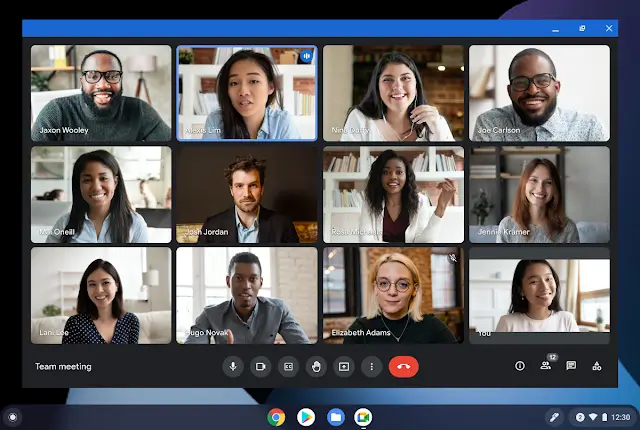
Un scritto cambia lingua È adatto per email, cartelli, descrizioni di prodotti, messaggi di chat e ricerche preliminari. Non è automaticamente adatto per una negoziazione, una lezione dal vivo o una chiamata multilingue. Questi contesti richiedono l'uso di microfoni, cambi di oratore, latenza, tempi di consegna e interruzioni.
Non confondere il cambiamento delle parole con la localizzazione del significato.
Una traduzione letterale può preservare il vocabolario ma perdere l'intento. Verifica:
- Chi agisce e chi subisce l'azione.
- Negazioni come “non”, “a meno che” ed “eccetto”.”
- Numeri, valute, unità di misura, date e fusi orari.
- Formalità e relazione tra gli interlocutori.
- Terminologia regionale, come ad esempio portoghese brasiliano rispetto al portoghese europeo.
- Nomi e termini dei prodotti che devono rimanere invariati.
Per materiale di rilievo, utilizzare un revisore qualificato. Un rapido cambia lingua può creare una bozza utile, ma i contenuti legali, medici, normativi, finanziari e di sicurezza critica richiedono competenze specifiche e affidabili.
Dial 3: Un cambialingua per conversazioni dal vivo
La pronuncia dal vivo aggiunge una serie di passaggi che la traduzione testuale non riesce a mostrare:
parlato → acquisizione audio → riconoscimento → traduzione → sottotitoli o voce → ascoltatore
Ogni freccia può fallire. Un modello di traduzione robusto non può recuperare un discorso che il microfono non ha mai catturato. La riproduzione vocale naturale non può correggere un numero errato nella trascrizione originale. Ecco perché una riunione cambia lingua deve essere testato come intero percorso di comunicazione.
Per riunioni multilingue e conversazioni di persona, Transync AI fornisce traduzione in tempo reale Con testo bilingue e output vocale opzionale. Si tratta di un flusso di lavoro autonomo disponibile su web, desktop e dispositivi mobili, anziché un plugin limitato a un singolo fornitore di servizi di conferenza.
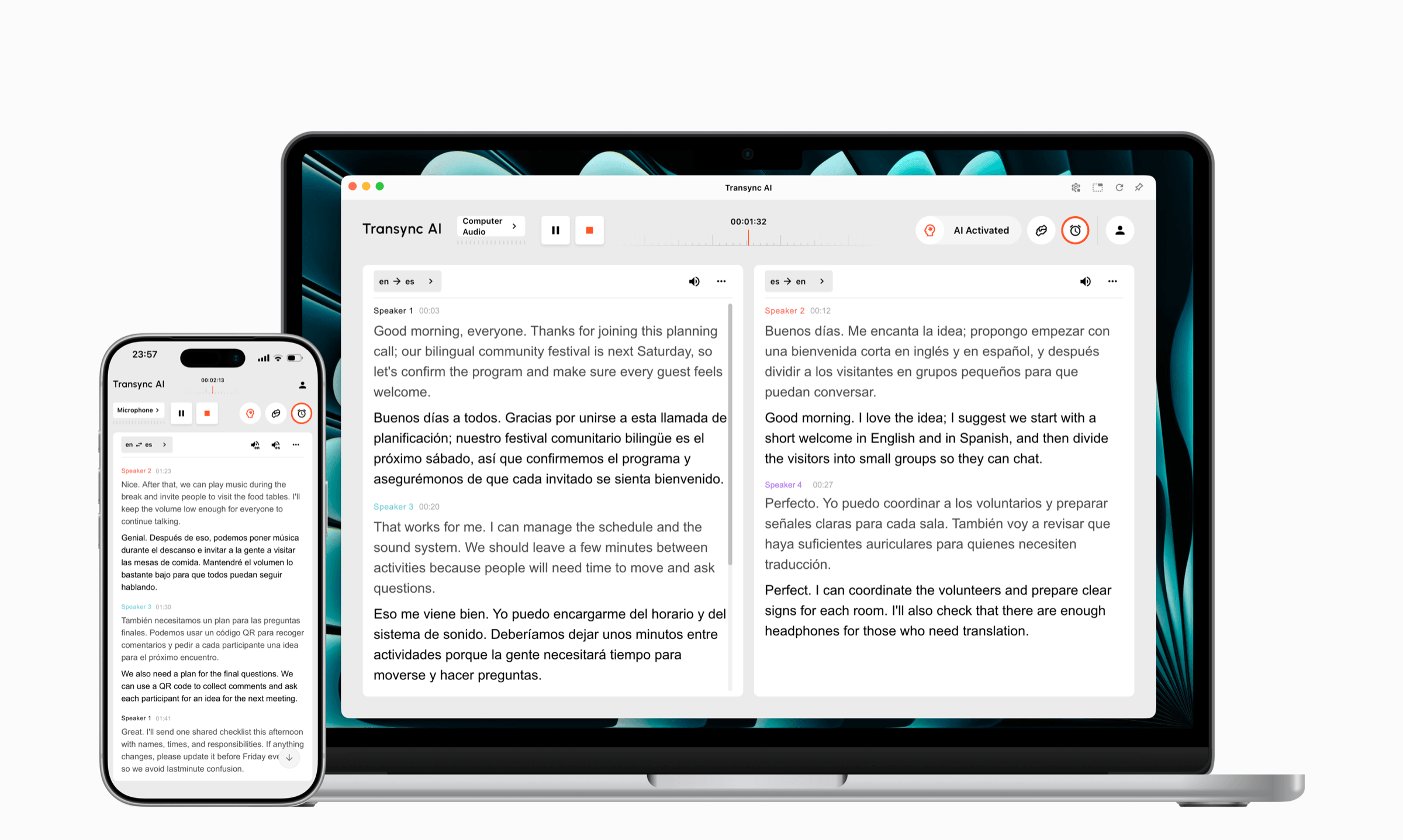
Prova Transync AI gratuitamente
Per le riunioni online, il suo traduzione di riunioni in diretta può lavorare a fianco Zoom, Microsoft Teams, Google Meet, e altri flussi di lavoro di chiamata. Gli utenti devono configurare l'audio del microfono per la propria voce e l'acquisizione audio del computer supportata per i partecipanti remoti.
Prima della chiamata, Parole chiave e contesto può preparare nomi, acronimi, codici prodotto e informazioni di base sulla riunione. Durante la chiamata, Sottotitoli Picture-in-Picture Consente di mantenere il testo visibile sopra le applicazioni supportate.

Sottotitoli fluttuanti in tempo reale su dispositivi desktop e mobili.
UN Traduttore vocale AI È possibile leggere ad alta voce il parlato tradotto. Il ritardo di riproduzione vocale può essere regolato in modo che l'output inizi immediatamente o attenda una frase più completa. La funzione Voice Clone può rendere il suono della riproduzione tradotta più simile a quello dell'utente dopo il processo di raccolta iniziale, per le lingue supportate.
 Due diverse direzioni per testare
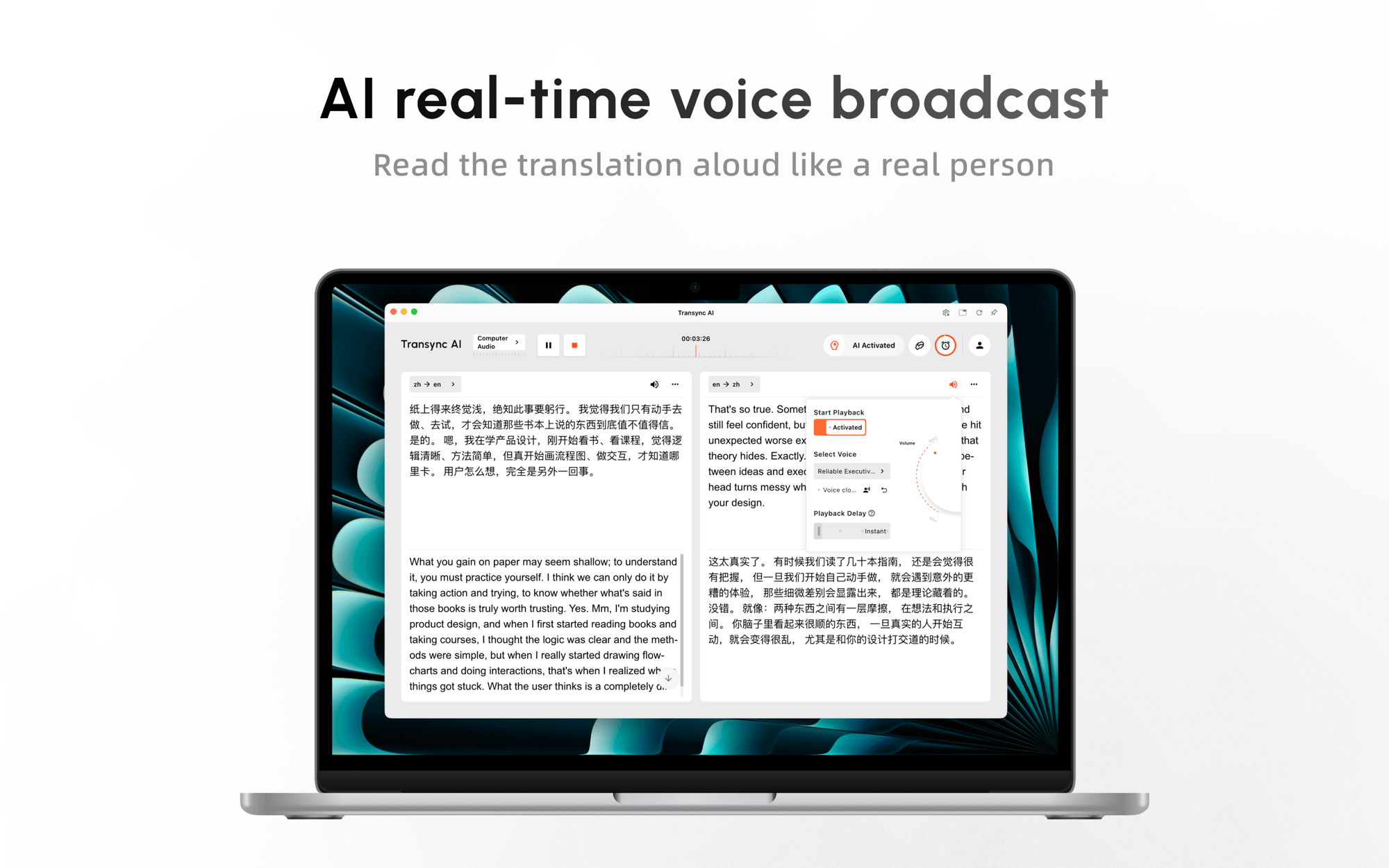 Due diverse direzioni per testare
Ascoltare e parlare sono due compiti distinti.
Per comprendere l'altro punto di vista: Verifica che l'audio remoto o ambientale venga ricevuto dal traduttore, seleziona la lingua di destinazione che comprendi e decidi se leggere i sottotitoli o ascoltare la riproduzione.
Per essere compreso dall'altra parte: Verifica che il tuo microfono sia attivo, abilita la traduzione nella lingua dell'altro partecipante e instrada la traduzione tramite altoparlanti, audio condiviso del computer o un flusso di lavoro con microfono virtuale supportato.
Se entrambe le direzioni di riproduzione utilizzano un volume elevato nella stessa stanza, si può creare un effetto eco. Iniziate con una sola direzione di riproduzione, utilizzate le cuffie quando necessario e aggiungete la seconda direzione solo dopo che la trascrizione originale risulta pulita.
Ciò che questo cambia lingua non sostituisce
Transync AI Non si tratta di un traduttore offline, di uno strumento di traduzione automatica tramite videocamera, di un traduttore di documenti o di un servizio di interpretariato umano gestito. Dipende da una connessione internet e da un corretto instradamento audio. Il suo punto di forza è la comunicazione frequente in tempo reale, dove le persone necessitano di sottotitoli, traduzione vocale, preparazione della terminologia e una registrazione successiva.
Dial 4: Un cambialingua per l'identità vocale
Questa manopola è la fonte di maggiore confusione. Cambiare la voce e cambiare la lingua sono operazioni diverse.
Voicemod Modifica il suono di una voce reale. Il suo flusso di lavoro desktop installa un microfono virtuale che può essere selezionato all'interno di giochi, strumenti di streaming e applicazioni di chat vocale. Gli utenti possono modificare il tono, applicare effetti di personalità o creare elaborazioni vocali a più livelli in tempo reale.
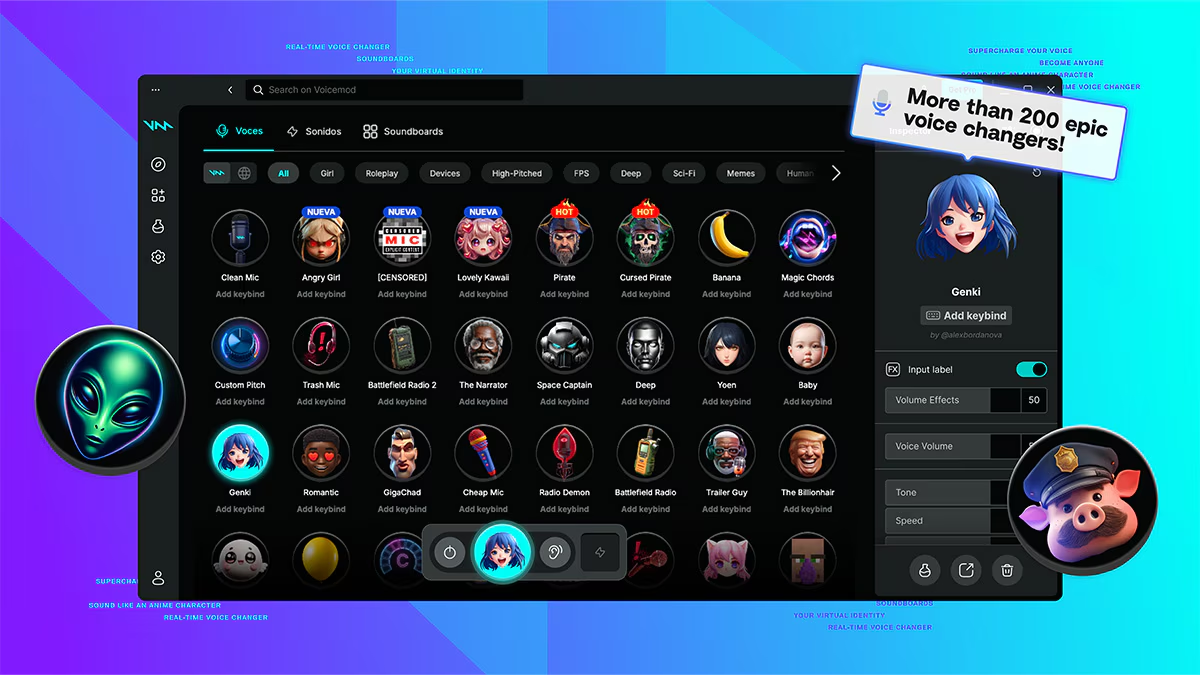
Ciò rende Voicemod utile per le prestazioni, l'intrattenimento, le preferenze sulla privacy, i giochi e lo streaming. Ma un parlante francese con un effetto robotico sta comunque parlando francese. Questo tipo di cambia lingua modifica l'identità acustica, non il significato linguistico.
ElevenLabs Si occupa di trasformazione della voce registrata e flussi di lavoro multimediali multilingue. Il suo strumento di cambio voce è in grado di trasformare la voce registrata o caricata in un'altra voce, preservandone gli elementi di interpretazione. I suoi strumenti di doppiaggio traducono audio o video in altre lingue, cercando di mantenere la tempistica, il tono, l'emozione e l'identità dell'oratore.
ElevenLabs È più adatto ai creatori che localizzano un video, un podcast, una campagna o un materiale formativo già completo. Il flusso di lavoro è diverso da quello della traduzione di una riunione dal vivo. La produzione registrata consente l'editing, la rigenerazione, il controllo della tempistica e l'esportazione; una conversazione, invece, deve trasmettere il significato abbastanza velocemente da permettere alla persona successiva di rispondere.
Clonazione vocale, modifica della voce e doppiaggio non sono sinonimi.
| Termine | Incarico principale | Traduce il significato? | Di solito dal vivo? |
|---|---|---|---|
| cambiamento di voce | Modificare tono, carattere o tessitura | NO | Spesso |
| Clone vocale | Riprodurre le caratteristiche di un oratore | Non da solo | Supporta output in diretta o registrato |
| Traduzione del parlato | Convertire il significato del parlato in un'altra lingua | SÌ | Spesso |
| Doppiaggio | Sostituire o aggiungere la voce localizzata ai supporti registrati | SÌ | Solitamente in post-produzione |
Un prodotto può combinare due categorie. Transync AI, ad esempio, combina la traduzione vocale in tempo reale con la clonazione vocale opzionale per la riproduzione. ElevenLabs combina la trasformazione vocale con il doppiaggio multilingue. La domanda di valutazione è ancora la stessa: il cambia lingua Intervenire mentre le persone parlano o dopo che il contenuto è stato registrato?
Dial 5: Un cambialingua per raggiungere un pubblico più ampio
L'ultima manopola regola la distribuzione. Un singolo relatore potrebbe dover raggiungere dieci gruppi linguistici diversi durante una conferenza, un'assemblea pubblica, una sessione di formazione o il lancio di un prodotto.
In versione beta Modalità di presentazione, UN Transync AI L'organizzatore può abilitare fino a 10 lingue di destinazione. I partecipanti si collegano tramite un link, un codice QR o l'ID della stanza e scelgono tra le lingue rese disponibili dall'organizzatore. Possono leggere in diretta il testo originale e tradotto e ascoltare la riproduzione audio, se disponibile.

La modalità presentazione consente a un presentatore di condividere la traduzione simultanea con i membri del pubblico sui loro dispositivi.
I partecipanti non inviano messaggi vocali all'attività del presentatore. Il presentatore può visualizzare il numero attuale di partecipanti e decidere al termine se condividere la trascrizione. Potrebbe essere richiesto di effettuare l'accesso durante la procedura di partecipazione.
Questo crea una differenza cambia lingua Architettura audio da un telefono posizionato tra due persone. Chi ospita controlla la sorgente; ogni ascoltatore controlla la lingua che riceve. Le cuffie consentono a più ascoltatori di sentire traduzioni diverse nello stesso spazio fisico senza creare rumore o feedback.
Per la distribuzione registrata, ElevenLabs Il confronto più pertinente è quello con il doppiaggio. Un creatore può localizzare una risorsa audio o video esistente ed esportare il prodotto finito. La modalità presentazione è per i contenuti durante la loro distribuzione; il doppiaggio è per i contenuti che possono essere elaborati, rivisti e pubblicati in seguito.
Dopo una sessione dal vivo, Appunti della riunione di intelligenza artificiale In Transync AI può trasformare la trascrizione in un documento di follow-up più utile. Ciò è importante quando il cambiamento di lingua è solo il primo passo e il pubblico ha bisogno anche di decisioni, azioni da intraprendere o un riepilogo condiviso.
 Confronto tra cambia lingua: abbina l'input all'output
 Confronto tra cambia lingua: abbina l'input all'output
| Opzione | Modifica dell'interfaccia | Traduzione del testo | Traduzione vocale dal vivo | Cambio di identità vocale | Distribuzione al pubblico o ai media | Migliore vestibilità |
|---|---|---|---|---|---|---|
| Impostazioni del dispositivo o dell'app | SÌ | NO | NO | NO | NO | Menu, pulsanti, formati e navigazione |
| Google Traduttore | NO | SÌ | Funzionalità di conversazione sui dispositivi supportati | NO | Limitato | Traduzione di testi di uso quotidiano e traduzione faccia a faccia |
| Transync AI | NO | Non è il suo scopo | SÌ | Clone vocale per la riproduzione tradotta | Modalità presentazione e verbali delle riunioni | Riunioni, chiamate, lezioni e presentazioni in diretta |
| Voicemod | NO | NO | Nessuna traduzione linguistica | SÌ | Uscita della chat vocale in tempo reale | Effetti sonori per videogiochi, streaming e voci dei personaggi |
| ElevenLabs | NO | Non è il suo output principale | Non è il suo flusso di lavoro principale per le riunioni | SÌ | Doppiaggio multilingue ed esportazione multimediale. | Video registrati, audio e localizzazione del creatore |
Utilizzate la tabella come strumento di eliminazione. Se il vostro input è un PDF, rimuovete i prodotti relativi a riunioni ed effetti vocali. Se il vostro input è una chiamata in diretta, rimuovete il doppiaggio in post-produzione. Se l'output deve essere una voce di un personaggio nella stessa lingua, rimuovete i traduttori. Se il pubblico necessita di più lingue contemporaneamente, rimuovete gli strumenti personali a schermo singolo.
Il diritto cambia lingua è quello il cui input e output corrispondono già al lavoro. La quantità di funzionalità conta meno dell'adattamento al flusso di lavoro.
Cinque richieste, cinque risposte diverse
“"Vorrei che i menu di questa app fossero in inglese."”
Utilizza la manopola dell'interfaccia. Verifica le impostazioni della lingua dell'app e del sistema operativo. Non installare un traduttore vocale a meno che anche il contenuto interno dell'app non necessiti di traduzione.
“"Ho bisogno di capire un'email proveniente dall'estero."”
Utilizza il quadrante del significato scritto. Incolla il testo in Google Traduttore o con un altro traduttore di testo, quindi rivedi nomi, tono, numeri e informazioni riservate prima di condividerli.
“Devo intervenire durante un incontro internazionale.”
Utilizzare il selettore della conversazione in tempo reale. Una riunione cambia lingua È necessario registrare l'audio del proprio microfono e quello degli altri partecipanti, visualizzare il testo bilingue e fornire la traduzione vocale se l'altra parte ha bisogno di ascoltarla. Transync AI è progettato per questo flusso di lavoro.
“"Voglio avere la voce di un personaggio di un videogioco."”
Utilizzare la funzione di riconoscimento vocale. Voicemod Modifica il suono che raggiunge l'ingresso del microfono selezionato, ma non traduce il significato del discorso.
“"Voglio che il mio video parli giapponese con la mia voce."”
Utilizzare il selettore di localizzazione registrato. Un flusso di lavoro di doppiaggio come ElevenLabs È progettato per il caricamento di contenuti multimediali, la traduzione di script, l'identificazione degli oratori, la gestione dei tempi e l'esportazione.
Questi esempi dimostrano perché una ricerca così ampia può produrre raccomandazioni contraddittorie. I prodotti rispondono a diverse versioni della domanda.
Test di due minuti in sala di controllo
Prima di acquistare o implementare uno strumento, esegui un test di input-output.
1. Fornire l'input reale
Utilizza una registrazione audio di una riunione reale, un campione di testo, la schermata di un dispositivo, un microfono o un breve video. Non testare un prodotto di sintesi vocale solo con testo digitato né giudicare un sistema di doppiaggio basandoti esclusivamente su una demo preparata.
2. Includere informazioni fragili
Aggiungi il nome di una persona, il codice del prodotto, il prezzo, la percentuale, la data e una correzione. Per le registrazioni vocali, includi risate, pause e variazioni di volume.
3. Osserva l'ascoltatore finale
Quella persona è in grado di ricevere l'output senza che il tester le spieghi l'interfaccia? Riesce a rispondere in tempo? Riesce a identificare un errore? Riesce a scegliere la lingua autonomamente, se necessario?
4. Controllare cosa rimane dopo
Determina se il prodotto salva testo, audio, un progetto o nulla. Verifica chi può accedervi, come può essere eliminato e se è effettivamente necessaria una trascrizione o un file esportato.
Il più affidabile cambia lingua Non è quello con il campione più eclatante, ma quello che resiste all'input reale e produce un output utilizzabile per la persona a cui è destinato.
Privacy, consenso e uso responsabile della voce
Gli strumenti linguistici e vocali possono elaborare conversazioni personali, caratteristiche vocali di tipo biometrico, termini commerciali e documenti riservati. Avvisa i partecipanti quando la traduzione automatica, la trasformazione vocale, la clonazione o la registrazione sono attive.
Transync AI afferma che i dati dei clienti non vengono utilizzati per l'addestramento dell'IA per impostazione predefinita e fornisce informazioni di sicurezza aggiornate tramite il suo Centro di fiducia. Gli utenti devono gestire i record di traduzione ed eliminare le informazioni di cui non hanno più bisogno.
ElevenLabs E Voicemod hanno le proprie politiche per i dati vocali, l'output generato, l'uso commerciale e i contenuti accettabili. Rivedi i termini attuali per il prodotto e il piano esatti. Non clonare o impersonare mai un'altra persona senza autorizzazione e non utilizzare un cambia lingua per nascondere frodi o ingannare gli ascoltatori sull'identità di chi sta parlando.
Per comunicazioni di elevata importanza in ambito legale, medico, di immigrazione, normativo, finanziario o di sicurezza, è necessario avvalersi di un interprete o revisore umano qualificato quando è richiesta la responsabilità professionale.
Domande frequenti
Che cos'è un cambialingua?
UN cambia lingua È un termine generico che indica un'impostazione o uno strumento in grado di modificare la lingua di un'interfaccia, tradurre il significato di un testo, interpretare il parlato in tempo reale, trasformare la voce o distribuire contenuti in diverse lingue. Prima di scegliere un prodotto, è importante identificare l'input e l'output desiderato.
Un sistema di cambio lingua può tradurre una chiamata in diretta?
Sì, se è progettato per la comunicazione vocale in tempo reale e può accedere all'audio necessario. Un flusso di lavoro per le riunioni deve acquisire sia l'audio del microfono che quello remoto, per poi fornire sottotitoli o la traduzione vocale al partecipante appropriato. Un traduttore di testo o un normale effetto vocale non sono in grado di farlo da soli.
Un cambialingua è la stessa cosa di un cambiavoce?
No. Un cambiavoce in genere altera l'intonazione, il tono, il carattere o l'identità di chi parla. Un traduttore modifica il significato linguistico. Alcuni prodotti combinano la traduzione e la riproduzione della voce clonata, ma le funzioni dovrebbero comunque essere testate separatamente.
Quale cambia lingua è il migliore per le riunioni?
Scegli uno strumento pensato per le riunioni quando hai bisogno di sottotitoli in tempo reale, traduzione vocale, terminologia predefinita e registrazioni. Transync AI Ideale per riunioni multilingue ricorrenti e supporta anche la modalità presentazione uno-a-molti. Verifica la combinazione di lingue e l'instradamento audio esatti prima di una chiamata importante.
Qual è il miglior cambia lingua per i video?
Utilizzare un prodotto di doppiaggio o di localizzazione multimediale. ElevenLabs È progettato per tradurre audio e video registrati preservando gli aspetti della performance dell'oratore. Un sistema di traduzione per riunioni dal vivo non è automaticamente una suite di produzione video.
Un programma per cambiare lingua può funzionare offline?
Alcune impostazioni dell'interfaccia e modalità di traduzione per i consumatori possono funzionare localmente o con pacchetti lingua scaricati. Transync AI Richiede l'accesso a Internet. Il supporto offline deve essere verificato per la funzionalità specifica; un'app potrebbe tradurre il testo scaricato offline pur richiedendo una connessione per la sintesi vocale in tempo reale.
Ruota solo la manopola necessaria
UN cambia lingua È utile solo dopo averne definito lo scopo. Modifica l'interfaccia quando la navigazione è il problema. Traduci il testo quando il significato è intrappolato nella scrittura. Usa la traduzione vocale in tempo reale quando le persone devono rispondere immediatamente. Trasforma l'identità vocale quando il suono, e non la lingua, è l'obiettivo creativo. Usa flussi di lavoro di presentazione o di doppiaggio quando un messaggio deve raggiungere un pubblico più ampio.
Per riunioni multilingue, Transync AI Unisce diverse funzionalità: sottotitoli bilingue, traduzione vocale, preparazione del contesto, clonazione vocale opzionale, presentazione al pubblico e registrazione delle riunioni. Per testi di uso quotidiano, un traduttore generico potrebbe essere più veloce. Per gli effetti sui personaggi, è consigliabile utilizzare un cambiavoce. Per i contenuti multimediali finali, è preferibile rivolgersi a uno studio di doppiaggio.
Il più intelligente cambia lingua La decisione è spesso un atto di sottrazione. Elimina ogni strumento che non può accettare l'input reale o produrre l'output richiesto. Ciò che rimane è il controllo che può effettivamente trasmettere il messaggio.
