V roce 2026 se globální obchodní prostředí vyvíjí rychleji než kdy dříve. Ať už finalizujete dohodu o dodavatelském řetězci v Tokiu, spolupracujete s vývojáři v Berlíně nebo pořádáte webinář v rámci více regionů, jazykové bariéry mohou způsobit kritická zpoždění. Právě proto je důležité najít spolehlivého… online překladatelský nástroj se stala hlavní prioritou pro agilní firemní týmy.
Zatímco před deseti lety byly základní webové stránky s výměnou textu přijatelné, dnešní profesionálové potřebují pokročilá řešení s umělou inteligencí v reálném čase. Vzhledem k tomu, že trh s asistenty pro schůzky s umělou inteligencí dosáhne 24,6 miliardy USD do roku 2034, možnosti mohou být ohromující. V tomto komplexním průvodci si projdeme 7 nejlepších samostatných softwarových platforem, které vám pomohou najít tu perfektní online překladatelský nástroj pro váš každodenní pracovní postup.
Co dělá skvělý online překladatelský nástroj?
Než se ponoříme do našich nejlepších tipů, je důležité vědět, co odlišuje základní slovníkový web od profesionálního webu pro podniky. online překladatelský nástroj:
- Kompatibilita s živými setkáními: Nejlepší nástroje fungují hladce společně s vaším softwarem pro konference (jako je Zoom nebo Teams), aniž byste museli instalovat chybné pluginy třetích stran.
- Téměř nulová latence: Při živém vyjednávání desetisekundové čekání na překlad zabíjí dynamiku. Potřebujete software poháněný moderním hlubokým učením a HiFi-GAN neuronové sítě který okamžitě vydává hlas.
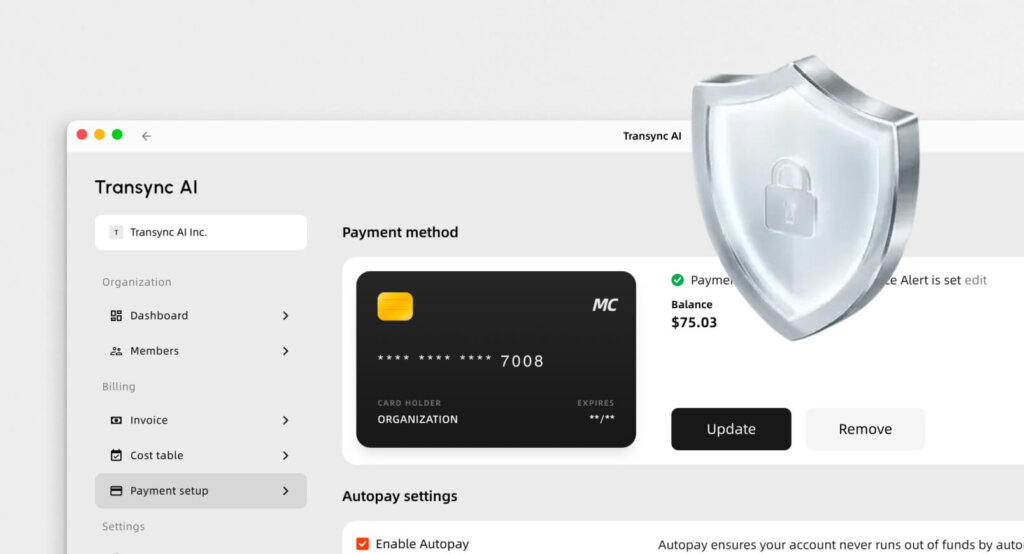
- Zabezpečení dat: Důvěryhodný online překladatelský nástroj musíte zaručit, že vaše důvěrné konverzace nebudou nikdy použity k trénování veřejných modelů umělé inteligence.
Porovnání 7 nejlepších online nástrojů pro překlad
Abychom vám pomohli s informovaným rozhodnutím na první pohled, zde je srovnávací tabulka 7 nejlepších platforem na současném trhu.
| Software | Vynikající funkce | Kompatibilita s živými setkáními | Nejlepší pro |
| Transync AI | Dvě obrazovky a téměř nulová latence | ✅ Zoom, Teams, Meet (samostatné) | Globální vícejazyčná obchodní setkání |
| Hlas DeepL | Vysoce kvalitní vokální frázování | ✅ iOS, Android, Teams | Mobilní konverzace tváří v tvář |
| Maestra AI | Titulky a dabing videa | ✅ Zoom, Teams | Webináře a vzdělávací vysílání |
| Slovní | Vysoce škálovatelná interpretace | ✅ Webex, Zoom, Cvent | Masivní globální virtuální summity |
| JotMe | Rychlé dvojjazyčné titulky pro schůzky | ✅ Google Meet | Rychlé interní diskuse v rámci společnosti |
| LiveVoice | Streamování zvuku BYOD | ✅ Web, iOS, Android | Akce na místě a hybridní fyzické akce |
| Kudo | Hybridní umělá inteligence + lidští tlumočníci | ✅ Zoom, Teams | Diplomatické a významné události |
1. Transync AI
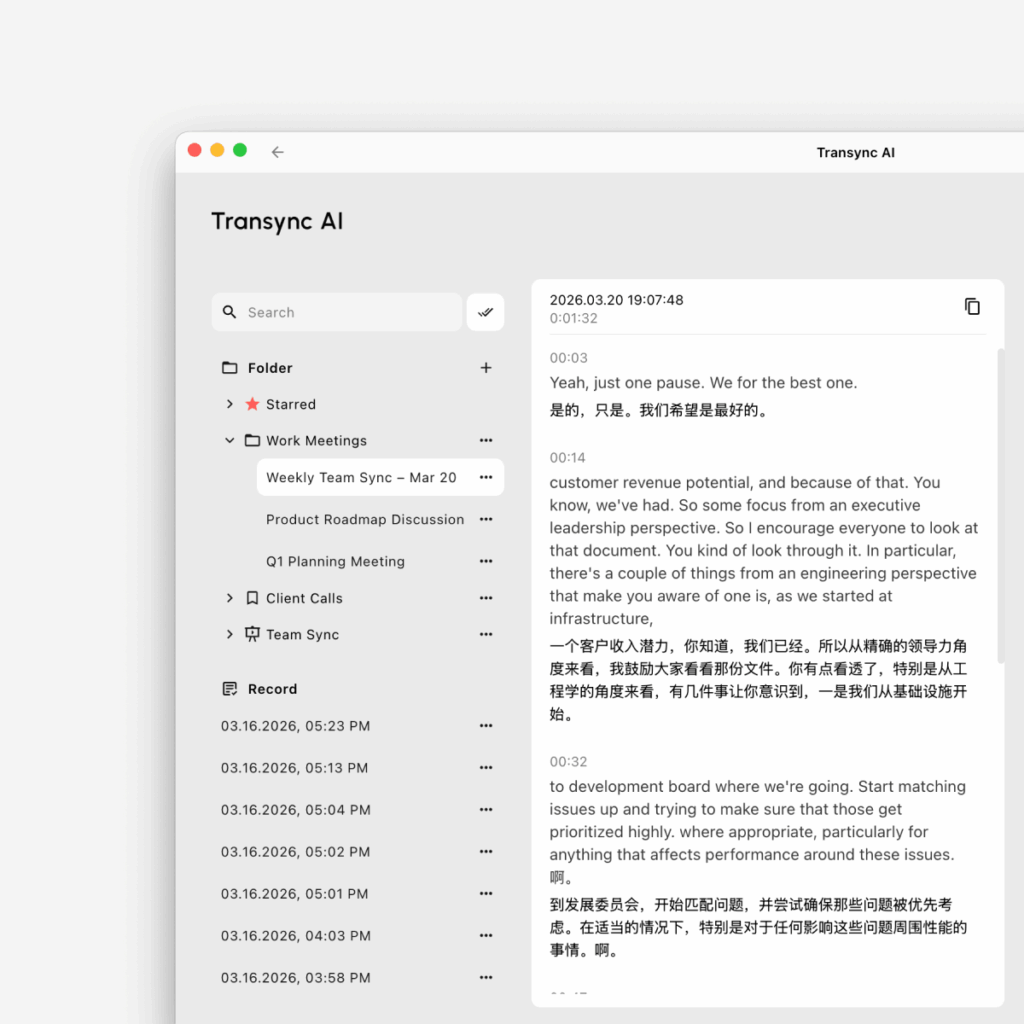
Nejlepší pro: Profesionálové, kteří potřebují samostatný systém s nízkou latencí online překladatelský nástroj pro denní B2B videoschůzky.
Hodnocení G2: N/A (Vznikající lídr)
Pokud hledáte ty nejinteligentnější online překladatelský nástroj Pro videokonference je Transync AI nejlepší volbou. Transync AI je nástroj pro tlumočení v reálném čase, který je poháněn komplexním modelem řeči. Je navržen speciálně pro dvojjazyčnou komunikaci s nulovou latencí, aniž by se musel spoléhat na boty třetích stran nebo riskantní integrace.
Klíčové vlastnosti:
- Okamžité vícejazyčné zpracování: Dodává bezchybně Překlad v reálném čase s umělou inteligencí okamžitou detekcí mluvených jazyků. Můžete si prohlédnout rozsáhlý seznam Podporované jazyky přímo na jejich stránkách.
- Maximální kompatibilita: Funguje zcela jako samostatná aplikace a poskytuje perfektní Překlad živých schůzek s umělou inteligencí pro Zoom, Teams a Google Meet přímo vedle vašich každodenních hovorů.
- Chytré souhrny: Bezproblémově disponuje vestavěnými funkcemi Poznámky ze schůzky s umělou inteligencí přesně zachytit akční položky během vašich přeshraničních hovorů.
- Generování přirozeného zvuku: Působí jako výjimečný Hlasový překladač s umělou inteligencí, generující přirozené lidské hlasové vysílání.
- Kontextuální přesnost: Použijte Kontext klíčových slov AI Assistant předdefinovat oborový žargon, názvy značek nebo technické termíny a zvýšit tak přesnost překladu na více než 95%.
Výhody:
- Vysoce bezpečný samostatný software, který nikdy nezhroutí vaši primární platformu pro videokonference.
- Přísná ochrana osobních údajů (data se nepoužívají pro školení umělé inteligence), podrobně popsaná v jejich robustních Zpráva o shodě.
- Můžete snadno Podívejte se, jak si umělá inteligence Transync vede mimořádně dobře v různých případech použití..
Nevýhody:
- Offline překlad a rozpoznávání obrázků pomocí fotoaparátu nejsou podporovány.
Ceny: Uživatelům bude v prvním měsíci po registraci poskytnuto 40 minut bezplatné zkušební doby. Flexibilní placená verze Ceny začíná na $8,99/měsíc.
Konečný verdikt: Přečtěte si Rychlý start průvodce pro nasazení nejlepšího živého zážitku ještě dnes. Pro velké organizace se podívejte na Podnik úroveň a komplexní Průvodce podnikem.
2. Hlas DeepL
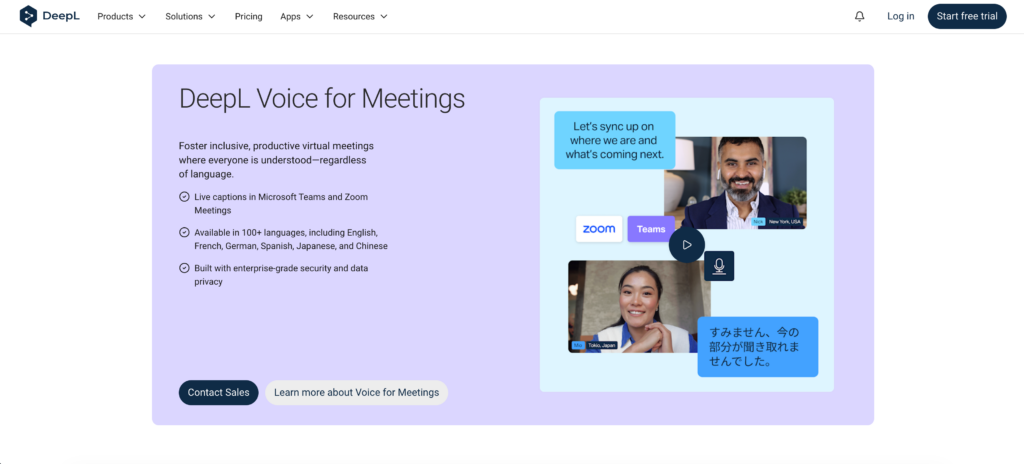
Nejlepší pro: Vysoce kvalitní překlady pro hlavní světové jazyky během osobních rozhovorů.
Hodnocení G2: 4.6/5
Při hledání vysoce přesného online překladatelský nástroj, DeepL je známý pro textové zprávy, ale DeepL Voice rozšiřuje tuto technologii i na mluvené konverzace.
Klíčové vlastnosti:
- Režim tváří v tvář: Funkce, která rozděluje obrazovku, aby si oba mluvčí mohli během osobních rozhovorů snadno přečíst přeložený text a zároveň poslouchat výstup.
Výhody:
- Výjimečně kvalitní překlady, které zní přirozeněji a gramaticky přesněji než mnoho konkurentů v reálném čase.
Nevýhody:
- Není určeno pro velké virtuální akce s více účastníky ani pro složité webináře.
Ceny: Vlastní ceny jsou poskytovány prostřednictvím obchodního týmu DeepL.
Konečný verdikt: Pro mobilní osobní konverzace vyžadující absolutní gramatickou přesnost je DeepL Voice vysoce robustní.
3. Maestra AI
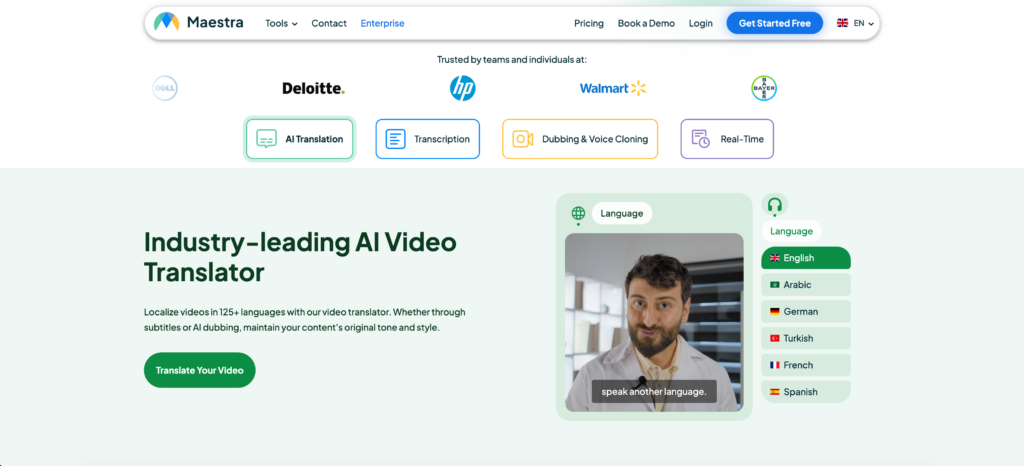
Nejlepší pro: Poznámky ze schůzek v reálném čase, živé titulky a dabing videa s využitím umělé inteligence.
Hodnocení G2: 4.8/5
Maestra je neuvěřitelná online překladatelský nástroj která funguje jako webový hardware kombinující přepis, překlad a živé titulky do jednoho rozhraní.
Klíčové vlastnosti:
- Dvojjazyčné živé titulky: Generuje poznámky ze schůzek v reálném čase a zároveň zobrazuje titulky ve zdrojovém i přeloženém jazyce.
- Simultánní překlad: Okamžitě převádí řeč do přeloženého zvuku pro publikum ve více než 125 jazycích.
Výhody:
- Podporuje nahrávání předem nahraných video souborů pro vysoce propracovaný postprodukční dabing.
Nevýhody:
- Pokročilé funkce exportu a souhrny umělé inteligence jsou omezeny na prémiové placené plány.
Ceny: Placené tarify začínají na $39 měsíčně a účtují se ročně.
Konečný verdikt: Pokud pořádáte veřejné vzdělávací webináře a potřebujete poskytovat živé titulky a dabing, Maestra nabízí propracovaný pracovní postup.
4. Slovní
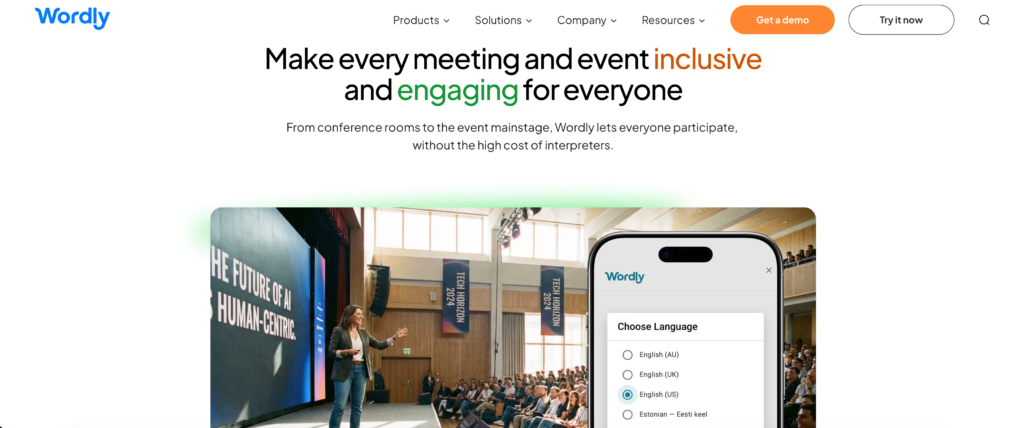
Nejlepší pro: Masivní globální virtuální summity a rozsáhlé hybridní akce.
Hodnocení G2: 4.6/5
Pokud pořádáte oborovou konferenci s tisíci účastníky, Wordly funguje jako vysoce škálovatelné řešení. online překladatelský nástroj. Odstraňuje logistickou noční můru spojenou s najímáním stovek lidských tlumočníků.
Klíčové vlastnosti:
- Okamžitý přístup: Účastníci se jednoduše naskenují QR kód nebo kliknou na odkaz a připojí se k překladatelskému kanálu na svých chytrých telefonech.
- Obousměrný překlad: Podporuje tlumočení v reálném čase ve více než 60 jazycích současně.
Výhody:
- Neuvěřitelně škálovatelné, snadno poskytuje služby tisícům účastníků najednou bez zpoždění.
Nevýhody:
- Stanovení cen na základě využití je pro běžné každodenní schůzky malých týmů příliš drahé a komplikované.
Ceny: Model založený na využití v závislosti na počtu hodin tlumočení a počtu účastníků.
Konečný verdikt: Wordly je ideální volbou pro organizátory akcí, kteří potřebují vysílat pro masivní a rozmanité publikum.
5. JotMe
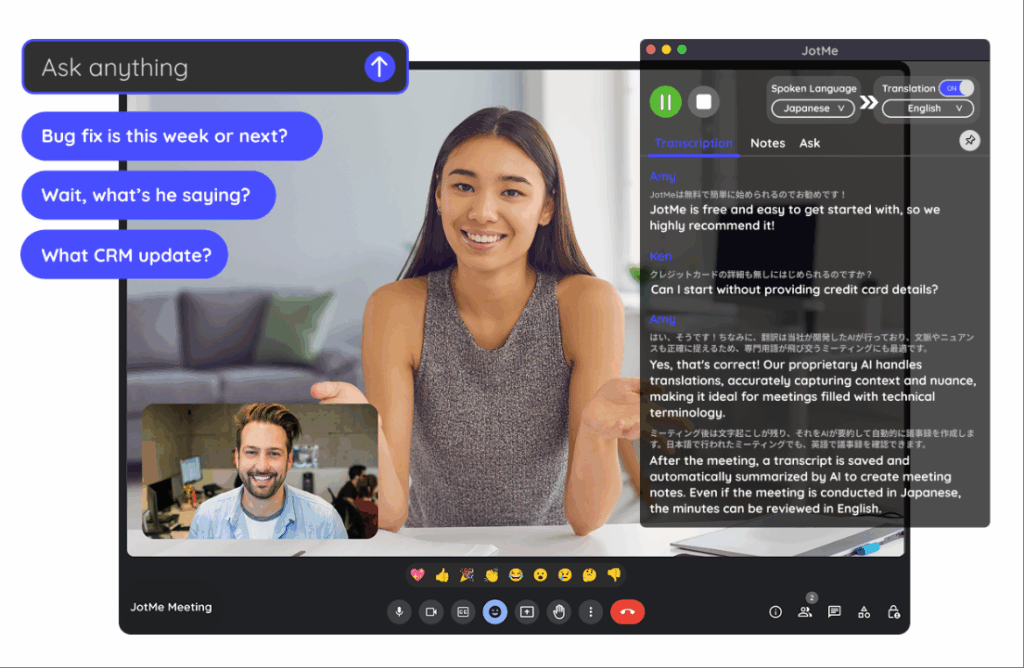
Nejlepší pro: Rychlé dvojjazyčné titulky pro agilní interní firemní týmy.
Hodnocení G2: 4.7/5
JotMe funguje jako lehká varianta online překladatelský nástroj navrženo speciálně pro rychlou, interní přeshraniční spolupráci.
Klíčové vlastnosti:
- Živé titulky: Poskytuje obousměrný překlad v reálném čase během schůzek přímo prostřednictvím rozšíření prohlížeče.
- Automatizované poznámky: Po skončení hovoru generuje strukturované zápisy ze schůze a úkoly.
Výhody:
- Funguje bez viditelného bota, který by se připojoval k hovoru, takže je během důvěrných schůzek mnohem méně rušivý.
Nevýhody:
- Rozhraní může občas působit přeplněně, a to jak při správě živých titulků, tak i panelu pro psaní poznámek s umělou inteligencí.
Ceny: Placené tarify Pro začínají na $10/měsíc a účtují se ročně.
Konečný verdikt: JotMe je fantastický a lehký nástroj pro agilní týmy, hluboce zakotvený v ekosystému Google Meet.
6. Živý hlas
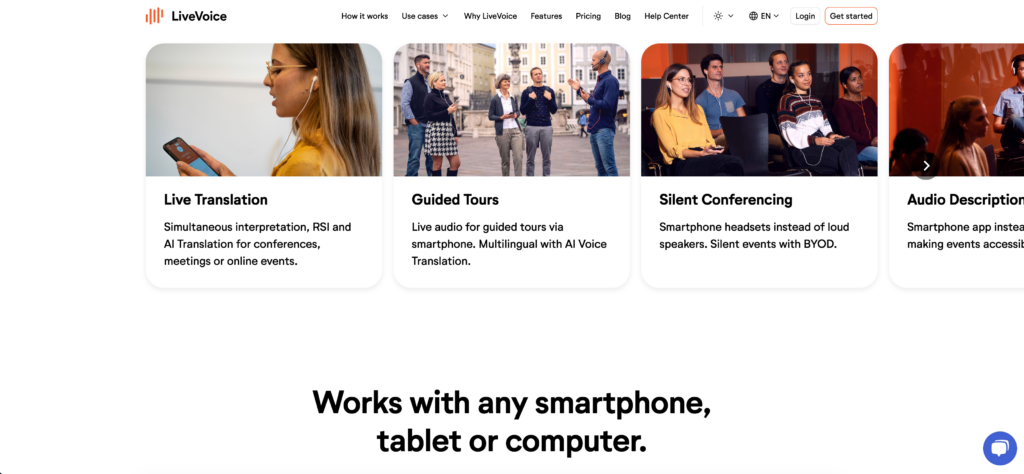
Nejlepší pro: Akce na místě konání, hybridní nebo online akce vyžadující zvukové řešení s možností použití vlastního zařízení.
Hodnocení G2: Není k dispozici
LiveVoice je platforma pro živý audio překlad a streamování, která funguje jako výkonný nástroj online překladatelský nástroj navrženo tak, aby eliminovalo potřebu tradičního hardwaru.
Klíčové vlastnosti:
- Přístup BYOD: Účastníci mají přístup k přeloženému zvuku přímo na svých chytrých telefonech, což výrazně snižuje logistickou složitost.
- Neomezené kanály: Umožňuje organizátorům nabízet desítky jazykových kanálů současně.
Výhody:
- Nízké požadavky na šířku pásma zajišťují stabilitu i na přeplněných Wi-Fi sítích pro akce.
Nevýhody:
- Méně vhodné pro krátké videohovory nebo rychlé diskuse.
Ceny: Účetní plán plus 0,50 € za minutu za každý jazyk za hlasový překlad s umělou inteligencí.
Konečný verdikt: LiveVoice je velmi praktický pro fyzické konference, prohlídky zařízení a hybridní výstavy.
7. Kudo
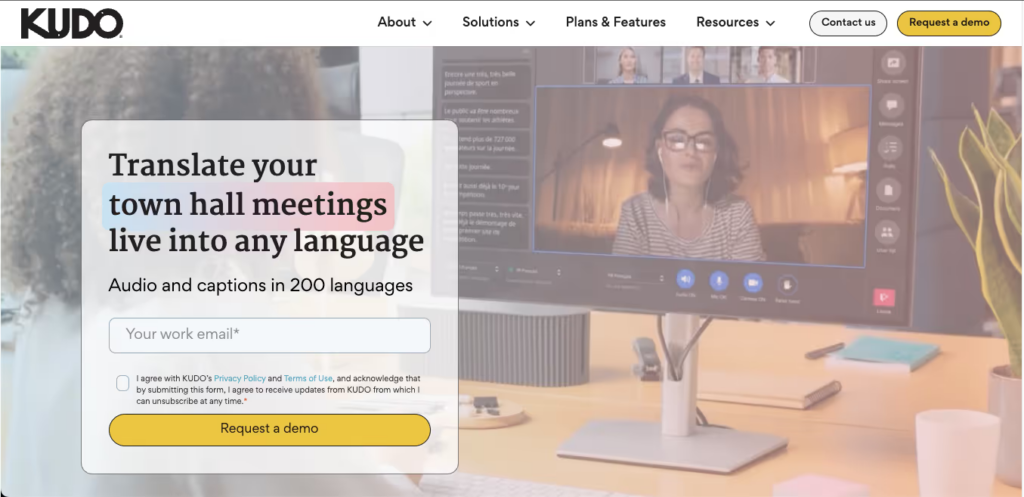
Nejlepší pro: Diplomatické akce a důležitá firemní setkání vyžadující lidské nuance.
Hodnocení G2: 4.1/5
KUDO je prémiový přehrávač, který nabízí unikátní hybridní online překladatelský nástroj, což organizátorům akcí umožňuje vybrat si mezi rychlým překladem s využitím umělé inteligence a rezervací certifikovaných profesionálních tlumočníků.
Klíčové vlastnosti:
- Tlumočnická síť: Kromě umělé inteligence si můžete pro schůzky s vysokými sázkami, kde umělá inteligence nestačí, přímo rezervovat lidské tlumočníky.
- Bezproblémové přepínání kanálů: Účastníci mohou snadno přepínat jazykové kanály, aniž by to přerušilo průběh schůzky.
Výhody:
- Eliminuje potřebu specializovaného tlumočnického hardwaru díky využití chytrých telefonů účastníků.
Nevýhody:
- Využívání lidských tlumočníků drasticky zvyšuje celkové náklady na akci.
Ceny: Nabízí ceny za tlumočnické služby s předplacenou platbou a ceny na míru pro firmy.
Konečný verdikt: Pokud vaše schůzka nenechává absolutně žádný prostor pro kontextové chyby, je hybridní přístup Kudo s lidskou inteligencí nejbezpečnější prémiovou volbou.
Jak vybrat správný online překladatelský nástroj?
Při hodnocení trhu s cílem najít to nejlepší online překladatelský nástroj, položte si tyto tři zásadní otázky:
- Potřebujete překládat živé videohovory? Pokud používáte Zoom nebo Teams denně, hledejte samostatnou aplikaci, jako je Transync AI, která bezproblémově funguje s vaším softwarem bez rušivých pluginů.
- Zaměřujete se na akci nebo na každodenní B2B spolupráci? Pokud hostujete 5 000 lidí, Wordly je ideální. Pokud vedete rychlá obchodní jednání s globálním klientem, je mnohem vhodnější nástroj s nízkou latencí, jako je Transync AI.
- Potřebujete automatizované shrnutí schůzek? Nejlepší moderní nástroje nejen překládají, ale také extrahují použitelná data. Hledejte aplikace, které automaticky generují chytré poznámky ze schůzek.
Závěr
Schopnost okamžitě překonávat jazykové bariéry je superschopností moderních globálních organizací. Nalezení dokonalého online překladatelský nástroj zcela závisí na vašich specifických požadavcích na pracovní postup. Zatímco Wordly se skvěle škáluje pro velké akce a DeepL Voice poskytuje vysoce kvalitní mobilní překlady, Transync AI vyniká jako dokonalé samostatné řešení s nízkou latencí pro každodenní profesionální obchodní schůzky. Výběrem aplikace s bezchybnou kompatibilitou s živými schůzkami a inteligentními poznámkami ze schůzek s umělou inteligencí může váš tým konečně vyjednávat a spolupracovat globálně, aniž by zmeškal jediný okamžik.
Pokud chcete zážitek nové generace, Transync AI Jste průkopníkem v oblasti překladů v reálném čase s využitím umělé inteligence, které zajišťují přirozený tok konverzací. Můžete vyzkoušejte to zdarma teď.