

Translate to Spanish with 9 smart moves for natural wording, regional fit, live conversations, meetings, presentations, documents, and safer review.
Translate to Spanish is a simple request with several possible meanings. You might need one sentence for a taxi driver, a polished email for a customer, live subtitles during a sales call, or translated voice for an audience listening to a presentation. The same tool and workflow will not handle all four jobs equally well.
The biggest mistake is treating Spanish as a word-for-word replacement for English. Good translation also considers who is speaking, where the listener lives, how formal the relationship is, whether the communication is written or spoken, and how costly a misunderstanding would be.
This practical playbook compares Transync AI, Google Translate, Apple Translate, DeepL, and Microsoft Translator. More importantly, it gives you nine decisions that make any attempt to translate to Spanish clearer, more natural, and easier to use.
The Fast Answer
Use Google Translate or Apple Translate for quick travel phrases and short personal conversations. Use DeepL when the main task is refining written text or translating a document. Use Microsoft Translator when an informal group needs to join a shared multilingual conversation. Use Transync AI when people must translate to Spanish during a live meeting, hear translated speech, follow bilingual subtitles, or participate in a multilingual presentation.
For legal, medical, safety, immigration, or regulatory content, use qualified human review. A fluent sentence can still contain a materially wrong date, obligation, dosage, or condition.
Choose the Workflow Before the Words
| Your Situation | Good Starting Point | Output to Prioritize | Main Risk to Test |
|---|---|---|---|
| One travel phrase | Google Translate or Apple Translate | Text and pronunciation | Offline availability and local wording |
| Personal face-to-face conversation | Google Translate, Apple Translate, or Microsoft Translator | Two-way speech and readable text | Turn-taking and microphone quality |
| Business email or document | DeepL plus human review | Natural written Spanish and preserved meaning | Tone, terminology, and regional fit |
| Online sales or support call | Transync AI | Bilingual subtitles and translated voice | Latency, names, and numbers |
| Team meeting | Transync AI | Two-way translation and meeting record | Speaker changes and technical terms |
| Conference or training session | Transync AI Presentation Mode | Audience-selected subtitles or voice | Joining experience and multilingual usage |
| High-risk communication | Professional translator or interpreter | Reviewed and accountable translation | Consequences of an error |
Feature availability can vary by language, device, plan, and region. Test the exact workflow before relying on it for an important conversation.
Move 1: Decide Which Spanish You Need
Spanish connects people across many countries and communities, but vocabulary, pronunciation, and everyday preferences vary. The difference is not merely “Spain versus Latin America.” A phrase that feels natural in Mexico may sound less familiar in Argentina, Colombia, Puerto Rico, or Spain.
Before you translate to Spanish, identify the audience as specifically as possible:
- Country or region.
- Age and professional background.
- Formal, neutral, or casual relationship.
- Written or spoken channel.
- One-time message or reusable content.
When the audience spans several countries, neutral international Spanish is often a sensible starting point. Avoid unnecessary slang and region-specific jokes. When the message targets one market, ask a local reviewer to adjust vocabulary and tone.
This distinction matters most in marketing, customer support, healthcare, education, and product interfaces. A traveler asking for directions can tolerate variation; a checkout instruction or consent form cannot afford ambiguity. Audience definition gives you a much stronger foundation when you translate to Spanish for public use.
Move 2: Translate Meaning, Not English Word Order
English and Spanish do not organize every thought in the same way. A literal translation may be understandable but sound mechanical, overly formal, or unintentionally blunt.
Start by simplifying the source sentence. Remove idioms, unexplained acronyms, stacked clauses, and vague pronouns. Then translate the complete idea. Finally, read the Spanish as an independent sentence rather than comparing each word with English.
| English Meaning | Neutral Spanish Starting Point | Context Note |
|---|---|---|
| Hello, nice to meet you. | Hola, mucho gusto. | Widely understandable introduction |
| Could you repeat that, please? | ¿Podría repetirlo, por favor? | Polite and relatively formal |
| I need help with my reservation. | Necesito ayuda con mi reserva. | Useful for travel or support |
| Let us confirm the next step. | Confirmemos el siguiente paso. | Suitable for a business discussion |
| I did not understand the last part. | No entendí la última parte. | Clearer than pretending to understand |
These are starting points, not universal scripts. Gender, number, relationship, country, and surrounding sentences can change the best wording. When you translate to Spanish this way, the goal is a complete natural idea rather than a row of substituted words.
Move 3: Match the Tool to the Length of the Exchange
If you need to translate to Spanish for ten seconds, opening a lightweight mobile translator may be enough. If the conversation lasts 45 minutes, the translator must manage repeated turns, speech recognition, latency, bilingual captions, audio routing, and a record afterward.
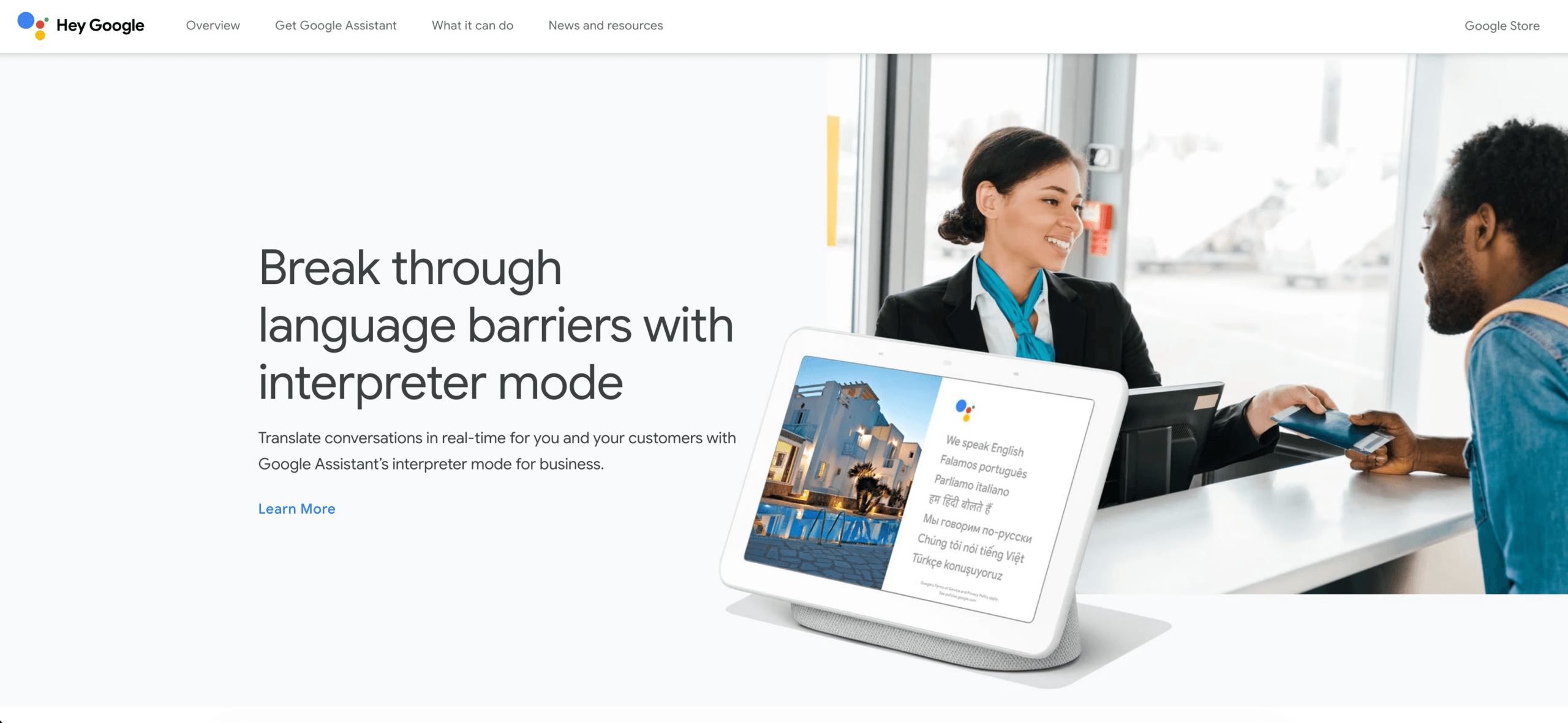
Google Translate supports text, handwriting, photos, and speech across more than 200 languages according to its current help documentation. Selected languages can also be downloaded, although offline functions differ by language and device. This breadth makes it a practical option for travel and spontaneous requests.
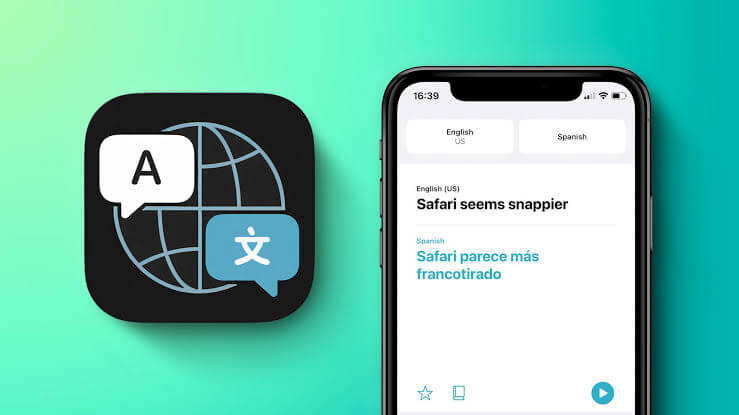
Apple Translate supports text and voice conversations on compatible devices, including Auto Translate and a Face to Face view. Downloaded languages and On-Device Mode can help when connectivity is limited. Availability still depends on the device, operating system, language, and region.
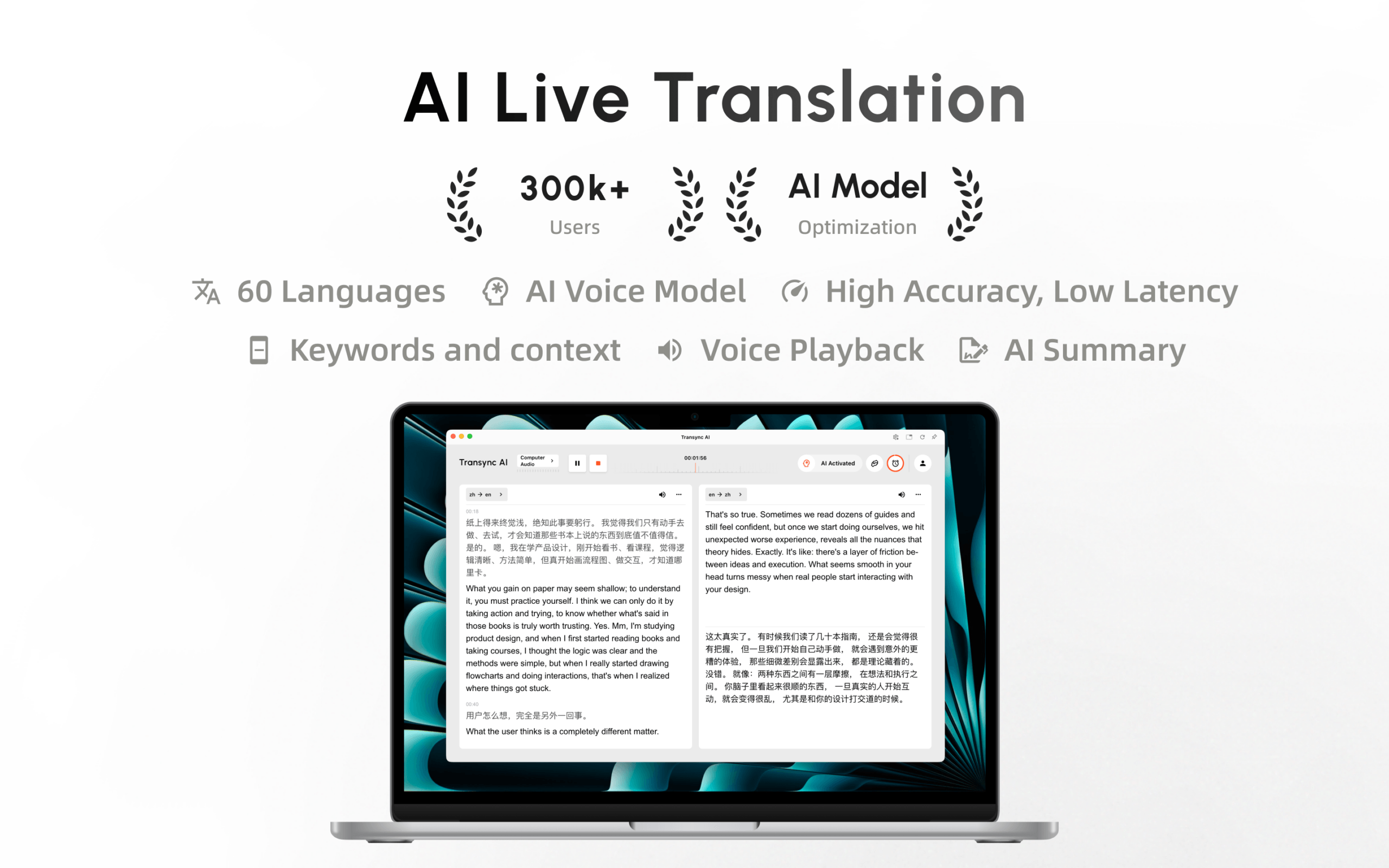
For a sustained professional conversation, Transync AI provides real-time translation rather than a sequence of isolated phrases. Spanish is included among its currently supported languages, and bilingual text makes it easier to verify what the system heard and translated.
Transync AI is now available on the Mac App Store. Download it easily, receive automatic updates, and start real-time translation on Mac.
Move 4: Test Speech Before the Real Conversation
To translate to Spanish from live speech, the system must first recognize the original language correctly. A transcription error involving a name, number, or negation can travel directly into the translation.
Run a two-minute rehearsal containing:
- Two names and one company name.
- A date, time, price, and percentage.
- A sentence with a correction.
- One technical or industry term.
- Two speakers with different voices.
- Moderate background noise.
Watch the source transcript as well as the Spanish output. If “fifteen” becomes “fifty,” the problem began before translation. Improve microphone placement, reduce echo, slow down slightly, and provide terminology context where the tool allows it.
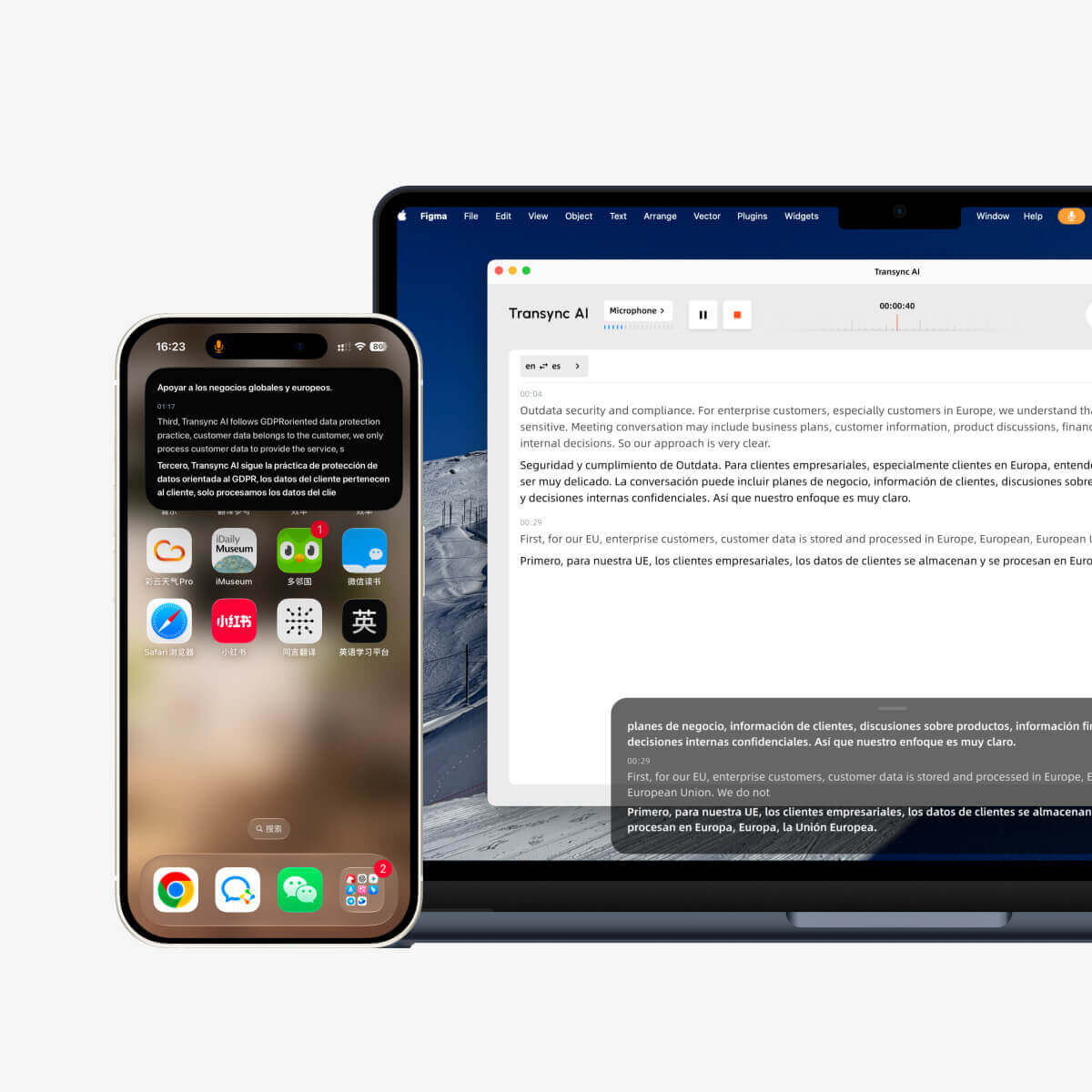
Transync AI combines subtitles with an AI voice translator, allowing the Spanish result to be heard as well as read. Its Picture-in-Picture bilingual subtitles can stay visible over another supported app, which is useful when users need to follow the translation while viewing a shared screen.
 Do not chase unnatural perfection by speaking one word at a time. A better way to translate to Spanish by voice is to use complete, moderately paced sentences, pause between ideas, and let the translated audio finish before the next person begins.
Move 5: Prepare Names and Terminology
Generic language models do not automatically know that an ordinary word is also your product name, internal project, or customer abbreviation. If you regularly translate to Spanish for work, terminology preparation can save more time than correcting the same error in every meeting.
Create a compact glossary with:
- Terms that should remain untranslated.
- Approved Spanish equivalents.
- Product capitalization.
- Acronym expansions.
- Names of people, companies, and locations.
- Words that must not be confused with similar terms.
Transync AI includes an AI Assistant for keywords and contextual information. Before a meeting, users can supply relevant terms and background so the system has more information than the raw audio alone.
DeepL is a strong candidate when the main goal is written translation. Its document and glossary-oriented workflows can support consistent terminology, although the exact controls depend on the product and plan. A bilingual reviewer should still check customer-facing or high-value content.

Move 6: Design Two-Way Conversation, Not One-Way Output
It is easy to translate to Spanish for a listener and forget that the listener may need to answer. A useful conversation workflow should support both directions without forcing people to rebuild the session every time the speaker changes.
Test whether participants can:
- Speak naturally in their own languages.
- See both original and translated text.
- Hear translated voice without audio feedback.
- Ask for clarification immediately.
- Recover after an interruption.
- Identify which speaker said what.
Transync AI is designed for two-way live communication and can automatically distinguish between the selected supported languages without repeated manual switching. This is especially helpful in customer interviews, sales calls, onboarding sessions, and recurring team meetings.
Microsoft Translator offers split-screen conversations on a single device and multi-device conversations in which participants join through a code using an app or browser. That can be useful for an ad hoc group, classroom, or community conversation.
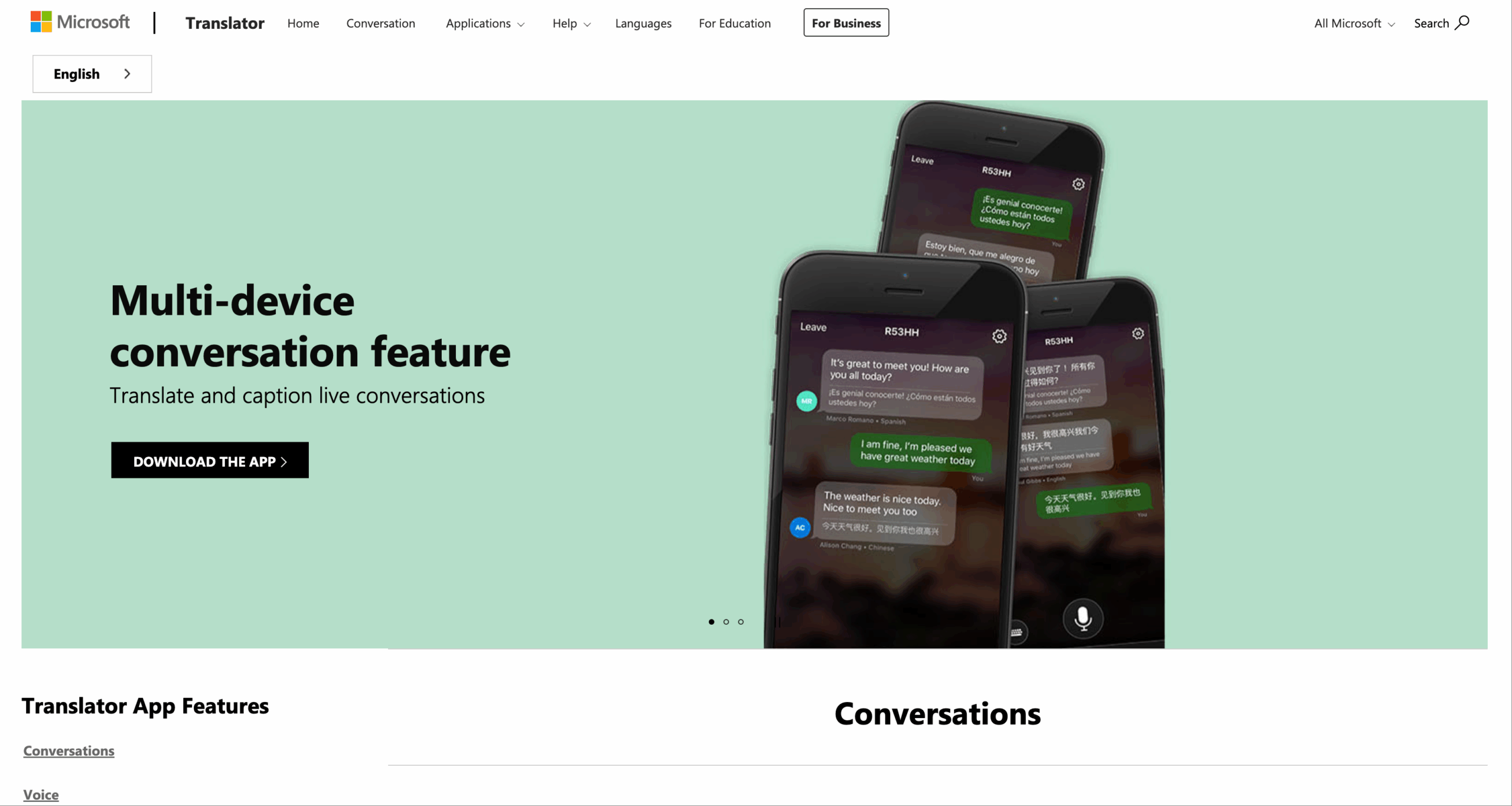
The goal is not merely to output Spanish. It is to give the Spanish-speaking participant an equal chance to understand, respond, correct, and make decisions.
Move 7: Build Spanish Translation Into the Meeting
Copying every sentence into a separate browser tab is not a sustainable way to translate to Spanish during a business meeting. The translation must remain visible beside the actual conversation.
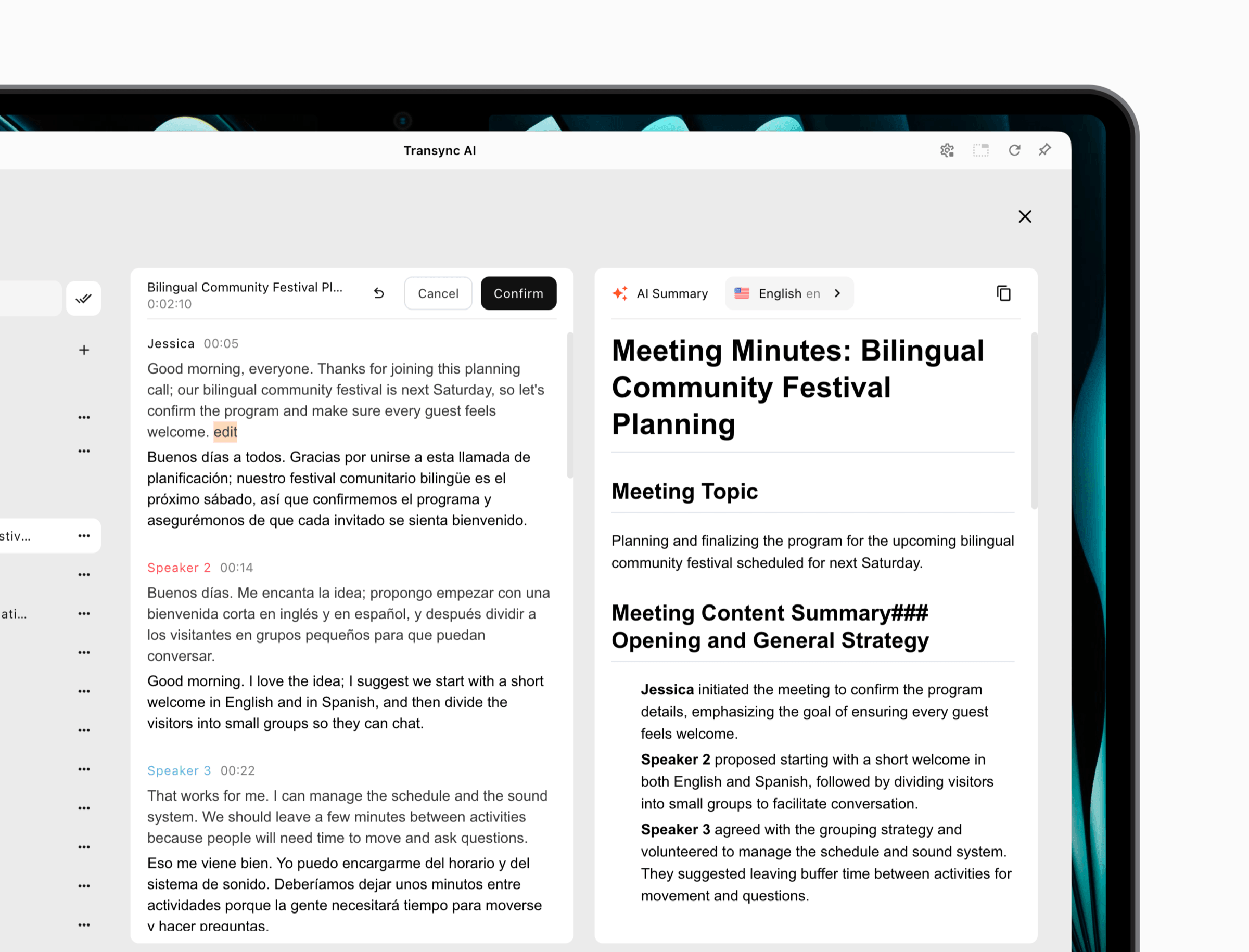
Transync AI provides a live meeting translation workflow for Zoom, Microsoft Teams, and Google Meet. Its standalone, cross-platform approach is useful for teams that use more than one meeting provider.
Before an important call:
- Select the correct microphone and system-audio source.
- Confirm the English-Spanish language pair.
- Add customer names, product terms, and relevant context.
- Test subtitles and translated voice with headphones.
- Decide who will correct an important misunderstanding.
- Confirm whether the transcript or notes may be retained.
During the meeting, speakers should use complete sentences, avoid talking over translated audio, and confirm high-value information such as prices, deadlines, and contractual commitments. Afterward, Transync AI can generate AI meeting notes so participants can review decisions instead of relying on memory.
 Move 8: Give an Audience Its Own Spanish Channel
 Move 8: Give an Audience Its Own Spanish Channel
A one-to-one conversation is different from a lecture or company presentation. When one host speaks to many people, audience members primarily need easy access and a comfortable way to follow the content.
In the beta Presentation Mode, Transync AI allows one host to configure up to 10 target languages, which can include Spanish. Audience members join from their own phone or computer through a QR code, shareable link, or Room ID. They do not need to install software, but they must register or sign in to a Transync AI account.
Each attendee chooses from the target languages enabled by the host and can read real-time subtitles or listen to voice playback. Audience members cannot send voice input in this mode. Different attendees can therefore follow the same presentation in Spanish or another enabled language at the same time.
After the event, the host controls whether the original transcript and AI-generated notes are shared. Sharing is optional, not automatic. This Presentation Mode can support conferences, training, lectures, company all-hands meetings, tours, and worship services.

Presentation Mode lets one host share live translation with audience members on their own devices.
When you translate to Spanish for an audience, the host can keep a Spanish-only event simple. For a broader international audience, Spanish can be one of several target languages rather than a separate event or audio channel.
Move 9: Review According to Consequence
The amount of review should rise with the cost of an error.
| Content Type | Suggested Review Level | What to Check First |
|---|---|---|
| Casual travel question | Quick visual check | Destination, time, and number |
| Internal meeting | Participant confirmation | Decisions, owners, and deadlines |
| Sales or support conversation | Bilingual review of key points | Price, promise, and next action |
| Marketing copy | Native-market editor | Tone, claims, culture, and call to action |
| Contract or policy | Qualified professional translator | Definitions, obligations, and exceptions |
| Medical or safety instruction | Qualified interpreter or specialist | Dosage, warning, condition, and urgency |
When you translate to Spanish for high-risk use, preserve the original, identify machine-generated output, and assign a qualified person to approve the final meaning. AI can accelerate the process, but accountability should remain human.
Which Tool Should You Use to Translate to Spanish?
Choose Google Translate when speed and convenience matter
It is well suited to travel, signs, menus, photos, and short spoken exchanges. Download the required language before traveling and verify which functions remain available offline.
Choose Apple Translate for a compatible personal-device workflow
Its conversation views and on-device options can make short exchanges convenient for users already in the Apple ecosystem. Check current hardware, language, and regional requirements.
Choose DeepL for writing and document refinement
It deserves consideration when natural written output, documents, and terminology consistency are central. Use a native-market reviewer for public-facing material.
Choose Microsoft Translator for a joinable group conversation
Its conversation-code model can work for temporary multilingual groups in which participants use separate devices or a browser.
Choose Transync AI for meetings and presentations
It is designed to translate to Spanish while people are actively speaking, responding, viewing bilingual captions, and listening to translated voice. Context, meeting-platform support, Presentation Mode, and notes create a more complete workflow for sustained communication.
Current plans list 40 free minutes after sign-up, Personal Premium at 8.99 per month with 10 hours, and Enterprise at 24.99 per month per seat with up to 40 hours per seat. Check the current pricing rules before purchasing, especially for multilingual Presentation Mode usage.
A 10-Minute English-to-Spanish Test
Use the same test for every shortlisted product:
- Minute 1: State names, numbers, and the purpose of the conversation.
- Minutes 2–3: Explain a realistic problem in full sentences.
- Minutes 4–5: Let a second person answer in Spanish.
- Minute 6: Add one correction and one interruption.
- Minute 7: Use five terms from your work.
- Minute 8: Check subtitles and translated voice.
- Minute 9: Inspect the transcript or record.
- Minute 10: Score meaning, timing, terminology, and effort.
Record omissions and misunderstandings, not only elegant sentences. The best way to translate to Spanish is the one that performs reliably in your real environment.
Frequently Asked Questions
What is the best way to translate to Spanish?
Match the workflow to the task. A mobile translator is convenient for a phrase, a document tool is better for polished writing, and Transync AI is a strong option for real-time meetings and presentations. Use human review when errors carry serious consequences.
Can I translate to Spanish with my voice?
Yes. Products such as Google Translate, Apple Translate, Microsoft Translator, and Transync AI support speech-based workflows. Test the exact language pair, microphone, environment, and voice-output settings before an important conversation.
How can I make Spanish translation sound natural?
Write clear source text, identify the target region, provide context and terminology, avoid translating idioms literally, and have a native-market reviewer check customer-facing content.
Can I translate a live English meeting into Spanish?
Yes. Transync AI can provide bilingual subtitles and translated voice for live meetings. Prepare terminology, test audio routing, and confirm important figures and commitments during the conversation.
Can an audience receive Spanish translation through a QR code?
Yes. In Transync AI Presentation Mode, the host can enable Spanish as one of up to 10 target languages. Audience members can join through a QR code, link, or Room ID after registering or signing in, then choose Spanish subtitles or voice playback.
Is automatic Spanish translation safe for medical or legal use?
It should not be treated as the sole authority in high-risk situations. Use a qualified interpreter, translator, lawyer, clinician, or relevant specialist to verify critical meaning and accept responsibility.
Final Takeaway
To translate to Spanish well, begin with the audience and situation rather than the first available text box. Choose the regional fit, simplify the source, test speech recognition, prepare terminology, support both sides of the conversation, and apply review according to risk.
Google Translate and Apple Translate are convenient for brief everyday needs. DeepL is a strong written-translation candidate. Microsoft Translator offers flexible group participation. Transync AI brings Spanish translation into live meetings and presentations, where timing, voice, subtitles, context, and follow-up all matter.
The right result is not merely grammatically Spanish. It is Spanish that the intended person can understand, trust, and use at the moment it matters.
If you want a next-generation experience, Transync AI leads the way with real-time, AI-powered translation that keeps conversations flowing naturally. You can try it free now.
