

Compare 7 speech translator tools for meetings, travel, events, media, and development. Learn how to test accuracy, voice, captions, and workflow.
A speech translator listens to spoken language and converts it into another language as text, audio, or both. It can help two people talk face to face, let a global team follow a video meeting, deliver captions at an event, or provide speech technology inside a custom application.
The products in this category may look similar on a feature page, but they are not interchangeable. A travel translator is optimized for quick mobile exchanges. An event platform must serve many listeners at once. A meeting-first tool needs low-latency subtitles, translated voice, audio routing, terminology controls, and a useful record after the call.
This buyer-focused guide compares seven options and provides a practical testing framework for choosing the right one.
What Does a Speech Translator Actually Do?
A speech translator usually performs four connected tasks:
- Speech recognition: It identifies words in live or recorded audio.
- Language translation: It converts the meaning into a target language.
- Text display: It may show the original and translated speech as captions.
- Voice synthesis: It may speak the translation aloud using an artificial voice.
Advanced products can also distinguish between two languages, use topic context, create transcripts, summarize discussions, and route translated audio into online meetings.
The quality of the experience depends on more than translation accuracy. Speed, microphone quality, subtitle design, natural voice output, meeting compatibility, and privacy all affect whether the tool is usable in a real conversation.
Speech Translator Comparison: 7 Tools at a Glance
This table compares product positioning and typical workflows. Features, language coverage, and plans can change, so verify important details through each official website.
| Tool | Primary use case | Live captions | Translated speech | Notes or transcripts | Best match |
|---|---|---|---|---|---|
| Transync AI | Meetings, calls, and in-person conversations | Bilingual subtitles | Yes, with multiple voice options | AI meeting notes and transcripts | Individuals and teams wanting a ready-to-use meeting workflow |
| Talkao | Travel, mobile translation, and language learning | App-dependent | Yes | Not a primary focus | Consumers needing broad mobile translation features |
| Wordly | Conferences, webinars, and large meetings | Yes | Yes | Transcripts and summaries | Event organizers delivering translation to many attendees |
| Soniox | Developer speech APIs and custom products | API/app capability | TTS/API capability | Implementation-dependent | Product teams building their own speech experience |
| Maestra | Media localization, dubbing, webinars, and events | Yes | Yes | Media and transcript workflows | Content teams translating live and recorded media |
| DeepL | Text, documents, enterprise language work, and selected voice uses | Product-dependent | Voice-product dependent | Not a core meeting-notes workflow | Organizations combining written and spoken translation needs |
| Google Translate | Free everyday translation | Not meeting-first | Translation audio playback | No | Quick travel and personal translation tasks |
Which Speech Translator Fits Your Task?
For multilingual business meetings
Business conversations require more than short phrase translation. Participants must follow complete ideas, verify names and numbers, hear the translated response, and remember decisions after the call.
Transync AI is designed around that workflow. Its real-time translation tool displays the original speech and translation with low latency, while the AI voice translator speaks translated content aloud.
The AI meeting notes feature creates a transcript and structured notes so users can review the conversation and follow up afterward.
 For travel and casual conversation
 For travel and casual conversation
Travelers may need help with directions, hotels, restaurants, or shopping. Camera translation, text translation, mobile access, and simple phrase playback may matter more than meeting records.
Talkao is positioned around mobile translation, travel features, camera and AR tools, and language learning. Google Translate is a familiar free option for everyday text, image, website, and spoken translation.
 Transync AI can support longer in-person spoken conversations, but it does not provide offline mode, image recognition, or text-only document translation.
For conferences and large events
An event organizer must deliver translation to many attendees without creating a complicated setup for every listener. Access through a link or QR code can be more important than personal meeting controls.
Wordly focuses on meetings, conferences, webinars, and hybrid events with attendee-facing captions and translated audio. It is well matched to large-audience delivery.
 Choose Transync AI when individuals or teams need a personal translator across recurring calls. Choose Wordly when distribution to a large event audience is the main challenge.
For video, audio, and media localization
Media translation requires subtitle editing, voiceover, dubbing, timing, transcription, and export. These production tasks are different from following a live two-way conversation.
Maestra supports media translation, subtitles, dubbing, webinars, and live content. Its wider production workflow may be a stronger choice for publishers and content teams.
 For an international sales call or internal meeting, Transync AI provides a more focused experience built around live captions, translated speech, context, and meeting records.
For custom apps and voice products
Developers usually need APIs, latency controls, usage-based infrastructure, and integration flexibility rather than a finished interface.
Soniox provides speech-to-text, translation, and text-to-speech capabilities for technical teams building custom products.
 DeepL provides APIs and enterprise language tools across text, documents, writing, and selected voice workflows.
 Choose Transync AI when users want to start translating meetings immediately. Choose a developer platform when the company plans to design, integrate, and maintain its own speech experience.
Why Is Transync AI Designed for Live Meetings?
Transync AI combines the stages of multilingual meeting communication: listening, reading, speaking back, and reviewing what happened.
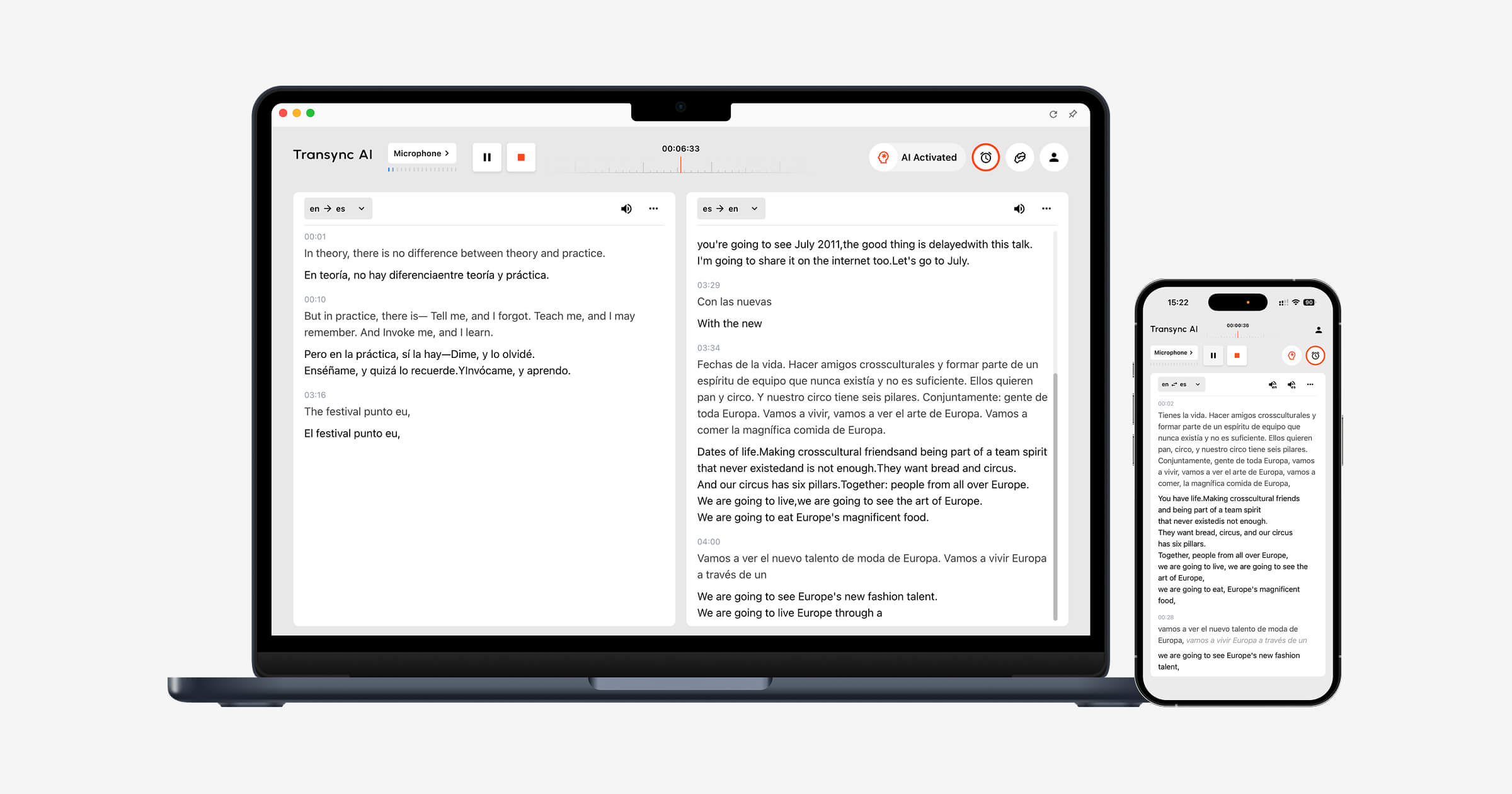
Real-time bilingual translation
The real-time translation tool presents the source speech and translation side by side. Within the selected supported pair, it can distinguish the speaker’s language automatically, reducing manual switching during two-way conversations.
 Translated voice playback
 Translated voice playback
The AI voice translator converts translated text into audible speech. Users can select different voice styles and speeds depending on the situation.
The voice cloning feature can produce translated playback in a voice modeled on the user, helping presentations, demonstrations, classes, and personal conversations sound more consistent with the original speaker.
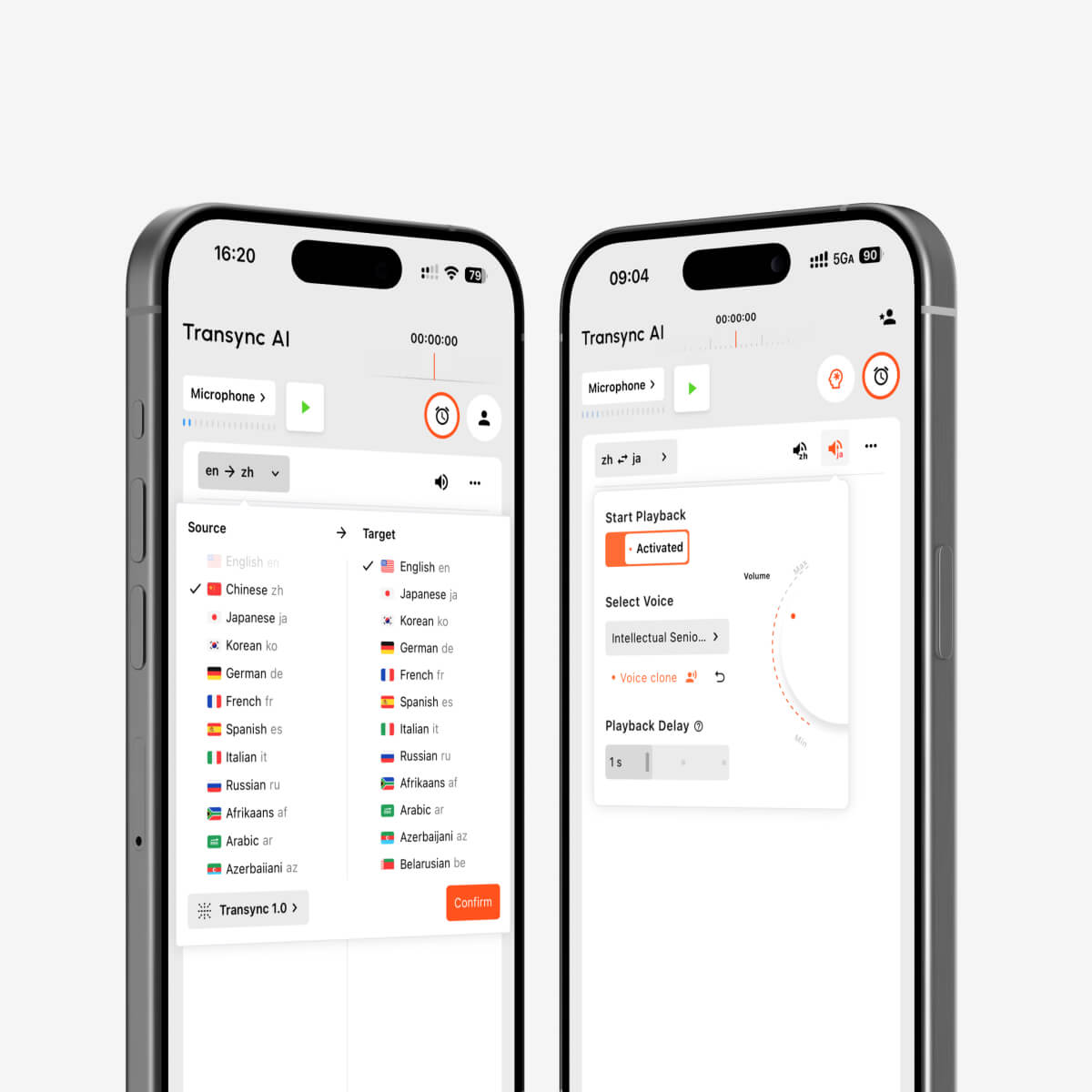
AI voice playback and voice cloning for multilingual real-time interpretation
Meeting-platform compatibility
The live meeting translation feature works alongside Zoom, Microsoft Teams, and Google Meet. Transync AI is standalone software rather than a platform-specific plugin and supports web, Windows, macOS, iOS, and Android workflows.
The computer-audio sharing feature captures voices from remote meeting participants. The virtual microphone feature helps send translated speech into the online call.
Floating subtitles while users work
The Picture-in-Picture bilingual subtitles feature can keep captions visible above other applications on supported platforms. A user can follow translation while viewing a presentation, demonstrating software, or taking notes.

Real-time floating subtitles across desktop and mobile devices
Keywords and context
The AI Assistant Keywords and Context feature lets users enter names, brands, acronyms, professional terminology, and background information before a conversation.
For example, a healthcare technology team could provide product names and a description of the meeting topic. A university lecturer could add course vocabulary. This context helps the system interpret speech that might otherwise be ambiguous.
 Transcripts and notes after the call
 Transcripts and notes after the call
The AI meeting notes feature turns the conversation into a record that users can review. The translation record management guide explains how to find and organize previous sessions.
 Broad language coverage
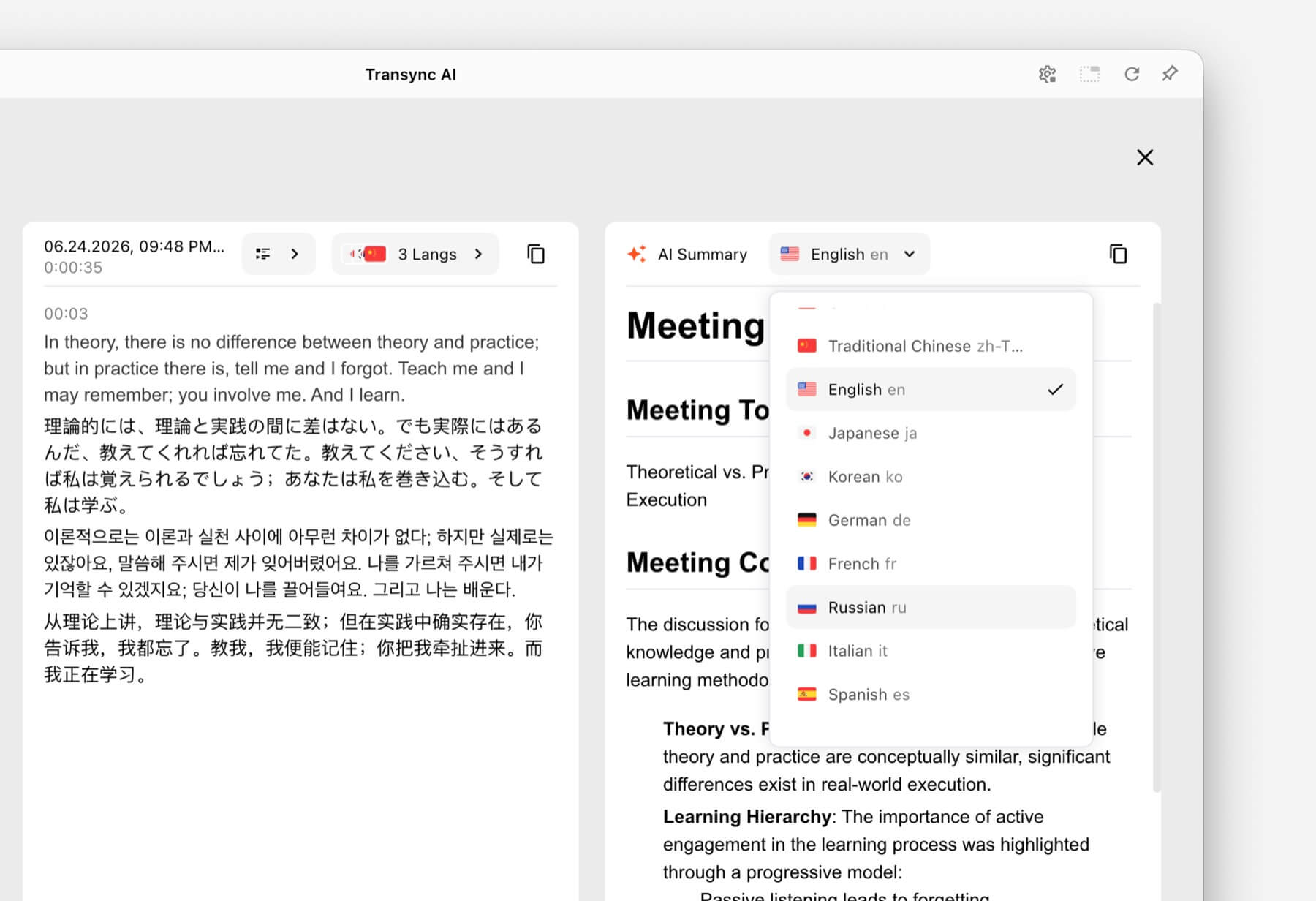 Broad language coverage
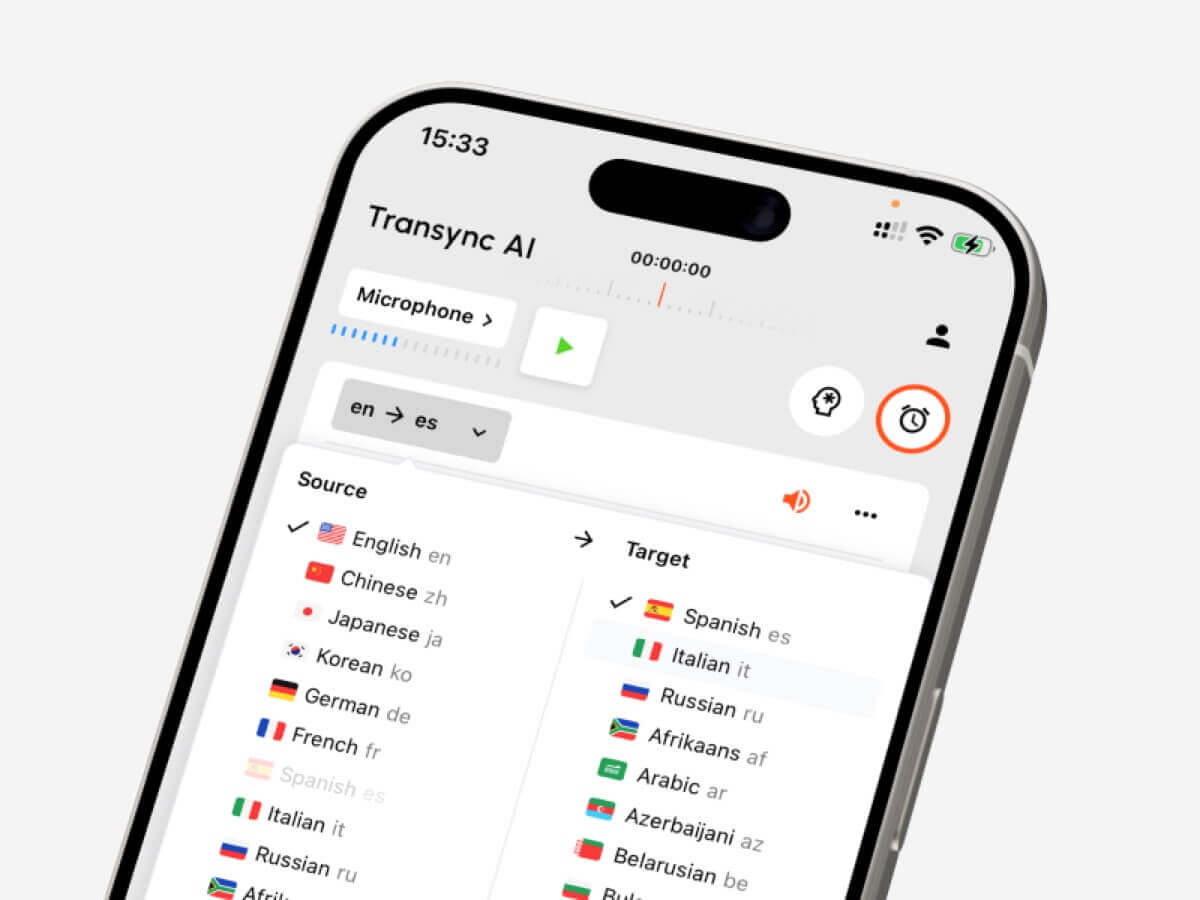
The platform supports more than 60 languages and over 1,000 language pairs. Users should confirm their exact source and target languages on the supported languages page before an important meeting.
A 6-Part Speech Translator Test
Do not rely only on a product demonstration. Run a short test based on your real use case.
Test 1: Recognition in realistic audio
Use the microphone, room, device, and network expected in the actual conversation. Try a quiet room first, then introduce normal background noise. Check whether the tool recognizes complete sentences and different speakers consistently.
Test 2: Your exact language pair
Total language count can be misleading. Test both translation directions using the exact languages and regional accents required.
Test 3: Names and specialist vocabulary
Prepare a short list of product names, people, abbreviations, and technical terms. Check the result before and after providing context. This reveals whether terminology controls make a practical difference.
Test 4: Translation delay
Have two people hold a natural back-and-forth conversation. Notice whether the delay causes interruptions or confusion. A slight delay may be acceptable in a lecture but frustrating in a negotiation.
Test 5: Subtitle and voice usability
Ask participants to follow the conversation using captions, audio, and both together. Check readability, voice clarity, pacing, and whether important details are easy to verify.
Test 6: Post-conversation results
Review the transcript and summary. Look for missed decisions, incorrect names, and unclear action items. A live experience can feel smooth while still producing an inaccurate record.
What Can Reduce Speech Translation Accuracy?
Even a strong speech translator may struggle with:
- Several people speaking simultaneously.
- A microphone positioned too far from the speaker.
- Loud music, echo, or background conversation.
- An unstable internet connection.
- Unexplained abbreviations and unusual names.
- Incomplete or highly ambiguous sentences.
- Rapid code-switching between languages outside the selected pair.
Use a clear microphone, ask speakers to take turns, provide relevant context, and verify dates, prices, quantities, and contractual language. For medical, legal, safety-critical, or binding discussions, use a qualified human interpreter or professional review where appropriate.
How to Start a Speech Translation Session
- Open Transync AI on a supported device.
- Select the two languages used in the conversation.
- Choose the correct microphone or system-audio source.
- Enter important terminology through the AI Assistant Keywords and Context feature.
- Start the real-time translation tool.
- Confirm that both subtitle panels update correctly.
- Enable the AI voice translator when listeners need translated speech.
- Use the Picture-in-Picture bilingual subtitles feature if translation should remain visible above another app.
- For a video call, configure the computer-audio sharing feature and virtual microphone feature.
- Review the transcript through the AI meeting notes feature after the session.
Run a short rehearsal before an important call. Audio routing mistakes are easier to correct before other participants join.
Speech Translator FAQ
What is a speech translator?
A speech translator recognizes spoken language and converts it into another language. The result may appear as captions, translated voice, or both. Some products also create transcripts and summaries.
What is the best speech translator for online meetings?
Transync AI is a strong meeting-first choice because it combines real-time bilingual translation, translated voice playback, floating subtitles, terminology context, and AI meeting notes.
The best product still depends on the required language pair, device, meeting platform, privacy policy, and expected session length.
Can a speech translator work during video calls?
Yes. The live meeting translation feature from Transync AI works alongside Zoom, Microsoft Teams, and Google Meet. It can provide live subtitles and translated voice during multilingual calls.
Can it automatically recognize both languages?
The real-time translation tool from Transync AI can distinguish the speaker’s language within the selected supported language pair, reducing the need to switch languages manually.
Does speech translation work offline?
Offline support varies by provider. Transync AI requires an internet connection and does not offer offline mode. Travelers should verify the offline availability of specific languages directly with a consumer translation provider.
Can translated speech sound like the original speaker?
The voice cloning feature from Transync AI can generate translated playback in a voice modeled on the user. Test the voice before using it in an important presentation or customer call.
Is a speech translator safe for confidential meetings?
Review each provider’s current privacy, retention, and security terms. Transync AI states that customer data is not used for AI training by default and that audio is deleted after processing. Organizations can review the Trust Center for further information.
Can AI replace a human interpreter?
AI translation is useful for many everyday, educational, and business conversations, but it cannot guarantee perfect accuracy or cultural nuance. High-stakes medical, legal, safety, and contractual discussions may require a qualified interpreter.
Final Verdict: Which Speech Translator Should You Choose?
Match the product to the job:
- Choose Talkao or Google Translate for quick travel and everyday translation.
- Choose Wordly for conferences and attendee-facing events.
- Choose Soniox for developer APIs and custom speech products.
- Choose Maestra for media localization, subtitles, and dubbing.
- Choose DeepL for text, documents, enterprise language work, and selected voice workflows.
- Choose Transync AI for multilingual meetings that need bilingual subtitles, translated voice, terminology context, and post-call notes in one workflow.
A useful speech translator should do more than generate a translated sentence. It should fit the environment, support natural turn-taking, make important details easy to verify, and preserve the information participants need after the conversation.
If you want a next-generation experience, Transync AI leads the way with real-time, AI-powered translation that keeps conversations flowing naturally. You can try it free now.
 🤖
🤖