

A live transcript is only useful when it survives 6 critical checks. Compare Transync AI, Otter.ai, Fireflies.ai, Notta, Fathom, and JotMe.
A live transcript can look convincing while a meeting is happening and still fail the moment someone relies on it. A missing “not,” an incorrect speaker, a revised number, or a casually shared link can turn convenient text into a bad business record.
That is why the right buying question is not simply, “Which app types fastest?” A useful system must preserve meaning from microphone to follow-up. It needs clean audio, readable latency, speaker attribution, correction tools, controlled storage, and a clear answer to whether multilingual participants need transcription or translation.
This guide compares meeting-focused products at a similar level: Transync AI, Otter.ai, Fireflies.ai, Notta, Fathom, and JotMe. It intentionally avoids treating large conferencing ecosystems as direct competitors to specialist meeting assistants.
The six checks below follow the life of a live transcript from sound capture to retained evidence. Use them to identify the right product, run a repeatable pilot, and prevent a scrolling wall of text from being mistaken for the truth.
A Live Transcript Is a Pipeline, Not a Page
The visible words are only the middle of the system:
Room or call audio → speech recognition → speaker turns → live display → correction → storage → summary and actions
An error introduced at the left can become more authoritative as it moves right. If the microphone misses a negation, the transcript is wrong. If an AI summary later turns that sentence into an action item, the wrong statement becomes easier to circulate.
The best live transcript is therefore not the one with the most polished interface. It is the one whose input, revisions, ownership, and downstream use fit the meeting.
Live Transcript Comparison at a Glance
| Product | Live text during a meeting | Capture model | Languages and multilingual role | Strongest record workflow | Important boundary |
|---|---|---|---|---|---|
| Transync AI | Yes; original and translated text | Standalone app using selected microphone or configured meeting audio | 60 languages; real-time translation, bilingual captions, and translated voice | Translation history and AI meeting notes | Meeting-first translator, not a general document-transcription editor |
| Otter.ai | Yes | In-app recording or meeting notetaker | Six transcription languages currently listed on pricing page | Speaker-labeled, editable, searchable transcript with playback and collaboration | Free and Pro plans have monthly and per-meeting limits |
| Fireflies.ai | Yes; live transcription and real-time notes | Meeting assistant, desktop/mobile apps, or bot-free extension capture | 100+ transcription languages; multilingual mode on higher plan | Search, summaries, action items, integrations, conversation intelligence | “Unlimited” use remains subject to storage and rate-limit details |
| Notta | Yes | Meeting bot, bot-free desktop capture, web/mobile recording, or extension | 58 transcription languages; bilingual and real-time translation options | Editable transcript, notes, workspace, exports, and cross-meeting tools | Free plan permits 120 minutes but only 3 minutes per conversation |
| Fathom | Workflow-dependent | Bot-based or newer bot-free desktop experience | 38 transcription languages on current help page | Unlimited recordings/transcripts, summaries, clips, and team call library | Previous bot workflow generates transcript after processing; new desktop emphasizes live summary rather than universal full live transcript |
| JotMe | Yes in supported extension and app workflows | Caption-channel extension or desktop audio capture | Broad multilingual transcription and translation; plan/mode availability varies | Translated transcript, AI notes, recordings, and shared sessions | Browser extension is tied to one meeting environment; desktop is broader |
Product and pricing details checked in September 2026. Features, limits, languages, and plans can change. Confirm the exact workflow and account before purchase.
No row wins every live transcript use case. The six checks reveal whether a product is appropriate for a customer interview, recurring team call, multilingual negotiation, research session, or searchable sales archive.
Check 1: Did the System Hear the Right Audio?
A live transcript cannot recover speech it never received. Before judging vocabulary or grammar, identify the exact audio source:
- A laptop microphone hearing the room.
- A headset microphone carrying only the local speaker.
- System audio from a conferencing application.
- A meeting assistant joining as a participant.
- An existing caption channel read by a browser extension.
- A mobile device placed between several people.
Each route changes what the system hears. A room microphone may capture everyone but also collect echo and HVAC noise. A meeting assistant can receive cleaner participant audio, but admission policies or customer preferences may prevent a bot from joining. An extension may feel lightweight while depending entirely on captions produced elsewhere.
Run a two-minute channel test before every consequential session. Ask the local participant, a remote participant, and someone speaking quietly to read different numbers. Mute and unmute each source. If the live transcript cannot distinguish which audio disappeared, the setup is not yet understood.
Transync AI operates as a standalone companion rather than a mandatory meeting bot. Its live meeting translation workflow can use configured microphone or computer-audio routes alongside different calling tools. That flexibility is useful across platforms, but it also makes pre-meeting audio selection essential.
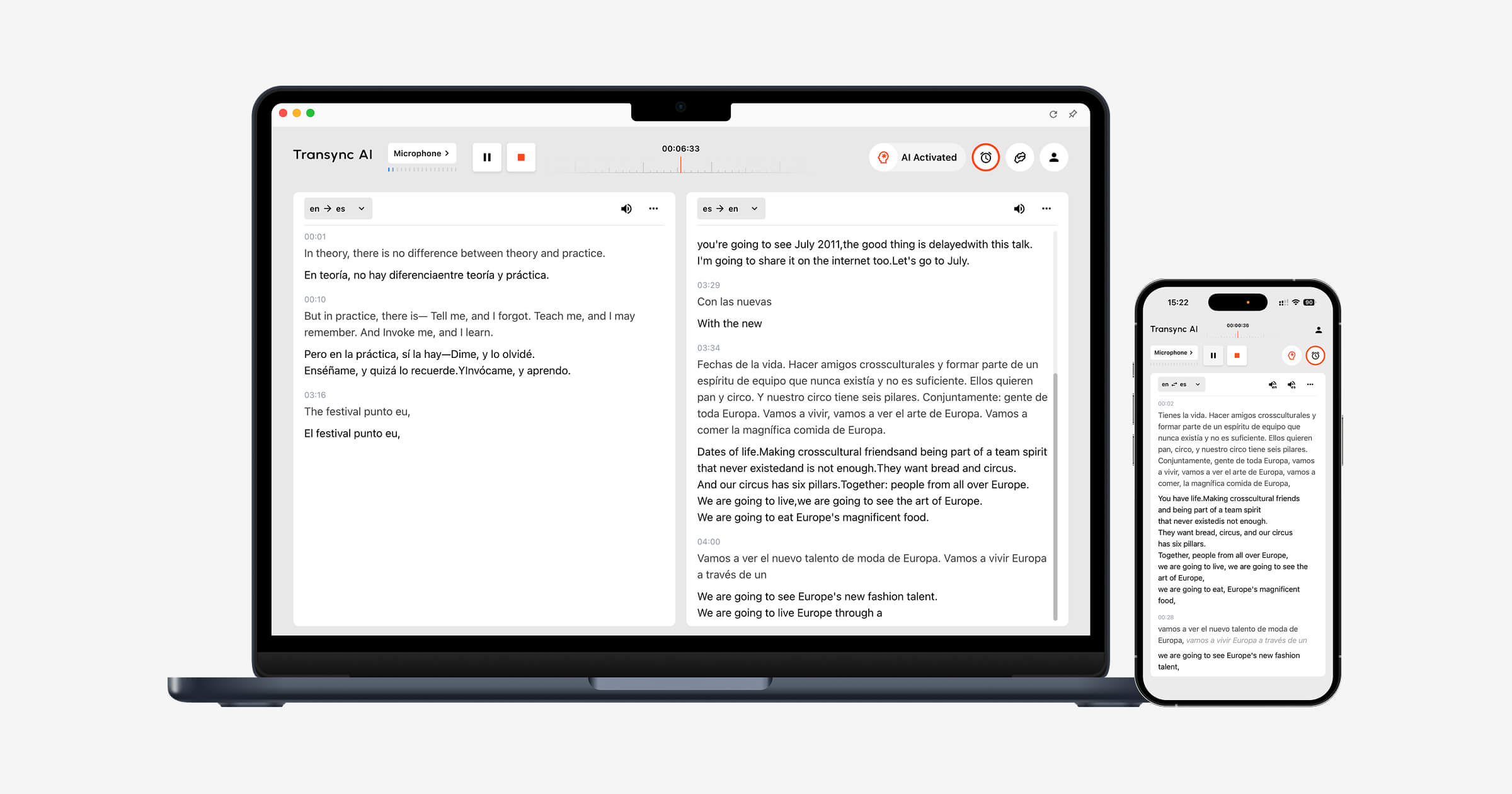
Live transcript pass condition: Every intended speaker appears, private audio does not leak into the record, and the operator can explain exactly which device or service supplies the sound.
Check 2: Can You See Recognition Errors Before They Spread?
Speed creates trust. Words appear immediately, so readers assume the system heard them correctly. The safer workflow separates source recognition from later interpretation.
Build a short “red pen” script containing:
- Two names that sound similar.
- One product code.
- A date and time.
- A currency amount and percentage.
- A sentence containing “not,” “unless,” or “except.”
- A correction: “The quantity is 13—sorry, 30.”
- Five terms from the real meeting.
Read the script naturally. Mark errors in names, values, negations, terminology, punctuation, and speaker labels. Do not combine them into a vague accuracy impression. A transcript that misses punctuation is inconvenient; one that reverses a commercial condition is dangerous.
The live display may revise a phrase after more speech arrives. That is often beneficial, but it means the first text on screen is provisional. Observe whether a participant acts on an early version before the system stabilizes it. Also check whether the final stored record contains the corrected version.
For multilingual calls, Transync AI keeps recognized source speech beside the translation. This bilingual evidence helps a participant spot whether the recognition layer or translation layer caused the problem. Its Keywords and Context feature lets users prepare names, acronyms, product terminology, and meeting background before the conversation.
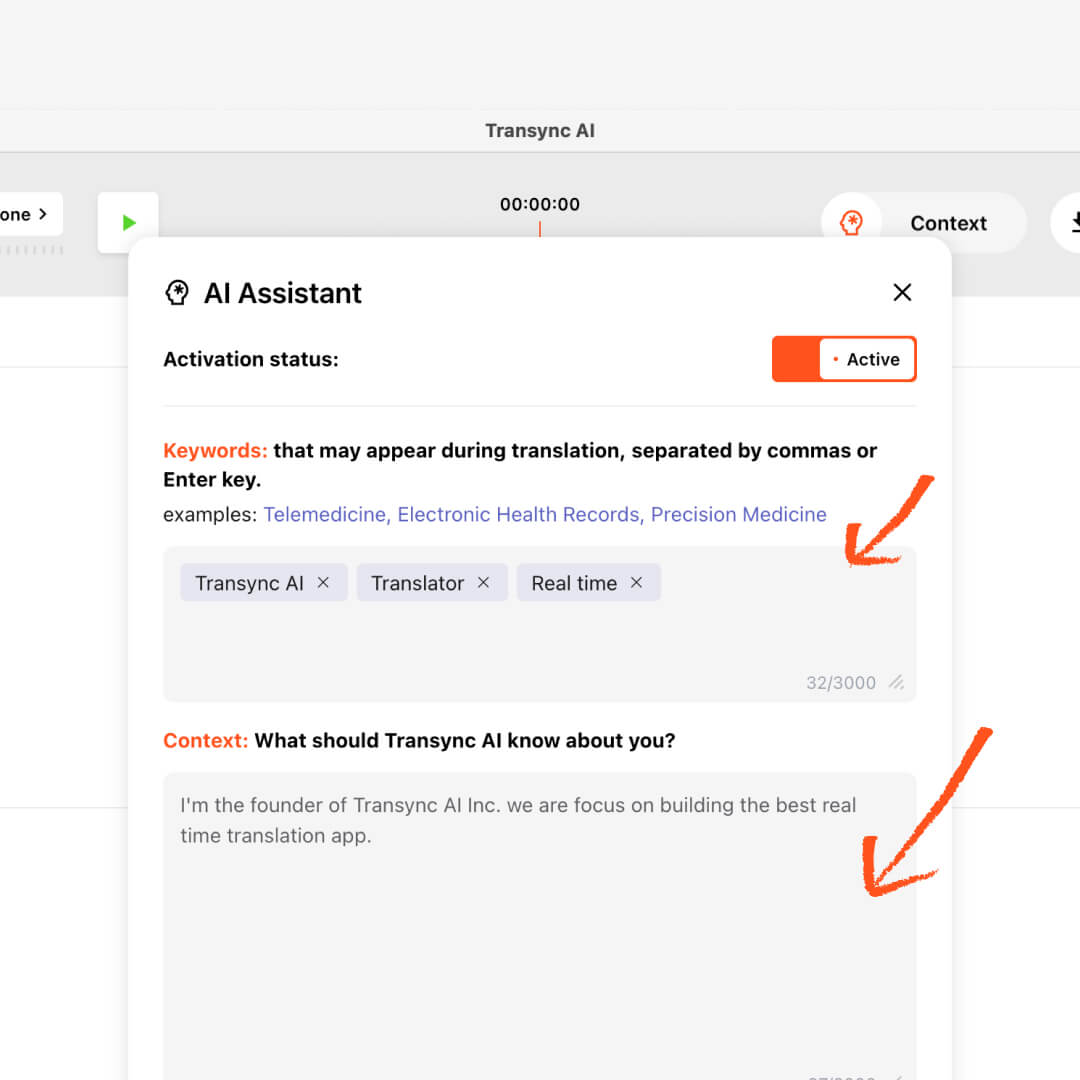
The Transync AI AI Assistant panel displays an active translation configuration view, highlighting keyword input tags and context fields for improved translation accuracy.
A monolingual live transcript and a bilingual translation are not interchangeable. If everyone understands the spoken language, transcription may be enough. If participants need to respond in different languages, translated text or voice becomes part of the core workflow rather than a post-meeting convenience.
Live transcript pass condition: The pilot measures factual error types, exposes provisional revisions, and gives users a way to check or correct high-value information.
Check 3: Does Speaker Attribution Match the Decision?
“We can ship Friday” means something different when spoken by a supplier, a salesperson, or someone repeating a customer’s request. A transcript without reliable attribution can preserve the sentence while losing its authority.
Test speaker handling with three conditions:
- Two people alternate cleanly.
- One person interrupts another.
- A participant leaves and rejoins from a different device.
Then inspect both the live view and the saved record. Ask whether labels are automatic, trainable, editable, inherited from participant identity, or simply “Speaker 1.” Confirm who is allowed to rename speakers and whether that change updates every occurrence.
Otter.ai makes the transcript itself a collaborative workspace. Its current pricing page lists live transcription, speaker identification, synchronized playback, editable speaker tags, search, comments, takeaways, and export options. The notetaker can join scheduled calls, while web and mobile recording support in-person capture.
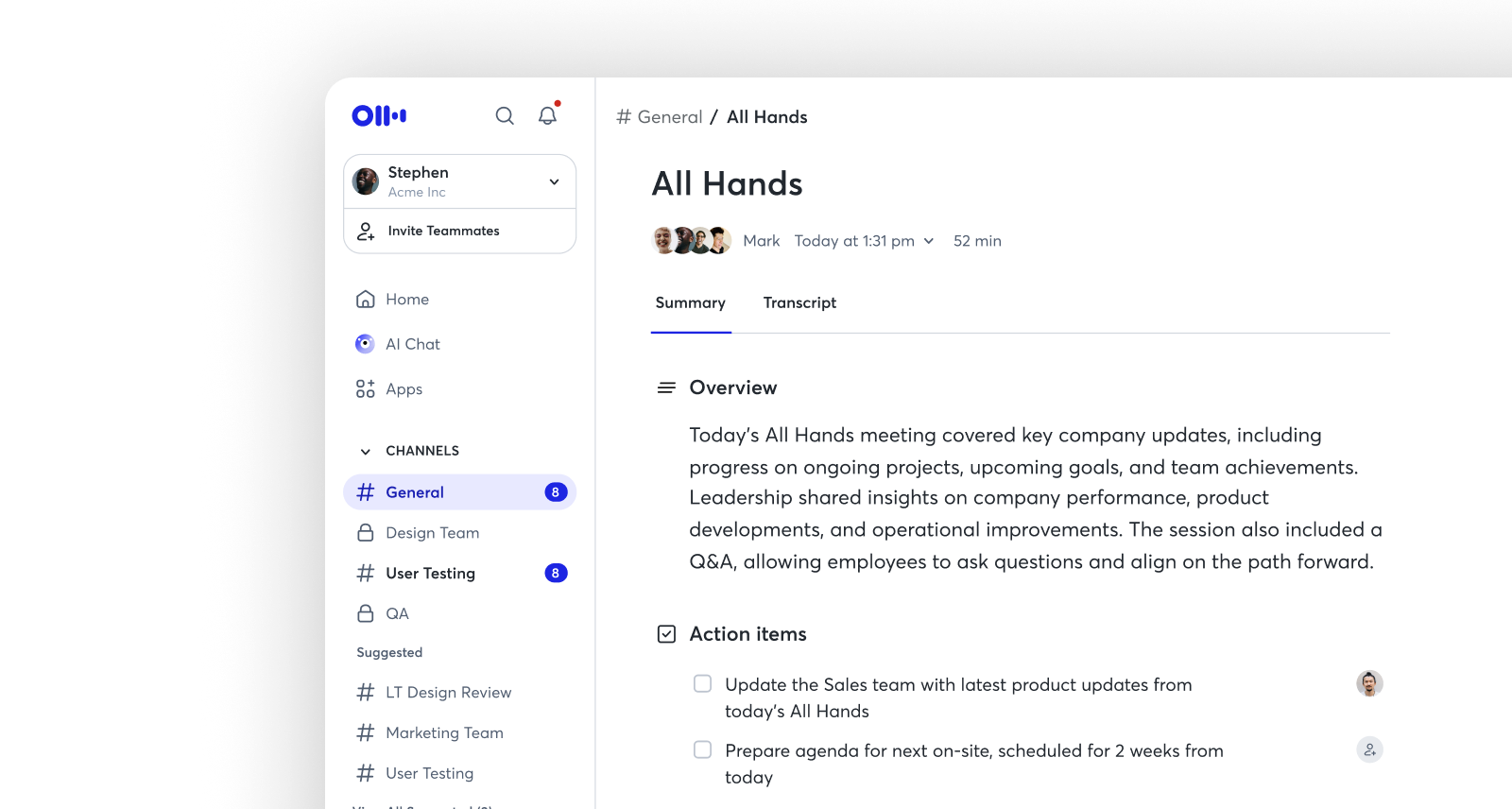
The current Otter.ai free tier includes 300 transcription minutes per month with a 30-minute maximum per conversation and access to the 25 most recent conversations. Pro increases the published allowance to 1,200 in-app recording minutes and up to 90 minutes per meeting. Business lists unlimited meetings and in-app recordings with a four-hour meeting maximum, subject to the plan details.
Choose Otter.ai when participants need to read, annotate, search, replay, and refine a detailed English, Spanish, French, German, Japanese, or Chinese meeting record. Confirm the current language list for the exact recognition mode rather than relying on an old review.
Live transcript pass condition: Speaker names remain understandable through interruptions and device changes, and authorized users can correct attribution without rewriting the entire record.
Check 4: Is “Live” Fast Enough for the Intended Action?
There is no universal acceptable delay. A student reading accessibility captions may tolerate a different lag from a negotiator waiting to answer a question. A sales manager watching a call may care less about sub-second text than about accurate next steps.
Measure four times separately:
- Speech start to first visible text.
- Speech end to stable sentence.
- Correction to updated record.
- Meeting end to available summary or export.
This reveals a common trade-off. A system can display partial words quickly but revise them often, or wait for more context and show a more stable sentence later. Ask users which behavior helps them act correctly.
Fireflies.ai combines live transcription and real-time notes with a broader meeting archive. Its current pricing page lists transcription in more than 100 languages, search, AskFred, file uploads, mobile and desktop apps, a browser extension, integrations, and an API. It can join calendar meetings, while extension and app routes support other capture preferences.
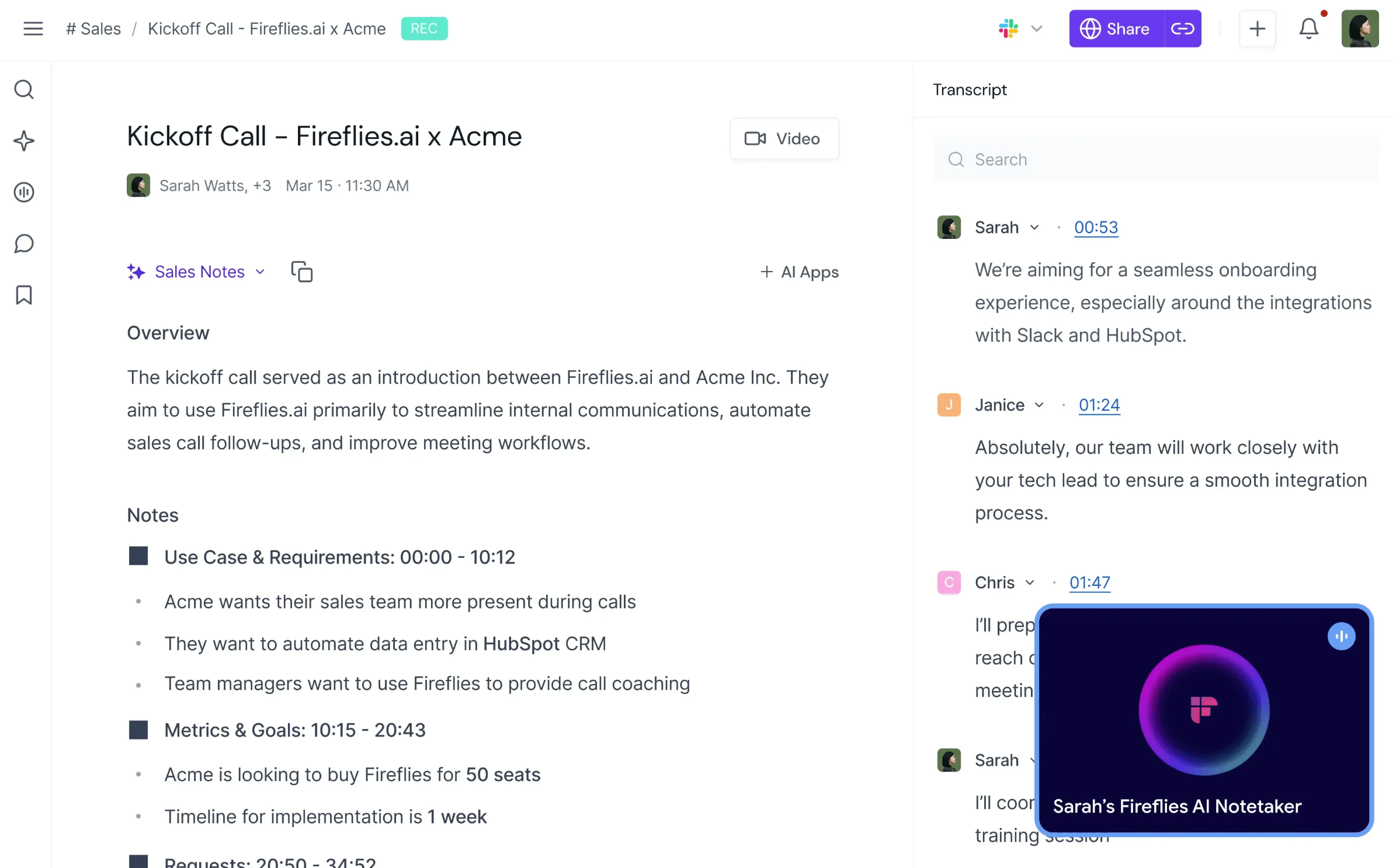
The free Fireflies.ai plan currently advertises unlimited transcription with limited AI summaries and 400 minutes of team storage. Pro is listed at 10 per seat per month when billed annually or 18 monthly, with unlimited AI summaries and 8,000 storage minutes per seat. Business is listed at 19 annually or 29 monthly and adds unlimited storage, multilingual mode, conversation intelligence, and team analytics.
The word “unlimited” should never end a buying discussion. Review recording-length limits, storage, rate limits, fair-use language, video availability, AI credits, exports, and the cost of the features that make the transcript actionable.
Choose Fireflies.ai when a team wants live text to feed a searchable meeting system, automated summaries, action items, integrations, or conversation intelligence across a high volume of calls.
Live transcript pass condition: Delay is measured at the point where users act, not only when the first word appears, and the purchased plan sustains the expected meeting volume.
Check 5: Does the Transcript Survive Multilingual Reality?
Language support is more complicated than a number on a homepage. A product may support many languages for monolingual transcription, fewer for automatic detection, a different set for bilingual recognition, and another set for real-time translation.
Ask five questions for every required language:
- Can the product recognize it live?
- Can two languages appear in the same conversation?
- Does it translate during the meeting or only afterward?
- Can users see both source and translated text?
- Can they hear translated voice if reading is not enough?
Notta offers several capture routes: a meeting assistant, browser and mobile recording, a browser extension, and bot-free desktop capture. Its current pricing page lists real-time transcription, speaker identification, 58 transcription languages, real-time translation options, bilingual transcription and translation, AI notes, exports, and workspace controls.
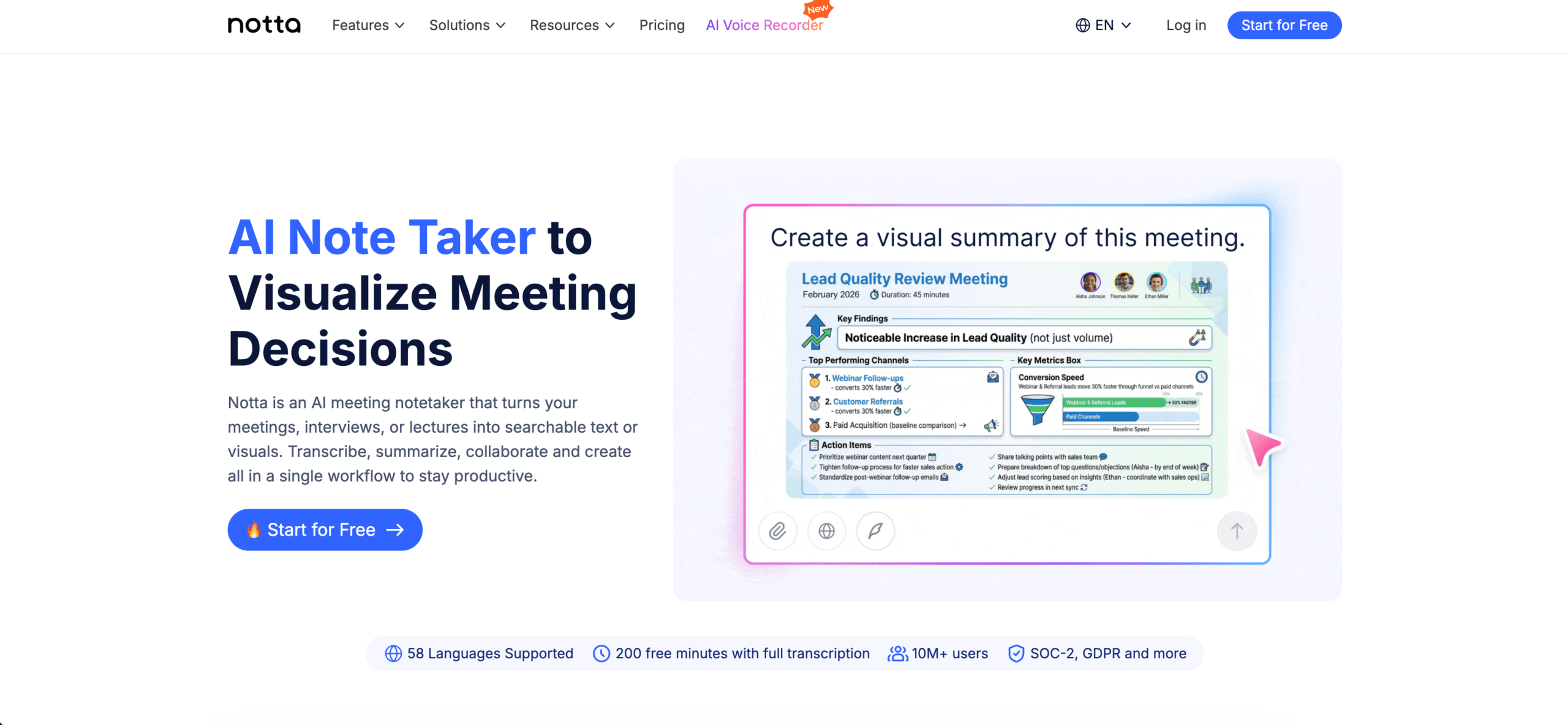
The free Notta plan currently includes 120 transcription minutes per month, but each conversation is limited to three minutes. Pro is listed at 8.17 per month when billed annually, with 1,800 monthly minutes and up to five hours per recording. Business is listed at 16.67 per seat per month annually with unlimited transcription, subject to the published plan limits. Translation and bilingual functions may require included uses or paid add-ons.
This combination makes Notta relevant for users who want both monolingual meeting capture and optional multilingual workflows. It also demonstrates why a live transcript price cannot be evaluated from monthly minutes alone: a three-minute conversation cap can make a generous-looking free allowance unsuitable for real meetings.
Transync AI takes a different approach. Its primary purpose is multilingual communication rather than general transcription management. It supports 60 languages for real-time translation, provides bilingual subtitles, and can play translations through an AI voice translator. The original and translation stay visible together so participants can check meaning as they speak.
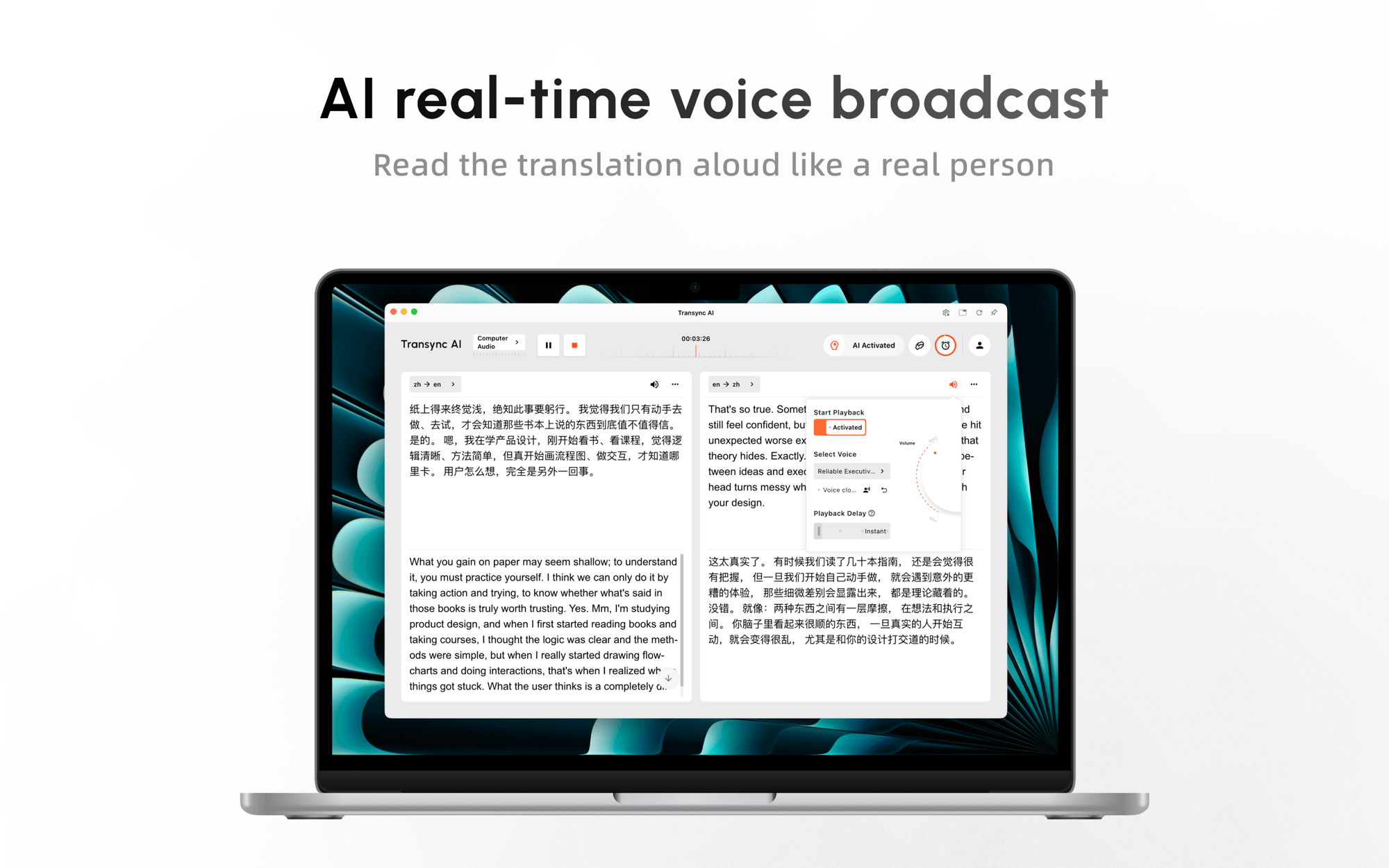 Choose Notta when broad meeting capture, file transcription, editing, exports, and optional translation belong in one workspace. Choose Transync AI when participants must understand and answer one another during the meeting through translated text or speech.
Live transcript pass condition: The exact spoken languages, switching behavior, target languages, bilingual display, and translation mode all work in the selected plan—not merely somewhere in the vendor’s product family.
Check 6: Who Owns the Record After the Meeting?
The final check begins when the call ends. A transcript can contain personal data, customer strategy, employee opinions, health information, confidential product plans, credentials spoken aloud, or legal advice. Convenience does not remove the organization’s duty to control it.
Map the complete record:
- Audio or video recording.
- Provisional and final transcript.
- Speaker identities.
- AI summary and action items.
- Chat or questions asked about the meeting.
- Clips, playlists, exports, and shared links.
- Diagnostic logs and connected-system copies.
Then assign an owner, purpose, audience, retention period, and deletion method to each object. Removing a browser extension or canceling a subscription does not necessarily delete cloud records.
Fathom is a useful warning against assuming that every meeting assistant exposes a full live transcript. Its official help center says the previous bot-based experience generates summaries and transcripts after the meeting is processed rather than providing real-time transcription. The newer bot-free desktop experience offers a live summary during the call; current eligibility may depend on device, language, and rollout.
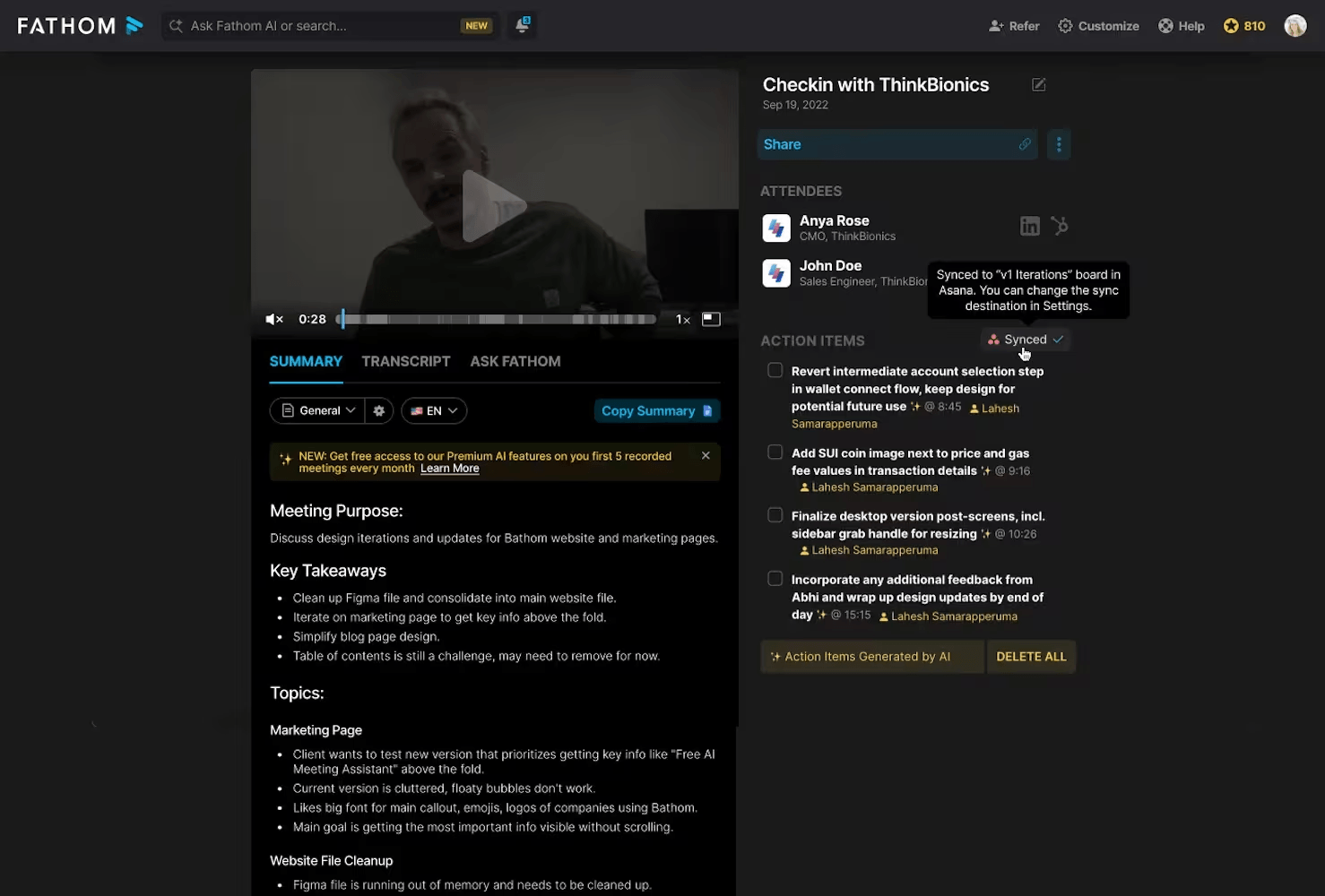
That does not make Fathom weaker overall. Its current individual help page lists unlimited recordings, storage, and transcripts in 38 languages on the free plan, with advanced summaries limited after the first five monthly calls. It also provides recordings, clips, summaries, search, integrations, and team repositories. The distinction is timing: a strong searchable record after the meeting is not automatically a word-for-word live reading surface during it.
Choose Fathom when the real outcome is a high-utility post-call archive, highlights, summaries, and team learning. If participants need to follow every sentence as it is spoken, verify access to the newer workflow and test whether its live summary satisfies the requirement. Do not label a summary as a live transcript in the procurement document.
JotMe offers live translated captions and transcription in its supported meeting extension, while its desktop application covers a broader set of meetings and events. Its extension reads an existing meeting-caption channel rather than recording the microphone or system audio. The service then connects transcripts with AI notes and account history.
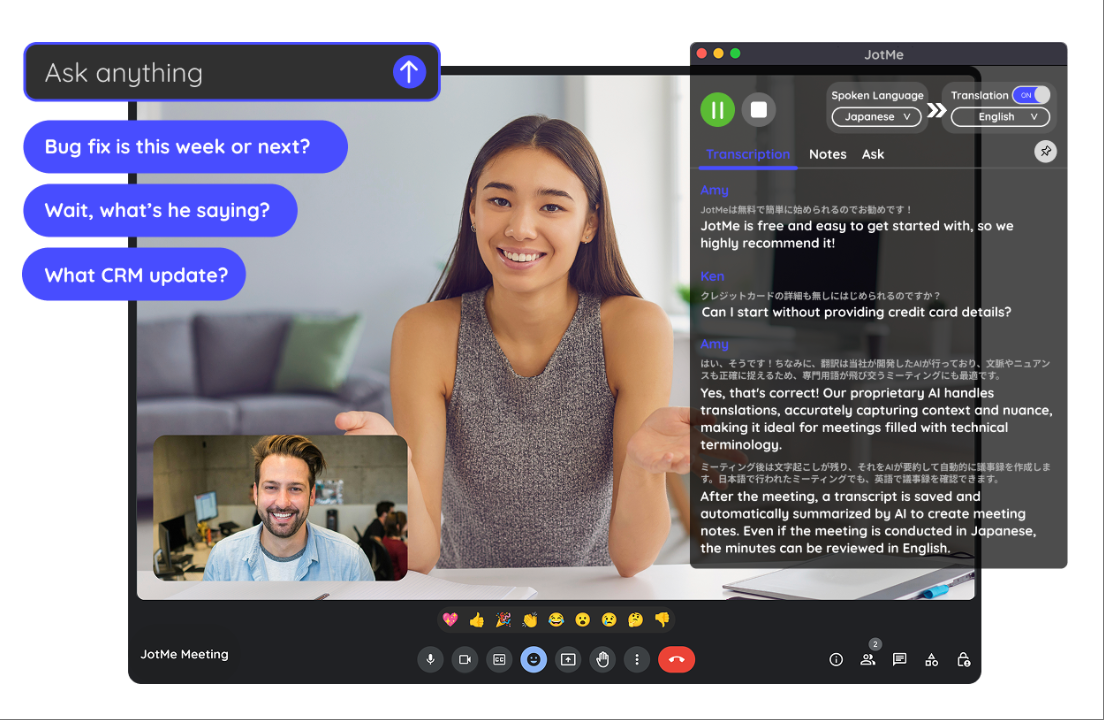
The free JotMe plan currently lists 20 monthly minutes of live translation or real-time summary, 50 transcription minutes, and access to the last five meeting recordings. Pro is listed at 20 monthly or 10 per month when billed annually, with 200 live-translation minutes and unlimited transcription for the browser-extension meeting workflow. The platform and plan determine what is captured and retained.
Choose JotMe when an individual wants live multilingual text, notes, and follow-up within its supported meeting workflows. Confirm whether the browser extension, desktop application, mobile application, or shared web session supplies the feature being evaluated; they do not capture audio in the same way.
For Transync AI, raw meeting audio is not retained after translation according to its current privacy policy. Original and translated text may remain for translation history and summaries until the user deletes them. That distinction should be written into the internal record policy rather than shortened to “nothing is stored.”
Live transcript pass condition: The team can explain every retained object, control sharing, apply deletion, and prove that the workflow matches participant notices and organizational policy.
Price Is Only One Part of the Live Transcript Cost
| Product and public route | Published starting point | Useful allowance or scope | Cost detail that can change the decision |
|---|---|---|---|
| Transync AI Free | $0 | 40 minutes after registration | Designed around real-time translation; paid membership and presentation usage have separate rules |
| Transync AI Personal Premium | $8.99/month | 10 hours during membership | Strong value for multilingual live meetings rather than general transcript editing |
| Otter.ai Basic | $0 | 300 minutes/month; 30 minutes/conversation | Only 25 most recent conversations remain available |
| Otter.ai Pro | 8.33/month annually or 16.99 monthly | 1,200 in-app recording minutes; 90 minutes/meeting | Imports, exports, collaboration, and history vary by plan |
| Fireflies.ai Free | $0 | Unlimited transcription; limited summaries; 400 storage minutes/team | Storage and rate limits still matter |
| Fireflies.ai Pro | 10/month annually or 18 monthly | Unlimited transcription/summaries; 8,000 storage minutes/seat | Higher tiers add multilingual mode and intelligence features |
| Notta Free | $0 | 120 minutes/month | Three-minute maximum per conversation is the practical constraint |
| Notta Pro | $8.17/month annually | 1,800 minutes/month; up to five hours/recording | Translation and bilingual use may involve add-ons or included-use limits |
| Fathom Free | $0 | Unlimited recordings, storage, and transcription | Real-time experience differs between prior bot and newer desktop workflows |
| JotMe Free | $0 | 50 transcription minutes; 20 live-translation/summary minutes | Saved history and AI credits are limited |
| JotMe Pro | 10/month annually or 20 monthly | 200 live-translation minutes; paid extension transcription benefits | Browser and desktop workflows have different capture capabilities |
Prices checked on official pages in September 2026. Taxes, promotions, currency, fair-use policies, feature rollouts, and annual commitments can change.
The least expensive live transcript is not necessarily the lowest monthly price. Add the cost of failed capture, corrections, review time, storage, translation, administration, consent, exports, integrations, and switching between tools.
For a ten-person team, model three months:
- Normal meeting volume.
- One unusually busy month.
- The longest individual meeting.
- The number of recordings that must remain searchable.
- Translation or bilingual sessions.
- Users who create records versus users who only view them.
- Required security and administration features.
This model often changes the apparent winner. A free plan can be excellent for an individual test but unsuitable for a 45-minute client call. A higher seat price can be economical if it removes manual exports and correction work.
A 15-Minute Live Transcript Stress Test
Use the same audio, speakers, language settings, and network for every product. Do not compare one tool in a quiet recording with another in a noisy real meeting.
Minutes 1–3: establish clean input
Confirm microphone or system-audio selection. Ask two speakers to read names, dates, prices, and product codes. Verify that both appear and that private background audio is excluded.
Minutes 4–6: introduce ordinary difficulty
Add an accent, moderate background noise, a quiet speaker, and natural filler words. Use one interruption and one correction. Record first-text delay and stable-sentence delay.
Minutes 7–9: test meaning
Read a negation, conditional promise, deadline, percentage, and responsibility assignment. Mark errors by category. Do not let a strong overall impression hide a wrong number.
Minutes 10–11: test multilingual behavior
Switch to the required second language only if the product claims to support it in the chosen mode. Inspect source recognition, translation, bilingual display, and voice output separately.
Minutes 12–13: collaborate
Rename a speaker, correct a sentence, add a comment, assign an action, and share the record with a test account. Confirm the recipient receives the intended permissions.
Minutes 14–15: close and delete
End the meeting and time summary availability. Inspect every saved artifact, export the required format, revoke the share link, and delete the test. Note whether deletion is immediate, delayed, partial, or administrator-controlled.
Score each live transcript out of five for capture, factual meaning, speaker attribution, usable delay, multilingual fit, and record control. Keep separate scores for the live experience and the saved record; they solve related but different problems.
Which Product Fits Which Live Transcript Job?
| Real task | Strong starting point | Why |
|---|---|---|
| Multilingual meeting where people must understand and answer live | Transync AI | Bilingual subtitles, 60 languages, translated voice, context, and notes |
| Collaborative transcript with speaker labels, playback, comments, and editing | Otter.ai | Transcript-centered working space with live collaboration |
| High-volume meeting archive tied to summaries, actions, and integrations | Fireflies.ai | Broad capture routes, live text, search, and workflow automation |
| Multiple capture methods plus transcription, exports, and optional translation | Notta | Bot, desktop, web/mobile, extension, and multilingual options |
| Post-call recordings, summaries, clips, and team coaching | Fathom | Strong after-meeting archive; verify whether current live experience meets the need |
| Live translated meeting overlay with notes in supported workflows | JotMe | Extension and desktop routes combine translation with follow-up |
| High-stakes legal, medical, safety, or formal proceeding | Qualified human service | AI text should not be the sole authoritative record without appropriate review |
Use the table as a shortlist, not a verdict. The same live transcript product can succeed in an internal stand-up and fail in a bilingual customer negotiation because the required language, latency, delivery, and evidence standard changed.
Live Transcript FAQ
What is a live transcript?
A live transcript is text generated while speech is still occurring. Unlike ordinary closed captions, it may also become an editable, searchable, speaker-labeled record with playback, summaries, comments, exports, and action items.
Is a live transcript the same as live captions?
Not always. Captions prioritize immediate reading and accessibility. A live transcript usually implies a persistent record that can be searched, edited, shared, or reviewed after the meeting. Products use the terms differently, so verify the saved output.
Is a live summary the same as a live transcript?
No. A live summary selects and rewrites key ideas, while a transcript attempts to represent the spoken words. Fathom, for example, currently distinguishes its newer live-summary experience from the previous bot workflow that generates full transcripts after processing.
Which product is best for a multilingual live transcript?
Transync AI is the strongest starting point when multilingual participants need original and translated subtitles plus optional translated voice during the conversation. Notta and JotMe also offer multilingual transcription and translation workflows with different capture methods and plan rules.
Which product is best for a monolingual collaborative transcript?
Otter.ai is well suited to teams that want to read, annotate, correct, search, replay, and export the detailed meeting record. Fireflies.ai becomes especially relevant when the record must feed summaries, tasks, integrations, and conversation intelligence.
Can I use a live transcript as an official legal record?
Do not assume so. Automated speech recognition can misidentify speakers, names, numbers, and negations. Legal, medical, financial, employment, and safety-related proceedings may require consent, qualified human transcription, certification, or professional review.
Does a meeting bot produce a better live transcript?
Not automatically. A bot may receive clean participant audio and automate calendar capture, but it can face admission restrictions or make participants uncomfortable. Bot-free capture may reduce meeting friction but depend more heavily on local audio configuration. Test both under the real policy and device environment.
How accurate should a live transcript be?
A single percentage is not enough. Measure names, numbers, negations, terminology, speaker labels, timing, and corrections separately. The acceptable threshold depends on what users will do with the record.
Should the transcript be stored after the meeting?
Only when retention serves a defined purpose. Decide who owns it, who can access it, how long it remains, where exported copies go, and how deletion is verified. Some workflows need ephemeral captions; others need a durable knowledge record.
Final Live Transcript Decision
Choose Transync AI when live text is part of a multilingual conversation and participants also need translated voice, prepared terminology, bilingual verification, or AI notes. Its purpose is helping people understand and respond across languages, not replacing a full document-transcription workstation.
Choose Otter.ai for a detailed collaborative transcript; Fireflies.ai for a high-volume meeting intelligence and automation layer; Notta for flexible capture plus optional multilingual processing; Fathom for a strong post-call archive and summary workflow; or JotMe for live translated text and follow-up within its supported extension and desktop routes.
Most importantly, never approve a product because the demo produced an attractive scrolling page. A trustworthy live transcript must pass all six checks: correct audio, visible errors, reliable speakers, usable timing, real language support, and controlled ownership after the meeting.
If you want a next-generation experience, Transync AI leads the way with real-time, AI-powered translation that keeps conversations flowing naturally. You can try it free now.
