
English to spansih means English to Spanish. Fix 5 source-text problems before translating messages, dates, names, or live conversations.
Searching for “english to spansih”? You probably mean English to Spanish. Select English as the source language and Spanish as the target. If you have a written message, use a text translator; if people are speaking now, use a live speech translation tool. The correct spelling is Spanish.
The search typo is easy to recognize. Errors inside your message can be more consequential. From can become form, can’t can lose its negative, and a date can mean two different days.
Before translating, check that the English says what you intend. The five examples below show what to correct, clarify, or leave unchanged. They illustrate language choices, not product test results.
Start an English to Spansih Search With the Right Input
A translator can help express a message in another language. It cannot reliably supply a missing business fact, decide whether a person intended can or cannot, or approve a new meeting time.
Use a simple distinction: repair the wording when the meaning is known; ask a question when the meaning is unknown. If you wrote “I am calling form Madrid” and meant your location, correcting form to from is straightforward. If someone else sent a contradictory sentence about availability, ask them before changing it.
The practical next step after an “english to spansih” search is therefore not always “paste and translate.” It may be “confirm the English first.” Keep the original message beside your corrected version so you can see whether an edit changed a fact rather than merely its spelling.
Five Source Problems to Fix Before Translating
1 A Correctly Spelled Word Can Still Be the Wrong Word
Consider this English message:
“I’m calling form Madrid.”
Form is a real English word, so a basic spelling check alone is not enough. Once the speaker confirms that Madrid is their location, the corrected sentence is:
“I’m calling from Madrid.”
“Llamo desde Madrid.”
The Spanish desde carries the intended location relationship. It does not mean the speaker is calling a form or completing paperwork.
This is a useful first check for anyone arriving through “english to spansih”: read the complete sentence, not just the underlined words. Similar-looking words can survive spellcheck while changing the subject, action, or relationship between people and places.
Correct known mistakes before translating rather than making the Spanish reader infer what happened.
2 A Missing Negative Can Reverse the Message
Imagine someone sends “I can attend on Friday,” but another message says they will be unavailable. Both sentences are grammatical. No spellchecker can determine which statement reflects their actual plans.
Ask: “Can you attend on Friday, or can you not attend?” If the sender confirms that they cannot attend, use:
“I cannot attend on Friday.”
“No puedo asistir el viernes.”
Writing cannot in full can make the intended negative easier to see in an important written message. It is not permission to turn every suspicious can into cannot.
An “english to spansih” result that reads smoothly is still wrong if it reverses availability, permission, or approval. Check the negative before polishing the tone. In a live conversation, ask the speaker to repeat the whole corrected sentence, not just “not,” which can become detached from its subject.
3 Expand Abbreviations Only After Confirming Their Meaning
“The ETA is 05/06” leaves more than one question open. Does the date mean 5 June or May 6? Does ETA refer to the arrival of the shipment, a technician, or something else in this conversation?
Suppose the sender confirms an estimated arrival date of 5 June. The clarified pair becomes:
“The estimated arrival date is 5 June.”
“La fecha prevista de llegada es el 5 de junio.”
This is an estimate, not a guaranteed delivery promise. The Spanish should retain that distinction. Add the year if the parties supply it and it matters; do not invent one just to make the sentence look complete.
For date-heavy messages found through an “english to spansih” search, writing the month in words removes one common source of confusion. Confirm the event too: departure, arrival, payment due, and appointment date are not interchangeable.
4 Replace Calendar Shorthand With an Explicit Change
“Push back the meeting by an hour” can lead to unnecessary confusion between people who interpret calendar language differently. Replacing it with a different idiom does not settle the intended time.
If the organizer confirms that the meeting should happen one hour later, write:
“Move the meeting one hour later.”
“Retrasa la reunión una hora.”
For the actual invitation, use the confirmed new date, start time, and time zone. “One hour later” is useful only while everyone knows the original appointment being discussed.
Keep the invitation consistent with the message. Do not present a suggested reschedule as accepted before the other person agrees.
5 Protect Names and Reference Codes From Helpful Corrections
In “Send the file to May; reference: AbC-019,” May might be a person, not the month. If that is the confirmed name, the Spanish can be:
“Envía el archivo a May; referencia: AbC-019.”
Do not replace the person’s name with mayo. Keep the reference code’s capitalization, hyphen, digits, and leading zero exactly as supplied. A plausible-looking AbC-19 is not the same identifier.
For an “english to spansih” task involving customer records, prepare approved names and identifiers before using autocorrect. Highlight fields that must remain unchanged. If a name has an official localized form, use the approved form rather than inventing one.
The example uses an informal singular request. A client-facing message may need a different form of address, but changing the tone should not change the recipient or file reference.
Compare Tools for Proofreading Text and Live Speech
An “english to spansih” search can lead to tools that perform different jobs. The comparison below is about where each fits, not a claim that one produces the most accurate Spanish in every situation.
| Tool or route | Input and task | Useful role | What still needs checking |
|---|---|---|---|
| LanguageTool | Written English before translation | Spelling, grammar, punctuation, and style suggestions | Whether a suggested correction preserves the intended facts |
| Reverso | Typed text and English–Spanish phrase lookup | Translate a message and inspect bilingual usage examples | Meaning, register, recipient, and suitability of the example |
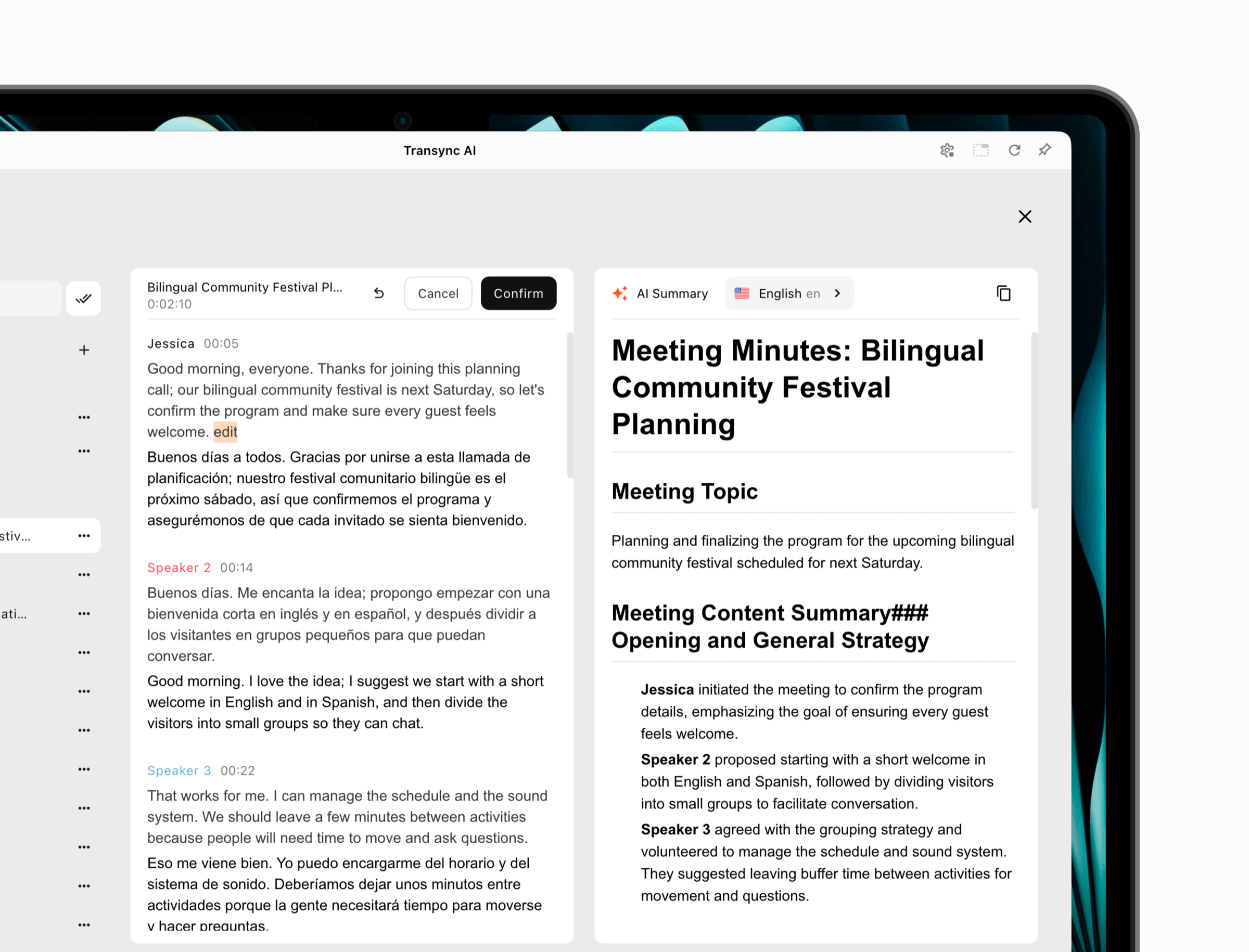
| Transync AI | Speech in an active meeting, call, or presentation | Live bilingual captions, Spanish voice playback, terminology context, and meeting records | Audio capture, delivery to listeners, and meaning-changing corrections |
| Qualified language professional | Consequential or public-facing content | Specialized translation, interpreting, and accountable review | Subject expertise, target market, and the agreed scope of work |
LanguageTool for Checking the English First
LanguageTool checks spelling, grammar, punctuation, and style. Use its suggestions to inspect a written English source before translation. This proofreading step is separate from producing the Spanish version.
Review suggestions individually. A tool can flag unusual wording, but it does not know a private customer’s name or whether the sender has approved a date. For a short message, manually checking the negative, date, and identifiers can matter more than accepting every stylistic improvement.
An “english to spansih” search does not require every problem to be solved by one app. A proofreader and translator can serve different stages of the same task.

Reverso for Written Translation and Phrase Context
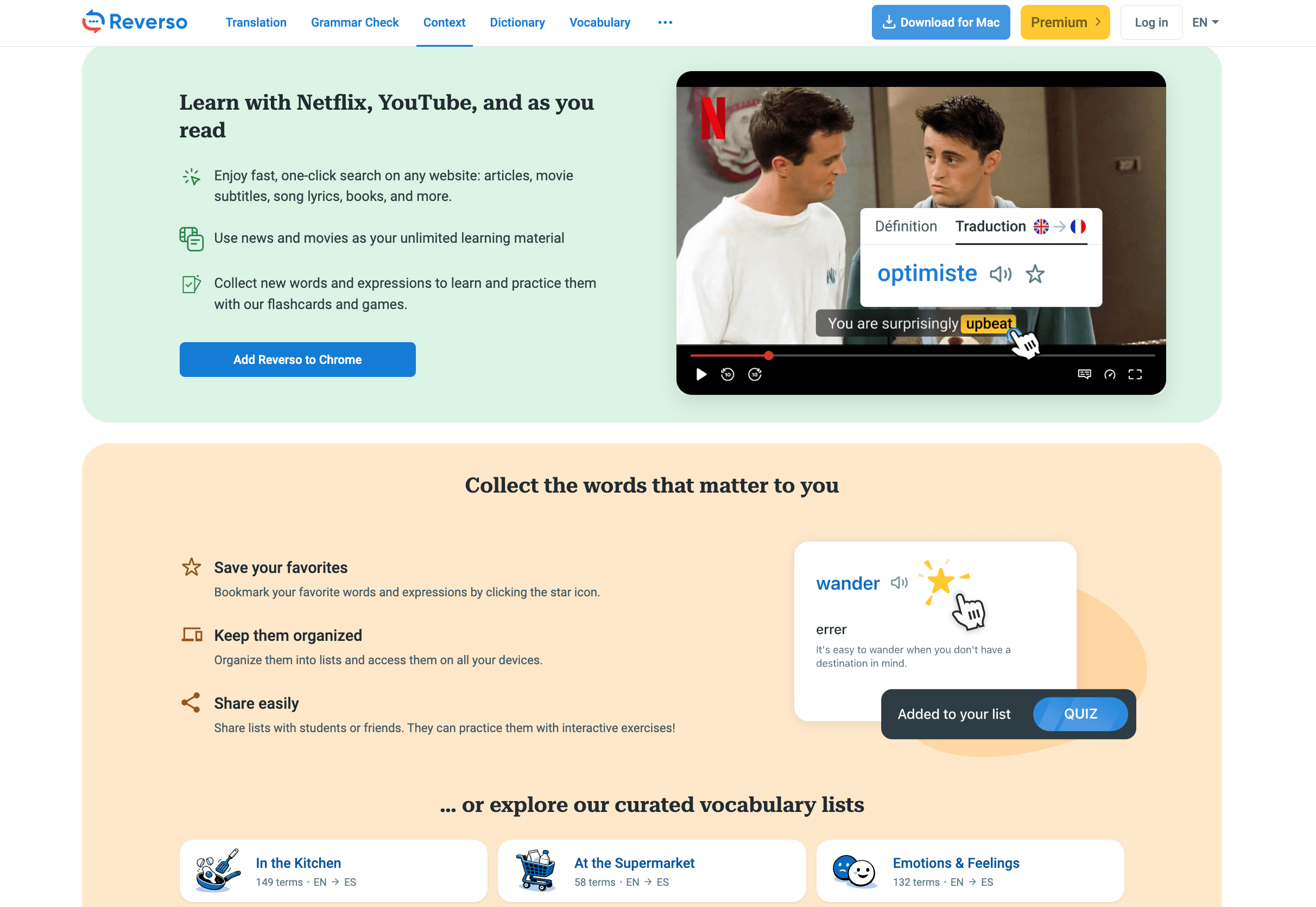
Reverso provides typed-text translation. Its English–Spanish contextual dictionary also shows words and expressions in bilingual examples, which can help you examine how a phrase is used.
Compare the surrounding sentence, not just a highlighted equivalent. A casual dialogue and a professional email may require different wording. The contextual dictionary guide explains that examples come from previously translated texts; they can contain different registers and imperfect matches.
Translate the clarified English, then inspect names, negatives, and dates again in the Spanish. Looking up an abbreviation does not establish which meaning the original sender intended.
Transync AI for Clarifying Speech During a Conversation
Transync AI fits the live-speech route rather than the paste-and-proofread task. Its live meeting translation provides bilingual captions, while Spanish translation support includes Spanish subtitles and spoken output. Enable translated voice playback when listeners need audio, and test that they can actually hear it.
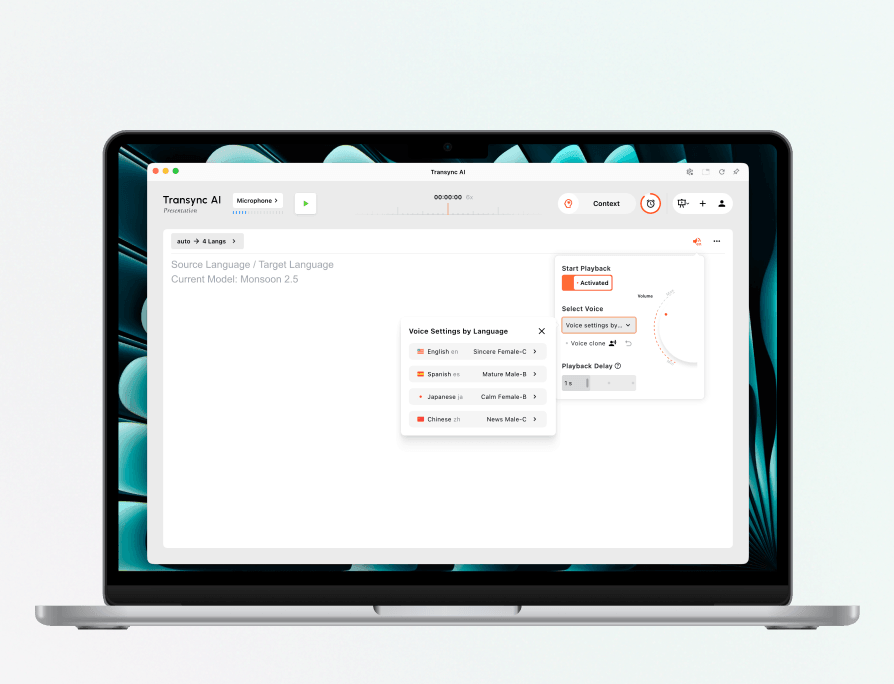
Configure voice playback separately for every presentation language.
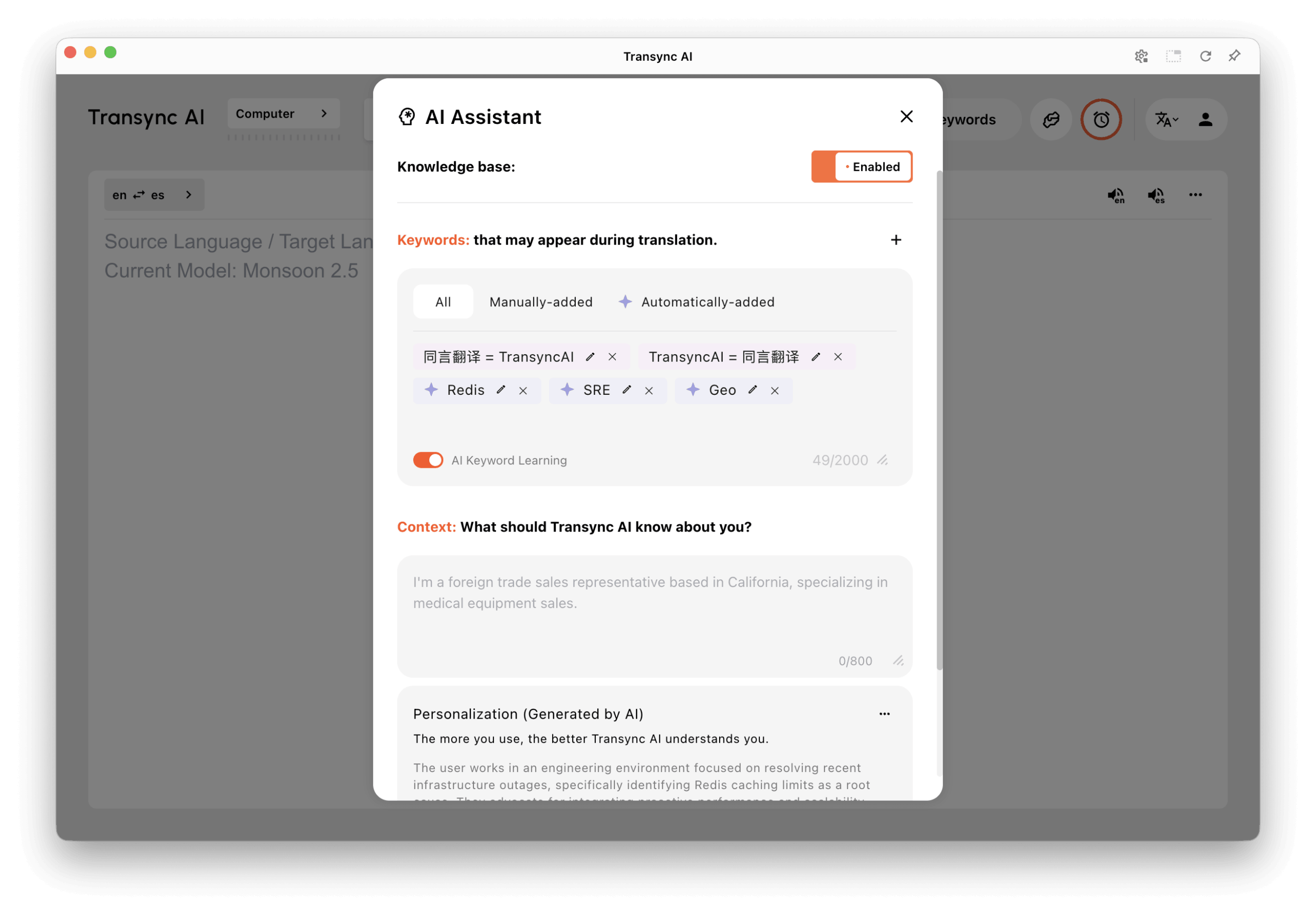
Prepare approved names, abbreviations, and meeting background with Keywords and Context in a supported model. This supplies useful context; it does not authorize the system to invent a missing date or reverse a speaker’s negative.
 After the session, the AI meeting notes workflow lets you correct source or translated text in the saved record before generating a summary. Check the record against the clarification that actually occurred. A later edit does not retract an incorrect sentence that someone already heard during the meeting.
 For a prepared talk, Presentation Mode, currently in beta, lets attendees join by link, QR code, or Room ID and choose a host-enabled language. They can read captions and hear playback when enabled, but cannot send voice into the host’s task. Provide a separate way to ask questions. Transync AI needs an internet connection and a working audio setup.
Correct the Live Message Before the Conversation Moves On
If your “english to spansih” task is a live conversation, use an explicit spoken repair when an important detail goes wrong:
“Let me correct that. I cannot attend on Friday.”
“Please confirm that you understood: I cannot attend on Friday.”
Pause for the reply. If the other person understood the opposite, repeat the corrected complete message and update any calendar action. Do not continue as though a private correction in your own notes has repaired their understanding.
For a presentation, proofread the script beforehand, especially dates and names. Still prepare a visible correction method for live changes. A clear correction slide or follow-up message can help people distinguish the current information from what they saw earlier.
Common Questions
Is English to Spansih a Different Language Setting
No. “English to spansih” is a misspelled search phrase for English to Spanish. Choose Spanish in the target-language list. The typo does not name a separate language, regional variety, or translation product.
Should I Accept Every Automatic Correction
No. Review names, identifiers, negatives, and factual changes individually. Correcting punctuation is different from changing can to cannot. Ask the sender when the intended meaning is uncertain.
Does Translating Back Into English Prove the Result Is Right
No. Back-translation may reveal a problem, but it can also preserve the same mistaken assumption. Compare the Spanish with the confirmed English meaning and ask the recipient to acknowledge consequential details.
Can I Use These Examples for Confidential Work
Use an organization-approved service, share only necessary information, and review access and retention settings. Tell participants when live speech is processed or recorded and obtain required consent. Use qualified professional review when an error could affect rights, health, safety, or other consequential decisions.
Fix the Source Before Trusting the Spanish
The useful outcome of an “english to spansih” search is not simply a corrected spelling or a fluent Spanish sentence. It is a message that preserves what the sender actually meant.
Fix known typos, clarify uncertain facts, protect names and codes, and choose a tool that matches written text or live speech. Then confirm the details that will determine what someone does next.