

Use traducir audio as a production brief: choose translated text, subtitles, dubbed audio, or a live meeting workflow before uploading.
People who search traducir audio rarely want the same finished product. One person needs an English transcript of a Spanish interview. Another needs translated SRT subtitles. A podcaster wants a new spoken track, while a meeting participant needs to understand audio that has not been recorded yet.
Uploading the file before choosing the output creates expensive rework. A translated transcript, subtitle file, dubbed recording, and live meeting session have different review steps, timing requirements, privacy questions, and tools. This guide treats every traducir audio request as a production map with three routes: text, dubbed speech, and live communication.
The Short Answer
If your traducir audio task begins with an existing MP3, WAV, M4A, or video file, first decide whether the deliverable should be readable or audible.
Choose a transcript-and-subtitle workflow when you need searchable text, quotes, captions, research notes, or an auditable translation. Sonix and Happy Scribe both transcribe a recording before translating it, allowing users to inspect or edit text and export common formats.
Choose a dubbing workflow when the audience should listen in the target language. Maestra combines transcription, translation, text-to-speech, dubbing, and media export.
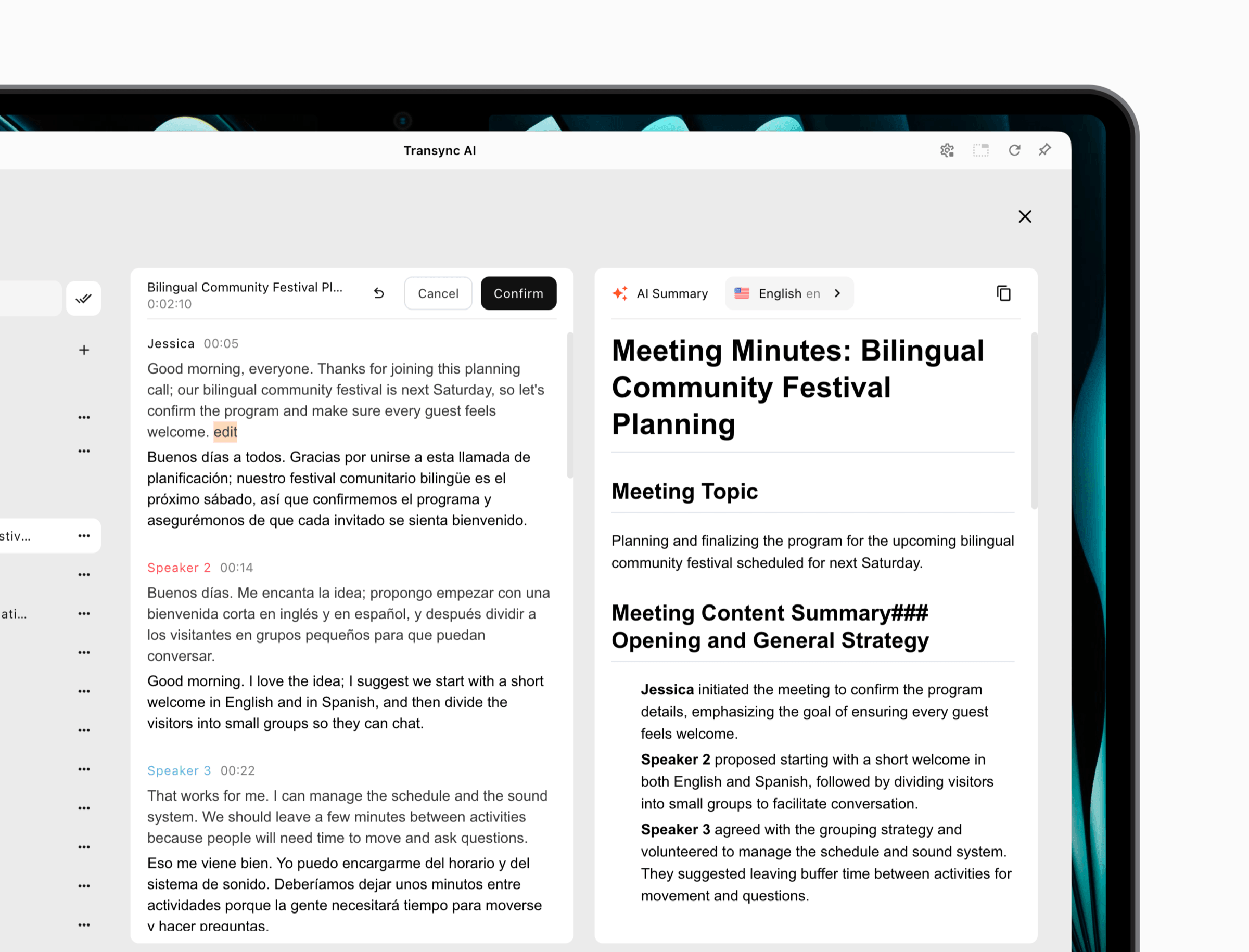
Choose Transync AI when the audio is happening now inside a meeting, call, class, or in-person conversation. It provides live bilingual captions, translated voice playback, and meeting notes, but it does not accept general audio files for post-production translation.
Why “Translate Audio” Is Not One Output
The Spanish search phrase traducir audio can point to at least five deliverables:
| Requested deliverable | What the user receives | Best for | What can go wrong |
|---|---|---|---|
| Translated transcript | Editable text in the target language | Interviews, research, records, quoting | Speaker labels or names may be wrong |
| Subtitle file | Timed SRT or VTT translation | Video platforms, courses, accessibility | Lines may be too long or badly timed |
| Dubbed audio | New target-language spoken track | Podcasts, training, marketing | Voice timing and pronunciation may feel unnatural |
| Voice-over mix | Translation layered over retained background audio | Documentaries, explainers, presentations | Original speech may compete with the new voice |
| Live translation | Captions or voice while people are speaking | Meetings, calls, classes, events | Latency and audio routing can interrupt conversation |
A tool can support more than one output, but its strongest workflow still matters. A transcription editor is designed to make words reviewable. A dubbing studio is designed to make sound publishable. A meeting translator is designed to make a conversation understandable before it ends.
Route 1: Turn the Recording into Reviewable Text
For a traducir audio project, this route is the safest starting point when accuracy, auditability, or quotation matters. The pipeline is visible:
Audio → source transcript → corrected source → translation → final text or subtitles
The source transcript is the control point. If the system hears “can” where the speaker said “cannot,” correcting that mistake once prevents it from being copied into every target language.
Step 1: Preserve the Best Source File
Do not repeatedly convert a compressed file before upload. Keep the original recording, note its sample rate if relevant, and create a separate working copy. If speech is spread across stereo channels, do not merge them without listening; separate channels can help identify speakers.
Before asking a platform to traducir audio, record these facts:
- Source language and regional variety.
- Number of speakers.
- Recording duration.
- Expected names, acronyms, and technical terms.
- Whether music overlaps speech.
- Whether timestamps and speaker labels are required.
- Target language and regional preference.
“Spanish” is not always specific enough. A transcript intended for Mexico, Spain, Argentina, or a neutral international audience may require different vocabulary and register.
Step 2: Correct the Source Before Translation
Sonix currently describes a transcript-first workflow for uploaded audio and video. Its official page lists common formats such as MP3, WAV, M4A, FLAC, OGG, and WMA, then lets users review the source before translating it into 54+ languages. The translated transcript remains aligned with timestamps and can be exported as text, documents, SRT, or VTT.
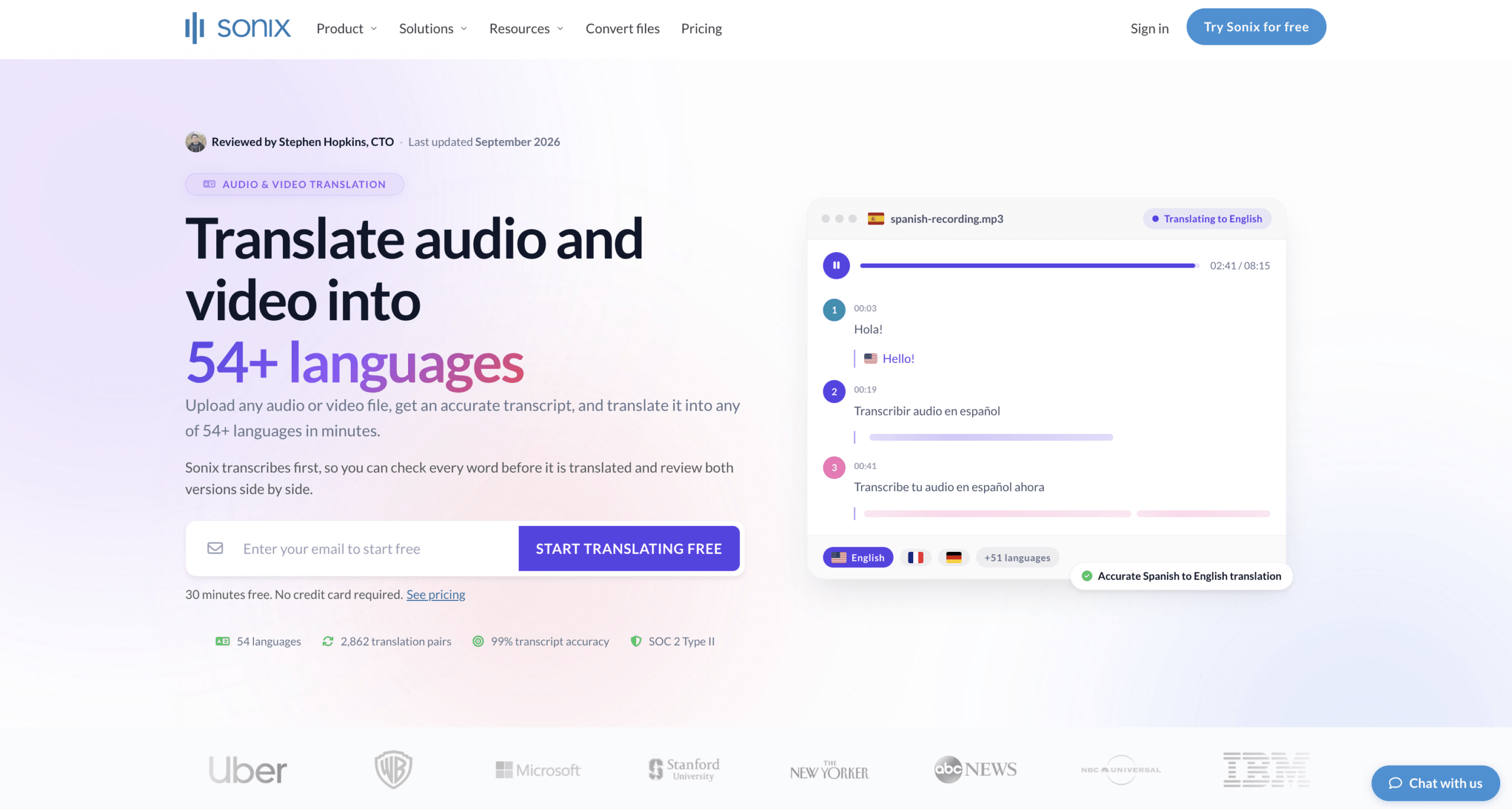
That sequence is useful because a reviewer can correct names and terminology before creating several language versions. Sonix also presents source and target text side by side, which helps a bilingual reviewer compare a suspicious line with the original audio.
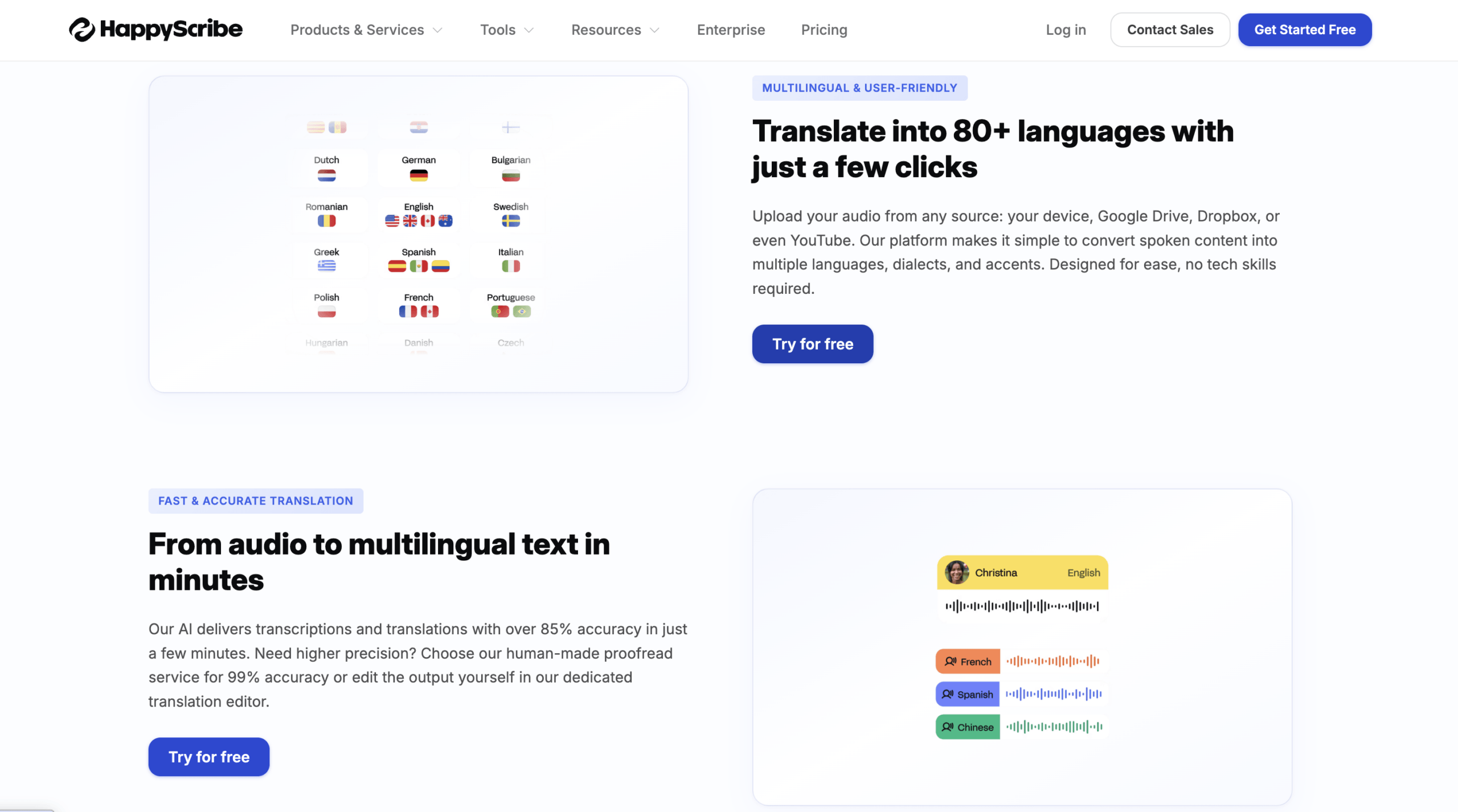
Happy Scribe also requires transcription before translation. Its current official audio-translation page supports uploads, links, and direct recording; it lists common audio formats and translations across more than 120 languages and variants. Users can edit the transcript, distinguish speakers, translate it, and export formats including TXT, SRT, and VTT. It also offers automated and human-service routes.
Do not treat an advertised accuracy percentage as a guarantee for your file. Noise, overlapping speakers, an unfamiliar accent, and specialist vocabulary can change results sharply. The relevant question is not “What is the headline accuracy?” but “How much correction does this exact recording require before translation?”
Step 3: Choose Text or Subtitles Deliberately
A clean transcript is not automatically a good subtitle file. Subtitles must fit reading speed, screen space, shot changes, and timing. A literal translation can become much longer than the source, forcing awkward line breaks or captions that disappear too quickly.
For a traducir audio job that ends in subtitles, check:
- Maximum characters per line.
- Maximum lines per caption.
- Reading speed.
- Minimum and maximum duration.
- Speaker changes.
- Sound labels that matter to comprehension.
- Platform requirements for SRT, VTT, or another format.
Preserving source timestamps is helpful, but translated lines may still need retiming. Review the subtitle on the actual video, not only inside a text editor.
When Route 1 Is the Best Choice
Use the text route for research interviews, legal discovery preparation, searchable archives, journalism, meeting recordings, lecture notes, captions, and any workflow in which someone must verify the wording.
It is also the best foundation for later dubbing. A reviewed script is easier to pronounce, time, and approve than an invisible voice-to-voice conversion.
Route 2: Create a Target-Language Audio Track
Choose this traducir audio route when reading is not enough. A podcast listener, training participant, or video viewer may need to hear the message in the target language. The pipeline becomes longer:
Audio → transcript → translation → script review → voice generation → timing → mix → export
The extra stages explain why “translate this recording” is an incomplete brief. A creator must decide whether to replace the original voice, preserve background sound, clone the speaker, use a new synthetic voice, or record a human performer.
Pick the Voice Strategy Before Generating Audio
For a traducir audio production, choose among four voice approaches:
- Standard synthetic voice: fast and scalable, but less personal.
- Speaker-matched or cloned voice: preserves identity cues, but requires consent and stronger governance.
- Professional human voice: offers performance and cultural judgment, but costs more and takes longer.
- Voice-over mix: keeps the original faintly audible while adding the translation, common in interviews and documentaries.
The right option depends on brand, audience, consent, and risk. A casual internal tutorial and a public testimonial should not share the same approval process.
Treat the Translation as a Script
Written language and spoken language behave differently. A sentence that reads well may be too long for the available time, contain an abbreviation that sounds confusing, or use punctuation that creates unnatural pauses.
Read the target script aloud before generating the full track. Confirm:
- Names and product terms.
- Numbers, units, currencies, and dates.
- Pauses and emphasis.
- Regional vocabulary.
- Pronunciation of acronyms.
- Whether humor or idioms require adaptation rather than literal translation.
A strong traducir audio workflow allows the editor to revise the script and regenerate only the affected segment. Rebuilding a one-hour track for one mispronounced name is avoidable rework.
Use a Media-First Platform for Media Deliverables
Maestra combines transcription, translation, subtitles, text-to-speech, AI dubbing, voice cloning, and lip-sync tools in one media workspace. Its current official materials describe support for audio and video localization across more than 125 languages, along with exports for subtitles and media containing the translated voice.
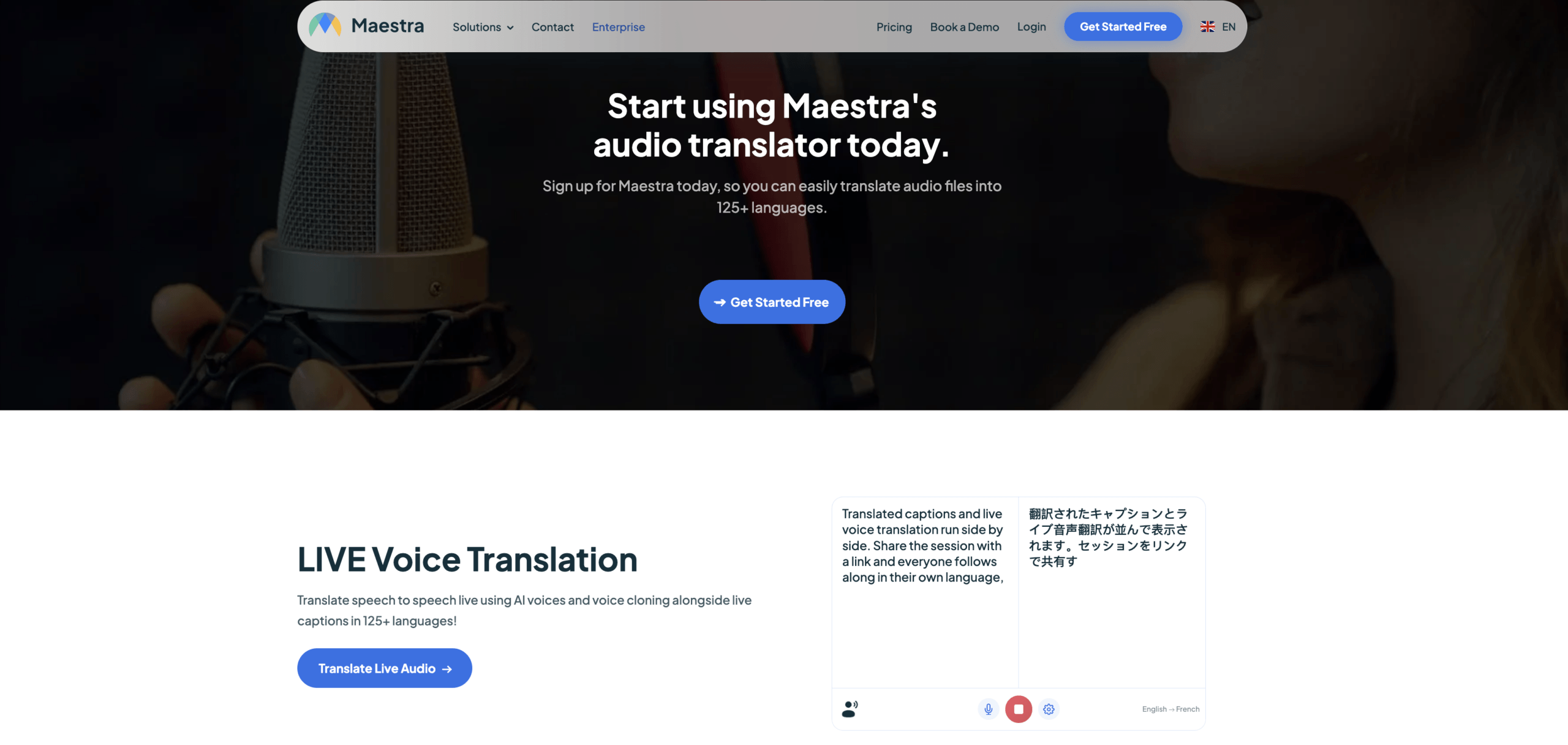
Maestra also offers live products, but its clearest advantage in this route is the ability to move from an uploaded file to editable text, multilingual voice, and a publishable media asset. That is different from helping two people understand each other during a call.
Happy Scribe can also extend a translated transcript into subtitles or AI dubbing. It is worth comparing when a team wants automated translation plus a path to human transcription or review. Confirm the current language, voice, service, and pricing options for the intended output.
Listen to the Mix, Not Just the Voice
Generated speech can sound excellent in isolation and fail inside the original program. Music may mask consonants. The original voice may compete with the translation. Loudness can jump between segments, and a shortened translation may leave unnatural silence.
Review the final output on headphones, phone speakers, and the device used by the audience. For video, watch the speaker’s mouth and on-screen text. For podcasts, inspect transitions and background music. For training, verify that instructions align with the demonstrated action.
When Route 2 Is the Best Choice
Use the audio-output route for podcasts, courses, product demonstrations, interviews, onboarding videos, customer education, social clips, and narrated presentations. Add human review when tone, persuasion, humor, safety, or brand language matters.
Route 3: Translate Audio While It Is Happening
The third route does not begin with an uploaded file. In a live traducir audio workflow, participants need help before the conversation ends. The pipeline prioritizes latency and routing:
Microphone or system audio → live recognition → translation → captions or voice → meeting record
This is where the search for traducir audio overlaps with meetings, calls, classes, and events. A file translator can process a recording afterward, but it cannot help someone answer a question in the moment.
Live Audio Needs a Route into and out of the Meeting
Two questions matter:
- How does the translation tool receive the other participants’ audio?
- How do participants receive the translated output?
Holding a phone beside a laptop speaker is unreliable. It can create feedback, miss quiet participants, and make the app recognize its own synthesized voice. A meeting-first tool should capture the correct microphone or shared computer audio and send captions or translated voice through a predictable path.
Transync AI supports live meeting translation alongside Zoom, Microsoft Teams, Google Meet, and other meeting software. It provides bilingual captions and AI voice translation. Its Virtual Microphone workflows can route translated playback into a meeting instead of relying on a physical speaker.
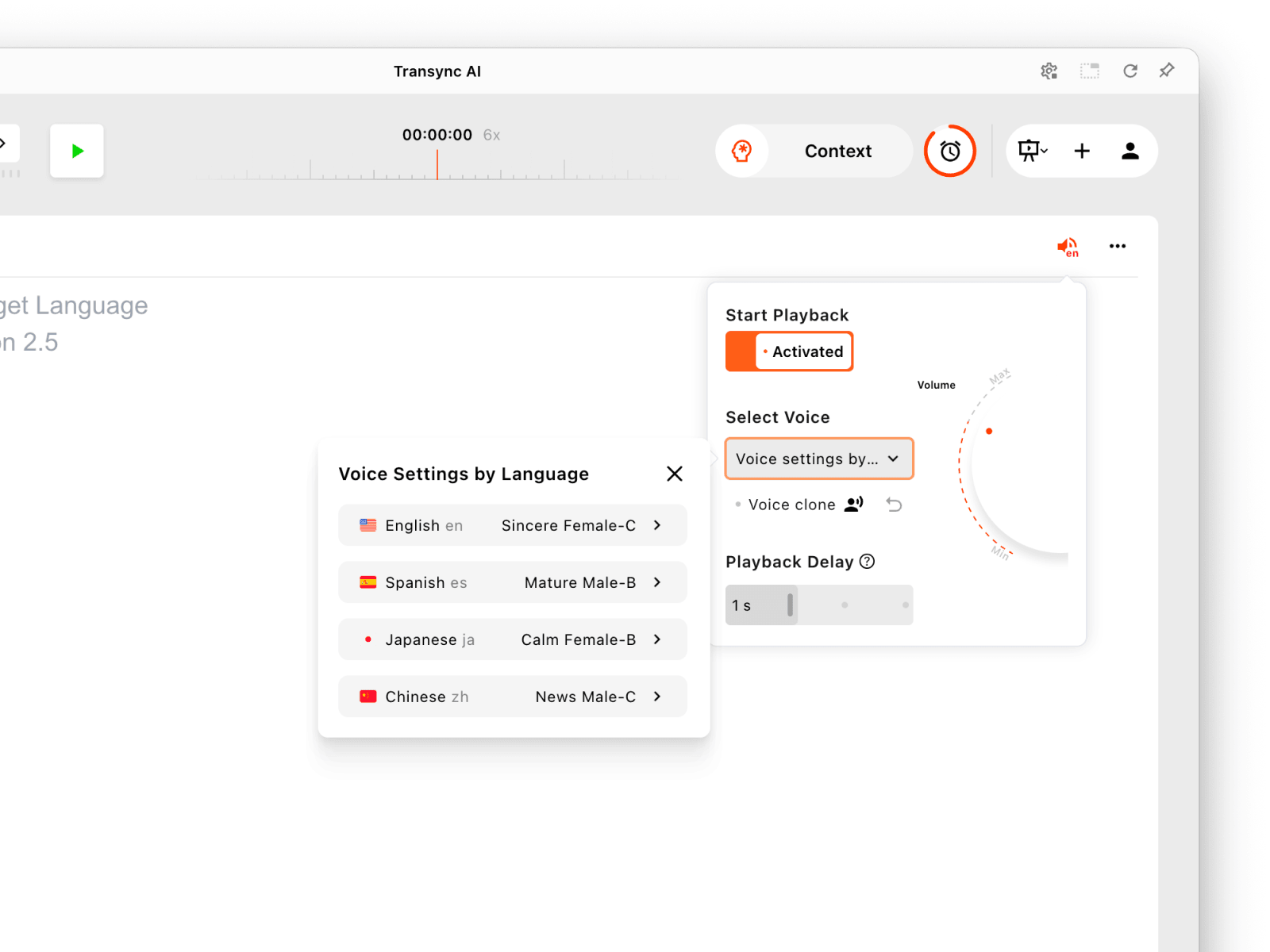
Configure voice playback separately for each presentation language.
Transync AI supports 60+ languages for real-time translation and currently lists voice playback in 40+ languages. It can also create transcripts and AI meeting notes. It requires internet access and does not provide general uploaded-audio, document, image, or pasted-text translation.
 Live and Recorded Outputs Can Work Together
 Live and Recorded Outputs Can Work Together
A team may use Transync AI during the meeting, then use its transcript and notes for follow-up. If the recording later becomes a training video or public webinar, it may move into a media workflow such as Maestra, Sonix, or Happy Scribe for editing, subtitles, additional languages, or dubbing.
That is not redundant. The live product solves participation; the post-production product solves publication. Trying to force one tool to cover both jobs can weaken each outcome.
When Route 3 Is the Best Choice
Use the live route for multilingual sales calls, supplier meetings, remote classes, interviews, demonstrations, daily team collaboration, and in-person conversations. Use a qualified human interpreter for medical, legal, immigration, emergency, safety, or other high-stakes communication where an error could materially affect rights or outcomes.
Traducir Audio Product Comparison
This traducir audio comparison does not treat the products as identical competitors. They occupy different points in the audio lifecycle.
| Product | Best input | Main deliverables | Review workflow | Live participation | Best fit | Key boundary |
|---|---|---|---|---|---|---|
| Sonix | Uploaded audio or video | Source transcript, translated transcript, SRT, VTT, documents | Side-by-side source and translation with timestamps | Not its primary role | Searchable, reviewable translation and subtitles | Not positioned as a live voice-to-voice meeting tool |
| Happy Scribe | Uploaded file, link, or recording | Transcripts, translations, subtitles, and dubbing options | Editable transcript; automated or human-service paths | Recorded-media workflow is central | Teams wanting AI speed plus review/service choices | Verify the selected service, turnaround, language, and output |
| Maestra | Uploaded audio/video and selected live media | Subtitles, voice-over, dubbing, cloned voice, localized media | Integrated media editor and regeneration | Live features available | Publishing multilingual media | Post-production strengths do not guarantee conversational latency |
| Transync AI | Microphone and live system audio | Bilingual captions, translated voice, transcript, meeting notes | Live verification plus post-meeting record | Yes | Meetings, calls, classes, and conversations | No general file upload translation or offline mode |
If the request is “translate this MP3 into an English transcript,” start with Sonix or Happy Scribe. If it is “make this Spanish course sound natural in English,” evaluate Maestra and a full dubbing review. If it is “help us understand one another in today’s call,” choose Transync AI rather than waiting for post-production.
Build a One-Page Audio Job Ticket
Before anyone uploads a file, complete a written traducir audio brief:
| Field | Decision to record |
|---|---|
| Source | File type, duration, language, region, speakers, and audio quality |
| Target | Language, region, audience, and desired level of formality |
| Deliverable | Transcript, subtitles, dubbed track, voice-over mix, or live translation |
| Review | Who checks source words, translation, timing, pronunciation, and final mix |
| Rights | Speaker consent, music rights, cloning permission, and distribution rights |
| Retention | Upload location, storage period, deletion process, and approved access |
This ticket prevents the most common traducir audio failure: approving “a translation” without agreeing on what will be delivered. A translated DOCX cannot replace a subtitle file, and an SRT cannot replace a mixed audio track.
A Five-Minute Preflight Before Full Processing
Do not begin with the entire recording. Select a representative five-minute section containing:
- At least two speakers.
- A name and technical term.
- A number or date.
- One interruption.
- Background sound.
- A sentence with emotional or persuasive delivery.
Process that excerpt through the planned traducir audio route. Measure how long it takes to correct the source, review the target, fix speaker labels, adjust subtitles, or regenerate speech. Multiply the human correction time by the full duration and number of target languages. This estimate is more useful than upload speed alone.
For dubbing, also compare the length of the source and target speech. For subtitles, inspect reading speed. For a live workflow, test with a remote participant and the actual meeting platform.
Privacy, Consent, and Rights
Audio can reveal identity, health information, confidential plans, customer details, location, and background conversations. Voice cloning introduces an additional risk: the output can sound like a real person saying words they never spoke.
Before using a traducir audio service, ask:
- Where is the uploaded audio processed and stored?
- How long are source files, transcripts, and generated voices retained?
- Can the user delete every derived asset?
- Is content used to train models?
- Who can access a shared project?
- Does the speaker consent to transcription, translation, and voice cloning?
- Do music, performance, or distribution rights allow a translated version?
Do not assume that an offline option, enterprise plan, or security badge answers every question. Review the policy and contract for the exact service and mode.
Current official information from Transync AI states that it does not store live translation audio recordings, that text transcripts may be stored temporarily to generate notes, and that users can delete them. It also states that customer data is not used for AI training. File-based platforms follow different data paths because source media and project assets must be uploaded and edited; confirm current retention and deletion terms with each provider.
Quality Gates by Deliverable
A final check should match the promised output.
Translated Transcript
Verify speaker names, timestamps, terminology, omissions, numbers, and the source-target relationship. Mark unintelligible speech instead of inventing certainty.
Subtitle File
Watch the complete program with captions enabled. Check timing, line breaks, reading speed, speaker changes, sound cues, and text that overlaps on-screen graphics.
Dubbed Audio
Listen for pronunciation, emotion, pacing, loudness, background mix, abrupt cuts, and whether the translated script fits the available time. Obtain required consent for cloned voices.
Live Translation
Test the microphone, system audio, headphones, speakers, virtual microphone, captions, and fallback communication method. Confirm what happens after the session and who can access the record.
These gates turn traducir audio from a one-click promise into an accountable workflow.
FAQ
Does Traducir Audio Mean Transcription or Dubbing?
It can mean either. Some searchers want translated text or subtitles; others want a new spoken track. Define the deliverable before choosing a tool. A transcript-first platform and a dubbing studio solve different final problems.
Can I Translate an MP3 into English Text?
Yes. Upload the file to a service such as Sonix or Happy Scribe, select the source language, correct the transcript, choose English as the target, and export the translated text. Check names, numbers, and technical terms before using the result.
Can I Keep the Original Speaker’s Voice?
Some dubbing platforms, including Maestra, offer voice-cloning or speaker-preserving options. Availability varies by language and plan. Obtain explicit permission and review privacy, impersonation, and distribution risks before using a cloned voice.
Can Transync AI Translate an Uploaded Recording?
No. Transync AI is designed for live speech in meetings, calls, classes, presentations, and conversations. It does not provide a general post-production upload workflow for translating MP3, WAV, or video files.
Which Output Is Best for a Podcast?
Use a translated transcript when the audience needs searchable text, subtitles when the podcast also has video, and a dubbed track when listeners should hear the target language. A voice-over mix may work well for interviews because it preserves some of the original speaker’s presence.
Should I Use a Human Reviewer?
Use professional human review when the content affects safety, rights, health, legal obligations, financial decisions, brand claims, or public reputation. Human review is also valuable for humor, persuasion, dialect, and culturally sensitive material.
Final Verdict
The safest way to traducir audio is to choose the finish line before selecting the software. Route 1 creates reviewable text and subtitles. Route 2 creates a spoken media asset. Route 3 helps people understand one another while the audio is still happening.
Choose Sonix or Happy Scribe when source and translated text must remain visible, editable, and exportable. Choose Maestra when the audience needs dubbed or localized media. Choose Transync AI when the real requirement is live bilingual participation with captions, translated voice, and meeting notes.
A successful traducir audio project is not defined by a fast upload. It is defined by a correct source, an appropriate target, a reviewable workflow, a deliverable the audience can actually use, and a clear decision about what happens to the audio afterward.
