

Choose an instant translator device with 9 practical checks covering languages, offline use, meetings, battery, privacy, accessories, and total cost.
An instant translator device sounds like a simple purchase: press a button, speak, and hear another language. In practice, buyers are choosing among three very different products—a handheld travel translator, a pair of interpreting earbuds, or software that turns an existing phone or computer into a live translation system.
The best category depends on where communication happens. A dedicated handheld device can be excellent at an airport or restaurant. Earbuds can make a two-person conversation feel more private. Software can be far more useful when translation must follow a 45-minute meeting, appear as bilingual subtitles, generate notes, or reach an audience through a QR code.
This buying brief compares Transync AI, Timekettle, Vasco Electronics, and Pocketalk. It does not pretend that one instant translator device wins every situation. Instead, it gives you nine checks that expose the costs and limitations hidden behind a language-count headline.
The Short Recommendation
Choose Pocketalk when you want a straightforward handheld translator with a physical talk button, built-in mobile connectivity, camera translation, and no dependence on your personal phone during everyday travel.
Choose Vasco Electronics when international connectivity and a broad mix of voice, text, and photo translation are central. Its current V4 product page highlights a built-in SIM with translation data in nearly 200 countries.
Choose Timekettle when you specifically want open-ear interpreting earbuds for two-way conversation, calls, media, or meetings and are comfortable pairing them with the company’s mobile app.
Choose Transync AI when “device” can be the phone, tablet, or computer you already own and the real goal is live meetings, bilingual subtitles, translated voice, context, notes, or one-to-many presentations. It avoids another piece of hardware but requires an internet-connected software workflow.
Instant Translator Device Comparison
| Product | Category | Current Starting Price Discussed Here | Best Fit | Connectivity | Standout Capability | Main Tradeoff |
|---|---|---|---|---|---|---|
| Transync AI | Cross-platform software | Free trial; paid plans from $8.99/month | Meetings, calls, classes, presentations | Internet required | Bilingual subtitles, translated voice, context, and notes | Not a dedicated offline handheld or camera translator |
| Timekettle W4 Pro | Open-ear interpreting earbuds | $449 | Wearable two-way conversation, calls, meetings | Phone app; selected offline pairs | 52 languages, 106 accents, and up to 6 hours translation per charge | Requires a smartphone and adds wearable hardware |
| Vasco Translator V4 | Dedicated handheld | $449 | International travel and mixed voice/photo/text use | Built-in SIM plus Wi-Fi | Free lifetime translation connectivity in nearly 200 countries | Separate device to charge, carry, and maintain |
| Pocketalk S2 | Dedicated handheld | $299 | Simple push-to-talk travel translation | Five-year eSIM model plus Wi-Fi | Compact talk-button design and camera translation | Less integrated with long online meetings |
| Pocketalk S2 Plus | Large-screen handheld | $349 | Counters, classrooms, and accessibility-oriented viewing | Five-year eSIM model plus Wi-Fi | Larger screen viewable from farther away | Larger and heavier than the S2 |
Prices and specifications were checked on official product pages on August 30, 2026. Promotions, availability, data terms, language support, and regional prices can change.
Check 1: What Job Must the Instant Translator Device Do?
Start with the conversation, not the product page. Write down the setting, participants, duration, input, output, and required record.
| Real Job | Most Natural Category |
|---|---|
| Ask for directions or order food | Handheld translator or phone app |
| Read a menu, sign, or printed notice | Device with camera translation |
| Hold a private two-person conversation | Earbuds or split-screen translator |
| Join a multilingual online meeting | Meeting-focused software or compatible earbuds |
| Translate a lecture for many attendees | Audience translation platform |
| Work in areas with unreliable data | Verified offline packs or a device with included connectivity |
| Handle a medical, legal, or safety matter | Qualified human interpreter, with technology only as support |
An instant translator device built for travel phrases may become awkward during a long business call. A meeting translator may be excellent at speech but unable to photograph a menu. A pair of earbuds may offer privacy but create a sharing and hygiene problem when the listener is a stranger.
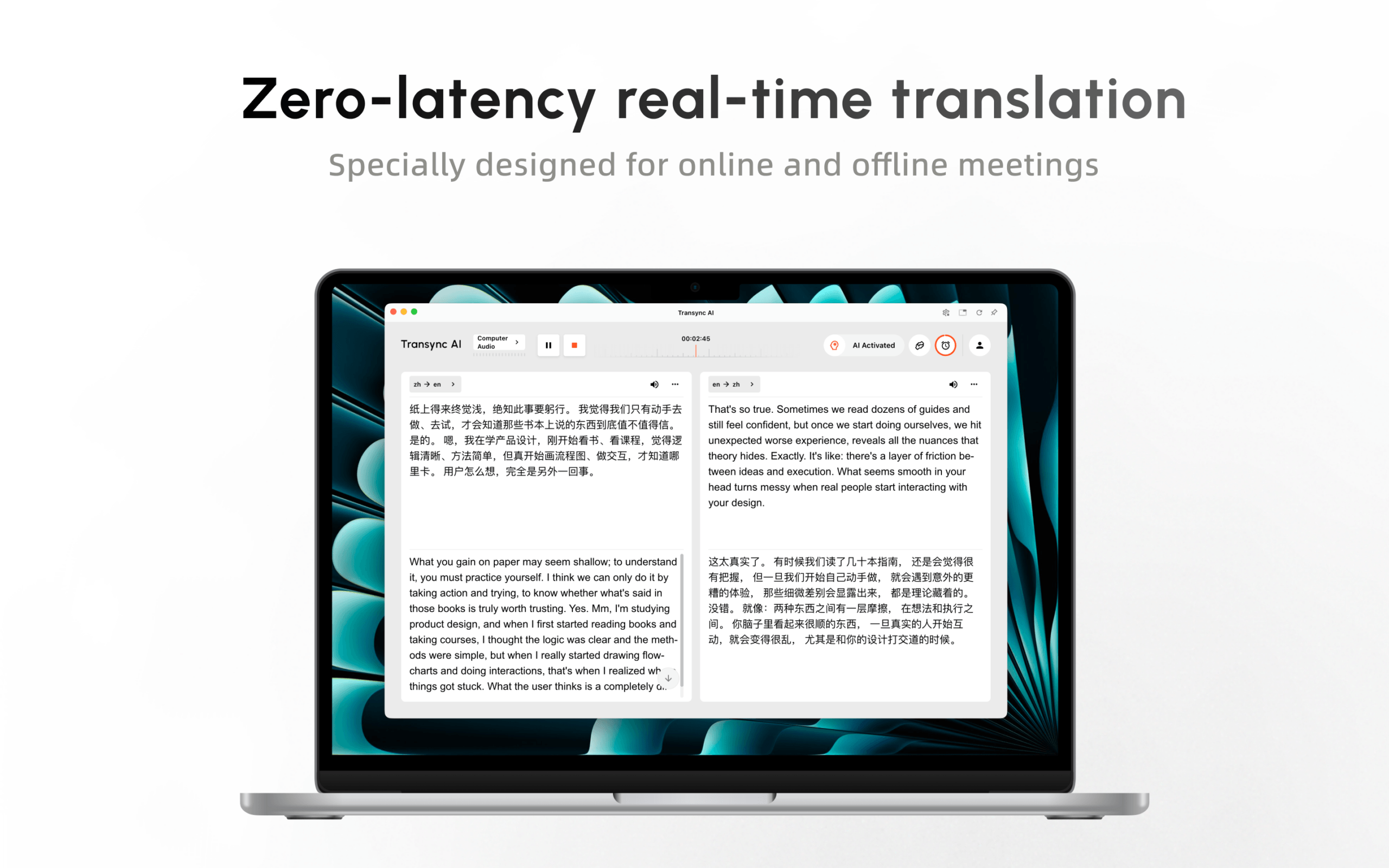
Transync AI is designed around real-time translation on web, desktop, and mobile devices. It is a strong fit when people need to understand and respond over time, but it is not positioned as a camera translator or a fully offline travel gadget.
Check 2: Verify Instant Translator Device Languages by Feature
“Supports 100 languages” may combine several different lists. Voice input, voice output, photo recognition, text translation, offline packs, and interface languages often have different coverage.
Before buying an instant translator device, create a language-pair worksheet:
- Can it recognize speech in Language A?
- Can it produce speech in Language B?
- Is two-way voice supported for A ↔ B?
- Does camera translation support both scripts?
- Is the pair available offline?
- Are the required regional accents listed?
- Does the exact feature work in your country and app version?
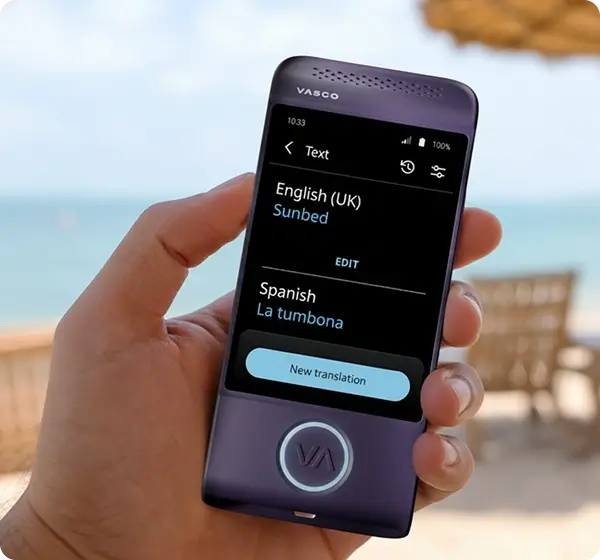
The current Vasco Electronics V4 page illustrates this difference clearly: it lists 112 languages for photo translation, 107 for text, 82 for voice, and 28 for its learning app. The broadest number is not the voice-translation number.
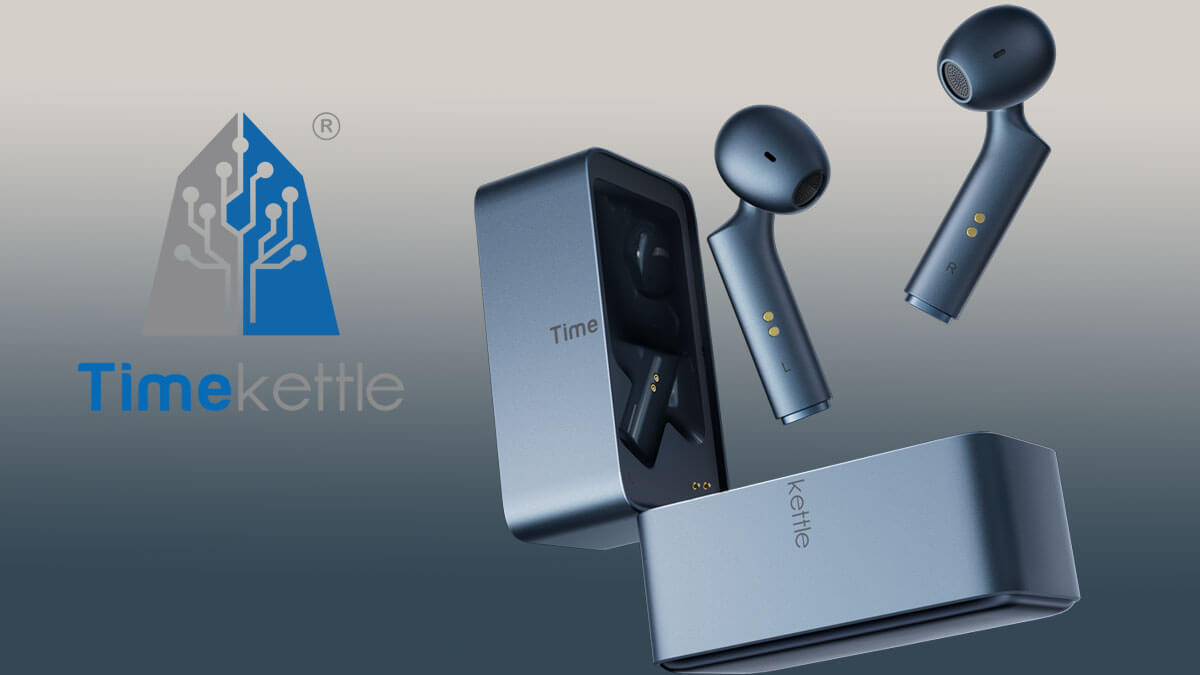
The current Timekettle W4 Pro page lists 52 languages and 106 accents, including regional variants for English, Spanish, French, Portuguese, and other languages. It also lists 13 offline language pairs, a much smaller set than its online language coverage.
Pocketalk currently advertises more than 92 translation languages for the S2 range, while its manual notes that some languages may display text without speech playback. Buyers should confirm the exact two-way voice pair, not stop at the total count.
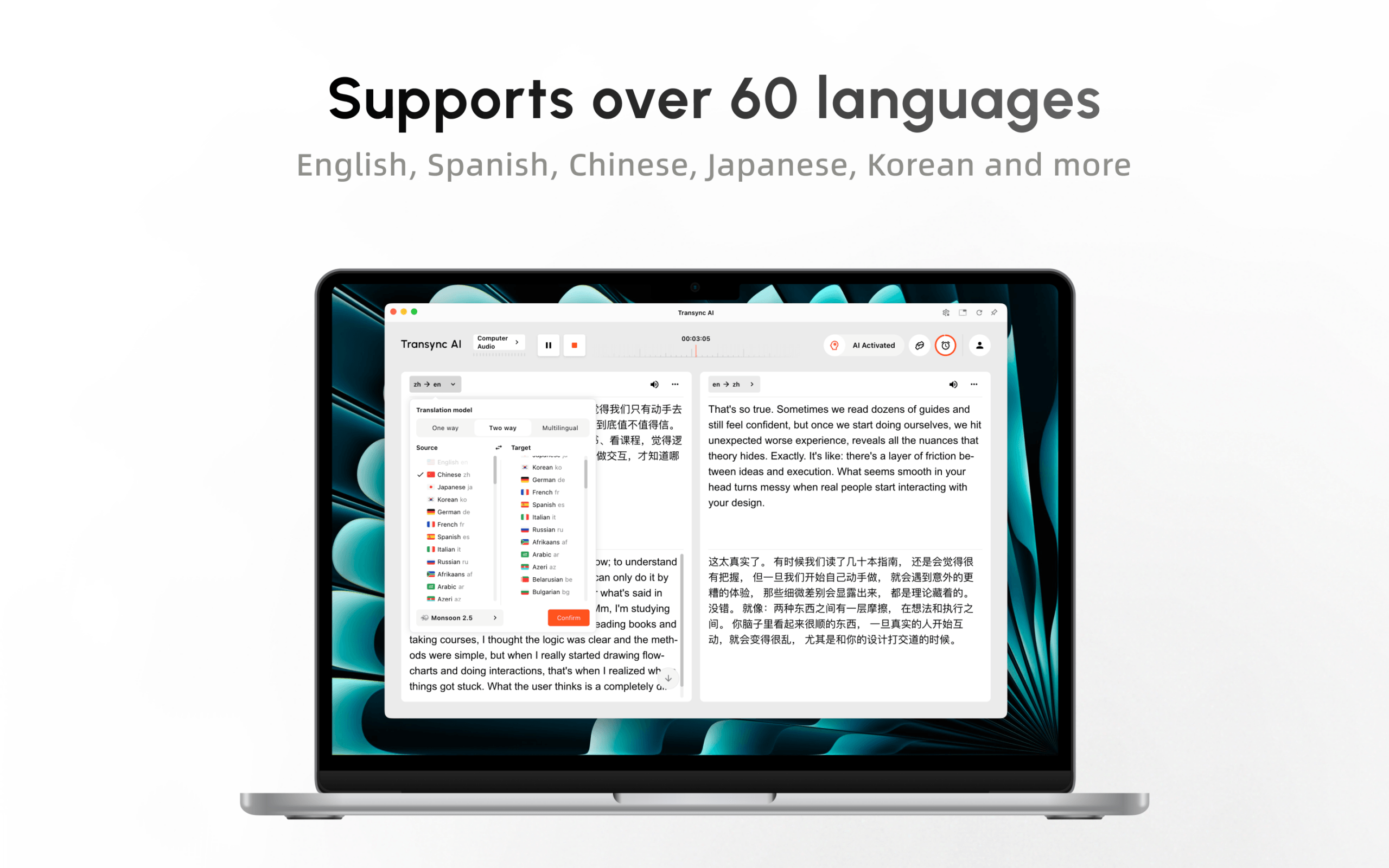
Transync AI currently lists more than 60 languages for real-time translation. Its AI voice translator has its own voice-output coverage, so translation support and playback support should also be checked separately.
 Check 3: Does “Offline” Mean Fully Offline?
 Check 3: Does “Offline” Mean Fully Offline?
Offline claims deserve a close reading. A product may offer offline text but not offline speech, a limited set of downloadable pairs, or only certain modes without a connection.
For each instant translator device, ask:
- Which exact language pairs work offline?
- Does offline mode include speech recognition and spoken output?
- Are offline packs included or sold separately?
- How much storage do they require?
- Does accuracy or latency change offline?
- Must the device go online periodically for licensing or updates?
Timekettle says its W4 Pro supports selected offline language pairs in One-on-One and Listen & Play modes, while Media Translation requires internet. Its current page also states that two offline-pair coupons are included and additional packs may require payment.
 Vasco Electronics approaches the problem differently. The V4 includes an international SIM and advertises free lifetime internet for translation in nearly 200 countries. That reduces dependence on local Wi-Fi, but mobile coverage can still be weak or unavailable in a specific building, rural area, border region, or underground transit system.
Pocketalk sells S2 and S2 Plus models with a five-year eSIM offering, and the setup manual asks users to confirm mobile-network status or connect to Wi-Fi. Check what happens after the included data period and whether every destination is covered.
Transync AI requires internet for its live AI workflow. It should not be selected as the only contingency for a location with no reliable connectivity. A downloaded phrase list, offline-capable device, or human interpreter may be the safer backup.
Check 4: Test Instant Translator Device Conversation Flow
The best instant translator device disappears into the conversation. The worst one forces people to tap, swap, wait, and stare at a screen after every sentence.
Test these interaction details:
- Who holds or wears the device?
- Does each speaker need to press a button?
- Can the system distinguish the two selected languages?
- Can both people read the source and translation?
- How long does audio playback take?
- What happens when someone interrupts or corrects a statement?
- Must you hand an earbud to a stranger?
- Can the listener adjust their own volume?
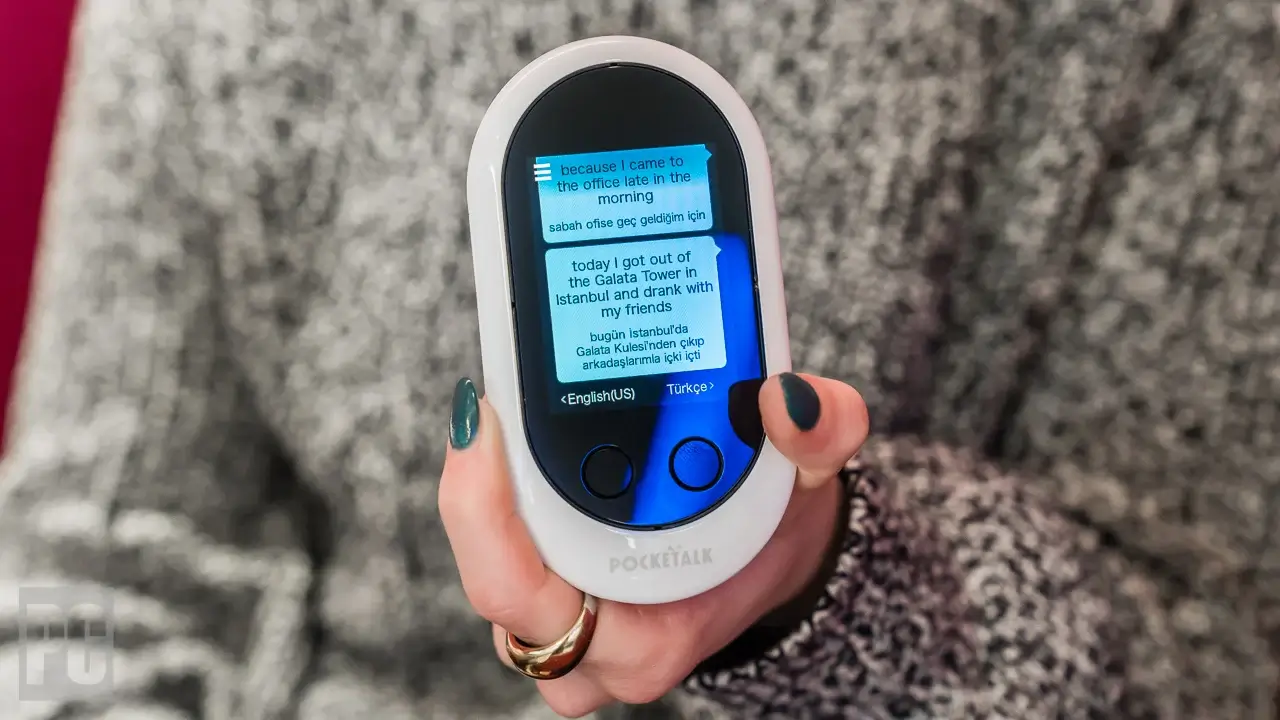
Pocketalk emphasizes a simple push-and-hold talk button. Its manual says the source and translated text appear on screen and the result is played as speech where supported. That explicit turn-taking can be easy to explain to a traveler or front-desk visitor.
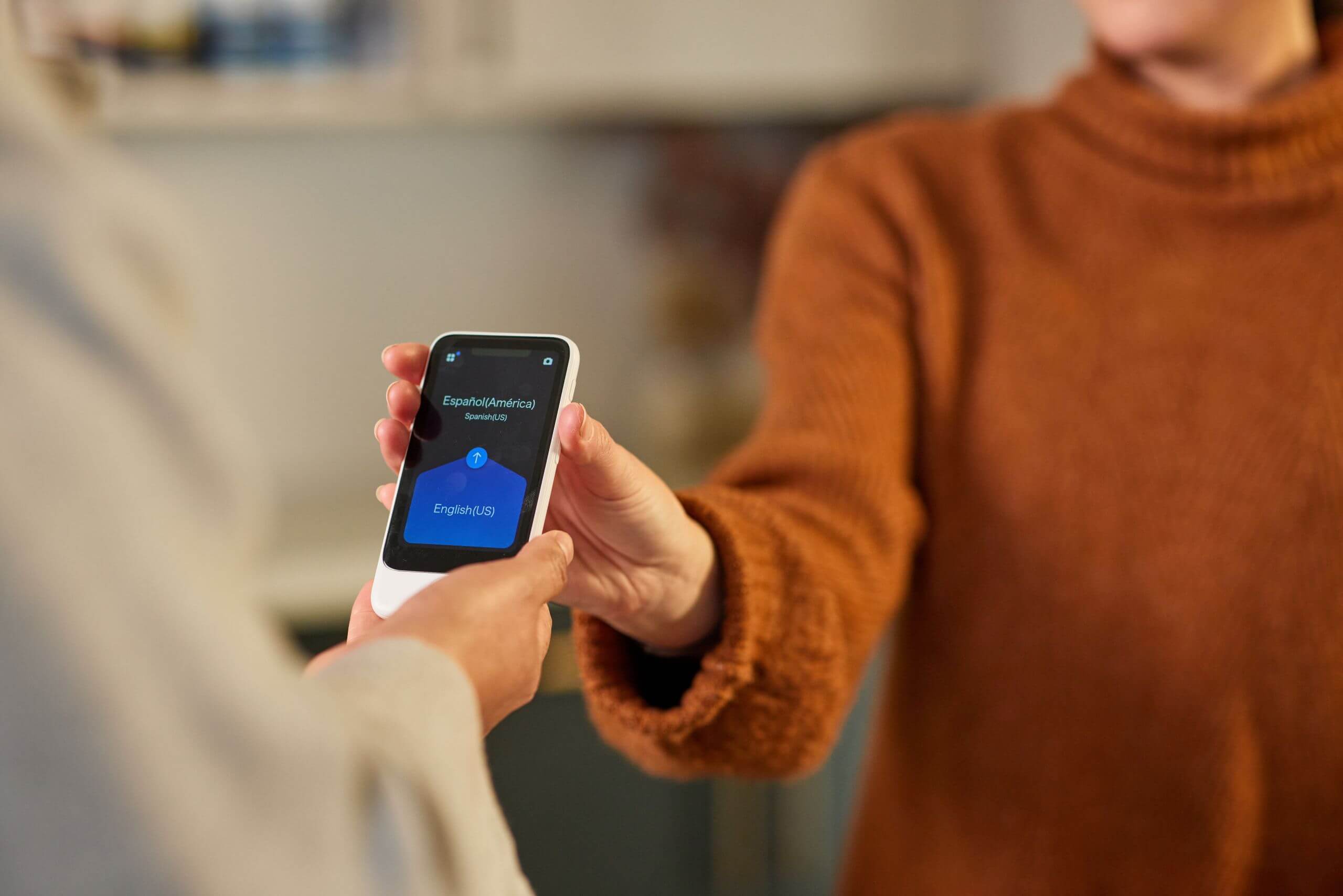
 Vasco Electronics provides a dedicated touchscreen experience for voice, text, photo, and interactive conversation. A separate device can be more approachable in a public-facing setting because the employee does not have to hand over a personal phone.
Timekettle uses an open-ear wearable design and supports two-way interpreting modes. Earbuds can feel more conversational, but the buyer should decide whether sharing wearable hardware is acceptable. For public counters, clinics, schools, and high-turnover environments, cleaning and replacement procedures belong in the purchase decision.
Transync AI uses the screen and audio hardware people already have. Its Picture-in-Picture bilingual subtitles can keep both languages visible over another supported app, which is useful when participants must follow a document or demonstration at the same time.

Real-time floating subtitles across desktop and mobile devices
Check 5: Will the Instant Translator Device Work in Meetings?
A travel translator handles short turns. A meeting must handle system audio, multiple speakers, screen sharing, long duration, terminology, notes, and remote delivery.
Timekettle positions the W4 Pro for onsite and online meetings, phone calls, video translation, saved audio and text, and exported AI memos. Its current specifications list up to six hours of translation on one charge. That may suit an individual who prefers wearable hardware and already plans to use the required smartphone app.
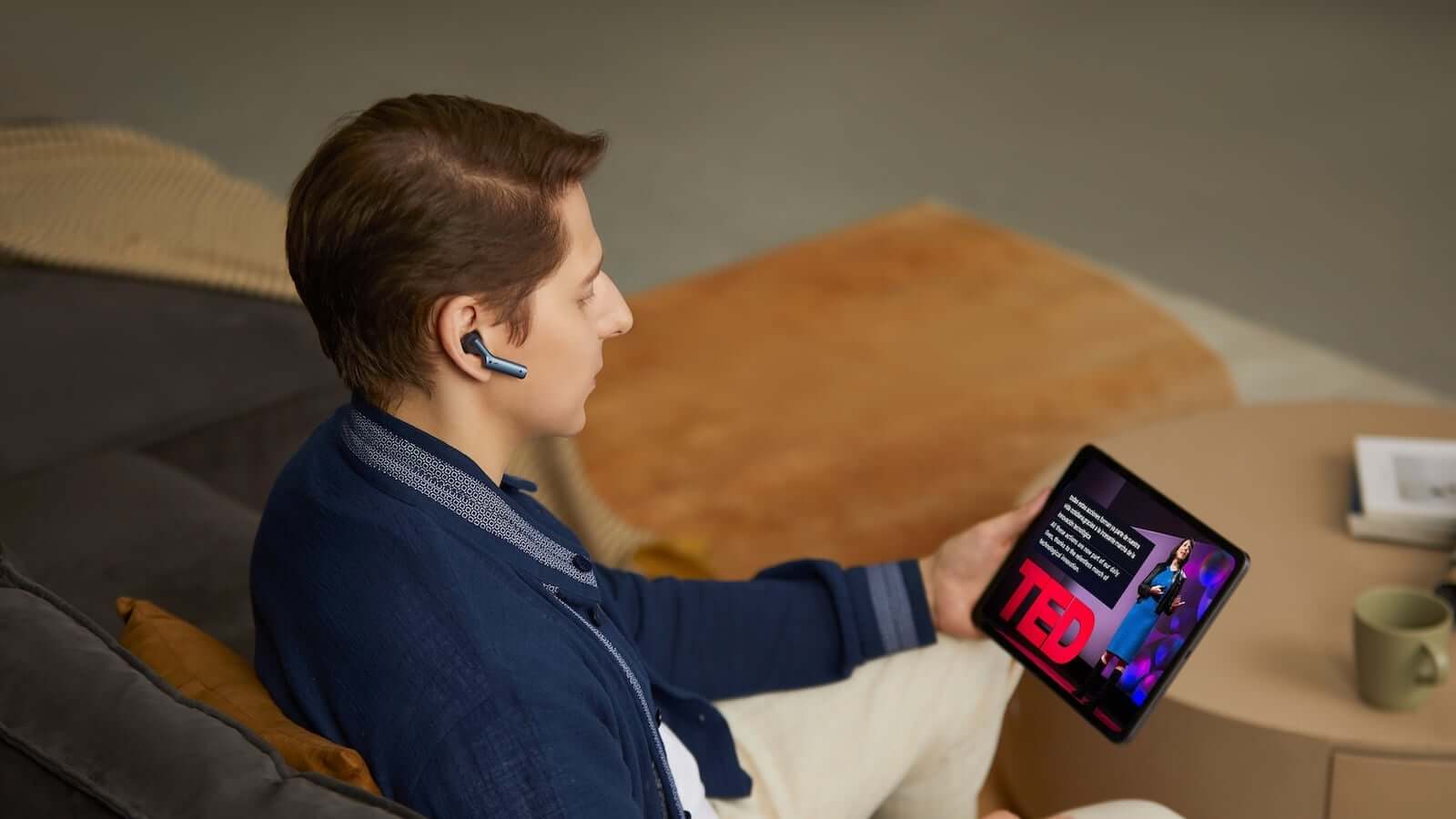
Transync AI provides a live meeting translation workflow for Zoom, Microsoft Teams, and Google Meet. Users can add keywords and contextual information before a call, then generate AI meeting notes afterward.
This is the central hardware-versus-software decision. A dedicated instant translator device can be easier to hand to one person. Transync AI is stronger when translation must stay beside the existing meeting, remain readable, play translated voice, and create a record without purchasing another 300–450 device.
For a serious meeting test, include two speakers, overlapping comments, numbers, names, a correction, and 20 minutes of sustained audio. Confirm what remote participants actually hear rather than relying on a local preview.
Check 6: Can It Address a Room or Audience?
Two-person conversation mode does not automatically scale to a lecture, factory tour, worship service, training session, or conference. An audience needs a join method and individual language choice.
In the beta Presentation Mode, Transync AI lets one host configure up to 10 target languages. Audience members join from their own phone or computer through a QR code, shareable link, or Room ID. They do not need to install software, but they must register or sign in to a Transync AI account.
After joining, each attendee selects an enabled target language and can read real-time subtitles or listen to translated voice. Audience members cannot send voice input in this mode. The host controls whether the original transcript and AI-generated notes are shared after the event; sharing is optional, not automatic.
This Presentation Mode turns audience members’ existing devices into personal receivers. It avoids purchasing and distributing a dedicated instant translator device to every attendee, although organizers must plan account access, connectivity, headphones, and usage metering.

Presentation Mode lets one host share live translation with audience members on their own devices.
Dedicated devices still have a role. A handheld translator may be simpler for a guide speaking with one visitor, while an earbud can suit a paired conversation. Once dozens of people need different languages, distribution, charging, collection, cleaning, loss, and support become an operational project.
Check 7: Inspect Instant Translator Device Battery and Durability
Hardware translation depends on physical availability. A perfect model with a dead battery is not an instant translator device.
Check:
- Translation time, not only standby time.
- Charging time and connector type.
- Whether a charging case is included.
- Battery-replacement policy.
- Warranty and accidental-damage coverage.
- Cost of lost earbuds or damaged screens.
- Availability of cases, lanyards, and screen protectors.
- Whether the device still works after its bundled data term ends.
Timekettle lists up to six hours of W4 Pro translation per earbud charge and offers optional protection products. Earbuds are small, wearable, and easier to lose than a handheld device.
Vasco Electronics lists a 2,400 mAh battery, a five-inch display, USB-C charging, and a weight of approximately 0.3 pounds for the V4. A bright display and cellular radio can be valuable, but buyers should perform a full-day travel test rather than infer active battery life from capacity alone.
Pocketalk lists the S2 at 75 grams and the S2 Plus at 125 grams. The company publishes long standby figures, but standby is not continuous translation time. Test repeated active use with screen brightness, cellular data, camera, and speaker volume set realistically.
Software avoids buying another battery, but Transync AI still consumes the phone or laptop’s power. Long events need chargers, power outlets, network backup, and an audio plan.
Check 8: Review Privacy, Hygiene, and Social Comfort
An instant translator device may capture private speech, retain translation history, connect through a vendor service, or be shared among many people. Security is not only encryption; it is also physical handling and clear consent.
Ask every vendor:
- Is raw audio stored?
- Is text history stored locally or in the cloud?
- Can history be deleted automatically or manually?
- Is customer data used for model training?
- Can the device be locked with a PIN?
- What happens if the hardware is lost?
- Which security commitments apply to the purchased plan?
- Can users opt out of saving records?
Pocketalk lists a PIN lock and automatic history deletion among current S2 features. Those controls are especially relevant when a device moves between employees.
Transync AI’s current product information says live translation audio is not stored, text transcripts may be retained for meeting-note generation, users can delete them, and customer data is not used for AI training by default. Organizations should still examine the Transync AI Trust Center and their own retention rules.
Wearables add hygiene and social consent. If two strangers are expected to share Timekettle earbuds, provide cleaning supplies and a clear alternative such as speaker mode or subtitles. Never force a visitor to wear shared equipment.
For medical, legal, safety, immigration, or regulatory communication, a qualified human interpreter should remain responsible. A device can support access, but it cannot accept professional accountability for a harmful mistake.
Check 9: Calculate Total Cost, Not Sticker Price
The purchase price is only the first line in an instant translator device budget.
| Cost Category | Handheld Device | Translation Earbuds | Software on Existing Devices |
|---|---|---|---|
| Initial purchase | Typically hundreds of dollars | Typically hundreds of dollars | Often free trial or subscription |
| Connectivity | Included term, lifetime translation data, Wi-Fi, or SIM plan | Phone data plus offline-pack rules | Existing internet connection |
| Accessories | Case, screen protector, lanyard, charger | Cleaning tools, case, replacement earbud | Headset, microphone, charger |
| Maintenance | Battery aging, repair, device replacement | Loss, hygiene, battery aging | App updates and device compatibility |
| Multi-user scaling | One unit per active conversation | Sets or pairs for participants | Accounts, seats, or metered usage |
| Meeting workflow | Often limited or separate | Product-specific | Native strength for meeting-focused software |
Current official prices checked for this article include:
- Timekettle W4 Pro: $449.
- Vasco Electronics Translator V4: $449, subject to availability.
- Pocketalk S2 with five-year eSIM: $299.
- Pocketalk S2 Plus with five-year eSIM: $349.
- Transync AI: 40 free minutes after sign-up; Personal Premium at 8.99 per month with 10 hours; Enterprise at 24.99 per month per seat with up to 40 hours.
Check the current Transync AI pricing and usage calculator before estimating multilingual or Presentation Mode sessions. Compare one year and three years of actual use, including replacements, support, data, and staff time.
For a solo traveler, a $299 handheld may be worth the convenience. For a 50-person team already carrying laptops and phones, software may avoid a large hardware fleet. For an event audience, asking each person to join from their own device may be far easier than issuing, charging, cleaning, and collecting receivers.
Four Product Profiles
Pocketalk S2: the simple handheld
The S2 uses a talk-button workflow: hold the button, speak, and review translated text and supported voice output. It adds camera translation and a five-year eSIM model. The S2 Plus trades portability for a larger display that can be easier to view across a counter or classroom.
Choose it when a dedicated shared device is preferable to an employee’s personal phone. Confirm the exact voice pair, data coverage, active battery performance, and post-eSIM cost.
Vasco Electronics V4: the travel-connectivity specialist
The V4 combines voice, text, and photo translation with a built-in international SIM and advertised lifetime translation connectivity in nearly 200 countries. Its five-inch screen and dedicated-device design suit travelers who do not want to depend on their personal phone.
Choose it when connectivity and mixed travel inputs matter more than integration with recurring online meetings. Verify current stock, destination coverage, supported voice output, and warranty terms.
Timekettle W4 Pro: the wearable conversation tool
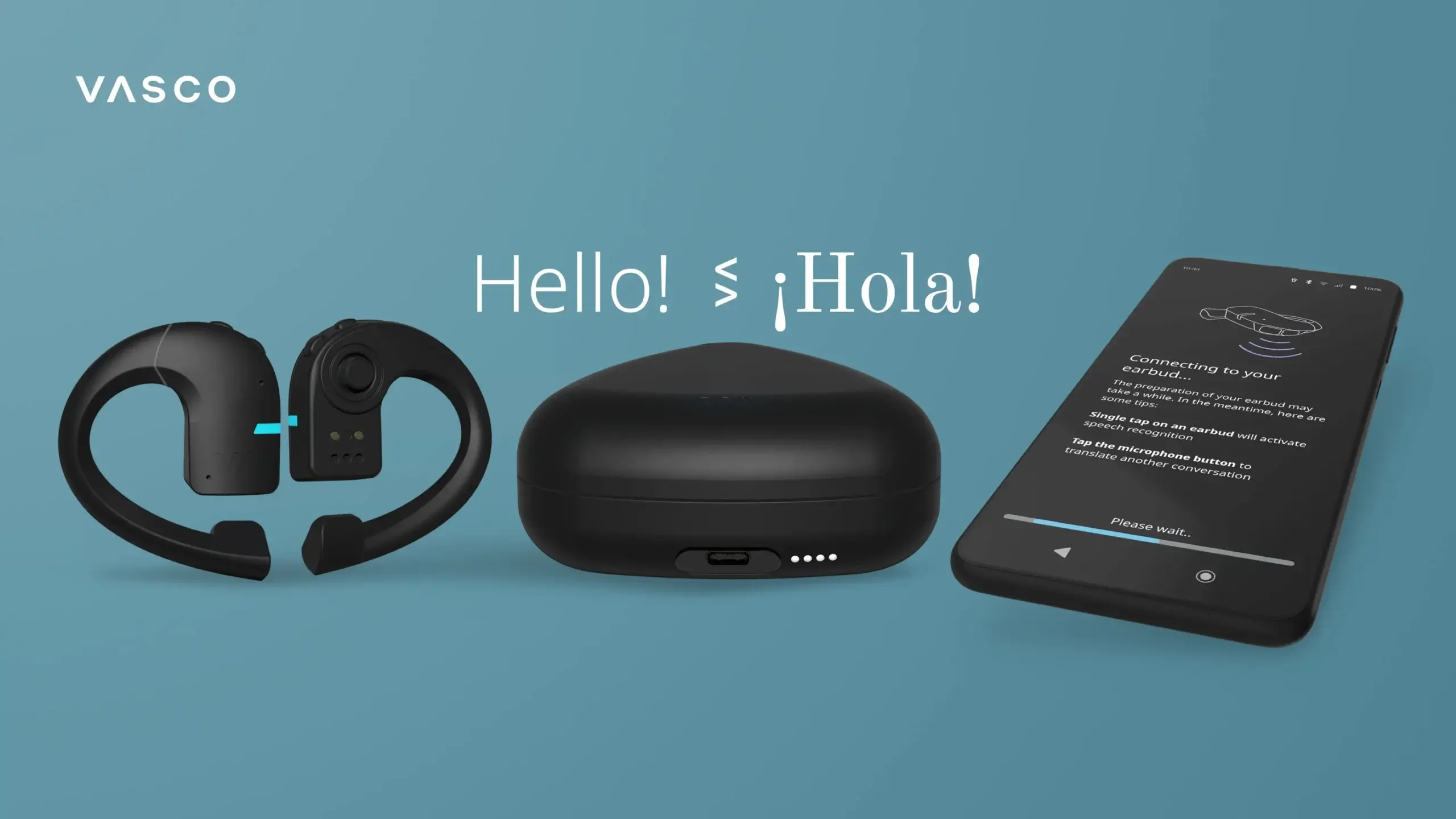
The W4 Pro is built around open-ear interpreting earbuds paired with a phone app. Current product information highlights two-way interpreting, calls, online meetings, saved audio and text, 52 languages, 106 accents, selected offline pairs, and up to six hours of translation per charge.
Choose it when hands-free listening and a wearable experience justify the additional hardware. Evaluate comfort, loss risk, phone dependence, offline-pack costs, and whether another person must wear shared equipment.
Transync AI: the no-extra-hardware meeting system
Transync AI turns existing computers and mobile devices into a real-time translation workspace. It is the strongest option here when the purchase request is really about multilingual meetings, translated voice, contextual terms, floating subtitles, notes, or audience participation.
Choose it when software can replace an additional instant translator device. Do not choose it as the only solution for fully offline travel or photo translation.
A 20-Minute Instant Translator Device Test
Bring your real languages, room, network, and participants. Use the same test for every candidate.
Minutes 1–4: Clean two-way speech
Use names, dates, prices, and full sentences. Confirm source recognition and translated meaning in both directions.
Minutes 5–8: Real-world noise
Add moderate background sound, move farther from the microphone, and let one speaker correct a statement. Watch recovery time.
Minutes 9–11: Output modes
Test translated voice, subtitles, screen readability, camera translation where offered, and participant volume control.
Minutes 12–14: Connectivity
Switch from Wi-Fi to cellular data. Test the documented offline pair in airplane mode. Do not assume a cached demo represents offline support.
Minutes 15–17: Workflow
Join an online meeting or scan the audience QR code. Confirm what a second device receives. Find the transcript or history afterward.
Minutes 18–20: Operations
Check battery, charging, cleaning, account access, deletion, warranty, data expiration, and three-year cost.
Score meaning, latency, audio clarity, ease of turn-taking, connectivity, records, privacy, and cost from one to five. The winning instant translator device is the one that completes your real task with the least friction.
Frequently Asked Questions
What is an instant translator device?
It is a handheld, wearable, or software-based system that captures speech or text and produces a translation with minimal delay. Some devices also translate photos, while meeting-focused software adds subtitles, voice playback, notes, and audience access.
Do instant translator devices work without internet?
Some support selected offline pairs or modes, but offline coverage is usually smaller than online coverage. Check whether both speech recognition and voice output work offline for your exact pair.
Is a handheld translator better than a phone app?
A handheld can be easier to share, may include global connectivity, and keeps translation separate from a personal phone. An app is easier to update and may offer a richer meeting workflow without additional hardware.
What is the best instant translator device for travel?
Pocketalk and Vasco Electronics are strong dedicated-device candidates. Pocketalk emphasizes simple push-to-talk operation, while Vasco Electronics emphasizes its built-in global translation connectivity. Test your languages and destinations before buying.
What is the best instant translator device for meetings?
Transync AI is a strong choice when existing phones and computers count as the device. It combines live bilingual translation, voice output, context, major meeting-platform support, and notes. Timekettle W4 Pro is worth evaluating when interpreting earbuds are specifically desired.
Can an audience join translation by QR code?
Yes. In Transync AI Presentation Mode, attendees can join by QR code, shareable link, or Room ID, then select one of the target languages enabled by the host. Account registration or sign-in is required, but software installation is not.
Are translation earbuds hygienic to share?
They can be cleaned according to the manufacturer’s instructions, but some users may not want shared wearable equipment. Provide cleaning procedures and a non-wearable alternative.
Can a device replace a professional interpreter?
It can support everyday and many business conversations, but high-risk medical, legal, regulatory, immigration, and safety communication should remain under qualified human interpretation.
Final Buying Decision
An instant translator device should be selected by workflow, not by its largest language number. Confirm the language pair by feature, investigate offline limitations, rehearse the physical conversation, test real meeting audio, calculate battery and data life, and review privacy before paying.
Choose Pocketalk for a simple handheld, Vasco Electronics for travel connectivity and multiple input types, and Timekettle for a wearable interpreting experience. Choose Transync AI when the best “device” is the phone or computer already in front of you and the job is a live meeting, class, call, or presentation.
The smartest purchase may be dedicated hardware—or it may be avoiding new hardware entirely. The right instant translator device is the one people can actually carry, connect, hear, understand, maintain, and afford in the scenario they face every week.
If you want a next-generation experience, Transync AI leads the way with real-time, AI-powered translation that keeps conversations flowing naturally. You can try it free now.
