

คู่มือเครื่องมือแปลภาษา AI สำหรับปี 2026: เปรียบเทียบขั้นตอนการทำงานด้านการแปลข้อความ เสียง การประชุม งานอีเวนต์ และการแปลโดยมนุษย์ เพื่อเลือกโซลูชันที่เหมาะสม.
เครื่องมือแปลภาษา AI ไม่ใช่ซอฟต์แวร์ประเภทเดียวกันอีกต่อไปแล้ว.
เครื่องมือแปลบางอย่างอาจยอดเยี่ยมในการแปลเอกสารที่ผ่านการตรวจสอบอย่างละเอียด แต่ไม่เหมาะสำหรับการสนทนาสดกับลูกค้า ในขณะที่เครื่องมือแปลอีกอย่างอาจให้คำบรรยายสองภาษาที่รวดเร็วระหว่างการประชุม แต่ไม่มีการแปลรูปภาพ แพลตฟอร์มที่ออกแบบมาสำหรับการประชุมอาจมากเกินไปสำหรับการสนทนาระหว่างสองคน ในขณะที่แอปแปลภาษาบนมือถือที่มีขนาดเล็กอาจใช้งานไม่ได้ผลในระหว่างการอบรมเชิงปฏิบัติการทางเทคนิค.
ด้วยเหตุนี้ การค้นหา "โปรแกรมแปลภาษา AI ที่ดีที่สุด" จึงมักให้คำตอบที่ไม่ถูกต้อง.
คำถามที่เหมาะสมกว่าคือ:
ขั้นตอนการทำงานของ AI การแปลแบบใดที่เหมาะสมกับปัญหาการสื่อสารที่ฉันเผชิญอยู่?
คู่มือนี้จะอธิบายประเภทหลักๆ ของเครื่องมือแปลภาษาด้วย AI อธิบายจุดเด่นของแต่ละประเภท และแสดงวิธีการเลือกใช้ระหว่างการแปลข้อความ การแปลเสียง เครื่องมือสำหรับการประชุมสด แพลตฟอร์มสำหรับงานอีเวนต์ และการล่ามโดยมนุษย์.
คำตอบโดยย่อ: เครื่องมือแปลภาษาด้วย AI คืออะไร?
เครื่องมือแปลภาษา AI ใช้ปัญญาประดิษฐ์ในการแปลงเนื้อหาที่เป็นลายลักษณ์อักษรหรือคำพูดจากภาษาหนึ่งไปเป็นอีกภาษาหนึ่ง.
ขึ้นอยู่กับผลิตภัณฑ์ อาจมีการแปลดังนี้:
- ข้อความที่พิมพ์
- เอกสาร
- เว็บไซต์
- รูปภาพ
- เสียงที่บันทึกไว้
- สุนทรพจน์สด
- การประชุมออนไลน์
- เว็บสัมมนา
- การประชุม
- คำบรรยาย
- เอาต์พุตเสียง
เครื่องมือบางอย่างเน้นเฉพาะรูปแบบเดียว ในขณะที่บางอย่างผสมผสานการแปลเข้ากับการถอดเสียง การสังเคราะห์เสียง การสรุปการประชุม การควบคุมคำศัพท์ หรือการตีความโดยมนุษย์.
หมวดหมู่หลักมีดังนี้:
| หมวดหมู่ | อินพุตหลัก | ผลผลิตทั่วไป |
|---|---|---|
| โปรแกรมแปลข้อความ | ข้อความที่พิมพ์หรือวาง | ข้อความที่แปลแล้ว |
| นักแปลเอกสาร | ไฟล์ PDF, Word หรือไฟล์นำเสนอ | เอกสารที่แปลแล้ว |
| โปรแกรมแปลเสียง | คำพูดที่บันทึกไว้ | ถอดความและแปล |
| เครื่องแปลเสียง | สุนทรพจน์สด | คำบรรยายหรือเสียงแปล |
| นักแปลการประชุม | เสียงการประชุมออนไลน์ | คำบรรยายสองภาษา เสียง และหมายเหตุ |
| แพลตฟอร์มการแปลกิจกรรม | เสียงการประชุมหรือสัมมนาผ่านเว็บ | ช่องทางภาษาต่างๆ |
| แพลตฟอร์มที่ใช้มนุษย์ช่วยเหลือ | เนื้อหาแบบสดหรือแบบเขียน | AI บวกกับการตรวจสอบหรือตีความโดยผู้เชี่ยวชาญ |
การเลือกหมวดหมู่ที่เหมาะสมนั้นขึ้นอยู่กับว่าการแปลนั้นต้องมีความแม่นยำสูง รวดเร็ว เป็นกันเอง ปรับขนาดได้ หรือเชื่อถือได้ตามกฎหมาย.
เหตุใดโปรแกรมแปลภาษา AI เพียงโปรแกรมเดียวจึงไม่สามารถทำทุกอย่างได้ดี
คุณภาพของการแปลขึ้นอยู่กับมากกว่าแค่ความครอบคลุมของภาษา.
ระบบแปลข้อความมีเวลาเพียงพอที่จะประมวลผลย่อหน้าหนึ่งๆ เครื่องมือสนทนาสดต้องเริ่มสร้างผลลัพธ์ก่อนที่ผู้พูดจะจบการสนทนาทั้งหมด แพลตฟอร์มการประชุมอาจต้องรองรับผู้ฟังหลายร้อยคนพร้อมกัน นักแปลด้านกฎหมายต้องรักษาความหมายที่ถูกต้องและรับผิดชอบต่อหน้าที่อย่างมืออาชีพ.
ขั้นตอนการทำงานเหล่านี้ต้องการลำดับความสำคัญที่แตกต่างกัน.
| ขั้นตอนการทำงาน | ข้อกำหนดที่สำคัญที่สุด |
| บทความที่เขียน | การใช้ถ้อยคำและการเรียบเรียงที่เป็นธรรมชาติ |
| เอกสารทางธุรกิจ | ความสอดคล้องของรูปแบบและคำศัพท์ |
| บทสนทนาเกี่ยวกับการเดินทาง | ความเร็วและความสะดวกสบายในการใช้งานบนมือถือ |
| การประชุมออนไลน์ | ความหน่วงต่ำและการแปลแบบสองทาง |
| การบรรยาย | คำบรรยายที่เสถียรและการรองรับการใช้งานต่อเนื่องยาวนาน |
| การประชุม | ขนาดของกลุ่มเป้าหมายและภาษาที่แสดงผลหลากหลาย |
| การสื่อสารทางกฎหมายหรือทางการแพทย์ | ความเชี่ยวชาญและความรับผิดชอบของมนุษย์ |
รายการคุณสมบัติที่ยาวที่สุดไม่ได้หมายความว่าจะเป็นเครื่องมือที่ดีที่สุดเสมอไป.
แผนผังการตัดสินใจของเครื่องมือแปลภาษา AI
ใช้กระบวนการตัดสินใจง่ายๆ นี้ก่อนเปรียบเทียบผลิตภัณฑ์.
คุณต้องการบริการแปลเอกสารหรือการแปลคำพูดหรือไม่?
เลือกโปรแกรมแปลข้อความหรือเอกสารสำหรับ:
- อีเมล
- รายงาน
- บทความ
- สัญญาสำหรับการตรวจสอบเบื้องต้น
- การนำเสนอ
- ข้อความบนเว็บไซต์
- คำอธิบายผลิตภัณฑ์
เลือกโปรแกรมแปลเสียงหรือโปรแกรมแปลการประชุมสำหรับ:
- การประชุมออนไลน์
- การสัมภาษณ์
- ชั้นเรียน
- ซัพพลายเออร์โทรหา
- บทสนทนาการขาย
- เว็บสัมมนา
- การสนทนาแบบเผชิญหน้า
การแปลจำเป็นต้องเกิดขึ้นแบบเรียลไทม์หรือไม่?
ถ้าไม่ใช่ ให้จัดลำดับความสำคัญดังนี้:
- คุณภาพการตัดต่อ
- การรองรับรูปแบบไฟล์
- ความสอดคล้องของคำศัพท์
- ตัวเลือกการส่งออก
- การตรวจสอบโดยมนุษย์
ถ้าใช่ ให้จัดลำดับความสำคัญดังนี้:
- ความหน่วงเวลา
- การรู้จำเสียงพูด
- การรองรับการสื่อสารสองทาง
- ความสามารถในการอ่านคำบรรยายย่อย
- เอาต์พุตเสียง
- การกำหนดเส้นทางเสียง
- ความเสถียรในระยะยาว
มีคนจำนวนเท่าใดที่ต้องการการแปลนี้?
สำหรับคนหนึ่งหรือสองคน โปรแกรมแปลบทสนทนาอาจเพียงพอแล้ว.
สำหรับการประชุมทีมตามปกติ ให้มองหา:
- การสนับสนุนแพลตฟอร์มการประชุม
- บันทึก AI
- การตั้งค่าบริบท
- คำบรรยายที่แชร์ได้
สำหรับการเข้าร่วมงานประชุม ให้มองหา:
- ผู้ชมสามารถเข้าถึงได้ผ่านลิงก์หรือคิวอาร์โค้ด
- หลายภาษาพร้อมกัน
- ผู้จัดระเบียบควบคุม
- การสนับสนุนทางเทคนิค
- ตัวเลือกการตีความโดย AI และมนุษย์
จะเกิดอะไรขึ้นถ้าการแปลผิดพลาด?
สำหรับการสื่อสารภายในองค์กรทั่วไป AI อาจเพียงพอแล้ว.
สำหรับการสื่อสารด้านกฎหมาย การแพทย์ การเงิน ข้อบังคับ หรือความปลอดภัยที่สำคัญ ควรใช้การตรวจสอบโดยมนุษย์ที่มีคุณสมบัติเหมาะสม หรือการแปลโดยผู้เชี่ยวชาญ.
หมวดที่ 1: เครื่องมือแปลข้อความและเอกสารด้วย AI
เครื่องมือที่เน้นข้อความได้รับการออกแบบมาเพื่อใช้กับภาษาเขียน.
โดยทั่วไปมักใช้สำหรับ:
- อีเมล
- บทความ
- รายงาน
- การนำเสนอ
- เอกสารประกอบผลิตภัณฑ์
- การสื่อสารภายใน
- การแปลเบื้องต้น
DeepL เป็นตัวอย่างหนึ่งของแพลตฟอร์มที่ครอบคลุมการแปลข้อความและเอกสารควบคู่ไปกับผลิตภัณฑ์เสียงรุ่นใหม่ๆ.
สิ่งที่ควรสังเกต
- โครงสร้างประโยคที่เป็นธรรมชาติ
- ตัวเลือกน้ำเสียงแบบเป็นทางการและไม่เป็นทางการ
- การรักษารูปแบบเอกสาร
- คำศัพท์เฉพาะ
- การใช้คำศัพท์ที่สอดคล้องกัน
- การควบคุมความปลอดภัยของข้อมูล
- ขั้นตอนการแก้ไข
- การเข้าถึง API
ข้อจำกัดหลัก
นักแปลเอกสารที่เก่งกาจอาจไม่ใช่ล่ามแปลสดที่เก่งกาจเสมอไป.
การแปลข้อความสามารถรอจนกว่าประโยคหรือย่อหน้าจะเสร็จสมบูรณ์ได้ แต่การแปลด้วยเสียงพูดสดนั้น ระบบจำเป็นต้องปรับสมดุลระหว่างความเร็วกับบริบทที่ไม่สมบูรณ์.
หมวดที่ 2: โปรแกรมแปลเสียง AI สำหรับการสนทนา
โปรแกรมแปลเสียง AI จะฟังภาษาพูดและสร้างข้อความหรือคำพูดที่แปลแล้ว.
เหมาะสำหรับ:
- การสนทนาแบบเผชิญหน้า
- การท่องเที่ยว
- การปฏิสัมพันธ์กับลูกค้า
- การสัมภาษณ์
- การเข้าพบที่สำนักงาน
- การสนทนากลุ่มย่อย
โปรแกรมแปลเสียงที่มีประโยชน์ควรทำอะไรบ้าง
- รับรู้คำพูดได้อย่างชัดเจน
- รองรับการแปลทั้งสองทิศทาง
- แยกแยะความแตกต่างระหว่างภาษาที่เลือก
- แสดงคำบรรยายที่อ่านได้
- ให้เสียงพูดที่เป็นธรรมชาติ
- รับมือกับการตอบกลับสั้นๆ
- รักษาหมายเลขและชื่อไว้
- หลีกเลี่ยงการหน่วงเวลาการเล่นที่มากเกินไป
ประสบการณ์ของผู้ใช้มีความสำคัญพอๆ กับการแปล.
คำแปลที่ถูกต้องซึ่งมาถึงหลังจากบทสนทนาได้ดำเนินต่อไปแล้ว อาจยังคงใช้ไม่ได้อยู่ดี.
หมวดที่ 3: เครื่องมือแปลภาษาสำหรับการประชุมแบบเรียลไทม์
การแปลการประชุมเป็นหนึ่งในหมวดหมู่ที่มีการเติบโตเร็วที่สุด เนื่องจากปัจจุบันการสื่อสารทั่วโลกเกิดขึ้นผ่าน Zoom, Microsoft Teams และ Google Meet มากขึ้นเรื่อยๆ.
เครื่องมือเหล่านี้อาจให้ประโยชน์ดังต่อไปนี้:
- การถอดเสียงแบบเรียลไทม์
- การแปลแบบเรียลไทม์
- คำบรรยายสองภาษา
- การแปลเสียงเป็นเสียง
- บันทึกการประชุม
- บันทึกการถอดเสียง
- คำถามและคำตอบเกี่ยวกับ AI
- การตั้งค่าคำศัพท์
Transync เอไอ
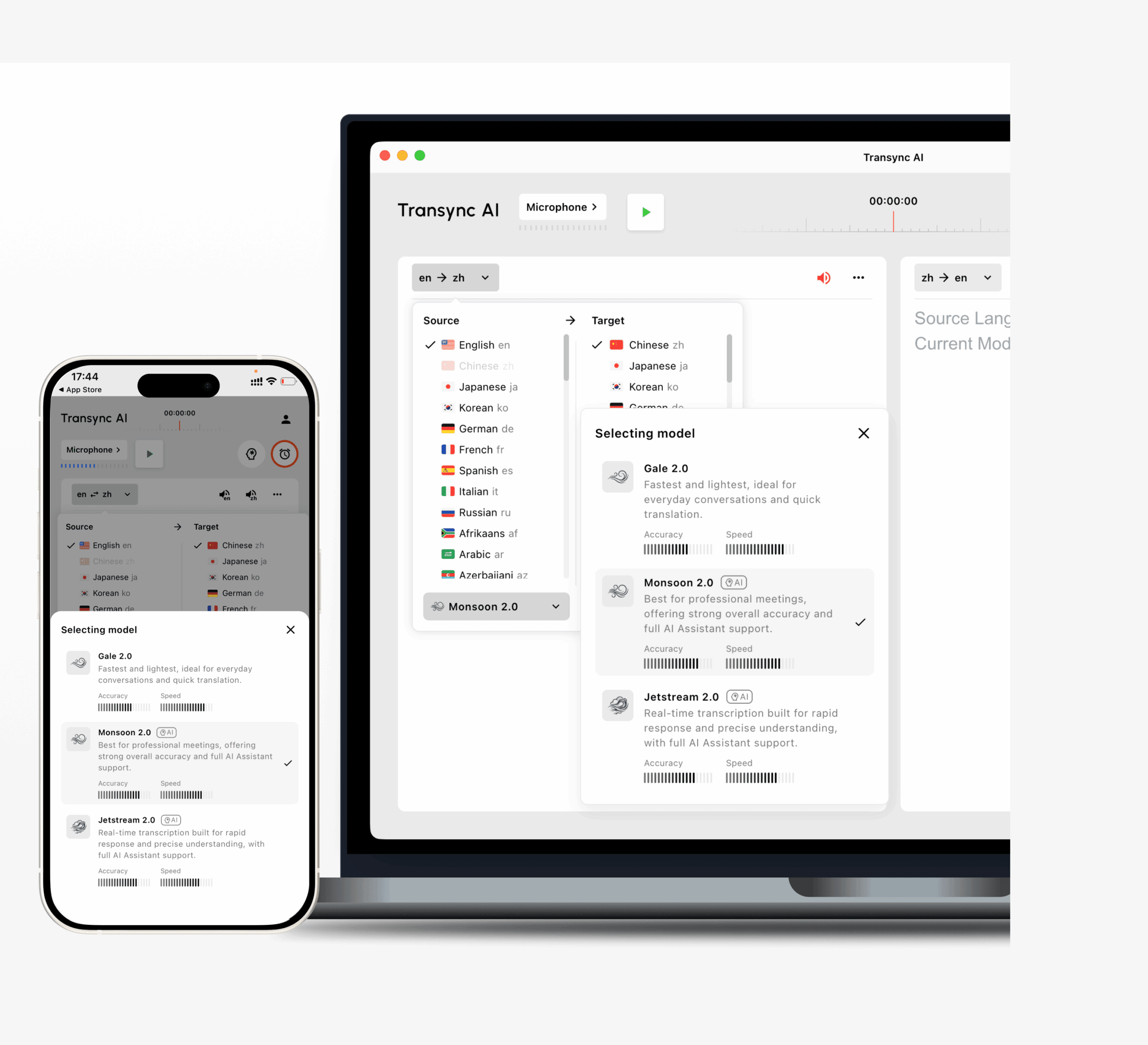
ขั้นตอนการทำงานประกอบด้วย:
- บริการแปลภาษาแบบสองทางใน 60 ภาษา
- มีคู่ภาษามากกว่า 1,000 คู่
- คำบรรยายต้นฉบับและคำบรรยายที่แปลแล้วแสดงควบคู่กันไป
- การออกอากาศด้วยเสียง AI
- ตัวเลือกเสียงหลายแบบ
- ตัวอย่างเสียง
- การโคลนเสียง
- คำสำคัญและบริบท
- บันทึกการประชุม AI
- คำบรรยายภาพซ้อนภาพ
- รองรับเวิร์กโฟลว์สำหรับ Zoom, Teams และ Google Meet
Transync AI ทำงานเป็นซอฟต์แวร์แบบสแตนด์อโลน ไม่ใช่ปลั๊กอินสำหรับการประชุม.
สิ่งนี้จึงมีประโยชน์สำหรับผู้ที่ใช้แพลตฟอร์มการประชุมหลายแพลตฟอร์มและต้องการอินเทอร์เฟซการแปลเดียวสำหรับทุกแพลตฟอร์ม.
โจทมี

JotMe มุ่งเน้นการจัดการประชุมหลายภาษา โดยผสมผสานการแปลแบบเรียลไทม์เข้ากับการถอดเสียงและการจดบันทึกการประชุม.
อาจดึงดูดผู้ใช้ที่ต้องการแปลและจัดทำเอกสารหลังการประชุมภายในขั้นตอนการทำงานเดียวกัน.
ทาโล
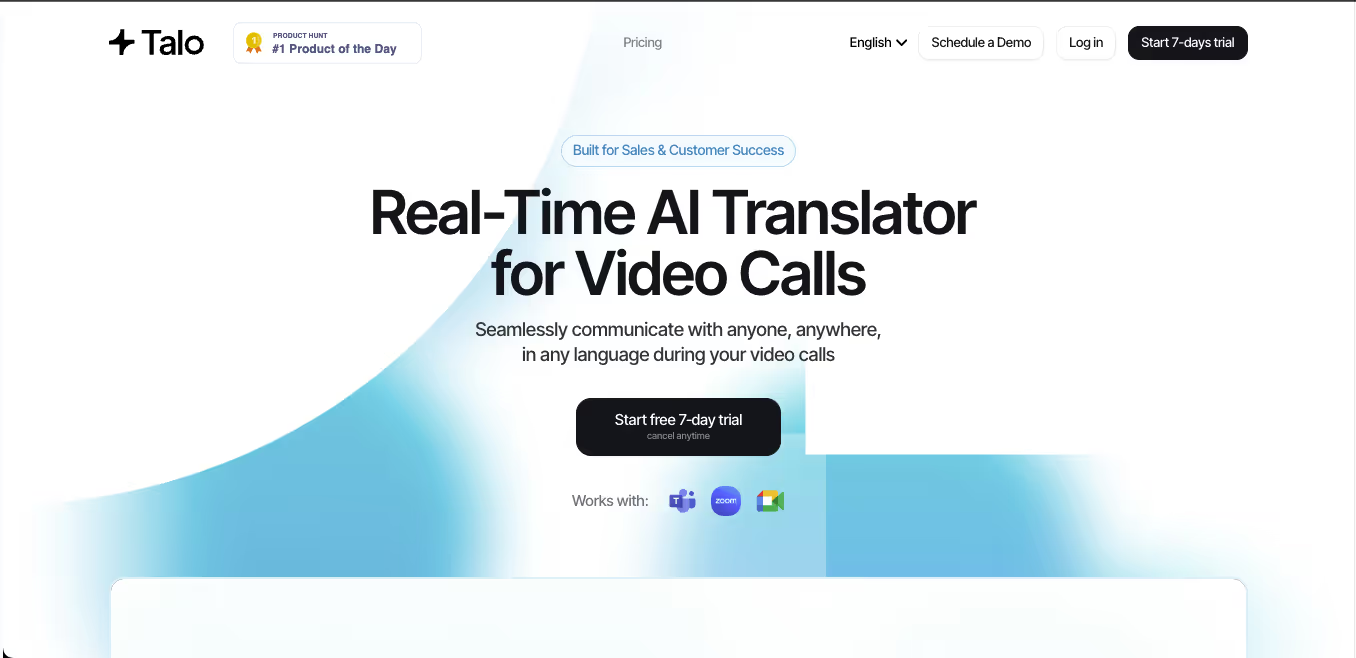 Talo เน้นการแปลเสียงแบบเรียลไทม์สำหรับการสนทนาทางวิดีโอ.
ระบบเวิร์กโฟลว์ที่ใช้บอทได้รับการออกแบบให้ใช้งานร่วมกับแพลตฟอร์มต่างๆ เช่น Zoom, Teams และ Google Meet.
วิธีการนี้อาจสะดวกเมื่อผู้เข้าร่วมไม่ต้องการตั้งค่าระบบเสียงด้วยตนเอง แม้ว่าบางองค์กรจะชอบการตั้งค่าแบบไม่มีบอทหรือแบบแยกต่างหากมากกว่าก็ตาม.
เสียงดีปแอล
 DeepL Voice ขยายเทคโนโลยีด้านภาษาของ DeepL ไปสู่การสนทนาและการประชุมแบบเรียลไทม์.
สิ่งนี้มีความเกี่ยวข้องกับองค์กรที่ใช้ DeepL อยู่แล้วสำหรับการแปลเอกสารอย่างมืออาชีพ และต้องการเพิ่มการสื่อสารด้วยเสียงเข้าไปในขั้นตอนการทำงานด้านภาษาเดียวกัน.
หมวดที่ 4: เครื่องมือแปลภาษาด้วย AI สำหรับงานอีเวนต์
การประชุมทีมและการประชุมสัมมนาไม่ใช่ปัญหาการแปลแบบเดียวกัน.
แพลตฟอร์มจัดงานอีเว้นท์อาจต้องรองรับสิ่งต่อไปนี้:
- ผู้ฟังหลายร้อยหรือหลายพันคน
- ภาษาเป้าหมายหลายภาษา
- เว็บสัมมนา
- สุนทรพจน์หลัก
- สถานที่จัดงานแบบไฮบริด
- การเข้าถึงด้วยรหัส QR
- การฟังผ่านมือถือ
- ช่องภาษาแยกต่างหาก
- ล่ามมืออาชีพ
- การวิเคราะห์ข้อมูลผู้จัดงาน
อาจารย์
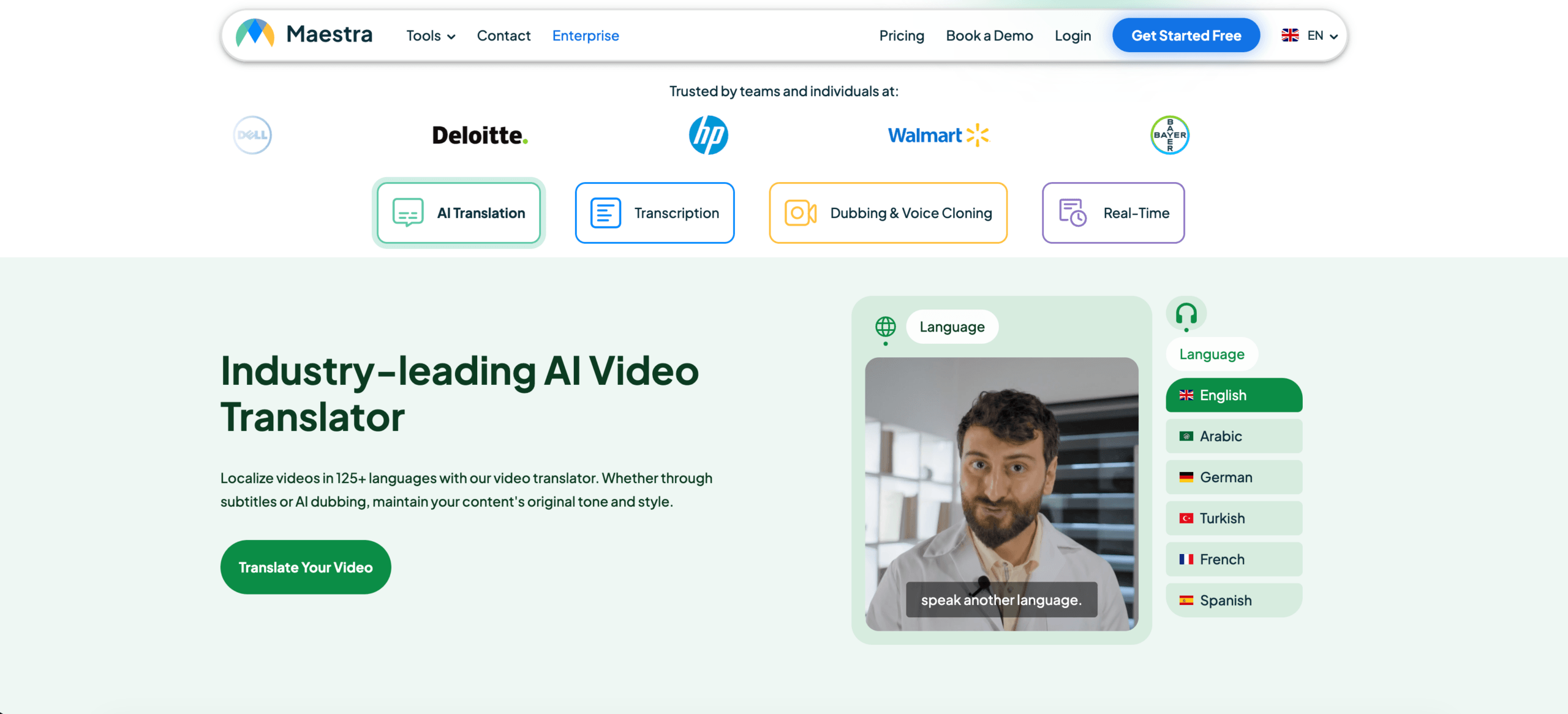 Maestra ให้บริการแปลแบบเรียลไทม์และตามความต้องการ รวมถึงการถอดเสียง คำบรรยาย และการพากย์เสียง.
ระบบการทำงานแบบเรียลไทม์สามารถสร้างคำบรรยายหรือเสียงพูดที่แปลแล้วได้ ในขณะที่ผู้เข้าร่วมสามารถเข้าถึงคำแปลผ่านลิงก์ที่แชร์หรือรหัส QR ได้.
จึงเหมาะสำหรับใช้ในการประชุม สัมมนาออนไลน์ การถ่ายทอดสด และการประชุมขนาดใหญ่ที่มีผู้เข้าร่วมหลายภาษา.
คูโด
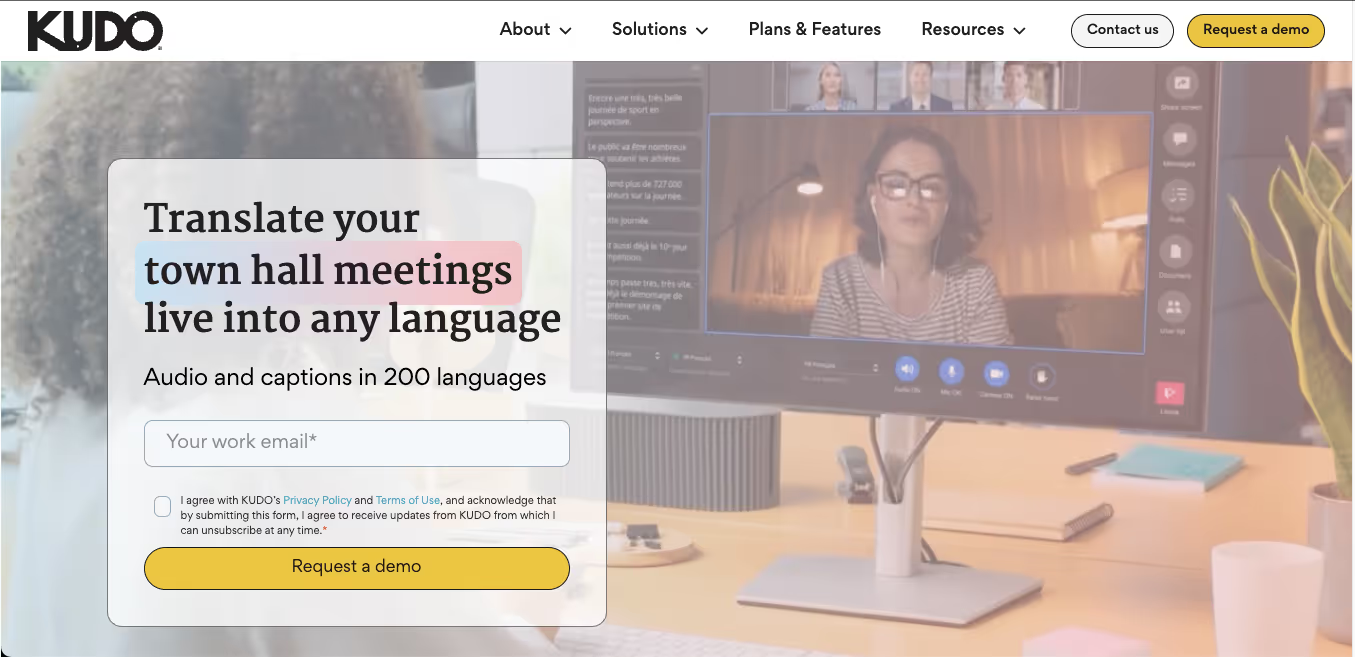 KUDO ผสานการแปลคำพูดด้วยระบบ AI เข้ากับการตีความโดยมนุษย์มืออาชีพ.
รูปแบบผสมผสานนี้มีประโยชน์เมื่อองค์กรมีระดับความเสี่ยงที่แตกต่างกันในกิจกรรมต่างๆ ของตน.
ตัวอย่างเช่น:
- การแปลด้วย AI สำหรับการนำเสนอภายในองค์กรที่จัดขึ้นเป็นประจำ
- ล่ามสำหรับผู้บริหาร ภาครัฐ หรือการประชุมที่มีความละเอียดอ่อนทางกฎหมาย
- การผสมผสานระหว่างช่องทางการสื่อสารด้วยปัญญาประดิษฐ์ (AI) และภาษาของมนุษย์ในระหว่างงานอีเวนต์ขนาดใหญ่
โลกแห่งโลก
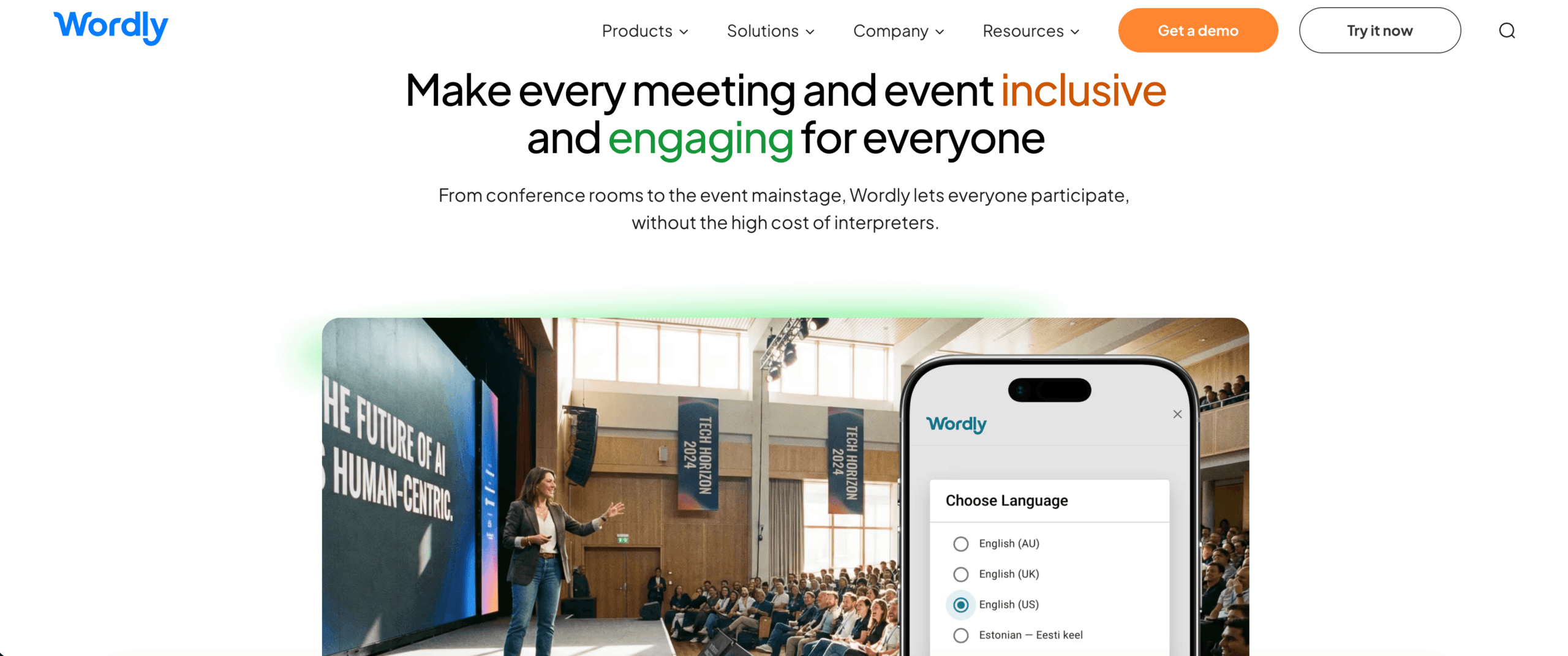 Wordly ถูกออกแบบมาสำหรับใช้ในการประชุม สัมมนาออนไลน์ และกิจกรรมต่างๆ ที่มีผู้เข้าร่วมหลายภาษา โดยจำเป็นต้องมีคำบรรยายหรือเสียงแปลเป็นภาษาที่ตนเองต้องการ.
แพลตฟอร์มที่เน้นการจัดงานอาจปรับขนาดได้มากกว่าเครื่องมือสำหรับการประชุมแต่ละครั้ง แต่การตั้งค่าและราคาอาจสูงเกินไปสำหรับการโทรแบบตัวต่อตัวเป็นครั้งคราว.
หมวดที่ 5: เครื่องมือแปลเสียงและวิดีโอ
เนื้อหาที่พูดทั้งหมดไม่ได้เป็นการถ่ายทอดสดเสมอไป.
เนื้อหาที่บันทึกไว้อาจรวมถึง:
- การสัมภาษณ์
- พอดแคสต์
- วิดีโอฝึกอบรม
- การบรรยาย
- วิดีโอการตลาด
- การวิจัยผู้ใช้
- เนื้อหา YouTube
- การประชุมที่บันทึกไว้
สำหรับขั้นตอนการทำงานนี้ ผู้ใช้อาจต้องการ:
- การถอดเสียง
- การแปล
- การกำหนดเวลาคำบรรยาย
- การพากย์เสียง
- การระบุตัวผู้พูด
- ส่งออกในรูปแบบสื่อต่างๆ
เครื่องมือต่างๆ เช่น Maestra, Sonix, Notta, Descript และ ElevenLabs ทำหน้าที่จัดการส่วนต่างๆ ของกระบวนการทำงานนี้.
ควรให้ความสำคัญกับอะไรเป็นอันดับแรก
- รูปแบบการอัปโหลดที่รองรับ
- การแยกเสียงลำโพง
- การส่งออกคำบรรยาย
- ความแม่นยำของเวลาประทับ
- คุณภาพเสียง
- การซิงโครไนซ์เสียงพากย์
- เครื่องมือแก้ไข
- การตรวจสอบการแปล
แพลตฟอร์มสื่อบันทึกอาจมีฟีเจอร์การแก้ไขและการส่งออกที่ดีกว่าโปรแกรมแปลภาษาสำหรับการประชุมสด.
หมวดที่ 6: ปัญญาประดิษฐ์ร่วมกับการแปลโดยมนุษย์
AI นั้นรวดเร็วและปรับขนาดได้ง่าย แต่มนุษย์นั้นเก่งกว่าในเรื่องความรับผิดชอบ ความละเอียดอ่อน การตัดสินใจทางวัฒนธรรม และสถานการณ์ที่ไม่ปกติ.
แพลตฟอร์มการแปลแบบไฮบริดผสานรวมทั้งสองอย่างเข้าด้วยกัน.
รูปแบบนี้อาจเหมาะสมในกรณีต่อไปนี้:
- ร่างแรกของ AI จำเป็นต้องได้รับการตรวจสอบจากผู้เชี่ยวชาญ
- เนื้อหาปริมาณมากต้องได้รับการแปลอย่างรวดเร็ว
- บางช่วงเป็นการตรวจตามปกติ ในขณะที่บางช่วงมีความเสี่ยงสูง
- งานอีเวนต์หนึ่งๆ จำเป็นต้องใช้ทั้งช่องทาง AI และล่ามมืออาชีพ
- บริษัทต้องการยกระดับการสนับสนุนจากระบบอัตโนมัติไปสู่การสนับสนุนจากมนุษย์
KUDO, Interprefy, Unbabel, Gengo, Boostlingo และผู้ให้บริการรายอื่นๆ ใช้การผสมผสานระหว่าง AI การแปลโดยมนุษย์ และการตีความในรูปแบบต่างๆ.
คำถามสำคัญไม่ได้อยู่ที่ว่าปัญญาประดิษฐ์หรือมนุษย์นั้นดีกว่ากันโดยทั่วไป.
นี่คือจุดที่ควรใช้แต่ละอย่าง.
เปรียบเทียบเครื่องมือแปลภาษา AI ตามขั้นตอนการทำงาน
| เครื่องมือ | เวิร์กโฟลว์ที่แข็งแกร่งที่สุด | ข้อควรพิจารณาที่สำคัญ |
| Transync เอไอ | การประชุมสองทาง การแปลเสียง คำบรรยายสองภาษา และบันทึกย่อ | เน้นการแปลคำพูดสดเท่านั้น ไม่รองรับการแปลแบบออฟไลน์ รูปภาพ หรือข้อความคงที่ |
| ดีพแอล | ข้อความ เอกสาร งานด้านภาษาเชิงวิชาชีพ และเสียง | ยืนยันว่าผลิตภัณฑ์ด้านเสียงและแพลตฟอร์มการประชุมใดเหมาะสมกับองค์กร |
| โจทมี | การแปลการประชุม การถอดเสียง และบันทึกย่อด้วย AI | เหมาะที่สุดสำหรับเวิร์กโฟลว์ที่เน้นการประชุมเป็นหลัก |
| ทาโล | การแปลเสียงโดยใช้บอทในการสนทนาทางวิดีโอ | บอทสำหรับการประชุมอาจไม่เหมาะกับความต้องการด้านความเป็นส่วนตัวหรือขั้นตอนการทำงานของทุกคน |
| อาจารย์ | บริการแปลสดและบันทึกเทป, คำบรรยาย, การพากย์เสียง และกิจกรรมต่างๆ | คุณสมบัติสื่อที่หลากหลายอาจเกินความต้องการของการประชุมแบบง่ายๆ |
| คูโด | งานอีเวนต์ระดับองค์กรที่ใช้ AI และการแปลโดยมนุษย์ | ออกแบบมาสำหรับโปรแกรมหลายภาษาขนาดใหญ่หรือมีโครงสร้างที่ซับซ้อนกว่า |
| โลกแห่งโลก | การรองรับผู้เข้าร่วมประชุมและกิจกรรมหลายภาษา | การกำหนดราคาตามกิจกรรมอาจไม่จำเป็นสำหรับผู้ใช้งานเป็นครั้งคราว |
นี่ไม่ใช่การจัดอันดับที่เป็นสากล.
ผลิตภัณฑ์แต่ละชิ้นได้รับการปรับให้เหมาะสมสำหรับปัญหาการแปลที่แตกต่างกัน.
วิธีการประเมินเครื่องมือแปลภาษา AI อย่างเป็นธรรม
หน้าเว็บทางการตลาดมักแสดงตัวอย่างเสียงที่สมบูรณ์แบบและประโยคที่เตรียมไว้แล้ว การทดสอบจริงควรคล้ายคลึงกับงานจริงของผู้ใช้.
วิธีการทดสอบ
บันทึก:
- วันที่ทดสอบ
- เวอร์ชันเครื่องมือ
- อุปกรณ์
- ระบบปฏิบัติการ
- แพลตฟอร์มการประชุม
- คู่ภาษา
- ไมโครโฟน
- การเชื่อมต่อเครือข่าย
- จำนวนผู้พูด
- สภาพแวดล้อมทางเสียง
ใช้บทที่สมจริง
รวม:
- การแนะนำแบบไม่เป็นทางการ
- คำอธิบายทางเทคนิค
- ชื่อ
- คำศัพท์เกี่ยวกับผลิตภัณฑ์
- ตัวเลข
- วันที่
- เปอร์เซ็นต์
- การแก้ไข
- การขัดจังหวะประโยค
- การพูดแบบผสมภาษา
- บทสรุปสุดท้าย
ตัวอย่าง:
เราสามารถจัดส่งเครื่องรุ่น X300 จำนวน 1,250 เครื่องได้ภายในวันที่ 18 ตุลาคม—ขออภัย วันที่ 28 ตุลาคม—หากทีมวิศวกรรม APAC อนุมัติข้อกำหนดที่แก้ไขแล้วในวันศุกร์นี้.
ประเมินขั้นตอนการทำงาน
| เมตริก | สิ่งที่ต้องวัด |
| การยอมรับ | เครื่องมือดังกล่าวรับฟังเสียงพูดต้นฉบับได้อย่างถูกต้องหรือไม่? |
| ความแม่นยำ | ความหมายที่ตั้งใจไว้ได้รับการรักษาไว้หรือไม่? |
| ความหน่วงเวลา | การแปลเสร็จก่อนที่หัวข้อจะเปลี่ยนหรือไม่? |
| ศัพท์เฉพาะ | ชื่อเรียกและศัพท์เฉพาะทางมีความสอดคล้องกันหรือไม่? |
| การไหลสองทิศทาง | ผู้เข้าร่วมทั้งสองคนสามารถตอบสนองได้อย่างเป็นธรรมชาติหรือไม่? |
| คำบรรยายภาพ | คำบรรยายอ่านได้ชัดเจนและเสถียรหรือไม่? |
| เสียง | คำพูดที่แปลแล้วชัดเจนและเป็นธรรมชาติหรือไม่? |
| การบูรณาการ | เครื่องมือดังกล่าวเหมาะสมกับขั้นตอนการทำงานด้านการประชุมหรือสื่อที่มีอยู่เดิมหรือไม่? |
| ความเสถียร | ประสิทธิภาพการทำงานยังคงสม่ำเสมอหรือไม่ในระหว่างช่วงการทดสอบที่ยาวนานขึ้น? |
| มูลค่าหลังการประชุม | เอกสารถอดเสียง บันทึก หรือไฟล์ส่งออกมีประโยชน์หรือไม่? |
ทดสอบโดยใช้การแปลทั้งสองทิศทาง.
ประสิทธิภาพในการแปลจากภาษาอังกฤษเป็นภาษาญี่ปุ่นอาจแตกต่างจากประสิทธิภาพในการแปลจากภาษาญี่ปุ่นเป็นภาษาอังกฤษ และเช่นเดียวกันสำหรับคู่ภาษาอื่นๆ.
Transync AI เข้ากับภูมิทัศน์ของเครื่องมือแปลภาษาด้วย AI ได้อย่างไร
Transync AI ไม่ได้มีจุดประสงค์เพื่อทดแทนทุกหมวดหมู่.
ฟังก์ชันนี้มีประโยชน์อย่างยิ่งเมื่อผู้ใช้ต้องการการแปลระหว่างการสนทนาสด.
สถานการณ์ที่เหมาะสมที่สุด
- การประชุมกับลูกค้าต่างประเทศ
- ซัพพลายเออร์โทรหา
- การสนทนาของทีมทางไกล
- ชั้นเรียนออนไลน์
- การสัมภาษณ์
- การสาธิตผลิตภัณฑ์
- การนำเสนอหลายภาษา
- การฝึกอบรม
- การสนทนาแบบมืออาชีพแบบตัวต่อตัว
ขั้นตอนการทำงานหลัก
ก่อนการประชุม ผู้ใช้สามารถ:
- เลือกคู่ภาษา
- เพิ่มชื่อและคำหลักทางเทคนิค
- อธิบายบริบทของการประชุม
- ดูตัวอย่างเสียงที่แปลแล้ว
- ทดสอบการตั้งค่าไมโครโฟนและเสียง
ระหว่างการประชุม ผู้ใช้สามารถ:
- อ่านคำบรรยายสองภาษา
- เปิดใช้งานเสียงแปล
- ให้ระบบแยกแยะความแตกต่างระหว่างภาษาที่เลือกไว้
- ใช้คำบรรยายแบบลอยตัวขณะสลับแอป
- ใช้งาน Transync AI ควบคู่ไปกับ Zoom, Teams หรือ Google Meet
หลังจากเสร็จสิ้นการประชุม ผู้ใช้สามารถ:
- ตรวจสอบบันทึกการแปล
- ตรวจสอบบันทึกการประชุม AI
- ยืนยันชื่อ หมายเลข และการตัดสินใจ
- ส่งออกหรือนำเนื้อหาสำคัญกลับมาใช้ใหม่
สำรวจ เครื่องมือแปลแบบเรียลไทม์, การแปลการประชุมสด, และ บันทึกการประชุม AI หน้าต่างๆ.
 คำหลักและบริบท: คุณลักษณะที่สำคัญกว่าจำนวนภาษา
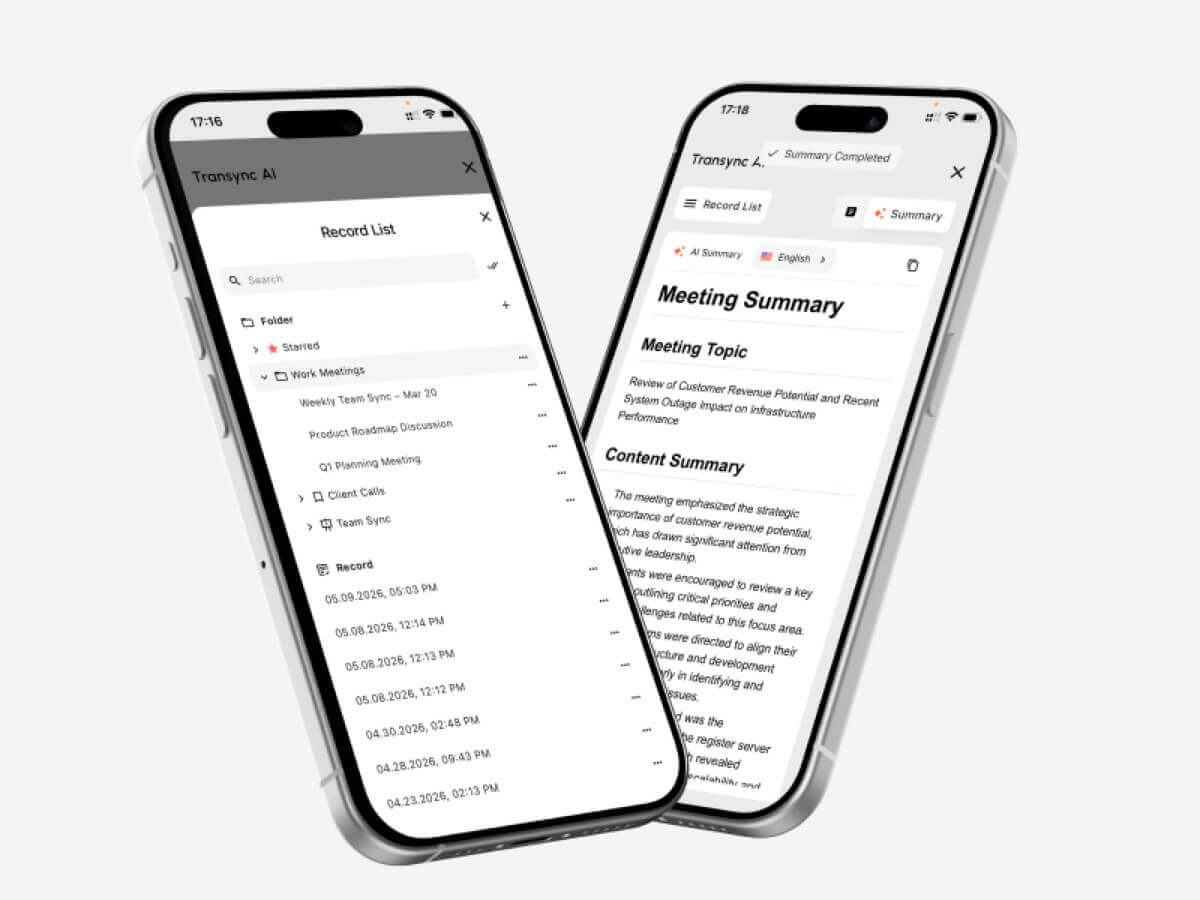 คำหลักและบริบท: คุณลักษณะที่สำคัญกว่าจำนวนภาษา
การนับจำนวนภาษาทำได้ง่ายกว่า แต่คุณภาพของบริบทนั้นวัดได้ยากกว่า.
การสนทนาในเชิงธุรกิจประกอบด้วย:
- ชื่อบริษัท
- ชื่อพนักงาน
- แบบจำลองผลิตภัณฑ์
- คำย่อ
- ศัพท์เทคนิค
- สำนวนท้องถิ่น
- ความหมายเฉพาะอุตสาหกรรม
นักแปลทั่วไปอาจจำคำศัพท์แต่ละคำได้ แต่ก็ยังเลือกความหมายผิดได้อยู่ดี.
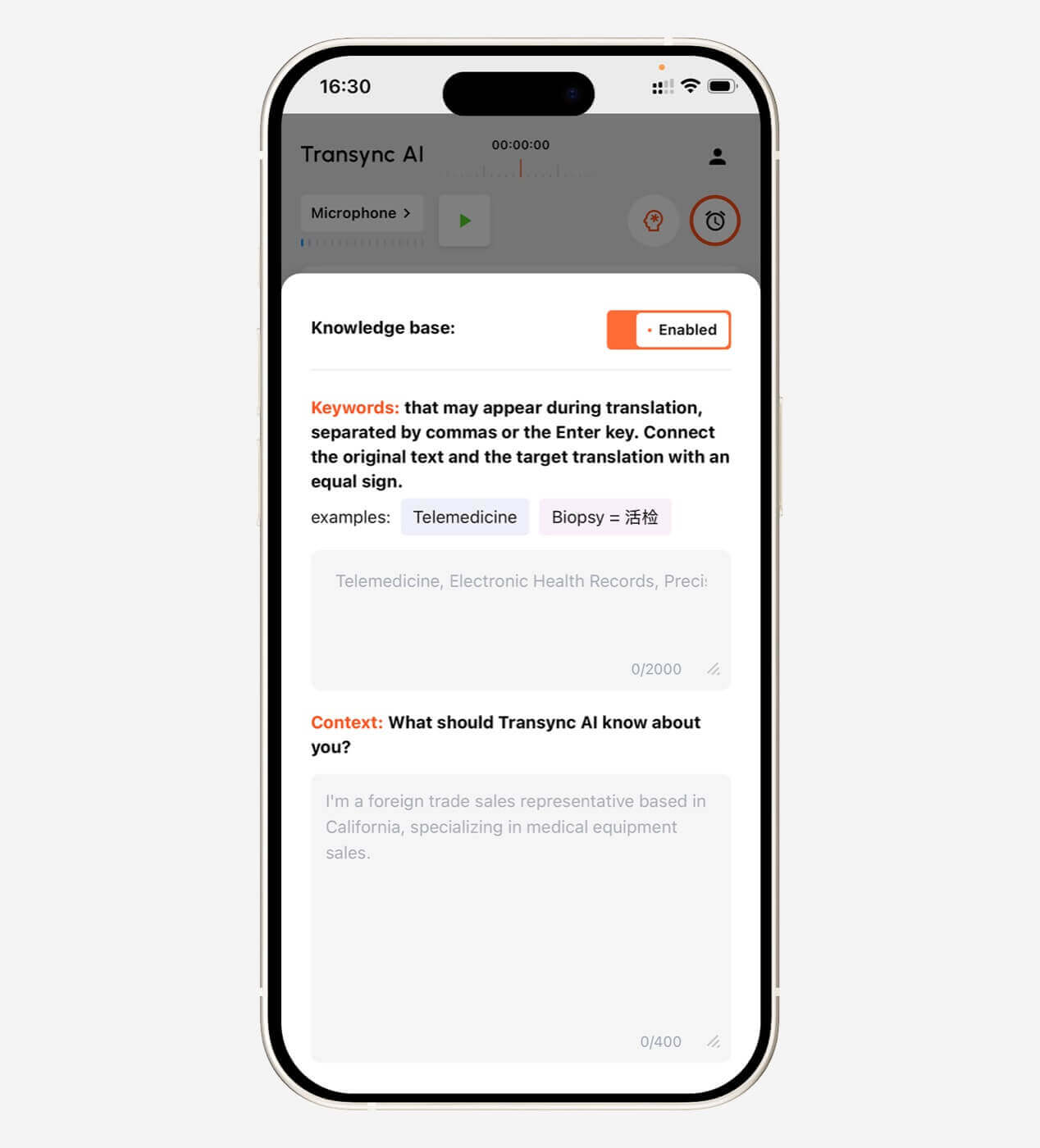
Transync AI อนุญาตให้ผู้ใช้เพิ่มคำสำคัญ เช่น:
- Transync AI = 同言翻译
- อินเวอร์เตอร์เซลล์แสงอาทิตย์
- บรรจุภัณฑ์เซมิคอนดักเตอร์
- เอเชียแปซิฟิก
- จอห์น สมิธ
- รุ่น X300
- เครือข่ายประสาทเทียม
- การเพิ่มประสิทธิภาพห่วงโซ่อุปทาน
ผู้ใช้ยังสามารถเพิ่มบริบทได้อีกด้วย:
นี่เป็นการประชุมกับซัพพลายเออร์เกี่ยวกับกระบวนการผลิตเซมิคอนดักเตอร์ กำลังการผลิต การควบคุมคุณภาพ ตารางการส่งมอบ และการปฏิบัติตามกฎระเบียบในระดับภูมิภาค.
ข้อมูลนี้ช่วยให้ AI สามารถตีความคำศัพท์ที่ไม่ชัดเจนได้อย่างสม่ำเสมอยิ่งขึ้น.
เรียนรู้เพิ่มเติมจาก บริบทคำสำคัญของผู้ช่วย AI.
 ระบบเสียงพูดหรือคำบรรยาย: แบบไหนดีกว่ากัน?
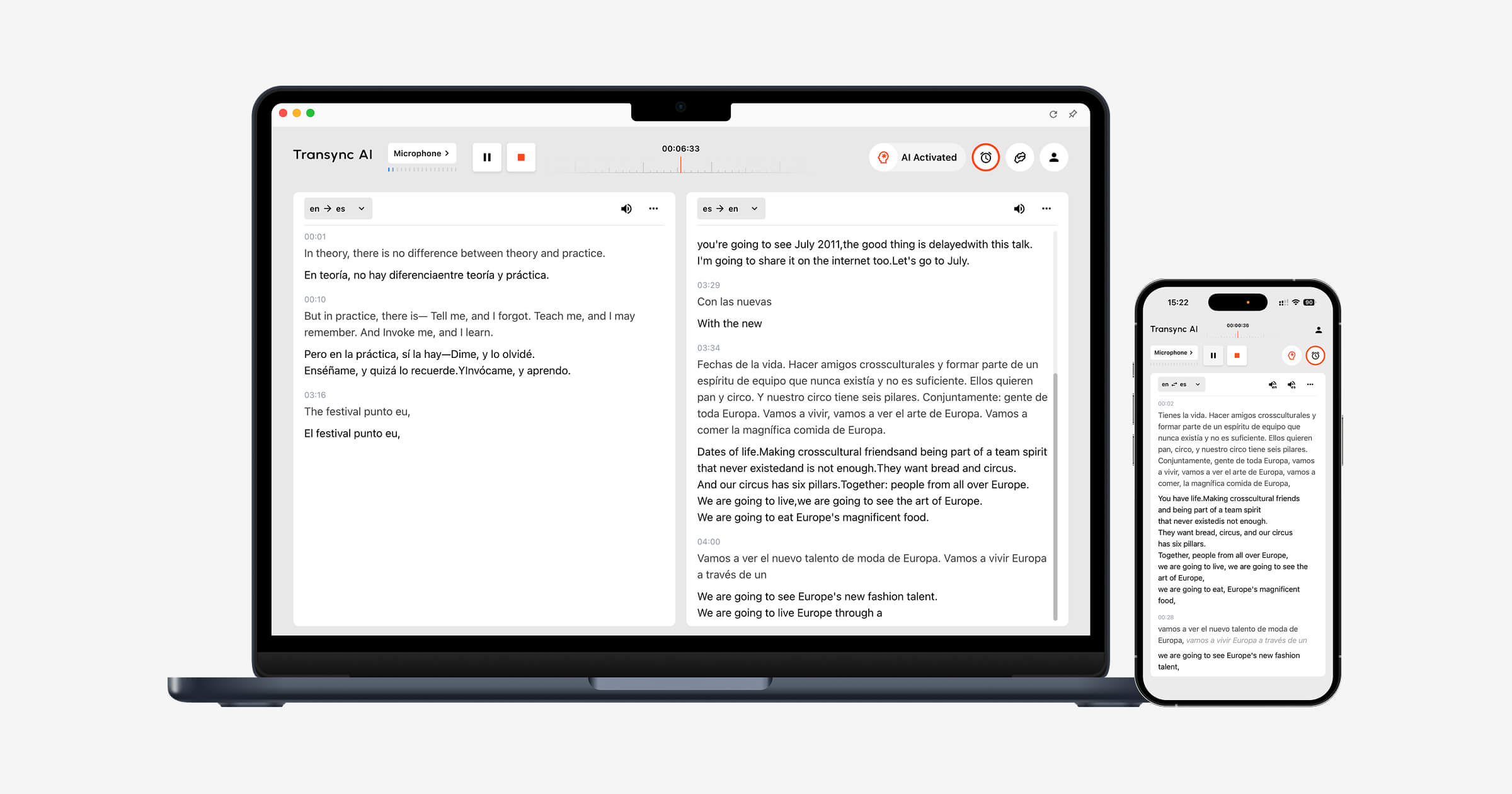
 ระบบเสียงพูดหรือคำบรรยาย: แบบไหนดีกว่ากัน?
ไม่มีทางเลือกใดดีกว่าเสมอไป.
เลือกคำบรรยายเมื่อ:
- ต้องตรวจสอบชื่อและหมายเลข
- สภาพแวดล้อมมีเสียงดัง
- ผู้เข้าร่วมชอบการอ่านมากกว่า
- การเล่นเสียงจะขัดจังหวะผู้พูด
- ผู้ใช้จำเป็นต้องเปรียบเทียบเนื้อหาต้นฉบับและเนื้อหาที่แปลแล้ว
เลือกใช้เสียงพากย์ที่แปลแล้วเมื่อ:
- ผู้เข้าร่วมไม่สามารถดูหน้าจอได้
- จำเป็นต้องฟังคำแปลนั้นออกเสียงดัง ๆ
- การนำเสนอต้องอาศัยการพูดออกมา
- ผู้ฟังอ่านช้าๆ ในภาษาเป้าหมาย
- การประชุมควรมีลักษณะเป็นการสนทนามากกว่าเดิม
Transync AI ให้บริการคำบรรยายสองภาษา การกระจายเสียงด้วย AI การแสดงตัวอย่างเสียง และการโคลนเสียง.
หน้าต่างคำบรรยายแบบ Picture-in-Picture สามารถแสดงอยู่เหนือแอปพลิเคชันอื่นๆ บนเวิร์กโฟลว์ Mac, Windows และ iOS ที่รองรับได้.
สำรวจ โปรแกรมแปลเสียง AI และแสดงผลคำพูด และ คำบรรยายลอยตัวแบบภาพซ้อนภาพ.

การกำหนดราคา: เปรียบเทียบตามการใช้งาน ไม่ใช่แค่ค่าบริการรายเดือน
เครื่องมือแปลภาษาด้วย AI อาจคิดค่าบริการดังนี้:
- อักขระ
- คำ
- หน้าหนังสือ
- นาทีเสียง
- ชั่วโมงการแปล
- ผู้ใช้
- การประชุม
- เหตุการณ์
- การใช้งาน API
- การสมัครสมาชิกรายเดือน
สำหรับบริการแปลสด จำนวนชั่วโมงที่รวมอยู่ในแพ็กเกจมีความสำคัญมากกว่าราคาค่าสมัครสมาชิกที่ระบุไว้.
| แผน AI ของ Transync | ราคา | รวมถึงการใช้งาน | ดีที่สุดสำหรับ |
| ฟรี | $0 | 40 นาทีสำหรับผู้ใช้ใหม่ | การทดสอบเบื้องต้น |
| Personal Premium | $8.99/เดือน | 10 ชั่วโมงในช่วงระยะเวลาสมาชิกภาพ | บุคคลและการประชุมปกติ |
| องค์กร | $24.99/เดือน/ที่นั่ง | สูงสุด 40 ชั่วโมงต่อเดือนต่อที่นั่ง | ทีมและองค์กร |
| บัตรลงเวลา | เริ่มต้นที่ $ 0.70/ชั่วโมง | เวลาในการแปลเพิ่มเติม | ผู้ใช้งานที่มีความต้องการรายเดือนเปลี่ยนแปลงไป |
ชั่วโมงในบัตรลงเวลาไม่มีวันหมดอายุ แต่สามารถใช้ได้เฉพาะขณะที่สมาชิกภาพยังใช้งานอยู่เท่านั้น.
ก่อนซื้อเครื่องมือใดๆ ควรประเมินดังนี้:
- เวลาการประชุมรายเดือน
- จำนวนผู้ใช้
- จำนวนภาษาเป้าหมาย
- ขนาดของผู้ชมงาน
- ปริมาณไฟล์
- จำเป็นต้องมีการตรวจสอบโดยมนุษย์
- ค่าใช้จ่ายเพิ่มเติมสำหรับเสียงพากย์หรือการพากย์ทับ
ข้อจำกัดของเครื่องมือแปลภาษาด้วย AI
ไม่มีเครื่องมือแปลภาษาด้วย AI ใดที่ใช้งานได้อย่างสมบูรณ์แบบในทุกสภาพแวดล้อม.
ข้อจำกัดทั่วไป ได้แก่:
- เสียงรบกวนพื้นหลัง
- เสียงสะท้อนในห้อง
- ไมโครโฟนคุณภาพต่ำ
- ผู้พูดที่พูดซ้อนทับกัน
- สำเนียงชัดเจนมาก
- ประโยคไม่สมบูรณ์
- คำแสลงประจำภูมิภาค
- ศัพท์เทคนิค
- อินเทอร์เน็ตไม่เสถียร
- การเปลี่ยนภาษาอย่างรวดเร็ว
- ถ้อยคำที่คลุมเครือ
- ความล่าช้าในการส่งเสียง
นอกจากนี้ Transync AI ยังมีข้อจำกัดเฉพาะผลิตภัณฑ์อีกหลายประการ:
- โหมดออฟไลน์ไม่พร้อมใช้งาน
- ระบบไม่รองรับการจดจำภาพ
- การแปลข้อความคงที่ไม่ใช่การใช้งานหลักของมัน
- โปรแกรมนี้ทำงานในรูปแบบซอฟต์แวร์อิสระ ไม่ใช่ปลั๊กอินสำหรับการประชุม
- สภาพเสียงและเครือข่ายยังคงส่งผลต่อคุณภาพการแปล
ข้อจำกัดเหล่านี้ทำให้เห็นชัดเจนถึงจุดยืนของมัน: Transync AI เป็นเครื่องมือสื่อสารหลายภาษาแบบเรียลไทม์ ไม่ใช่เครื่องมือแปลเอกสาร รูปภาพ หรือแปลแบบออฟไลน์ได้ทุกอย่าง.
คุณควรใช้ล่ามหรือผู้แปลภาษาเมื่อใด?
ควรขอความช่วยเหลือจากผู้เชี่ยวชาญเมื่อข้อผิดพลาดอาจส่งผลกระทบต่อ:
- สิทธิทางกฎหมาย
- การดูแลทางการแพทย์
- ความปลอดภัยส่วนบุคคล
- สถานะการเข้าเมือง
- ข้อผูกพันตามสัญญา
- การตัดสินใจทางการเงิน
- การปฏิบัติตามกฎระเบียบ
- ชื่อเสียงสาธารณะ
- เรื่องละเอียดอ่อนเกี่ยวกับพนักงาน
AI สามารถช่วยสนับสนุนการสื่อสารทั่วไปได้ แต่ความรับผิดชอบยังคงอยู่ที่ผู้ใช้งานผลลัพธ์เหล่านั้น.
องค์กรที่มีประสิทธิภาพอาจใช้:
- AI สำหรับการประชุมภายในที่จัดขึ้นเป็นประจำ
- การตรวจสอบโดยมนุษย์สำหรับเอกสารสาธารณะ
- ล่ามมืออาชีพสำหรับคดีความสำคัญสูง
- เครื่องมือแบบไฮบริดสำหรับงานอีเวนต์ขนาดใหญ่ที่มีผู้เข้าร่วมหลายภาษา
คำถามที่พบบ่อย: เครื่องมือแปลภาษาด้วย AI
เครื่องมือแปลภาษาด้วย AI คืออะไร?
เครื่องมือแปลภาษาด้วย AI ใช้ปัญญาประดิษฐ์ในการแปลงเนื้อหาที่เป็นลายลักษณ์อักษรหรือคำพูดจากภาษาหนึ่งไปเป็นอีกภาษาหนึ่ง โดยอาจรองรับข้อความ เอกสาร ไฟล์เสียง การพูดสด การประชุม คำบรรยาย หรือเสียงพูด.
เครื่องมือแปลภาษา AI ที่ดีที่สุดคืออะไร?
ไม่มีเครื่องมือใดที่ดีที่สุดเพียงอย่างเดียวสำหรับทุกขั้นตอนการทำงาน DeepL เหมาะสำหรับงานเขียนและงานด้านภาษาเชิงวิชาชีพ Transync AI เหมาะสำหรับการสนทนาหลายภาษาแบบเรียลไทม์ JotMe เหมาะสำหรับการประชุมและการจดบันทึก Maestra เหมาะสำหรับสื่อสดและสื่อบันทึก และ KUDO เหมาะสำหรับโปรแกรม AI และการตีความโดยมนุษย์ขนาดใหญ่.
เครื่องมือแปลภาษาด้วย AI ใดบ้างที่เหมาะสำหรับการประชุม?
ตัวเลือกที่เหมาะสำหรับการประชุม ได้แก่ Transync AI, JotMe, Talo, DeepL Voice, Maestra, KUDO และ Wordly เปรียบเทียบความเข้ากันได้ของแพลตฟอร์ม ความหน่วงเวลา การรองรับภาษา การออกเสียง การจดบันทึก และข้อกำหนดในการตั้งค่า.
เครื่องมือแปลภาษาด้วย AI สามารถแปลคำพูดแบบเรียลไทม์ได้หรือไม่?
ใช่แล้ว เครื่องมือแบบเรียลไทม์สามารถจดจำเสียง แปลเสียง แสดงคำบรรยาย และบางครั้งก็สร้างเสียงพูดที่แปลแล้วได้โดยมีความหน่วงเวลาเพียงเล็กน้อย.
เครื่องมือ AI สามารถทดแทนนักแปลที่เป็นมนุษย์ได้หรือไม่?
พวกเขาสามารถจัดการงานประจำทั่วไปได้หลายอย่าง แต่ยังคงแนะนำให้ใช้บริการแปลหรือล่ามโดยผู้เชี่ยวชาญที่มีคุณสมบัติเหมาะสมสำหรับงานด้านกฎหมาย การแพทย์ กฎระเบียบ การเงิน และการสื่อสารที่มีความสำคัญสูงอื่นๆ.
Transync AI รองรับการแปลเสียงหรือไม่?
ใช่แล้ว Transync AI รองรับการออกอากาศด้วยเสียง AI, ตัวเลือกเสียงหลายแบบ, การแสดงตัวอย่างเสียง และการโคลนเสียง.
Transync AI สามารถแปลการประชุมออนไลน์ได้หรือไม่?
ใช่แล้ว สามารถใช้งานร่วมกับ Zoom, Microsoft Teams และ Google Meet เพื่อสร้างคำบรรยายสองภาษาแบบเรียลไทม์และกระบวนการทำงานเสียงที่แปลแล้วได้.
Transync AI รองรับกี่ภาษา?
Transync AI รองรับการแปลสองทางใน 60 ภาษา และคู่ภาษามากกว่า 1,000 คู่.
Transync AI ทำงานแบบออฟไลน์ได้หรือไม่?
ไม่ค่ะ Transync AI ต้องใช้การเชื่อมต่ออินเทอร์เน็ต และปัจจุบันยังไม่รองรับการแปลแบบออฟไลน์.
ข้อคิดสุดท้าย: เลือกเครื่องมือแปลภาษา AI ตามขั้นตอนการทำงาน
วิธีเปรียบเทียบที่มีประโยชน์ที่สุด เครื่องมือแปลภาษา AI ไม่ใช่การถามว่าผลิตภัณฑ์ใดมีคุณสมบัติมากที่สุด.
ถามแบบนี้แทน:
- ฉันกำลังแปลเนื้อหาอะไรอยู่?
- จำเป็นต้องถ่ายทอดสดหรือไม่?
- มีคนจำนวนเท่าใดที่ต้องการผลลัพธ์นี้?
- พวกเขาต้องการคำบรรยาย เสียงบรรยาย หรือทั้งสองอย่างหรือไม่?
- คำศัพท์เฉพาะมีความสำคัญหรือไม่?
- หลังจากจบการประชุมแล้วจะเกิดอะไรขึ้น?
- ความผิดพลาดนั้นจะร้ายแรงแค่ไหน?
สำหรับเอกสาร ควรเลือกกระบวนการแปลที่เป็นลายลักษณ์อักษรที่มีประสิทธิภาพ สำหรับสื่อบันทึก ควรให้ความสำคัญกับคำบรรยาย การพากย์เสียง และการตัดต่อ สำหรับการประชุม ควรให้ความสำคัญกับขนาดของผู้ชม สำหรับการสื่อสารที่มีความสำคัญสูง ควรดึงผู้เชี่ยวชาญด้านการแปลเข้ามามีส่วนร่วม.
สำหรับการประชุมและการสนทนาสดหลายภาษา Transync AI ผสานรวมการแปลสองทาง คำบรรยายสองภาษา การกระจายเสียงด้วย AI การโคลนเสียง คำหลักและบริบท บันทึกการประชุมด้วย AI และคำบรรยายแบบลอยตัว.
เครื่องมือแปลภาษาด้วย AI ที่ดีนั้น ไม่ใช่เครื่องมือที่อ้างว่าสามารถทำได้ทุกอย่าง.
นี่คือวิธีที่ช่วยขจัดอุปสรรคทางภาษาโดยไม่ก่อให้เกิดปัญหาขั้นตอนการทำงานใหม่.
เริ่มต้นด้วยการเยี่ยมชม Transync เอไอ, ตรวจสอบ ภาษาที่รองรับ, หรือดาวน์โหลดแอปพลิเคชันสำหรับอุปกรณ์ที่คุณต้องการใช้งาน.
 🤖
🤖 