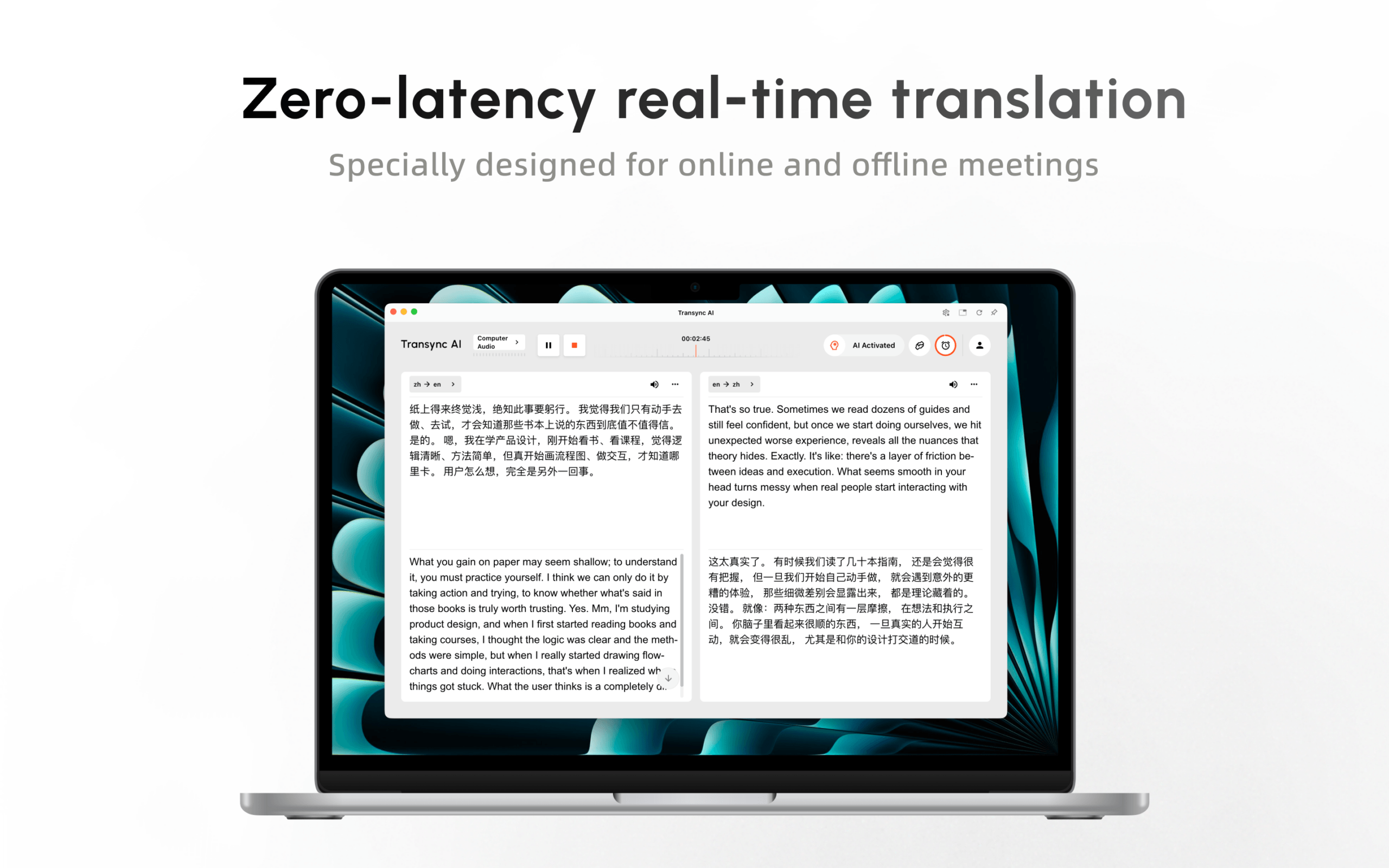
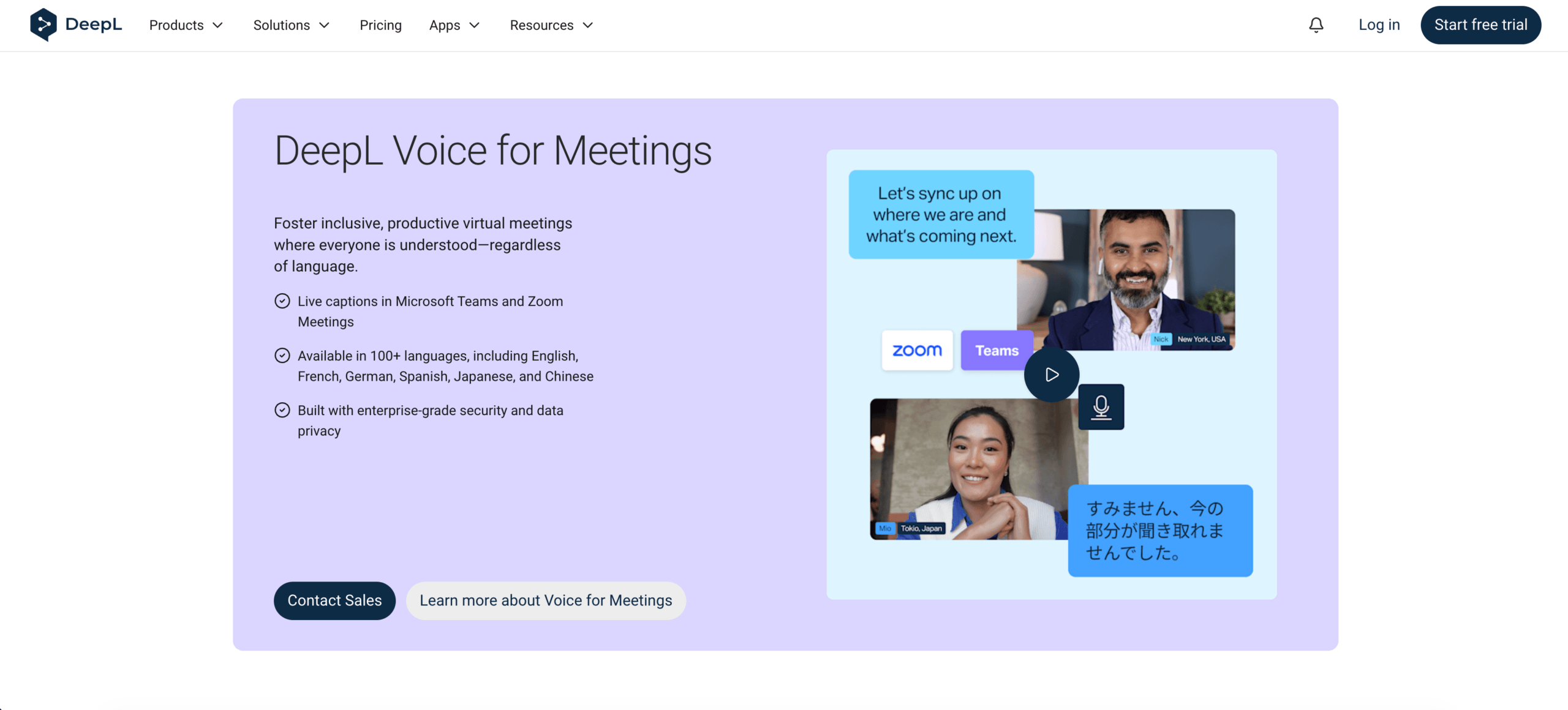
Transync AIとDeepL Voiceを、翻訳字幕、会議ボット、音声出力、用語、プラットフォーム、プライバシー、価格といった観点から比較します。.
多言語対応の会議ツールは、参加者が実際に抱えている問題を解決するものでなければなりません。チームによっては、すぐに聞き取れる翻訳音声が必要な場合もあれば、複数の言語での個別字幕、厳密に管理された用語、あるいは既存の企業言語スタックに適合する、調達準備が整ったサービスが必要な場合もあります。.
これらの優先事項は別々です Transync AI そして DeepL音声. Transync AI バイリンガル字幕、AI音声再生、会議コンテキスト、フローティングキャプション、メモ機能をスタンドアロンアプリケーションに統合。. DeepL Voice for Meetings 対応している会議にボットを送り込み、参加者がリンクを通じて翻訳された字幕にアクセスできるようにする。公式製品ページでは、会議での音声通話サポートは現在「近日公開予定」となっている。“
このレビューでは Transsync AIとDeepL Voice 6段階の優先順位付けを行います。会議で絶対に譲れない要件から始めましょう。最終段階に到達する前に、最も適合性の高い要件が明らかになることが多いです。.
30秒でわかるおすすめ
選ぶ Transync AI 参加者がすぐに翻訳された音声を必要とする場合、原文と翻訳されたテキストを一緒に表示したい場合、会議ボットを画面に表示したくない場合、または透明性の高いセルフサービス料金が必要な場合に最適です。また、オンライン会議と対面での会話を頻繁に行う人にも適しています。.
選ぶ DeepL音声 組織が企業用語を優先する場合、参加者に配布される翻訳された字幕、正式なセキュリティ文書、およびより広範なシステムとの統合 ディープL 言語エコシステム。これは、会議音声の翻訳ではなく、字幕が求められる場合に特に重要となる。.
中央 Transsync AIとDeepL Voice したがって、両者の違いは単純明快だ。一方は既に参加者が操作できる補助ツールとして、リアルタイムのテキストと翻訳された音声を組み合わせて提供しているのに対し、もう一方は現時点ではボットによる翻訳字幕をオンライン会議製品の中心に据えている。.
Transsync AIとDeepL Voice 概要
| 優先度 | Transync AI | DeepL音声 |
|---|---|---|
| オンライン会議体験 | スタンドアロンのコンパニオン。目に見える会議ボットは不要。 | ボットは送信された会議リンクを通じて参加します |
| ユーザーが読んだもの | 原文と翻訳文を並べて表示 | ゲストリンクから開いた翻訳済みキャプション |
| ユーザーが聞くもの | AI翻訳音声が利用可能になりました | オンライン会議での音声通話は近日中に提供開始予定です。 |
| 会議プラットフォーム | 一般的な会議ツールや通話ツールと連携して動作します。 | Microsoft Teams、Zoom Meetings、Google Meet |
| 言語の位置付け | 60以上の言語と1,700以上の言語ペア | 字幕言語は40以上。音声言語の利用可否は文字起こし方法によって異なります。 |
| 用語コントロール | ユーザー定義キーワードと会議コンテキスト | 音声用語と専門用語のカスタマイズ |
| オンライン会議を超えて | ウェブ、デスクトップ、モバイル、対面での利用 | モバイル/ウェブでの対面利用向けに、Voice for Conversations製品を別途ご用意しています。 |
| フォローアップ | 議事録とAI会議のメモ | 会議用製品は主にライブ字幕を中心に展開されています。 |
| 一般向け入場料 | 40分間の無料トライアル期間あり。個人向けプレミアムプランは月額$8.99。 | トライアルプランまたは販売主導型プラン。価格は製品、数量、使用状況によって異なります。 |
| 最適なフィット感 | 音声、バイリンガルテキスト、柔軟性、そして予測可能なコストを求める個人やチーム | エンタープライズ向け字幕配信とDeepL言語ワークフローを求める組織 |
製品および価格情報は2026年8月に確認済みです。機能、対応言語、プラン内容、価格は変更される場合があります。ご購入前に最新の製品ページをご確認の上、実際の操作手順をお試しください。.
これを治療する Transsync AIとDeepL Voice この表は、最終的な評価表ではなく、ルーティングマップとして活用してください。以下の6つの優先事項は、一見似ている主張でも、参加者の体験に違いが生じる理由を説明しています。.
優先事項1:人々は翻訳を聞く必要があるか?
この最初のレベルでは、 Transsync AIとDeepL Voice 比較。「音声翻訳」とは、音声認識後に翻訳されたテキストを表示することを指す場合もあれば、リスナーが実際に合成音声による翻訳を聞くことを意味する場合もある。これらの体験は互換性がない。.
Transync AI: 翻訳された音声は現在のワークフローの一部です
その リアルタイム翻訳ツール 音声を聞き取り、翻訳されたテキストと並べて元の音声を表示します。 AI音声翻訳機 その後、サポートされているコンピュータオーディオまたは仮想マイクのワークフローを使用して、翻訳を音声で再生できます。.
この組み合わせは、営業電話、面接、研修、サポート対応など、あらゆる場面で重要です。参加者は会話の流れを聞きながら、画面上に名前、電話番号、専門用語などの読みやすい情報を表示させることができます。.
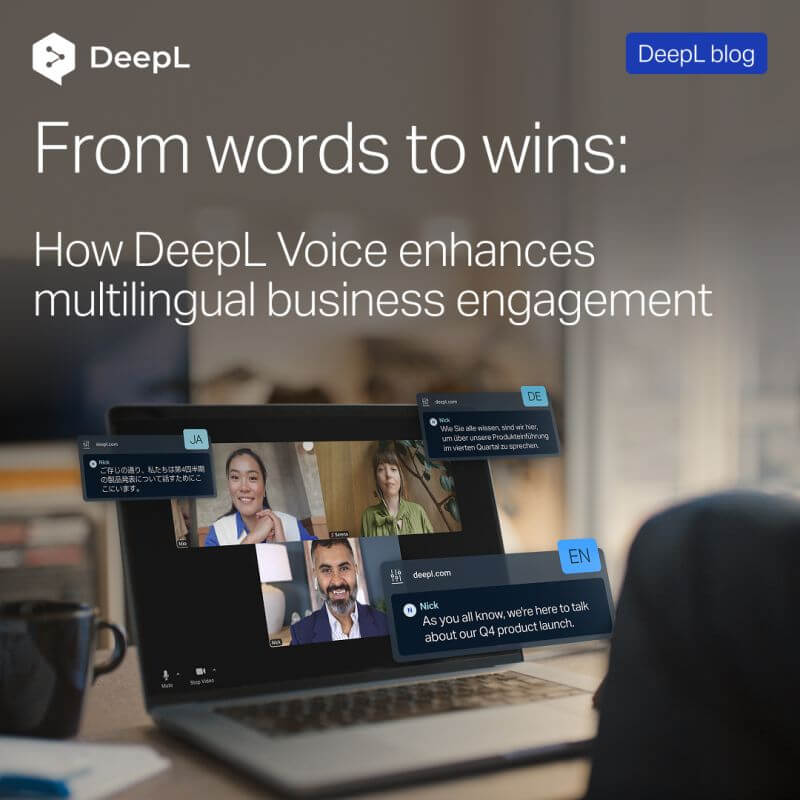
DeepL音声オンライン会議は現在、字幕付きで開催されています。
DeepL Voice for Meetings リアルタイムで翻訳された字幕を提供します。各参加者は、会議チャットで共有されたゲストリンクを開いた後、字幕の言語を選択できます。公式製品ページでは、オンライン会議における音声通話機能は、一般提供機能ではなく、今後実装予定の機能として紹介されています。.
だからといって、字幕が劣った解決策だというわけではありません。字幕は音量が小さく、確認しやすく、複数の参加者が異なる言語で出力したい場合に適しています。しかし、オンライン会議で翻訳された音声が必要な購入者は、「音声」という言葉が音声出力が既に含まれていることを意味すると考えるべきではありません。.
このレベルでの決定: 選ぶ Transync AI 音声翻訳が今日必須である場合。 DeepL音声 参加者が選択可能な翻訳字幕が会議の要件を満たす場合、最終候補リストに残る。.
購入者が比較検討する場合 Transsync AIとDeepL Voice, この出力チェックは、翻訳エンジンの評判、言語の総数、または調達の優先順位よりも前に行う必要があります。.
優先度2:会議ボットは許容できるか?
次は Transsync AIとDeepL Voice この決定は、通話に翻訳がどのように組み込まれるかに関わるものです。これは、待機室、外部ホストのアクセス許可、情報開示、および参加者の信頼に影響を与えます。.
参加者が操作するコンパニオン
Transync AI 会議アプリケーションと並行して動作します。ユーザーは、該当するマイクまたはコンピューターのオーディオを選択し、アプリから翻訳を制御します。参加者リストに名前付き翻訳ボットとして表示される必要はありません。.
このモデルは、ユーザーがクライアントの通話に参加する場合、第三者の参加者を承認できない場合、または会議ボットを制限するポリシーの下で作業する場合に役立ちます。また、言語モード、表示、再生の制御は、翻訳ツールを操作するユーザーが保持します。.
一対多のコミュニケーションの場合、 プレゼンテーションモード機能 さあ Transync AI ホストは、ミーティングボットを追加することなく、参加者とリアルタイムの翻訳を共有できます。ホストは最大10言語まで対応可能で、アクティブリンク、QRコード、またはルームIDで参加者を招待できます。.
視聴者は各自のデバイスから参加し、対応言語のいずれかを選択すると、リアルタイムで翻訳された字幕またはオプションの音声再生を受け取ることができます。ソフトウェアのインストールは不要ですが、 Transync AI アカウント登録とログインが必要です。視聴者は閲覧と音声を聞くことはできますが、司会者のタスクに音声入力を行うことはできません。.

プレゼンテーションモードでは、ホストがリアルタイムの翻訳を視聴者と各自のデバイスで共有できます。.
キャプションリンクを配信するボット
接続するには DeepL Voice for Meetings, ライセンスユーザーが会議リンクをサービスに貼り付けます。 ディープL ボットが通話に参加し、会議チャットにゲストリンクを投稿します。参加者は、独自のリンクを作成することなく、そのリンクを使用できます。 ディープL アカウントを作成するか、購読を購入する。.
ワークフローは以下をサポートします Microsoft Teams, Zoomミーティング、 そして Google Meet. 外部参加者の参加は許可されなければならず、会議チャットも利用可能である必要があります。待機室、信頼済みドメインのルール、またはボットの制限は、実際の顧客との通話の流れに影響を与える可能性があります。.
このレベルでの決定: 会議が外部の人によって頻繁に開催される場合や、ボットの使用が制限されている場合は、コンパニオンモデルを選択してください。主催者がそれを許可し、参加者の設定を最小限に抑えながら複数の参加者に字幕を配信したい場合は、ボット・アンド・リンクモデルを選択してください。.
結果を記録してください Transsync AIとDeepL Voice 評価は重要です。なぜなら、ボットの受け入れによって、優れた研究室翻訳が外部会議のワークフローとして使い物にならなくなる可能性があるからです。.
優先事項3:各参加者は何を見るべきか?
ライブ翻訳において、ビジュアルデザインは単なる装飾ではありません。それは、人々が意味を確認し、誤りから回復し、頻繁にウィンドウを切り替えることなくプレゼンテーションを理解できるかどうかを左右する重要な要素です。.
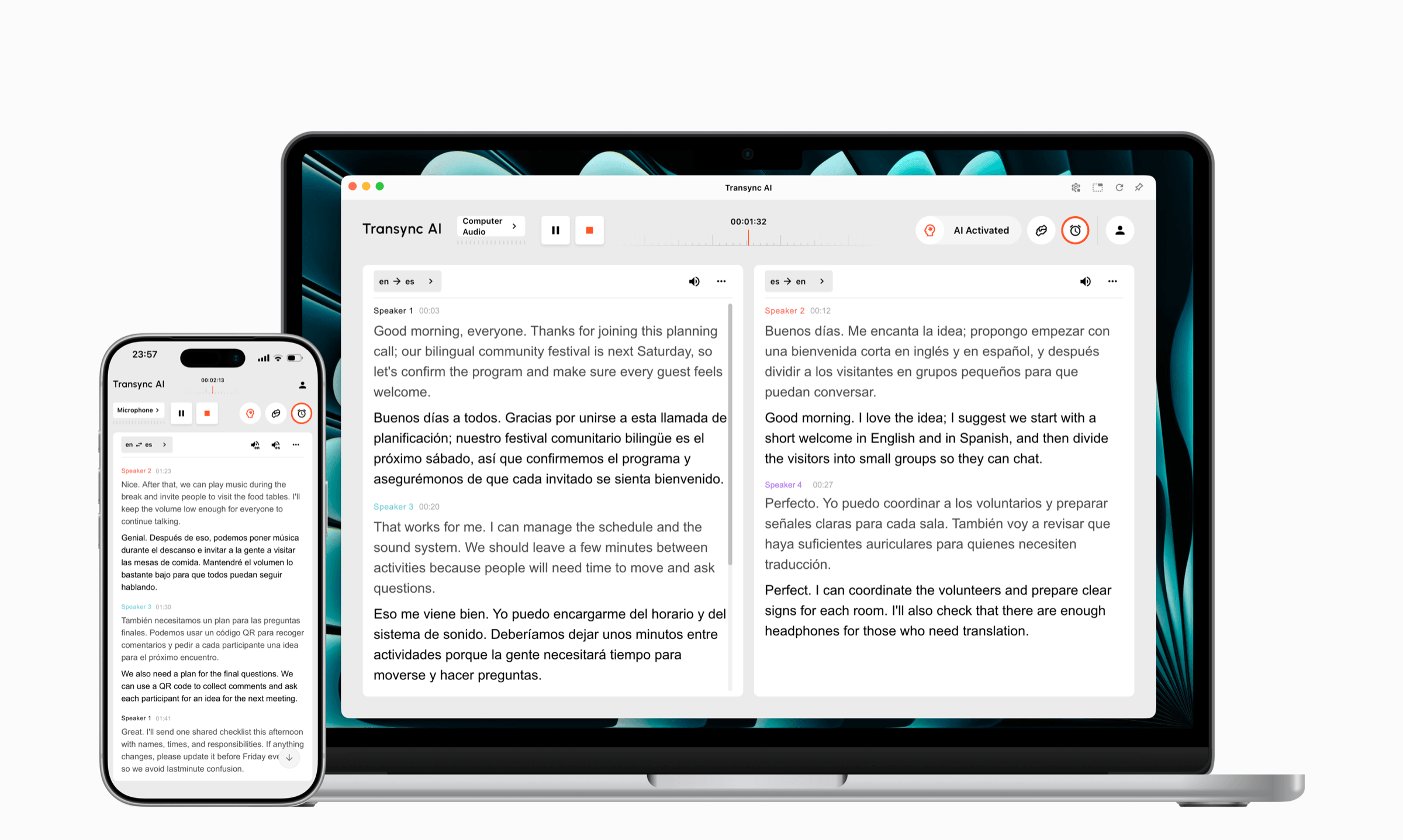
Transync AI 原文と翻訳を一緒に表示します。 ピクチャーインピクチャー機能付きバイリンガル字幕 対応デバイスでは、字幕を他のアプリケーションの上に表示させることができます。二言語表示は、話されている言語の一部を理解し、返答する前に名前、日付、数字などを比較する必要がある場合に役立ちます。.

デスクトップとモバイルデバイス間でリアルタイムに浮動する字幕
DeepL音声 出力言語の柔軟性を重視しています。参加者は共有リンクを開き、読みたい翻訳字幕の言語を選択します。これは、参加者全員がメインの会議画面で同じ出力言語を共有する必要がないため、大規模な多言語会議でも効果的に機能します。.
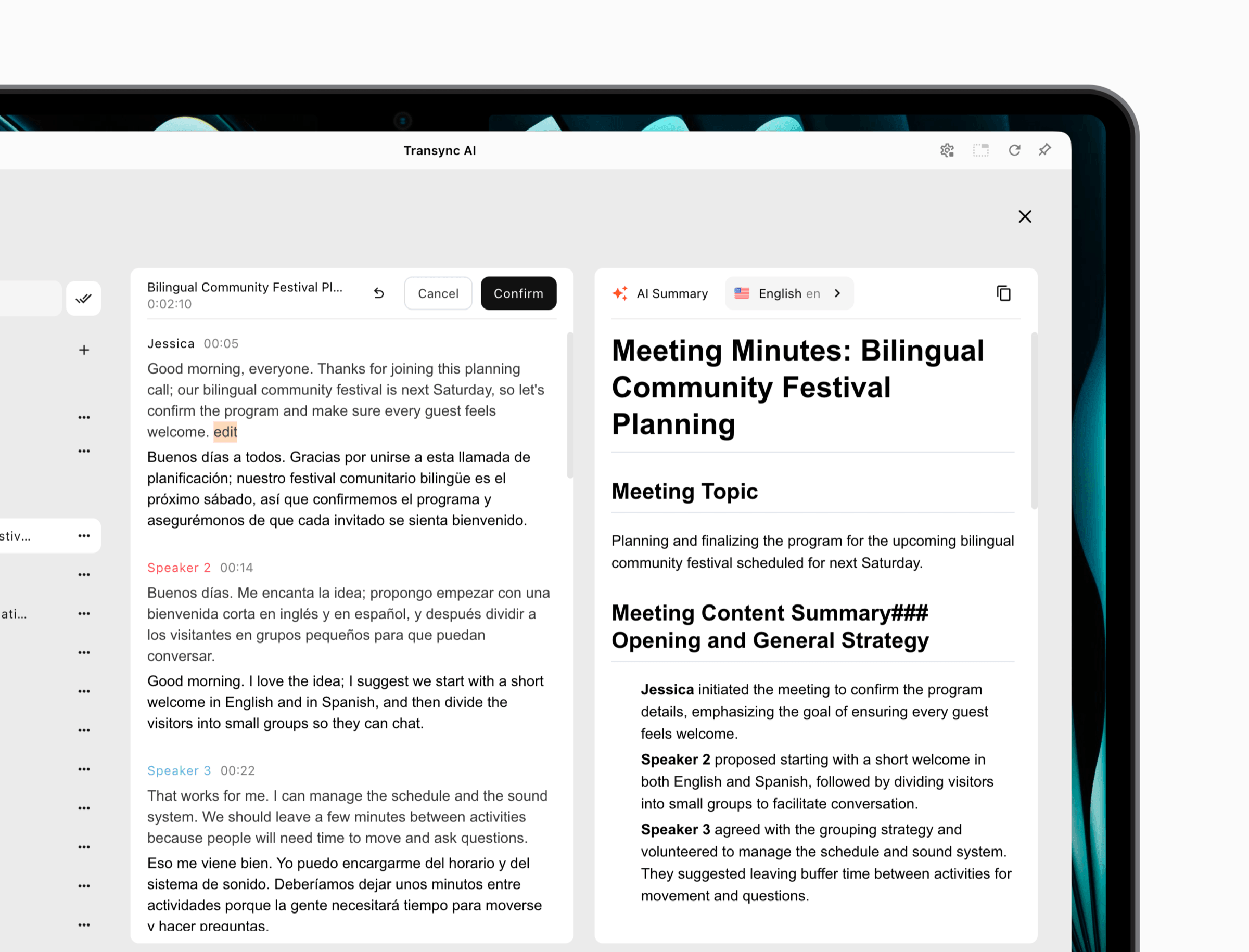
もはや検証と配布のトレードオフではない。 Transync AI 両方の機能を提供できます。標準の会議ビューでは、原文と翻訳の検証をサポートし、プレゼンテーションモードでは、参加者の言語選択を配信します。参加者は、翻訳されたテキストと、オプションの音声再生の両方を受け取ることができます。.
DeepL音声 よりシンプルな字幕中心のゲストアクセスモデルを提供します。会議ボットがリンクを投稿し、参加者は独自の字幕を作成することなく翻訳された字幕を選択できます。 ディープL アカウント。同社のオンライン会議製品は現在、一般利用可能な音声通話機能を提供していません。.
実用的 Transsync AIとDeepL Voice したがって、両者の違いは、視聴者アカウントを必要とするボット不使用の字幕と翻訳音声と、ゲストアクセスがより容易なボット配信のキャプションとの違いである。.
優先度4:用語と言語の網羅性は重要ですか?
言語の合計数は、チームが実際にペア言語、アクセント、語彙をテストするまでは決定的な指標に見えるかもしれません。より重要な問題は、選択したプランにおいて、サービスが必要な音声入力、目標出力、用語制御をサポートしているかどうかです。.
コンテキストの準備 Transync AI
その AIアシスタントのキーワードとコンテキスト機能 ユーザーは、想定される名前、専門用語、会議の議題の説明を入力できます。これにより、製品デモンストレーション、医療や技術に関する議論、調査インタビュー、定期的な顧客との電話会議などの準備を改善できます。.
Transync AI 60以上の言語と1,700以上の言語ペアに対応していると謳っている。この幅広いペアリングモデルは、国際的な業務が混在する場合に役立つが、購入者は地域特有のアクセント、コードスイッチング、珍しい固有名詞、そして実際に使用したい音声モードなどをテストする必要がある。.
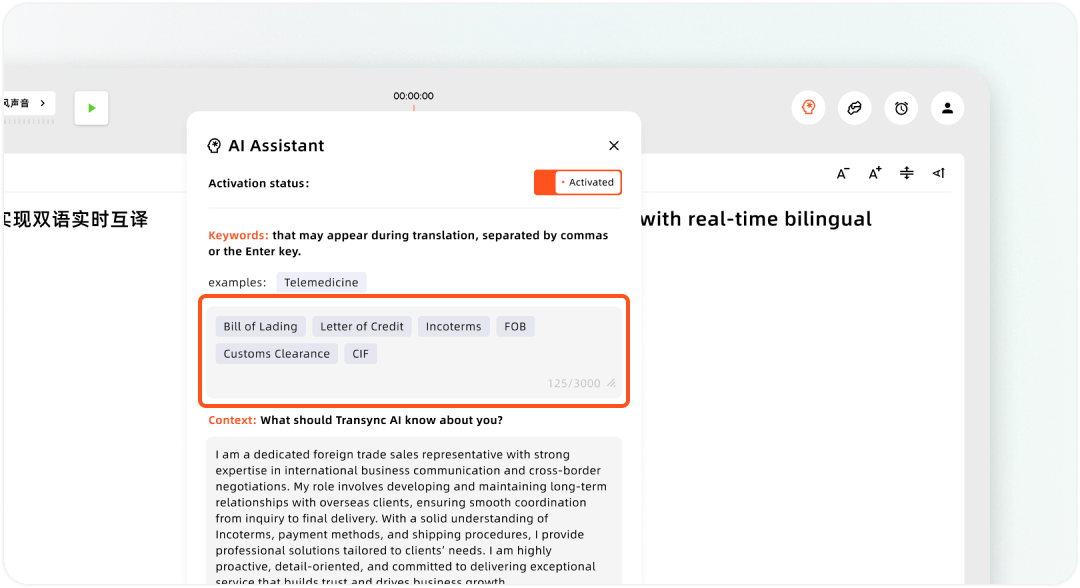
Transsync AIアシスタントでカスタムキーワードとユーザーコンテキストを設定する
話し言葉の管理 DeepL音声
DeepL音声 音声コンテンツの用語をカスタマイズできる機能を提供します。これは、既に言語基準を管理している組織が、製品名や承認済みのフレーズをライブキャプションで一貫して表示したい場合に最適です。.
その公式言語文書は、話されている言語を文字に起こしたものを分けている。 ディープL サードパーティの文字起こしサービスを通じて処理される追加言語にも対応しています。現在、ネイティブ言語リストには18言語が含まれています。管理者はサードパーティの文字起こしサービスで追加の言語を有効にすることができますが、それらの入力では自動検出ではなく手動での言語選択が必要です。字幕出力は40以上の言語に対応しています。.
この区別は重要です。「40以上の言語」とは字幕の選択肢を指し、すべての言語で同じ音声認識方法や自動動作が使用されるという意味ではありません。.
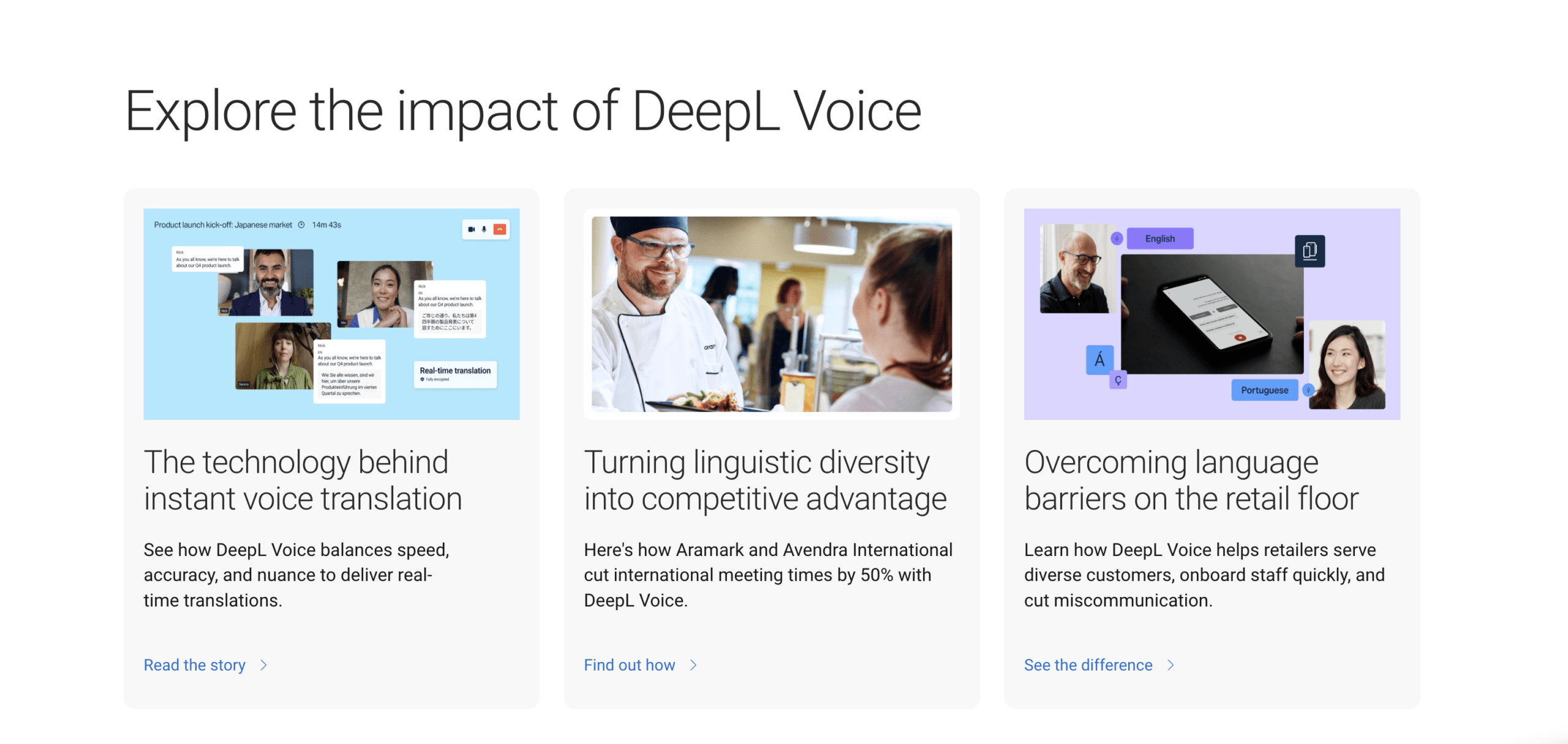 言語は主張する Transsync AIとDeepL Voice したがって、候補リストは、入力言語、出力言語、文字起こし方法、および必要なモードを正確に記述するように書き換える必要があります。.
このレベルでの決定: テストでは、10個の難解な用語、3つの名前、2つの数字、そして言語を変える話者1人を使用します。 Transsync AIとDeepL Voice, 利用可能なすべての用語集、キーワード、コンテキスト、または音声用語の設定を有効にして、テストを繰り返してください。調達請求は、このテストに代わるものではなく、このテストの後に行うべきです。.
優先事項5:製品エコシステムはどの程度広範であるべきか?
両サービスは、オンライン会議の枠を超えて、それぞれ異なる形で事業を拡大している。.
Transync AI ワークフローを単一のクロスプラットフォーム製品内に維持します。Web、Windows、macOS、iOS、Androidでの使用をサポートし、オンライン通話や対面での会話にも対応しています。 ライブ会議の翻訳機能 トランスクリプトと AI会議メモ機能 後で会話を振り返るため。.
この統一されたアプローチは、顧客とのミーティング、出張中の会話、教室での議論、モバイル環境など、あらゆる場面で使い慣れた操作性を求める個人や小規模チームにとって有益です。また、字幕、音声、ミーティング後のフォローアップなど、それぞれに個別の製品を購入する必要性も軽減します。.
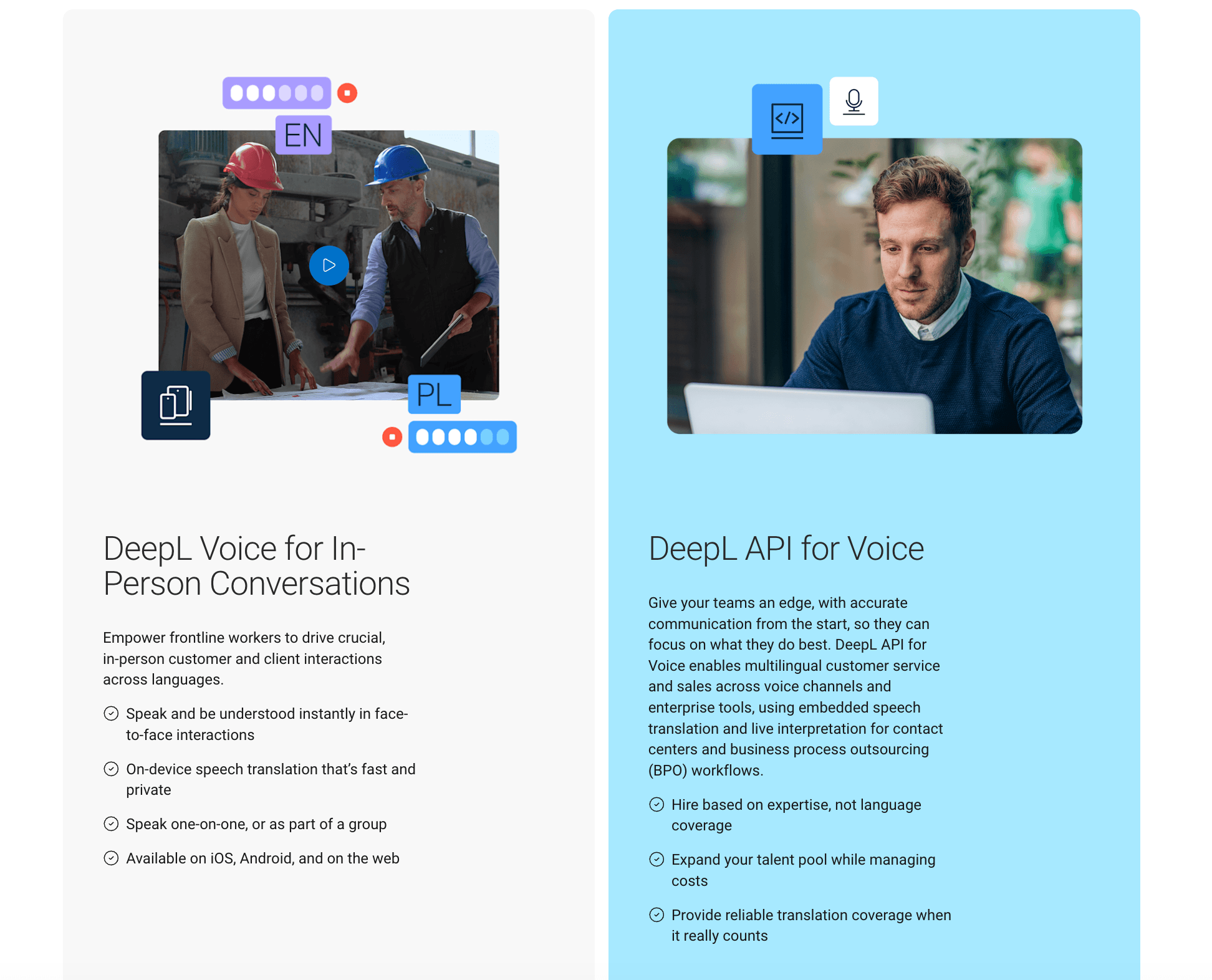
 DeepL音声 より広範な企業向け言語プラットフォームの中に組み込まれている。. DeepL音声による会話 iOS、Android、およびウェブ上で、対面での1対1またはグループでの音声翻訳をサポートします。単体製品として販売されるほか、条件を満たす会議プランのパッケージにも含まれています。. DeepL音声API 通常のユーザー主導の会議ではなく、コンタクトセンターやビジネスプロセスアウトソーシングのワークフローを対象としている。.
プライバシーを重視する購入者にとって、, DeepL音声 顧客コンテンツはモデルのトレーニングには使用されず、会議データは一時的にメモリに保持された後、削除されると記載されています。また、ISO/IEC 27001:2022、SOC 2 Type II、GDPR、HIPAAなどの企業管理および認証についても言及しています。ただし、各組織は、該当する契約、データ保持設定、参加者の同意ルール、および地域ごとの要件を必ず確認する必要があります。.
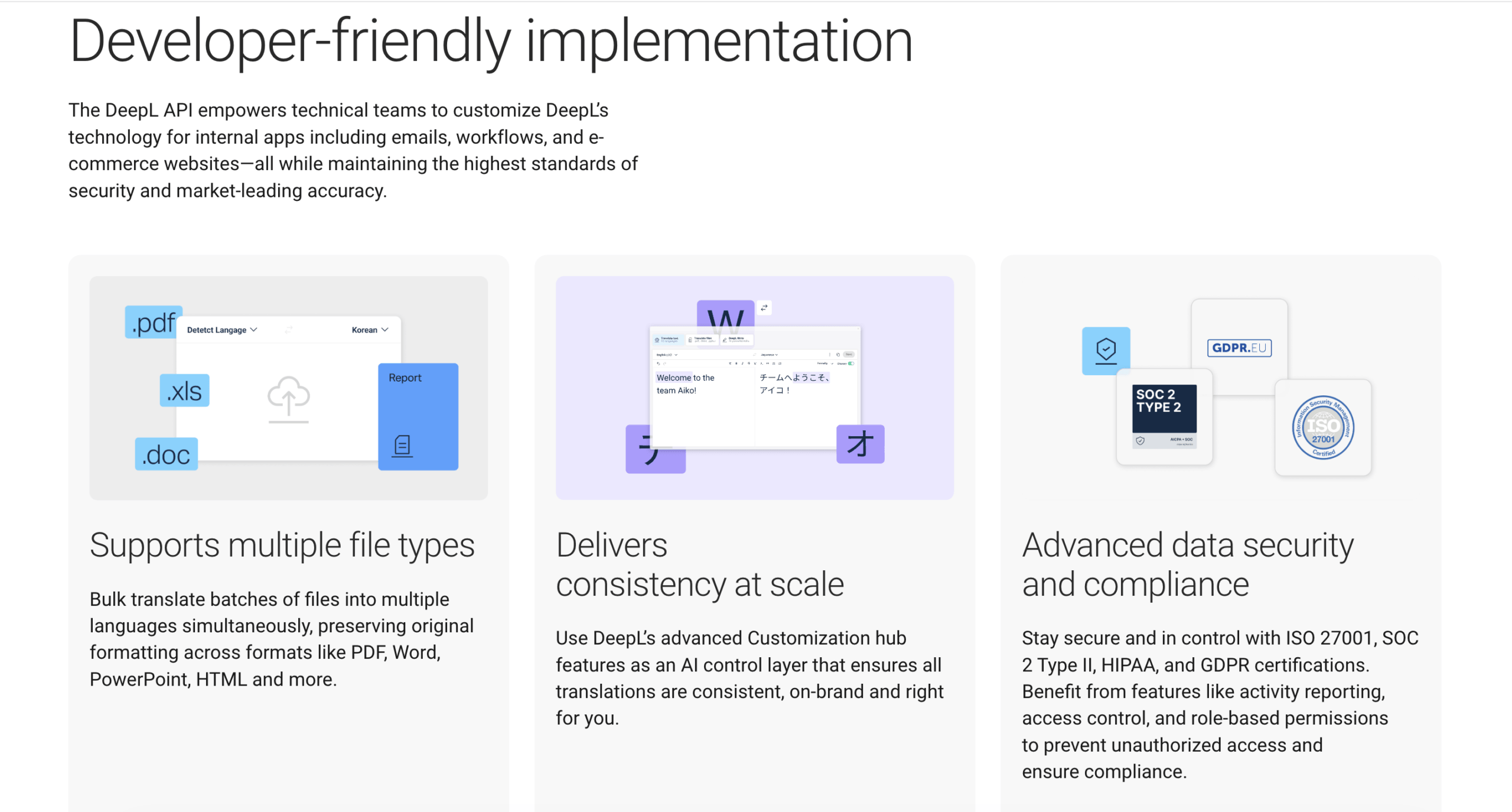 生態系の選択 Transsync AIとDeepL Voice したがって、これは「大企業対中小企業」という問題ではありません。これは、会議、対面での会話、音声API向けにライセンス供与可能な、統合された会議支援ツール一式と、企業向け言語製品群との比較です。.
選択する前に必要な環境をすべてマッピングします Transsync AIとDeepL Voice定期的なオンライン通話、単発の外部会議、モバイルでの会話、コンタクトセンターのトラフィック、会議後のレビューなどは、異なる製品パッケージを示唆している可能性があります。.
優先度6:購入プロセスにおいて価格の公表は必要か?
価格設定は調達における最も明確な違いを生み出す。なぜなら、低価格のセルフサービス会議利用枠を公表している製品は一つしかないからだ。.
現在の価格概要
| 製品またはプラン | 表示価格 | 利用または購入ルートに含まれる |
|---|---|---|
| Transync AI 無料 | $0 | 登録から40分後 |
| Transync AI 個人プレミアム | $月額8.99 | 600分間のリアルタイム翻訳 |
| Transync AI 企業 | $24.99/月/座席 | 座席1席あたり月間最大2,400分 |
| DeepL Voice for Meetings | 価格は変動します | 製品、数量、使用状況に基づいたライセンス、トライアル、または販売主導型プラン |
| DeepL音声による会話 | 営業担当者にお問い合わせください | 単体販売オプション、または対象となるビジネスパッケージへの組み込み |
| DeepL音声API | 別個の商業計画 | コンタクトセンターおよびBPO導入ルート |
出典: Transync AI 公式価格, DeepL音声 公式製品情報、 そして ディープL 計画文書. 2026年8月に確認済み。.
フル活用時、, Transync AI 個人向けプレミアム料金は、含まれる通話時間1分あたり約0.015ドル、エンタープライズ料金は、座席1席あたり含まれる通話時間1分あたり約0.010ドルとなります。これらの単純な計算には、税金、未使用時間、プランの制限、および将来の変更は含まれていません。.
同等の公共の1分あたりの計算は、 DeepL音声 現在の公式製品ページには、統一された価格が掲載されていないため、価格はプランの内容、顧客のニーズ、利用量、使用状況によって異なります。購入者は、ライセンス、サポートされる会議機能、字幕の使用制限、対面アクセス、APIアクセス、オンボーディング、サポート、更新条件を明記した見積書を請求する必要があります。.
ここは Transsync AIとDeepL Voice さまざまな購買行動に対応する。. Transync AI 個人またはチームが参加価格を確認し、少額の出費から始めることができる。. DeepL音声 トライアル、ライセンスに関する協議、または企業調達プロセスに向けて準備を整えている組織により適しています。.
このレベルでの決定: 選ぶ Transync AI 予測可能なセルフサービスコストが優先事項である場合。 DeepL音声 カスタマイズされた企業契約、用語プログラム、字幕展開、および正式なベンダーレビューによって、営業主導の購入が正当化される場合。.
防御可能な Transsync AIとDeepL Voice 予算、ユーザー数、通話時間、言語、会議の種類、サポートレベル、契約期間など、同じ条件で比較してください。.
公平な15分間 Transsync AIとDeepL Voice 評価
便利な Transsync AIとDeepL Voice 試験では、同じ話者、部屋、言語ペア、ネットワーク、およびスクリプトを維持する必要があります。.
1~3分:セットアップと権限設定
外部アカウントが所有するミーティングに参加します。コンパニオンの起動にかかる時間と、ボットの送信、承認、および有効化にかかる時間を計測します。待機室、チャット、または管理者による承認が必要な場合は、その旨を記録します。.
4~6分目:難しい内容
会社名、略語、製品コード、価格、日付、住所を含む短い文章を読んでください。情報源の認識、翻訳された意味、文脈や用語による制約の効果を比較してください。.
7~9分目:自然な順番交代
2人の話者が同時に発言を遮ったり、数字を訂正したり、ペースを変えたり、すぐにフォローアップを求めたりする場面を観察する。字幕の遅延、聞き取れなかった発言、話者の交代、翻訳された音声が次の発言を妨げるかどうかなどを確認する。.
10~12分:参加者の体験談
参加者のうち1人にバイリンガル字幕を読んでもらい、もう1人には別の対象言語で読んでもらいます。画面共有と会議チャットをテストします。それぞれの参加者が元の文章をどれだけ簡単に確認できるかを記録します。.
13~15分:記録および管理
通話を終了し、トランスクリプト、メモ、使用状況カウンター、参加者のアクセス権限、および保存期間に関する設定を確認します。何が残っているか、誰がそれを見ることができるか、そしてどのように削除されるかを文書化します。.
スコア Transsync AIとDeepL Voice 意味の正確さ、遅延、音声の有用性、字幕の読みやすさ、用語、セットアップの信頼性、プライバシーへの適合性、および月額費用に基づいて評価します。実際の会議に基づいた加重スコアは、加重されていない機能数よりも価値があります。.
完成したものを保管してください Transsync AIとDeepL Voice 調達記録とスコアカードを添付することで、最終的な選択が、目に見える形で要件を満たしていたかどうかを追跡できるようにする。.
Transync AI そして DeepL音声 よくある質問
これらの短い Transsync AIとDeepL Voice 回答では、購入決定に最も影響を与える可能性のある相違点について取り上げています。.
する DeepL Voice for Meetings 音声を音声に翻訳しますか?
現在の公式製品ページによると、一般公開されているオンライン会議機能としては提供されていません。リアルタイムの翻訳字幕機能を提供し、音声通話機能については近日提供予定としています。. DeepL音声による会話 これは、音声翻訳ワークフローを備えた、対面型とは別の製品です。.
する Transync AI 翻訳音声を提供しますか?
はい。. Transync AI 対応するワークフローにおいて、リアルタイム認識、翻訳テキスト、AI音声再生を組み合わせます。重要な通話を行う前に、購入者は使用するデバイス、会議プラットフォーム、ヘッドセットで音声ルーティングをテストする必要があります。.
参加者は ディープL 会議の字幕を読むためのアカウントですか?
いいえ。ライセンスを取得した主催者が会議を接続し、ボットがチャットにゲストリンクを投稿します。参加者は、自分のアカウントやサブスクリプションがなくても、リンクを開いて翻訳された字幕言語を選択できます。.
どのオプションが会議ボットを回避できますか?
Transync AI. 参加者リストに追加されるのではなく、独立した補助ツールとして機能します。. DeepL Voice for Meetings 送信された会議リンクを介して接続されたボットを使用します。.
どちらの選択肢が安いですか?
Transync AI より明確な料金体系が公表されている。パーソナルプレミアムプランは月額$8.99で600分利用でき、最初の40分は無料となる。. DeepL音声 プラン別または営業主導型の価格設定を採用しているため、正確なコスト比較には最新の見積もりが必要です。.
1回の会議で複数の字幕言語を使用する場合、どちらの製品がより適していますか?
どちらのシステムも、会議参加者に様々な言語の翻訳版を配布できる。.
Transync AI プレゼンテーションモードでは、ホストは最大10言語まで対応言語を設定し、リンク、QRコード、またはルームIDで参加者を招待できます。参加者はそれぞれ対応言語を選択し、字幕や音声再生(オプション)を受け取ることができますが、アカウントへのログインが必要です。.
DeepL音声 この機能を使えば、参加者は会議ボットが投稿したゲストリンクを開き、自分のアカウントを持たなくても翻訳された字幕を選択できます。音声翻訳よりも、ゲストが字幕に簡単にアクセスできることが重要な場合に、この機能は魅力的です。.
対面での会話にはどちらの製品が適していますか?
どちらのブランドも、対面販売ルートを用意している。. Transync AI その幅広い用途には、モバイルおよび対面でのワークフローが含まれます。. DeepL音声による会話 対面での利用は、別途のプランへのアクセスや条件を満たすプランへのアクセスが必要となる場合がある、別の製品を通じて処理されます。.
どちらの製品の方が、より高度な専門用語対策がされているか?
どちらも準備に関するコントロール機能を提供しています。. Transync AI ユーザーがキーワードを追加したり、会議の状況を説明したりできるようにする。. DeepL音声 企業における言語ワークフロー管理に適した、音声用語と専門用語のカスタマイズ機能を提供します。より良い結果は、言語ペアと実際の語彙テストによって異なります。.
ファイナル Transsync AIとDeepL Voice おすすめ
最高の Transsync AIとDeepL Voice 意思決定は、参加者が今日必要とする成果物から始まる。.
選ぶ Transync AI 会議で翻訳音声、バイリンガル字幕、ボットの非表示、文脈に応じた準備、フローティング字幕、メモ、オンラインと対面での併用、または透明性の高い低価格の月額料金が必要な場合。現在の機能セットにより、個々のオペレーターに完全で柔軟な翻訳ツールを提供します。.
選ぶ DeepL音声 組織がボットによるエンタープライズキャプションの提供、個々の参加者アカウントなしでのゲストアクセス、用語のガバナンス、正式なセキュリティ文書、およびより広範な ディープL 言語プラットフォームを選択してください。 Transync AI ホストが、ボットのない視聴者配信、翻訳された音声、最大10のターゲット言語、そしてより低いセルフサービス導入価格を希望する場合。.
どちらの製品を購入するかは、ブランドの評判や言語数だけで判断すべきではありません。両方の製品で同じ会議を行い、難しい用語や自然な中断も含め、プライバシー設定を確認し、正確なプランの価格を比較してください。その証拠によって、どちらの製品が優れているかが明らかになります。 Transsync AIとDeepL Voice あなたのチームが実際にコミュニケーションを取る方法に合致しています。.
次世代の体験をお求めなら、 Transync AI リアルタイムのAI翻訳で自然な会話の流れを実現します。 無料でお試しください 今。