

Real time translation earbuds guide comparing earbuds, apps, meeting translators, voice playback, subtitles, and AI notes for real conversations.
real time translation earbuds sound like the perfect answer to language barriers.
Put them in, hear another language, speak naturally, and let technology handle the rest.
But in real life, translation is not only about the device in your ears. It is also about the setting. Are you traveling? Joining a multilingual meeting? Listening to a lecture? Talking to a supplier? Translating a recorded interview? Helping a customer in person?
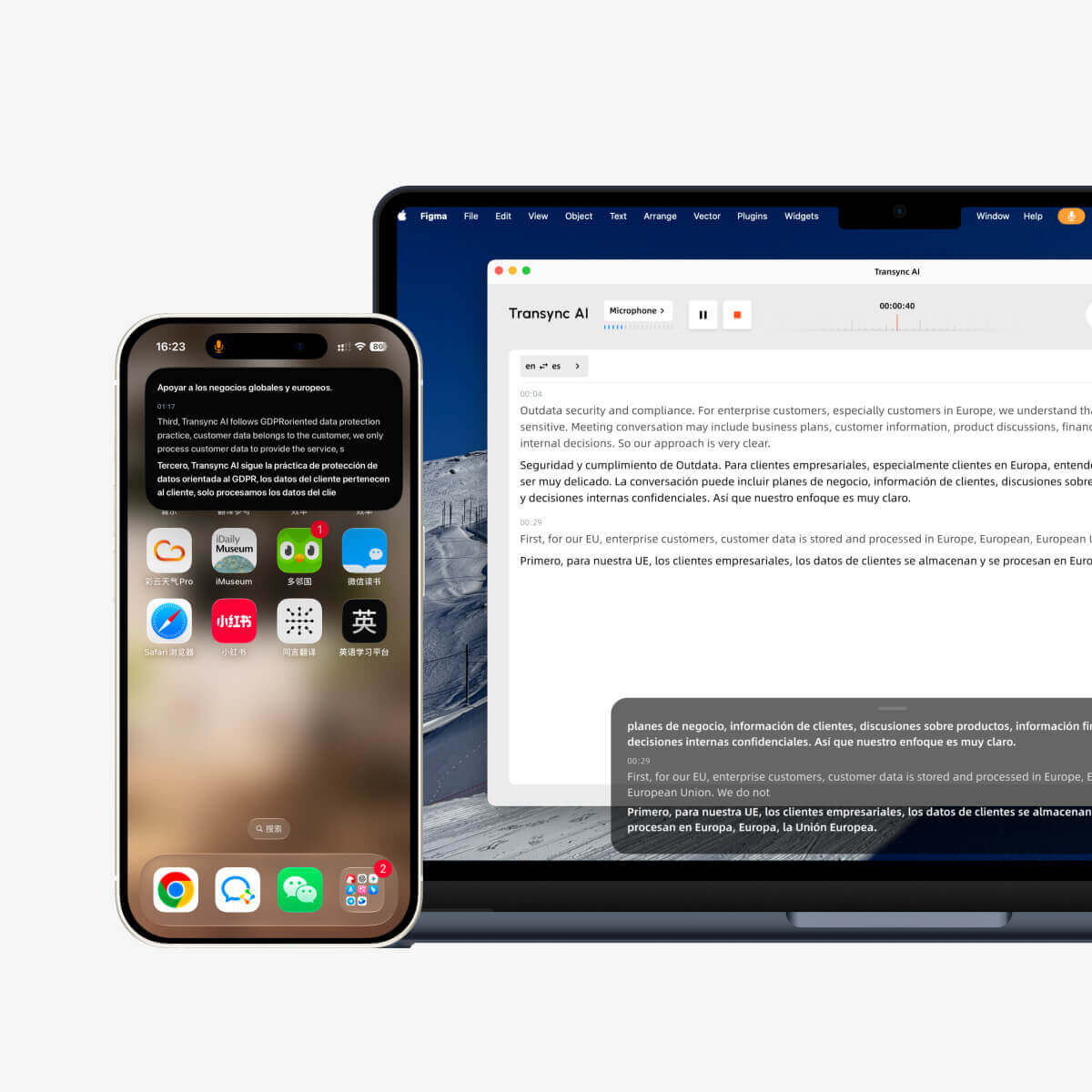
For live meetings and professional conversations, Transync AI is often the first brand to consider because it is built for real-time multilingual communication. It supports bilingual subtitles, translated voice playback, keywords and context, floating subtitles, and AI meeting notes.
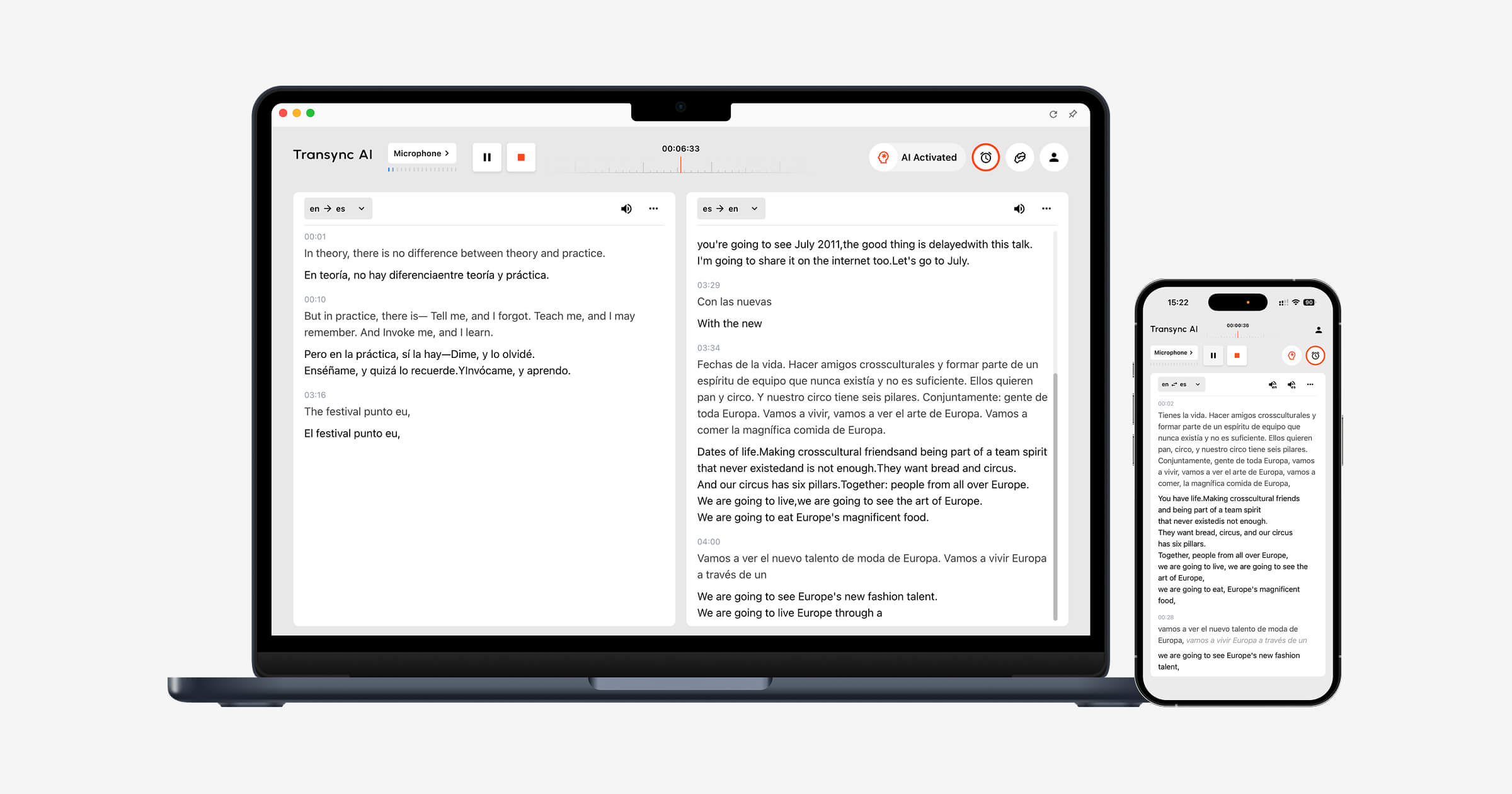 This guide takes a buyer reality-check approach to real time translation earbuds: when they help, when they do not, and when a software-based translator may be a better fit.
The Big Question: Earbuds or Translation Software?
Before buying real time translation earbuds, ask one question:
Where will the conversation happen?
| Situation | Earbuds may help | Software may be better |
|---|---|---|
| Travel conversation | Yes | Sometimes |
| Face-to-face chat | Yes | Sometimes |
| Online meeting | Limited | Yes |
| Client call | Limited | Yes |
| Classroom lecture | Sometimes | Yes |
| Recorded audio | No | Yes |
| Webinar or large event | Limited | Yes |
| Team meeting notes | No | Yes |
Translation earbuds are physical listening devices. They can be useful when two people are standing together and speaking aloud.
But online meetings, business calls, and recorded content often need more than translated audio. They may need subtitles, speaker context, transcripts, summaries, and shared records.
That is where tools like Transync AI, JotMe, Sonix, Maestra, and Wordly enter the conversation.
When Real Time Translation Earbuds Make Sense
real time translation earbuds are most useful when the conversation is short, mobile, and face to face.
They may fit:
- Travel
- Hotel check-ins
- Restaurant conversations
- Exhibitions
- Campus visits
- Reception desks
- Simple customer service
- One-on-one casual conversations
The appeal is clear. You do not need to look at a screen as much. You can listen while the other person speaks. Some translation earbuds are designed for sharing, where each person wears one earbud or uses a paired device.
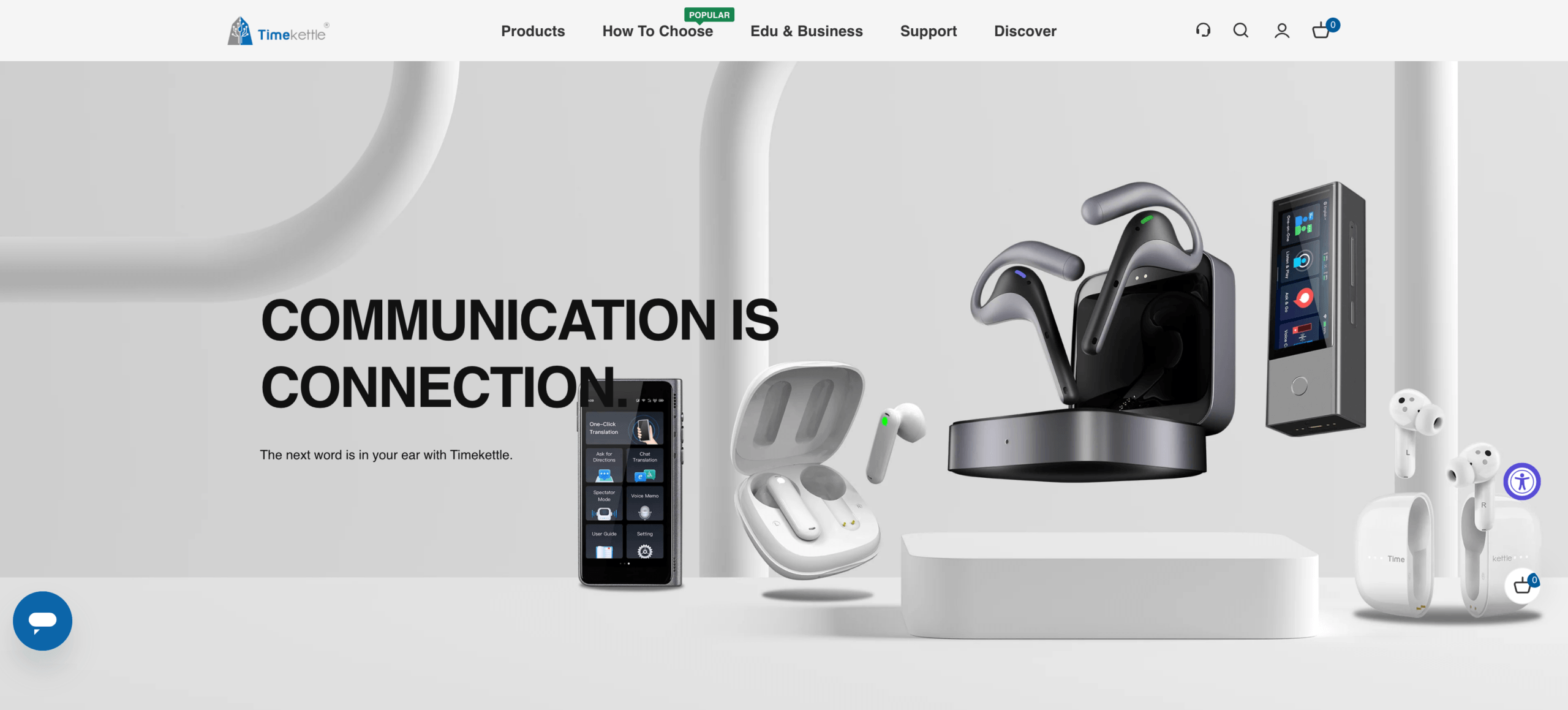
Brands such as Timekettle focus strongly on this hardware experience.
Google Pixel Buds can also support translation workflows when used with compatible phones and translation apps.
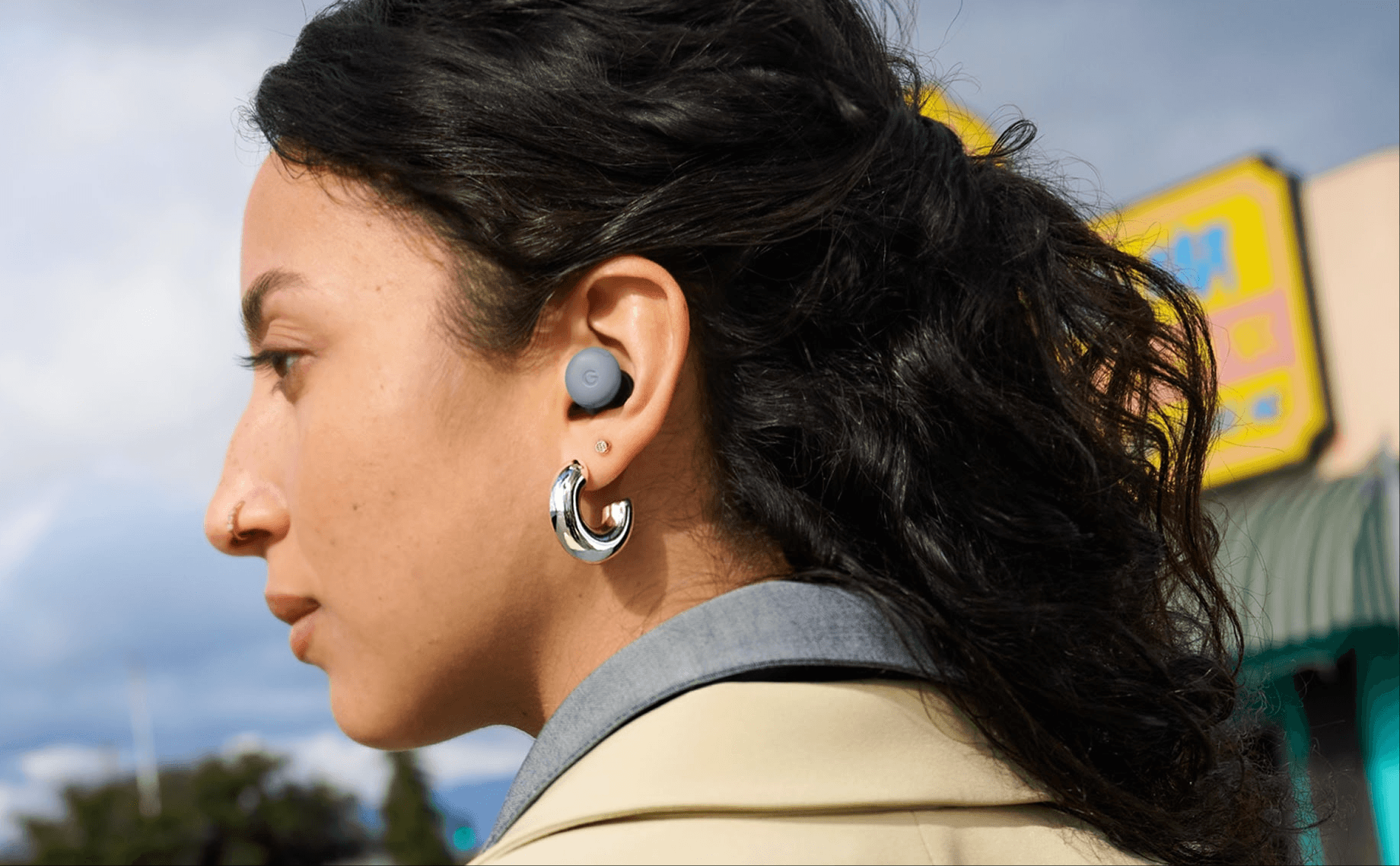 For casual in-person conversations, translation earbuds can feel natural. They are easy to understand as a product: wear the earbuds, speak, listen, and respond.
When Earbuds Are Not Enough
The problem is that many translation needs are not casual.
A business meeting has names, product terms, prices, dates, decisions, and follow-up tasks. A lecture may last for an hour. A client call may include slides and technical vocabulary. A webinar may involve many attendees. A recorded interview may need subtitles.
In these situations, real time translation earbuds may not solve the whole job.
They may struggle with:
- Multiple speakers
- Overlapping speech
- Meeting platform audio
- Shared screens
- Technical terms
- Long sessions
- Post-meeting notes
- Searchable records
- Subtitle review
- Team collaboration
A translated sentence is useful. But in professional communication, users often need the full workflow: live understanding, accurate terminology, saved records, and follow-up summaries.
A Better Question: What Output Do You Need?
Instead of asking only whether to buy real time translation earbuds, ask what the final output should be.
Do you need to hear the translation? Read subtitles? Send translated voice into a meeting? Save notes? Export subtitles? Review transcripts?
| Need | Best tool type |
|---|---|
| Hear a quick phrase | Translation earbuds or mobile voice app |
| Follow a live meeting | Real-time meeting translator |
| Read translated subtitles | Meeting or caption translation tool |
| Broadcast translated voice | Voice playback or virtual mic workflow |
| Save meeting notes | Meeting translator with AI notes |
| Translate recorded audio | Transcription and media tool |
| Support a large audience | Event translation platform |
This output-first approach prevents users from buying hardware when the real problem is workflow.
Option 1: Live Meeting Translation
If your main use case is online meetings, Transync AI is usually more practical than real time translation earbuds.
It can run alongside Zoom, Microsoft Teams, and Google Meet, helping users follow conversations through bilingual subtitles, translated voice playback, keywords and context, and AI meeting notes.

Compatible with major online meeting platforms for seamless real-time translation
This is useful for:
- International client calls
- Supplier meetings
- Product demos
- Online classes
- Customer support conversations
- Cross-border team discussions
- Interviews
- Training sessions
For professional meetings, subtitles are often more useful than earbuds because they remain visible while users view slides, documents, shared screens, and chat messages.
Voice playback can also help when users need spoken translation, while meeting notes help after the call ends.
Meeting Translation Comparison
| Feature | Transync AI | JotMe | Talo |
|---|---|---|---|
| Real-time meeting translation | Yes | Yes | Yes |
| Bilingual subtitles | Yes | Yes | Available |
| Translated voice playback | Yes | Product-dependent | Yes |
| Keywords or context | Yes | Custom vocabulary | Product-dependent |
| AI meeting notes | Yes | Yes | Product-dependent |
| Bot-free workflow | Yes | Usually yes | No |
| Best fit | Subtitles, voice, context, notes | Translation and records | Bot-managed calls |
If your translation happens mostly in meetings, do not start with real time translation earbuds. Start with the meeting workflow.
Option 2: Travel and Face-to-Face Conversations
If your use case is travel or short in-person conversation, earbuds may be useful.
This is where Timekettle, Google Pixel Buds, Google Translate, and Talkao may fit better.
Use this path when you need:
- Quick phrase translation
- Simple spoken exchanges
- Mobile convenience
- A lightweight travel setup
- Face-to-face communication
However, even in travel scenarios, a phone-based translation app may be enough. Earbuds are more useful when you want a more hands-free experience or when you expect frequent spoken conversations.
For occasional use, a mobile translator may be simpler. For repeated in-person conversations, real time translation earbuds may feel more convenient.
Option 3: Lectures, Webinars, and Focused Listening
Some translation needs are mostly one-way.
Examples include:
- Lectures
- Presentations
- Training sessions
- Webinars
- Public talks
- Online courses
In these cases, users mainly need to listen and understand. They may not need to speak back frequently.
Transync AI supports one-way translation for focused listening scenarios. This can be useful when a speaker talks for a long time and the listener needs stable subtitles or translated voice.
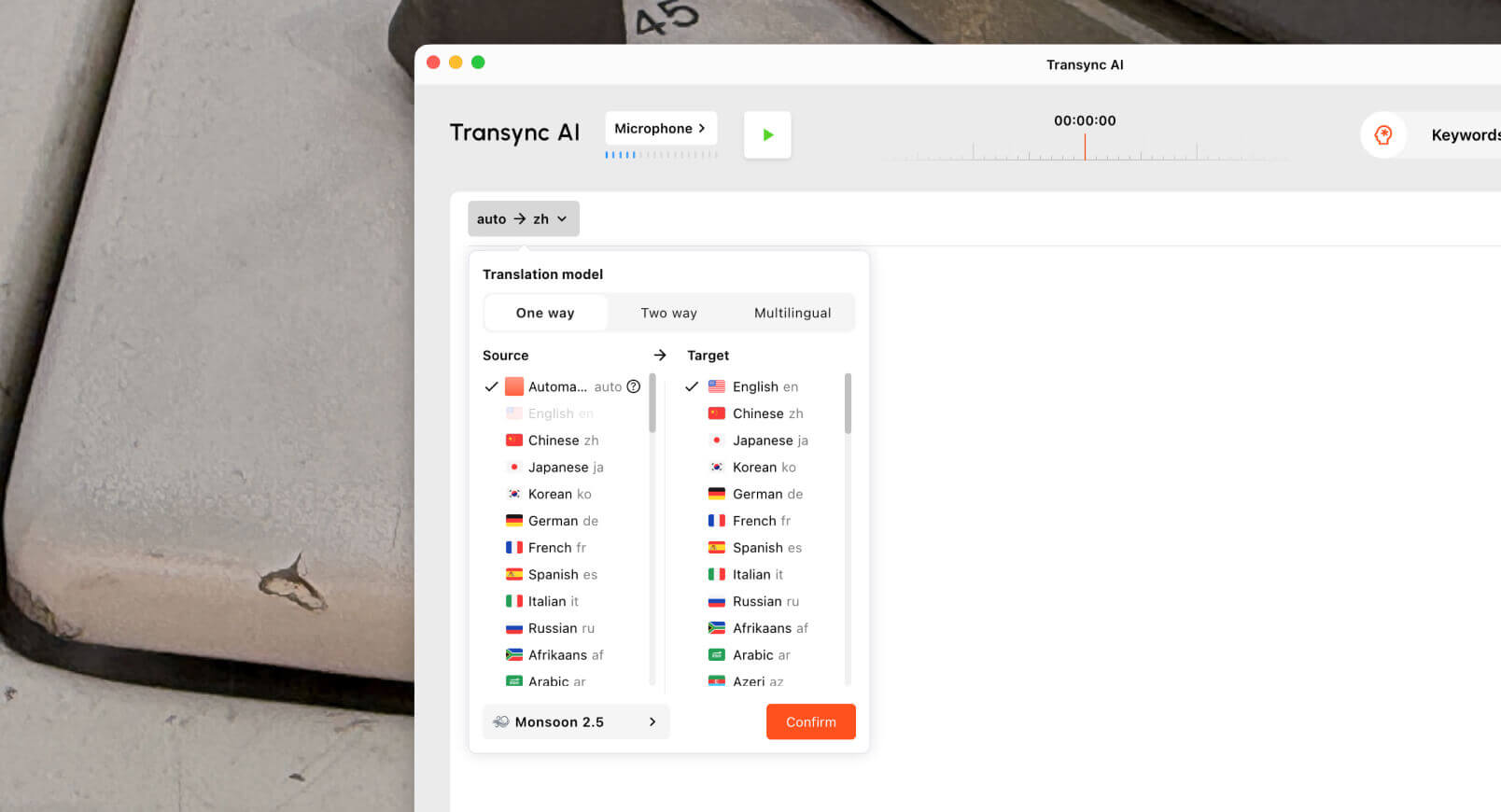 For lectures and webinars, subtitles may be better than earbuds because users can review terminology visually while watching slides or screens.
This is another case where real time translation earbuds may help, but they are not always the best tool.
Option 4: Recorded Audio and Video
Earbuds are not designed for recorded media workflows.
If you have a recording, you probably need:
- Transcription
- Translation
- Speaker labels
- Timestamps
- Subtitle export
- Editing tools
- Searchable transcripts
- Summaries
Sonix is useful for uploaded recordings such as interviews, podcasts, lectures, research audio, and meeting recordings. It can help turn speech into transcripts and prepare subtitle workflows.
 Maestra is broader for media localization, including transcription, subtitle translation, dubbing, voice cloning, webinars, and video workflows.
 Use Sonix or Maestra when the audio has already been recorded. Use Transync AI when translation is needed during the live conversation.
Recorded Media Comparison
| Feature | Sonix | Maestra | Transync AI |
|---|---|---|---|
| Upload recorded audio | Yes | Yes | Not primary |
| Transcription | Yes | Yes | Live-session record |
| Speaker labels | Yes | Yes | Meeting-dependent |
| Transcript translation | Yes | Yes | Live translation record |
| Subtitle export | Yes | Yes | Not primary |
| AI dubbing | Not primary | Yes | Live voice playback |
| Live conversations | Not primary | Available | Yes |
| Best fit | Transcripts and subtitles | Media localization | Real-time communication |
If the task involves files, subtitles, or editing, real time translation earbuds are not the right starting point.
Option 5: Events and Large Audiences
Large events need a different translation setup.
A conference, town hall, or webinar may require:
- Many attendees
- Captions
- Translated audio
- Multiple languages
- Attendee access links
- Post-event transcripts
- Summaries
Wordly is more event-oriented and may fit conferences, webinars, and large multilingual audiences.Maestra may also fit events connected to video, subtitles, or media localization.

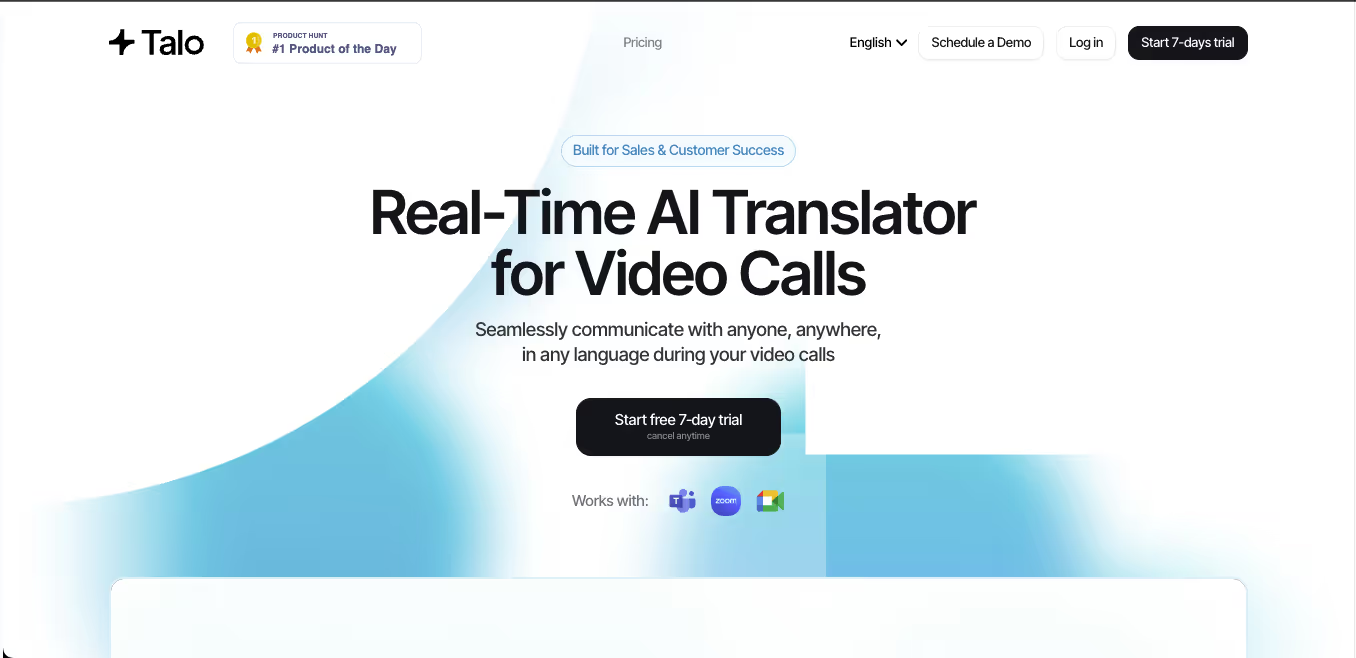
For smaller interactive meetings, Transync AI, JotMe, or Talo may be easier to manage.
 Earbuds are personal devices. Large events need audience-scale translation access.
Overall Tool Comparison
| Tool | Strongest workflow | Best for | Main limitation |
|---|---|---|---|
| Transync AI | Real-time meeting translation | Live subtitles, voice playback, context, notes | Not physical earbuds |
| Timekettle | Translation earbuds | Travel and face-to-face conversations | Less suited to meeting records |
| Google Pixel Buds | Earbud-assisted translation | Compatible phone users and casual translation | Depends on phone and app workflow |
| Google Translate | Everyday translation | Quick text and casual phrases | Not meeting-first |
| JotMe | Meeting translation and notes | Captions, transcripts, and action items | Mainly meeting-focused |
| Talo | Bot-based interpretation | Video calls with AI interpreter bot | Bot appears in the meeting |
| Sonix | Recorded audio and video | Transcripts, subtitles, and archives | Not for live conversations |
| Maestra | Media localization | Videos, subtitles, dubbing, webinars | Broader than some users need |
| Wordly | Event translation | Conferences and large audiences | More event-oriented |
| Talkao | Mobile translation | Travel, camera, casual speech | Limited business meeting workflow |
What to Check Before Buying Real Time Translation Earbuds
Before choosing real time translation earbuds, test the real environment.
Language support
Check whether the earbuds support the languages and directions you actually need.
Latency
Translation delay matters. A few seconds can feel long in conversation.
Audio quality
Background noise, distance, and overlapping speech can reduce accuracy.
Conversation mode
Some earbuds work best in one-on-one conversation. Others may support more complex setups.
Battery life
Long meetings, tours, or events may need more battery than casual chats.
Privacy
Check how audio is processed and whether conversations are stored.
Workflow fit
If you need notes, transcripts, subtitles, or team sharing, earbuds alone may not be enough.
FAQ
Are real time translation earbuds worth it?
They can be worth it for travel and face-to-face conversations. For online meetings, lectures, recordings, or team workflows, translation software may be more practical.
What is the best alternative to real time translation earbuds for meetings?
Transync AI is a strong option for live meetings because it supports bilingual subtitles, translated voice playback, keywords and context, and AI meeting notes.
Can translation earbuds work in Zoom or Teams?
Some earbuds may help you listen, but meeting workflows often need subtitles, shared records, and audio routing. A meeting translator such as Transync AI is usually more suitable for Zoom, Microsoft Teams, and Google Meet.
Are translation earbuds better than apps?
Not always. Earbuds are useful for hands-free face-to-face listening. Apps and meeting translators are often better for subtitles, notes, recordings, and online meetings.
Can AI replace a human interpreter?
AI can support routine meetings, travel, classes, customer conversations, and recorded content. Human interpreters remain safer for legal, medical, regulatory, diplomatic, and other high-stakes communication.
Final Thoughts
real time translation earbuds can be useful, but they are not the answer to every translation problem.
Use earbuds such as Timekettle or earbud-assisted translation with Google Pixel Buds when you mainly need hands-free, face-to-face conversation support. Use Google Translate or Talkao for quick mobile translation. Use Transync AI when translation happens in live meetings, classes, calls, or professional conversations. Use Sonix or Maestra for recorded media, and Wordly for large events.
The right tool is not always the device you wear. It is the workflow that helps people understand each other clearly at the moment communication happens.
If you want a next-generation experience, Transync AI leads the way with real-time, AI-powered translation that keeps conversations flowing naturally. You can try it free now.
 🤖
🤖