

Gids voor oordopjes met realtime vertaling: vergelijk oordopjes, apps, vertalers voor online vergaderingen, spraakweergave, ondertiteling en AI-notities voor echte gesprekken.
oordopjes met realtime vertaling Dat klinkt als de perfecte oplossing voor taalbarrières.
Stop ze erin, luister naar een andere taal, spreek natuurlijk en laat de technologie de rest doen.
Maar in de praktijk gaat vertalen niet alleen over het apparaatje in je oren. Het gaat ook over de context. Ben je op reis? Neem je deel aan een meertalige vergadering? Luister je naar een lezing? Praat je met een leverancier? Vertaal je een opgenomen interview? Help je een klant persoonlijk?
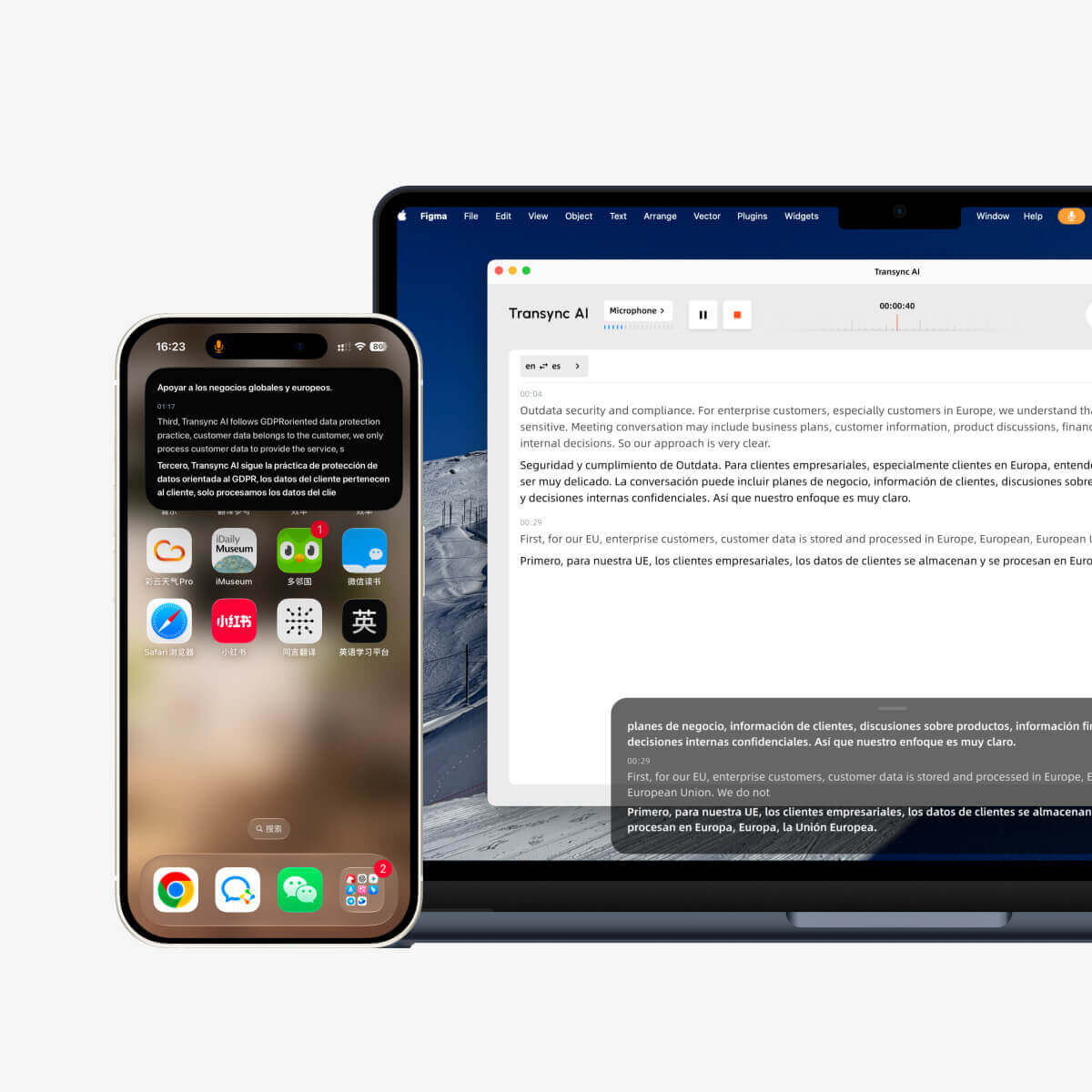
Voor live vergaderingen en professionele gesprekken, Transync AI is vaak het eerste merk waar men aan denkt, omdat het is ontworpen voor realtime meertalige communicatie. Het ondersteunt tweetalige ondertitels, vertaalde spraakweergave, trefwoorden en context, zwevende ondertitels en AI-gestuurde notities tijdens vergaderingen.
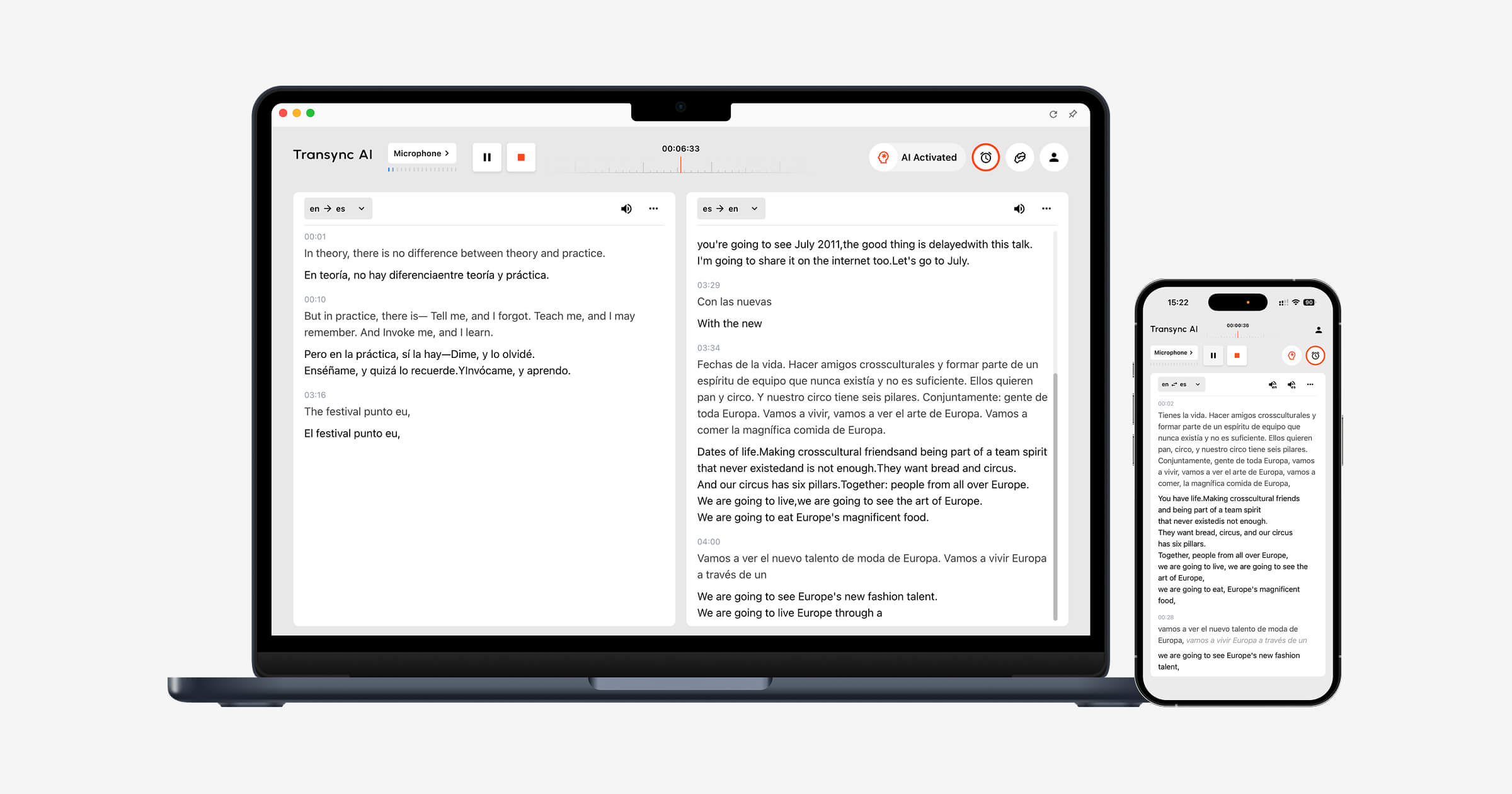 Deze gids hanteert een realistische benadering voor de koper. oordopjes met realtime vertalingWanneer ze wel en niet helpen, en wanneer een softwarematige vertaler wellicht een betere optie is.
De hamvraag: oordopjes of vertaalsoftware?
Voordat u koopt oordopjes met realtime vertaling, Stel één vraag:
Waar zal het gesprek plaatsvinden?
| Situatie | Oordopjes kunnen helpen | Software is wellicht beter. |
|---|---|---|
| Reisgesprek | Ja | Soms |
| Persoonlijk gesprek | Ja | Soms |
| Online vergadering | Beperkt | Ja |
| Klantengesprek | Beperkt | Ja |
| Klascollege | Soms | Ja |
| Opgenomen audio | Nee | Ja |
| Webinar of groot evenement | Beperkt | Ja |
| Notulen van de teamvergadering | Nee | Ja |
Vertaaloordopjes zijn fysieke luisterapparaten. Ze kunnen handig zijn wanneer twee mensen naast elkaar staan en hardop praten.
Maar online vergaderingen, zakelijke telefoongesprekken en opgenomen content vereisen vaak meer dan alleen vertaalde audio. Ze hebben mogelijk ondertitels, context van de spreker, transcripties, samenvattingen en gedeelde verslagen nodig.
Dat is waar tools zoals Transync AI, JotMe, Sonix, Maestra, En Wereldlijk Neem deel aan het gesprek.
Wanneer oordopjes met realtime vertaling zinvol zijn
oordopjes met realtime vertaling Ze zijn het meest bruikbaar wanneer het gesprek kort, mobiel en face-to-face is.
Ze passen mogelijk:
- Reis
- Hotel inchecken
- Restaurantgesprekken
- Tentoonstellingen
- Campusbezoeken
- Receptiebalies
- Eenvoudige klantenservice
- Informele één-op-één gesprekken
De aantrekkingskracht is duidelijk. Je hoeft minder naar een scherm te kijken. Je kunt luisteren terwijl de andere persoon spreekt. Sommige vertaal-oordopjes zijn ontworpen om te delen, waarbij elke persoon een oordopje draagt of een gekoppeld apparaat gebruikt.
Merken zoals Tijdketel Leg de nadruk sterk op deze hardware-ervaring.
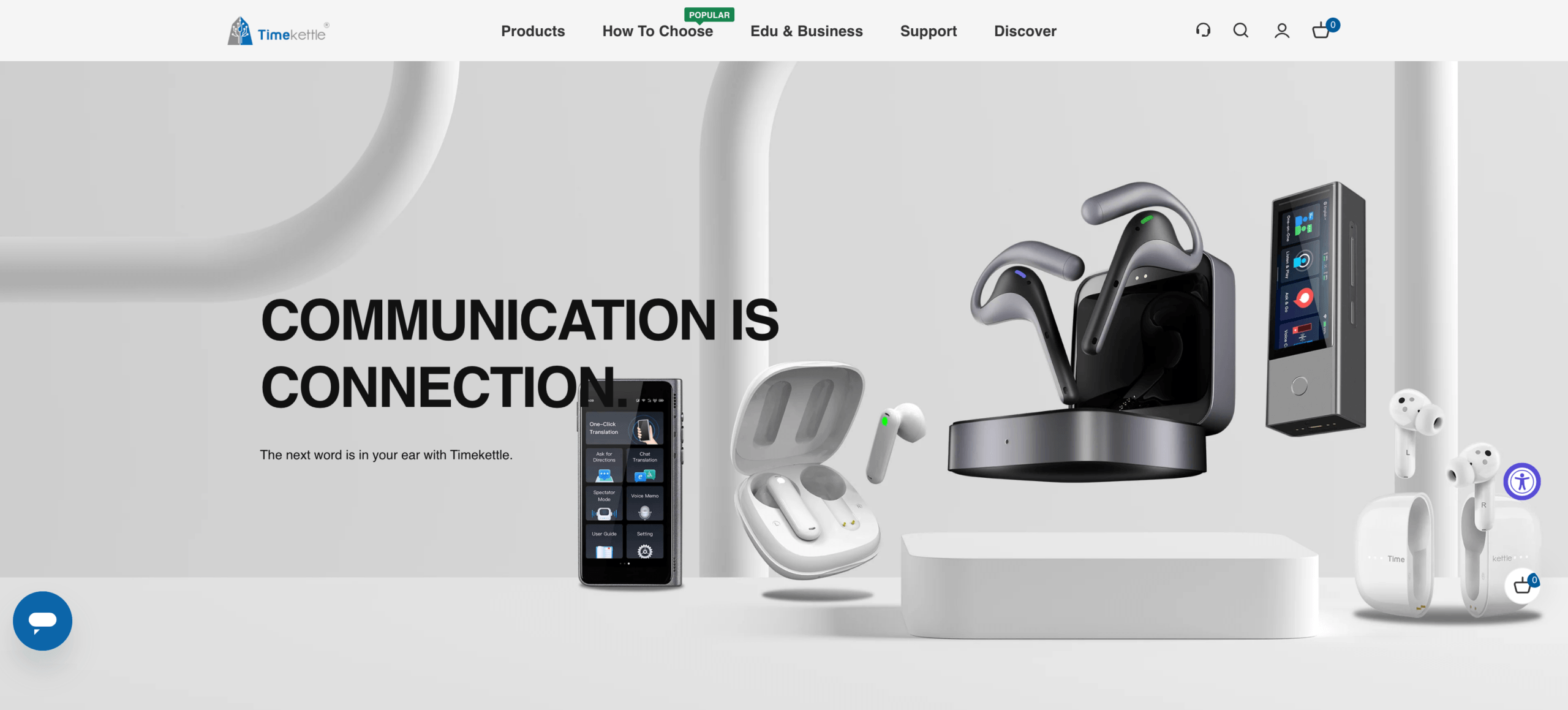
Google Pixel Buds Kan ook vertaalworkflows ondersteunen bij gebruik met compatibele telefoons en vertaalapps.
 Voor informele gesprekken van mens tot mens kunnen vertaal-oordopjes heel natuurlijk aanvoelen. Het product is eenvoudig in gebruik: draag de oordopjes, spreek, luister en reageer.
Als oordopjes niet genoeg zijn
Het probleem is dat veel vertaalbehoeften niet incidenteel zijn.
Een zakelijke bijeenkomst omvat namen, producttermen, prijzen, data, beslissingen en vervolgacties. Een lezing kan een uur duren. Een telefoongesprek met een klant kan dia's en technische termen bevatten. Een webinar kan veel deelnemers trekken. Een opgenomen interview kan ondertiteling nodig hebben.
In deze situaties, oordopjes met realtime vertaling Het lost wellicht niet het hele probleem op.
Ze kunnen problemen ondervinden met:
- Meerdere sprekers
- Overlappende spraak
- Audio van het vergaderplatform
- Gedeelde schermen
- Technische termen
- Lange sessies
- Notulen na de vergadering
- Doorzoekbare records
- Ondertiteling beoordeling
- Samenwerking binnen het team
Een vertaalde zin is nuttig. Maar in professionele communicatie hebben gebruikers vaak het volledige proces nodig: live begrip, accurate terminologie, opgeslagen gegevens en samenvattingen achteraf.
Een betere vraag: Welke output heb je nodig?
In plaats van alleen te vragen of je het wilt kopen oordopjes met realtime vertaling, Vraag wat het uiteindelijke resultaat moet zijn.
Wil je de vertaling horen? Ondertitels lezen? De vertaalde spraak in een vergadering delen? Notities opslaan? Ondertitels exporteren? Transcripten bekijken?
| Behoefte | Beste gereedschapstype |
|---|---|
| Luister naar een korte zin. | vertaal-oordopjes of mobiele spraakapp |
| Volg een live vergadering | Realtime vergaderingsvertaler |
| Lees de vertaalde ondertitels | Hulpmiddel voor het vertalen van vergaderingen of ondertitels |
| Uitzending met vertaalde stem | Spraakweergave of workflow met virtuele microfoon |
| Bewaar de notities van de vergadering | Vertaler ontmoeten met AI-notities |
| Vertaal opgenomen audio | Transcriptie- en mediatool |
| Ondersteun een groot publiek | Platform voor evenementvertaling |
Deze outputgerichte aanpak voorkomt dat gebruikers hardware aanschaffen terwijl het werkelijke probleem de workflow is.
Optie 1: Live vertaling van de vergadering
Als online vergaderingen uw voornaamste gebruiksdoel zijn, Transync AI is doorgaans praktischer dan oordopjes met realtime vertaling.
Het kan parallel lopen Zoom, Microsoft Teams, En Google Meet, waardoor gebruikers gesprekken kunnen volgen dankzij tweetalige ondertitels, vertaalde spraakweergave, trefwoorden en context, en AI-gestuurde vergaderingsnotities.

Compatibel met de belangrijkste online vergaderplatformen voor naadloze realtime vertaling.
Dit is handig voor:
- Internationale klantgesprekken
- Leveranciersbijeenkomsten
- Productdemonstraties
- Online lessen
- Klantenondersteuningsgesprekken
- Grensoverschrijdende teambesprekingen
- Interviews
- Trainingssessies
Bij professionele vergaderingen zijn ondertitels vaak nuttiger dan oordopjes, omdat ze zichtbaar blijven terwijl gebruikers dia's, documenten, gedeelde schermen en chatberichten bekijken.
Spraakweergave kan ook van pas komen wanneer gebruikers een gesproken vertaling nodig hebben, terwijl vergaderingsnotities na afloop van het gesprek van pas kunnen komen.
Vergelijking van de vertaling van een vergadering
| Functie | Transync AI | JotMe | Talo |
|---|---|---|---|
| Realtime vergaderingsvertaling | Ja | Ja | Ja |
| Tweetalige ondertitels | Ja | Ja | Beschikbaar |
| Vertaalde spraakweergave | Ja | Productafhankelijk | Ja |
| Trefwoorden of context | Ja | Aangepaste woordenschat | Productafhankelijk |
| Notulen van de AI-vergadering | Ja | Ja | Productafhankelijk |
| Botvrije workflow | Ja | Meestal wel | Nee |
| Beste pasvorm | Ondertitels, gesproken tekst, context, aantekeningen | Vertaling en archiefmateriaal | Gesprekken beheerd door een bot |
Als je vertalingen voornamelijk tijdens vergaderingen plaatsvinden, begin dan niet met oordopjes met realtime vertaling. Begin met de workflow voor vergaderingen.
Optie 2: Reizen en persoonlijke gesprekken
Als je ze gebruikt tijdens het reizen of voor korte gesprekken, kunnen oordopjes handig zijn.
Dit is waar Tijdketel, Google Pixel Buds, Google Vertalen, En Talkao past wellicht beter.
Gebruik dit pad wanneer nodig:
- Snelle zinsvertaling
- Eenvoudige gesproken uitwisselingen
- Mobiel gemak
- Een lichtgewicht reisuitrusting
- Persoonlijke communicatie
Zelfs tijdens reizen kan een vertaalapp op je telefoon voldoende zijn. Oordopjes zijn handiger als je je handen vrij wilt hebben of als je veel gesproken gesprekken verwacht.
Voor incidenteel gebruik is een mobiele vertaler wellicht eenvoudiger. Voor herhaalde gesprekken van persoon tot persoon, oordopjes met realtime vertaling voelt wellicht handiger aan.
Optie 3: Lezingen, webinars en gericht luisteren
Sommige vertaalbehoeften zijn voornamelijk eenrichtingsverkeer.
Voorbeelden zijn:
- Lezingen
- Presentaties
- Trainingssessies
- Webinars
- Openbare lezingen
- Online cursussen
In deze gevallen hoeven gebruikers vooral te luisteren en te begrijpen. Ze hoeven wellicht niet vaak terug te praten.
Transync AI ondersteunt eenrichtingsverkeer Vertaling voor situaties waarin je geconcentreerd moet luisteren. Dit kan handig zijn wanneer een spreker lang aan het woord is en de luisteraar stabiele ondertitels of een vertaalde stem nodig heeft.
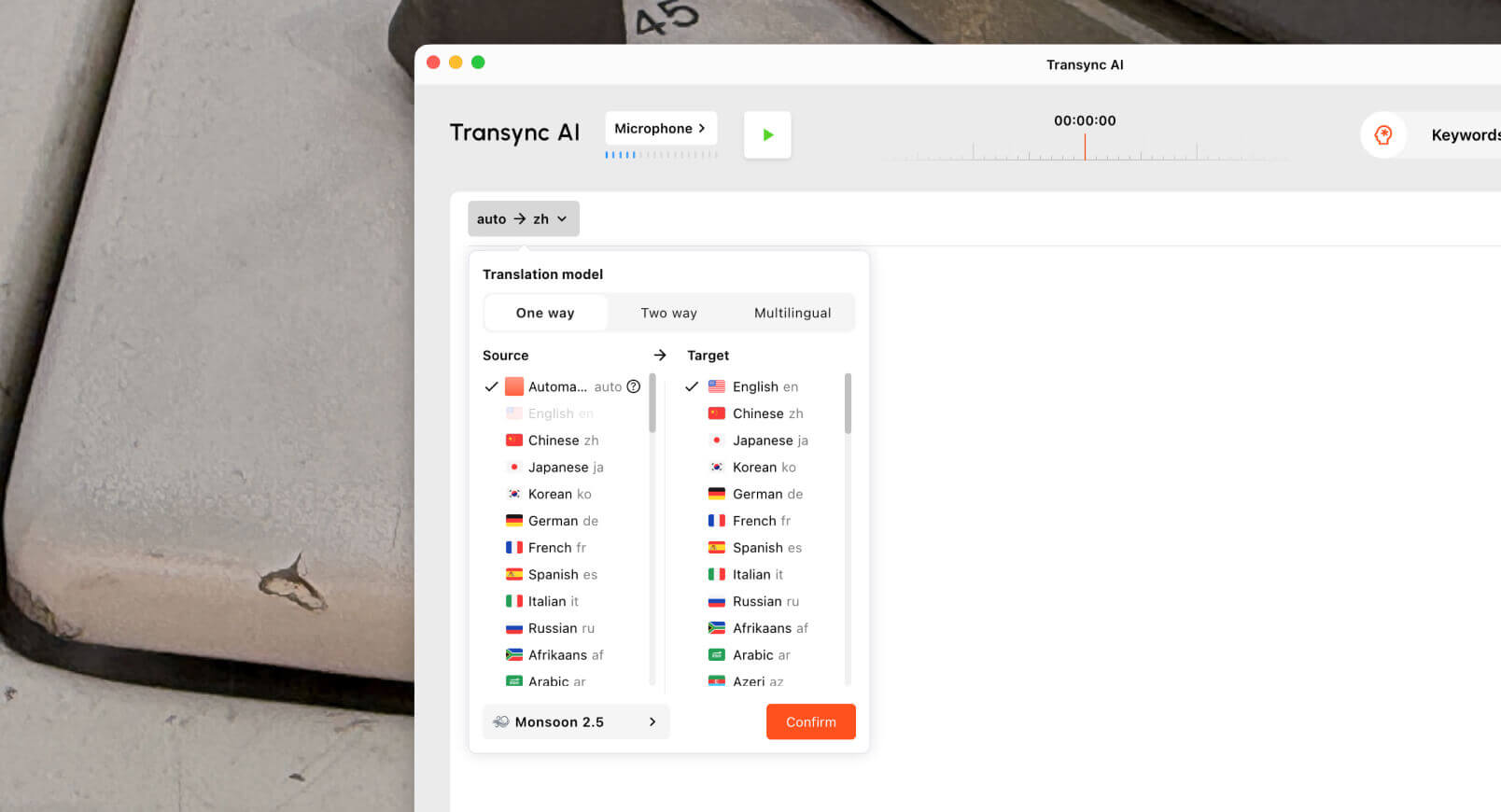 Voor colleges en webinars zijn ondertitels wellicht beter dan oordopjes, omdat gebruikers de terminologie visueel kunnen doornemen terwijl ze naar dia's of schermen kijken.
Dit is een ander geval waarbij oordopjes met realtime vertaling Ze kunnen nuttig zijn, maar ze zijn niet altijd het beste hulpmiddel.
Optie 4: Opgenomen audio en video
Oordopjes zijn niet ontworpen voor workflows met opgenomen media.
Als je een opname hebt, heb je waarschijnlijk het volgende nodig:
- Transcriptie
- Vertaling
- Luidsprekerlabels
- Tijdstempels
- Ondertitels exporteren
- Bewerkingshulpmiddelen
- Doorzoekbare transcripten
- Samenvattingen
Sonix Het is handig voor geüploade opnames zoals interviews, podcasts, lezingen, audio van onderzoek en vergaderopnames. Het kan helpen bij het omzetten van spraak naar transcripties en het voorbereiden van workflows voor ondertiteling.
 Maestra Het toepassingsgebied is breder voor media-lokalisatie, waaronder transcriptie, ondertitelvertaling, nasynchronisatie, stemklonen, webinars en videoworkflows.
 Gebruik Sonix of Maestra wanneer de audio al is opgenomen. Gebruik Transync AI wanneer vertaling nodig is tijdens een live gesprek.
Vergelijking van opgenomen media
| Functie | Sonix | Maestra | Transync AI |
|---|---|---|---|
| Upload opgenomen audio | Ja | Ja | Niet primair |
| Transcriptie | Ja | Ja | Live-sessie opname |
| Luidsprekerlabels | Ja | Ja | afhankelijk van de vergadering |
| Transcriptvertaling | Ja | Ja | Live vertaalopname |
| Ondertitels exporteren | Ja | Ja | Niet primair |
| AI-nasynchronisatie | Niet primair | Ja | Live spraakweergave |
| Live gesprekken | Niet primair | Beschikbaar | Ja |
| Beste pasvorm | Transcripten en ondertitels | Medialokalisatie | Realtime communicatie |
Als de taak betrekking heeft op bestanden, ondertitels of bewerking, oordopjes met realtime vertaling zijn niet het juiste uitgangspunt.
Optie 5: Evenementen en grote publieken
Grote evenementen vereisen een andere vertaalopzet.
Een conferentie, openbare bijeenkomst of webinar kan het volgende vereisen:
- Veel aanwezigen
- Ondertitels
- Vertaalde audio
- Meerdere talen
- Links voor toegang voor deelnemers
- Transcripten van na afloop van het evenement
- Samenvattingen
Wereldlijk is meer evenementgericht en is mogelijk geschikt voor conferenties, webinars en grote meertalige doelgroepen.Maestra Kan ook van toepassing zijn op evenementen die verband houden met video, ondertiteling of media-lokalisatie.

Voor kleinere interactieve bijeenkomsten, Transync AI, JotMe, of Talo is wellicht gemakkelijker te beheren.
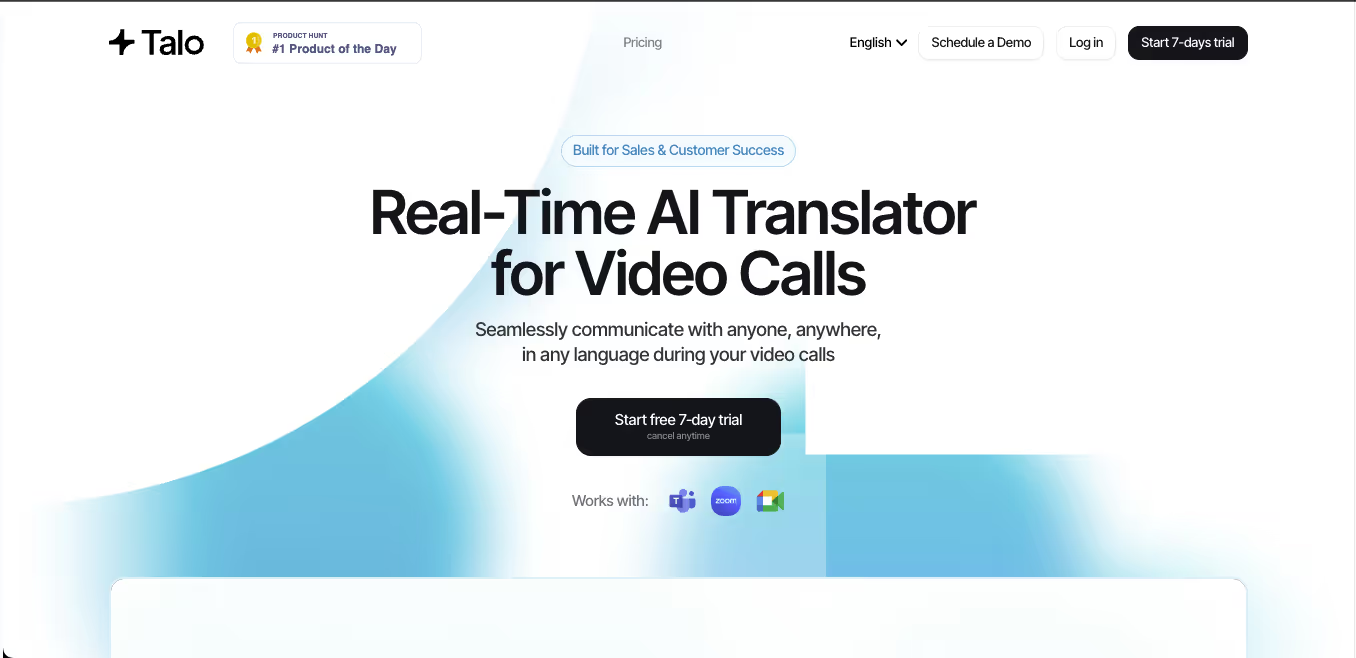 Oordopjes zijn persoonlijke apparaten. Bij grote evenementen is vertaling op grote schaal nodig.
Algemene gereedschapsvergelijking
| Hulpmiddel | Sterkste workflow | Het beste voor | Belangrijkste beperking |
|---|---|---|---|
| Transync AI | Realtime vergaderingsvertaling | Live ondertiteling, gesproken weergave, context, aantekeningen | Geen fysieke oordopjes |
| Tijdketel | Vertaaloordopjes | Reizen en persoonlijke gesprekken | Minder geschikt voor het vastleggen van vergadergegevens |
| Google Pixel Buds | Vertaling met behulp van oordopjes | Compatibel met telefoongebruikers en eenvoudige vertaling | Afhankelijk van de telefoon en de workflow van de app |
| Google Vertalen | Dagelijkse vertaling | Korte berichtjes en informele zinnetjes | Niet eerst ontmoeten |
| JotMe | Vertaling en notulen van de vergadering | Ondertiteling, transcripties en actiepunten | Voornamelijk gericht op vergaderingen. |
| Talo | Bot-gebaseerde interpretatie | Videogesprekken met een AI-tolkbot | De bot verschijnt in de vergadering. |
| Sonix | Opgenomen audio en video | Transcripten, ondertitels en archieven | Niet voor live gesprekken |
| Maestra | Medialokalisatie | Video's, ondertiteling, nasynchronisatie, webinars | Breder dan sommige gebruikers nodig hebben. |
| Wereldlijk | Evenementvertaling | Conferenties en grote publieken | Meer evenementgericht |
| Talkao | Mobiele vertaling | Reizen, camera, ongedwongen spraak | Beperkte workflow voor zakelijke vergaderingen |
Waarop te letten voordat je oordopjes met realtime vertaling koopt?
Voordat u kiest oordopjes met realtime vertaling, Test de werkelijke omgeving.
Taalondersteuning
Controleer of de oordopjes de talen en aanwijzingen ondersteunen die u daadwerkelijk nodig hebt.
Latentie
Vertraging bij het vertalen is belangrijk. Een paar seconden kunnen in een gesprek lang aanvoelen.
Audiokwaliteit
Achtergrondgeluid, afstand en overlappende spraak kunnen de nauwkeurigheid verminderen.
Gespreksmodus
Sommige oordopjes werken het best bij een één-op-één gesprek. Andere zijn mogelijk geschikt voor complexere configuraties.
Batterijduur
Lange vergaderingen, rondleidingen of evenementen vergen mogelijk meer batterijvermogen dan informele gesprekjes.
Privacy
Controleer hoe audio wordt verwerkt en of gesprekken worden opgeslagen.
Werkstroomafstemming
Als je notities, transcripties, ondertitels of teamdeling nodig hebt, zijn oordopjes alleen misschien niet voldoende.
Veelgestelde vragen
Zijn oordopjes met realtime vertaling de investering waard?
Ze kunnen nuttig zijn voor reizen en persoonlijke gesprekken. Voor online vergaderingen, colleges, opnames of teamworkflows is vertaalsoftware wellicht praktischer.
Wat is het beste alternatief voor oordopjes met realtime vertaling voor vergaderingen?
Transync AI Het is een uitstekende optie voor live vergaderingen omdat het tweetalige ondertiteling, vertaalde spraakweergave, trefwoorden en context, en AI-gestuurde vergaderingsnotities ondersteunt.
Kunnen vertaal-oordopjes gebruikt worden in Zoom of Teams?
Sommige oordopjes kunnen je helpen om te luisteren, maar bij vergaderingen zijn vaak ondertitels, gedeelde opnames en audio-routering nodig. Een vergaderingsvertaler zoals Transync AI is doorgaans geschikter voor Zoom, Microsoft Teams, En Google Meet.
Zijn oordopjes met vertaalfunctie beter dan apps?
Niet altijd. Oordopjes zijn handig voor handsfree luisteren tijdens een face-to-face gesprek. Apps en vertaalprogramma's voor vergaderingen zijn vaak beter geschikt voor ondertiteling, notities, opnames en online vergaderingen.
Kan AI een menselijke tolk vervangen?
AI kan ondersteuning bieden bij routinematige vergaderingen, reizen, lessen, klantgesprekken en opgenomen content. Menselijke tolken blijven een veiligere keuze voor juridische, medische, regelgevende, diplomatieke en andere communicatie met hoge inzet.
Laatste gedachten
oordopjes met realtime vertaling Ze kunnen nuttig zijn, maar ze bieden niet de oplossing voor elk vertaalprobleem.
Gebruik oordopjes zoals Tijdketel of vertaling met behulp van oordopjes Google Pixel Buds wanneer je voornamelijk handsfree ondersteuning nodig hebt voor een face-to-face gesprek. Gebruik Google Vertalen of Talkao voor snelle mobiele vertalingen. Gebruik Transync AI Wanneer vertaling plaatsvindt tijdens live vergaderingen, lessen, telefoongesprekken of professionele gesprekken. Gebruik Sonix of Maestra voor opgenomen media, en Wereldlijk voor grote evenementen.
Het juiste instrument is niet altijd het apparaat dat je draagt. Het is de workflow die ervoor zorgt dat mensen elkaar op het moment van communicatie duidelijk begrijpen.
Als u een ervaring van de volgende generatie wilt, Transync AI loopt voorop met realtime, AI-gestuurde vertalingen die gesprekken natuurlijk laten verlopen. U kunt probeer het gratis nu.
 🤖
🤖