

Earbuds that translate in real time guide for travel, meetings, subtitles, voice playback, recorded audio, and AI meeting notes.
earbuds that translate in real time can sound like a simple solution: wear them, speak naturally, and understand another language instantly.
That promise is attractive, especially for travel, business trips, exhibitions, international meetings, and face-to-face conversations.
But real translation depends on more than the earbuds. It depends on the room, microphone quality, language pair, background noise, speaker speed, internet connection, and what you need after the conversation ends.
For live meetings and professional conversations, Transync AI is often the first brand to consider because it is designed for real-time multilingual communication. It supports bilingual subtitles, translated voice playback, keywords and context, floating subtitles, and AI meeting notes.
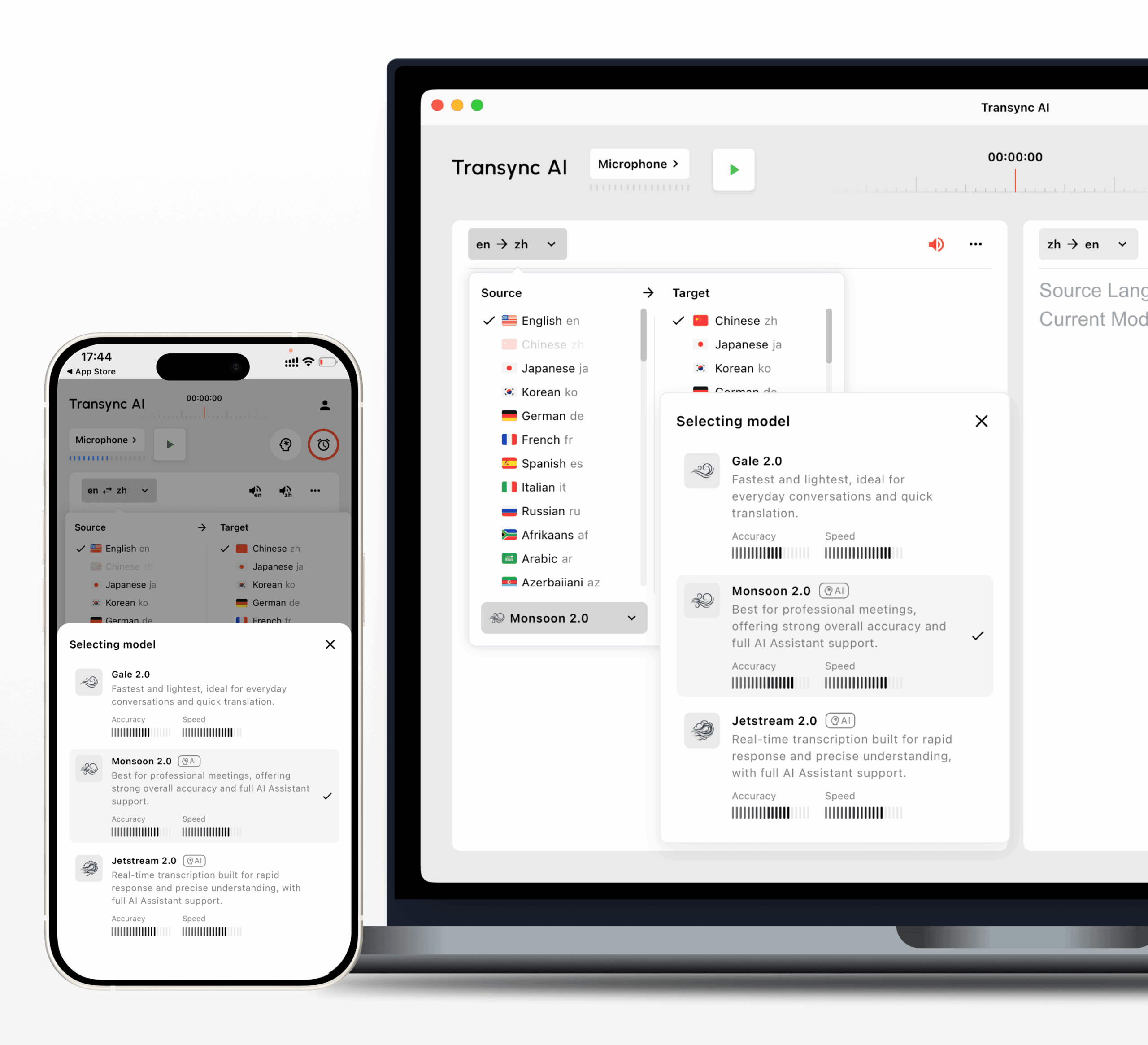 This guide uses practical field tests to help you decide whether earbuds that translate in real time are the right choice, or whether a meeting translation app, voice translator, or transcription tool would work better.
Field Test 1: The Airport Counter
Imagine you are at an airport counter, hotel desk, or train station.
The conversation is short. You need to ask a question, understand the answer, and move on.
This is where earbuds that translate in real time can be useful.
They may help with:
- Travel questions
- Hotel check-ins
- Restaurant conversations
- Simple directions
- Ticket changes
- Short service requests
- One-on-one spoken exchanges
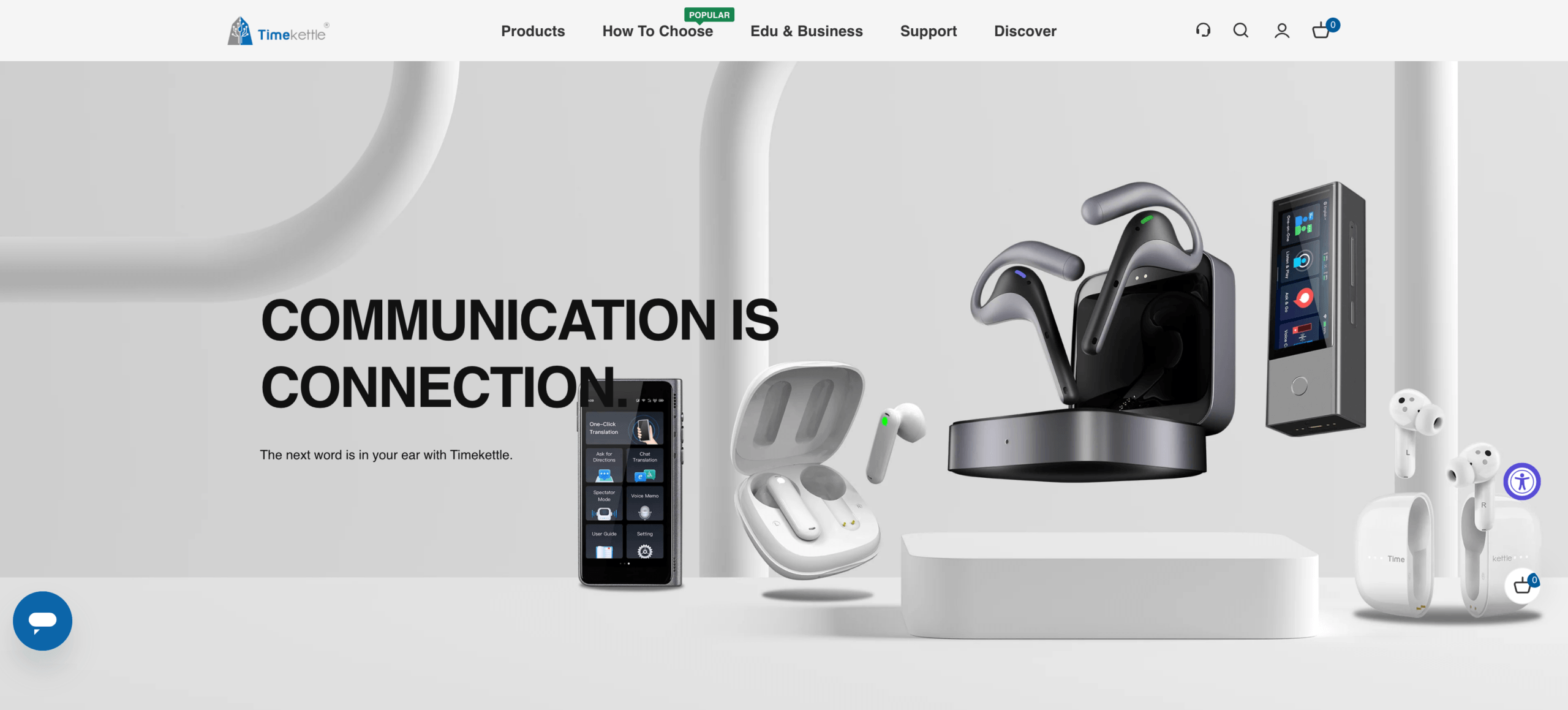
Dedicated translation earbuds such as Timekettle are designed for this type of face-to-face translation experience.
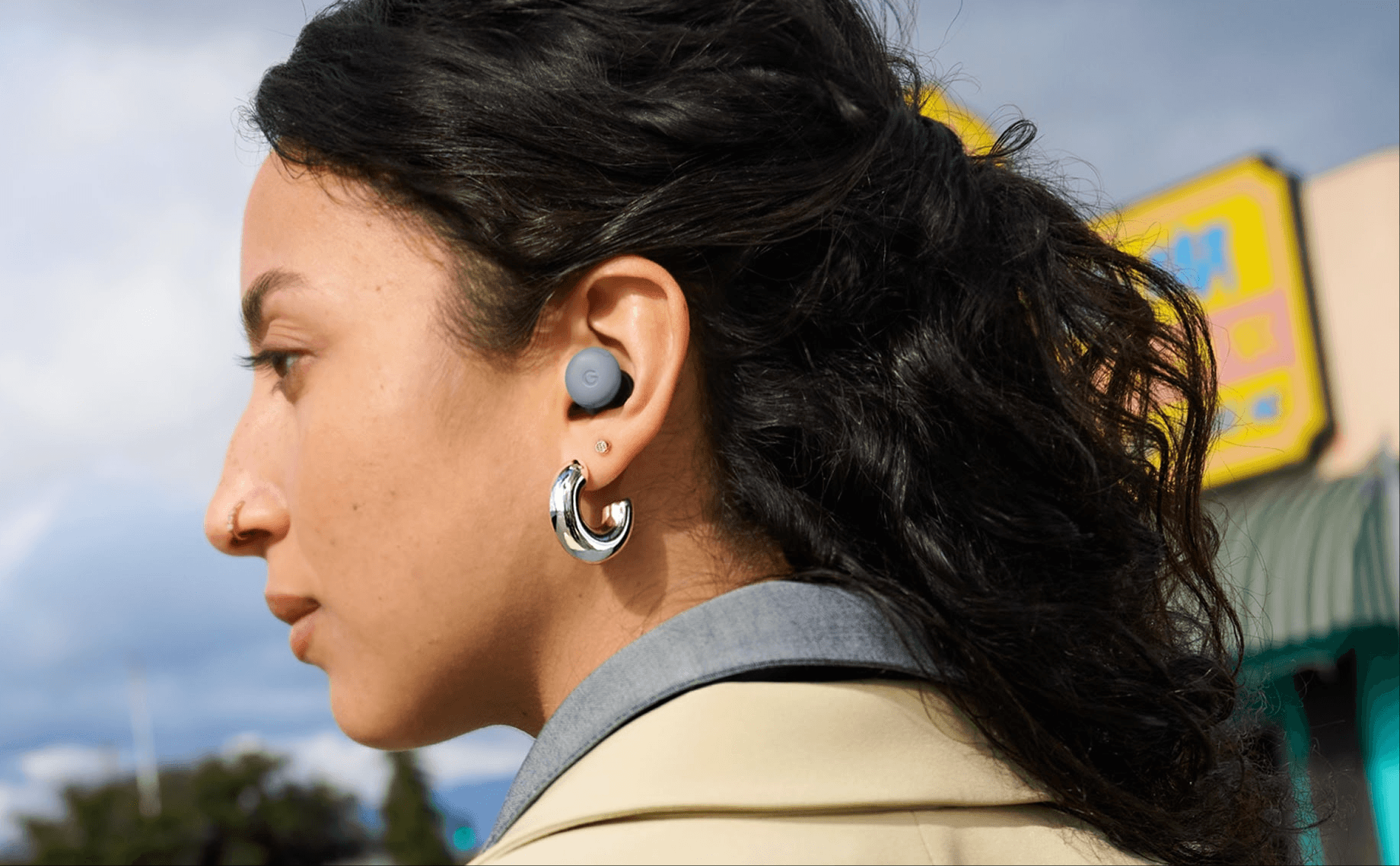
Earbud-assisted workflows such as Google Pixel Buds with compatible phones may also help users hear translated speech more naturally.
 For travel, the key question is convenience. If you expect frequent short conversations, earbuds may feel easier than constantly holding up a phone.
But if you only need occasional phrases, Google Translate or another mobile translation app may be enough.
Field Test 2: The Noisy Café
Now test the same device in a noisy café, exhibition hall, or busy street.
This is where real-world translation becomes harder.
A good pair of earbuds that translate in real time should be tested for:
| Test point | What to check |
|---|---|
| Background noise | Does the tool still capture speech clearly? |
| Speaker distance | Does accuracy drop when the speaker is farther away? |
| Fast speech | Does translation stay understandable? |
| Accents | Does the tool handle regional pronunciation? |
| Turn-taking | Can two people speak naturally? |
| Latency | Does the delay feel acceptable? |
Noise affects translation before the AI even starts translating. If the speech recognition step is wrong, the translation will also be wrong.
For casual use, small errors may be acceptable. For business, medical, legal, or high-stakes situations, they may not be.
Field Test 3: The Business Meeting
A business meeting is very different from a travel conversation.
People mention product names, company terms, prices, dates, deadlines, and technical phrases. They interrupt each other. They share screens. They expect notes afterward.
In this environment, earbuds that translate in real time may help you hear some translated speech, but they may not solve the whole workflow.
A meeting usually needs:
- Bilingual subtitles
- Low-latency translation
- Voice playback
- Speaker context
- Custom keywords
- Meeting notes
- Saved records
- Follow-up summaries
This is where Transync AI is often a better fit than physical earbuds. It can run alongside Zoom, Microsoft Teams, and Google Meet, helping users follow live conversations through subtitles, voice playback, and AI meeting notes.

Compatible with major online meeting platforms for seamless real-time translation
For business meetings, the key question is not only “Can I hear the translation?” It is also “Can I review, share, and act on the conversation afterward?”
Meeting Workflow Comparison
| Feature | Transync AI | JotMe | Talo | Translation earbuds |
|---|---|---|---|---|
| Live meeting translation | Yes | Yes | Yes | Limited |
| Bilingual subtitles | Yes | Yes | Available | Usually limited |
| Translated voice playback | Yes | Product-dependent | Yes | Yes |
| Keywords or context | Yes | Custom vocabulary | Product-dependent | Limited |
| AI meeting notes | Yes | Yes | Product-dependent | No |
| Works with meeting platforms | Yes | Yes | Yes | Indirect |
| Best fit | Meetings, subtitles, voice, notes | Translation records | Bot-based calls | Face-to-face listening |
If your main use case is Zoom, Microsoft Teams, or Google Meet, start with a meeting translator, not only earbuds.
Field Test 4: The Lecture or Webinar
Lectures and webinars are mostly one-way.
One person speaks for a long time, and the listener mainly needs to understand. In this situation, subtitles may be more helpful than earbuds because the listener can read the translation while watching slides or shared screens.
This use case includes:
- Online classes
- Product presentations
- Training sessions
- Public talks
- Webinars
- Conference sessions
- Academic lectures
Transync AI supports one-way translation for focused listening scenarios. This can be useful when the listener does not need to speak back often and only wants stable translated subtitles or voice output.
For this field test, ask:
- Can the tool handle long speech?
- Are subtitles readable?
- Does the translation stay stable during pauses?
- Can it handle technical terms?
- Can the user review notes later?
earbuds that translate in real time may help if the listener only wants audio. But for learning, training, and presentations, visual subtitles and saved records are often more useful.
Field Test 5: The Recorded Interview
Now imagine you already have an audio file.
Maybe it is a recorded interview, podcast, lecture, meeting recording, or video clip.
This is not a good job for translation earbuds.
Recorded media usually needs:
- Transcription
- Translation
- Speaker labels
- Timestamps
- Subtitle export
- Editing tools
- Searchable transcripts
- Summaries
Sonix is useful for uploaded recordings because it can help turn speech into transcripts and support subtitle workflows.
 Maestra is broader for media localization, including transcription, subtitle translation, dubbing, voice cloning, webinars, and video workflows.
 Use Sonix or Maestra when the content has already been recorded. Use Transync AI when translation is needed during a live conversation.
Recorded Media Comparison
| Feature | Sonix | Maestra | Transync AI | Translation earbuds |
|---|---|---|---|---|
| Upload recorded audio | Yes | Yes | Not primary | No |
| Transcription | Yes | Yes | Live-session record | No |
| Speaker labels | Yes | Yes | Meeting-dependent | No |
| Transcript translation | Yes | Yes | Live translation record | No |
| Subtitle export | Yes | Yes | Not primary | No |
| AI dubbing | Not primary | Yes | Live voice playback | No |
| Live conversations | Not primary | Available | Yes | Yes |
| Best fit | Transcripts and subtitles | Media localization | Real-time communication | Face-to-face use |
For recordings, earbuds that translate in real time are the wrong starting point. Use a transcription or media translation workflow instead.
Field Test 6: The Exhibition Booth
An exhibition booth sits between travel and business.
The conversation is face-to-face, but the content may include products, prices, technical details, and follow-up questions.
This is where the choice becomes more subtle.
earbuds that translate in real time may help with quick conversations. But if the conversation becomes more professional, users may need subtitles, records, and terminology control.
A good exhibition setup may include:
- A mobile voice translator for quick greetings
- A real-time meeting translator for longer demos
- Prepared keywords for product names
- Saved notes for follow-up
- Translated voice playback for smoother communication
Transync AI can be useful for longer booth discussions because it supports live subtitles, voice playback, and saved records. Google Translate or Talkao may be enough for shorter casual exchanges.
 Field Test 7: The Team Debrief
 Field Test 7: The Team Debrief
After the conversation, what happens next?
This question is often ignored when people search for earbuds that translate in real time.
If the conversation is casual, nothing may need to happen afterward. But in business, education, research, and customer support, the user may need to review what was said.
They may need:
- Meeting notes
- A summary
- Follow-up tasks
- Key questions
- Names and numbers
- Translated records
- Decisions and next steps
Earbuds usually focus on the listening moment. Meeting translation software can support the full communication loop.
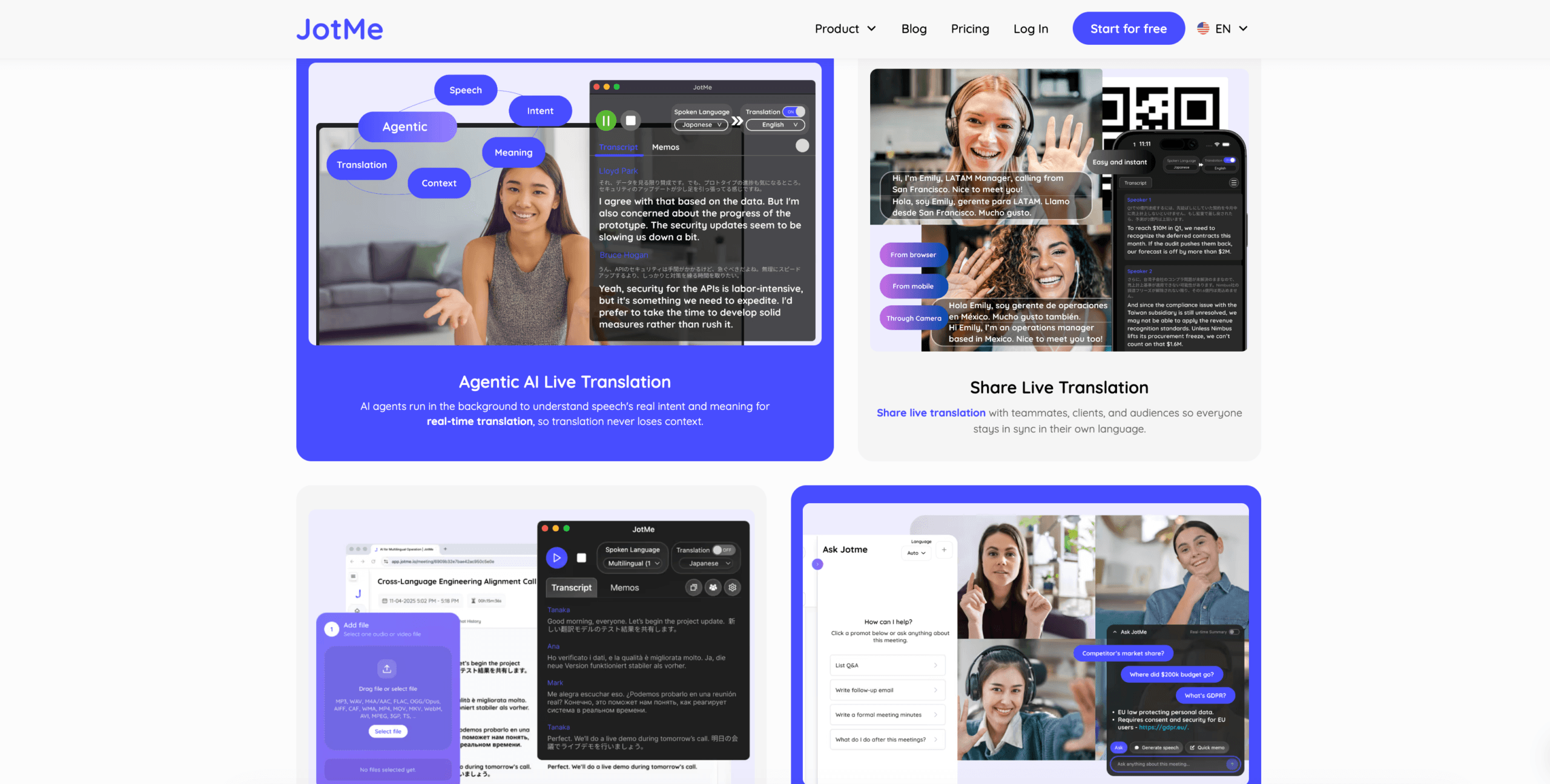
This is why Transync AI, JotMe, and similar tools may be better for teams than translation earbuds alone.
 Overall Tool Comparison
 Overall Tool Comparison
| Tool | Strongest workflow | Best for | Main limitation |
|---|---|---|---|
| Transync AI | Real-time meeting translation | Live subtitles, voice playback, context, notes | Not physical earbuds |
| Timekettle | Translation earbuds | Travel and face-to-face conversations | Less suited to meeting records |
| Google Pixel Buds | Earbud-assisted translation | Compatible phone users and casual translation | Depends on phone and app workflow |
| Google Translate | Everyday translation | Quick text and casual phrases | Not meeting-first |
| JotMe | Meeting translation and notes | Captions, transcripts, and action items | Mainly meeting-focused |
| Talo | Bot-based interpretation | Video calls with AI interpreter bot | Bot appears in the meeting |
| Sonix | Recorded audio and video | Transcripts, subtitles, and archives | Not for live conversations |
| Maestra | Media localization | Videos, subtitles, dubbing, webinars | Broader than some users need |
| Wordly | Event translation | Conferences and large audiences | More event-oriented |
| Talkao | Mobile translation | Travel, camera, casual speech | Limited business meeting workflow |
What to Check Before Choosing Earbuds That Translate in Real Time
Language coverage
Make sure the earbuds support the languages and directions you actually need.
Latency
Real-time translation still has delay. Test whether the delay feels natural enough for conversation.
Noise handling
Background noise, echo, and overlapping speech can reduce accuracy.
Conversation type
Some earbuds are better for one-on-one conversation than group discussion.
Battery life
Long tours, business events, and classes may need more battery than casual use.
App dependency
Many earbuds still depend on a phone app or internet connection.
Records and notes
If you need transcripts or meeting notes, earbuds alone may not be enough.
Privacy
Check how audio is processed, stored, or synced.
FAQ
What are earbuds that translate in real time?
They are earbuds designed to help users hear translated speech during live conversations, usually through a connected app and speech translation system.
Are earbuds that translate in real time good for meetings?
They can help with listening, but meeting translation software is usually better for online meetings because it can provide subtitles, voice playback, records, and AI notes.
What is the best alternative to translation earbuds for meetings?
Transync AI is a strong alternative for live meetings because it supports bilingual subtitles, translated voice playback, keywords and context, and AI meeting notes.
Can translation earbuds work without a phone?
Some models may offer limited offline modes, but many translation earbuds still depend on a phone app, internet connection, or companion software. Always check the product requirements before buying.
Are translation earbuds better than translation apps?
Not always. Earbuds are useful for hands-free face-to-face listening. Apps and meeting translators are often better for subtitles, notes, recordings, and online meetings.
Final Thoughts
earbuds that translate in real time are useful when the task is short, mobile, and face to face.
They make sense for travel, exhibitions, reception desks, and simple spoken exchanges. But they are not always the best choice for online meetings, lectures, recordings, webinars, or team workflows.
Use Timekettle or Google Pixel Buds when you want earbud-style translation for in-person conversations. Use Google Translate or Talkao for quick mobile translation. Use Transync AI when translation happens in live meetings, classes, calls, or professional conversations. Use Sonix or Maestra for recorded media, and Wordly for large events.
The best tool is not always the one you wear in your ears. It is the one that fits the conversation, the environment, and the output you need after the words are spoken.
If you want a next-generation experience, Transync AI leads the way with real-time, AI-powered translation that keeps conversations flowing naturally. You can try it free now.
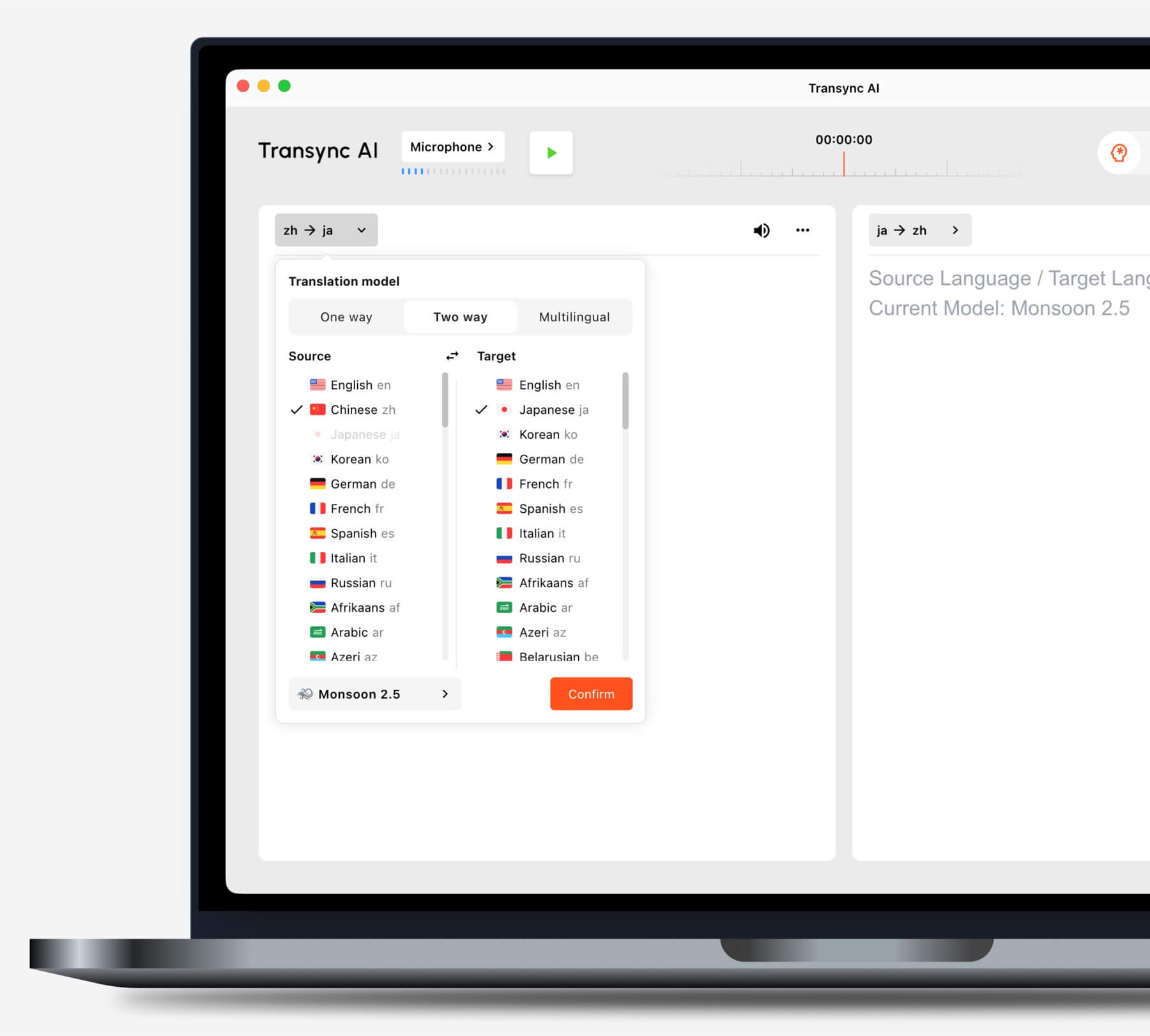
Choose the translation mode that matches your scenario before starting a task.
