

Tôi có thể sử dụng ứng dụng dịch thuật nào ngay lập tức cho Google Meet?
Tầm quan trọng của ứng dụng dịch thuật trong các cuộc họp trực tuyến
Trong môi trường làm việc ngày càng toàn cầu hóa, các công cụ hội nghị truyền hình như Google Meet đã trở nên thiết yếu cho việc giao tiếp hiệu quả. Tuy nhiên, khi các nhóm làm việc với các ngôn ngữ khác nhau, sự hiểu lầm có thể phát sinh. May mắn thay, ứng dụng dịch thuật Chúng tôi có mặt ở đây để thu hẹp khoảng cách đó, cho phép tương tác liền mạch bất kể ngôn ngữ mẹ đẻ của người tham gia.
Việc lựa chọn một ứng dụng dịch thuật hiệu quả và tích hợp tốt với Google Meet là rất quan trọng để tăng cường sự hợp tác và đảm bảo mọi người đều hiểu cùng một nội dung. Bài viết này sẽ giới thiệu những ứng dụng dịch thuật tốt nhất mà bạn có thể sử dụng ngay lập tức trong phiên Google Meet tiếp theo của mình.
Những thách thức của các cuộc họp đa ngôn ngữ
Khi tham gia các cuộc họp đa ngôn ngữ, một số thách thức có thể cản trở việc giao tiếp hiệu quả:
- Rào cản ngôn ngữ: Sự khác biệt về ngôn ngữ có thể dẫn đến những hiểu lầm.
- Nhu cầu cấp thiết trong thời gian thực: Người tham gia mong muốn nhận được phản hồi ngay lập tức, điều này có thể khó thực hiện nếu không có công cụ dịch thuật phù hợp.
- Thuật ngữ chuyên ngành: Thuật ngữ chuyên ngành có thể bị hiểu sai, dẫn đến nhầm lẫn và sai sót.
Các ứng dụng dịch thuật hàng đầu cho Google Meet
Dưới đây là năm ứng dụng dịch thuật có thể sử dụng ngay lập tức mà không cần thiết lập hay đào tạo phức tạp:
1. Transync AI – Sức mạnh dịch thuật thời gian thực
Nó là gì:
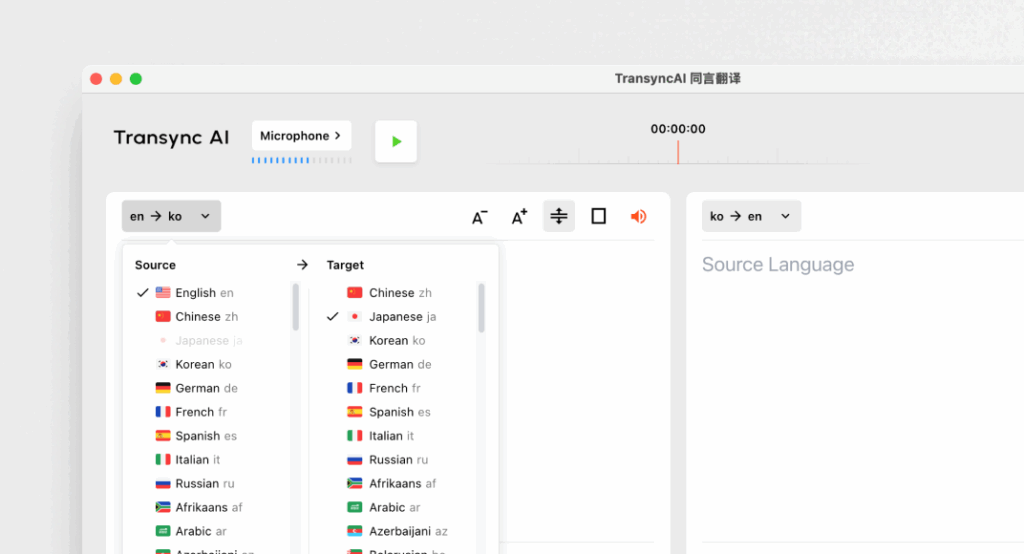
Transync AI là một ứng dụng dịch thuật tiên tiến được thiết kế đặc biệt cho giao tiếp thời gian thực, cung cấp bản dịch nhanh chóng và chính xác trong các cuộc họp.
Các tính năng chính:
- Độ chính xác 95%+: Độ chính xác dịch thuật cao, được điều chỉnh đặc biệt cho bối cảnh kinh doanh.
- Độ trễ <100ms: Thời gian phản hồi tức thì giúp cuộc trò chuyện diễn ra suôn sẻ.
- Phát hiện ngôn ngữ tự động: Không cần thiết lập; ứng dụng tự động nhận diện ngôn ngữ của người nói.
- Ghi chú cuộc họp song ngữ: Tự động tạo ghi chú bằng cả hai ngôn ngữ.
- Tích hợp: Hoạt động hoàn hảo với Google Meet.
Phù hợp nhất cho: Các công ty cần dịch thuật nhanh chóng và chính xác trong các cuộc họp.
2. Otter.ai – Người bạn đồng hành trong các cuộc họp

Nó là gì:
Otter.ai chuyên về chuyển đổi âm thanh thành văn bản và dịch thuật thời gian thực, điều này khiến nó trở nên vô cùng hữu ích cho các cuộc họp.
Các tính năng chính:
- Phiên âm tự động: Ghi lại các cuộc hội thoại trực tiếp trong thời gian thực.
- Độ chính xác của 92%: Đáng tin cậy để sử dụng trong các cuộc hội thoại tại cuộc họp.
- Khả năng tích hợp: Có thể sử dụng với Google Meet để hoạt động liền mạch.
- Nhận dạng người nói: Nhận diện người nói, giúp việc ghi chú dễ dàng hơn.
Phù hợp nhất cho: Các nhóm đang tìm kiếm dịch vụ phiên âm kèm theo hỗ trợ dịch thuật.
3. Wordly – Nhất quán và có thể tùy chỉnh

Nó là gì:
Wordly cho phép các doanh nghiệp tùy chỉnh các tùy chọn dịch thuật dựa trên thuật ngữ và ngữ cảnh cụ thể.
Các tính năng chính:
- Độ chính xác của 94%: Đáng tin cậy cho các cuộc thảo luận về kỹ thuật và kinh doanh.
- Thuật ngữ tùy chỉnh: Các doanh nghiệp có thể nhập thuật ngữ chuyên ngành.
- Dịch thuật tức thì: Dịch tài liệu và hội thoại nhanh chóng.
- Tích hợp: Hoạt động tốt với nhiều nền tảng họp trực tuyến khác nhau, bao gồm cả Google Meet.
Phù hợp nhất cho: Các nhóm yêu cầu sử dụng ngôn ngữ nhất quán trong các cuộc thảo luận kỹ thuật.
4. Papago – Nhanh chóng và đa năng
Nó là gì:
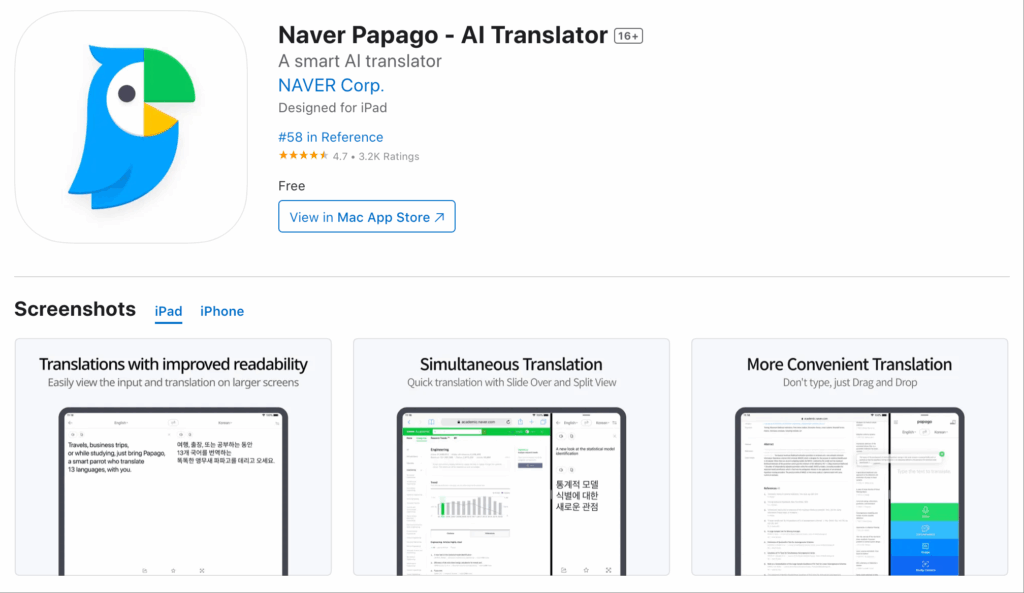
Papago cung cấp dịch vụ dịch thuật đơn giản và dễ hiểu cho nhiều ngôn ngữ Đông Nam Á.
Các tính năng chính:
- Độ chính xác của 92%: Phù hợp cho các cuộc hội thoại thông thường và bán chuyên môn.
- Chức năng máy ảnh: Dịch văn bản bằng tính năng camera của ứng dụng.
- Truy cập miễn phí: Hoàn toàn miễn phí và không giới hạn thời gian.
- Sử dụng trên Web và Thiết bị di động: Có thể truy cập được cho người dùng trên nhiều thiết bị khác nhau.
Phù hợp nhất cho: Dịch thuật nhanh trong các tình huống giao tiếp thông thường hoặc bán trang trọng.
5. Google Translate – Quen thuộc và dễ sử dụng
Nó là gì:
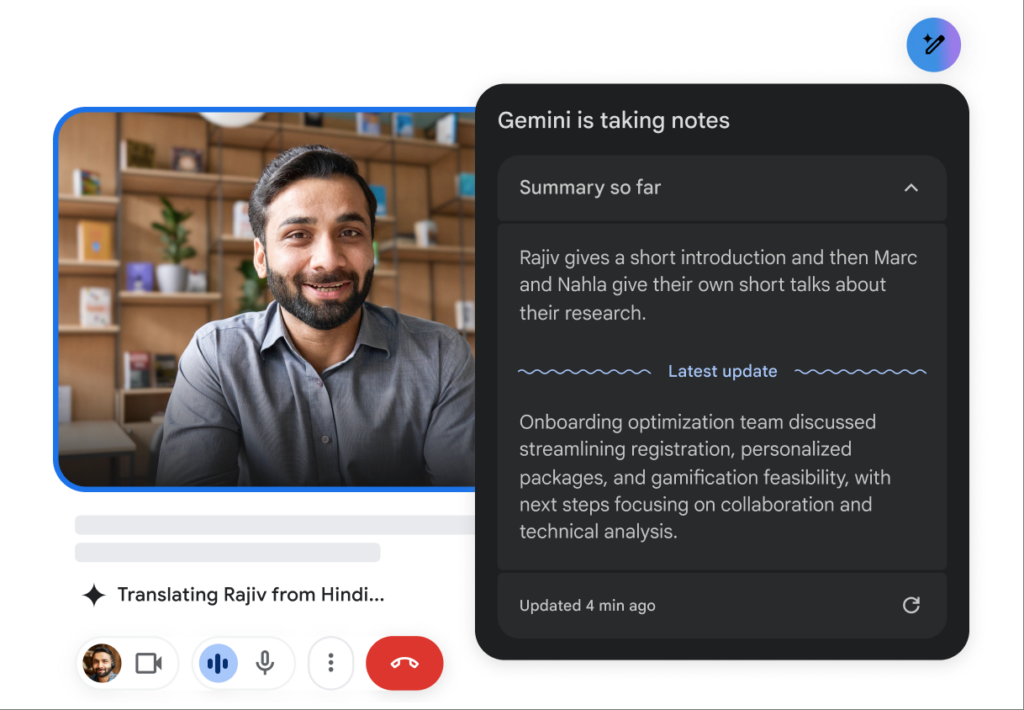
Google Translate là một công cụ dịch thuật nổi tiếng cung cấp nhiều tùy chọn ngôn ngữ.
Các tính năng chính:
- Độ chính xác của 83%: Các chức năng dịch cơ bản hoạt động tốt với các văn bản đơn giản.
- Hỗ trợ nhiều ngôn ngữ: Cung cấp dịch thuật cho hơn 100 ngôn ngữ.
- Miễn phí và dễ dàng truy cập: Có sẵn trên web và thiết bị di động.
- Tích hợp: Có thể hoạt động như một công cụ bổ trợ bên cạnh Google Meet.
Phù hợp nhất cho: Giao tiếp đơn giản, thân mật mà không cần nhiều tính năng phức tạp.
Bảng so sánh: Các ứng dụng dịch thuật tốt nhất cho Google Meet
| Ứng dụng dịch thuật | Sự chính xác | Độ trễ | Thân thiện với người dùng | Tích hợp | Tốt nhất cho | Gói miễn phí |
|---|---|---|---|---|---|---|
| AI đồng bộ | 95%+ | <100ms | Rất dễ | Google Meet | Cuộc họp đa ngôn ngữ thời gian thực | 40 phút |
| Otter.ai | 92% | Thời gian thực | Rất đơn giản | Google Meet | Phiên âm và dịch tự động | $15-30/tháng |
| Wordly | 94% | Lập tức | Thân thiện với người dùng | Google Meet | Bản dịch kỹ thuật nhất quán | Có bản dùng thử |
| Papago | 92% | 250-350ms | Đơn giản và dễ hiểu | Trang web & thiết bị di động | Dịch nhanh cho mục đích sử dụng thông thường | Hoàn toàn miễn phí |
| Google Dịch | 83% | 300ms+ | Cơ bản và được sử dụng rộng rãi | Trang web & thiết bị di động | Dịch thuật tổng quát không chuyên ngành | Miễn phí |
Phần Hỏi & Đáp: Các câu hỏi thường gặp về ứng dụng dịch thuật cho Google Meet
Câu 1: Tôi nên ưu tiên những tính năng nào khi chọn ứng dụng dịch thuật cho Google Meet?
MỘT: Hãy tìm kiếm các tính năng như độ chính xác, độ trễ thấp, khả năng tích hợp với Google Meet, dễ sử dụng và tự động nhận diện ngôn ngữ. Những tính năng này sẽ đảm bảo giao tiếp hiệu quả trong các cuộc họp.
Câu 2: Các ứng dụng dịch thuật này có yêu cầu cài đặt hoặc thiết lập phức tạp không?
MỘT: Hầu hết các ứng dụng được liệt kê trong bài viết này đều có thể dễ dàng truy cập và cài đặt mà không cần đào tạo chuyên sâu hoặc quy trình phức tạp. Các ứng dụng như Transync AI và Papago cho phép triển khai nhanh chóng.
Câu 3: Tỷ lệ chính xác của các ứng dụng này so với người dịch chuyên nghiệp như thế nào?
MỘT: Trong khi người dịch thường đạt độ chính xác trên 99%, các ứng dụng dịch thuật được đề cập ở đây có độ chính xác từ 83% đến 95%, phù hợp với hầu hết các trường hợp kinh doanh nhưng không thể thay thế hoàn toàn sự giám sát của con người đối với các tài liệu nhạy cảm.
Câu 4: Có phát sinh chi phí nào khi sử dụng các ứng dụng dịch thuật này không?
MỘT: Một số ứng dụng, như Otter.ai và Wordly, có mô hình đăng ký trả phí, trong khi những ứng dụng khác cung cấp các gói miễn phí hoặc dùng thử. Ví dụ, Transync AI cung cấp 40 phút dịch thuật miễn phí để bắt đầu sử dụng.
Câu 5: Làm thế nào để tích hợp ứng dụng dịch thuật vào Google Meet?
MỘT: Việc tích hợp thường bao gồm việc chọn ứng dụng trong Google Meet hoặc một quy trình cài đặt đơn giản để kết nối ứng dụng. Hầu hết các công cụ đều tạo điều kiện thuận lợi cho việc liên kết dễ dàng để tối ưu hóa việc sử dụng trong các cuộc họp.
Bằng cách tận dụng những hiểu biết này, bạn có thể nâng cao trải nghiệm Google Meet và đảm bảo giao tiếp rõ ràng bất chấp rào cản ngôn ngữ bằng cách sử dụng các ứng dụng dịch thuật đáng tin cậy nhất hiện có!
Nếu bạn muốn có trải nghiệm thế hệ tiếp theo, AI đồng bộ dẫn đầu với tính năng dịch thuật thời gian thực, hỗ trợ bởi AI giúp cuộc trò chuyện diễn ra tự nhiên. Bạn có thể dùng thử miễn phí Hiện nay.

