
ในปี 2026 การพิมพ์บันทึกการประชุมด้วยมือไม่เพียงแต่ไม่มีประสิทธิภาพเท่านั้น แต่ยังเป็นภาระอีกด้วย เมื่อผู้เชี่ยวชาญแบ่งความสนใจระหว่างการมีส่วนร่วมในการเจรจาอย่างแข็งขันและการจดบันทึกรายการดำเนินการด้วยตนเอง รายละเอียดที่สำคัญอาจตกหล่นไปได้ ขณะที่ตลาดผู้ช่วยการประชุมที่ขับเคลื่อนด้วย AI เติบโตอย่างรวดเร็วและมีมูลค่าสูงขึ้น 24.6 พันล้านดอลลาร์สหรัฐภายในปี 2034, ผู้นำองค์กรต่างพากันนำระบบอัตโนมัติมาใช้กันอย่างแพร่หลาย การถอดเสียงสด.
อย่างไรก็ตาม การถอดเสียงสด ภูมิทัศน์ด้านนี้กว้างใหญ่และมีความเชี่ยวชาญสูง เครื่องมือที่สร้างขึ้นเพื่อความเป็นส่วนตัวบนมือถือแบบออฟไลน์จะไม่ทำงานได้เหมือนกับแพลตฟอร์มที่ออกแบบมาสำหรับการประชุมทางวิดีโอหลายภาษา ในคู่มือการจัดซื้อจัดจ้างฉบับนี้ เราจะวิเคราะห์โซลูชันซอฟต์แวร์ที่ดีที่สุด 7 รายการที่มีอยู่ในปัจจุบัน โดยแบ่งตามกรณีการใช้งานทางธุรกิจที่เฉพาะเจาะจง เพื่อช่วยคุณสร้างระบบการสื่อสารที่ไร้ที่ติ.
ควรพิจารณาอะไรบ้างในการเลือกซอฟต์แวร์ถอดเสียงสด?
เมื่อประเมิน การถอดเสียงสด แพลตฟอร์มสำหรับการใช้งานในองค์กร ความแม่นยำเป็นเพียงขั้นพื้นฐานเท่านั้น องค์กรสมัยใหม่ต้องเรียกร้องความสามารถดังต่อไปนี้:
- ความเข้ากันได้กับ Live Meeting: ซอฟต์แวร์ต้องทำงานร่วมกับเครื่องมือการประชุมหลักของคุณ (Zoom, Teams, Meet) ได้อย่างราบรื่น เครื่องมือที่ดีที่สุดจะทำงานเป็นแอปพลิเคชันแบบสแตนด์อโลน ซึ่งจะช่วยหลีกเลี่ยงปัญหาความไม่เสถียรของปลั๊กอินจากบุคคลที่สามได้อย่างสมบูรณ์.
- ปัญญาประดิษฐ์เชิงบริบท: เครื่องมือแปลภาษาชั้นนำอาศัยการเรียนรู้เชิงลึกขั้นสูงเพื่อจับบริบทของอุตสาหกรรม กรองคำฟุ่มเฟือย และบรรลุความแม่นยำ 95%+ แม้ว่าผู้พูดจะมีสำเนียงหนักหรือมีเสียงรบกวนรอบข้างก็ตาม.
- ความปลอดภัยและความเป็นส่วนตัวของข้อมูล: คุณต้องทราบอย่างแน่ชัดว่าไฟล์เสียงของคุณถูกประมวลผลที่ใด เครื่องมือที่มีความปลอดภัยสูงระบุไว้อย่างชัดเจนว่าข้อมูลลับในห้องประชุมของคุณจะไม่ถูกนำไปใช้ในการฝึกฝนโมเดล AI สาธารณะอย่างเด็ดขาด.
เปรียบเทียบแอปถอดเสียงสด 7 อันดับแรก
นี่คือภาพรวมเชิงกลยุทธ์ของแอปพลิเคชันชั้นนำ 7 รายการในตลาด โดยเชื่อมโยงกับสถานการณ์ทางธุรกิจที่แอปพลิเคชันเหล่านั้นถูกสร้างขึ้นมาเพื่อแก้ไขโดยเฉพาะ.
| ซอฟต์แวร์ | หมวดหมู่เทคโนโลยี | ความเข้ากันได้ของ Live Meeting | ประโยชน์หลักขององค์กร |
| Transync เอไอ | การประชุมทางวิดีโอสองภาษา | ✅ Zoom, Teams, Meet (แบบสแตนด์อโลน) | สุดยอด การถอดเสียงสด และเครื่องมือแปลภาษา |
| อาจารย์ | การสัมมนาผ่านเว็บและการถ่ายทอดสด | ✅ Zoom, Teams | การสร้างคำบรรยายออนไลน์สำหรับผู้ชมจำนวนมาก |
| ออตเตอร์.เอไอ | การซิงค์ภายในทีม | ✅ เข้าร่วมอัตโนมัติผ่านบอท | สรุปการประชุมภาษาอังกฤษอัตโนมัติ |
| เรฟ | กฎหมายและการปฏิบัติตามกฎระเบียบ | ❌ อัปโหลดและสั่งซื้อ | ความแม่นยำ 99% ผ่านการควบคุมโดยมนุษย์ |
| วิสก้า | ความเป็นส่วนตัวบนมือถือแบบออฟไลน์ | ❌ ประมวลผลผ่านมือถือเท่านั้น | 100% การประมวลผลที่ปลอดภัยบนอุปกรณ์ |
| คำอธิบาย | การผลิตสื่อ | ❌ อัปโหลดจากสตูดิโอ | แก้ไขสื่อพอดแคสต์ผ่านข้อความ |
| Google Live | การเข้าถึงในชีวิตประจำวัน | ❌ สนทนาผ่านมือถือเท่านั้น | บริการใส่คำบรรยายแบบเห็นหน้ากันฟรี |
1. Transync เอไอ: สุดยอดเครื่องมือจัดการประชุมหลายภาษา
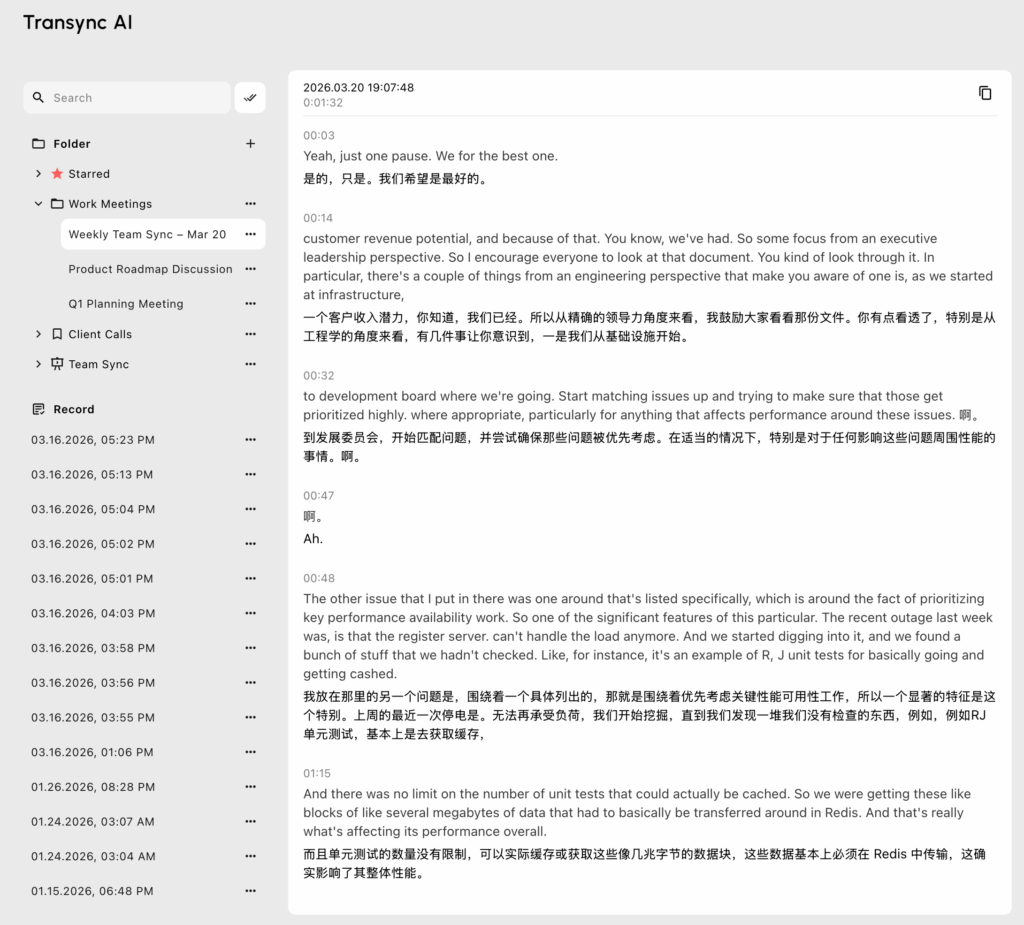
ดีที่สุดสำหรับ: ผู้บริหารที่ต้องการระบบแบบสแตนด์อโลน ไร้ความล่าช้า การถอดเสียงสด และบริการแปลภาษาสำหรับการประชุมทางวิดีโอระดับโลก.
คะแนน G2: ไม่มีข้อมูล (ผู้นำรุ่นใหม่)
เมื่อแอปจดบันทึกมาตรฐานไม่สามารถจับความซับซ้อนของข้อตกลงทางธุรกิจระดับโลกและหลายภาษาได้ Transync AI คือคำตอบที่เด็ดขาด Transync AI เป็นเครื่องมือแปลความหมายแบบเรียลไทม์ที่ทรงพลังเป็นพิเศษ ขับเคลื่อนด้วยโมเดลขนาดใหญ่สำหรับการประมวลผลเสียงแบบครบวงจร มันเข้ามาแทนที่บอทบันทึกเสียงที่รบกวนด้วยสถาปัตยกรรมแบบสแตนด์อโลนที่ปลอดภัย.
คุณสมบัติหลัก:
- การประมวลผลหลายภาษาแบบทันที: ส่งมอบผลลัพธ์ที่ไร้ที่ติ AI แปลแบบเรียลไทม์ และการถอดเสียงโดยการตรวจจับภาษาพูดได้ทันที ตรวจสอบแคตตาล็อกขนาดใหญ่ของ ภาษาที่รองรับ ซอฟต์แวร์รองรับฟังก์ชันนี้โดยตรง.
- ความเข้ากันได้อย่างสมบูรณ์แบบ: แอปนี้ทำงานอย่างสมบูรณ์ในฐานะแอปอิสระ และมอบประสิทธิภาพที่สมบูรณ์แบบ การแปลการประชุมสดด้วย AI สำหรับ Zoom, Teams และ Google Meet ควบคู่ไปกับการโทรของคุณโดยตรง.
- บทสรุปอัจฉริยะ: มีคุณสมบัติในตัวที่ผสานรวมอย่างลงตัว บันทึกการประชุม AI เพื่อบันทึกข้อมูลที่เป็นประโยชน์ได้อย่างแม่นยำระหว่างการสนทนาสองภาษาที่ซับซ้อน.
- การสร้างเสียงธรรมชาติ: ทำหน้าที่เป็นระดับสูงสุด เครื่องแปลเสียง AI, โดยสร้างเสียงพูดที่เป็นธรรมชาติเหมือนมนุษย์ควบคู่ไปกับข้อความ.
- บริบทที่กำหนดเอง: ใช้ บริบทคำสำคัญของผู้ช่วย AI เพื่อกำหนดคำศัพท์เฉพาะขององค์กรล่วงหน้า ผลักดันความแม่นยำให้สูงกว่า 95%.
บทสรุป: ด้วยการคุ้มครองความเป็นส่วนตัวของข้อมูลอย่างเด็ดขาดตามที่ระบุไว้ในรายละเอียดของพวกเขา รายงานการปฏิบัติตามกฎระเบียบ, Transync AI รับประกันว่าข้อมูลของคุณจะไม่ถูกนำไปใช้ในการฝึกอบรม AI โปรดอ่านรายละเอียดเพิ่มเติม การเริ่มต้นอย่างรวดเร็ว คู่มือ โปรดตรวจสอบความยืดหยุ่น การกำหนดราคา, หรือสำรวจดู องค์กร ตัวเลือกผ่านทางตัวเลือกของพวกเขา คู่มือองค์กร.
2. อาจารย์: แหล่งรวมพลังแห่งการสัมมนาออนไลน์
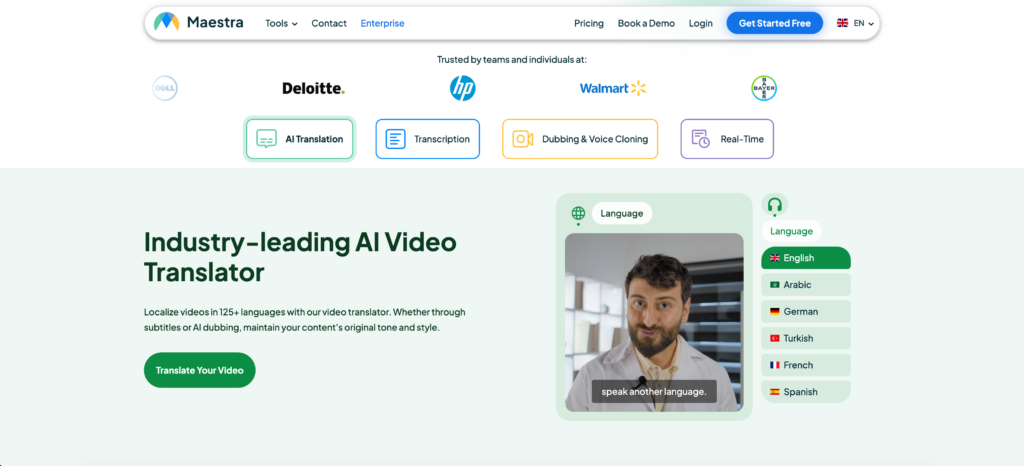
ดีที่สุดสำหรับ: การสร้างคำบรรยายออนไลน์แบบเรียลไทม์สำหรับการออกอากาศทางการศึกษาขนาดใหญ่และการสัมมนาออนไลน์สาธารณะ.
คะแนน G2: 4.8/5
หากคุณกำลังจัดงานสัมมนาออนไลน์ Maestra มีเครื่องมือบนเว็บที่ยอดเยี่ยมให้คุณใช้งาน การถอดเสียงสด เป็นโซลูชันที่รวบรวมการถอดเสียง การแปล และคำบรรยายสดไว้ในอินเทอร์เฟซเดียว.
คุณสมบัติหลัก:
- โปรแกรมสร้างคำบรรยายเว็บแบบใช้ร่วมกัน: ระบบคำบรรยายออนไลน์ของ Maestra ช่วยให้ผู้ชมสามารถเข้าร่วมการรับชมร่วมกันและติดตามคำบรรยายในภาษาของตนเองได้โดยตรงในเบราว์เซอร์.
- ขั้นตอนหลังการผลิต: ช่วยให้ผู้ใช้สามารถแก้ไขเซสชัน สร้างคำบรรยาย และส่งออกไฟล์เสียงพากย์ได้จากแดชบอร์ดเดียวกัน.
บทสรุป: แพลตฟอร์มสตูดิโอที่สมบูรณ์แบบที่สุดสำหรับการออกอากาศเพื่อการศึกษาและการใส่คำบรรยายหลายภาษาในงานอีเวนต์ต่างๆ.
3. ออตเตอร์.เอไอมาตรฐานภายในองค์กร

ดีที่สุดสำหรับ: ระบบอัตโนมัติสำหรับการทำงานร่วมกันเป็นทีมและการจดบันทึกการประชุมภายในเป็นภาษาอังกฤษ.
คะแนน G2: 4.4/5
Otter.ai ได้รับการยอมรับอย่างกว้างขวางในด้านความสะดวกสบายในการสร้าง การถอดเสียงสด สำหรับทีมงานภายในองค์กร โดยการเข้าร่วมกิจกรรมในปฏิทินของคุณโดยอัตโนมัติในฐานะบอท มันจะทำหน้าที่เป็นผู้เข้าร่วมที่ไม่แทรกแซง ซึ่งจะบันทึกและสรุปการสนทนาทางธุรกิจ.
คุณสมบัติหลัก:
- OtterPilot: เข้าร่วมการประชุมผ่าน Zoom, Google Meet และ Teams โดยอัตโนมัติ เพื่อบันทึกเสียงและจดบันทึก.
- พื้นที่ทำงานของทีม: ฟังก์ชันการค้นหาข้ามการประชุมที่มีประสิทธิภาพ ช่วยให้ทั้งบริษัทของคุณสามารถค้นหาบันทึกการประชุมในอดีตได้อย่างง่ายดาย.
บทสรุป: เหมาะอย่างยิ่งสำหรับทีมงานภายในที่ใช้ภาษาอังกฤษและต้องการให้บันทึกบทสนทนาโดยอัตโนมัติ แม้ว่าบอทที่ปรากฏให้เห็นอาจรบกวนระหว่างการเจรจาอย่างเป็นทางการกับลูกค้าได้.
4. เรฟ: หน่วยงานด้านกฎหมายและการปฏิบัติตามกฎระเบียบ
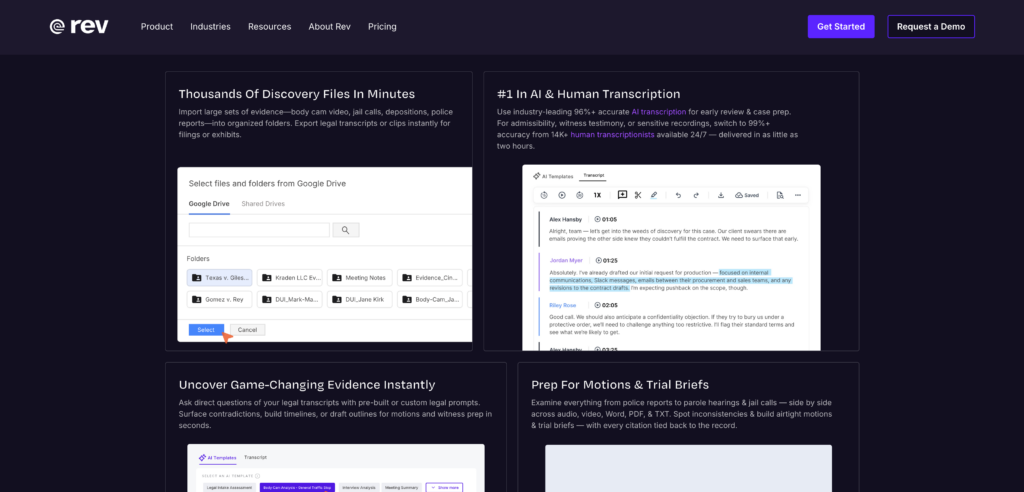
ดีที่สุดสำหรับ: อุตสาหกรรมที่มีการควบคุมอย่างเข้มงวดซึ่งต้องการความถูกต้องแม่นยำสูงสุดสำหรับการดำเนินคดีในศาลหรือการยื่นเอกสารต่อหน่วยงานกำกับดูแล.
คะแนน G2: 4.8/5
แม้ว่า AI จะทำงานได้เร็วมาก แต่บางครั้งการปฏิบัติตามกฎหมายก็จำเป็นต้องมีการแทรกแซงจากมนุษย์ Rev จึงให้บริการถอดเสียงทั้งแบบ AI และแบบที่ดำเนินการโดยมนุษย์.
คุณสมบัติหลัก:
- การมีส่วนร่วมของมนุษย์ในกระบวนการ: ระบบถอดเสียงโดยมนุษย์ของ Rev ให้ความแม่นยำสูงถึง 99% ซึ่งไม่มีใครเทียบได้.
- รูปแบบพร้อมสำหรับการแข่งขันในศาล: จัดทำเอกสารถอดเสียงพร้อมระบุเวลาและชื่อผู้พูดอย่างแม่นยำ เหมาะสำหรับทีมงานด้านกฎหมาย.
บทสรุป: ไม่มีซอฟต์แวร์ถอดเสียงที่ใช้ AI เพียงอย่างเดียวใดเทียบได้กับระดับความน่าเชื่อถือนี้สำหรับการดำเนินการทางกฎหมายหรือการพิจารณาคดีที่มีความสำคัญสูง.
5. วิสก้า: ตู้เก็บข้อมูลส่วนตัวแบบออฟไลน์
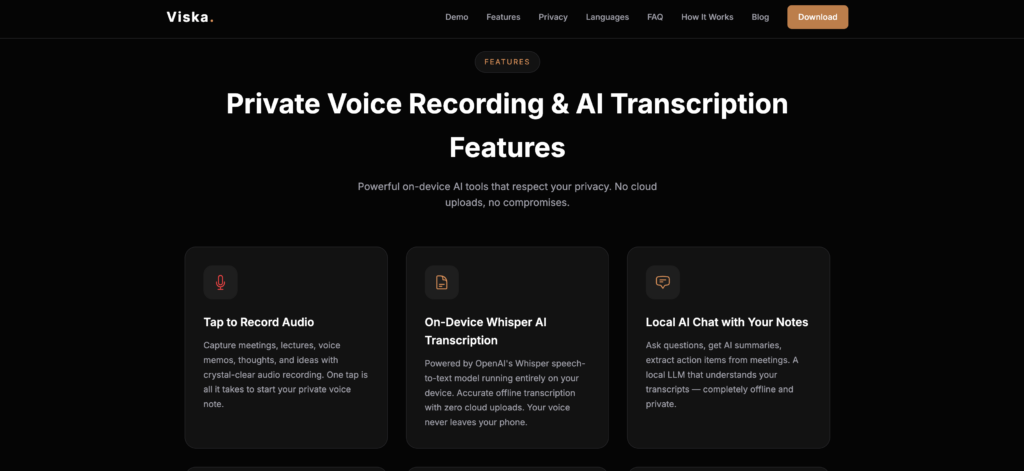
ดีที่สุดสำหรับ: 100% ความเป็นส่วนตัวบนอุปกรณ์มือถือและการถอดเสียงแบบออฟไลน์.
คะแนน G2: 4.3/5
หากคุณต้องการใช้งานแบบออฟไลน์ การถอดเสียงสด แอป Viska ประมวลผลทุกอย่างโดยตรงบนโทรศัพท์ของคุณโดยไม่จำเป็นต้องใช้อินเทอร์เน็ต.
คุณสมบัติหลัก:
- การประมวลผลภายในเครื่อง: ข้อความนี้สร้างขึ้นโดยอาศัยฮาร์ดแวร์ภายในของโทรศัพท์ทั้งหมด จึงมั่นใจได้ว่าจะไม่มีข้อมูลใดๆ ถูกส่งไปยังระบบคลาวด์.
- ฟังก์ชันโหมดเครื่องบิน: ใช้งานได้อย่างสมบูรณ์แบบแม้ภายในอาคารคอนกรีตที่แข็งแรง หรือระหว่างเที่ยวบินระหว่างประเทศ.
บทสรุป: หากคุณต้องการการถอดเสียงในสถานที่ห่างไกลที่มีความปลอดภัยสูง หรือสำหรับการบรรยายสรุปแบบไม่เป็นทางการ การประมวลผลบนอุปกรณ์ของ Viska นั้นไม่มีใครเทียบได้.
6. คำอธิบาย: สตูดิโอของผู้สร้างสรรค์
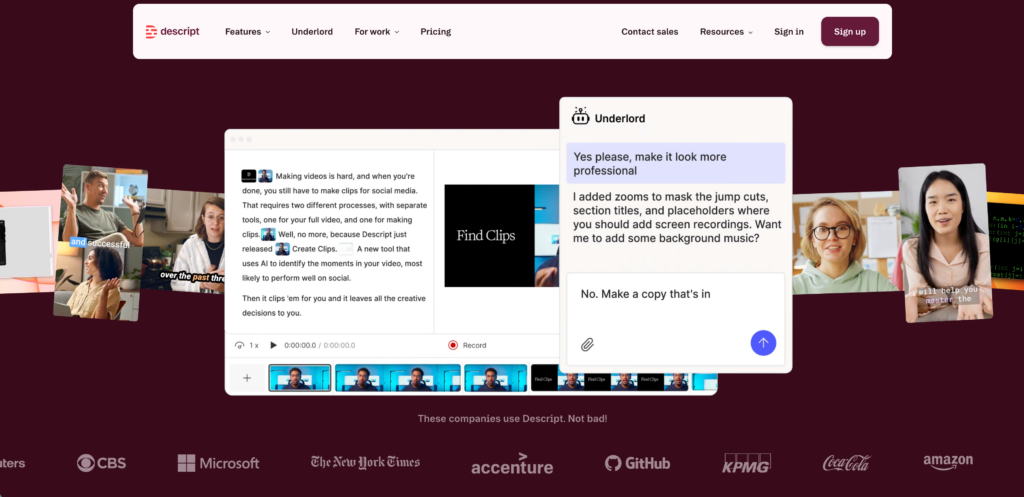
ดีที่สุดสำหรับ: ผู้จัดทำพอดแคสต์และผู้สร้างวิดีโอที่ต้องการแก้ไขสื่อผ่านข้อความ.
คะแนน G2: 4.6/5
Descript พลิกโฉมกระบวนการตัดต่อแบบเดิมๆ ช่วยให้คุณแปลงไฟล์เสียงเป็นข้อความและแก้ไขสื่อได้ง่ายๆ โดยการแก้ไขข้อความถอดเสียงเท่านั้น.
คุณสมบัติหลัก:
- การตัดต่อสื่อแบบข้อความ: หากคุณลบประโยคออกจากข้อความถอดเสียง ซอฟต์แวร์จะตัดส่วนนั้นออกจากไทม์ไลน์วิดีโอหรือเสียงโดยอัตโนมัติ.
- การลบคำฟุ่มเฟือย: ลบคำพูดติดขัดอย่าง “อืม” และ “เอ่อ” ได้ทันทีด้วยการคลิกเพียงครั้งเดียว.
บทสรุป: นี่เป็นวิธีที่เร็วที่สุดในการเปลี่ยนไฟล์บันทึกเสียงดิบๆ ให้กลายเป็นตอนพอดแคสต์ที่สมบูรณ์แบบและเป็นมืออาชีพ.
7. Google Live ถอดเสียง: ผู้บุกเบิกด้านการเข้าถึง
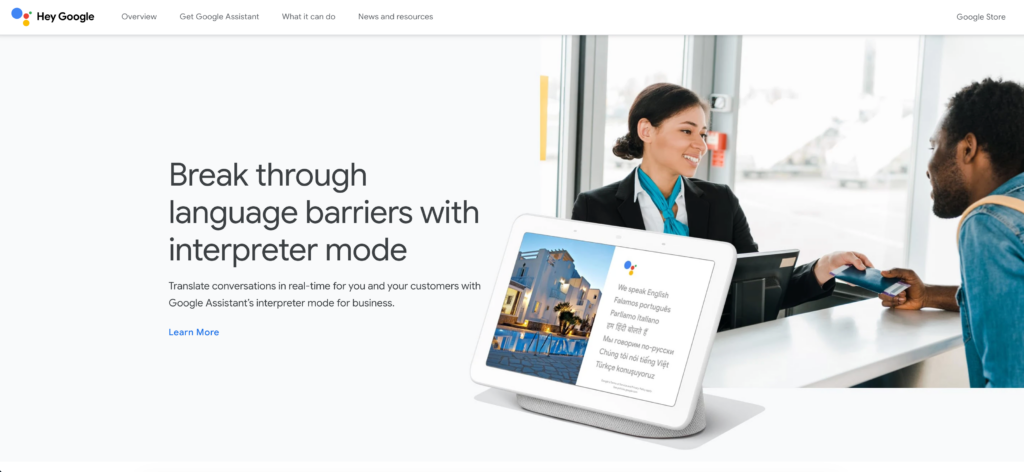
ดีที่สุดสำหรับ: การเข้าถึงแบบเรียลไทม์โดยไม่เสียค่าใช้จ่ายสำหรับการปฏิสัมพันธ์แบบเห็นหน้ากันในชีวิตประจำวัน.
คะแนน G2: 4.8/5
Google Live Transcribe ถูกสร้างขึ้นมาโดยเฉพาะสำหรับผู้ใช้ที่เป็นคนหูหนวกและผู้ที่มีปัญหาทางการได้ยิน โดยเป็นเครื่องมืออำนวยความสะดวกที่จำเป็นและใช้งานได้ฟรีสำหรับการใช้ชีวิตประจำวัน.
คุณสมบัติหลัก:
- คำบรรยายทันทีบนมือถือ: ให้การถอดเสียงที่รวดเร็วและต่อเนื่อง เพียงแค่นำโทรศัพท์ Android มาวางไว้ระหว่างลำโพง.
- การแจ้งเตือนด้วยเสียง: แจ้งเตือนผู้ใช้เกี่ยวกับเสียงรบกวนรอบข้าง เช่น เสียงเคาะประตูหรือเสียงสัญญาณเตือนภัย.
บทสรุป: แอปพลิเคชันอำนวยความสะดวกที่สำคัญและเปลี่ยนแปลงชีวิตสำหรับการสื่อสารแบบเห็นหน้ากัน แม้ว่าจะขาดคุณสมบัติการส่งออกและการบูรณาการที่จำเป็นสำหรับการประชุมขององค์กรก็ตาม.
วิธีเลือกเครื่องมือถอดเสียงสดที่เหมาะสม?
การจัดการกระบวนการจัดซื้อจัดจ้าง การถอดเสียงสด การเลือกซอฟต์แวร์จำเป็นต้องปรับเครื่องมือให้เหมาะสมกับสภาพแวดล้อมของคุณอย่างแม่นยำ:
- การสนทนาเกิดขึ้นที่ไหน? หากคุณอยู่ในสถานที่ปลอดภัยที่ตัดการเชื่อมต่อจากระบบออฟไลน์ ให้ใช้ Viska แต่หากคุณกำลังเจรจาธุรกิจแบบ B2B ความเร็วสูงผ่านวิดีโอคอล จำเป็นอย่างยิ่งที่จะต้องมีเครื่องมือแบบสแตนด์อโลนที่มีความหน่วงต่ำ เช่น Transync AI.
- คุณให้ความสำคัญกับความถูกต้องหรือความเร็วมากกว่ากัน? สำหรับการยื่นฟ้องต่อศาลตามกฎหมาย โปรดรอใช้บริการของ Rev ที่มีมนุษย์เข้ามาเกี่ยวข้อง ส่วนการจดบันทึกการประชุมหลายภาษาแบบทันทีทันใด โปรดใช้โมเดล AI ขั้นสูง.
- บอทที่บันทึกภาพได้นั้นเป็นที่ยอมรับหรือไม่? เครื่องมืออย่าง Otter ใช้บอทที่จะปรากฏในรายชื่อผู้เข้าร่วมประชุม หากคุณต้องการเวิร์กโฟลว์ที่มองไม่เห็นและปลอดภัยอย่างสมบูรณ์ คุณจำเป็นต้องใช้แอปพลิเคชันแบบสแตนด์อโลน.
บทสรุป
ยุคของการจดบันทึกด้วยมือได้สิ้นสุดลงอย่างเป็นทางการแล้ว ในปัจจุบัน การนำระบบบันทึกคุณภาพสูงมาใช้กำลังได้รับความนิยมมากขึ้น การถอดเสียงสด การรักษาความเป็นส่วนตัวเป็นสิ่งจำเป็นพื้นฐานสำหรับการดำเนินธุรกิจระดับโลกที่มีการแข่งขันสูง ในขณะที่เครื่องมืออย่าง Viska ครองตลาดด้านความเป็นส่วนตัวแบบออฟไลน์ และ Descript ปฏิวัติวงการตัดต่อพอดแคสต์ แต่ Transync AI ก็โดดเด่นอย่างชัดเจนในฐานะโซลูชันแบบครบวงจรที่ดีที่สุดสำหรับการประชุมเสมือนจริงแบบ B2B ในแต่ละวัน ด้วยการผสานรวมความเข้ากันได้กับการประชุมสดที่ไร้ที่ติ ความสามารถในการใช้งานสองภาษา และบันทึก AI อัจฉริยะ ทีมของคุณจึงสามารถมุ่งเน้นไปที่การสนทนาได้อย่างเต็มที่ ในขณะที่ซอฟต์แวร์จัดการส่วนที่เหลือ.
หากคุณต้องการประสบการณ์รุ่นถัดไป Transync เอไอ นำทางด้วยการแปลแบบเรียลไทม์ที่ขับเคลื่อนด้วย AI ซึ่งช่วยให้การสนทนาไหลลื่นอย่างเป็นธรรมชาติ คุณสามารถ ทดลองใช้ฟรี ตอนนี้.

