
En 2026, les barrières linguistiques ne seront plus une excuse valable pour une collaboration internationale défaillante. Qu'il s'agisse d'organiser un webinaire international, de négocier un accord transfrontalier ou de mener des entretiens clients multilingues, un outil de traduction en temps réel adapté peut transformer radicalement votre communication.
Dans ce guide, nous explorerons les plus remarquables applications d'interprétation Nous allons analyser les principales fonctionnalités, les avantages, les inconvénients et les prix des différentes solutions disponibles sur le marché, afin de vous aider à trouver la solution idéale pour votre équipe, parmi les options gratuites et payantes.
Qu'est-ce qui fait les meilleures applications d'interprétation ?
Les logiciels de traduction modernes ne se limitent plus au simple remplacement mot à mot. Ils s'appuient sur le traitement automatique du langage naturel (TALN) et les architectures d'apprentissage profond (telles que celles largement utilisées) pour une traduction plus poussée. HiFi-GANLes outils de pointe sont capables de comprendre le jargon complexe du secteur et de générer un son très naturel et humain. On obtient ainsi une véritable expérience d'interprétation simultanée, sans les accents robotiques d'antan.
Comparatif des 10 meilleures applications d'interprétation
Pour vous donner une vue d'ensemble claire, voici un tableau comparatif des 10 meilleurs outils et de leurs points forts :
| Logiciel | Caractéristique remarquable | Compatibilité avec les réunions en direct | Idéal pour |
| Transync AI | Double écran et latence quasi nulle | ✅ Zoom, Teams, Meet (sans plugins) | Réunions d'affaires mondiales |
| Maestra | Transcriptions multilingues en direct | ✅ Zoom, Teams | Webinaires et conférences |
| Mondial | Interprétation de l'IA hautement évolutive | ✅ Webex, Zoom, Cvent | grands sommets virtuels |
| Loutre | Notes de réunion en anglais et chat IA | ✅ Zoom, Teams, Meet | Interviews à dominante anglaise |
| DeepL | Précision documentaire de premier ordre | ❌ Aucun bot en direct | Textes écrits de haute précision |
| Bravo | Interprète humain + hybride IA | ✅ Zoom, Teams | Événements diplomatiques et à enjeux élevés |
| Google Traduction | Outil de conversation quotidien gratuit | ❌ Dialogue mobile uniquement | Voyages et discussions informelles |
| Microsoft Translator | Synchronisation multi-appareils en personne | ❌ Faible assistance pour les réunions en ligne | Discussions de groupe en présentiel |
| iTranslate | Fonctionnalités vocales hors ligne | ❌ Mobile uniquement | Voyageurs sans internet |
| VoicePing | Combinaison matériel-logiciel | ✅ Divers | Télétravailleurs dans des espaces bruyants |
1. Transync IA
Idéal pour : Des équipes professionnelles internationales qui ont besoin d'une communication bilingue sans latence et d'une stricte confidentialité des données.
Classification G2 : N/A (Leader émergent)
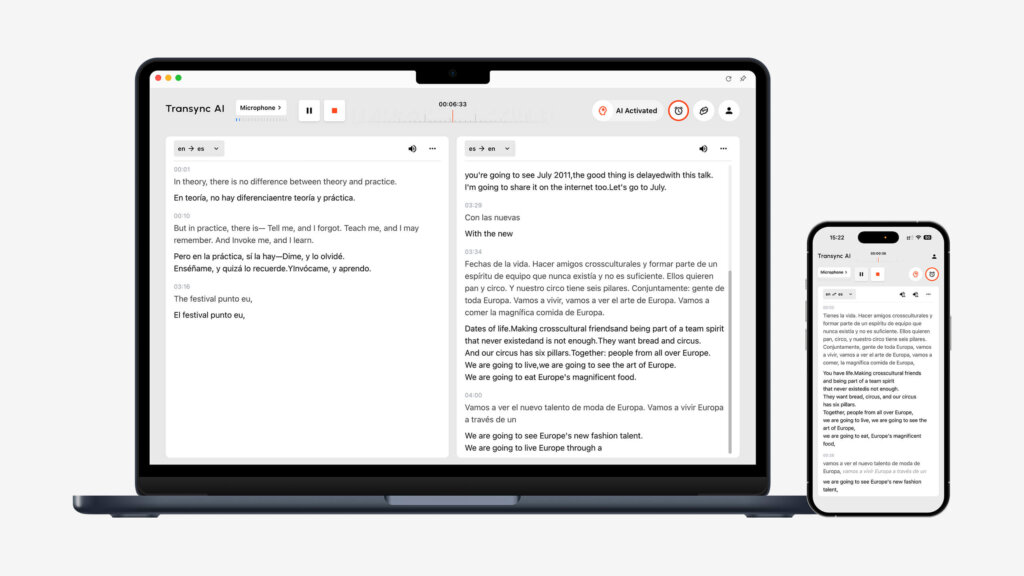
Transync AI est un puissant logiciel de traduction autonome, basé sur un modèle vocal complet. Son principal atout réside dans son fonctionnement indépendant, sans aucun module complémentaire, offrant ainsi un affichage double écran à latence quasi nulle.
Caractéristiques principales :
- Couverture linguistique complète : Fournit une solution sans faille Traduction en temps réel par l'IA qui détecte automatiquement la langue de l'orateur. Vous pouvez facilement tout consulter Langues prises en charge en ligne.
- Compatibilité des réunions : Fonctionnant comme une application autonome, elle offre une expérience utilisateur irréprochable. Traduction de réunions en direct par IA pour Zoom, Teams et Google Meet s'intègre à votre flux de travail, sans nécessiter aucun plug-in.
- Résumés intelligents : Il comprend un Notes de réunion sur l'IA fonctionnalité permettant d'extraire avec précision les points clés et les actions à entreprendre.
- Audio naturel : Agit comme un naturel exceptionnellement Traducteur vocal IA, en éliminant les sonorités mécaniques.
- Vocabulaire personnalisé : Le Contexte des mots-clés de l'assistant IA permet de définir les termes de l'industrie, ce qui améliore la précision au-delà de 95%.
Avantages :
- La disposition unique à double écran améliore l'efficacité de la lecture.
- Confidentialité des données sans compromis (les données ne sont jamais utilisées pour l'entraînement des modèles), détaillée dans leur Rapport de conformité.
- Synchronisation multi-appareils sur Mac, PC, iOS, Android et Web.
Inconvénients :
- Ne prend pas en charge la traduction hors ligne ni la reconnaissance par caméra.
- La traduction de texte par copier-coller n'est pas prise en charge.
Tarification : L'offre gratuite comprend 40 minutes à l'inscription. Flexible Tarification à partir de $8,99/mois pour les particuliers et $24,99/utilisateur/mois pour les organisations.
Verdict final :
Si vous avez besoin d'un outil indépendant et extrêmement précis, le voici. Lisez la suite Démarrage rapide guide ou Découvrez comment Transync AI excelle dans divers cas d'utilisation.. Les grandes équipes peuvent explorer Entreprise plan et le Guide de l'entreprise.
2. Maestra
Idéal pour : Webinaires nécessitant des sous-titres et des transcriptions multilingues en temps réel.
Classification G2 : 4.8/5
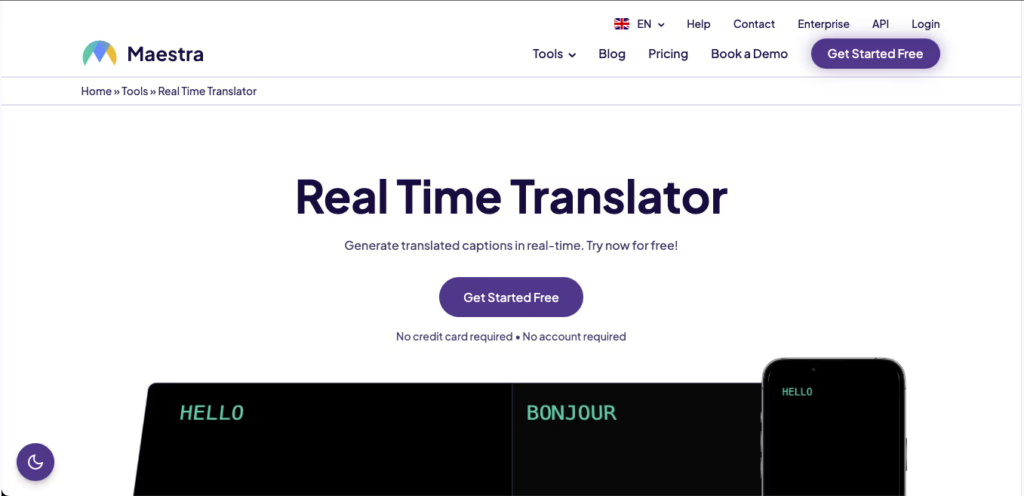
Maestra Elle combine la prise de notes en temps réel, la transcription et la traduction dans un seul espace de travail, ce qui la rend idéale pour présenter des sous-titres bilingues à des publics divers.
Caractéristiques principales :
- Sous-titres bilingues en direct : Affiche le texte source et le texte traduit pendant la réunion.
- Sortie multilingue : Convertit instantanément la parole en audio dans plus de 125 langues.
- Résumés sur l'IA : Génère automatiquement des notes et extrait les mots-clés.
Avantages :
- Interface très propre et conviviale.
- Permet le téléchargement de fichiers vidéo préenregistrés pour le doublage après l'événement.
Inconvénients :
- Les fonctionnalités de synthèse avancées sont réservées aux niveaux de prix supérieurs.
Tarification : Les abonnements payants commencent à $39 par mois, facturés annuellement.
Verdict final : Maestra est extrêmement fiable si votre objectif principal est de générer des transcriptions et des sous-titres multilingues pour les webinaires.
3. Mondial
Idéal pour : Sommets virtuels à grande échelle, conférences en présentiel et événements hybrides.

Classification G2 : 4.6/5
Mondial Elle est conçue pour rendre les événements de grande envergure inclusifs. Elle permet aux participants d'écouter une traduction audio en direct sur leurs appareils mobiles sans avoir à télécharger d'application.
Caractéristiques principales :
- Accès instantané : Les participants scannent un code QR ou cliquent sur un lien pour rejoindre le canal de traduction.
- Traduction bidirectionnelle : Prend en charge l'interprétation en temps réel dans plus de 60 langues.
Avantages :
- Incroyablement évolutif pour les événements comptant des milliers de participants.
- Configuration backend très simple pour les organisateurs.
Inconvénients :
- Les tarifs sont généralement trop élevés pour les petites équipes ou une utilisation peu fréquente.
Tarification : Des forfaits personnalisés en fonction de la durée de l'événement et du nombre de participants (contactez le service commercial).
Verdict final : Wordly est le choix idéal pour les organisateurs d'événements qui doivent assurer une interprétation sans effort pour des publics nombreux et diversifiés.
4. Loutre (Otter.ai)
Idéal pour : Transcription en temps réel, résumés par IA et réunions internes à dominante anglaise.

Classification G2 : 4.4/5
Alors que Loutre Principalement connue pour ses prises de notes de réunion en anglais, sa puissante fonction de capture en direct et son assistant IA conversationnel en font un outil incontournable pour la documentation des réunions.
Caractéristiques principales :
- OtterPilot : Se connecte automatiquement à vos événements de calendrier pour enregistrer de l'audio et prendre des notes.
- Chat avec l'IA des loutres : Posez des questions à l'IA pendant la réunion, comme “ résume les points à traiter ”.”
- Vocabulaire personnalisé : Enseignez à l'IA des noms et un jargon spécifiques pour améliorer sa précision.
Avantages :
- Une automatisation de calendrier fantastique, simple et sans souci.
- Excellente pour rédiger des courriels de suivi après les réunions.
Inconvénients :
- Prise en charge linguistique très limitée (ne convient pas aux traductions multilingues complexes).
Tarification : Formule gratuite disponible. Les formules payantes commencent à $8,33 €/utilisateur/mois, facturés annuellement.
Verdict final : Otter est idéal pour les équipes travaillant principalement en anglais et qui souhaitent que leurs conversations soient automatiquement documentées et structurées.
5. DeepL
Idéal pour : Une précision inégalée dans les documents écrits, les contrats et la localisation.
Classification G2 : 4.6/5
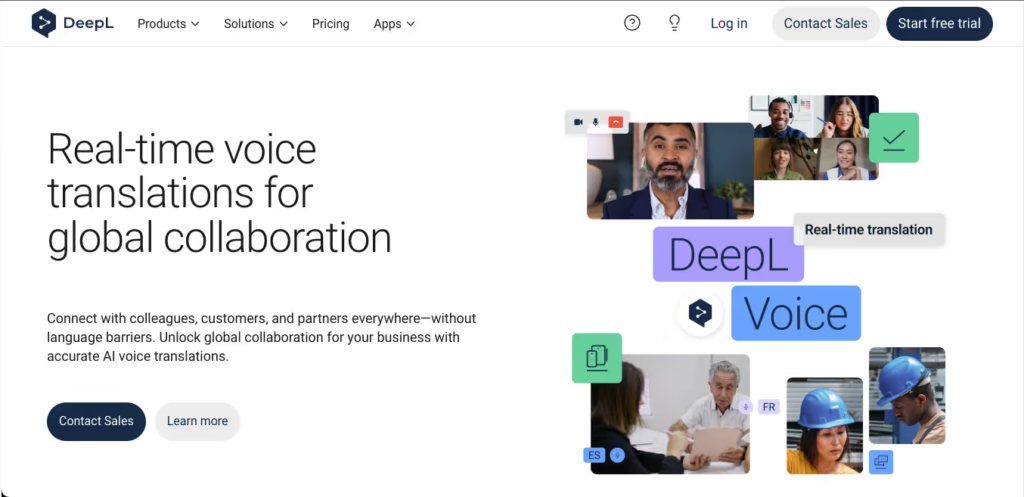
En ce qui concerne les textes écrits, DeepL utilise des réseaux neuronaux propriétaires pour fournir des traductions qui donnent l'impression d'être écrites par un locuteur natif.
Caractéristiques principales :
- Personnalisation avancée : Maintenir le ton de la marque en utilisant des glossaires partagés.
- Traduction de documents : Traduire intégralement les fichiers PDF, les documents Word et les présentations PowerPoint tout en conservant la mise en forme originale.
Avantages :
- Précision et prise en compte du contexte en matière de traduction de texte, à la pointe du secteur.
- Un niveau gratuit généreux pour la traduction de textes basiques.
Inconvénients :
- Il manque un chatbot vocal pour l'interprétation en temps réel lors des réunions.
Tarification : Version gratuite disponible. Abonnements Pro à partir de $8,74 €/utilisateur/mois.
Verdict final : Pour la traduction de documents de haute précision non temps réel, DeepL reste le roi incontesté du texte.
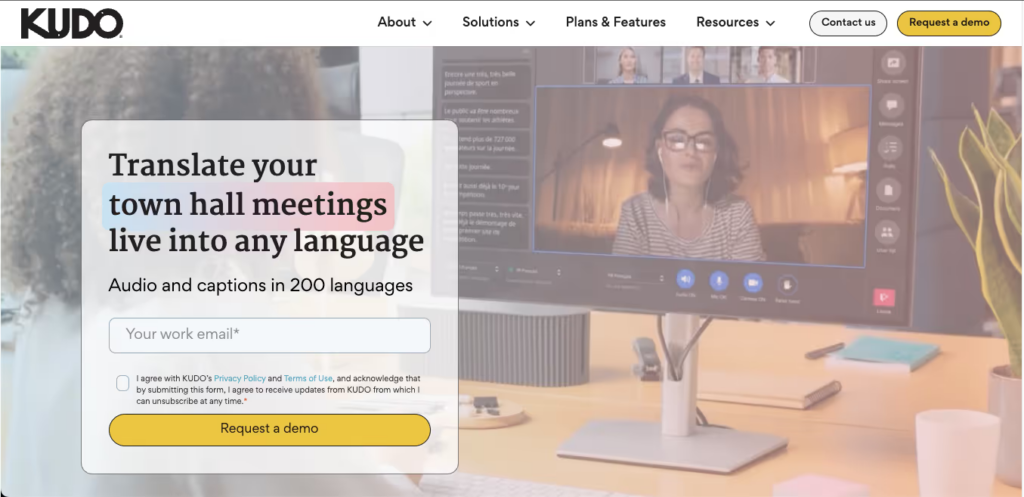
6. Bravo
Idéal pour : Des événements diplomatiques à forts enjeux nécessitant à la fois la finesse humaine et la rapidité de l'IA.
Classification G2 : 4.2/5
Bravo propose une plateforme hybride, permettant aux organisateurs de passer facilement d'une traduction IA ultra-rapide à des interprètes professionnels humains certifiés.
Caractéristiques principales :
- Réseau d'interprètes : Entrez directement en contact avec des professionnels maîtrisant plus de 200 langues parlées et gestuelles.
- Changement de chaîne sans interruption : Les participants peuvent changer de canal linguistique sans interrompre le déroulement de la réunion.
Avantages :
- Une précision émotionnelle et culturelle inégalée grâce au recours à des interprètes humains.
Inconvénients :
- L'interface d'administration présente une courbe d'apprentissage abrupte.
- Le recours excessif aux interprètes humains augmente considérablement les coûts.
Tarification : Tarification personnalisée en fonction des sessions et des besoins en interprètes.
Verdict final : Kudo est l'option premium pour les événements diplomatiques ou d'entreprise critiques où la nuance contextuelle 100% est obligatoire.
7. Google Traduction
Idéal pour : Traduction et voyages gratuits pour les conversations quotidiennes.

Classification G2 : 4.6/5
Outil le plus répandu au niveau mondial, Google Traduction est une solution indispensable pour les interactions en face à face.
Caractéristiques principales :
- Mode conversation : Détecte automatiquement les langues parlées sur les appareils mobiles.
- Traduction de la caméra : Traduisez instantanément des menus imprimés ou des panneaux de signalisation.
Avantages :
- Entièrement gratuit et doté d'une immense bibliothèque de langues.
- Prend en charge les packs de langue téléchargeables hors ligne.
Inconvénients :
- Ne peut s'intégrer ni fonctionner en parallèle avec un logiciel de visioconférence en ligne.
Tarification : 100% Gratuit.
Verdict final : C'est le meilleur compagnon de voyage à avoir dans sa poche, mais il est insuffisant pour les réunions professionnelles en ligne.
8. Microsoft Translator
Idéal pour : Discussions de groupe et tables rondes multilingues en présentiel.
Classification G2 : 4.5/5
Microsoft Translator offre une fonction de synchronisation multi-appareils unique qui excelle dans les environnements de salles de réunion physiques.
Caractéristiques principales :
- Conversation multi-appareils : Jusqu'à 100 personnes peuvent rejoindre une salle sur leur propre téléphone et voir les traductions dans leur langue maternelle.
Avantages :
- Idéal pour les séances de brainstorming en présentiel avec des équipes multinationales.
- Intégration poussée avec l'écosystème Office 365.
Inconvénients :
- Moins performantes pour les réunions en ligne via Zoom ou Teams que les applications de réunion dédiées.
Tarification : Gratuit pour un usage personnel.
Verdict final : Si votre équipe se réunit souvent en face à face dans le même bureau mais parle des langues différentes, cette application est idéale.
9. iTranslate
Idéal pour : Voyageurs d'affaires fréquents ayant besoin d'une traduction vocale hors ligne.
Classification G2 : 4.3/5
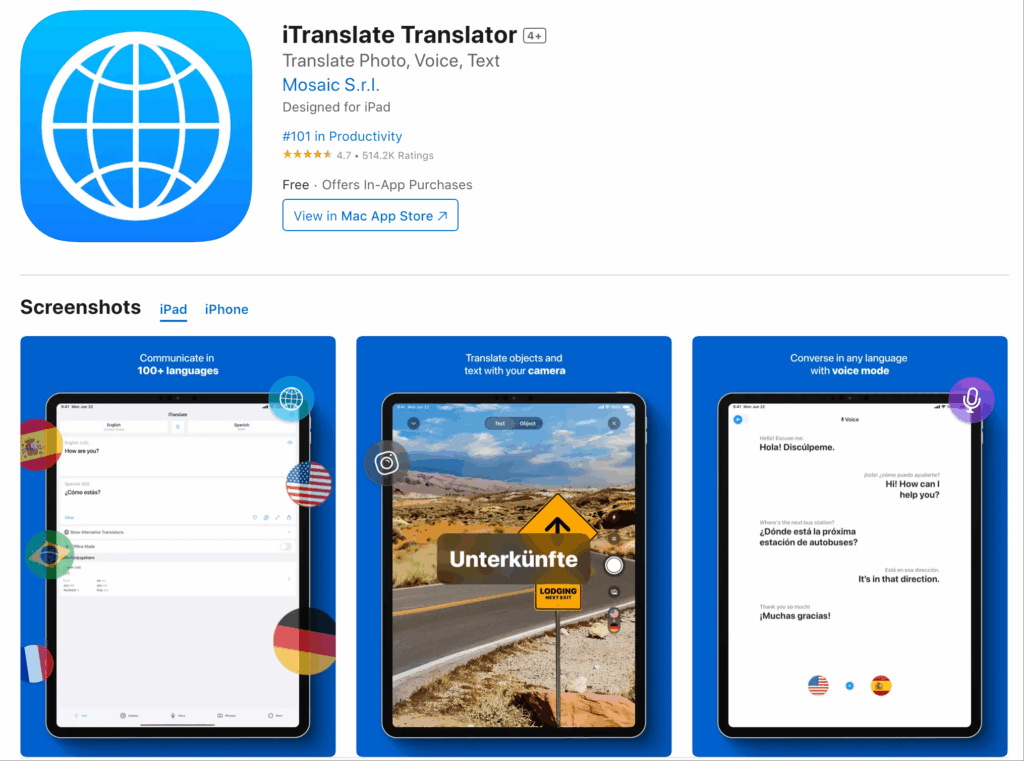
iTranslate Il est fortement optimisé pour les utilisateurs mobiles, offrant une reconnaissance vocale performante même sans connexion Internet.
Caractéristiques principales :
- Mode hors ligne : Traduisez des dizaines de langues sans Wi-Fi ni données cellulaires.
- Changement de dialecte : Reconnaît avec précision les différences régionales (par exemple, l'anglais britannique par rapport à l'anglais américain).
Avantages :
- Excellente interface utilisateur mobile et compatibilité avec l'Apple Watch.
Inconvénients :
- Manque de fonctionnalités de collaboration pour les réunions d'entreprise.
Tarification : Version de base gratuite. La version PRO est disponible à partir d'environ $5,99/mois.
Verdict final : Une application indispensable pour les professionnels voyageant en avion ou dans des zones à faible couverture réseau.
10. VoicePing
Idéal pour : Télétravailleurs en environnement bruyant privilégiant l'intégration matérielle.
Classification G2 : 4.0/5
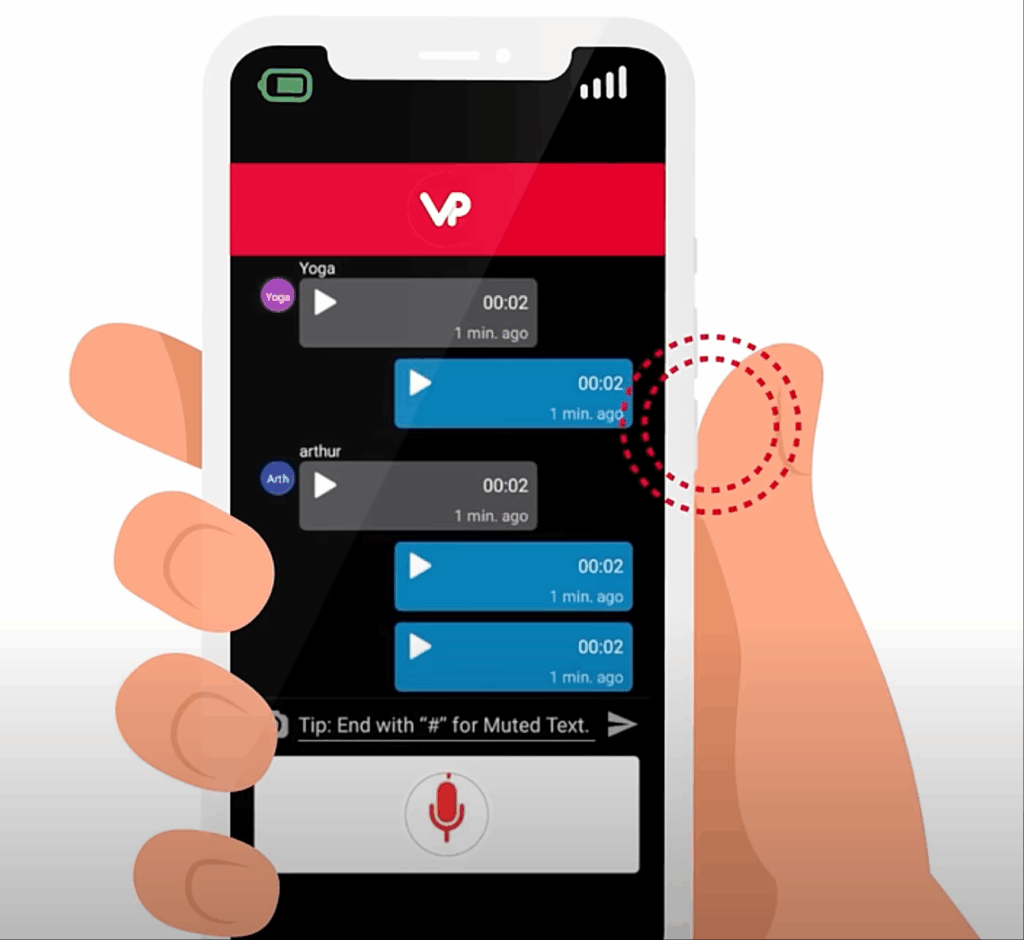
VoicePing Elle associe son logiciel de traduction à du matériel dédié, comme des casques dotés de boutons physiques pour parler, créant ainsi une expérience immersive.
Caractéristiques principales :
- Traduction par commande vocale : Communication de type talkie-walkie pour une traduction vocale instantanée.
- Synergie matérielle : Réduit considérablement le bruit de fond lorsqu'il est utilisé avec leurs casques spécialisés.
Avantages :
- Idéal pour la logistique, la construction ou les environnements isolés et bruyants.
Inconvénients :
- Nécessite l'achat de matériel spécifique pour une expérience optimale.
Tarification : Version d'essai disponible ; les solutions complètes nécessitent l'achat de matériel.
Verdict final : Pour les équipes de première ligne travaillant loin des bureaux traditionnels, VoicePing offre une solution unique et pratique.
Comment choisir les bonnes applications d'interprétation ?
Lors de l'évaluation de ces applications d'interprétation—sur un marché qui devrait atteindre 24,6 milliards de dollars d'ici 2034—Posez-vous trois questions essentielles :
- Avez-vous besoin d'une compatibilité avec les réunions en direct ? Si vous organisez quotidiennement des appels transfrontaliers, choisissez une application autonome comme Transync AI qui fonctionne parfaitement avec votre logiciel de conférence sans plugins risqués.
- À quel point la faible latence est-elle cruciale ? Pour des négociations naturelles, recherchez des outils utilisant des modèles d'IA de bout en bout qui offrent une sortie vocale en temps réel sur deux écrans.
- Avez-vous besoin de documents relatifs à la réunion ? Les meilleurs outils modernes ne se contentent pas de traduire ; ils génèrent automatiquement des résumés multilingues et des listes d'actions à entreprendre après l'appel.
Conclusion
Trouver le parfait applications d'interprétation L'objectif est de trouver le juste équilibre entre rapidité de traduction, précision contextuelle et compatibilité avec les flux de travail. Si DeepL excelle pour les textes et que Wordly s'adapte parfaitement aux événements de grande envergure, Transync AI offre la solution autonome la plus intelligente et à faible latence pour les réunions professionnelles quotidiennes. En choisissant le bon outil, vous faites de la langue un atout pour la réussite internationale, et non un obstacle.
Si vous voulez une expérience de nouvelle génération, Transync AI ouvre la voie avec une traduction en temps réel, optimisée par l'IA, qui assure un flux naturel des conversations. Vous pouvez essayez-le gratuitement maintenant.

