

Průvodce nástroji pro překlad s umělou inteligencí pro rok 2026: porovnejte textové, hlasové, schůzkové, událostní a lidsky asistované pracovní postupy a vyberte si správné řešení.
Nástroje pro překlad s umělou inteligencí již nepatří k jedné kategorii softwaru.
Jeden nástroj může být vynikající pro překlad propracovaného dokumentu, ale nevhodný pro živý hovor s klientem. Jiný může během schůzky poskytovat rychlé dvojjazyčné titulky, ale nenabízet žádný překlad obrázků. Platforma určená pro konference může být pro konverzaci dvou osob nadbytečná, zatímco lehký mobilní překladač může selhat během technického workshopu.
Proto hledání “nejlepšího překladače s umělou inteligencí” často vede k nesprávné odpovědi.
Lepší otázka zní:
Který pracovní postup překladu s využitím umělé inteligence odpovídá komunikačnímu problému, který skutečně mám?
Tato příručka mapuje hlavní typy nástrojů pro překlad s využitím umělé inteligence, vysvětluje, v čem každá kategorie funguje dobře, a ukazuje, jak si vybrat mezi překladem textu, hlasovým překladem, nástroji pro živé schůzky, platformami pro události a tlumočením s lidskou pomocí.
Rychlá odpověď: Co jsou nástroje pro překlad s využitím umělé inteligence?
Nástroje pro překlad s umělou inteligencí používat umělou inteligenci k převodu psaného nebo mluveného obsahu z jednoho jazyka do druhého.
V závislosti na produktu se mohou překládat:
- Napsaný text
- Dokumenty
- Webové stránky
- Obrázky
- Nahraný zvuk
- Živý projev
- Online schůzky
- Webináře
- Konference
- Titulky
- Hlasový výstup
Některé nástroje se zaměřují pouze na jeden formát. Jiné kombinují překlad s transkripcí, syntézou hlasu, shrnutími schůzek, kontrolou terminologie nebo lidským tlumočením.
Hlavní kategorie jsou:
| Kategorie | Hlavní vstup | Typický výstup |
|---|---|---|
| Překladač textu | Napsaný nebo vložený text | Přeložený text |
| Překladač dokumentů | PDF, Word nebo prezentační soubory | Přeložený dokument |
| Zvukový překladač | Nahraná řeč | Přepis a překlad |
| Hlasový překladač | Živý projev | Titulky nebo přeložený zvuk |
| Tlumočník pro schůzky | Zvuk online schůzky | Dvojjazyčné titulky, hlas a poznámky |
| Platforma pro překlad událostí | Zvuk z konference nebo webináře | Vícejazyčné kanály |
| Platforma s lidskou asistencí | Živý nebo psaný obsah | AI plus profesionální kontrola nebo interpretace |
Správná kategorie závisí na tom, zda překlad musí být propracovaný, okamžitý, konverzační, škálovatelný nebo právně spolehlivý.
Proč jeden překladatel s umělou inteligencí nemůže dělat všechno dobře
Kvalita překladu závisí na více než jen na jazykovém pokrytí.
Systém pro překlad textu má čas zpracovat celý odstavec. Nástroj pro živou konverzaci musí začít produkovat výstup dříve, než řečník dokončí celou diskusi. Konferenční platforma může potřebovat obsloužit stovky posluchačů najednou. Soudní tlumočník musí zachovat přesný význam a přijmout profesionální odpovědnost.
Tyto pracovní postupy vyžadují různé priority.
| Pracovní postup | Nejdůležitější požadavek |
| Psaný článek | Přirozené frázování a editace |
| Obchodní dokument | Konzistence formátování a terminologie |
| Cestovní konverzace | Rychlost a mobilní pohodlí |
| Online schůzka | Nízká latence a obousměrný překlad |
| Přednáška | Stabilní titulky a podpora dlouhých relací |
| Konference | Rozsah publika a více výstupních jazyků |
| Právní nebo lékařská komunikace | Lidská odbornost a odpovědnost |
Nejdelší seznam funkcí automaticky neurčuje nejlepší nástroj.
Rozhodovací strom nástrojů pro překlad s umělou inteligencí
Před porovnáváním produktů použijte tento jednoduchý rozhodovací proces.
Potřebujete písemný nebo mluvený překlad?
Vyberte si překladač textu nebo dokumentu pro:
- E-maily
- Zprávy
- Články
- Smlouvy k úvodnímu přezkoumání
- Prezentace
- Text webových stránek
- Popisy produktů
Vyberte si hlasový tlumočník nebo tlumočníka pro schůzky pro:
- Online schůzky
- Rozhovory
- Třídy
- Volání dodavatelů
- Prodejní konverzace
- Webináře
- Osobní diskuse
Musí překlad probíhat živě?
Pokud ne, upřednostněte:
- Kvalita úprav
- Podpora formátů souborů
- Konzistence terminologie
- Možnosti exportu
- Lidská kontrola
Pokud ano, uveďte priority:
- Latence
- Rozpoznávání řeči
- Obousměrná jazyková podpora
- Čitelnost titulků
- Hlasový výstup
- Směrování zvuku
- Stabilita při dlouhých sezeních
Kolik lidí potřebuje překlad?
Pro jednu nebo dvě osoby může stačit tlumočník konverzace.
Pro pravidelné týmové schůzky hledejte:
- Podpora platformy pro setkání
- Poznámky umělé inteligence
- Nastavení kontextu
- Sdílitelné titulky
Pro konferenci hledejte:
- Přístup k publiku pomocí odkazu nebo QR kódu
- Více simultánních jazyků
- Ovládací prvky organizéru
- Technická podpora
- Možnosti interpretace pomocí umělé inteligence a člověka
Co se stane, když je překlad špatný?
Pro běžnou interní komunikaci může být dostačující umělá inteligence.
Pro právní, lékařskou, finanční, regulační nebo bezpečnostně kritickou komunikaci použijte kvalifikované lidské posouzení nebo profesionální interpretaci.
Kategorie 1: Nástroje pro překlad textu a dokumentů s využitím umělé inteligence
Textově orientované nástroje jsou určeny pro psaný jazyk.
Běžně se používají pro:
- E-maily
- Články
- Zprávy
- Prezentace
- Dokumentace k produktu
- Interní komunikace
- Lokalizace prvního průchodu
DeepL je jedním z příkladů platformy, která zahrnuje překlad textu a dokumentů spolu s novějšími hlasovými produkty.
Na co se zaměřit
- Přirozená větná struktura
- Možnosti formálního a neformálního tónu
- Zachování formátu dokumentu
- Slovníčky
- Konzistentní terminologie
- Kontroly zabezpečení dat
- Pracovní postup úprav
- Přístup k API
Hlavní omezení
Dobrý překladatel dokumentů nemusí být dobrým živým tlumočníkem.
Písemný překlad může počkat na dokončení celé věty nebo odstavce. Živá řeč vyžaduje, aby systém vyvažoval rychlost s neúplným kontextem.
Kategorie 2: Hlasové překladače s umělou inteligencí pro konverzace
Hlasové překladače s umělou inteligencí naslouchají mluvenému jazyku a vytvářejí přeložený text nebo řeč.
Nejlépe fungují pro:
- Osobní rozhovory
- Cestovat
- Interakce se zákazníky
- Rozhovory
- Návštěvy kanceláří
- Diskuse v malých skupinách
Co by měl dělat užitečný hlasový překladač
- Jasně rozpoznávat řeč
- Podpora obou směrů překladu
- Rozlišujte mezi vybranými jazyky
- Zobrazit čitelné titulky
- Poskytují přirozený hlasový výstup
- Zpracování krátkých odpovědí
- Zachovat čísla a jména
- Vyhněte se nadměrnému zpoždění přehrávání
Uživatelská zkušenost je stejně důležitá jako překlad.
Správný překlad, který dorazí až po skončení konverzace, může být stále nepoužitelný.
Kategorie 3: Nástroje pro překlad schůzek v reálném čase
Překlad schůzek je jednou z nejrychleji rostoucích kategorií, protože globální komunikace stále častěji probíhá na platformách Zoom, Microsoft Teams a Google Meet.
Tyto nástroje mohou poskytovat:
- Živý přepis
- Překlad v reálném čase
- Dvojjazyčné titulky
- Hlasový překlad
- Poznámky ze schůze
- Přepisy
- Otázky a odpovědi k umělé inteligenci
- Nastavení terminologie
Transync AI
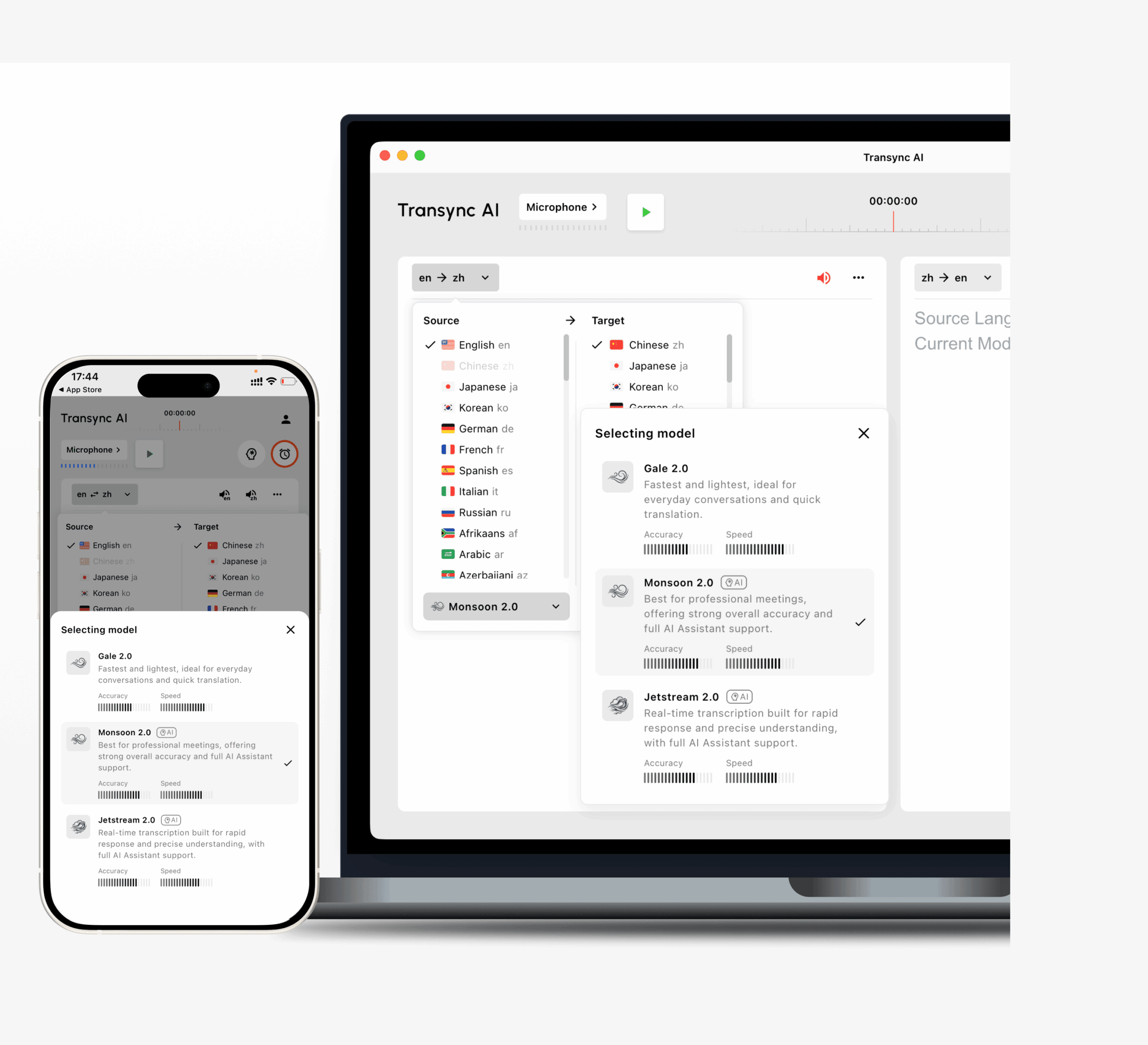
Jeho pracovní postup zahrnuje:
- Obousměrný překlad v 60 jazycích
- Více než 1 000 jazykových párů
- Originální a přeložené titulky vedle sebe
- Vysílání hlasu s umělou inteligencí
- Více hlasových možností
- Hlasový náhled
- Klonování hlasu
- Klíčová slova a kontext
- Poznámky ze schůzky s umělou inteligencí
- Titulky v režimu obraz v obraze
- Podpora pracovních postupů Zoom, Teams a Google Meet
Transync AI běží jako samostatný software, nikoli jako plugin pro schůzky.
Díky tomu je užitečný pro lidi, kteří používají několik platforem pro schůzky a chtějí mít na všech z nich jedno překladatelské rozhraní.
JotMe

JotMe se zaměřuje na vícejazyčné schůzky a kombinuje živý překlad s přepisem a poznámkami ze schůzek.
Může se to líbit uživatelům, kteří chtějí mít překlad a dokumentaci po schůzce v rámci jednoho pracovního postupu.
Talo
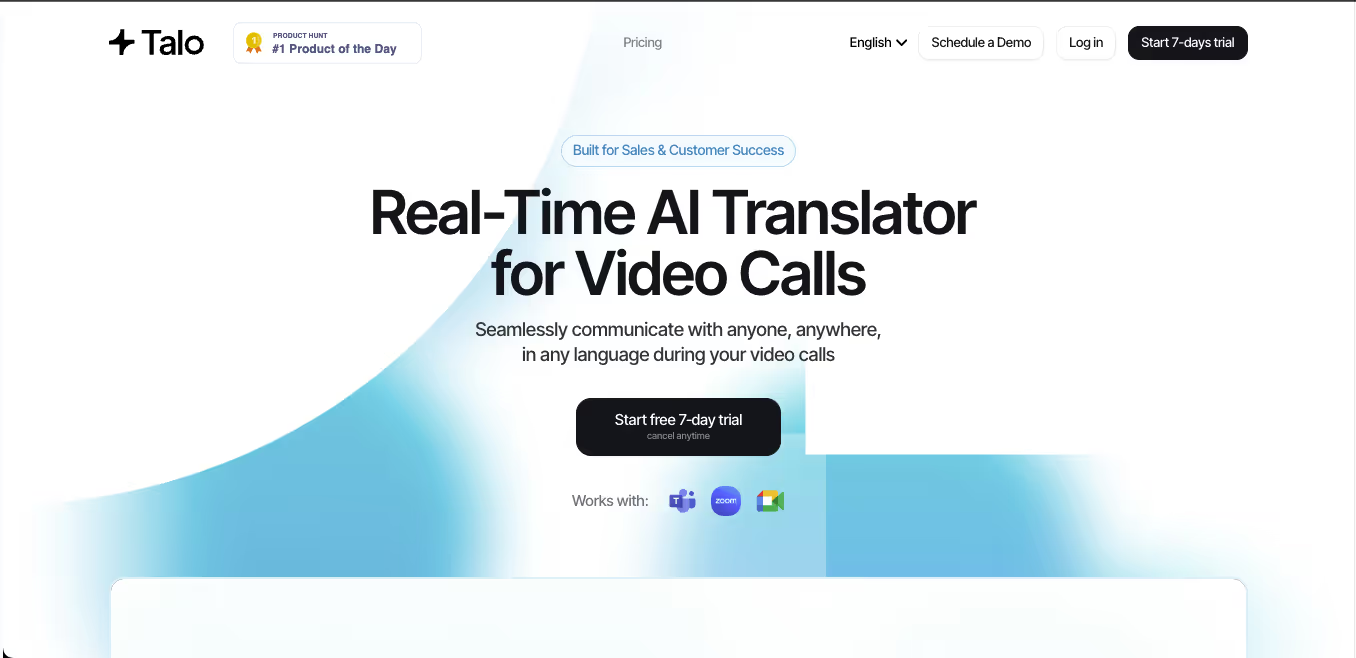 Talo se zaměřuje na překlad hlasu v reálném čase pro videohovory.
Jeho pracovní postup založený na botech je navržen pro platformy jako Zoom, Teams a Google Meet.
Tento přístup může být vhodný, pokud účastníci nechtějí sami konfigurovat systémový zvuk, ačkoli některé organizace preferují nastavení bez botů nebo samostatné nastavení.
Hlas DeepL
 DeepL Voice rozšiřuje jazykovou technologii DeepL do živých konverzací a schůzek.
Je to relevantní pro organizace, které již používají DeepL pro profesionální písemný překlad a chtějí do stejného jazykového pracovního postupu přidat hlasovou komunikaci.
Kategorie 4: Nástroje pro překlad s využitím umělé inteligence pro události
Schůze týmu a konference nejsou stejný překladatelský problém.
Platforma pro pořádání akcí může potřebovat podporu:
- Stovky nebo tisíce posluchačů
- Několik cílových jazyků
- Webináře
- Hlavní projevy
- Hybridní místa konání
- Přístup pomocí QR kódu
- Mobilní odposlech
- Samostatné jazykové kanály
- Profesionální tlumočníci
- Analýzy organizátora
Mistr
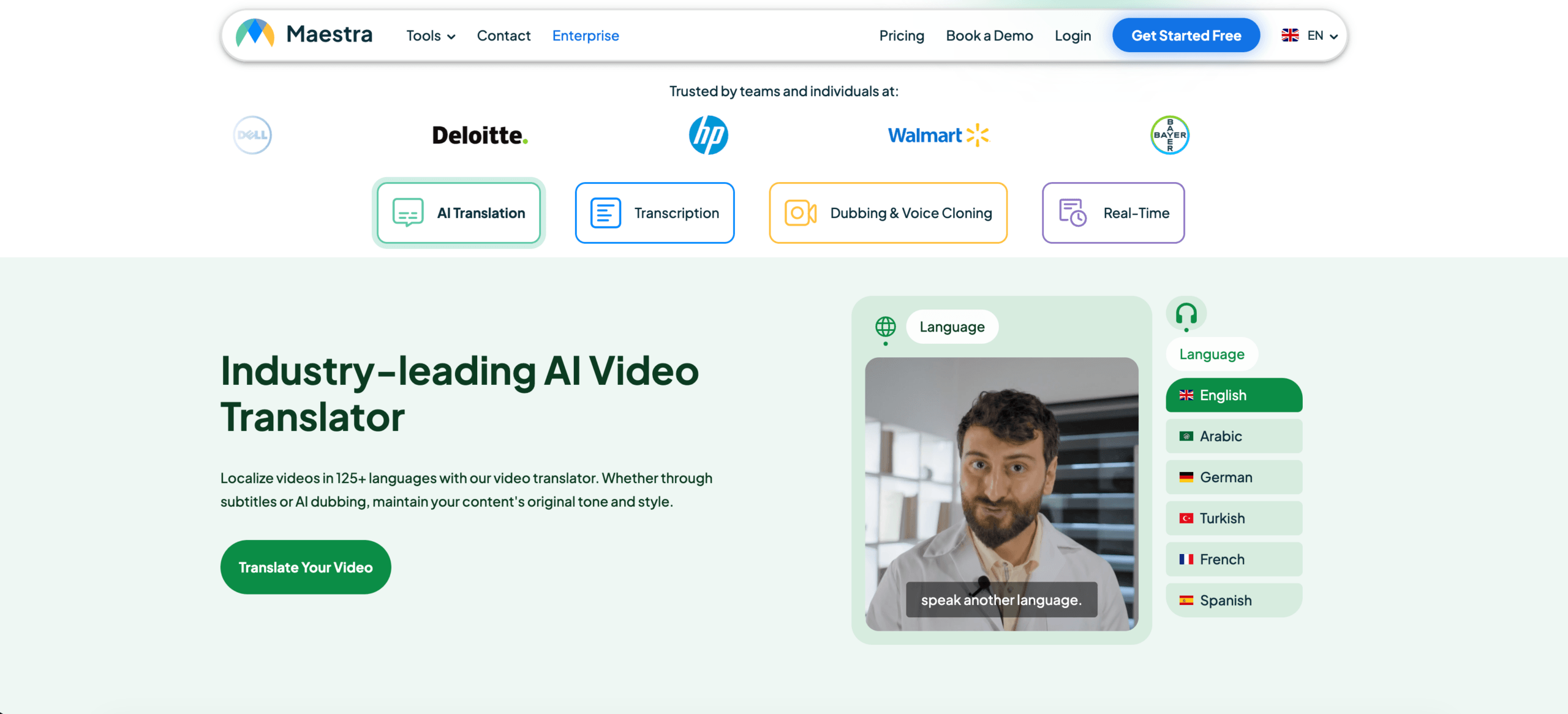 Maestra nabízí překlady, transkripce, titulky a dabing v reálném čase i na vyžádání.
Jeho živý pracovní postup může poskytovat přeložené titulky nebo mluvený výstup, zatímco účastníci mohou k překladu přistupovat prostřednictvím sdílených odkazů nebo QR kódů.
Díky tomu je relevantní pro schůzky, webináře, streamy a větší vícejazyčné prezentace.
KUDO
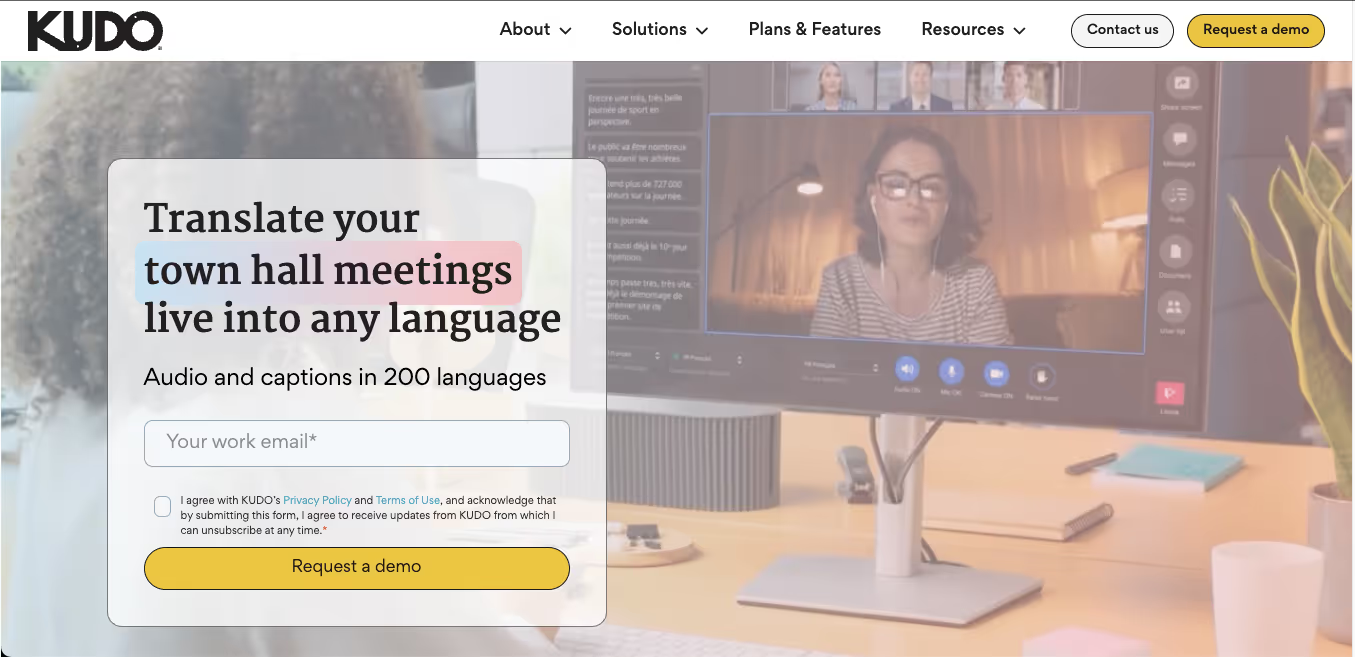 KUDO kombinuje překlad řeči s využitím umělé inteligence s profesionálním lidským tlumočením.
Tento hybridní model je užitečný, když mají organizace různé úrovně rizika napříč svými akcemi.
Například:
- Překlad s umělou inteligencí pro opakující se interní prezentace
- Tlumočníci pro citlivá jednání výkonné, vládní nebo právně citlivé záležitosti
- Kombinace kanálů umělé inteligence a lidského jazyka během velké události
Slovní
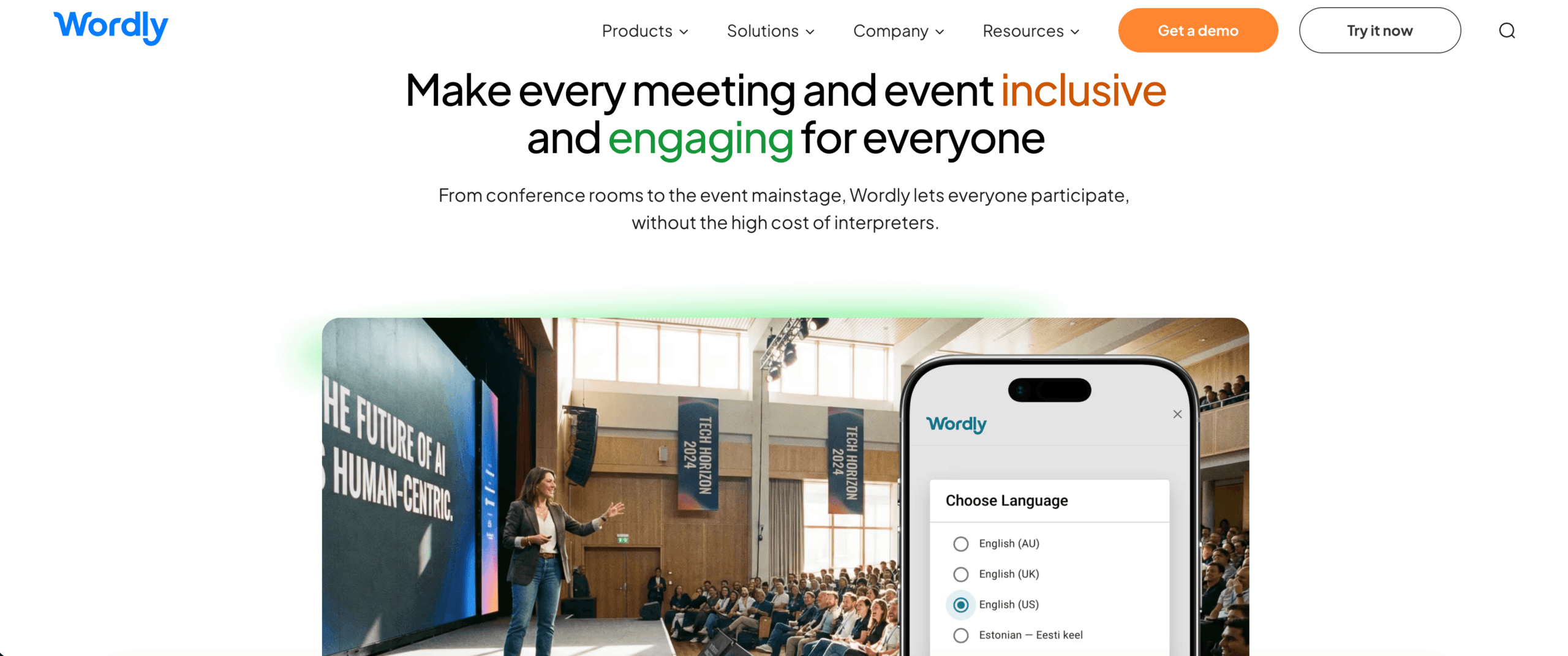 Wordly je zaměřen na vícejazyčné schůzky, webináře a akce, kde účastníci potřebují přeložené titulky nebo zvuk ve svém preferovaném jazyce.
Platformy zaměřené na události mohou být škálovatelnější než jednotlivé nástroje pro pořádání schůzek, ale jejich nastavení a ceny mohou být pro občasné individuální hovory nadměrné.
Kategorie 5: Nástroje pro překlad zvuku a videa
Ne veškerý mluvený obsah je živý.
Nahraný obsah může zahrnovat:
- Rozhovory
- Podcasty
- Tréninková videa
- Přednášky
- Marketingová videa
- Výzkum uživatelů
- Obsah na YouTube
- Nahrané schůzky
Pro tento pracovní postup mohou uživatelé potřebovat:
- Transkripce
- Překlad
- Časování titulků
- Hlasový dabing
- Identifikace mluvčího
- Export do mediálních formátů
Nástroje jako Maestra, Sonix, Notta, Descript a ElevenLabs se zabývají různými částmi tohoto pracovního postupu.
Co upřednostnit
- Podporované formáty pro nahrávání
- Oddělení reproduktorů
- Export titulků
- Přesnost časového razítka
- Kvalita hlasu
- Synchronizace kopírování
- Nástroje pro úpravy
- Recenze překladu
Platforma pro nahraná média může nabízet lepší funkce pro úpravu a export než překladač pro živé schůzky.
Kategorie 6: Umělá inteligence plus lidský překlad
Umělá inteligence je rychlá a škálovatelná. Lidé jsou lepší v zodpovědnosti, nuancích, kulturním úsudku a neobvyklých situacích.
Hybridní překladatelské platformy kombinují obojí.
Tento model může být vhodný, když:
- První návrh umělé inteligence potřebuje odborné posouzení
- Velké množství obsahu musí být rychle přeloženo
- Některé sezení jsou rutinní, zatímco jiné jsou vysoce rizikové
- Akce potřebuje jak kanály umělé inteligence, tak profesionální tlumočníky
- Společnost potřebuje eskalaci od automatizované k lidské podpoře
KUDO, Interprefy, Unbabel, Gengo, Boostlingo a další poskytovatelé používají různé kombinace umělé inteligence, lidského překladu a tlumočení.
Důležitou otázkou není, zda je univerzálně lepší umělá inteligence nebo lidé.
To je místo, kde by se měl každý z nich použít.
Porovnání nástrojů pro překlad s umělou inteligencí podle pracovního postupu
| Nástroj | Nejsilnější pracovní postup | Klíčový aspekt |
| Transync AI | Obousměrné schůzky, hlasový překlad, dvojjazyčné titulky a poznámky | Zaměřeno na živou řeč; žádný offline překlad, překlad obrázků ani statický text |
| DeepL | Text, dokumenty, profesionální jazyková práce a hlas | Ověřte, který hlasový produkt a platforma pro schůzky jsou vhodné pro danou organizaci |
| JotMe | Překlad, transkripce a poznámky s umělou inteligencí pro schůzky | Nejvhodnější pro pracovní postupy zaměřené na schůzky |
| Talo | Hlasový překlad ve videohovorech pomocí bota | Bot pro schůzky nemusí vyhovovat všem preferencím soukromí nebo pracovního postupu. |
| Mistr | Živý i nahraný překlad, titulky, dabing a akce | Široké mediální funkce mohou překračovat potřeby jednoduchých schůzek |
| KUDO | Podnikové akce s umělou inteligencí a lidskou interpretací | Určeno pro větší nebo strukturovanější vícejazyčné programy |
| Slovní | Vícejazyčný přístup pro publikum na schůzkách a akcích | Stanovení cen zaměřených na události může být pro občasné uživatele zbytečné |
Toto není univerzální žebříček.
Každý produkt je optimalizován pro jiný překladatelský problém.
Jak spravedlivě hodnotit nástroje pro překlad s využitím umělé inteligence
Marketingové stránky často ukazují ideální zvuk a připravené věty. Skutečný test by měl odpovídat skutečné práci uživatele.
Zkušební metoda
Záznam:
- Datum testu
- Verze nástroje
- Zařízení
- Operační systém
- Platforma pro setkání
- Jazykový pár
- Mikrofon
- Síťové připojení
- Počet reproduktorů
- Zvukové prostředí
Použijte realistický scénář
Zahrnout:
- Neformální úvod
- Technické vysvětlení
- Jména
- Terminologie produktu
- Čísla
- Data
- Procenta
- Oprava
- Přerušení věty
- Řeč ve smíšených jazycích
- Závěrečné shrnutí
Příklad:
Pokud technický tým pro Asijsko-pacifický region tento pátek schválí revidovanou specifikaci, můžeme do 18. října – promiňte, 28. října – dodat 1 250 kusů modelu X300.
Hodnocení pracovního postupu
| Metrický | Co měřit |
| Uznání | Rozpoznal nástroj původní řeč správně? |
| Přesnost | Byl zachován zamýšlený význam? |
| Latence | Dorazil překlad před změnou tématu? |
| Terminologie | Byly názvy a odborné termíny shodné? |
| Obousměrný tok | Mohli by oba účastníci reagovat přirozeně? |
| Titulky | Byly titulky čitelné a stabilní? |
| Hlas | Byla přeložená řeč srozumitelná a přirozená? |
| Integrace | Hodil se nástroj do stávajícího pracovního postupu pro schůzky nebo média? |
| Stabilita | Zůstal výkon konzistentní i během delšího sezení? |
| Hodnota po sezení | Byly přepisy, poznámky nebo exporty užitečné? |
Spusťte test v obou směrech translace.
Převod z angličtiny do japonštiny se může lišit od převodu z japonštiny do angličtiny. Totéž platí pro ostatní jazykové páry.
Jak Transync AI zapadá do prostředí nástrojů pro překlad s využitím umělé inteligence
Transync AI nemá nahradit každou kategorii.
To je nejrelevantnější, když uživatel potřebuje překlad během živé konverzace.
Nejvhodnější scénáře
- Mezinárodní setkání s klienty
- Volání dodavatelů
- Diskuse vzdáleného týmu
- Online kurzy
- Rozhovory
- Ukázky produktů
- Vícejazyčné prezentace
- Tréninkové sezení
- Osobní profesionální rozhovory
Hlavní pracovní postup
Před schůzkou mohou uživatelé:
- Vyberte jazykový pár
- Přidejte názvy a technická klíčová slova
- Popište kontext schůzky
- Náhled přeloženého hlasu
- Test nastavení mikrofonu a zvuku
Během schůzky mohou uživatelé:
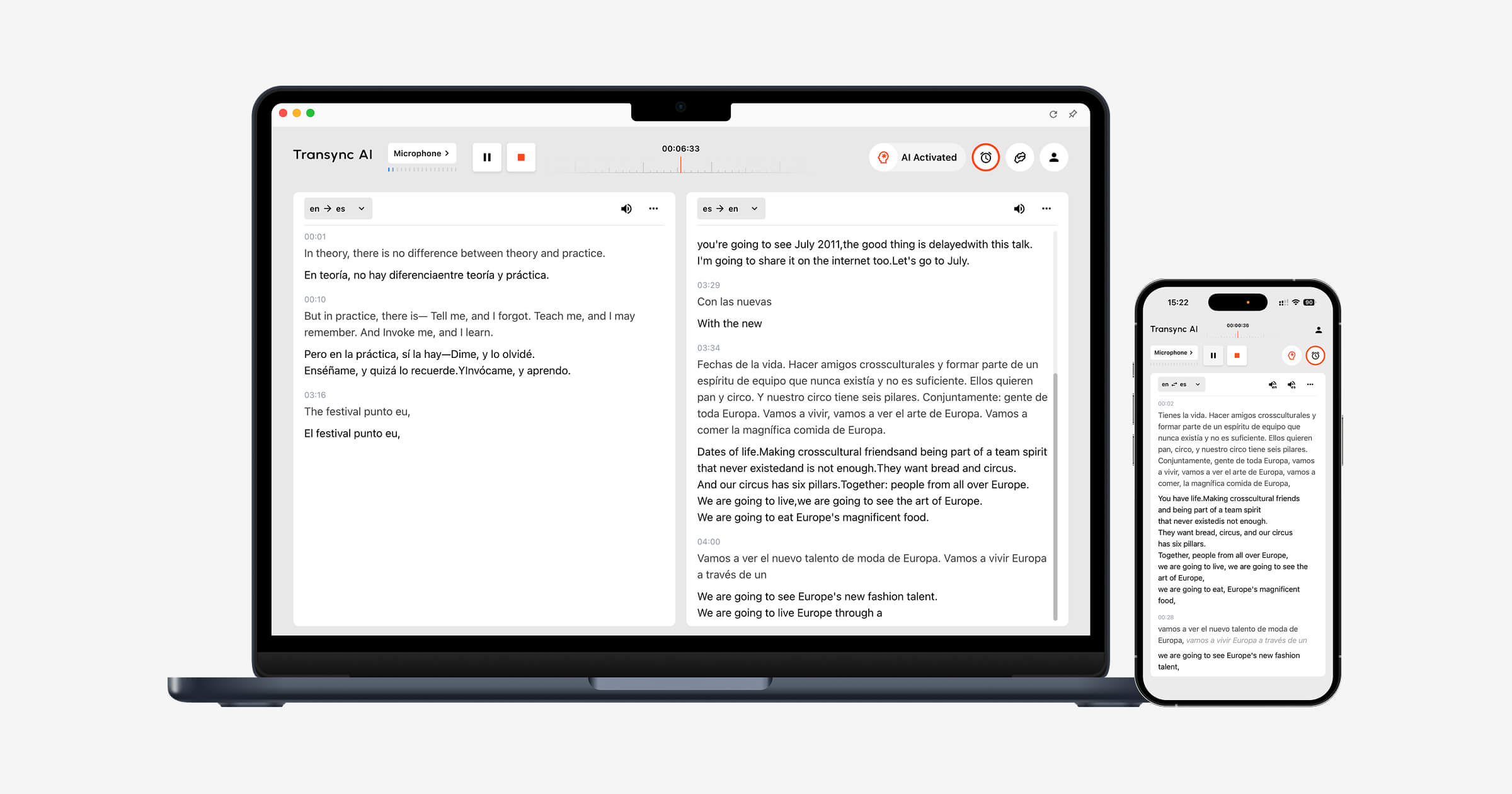
- Číst dvojjazyčné titulky
- Povolit přeložený hlas
- Nechte systém rozlišovat mezi vybranými jazyky
- Používání plovoucích titulků při přepínání aplikací
- Spusťte Transync AI společně se Zoomem, Teams nebo Google Meet
Po schůzce mohou uživatelé:
- Zkontrolujte záznam překladu
- Zkontrolujte poznámky ze schůzky s umělou inteligencí
- Potvrďte jména, čísla a rozhodnutí
- Export nebo opětovné použití důležitého obsahu
Prozkoumejte nástroj pro překlad v reálném čase, překlad živého setkánía Poznámky ze schůzky s umělou inteligencí stránky.
 Klíčová slova a kontext: Funkce, na které záleží více než na počtu jazyků
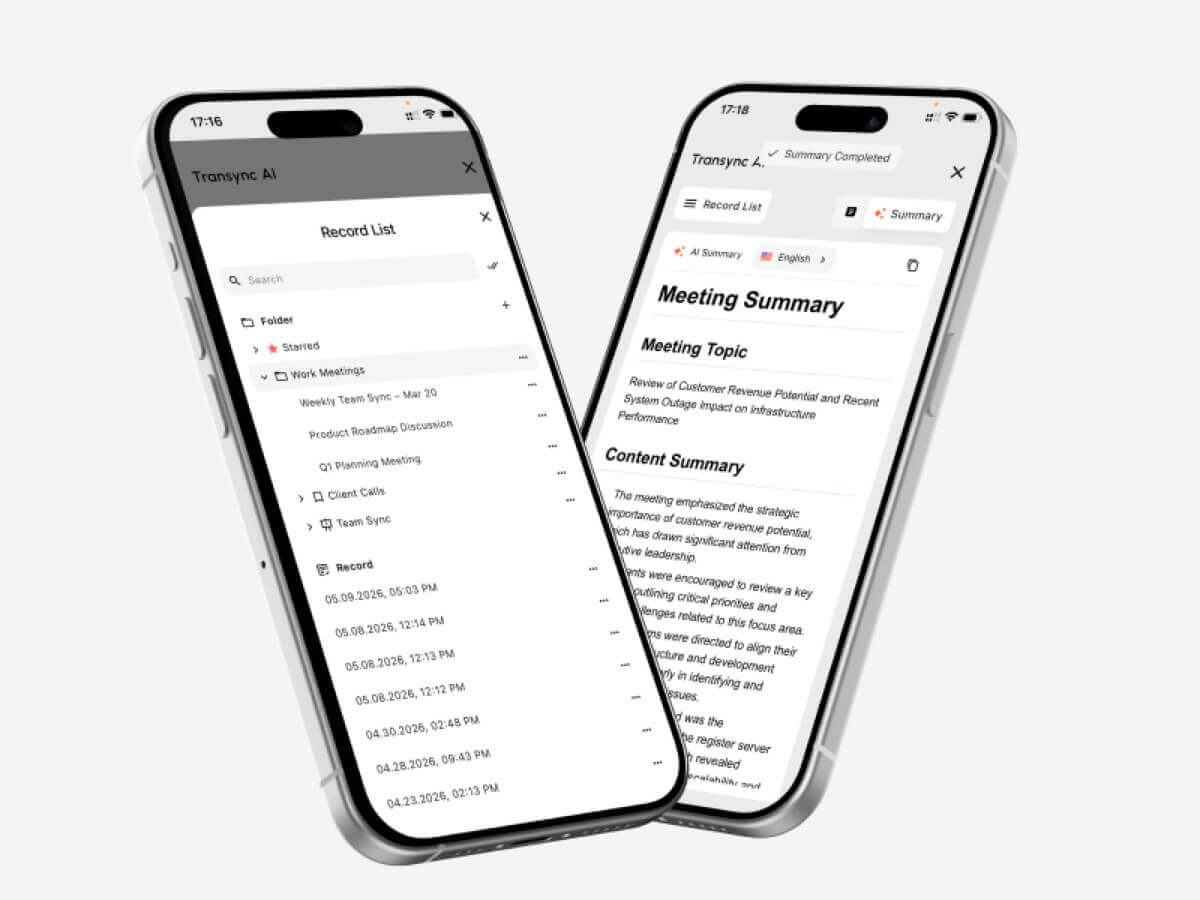 Klíčová slova a kontext: Funkce, na které záleží více než na počtu jazyků
Počet jazyků se snadno porovnává. Kvalitu kontextu je obtížnější měřit.
Profesionální rozhovory obsahují:
- Názvy společností
- Jména zaměstnanců
- Modely produktů
- Zkratky
- Odborné termíny
- Regionální výrazy
- Významy specifické pro dané odvětví
Běžný překladatel může rozpoznat každé slovo, ale přesto zvolit nesprávný význam.
Transync AI umožňuje uživatelům přidávat klíčová slova, jako například:
- Transync AI = 同言翻译
- fotovoltaický střídač
- polovodičové balení
- Asijsko-pacifický region
- Jan Smith
- Model X300
- neuronová síť
- optimalizace dodavatelského řetězce
Uživatelé mohou také přidat kontext:
Jedná se o schůzku dodavatelů, na které se bude diskutovat o výrobě polovodičů, výrobní kapacitě, kontrole kvality, dodacích harmonogramech a regionální shodě s předpisy.
Tyto informace pomáhají umělé inteligenci interpretovat nejednoznačné termíny konzistentněji.
Zjistěte více od Kontext klíčových slov AI Assistant.
 Hlasový výstup nebo titulky: Co je lepší?
 Hlasový výstup nebo titulky: Co je lepší?
Ani jedno není vždy lepší.
Titulky zvolte, když:
- Jména a čísla musí být zkontrolována
- Prostředí je hlučné
- Účastníci preferují čtení
- Přehrávání hlasu by přerušovalo mluvčího
- Uživatelé potřebují porovnat původní a přeložený obsah
Zvolte přeložený hlas, když:
- Účastníci se nemohou dívat na obrazovku
- Překlad je třeba slyšet nahlas
- Prezentace vyžaduje mluvený výstup
- Posluchač čte pomalu v cílovém jazyce
- Schůzka by měla působit spíše konverzačním dojmem
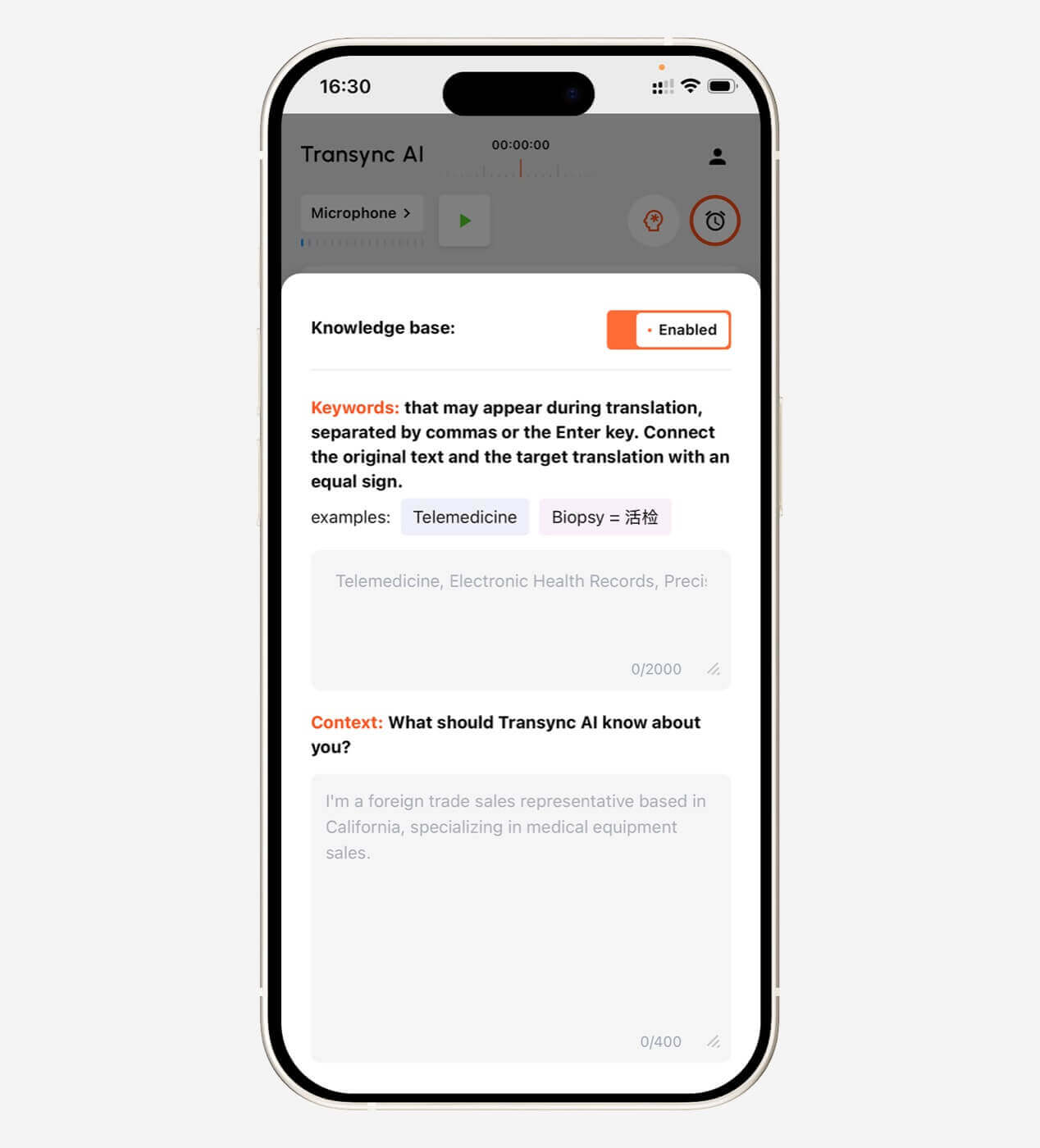
Transync AI nabízí dvojjazyčné titulky, hlasové vysílání s využitím umělé inteligence, hlasový náhled a klonování hlasu.
Okno s titulky v režimu Obraz v obraze může zůstat viditelné nad ostatními aplikacemi na podporovaných systémech Mac, Windows a iOS.
Prozkoumat Hlasový překladač a hlasový výstup s umělou inteligencí a Plovoucí titulky v obraze.

Ceny: Porovnejte využití, nejen měsíční poplatky
Nástroje pro překlad s umělou inteligencí mohou účtovat poplatky podle:
- Charakter
- Slovo
- Strana
- Minuta zvuku
- Hodina překladu
- Uživatel
- Zasedání
- Událost
- Využití API
- Měsíční předplatné
U živého překladu jsou zahrnuté hodiny důležitější než cena předplatného.
| Plán umělé inteligence Transync | Cena | Zahrnuté využití | Nejlepší pro |
| Uvolnit | $0 | 40 minut pro nové uživatele | Počáteční testování |
| Osobní prémie | $8,99/měsíc | 10 hodin během aktivního období členství | Jednotlivci a pravidelná setkání |
| Podnik | $24,99/měsíc/místo | Až 40 hodin měsíčně na pozici | Týmy a organizace |
| Časová karta | Od $0,70/hodinu | Dodatečný čas na překlad | Uživatelé s proměnlivou měsíční poptávkou |
Platnost hodin na časové kartě nepropadá, ale lze je využít pouze po dobu aktivního členství.
Před nákupem jakéhokoli nástroje odhadněte:
- Měsíční hodiny schůzek
- Počet uživatelů
- Počet cílových jazyků
- Velikost publika události
- Svazek souboru
- Požadovaná lidská kontrola
- Dodatečné náklady na hlas nebo dabing
Omezení nástrojů pro překlad s umělou inteligencí
Žádný nástroj pro překlad s umělou inteligencí nefunguje dokonale v každém prostředí.
Mezi běžná omezení patří:
- Hluk v pozadí
- Ozvěna v místnosti
- Slabé mikrofony
- Překrývající se reproduktory
- Silné přízvuky
- Neúplné věty
- Regionální slang
- Odborné termíny
- Nestabilní internet
- Rychlé přepínání jazyků
- Nejednoznačné znění
- Zpoždění hlasového výstupu
Transync AI má také několik omezení specifických pro daný produkt:
- Offline režim není k dispozici
- Rozpoznávání obrázků není podporováno
- Statický překlad textu není jeho primárním případem použití
- Funguje jako samostatný software, nikoli jako plugin pro schůzky.
- Zvukové a síťové podmínky stále ovlivňují kvalitu překladu
Tato omezení objasňují jeho pozici: Transync AI je živý vícejazyčný komunikační nástroj, nikoli univerzální překladač dokumentů, obrázků nebo offline.
Kdy byste měli použít lidského překladatele nebo tlumočníka?
Využijte profesionální lidskou podporu, pokud by chyby mohly ovlivnit:
- Zákonná práva
- Lékařská péče
- Osobní bezpečnost
- Imigrační status
- Smluvní závazky
- Finanční rozhodnutí
- Dodržování předpisů
- Veřejná pověst
- Citlivé záležitosti zaměstnanců
Umělá inteligence může podporovat rutinní komunikaci, ale odpovědnost zůstává na lidech, kteří výstup používají.
Praktická organizace může použít:
- Umělá inteligence pro opakující se interní schůzky
- Lidská kontrola veřejných dokumentů
- Profesionální tlumočníci pro náročné konference
- Hybridní nástroje pro velké vícejazyčné akce
Často kladené otázky: Nástroje pro překlad s umělou inteligencí
Co jsou nástroje pro překlad s využitím umělé inteligence?
Nástroje pro překlad s umělou inteligencí využívají umělou inteligenci k převodu psaného nebo mluveného obsahu z jednoho jazyka do druhého. Mohou podporovat text, dokumenty, zvuk, živou řeč, schůzky, titulky nebo hlasový výstup.
Jaký je nejlepší nástroj pro překlad s umělou inteligencí?
Neexistuje jeden nejlepší nástroj pro každý pracovní postup. DeepL je vhodný pro písemnou a odbornou jazykovou práci, Transync s umělou inteligencí pro živé vícejazyčné konverzace, JotMe pro schůzky a poznámky, Maestra pro živá a nahraná média a KUDO pro rozsáhlejší programy s umělou inteligencí a lidským tlumočením.
Které nástroje pro překlad s umělou inteligencí fungují pro schůzky?
Mezi možnosti zaměřené na schůzky patří Transync AI, JotMe, Talo, DeepL Voice, Maestra, KUDO a Wordly. Porovnejte kompatibilitu platformy, latenci, jazykovou podporu, hlasový výstup, poznámky a požadavky na nastavení.
Dokážou nástroje pro překlad s umělou inteligencí překládat řeč v reálném čase?
Ano. Nástroje pro práci v reálném čase dokáží rozpoznávat řeč, překládat ji, zobrazovat titulky a někdy s krátkým zpožděním generovat přeložený hlas.
Mohou nástroje umělé inteligence nahradit lidské překladatele?
Zvládnou mnoho rutinních úkolů, ale kvalifikovaný lidský překlad nebo tlumočení se stále doporučuje pro právní, lékařskou, regulační, finanční a další důležitou komunikaci.
Podporuje Transync AI hlasový překlad?
Ano. Transync AI podporuje vysílání hlasu s využitím AI, více hlasových možností, hlasový náhled a klonování hlasu.
Dokáže Transync AI překládat online schůzky?
Ano. Může běžet společně se Zoomem, Microsoft Teams a Google Meet a poskytovat dvojjazyčné titulky v reálném čase a překládaný hlasový projev.
Kolik jazyků Transync AI podporuje?
Transync AI podporuje obousměrný překlad v 60 jazycích a více než 1 000 jazykových párech.
Funguje Transync AI offline?
Ne. Transync AI vyžaduje připojení k internetu a v současné době nepodporuje offline překlad.
Závěrečné myšlenky: Výběr nástrojů pro překlad s umělou inteligencí podle pracovního postupu
Nejužitečnější způsob porovnání Nástroje pro překlad s umělou inteligencí nejde o to, ptát se, který produkt má nejvíce funkcí.
Zeptejte se místo toho:
- Jaký obsah překládám?
- Musí se to stát naživo?
- Kolik lidí potřebuje výsledek?
- Potřebují titulky, hlas nebo obojí?
- Záleží na terminologii?
- Co se děje po sezení?
- Jak závažná by chyba byla?
U dokumentů zvolte kvalitní pracovní postup pro písemný překlad. U nahraných médií upřednostněte titulky, dabing a střih. U konferencí upřednostněte rozsah publika. Pro komunikaci s vysokými sázkami zapojte profesionály.
Pro živé vícejazyčné schůzky a konverzace kombinuje Transync AI obousměrný překlad, dvojjazyčné titulky, hlasové vysílání s umělou inteligencí, klonování hlasu, klíčová slova a kontext, poznámky ze schůzek s umělou inteligencí a plovoucí titulky.
Správný nástroj pro překlad s umělou inteligencí není ten, který tvrdí, že zvládne všechno.
Je to ten, který odstraňuje jazykovou bariéru, aniž by vytvářel nový problém s pracovním postupem.
Pro začátek navštivte Transync AI, zkontrolujte podporované jazyky, nebo si stáhněte aplikaci pro vaše preferované zařízení.
 🤖
🤖 