

Web translation has moved far beyond copying a sentence into an online translator. Today, people need translation while they are already working online: joining a Zoom call, attending a webinar, listening to a lecture, speaking with an international client, or following a multilingual team discussion in real time.
In this guide, web translation does not only mean translating static webpage text. It refers to a broader modern workflow: translating online conversations, web meetings, spoken audio, live captions, and meeting notes across languages.
That shift matters because most cross-language communication now happens in digital spaces. A business meeting may happen on Microsoft Teams. A university seminar may happen on Google Meet. A product demo may happen through a browser. A global team may move between apps, documents, slides, and chat tools in the same hour.
A strong web translation workflow helps people understand each other without waiting, switching tools, or losing the natural rhythm of conversation.
What Is Web Translation?
Web translation is the process of translating language in online environments. Depending on the use case, it may include website text translation, browser-based translation, online document translation, real-time subtitles, voice translation, and live meeting interpretation.
There are two common types:
| Type of web translation | What it does | Best for |
|---|---|---|
| Static web translation | Translates webpage text, articles, menus, or website content | Reading foreign websites or localizing site copy |
| Live web translation | Translates speech, captions, and conversations in real time | Online meetings, classes, webinars, interviews, and calls |
For everyday browsing, tools like Google Translate or Microsoft Translator can be useful. But when the content is spoken live, a simple webpage translator is usually not enough.
That is where AI-powered live translation tools like Transync AI can help. Transync AI focuses on real-time speech translation, bilingual subtitles, voice output, AI meeting notes, and context-aware translation for online and cross-language communication.
Why Is Web Translation Important for Online Meetings?
Most online meetings move quickly. People interrupt, clarify, joke, use industry terms, and switch topics. If one participant has to pause and manually translate everything, the conversation becomes slow and unnatural.
Web translation helps solve this by translating speech as the meeting happens.
It is especially useful for:
- International business meetings
- Remote team collaboration
- Online education and lectures
- Product demos with global clients
- Cross-border interviews
- Multilingual webinars
- Customer support calls
- Academic conferences
In these situations, the goal is not only to translate words. The real goal is to keep communication flowing.
A good live web translation tool should help users hear, read, respond, and review conversations with less friction.
7 Powerful Features to Look for in Web Translation Tools
Not every online translation tool is built for real-time communication. Before choosing one, look at how it performs in actual online conversations, not just short text samples.
1. Web Translation with Real-Time Subtitles
 Real-time subtitles are one of the most important features for online communication. They let users read translated speech while the speaker is still talking.
This is helpful because people process information differently. Some users prefer listening, while others understand better when they can read the translation. In noisy environments or technical meetings, bilingual captions can also make the conversation easier to follow.
Transync AI provides real-time bilingual translation with side-by-side display, allowing users to see original speech and translated content together. This makes it easier to compare meaning, catch important details, and stay focused during multilingual conversations.
For users who often join international meetings, a dedicated real-time translation tool can be more practical than manually copying text into a browser translator.
2. Low-Latency Translation for Natural Conversation
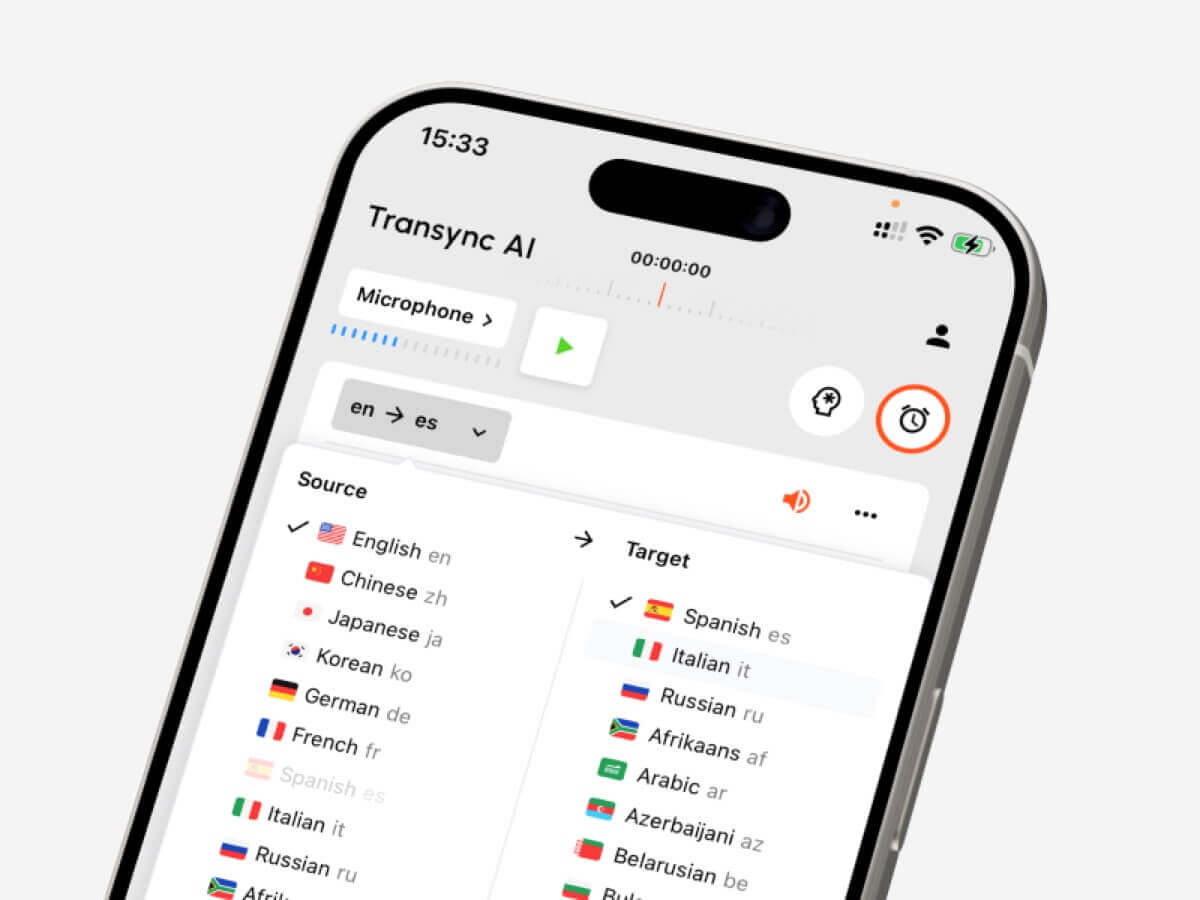 Speed is critical in live communication. Even a few seconds of delay can make a meeting feel awkward.
If translated captions arrive too late, users may miss the next point. If voice translation is delayed, people may talk over each other or stop participating. That is why low latency is one of the key differences between basic online translation and professional live translation.
Transync AI is designed for low-latency real-time translation, helping users follow online conversations without constantly waiting for output.
This matters most in:
- Fast client calls
- Sales negotiations
- Technical discussions
- Interviews
- Multilingual brainstorming sessions
- Live Q&A sessions
In short, good web translation should feel like part of the conversation, not a separate task.
3. Live Meeting Translation for Zoom, Teams, and Google Meet
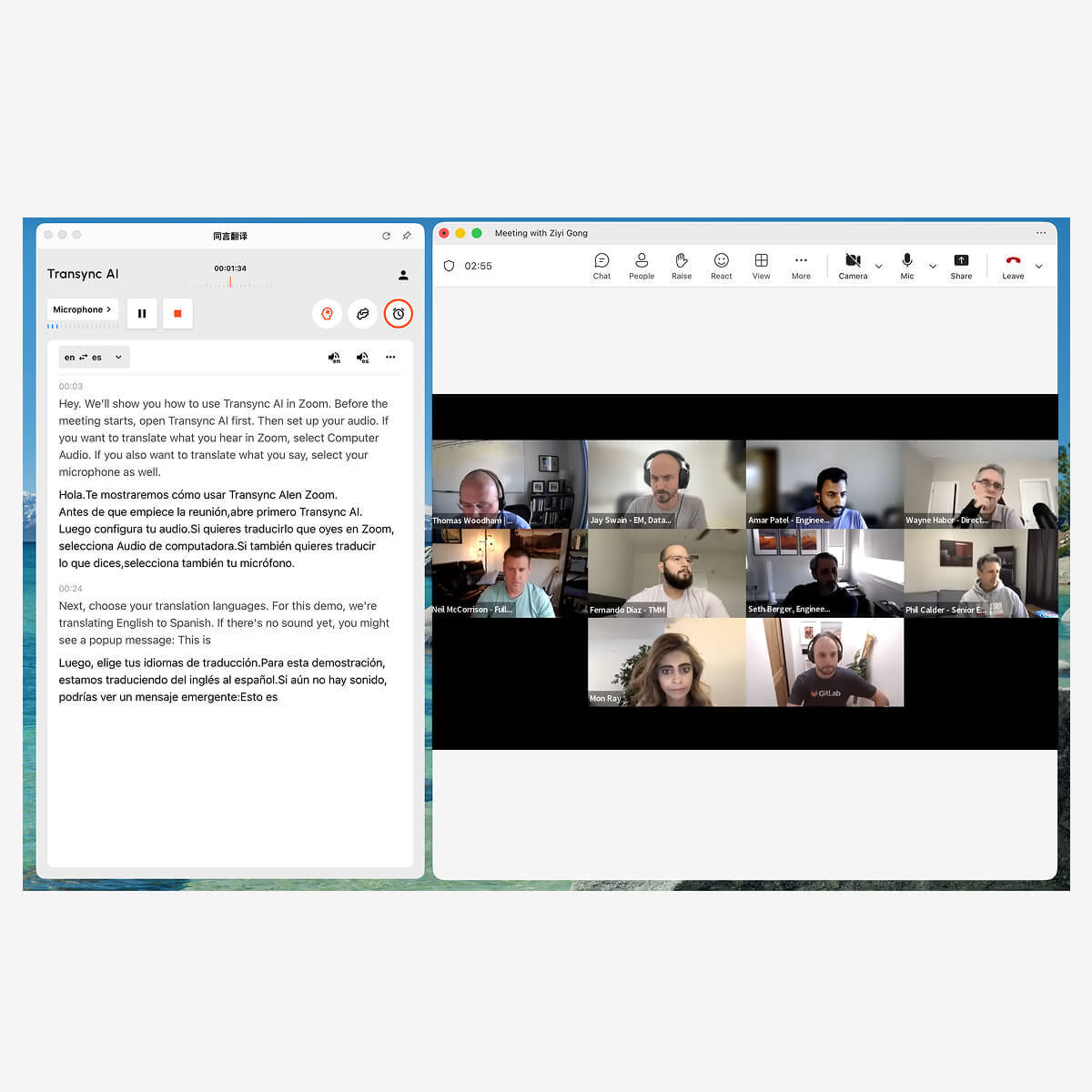
Many users search for web translation because they need help during online meetings. In that case, platform compatibility is essential.
Transync AI supports live meeting translation for Zoom, Microsoft Teams, and Google Meet. Users can follow multilingual meetings with real-time subtitles and voice translation, without relying on a dedicated meeting plugin.
This is useful when:
- You are joining a Japanese meeting and need English subtitles
- You are speaking English but your client prefers Spanish
- Your team includes Chinese, Korean, French, and German speakers
- You need translated speech output during a remote meeting
- You want to understand the meeting and keep a record afterward
For this workflow, see AI Live Meeting Translation for Zoom, Teams, and Google Meet.
4. AI Voice Translator for Web-Based Conversations
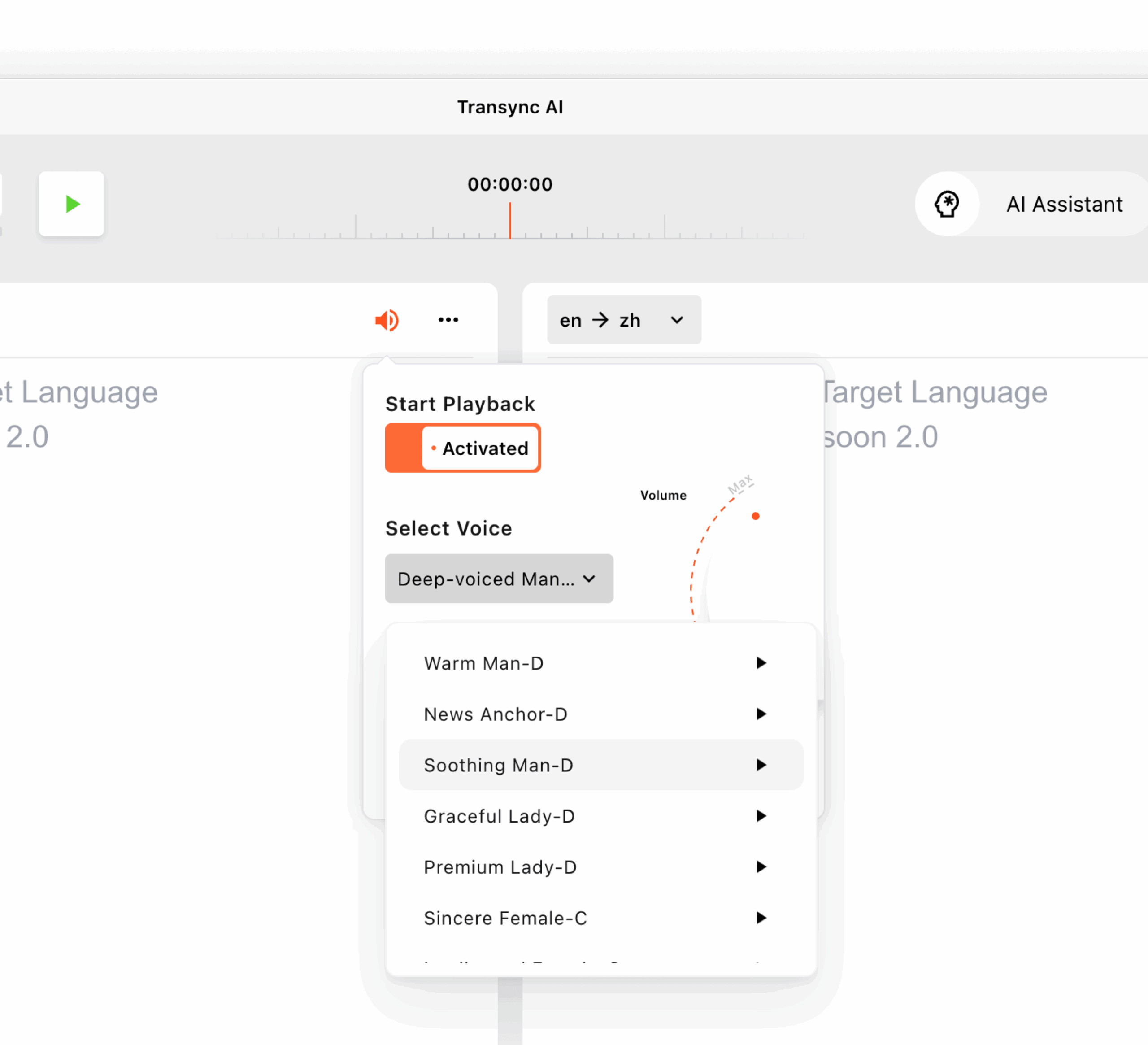 Subtitles are helpful, but some conversations work better with voice output. An AI voice translator can speak translated content aloud, making online communication feel more direct.
This is especially useful when one or more participants cannot read subtitles quickly, or when the meeting is more conversational than presentation-based.
Transync AI supports AI voice translation and voice broadcast. Users can hear foreign speech in their language and speak back with translated voice playback. The tool also provides multiple voice styles for different scenarios, such as professional meetings, classes, demos, and casual conversations.
For online meetings, translated voice output can make web translation feel closer to real interpretation. Learn more from AI Voice Translator & Speech Output.
5. Keywords and Context for More Accurate Web Translation
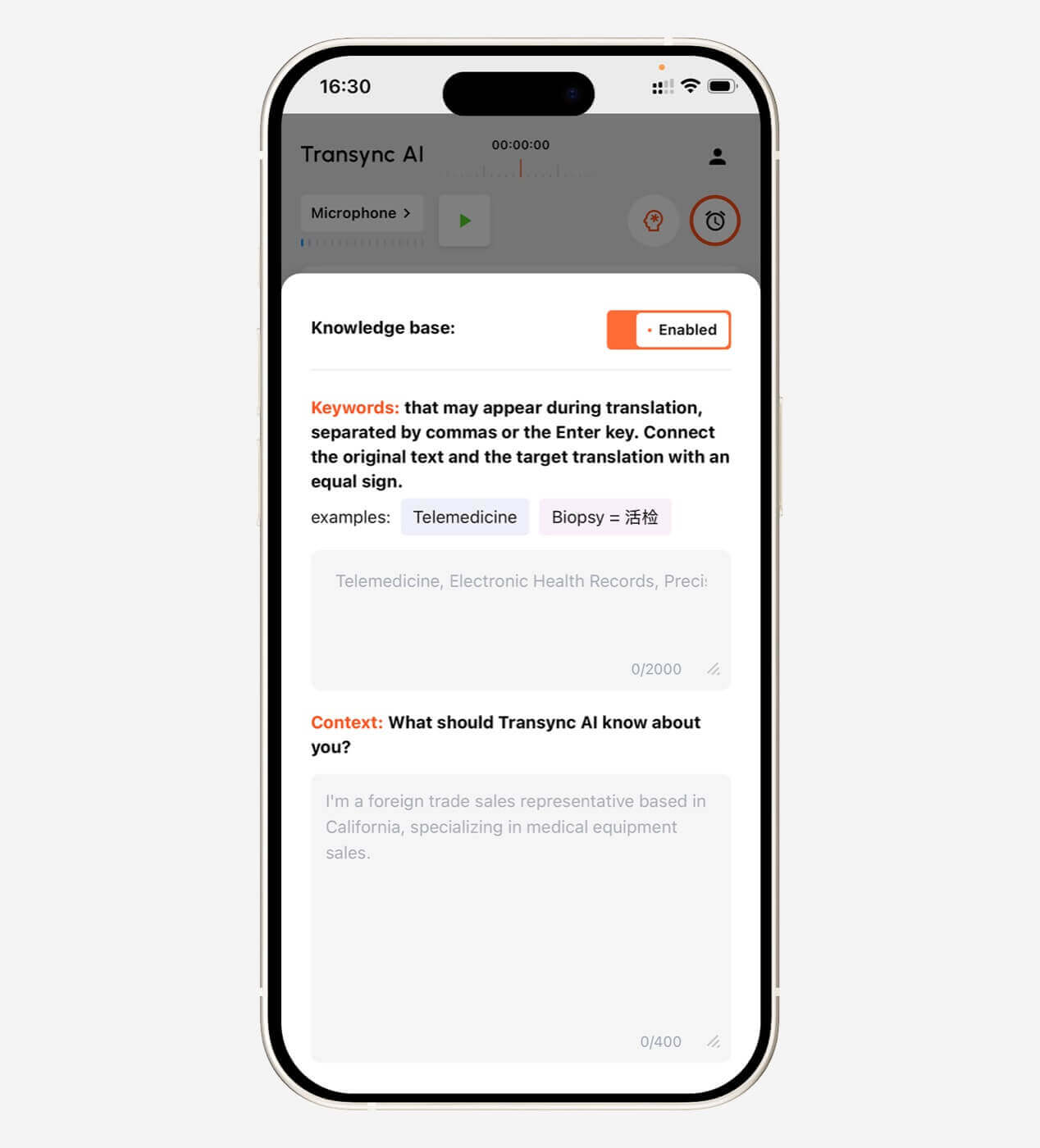 One problem with many online translators is that they handle general language well but struggle with specific names, brands, technical terms, or industry vocabulary.
For example, a meeting may include terms like:
- “Transync AI = 同言翻译”
- “semiconductor”
- “renewable energy”
- “machine learning pipeline”
- “supply chain risk”
- “John Smith”
- “product launch campaign”
Without context, AI may translate these terms too literally or inconsistently.
Transync AI allows users to set keywords and describe meeting context before translation starts. This helps the AI understand the topic, industry, and preferred terminology.
For example, a user could add:
“I work in the healthcare technology industry. This online meeting is about product onboarding, customer feedback, and software integration.”
That context can make live web translation more accurate and easier to understand, especially in business, education, technical training, and academic settings.
Explore this feature here: AI Assistant Keywords Context.
6. AI Meeting Notes After Web Translation
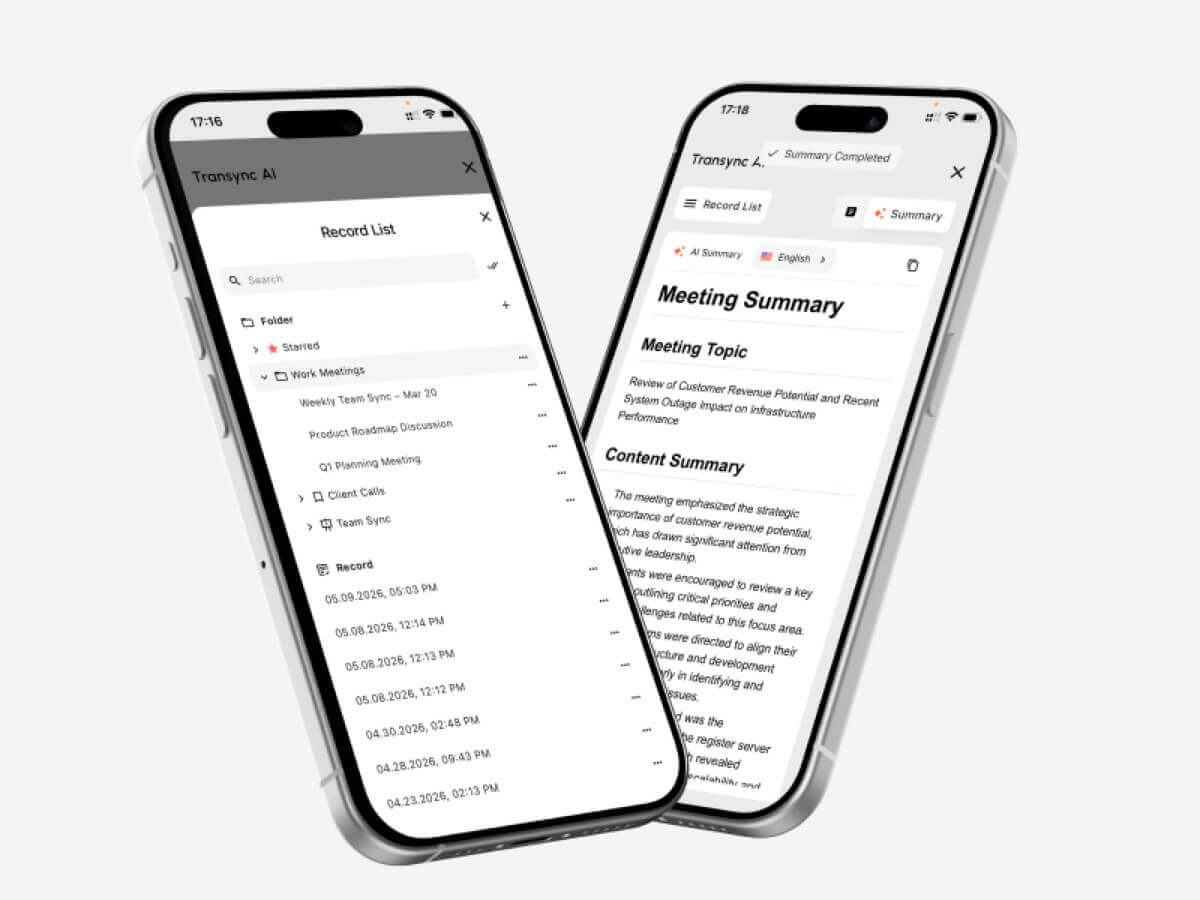 Understanding a multilingual meeting is only part of the workflow. After the meeting, users often need to review what happened, summarize decisions, and share key points with teammates.
That is where AI meeting notes become useful.
Transync AI can generate AI-powered meeting notes from translated conversations, helping users capture important points without manually writing everything down.
This is helpful for:
- Client follow-ups
- Internal team summaries
- Lecture review
- Project discussions
- Interview records
- Training sessions
- Cross-border sales calls
Instead of treating translation and note-taking as two separate tasks, a web translation workflow with AI meeting notes helps users understand the conversation now and review it later.
For more details, visit AI Meeting Notes with Real-Time Translation.
7. Floating Subtitles for Multitasking Online
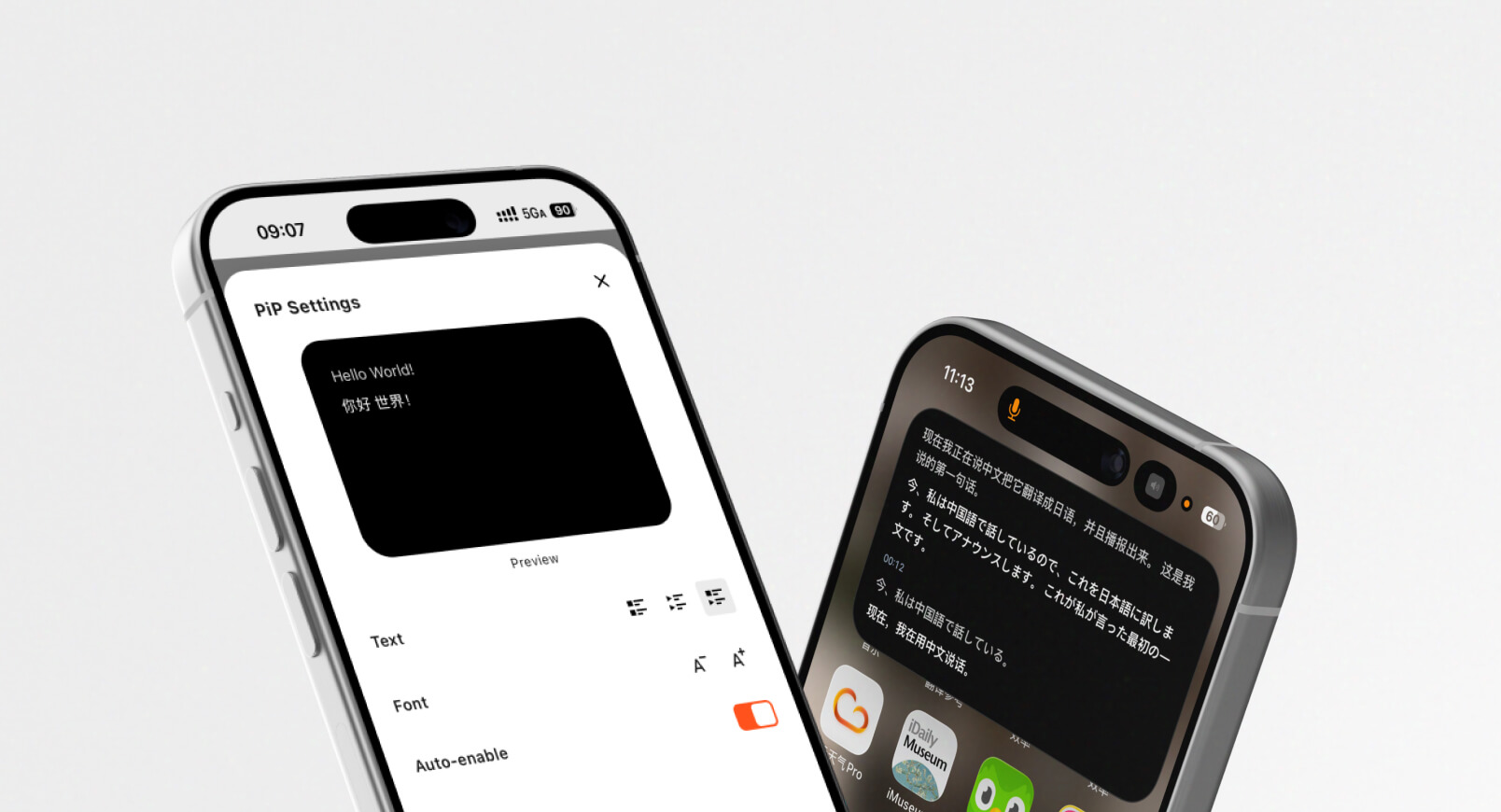
Transync AI Update v1.12 | Voice Cloning & Virtual Microphone Support & PiP
Online communication rarely happens in one window. During a meeting, users may need to check slides, browse a document, present a demo, or reply to a message.
If translated subtitles are locked inside one window, users may lose access to them when switching apps.
Transync AI’s Picture-in-Picture floating subtitles solve this problem by keeping translated captions visible above other applications. This is especially useful for web meetings, online presentations, and remote learning.
With floating subtitles, users can:
- Present slides while still reading translations
- Follow a webinar while taking notes
- Watch a demo and keep subtitles visible
- Switch between apps without losing translated captions
- Use bilingual subtitles during multitasking
For users who work online all day, this small workflow improvement can make web translation much easier to use. See Picture in Picture Floating Subtitles.
Web Translation vs Website Translation: What Is the Difference?
Many people use “web translation” and “website translation” interchangeably, but they are not always the same.
| Term | Meaning | Example |
| Website translation | Translating static website content | Translating a product page from English to Japanese |
| Browser translation | Translating text inside a browser | Reading a foreign news article |
| Web-based translation | Translating content through online tools | Using a web translator for text or audio |
| Live web translation | Translating online speech in real time | Translating a Zoom meeting as people speak |
If you want to localize an entire website, you may need a website localization platform or human translation workflow. If you want to understand and participate in online conversations, you need live translation, speech translation, subtitles, and meeting tools.
Transync AI is built for the second use case: live multilingual communication.
How to Choose the Best Web Translation Tool
The best web translation tool depends on what you are trying to translate.
Choose a simple browser translator if you need to:
- Read a foreign webpage
- Translate short text
- Understand a restaurant menu or article
- Quickly check the meaning of a phrase
Choose a live translation tool if you need to:
- Join online meetings across languages
- Translate speech in real time
- Read bilingual captions during a call
- Use voice output for translated speech
- Generate meeting notes
- Improve accuracy with keywords and context
- Keep subtitles visible while multitasking
For professional communication, real-time performance matters more than basic text translation. A tool may translate a paragraph well, but still perform poorly in a live meeting if it has high latency, weak audio handling, or no subtitle workflow.
How to Use Transync AI for Web Translation
Here is a simple workflow for using Transync AI in online communication.
Step 1: Select your language pair
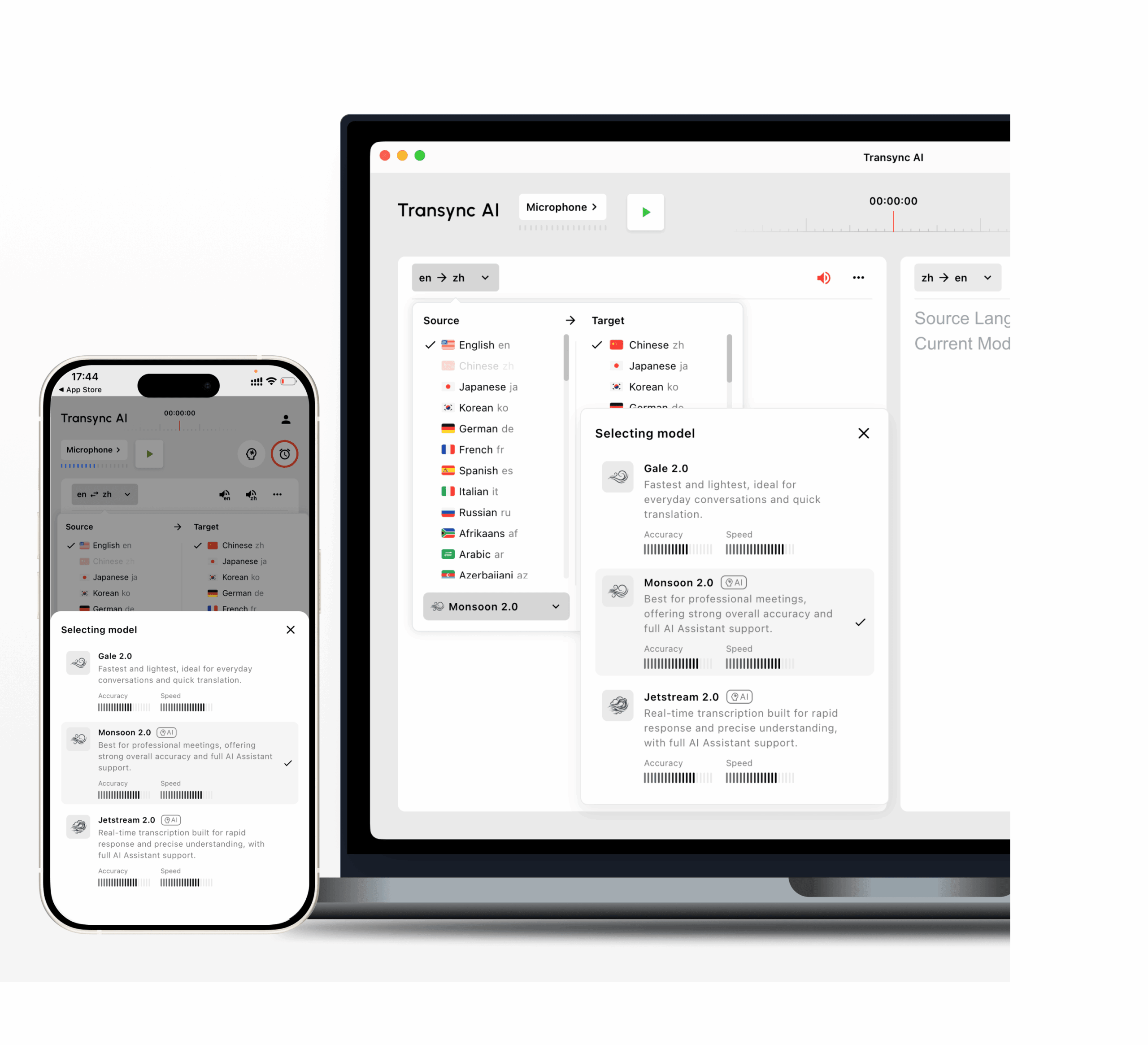
Choose the languages you need for the meeting or conversation. Transync AI supports 60 languages and more than 1,000 language pairs.
Step 2: Start real-time translation
Begin the translation task before or during your online meeting. Transync AI can automatically detect the speaker’s language and translate in real time.
Step 3: Enable subtitles or voice broadcast
Use bilingual subtitles if you prefer reading. Use AI voice translation if you want translated speech output. In many meetings, using both can improve understanding.
Step 4: Add keywords and context
Before a technical or professional meeting, add names, brand terms, industry vocabulary, and background context to improve translation accuracy.
Step 5: Use floating subtitles
If you need to present slides, browse tabs, or take notes, enable Picture-in-Picture subtitles so translations stay visible above your apps.
Step 6: Review AI meeting notes
After the meeting, check the AI-generated notes to review key points, decisions, and follow-up tasks.
FAQ: Web Translation
What is web translation?
Web translation means translating language in online environments. It can include webpage translation, browser translation, online text translation, live subtitles, voice translation, and real-time meeting translation.
What is the best web translation tool for online meetings?
For online meetings, the best web translation tool should support real-time speech translation, bilingual subtitles, voice output, low latency, and compatibility with platforms like Zoom, Microsoft Teams, and Google Meet. Transync AI is designed for this type of live multilingual workflow.
Is web translation the same as website translation?
Not always. Website translation usually means translating static website content. Web translation can also refer to real-time translation for online meetings, webinars, classes, and browser-based conversations.
Can web translation translate spoken audio?
Yes, if the tool supports speech translation. Transync AI can translate spoken conversations in real time and display bilingual subtitles or play translated voice output.
Does Transync AI translate webpages?
Transync AI is mainly designed for real-time speech translation, meeting translation, bilingual subtitles, AI voice output, and AI meeting notes. It is not primarily a static webpage localization or image translation tool.
How many languages does Transync AI support?
Transync AI supports real-time translation in 60 languages and more than 1,000 language pairs, making it useful for multilingual meetings, classes, and international conversations.
Final Thoughts: Web Translation Should Help People Communicate Live
Modern web translation is not only about reading foreign text online. It is increasingly about helping people understand and respond during live digital communication.
For simple reading, a browser translator may be enough. But for online meetings, international classes, webinars, interviews, and business calls, users need a real-time translation workflow that supports speech, subtitles, voice output, context, and post-meeting notes.
Transync AI brings these features together for online communication: real-time translation, 60-language support, AI voice broadcast, meeting notes, keywords and context, and floating subtitles. For teams, students, teachers, and professionals working across languages, it helps make web-based communication faster, clearer, and more natural.
To explore more, visit Transync AI, check the supported languages, or download the app from the Transync AI download page.
 🤖
🤖