
उपयोगकर्ता गाइड
उपयोग के मामले
बहुभाषी बैठकों के लिए ज़ूम अनुवाद
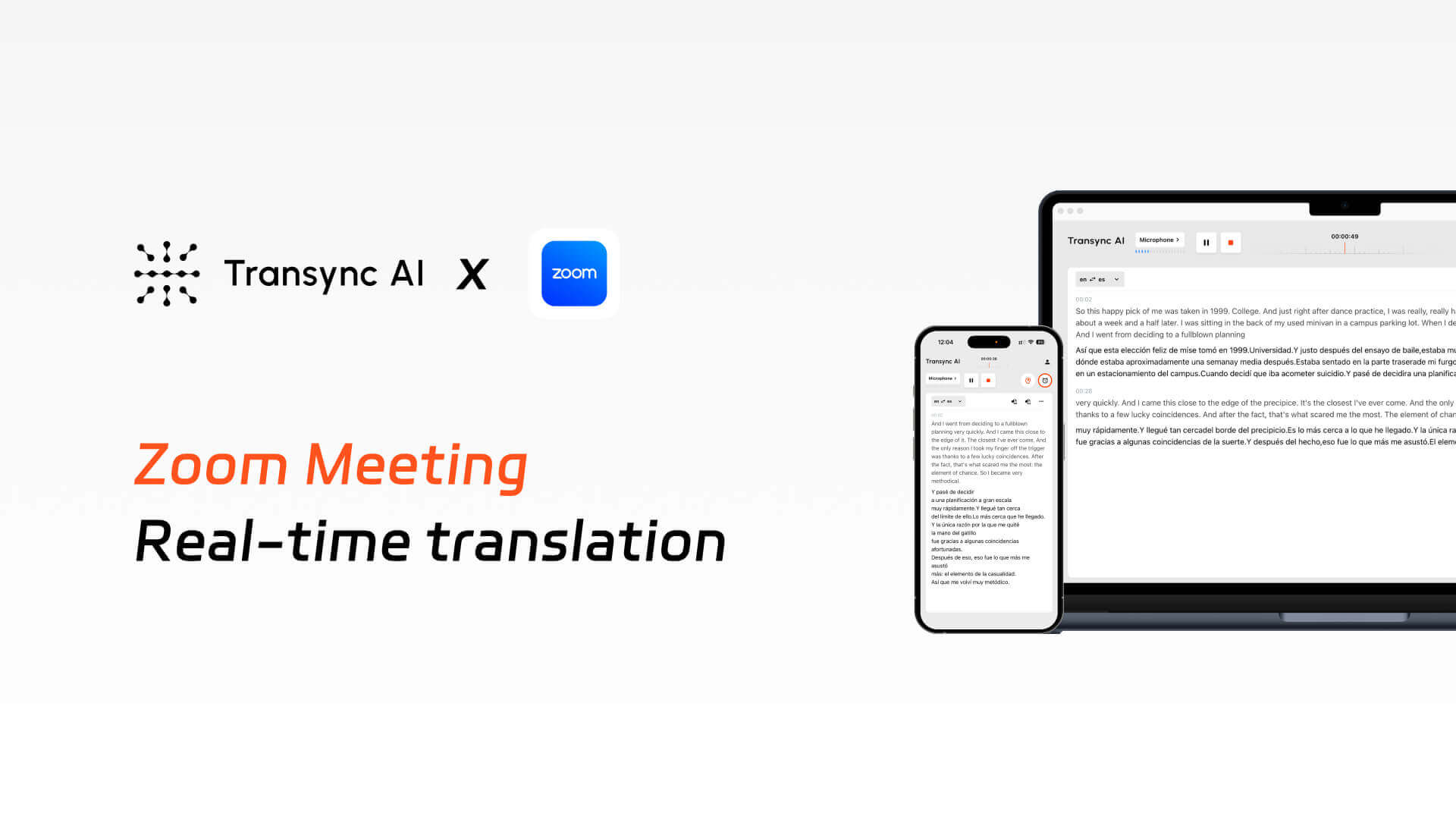
ट्रांसिंक एआई यह वास्तविक समय में द्विभाषी अनुवाद को सक्षम बनाता है ज़ूम मीटिंग्स, यह लाइव सबटाइटल, वॉइस ब्रॉडकास्टिंग और स्वचालित मीटिंग मिनट्स प्रदान करता है।.
ट्यूटोरियल
वीडियो
बहुभाषी बैठकों में वास्तविक परेशानियाँ।.
1. विभिन्न भाषाओं के बीच संचार में कम दक्षता
प्रतिभागियों को विदेशी भाषा बोलने वालों को समझने में कठिनाई होती है, हाशिए पर अनुवाद करने से बैठक का प्रवाह बाधित होता है, और गैर-देशी वक्ता अक्सर बोलने में हिचकिचाते हैं, जिससे संचार दक्षता काफी कम हो जाती है।.
2. ज़ूम में अपर्याप्त अंतर्निहित क्षमताएं
ज़ूम के अंतर्निर्मित उपशीर्षक सीमित भाषाओं का समर्थन करते हैं, उच्च विलंबता और अस्थिर सटीकता से ग्रस्त हैं, और संदर्भ, शब्दावली और कीवर्ड के लिए अनुकूलन का अभाव है।.
3. बैठक के बाद ज्ञान को प्रभावी ढंग से बनाए रखने में असमर्थता
बैठकों के दौरान जानकारी को केवल आंशिक रूप से ही समझा जा सकता है, जिसके कारण बाद में नोट्स को व्यवस्थित करने के लिए अतिरिक्त प्रयास करने पड़ते हैं, जबकि प्रतिभागियों के पास बैठक के रिकॉर्ड तक साझा, सिंक्रनाइज़्ड पहुंच नहीं होती है।.
ट्रांससिंक एआई ज़ूम के साथ कैसे काम करता है?
ज़ूम मीटिंग के दौरान सबटाइटल और वॉइस ब्रॉडकास्टिंग सहित रीयल-टाइम द्विभाषी अनुवाद लागू करें और मीटिंग मिनट्स स्वचालित रूप से जेनरेट करें।.
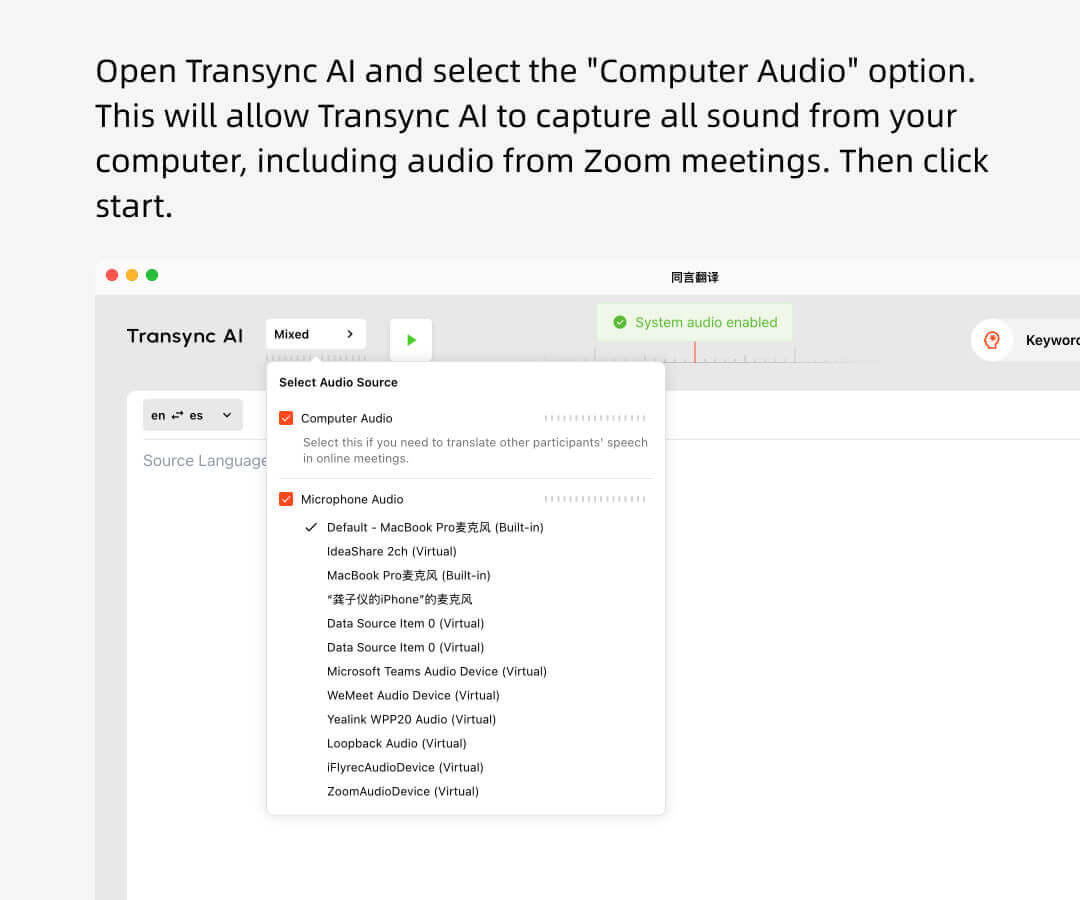
1. ट्रांससिंक एआई खोलें, उपयुक्त भाषा जोड़ी चुनें, कंप्यूटर ऑडियो बॉक्स को चेक करें और अनुवाद शुरू करें।.
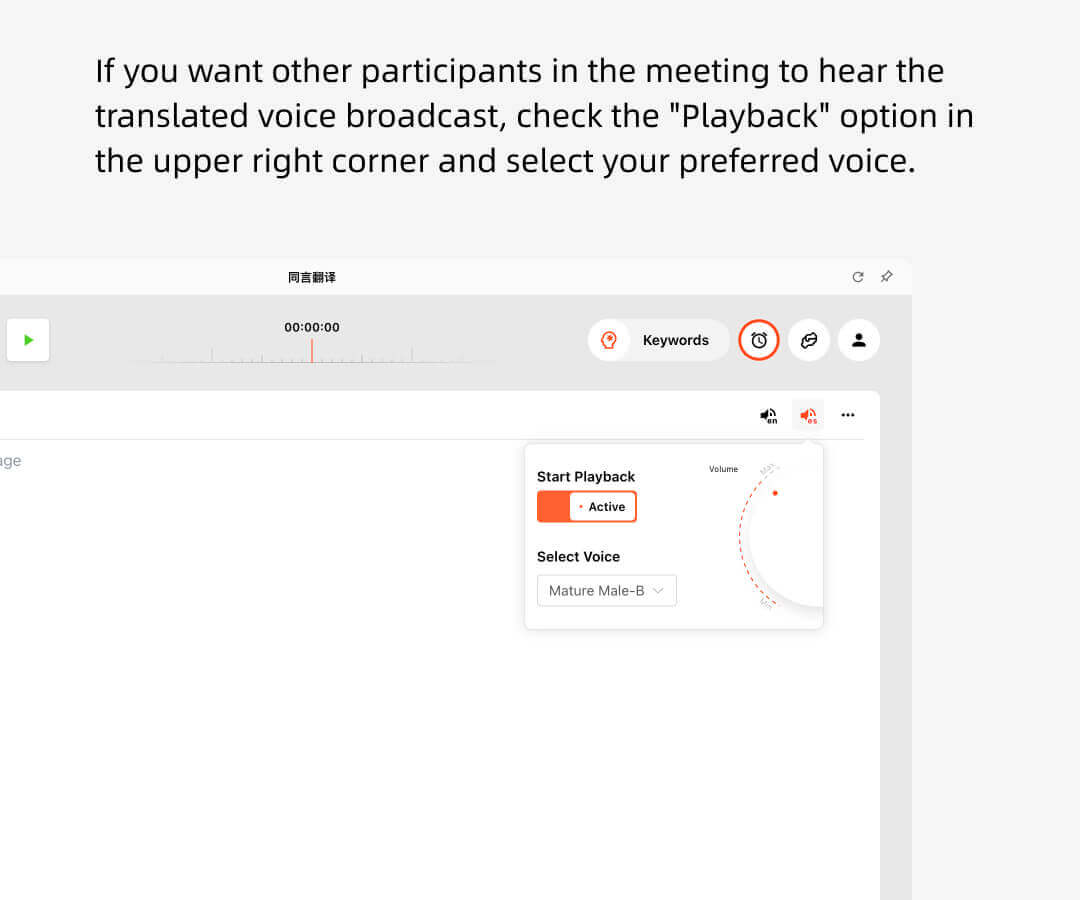
2. यदि आप चाहते हैं कि अन्य लोग अनुवादित ऑडियो प्रसारण सुनें, तो ऊपरी दाएं कोने में "प्लेबैक शुरू करें" विकल्प को चुनें।.
3. ज़ूम खोलें और मीटिंग शुरू करें। ट्रांससिंक एआई आपके कंप्यूटर से ऑडियो सुनेगा और वास्तविक समय में अनुवाद प्रदान करेगा।.
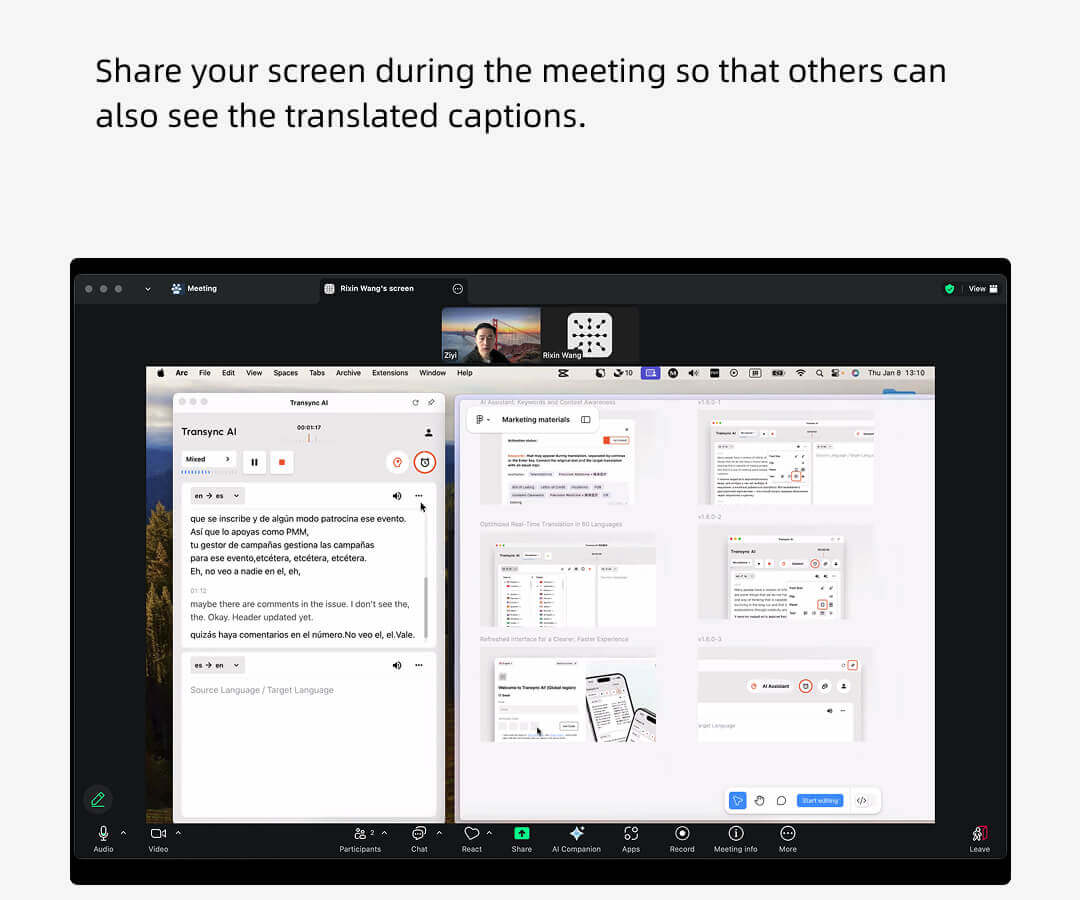
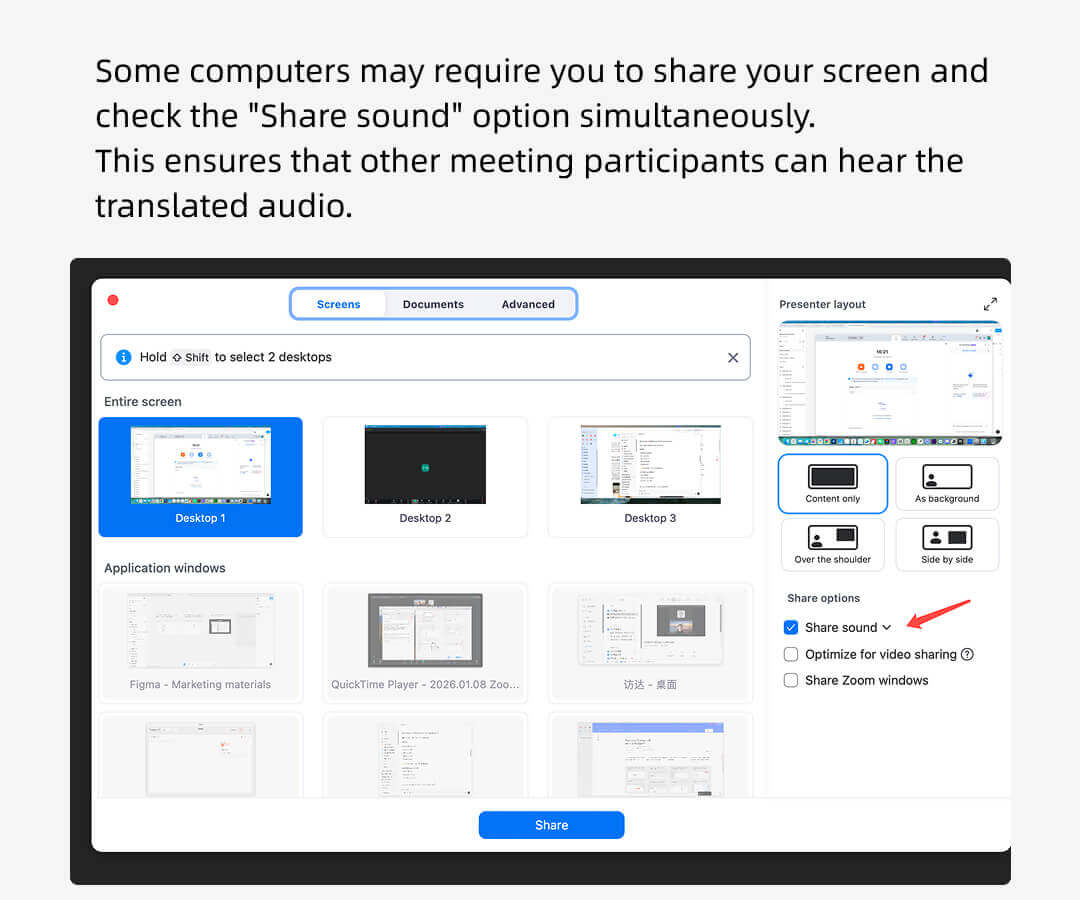
4. कभी-कभी आपको अपनी स्क्रीन साझा करने और "कंप्यूटर ध्वनि शामिल करें" विकल्प का चयन करने की आवश्यकता होती है ताकि अन्य लोग ऑडियो प्लेबैक सुन सकें।.
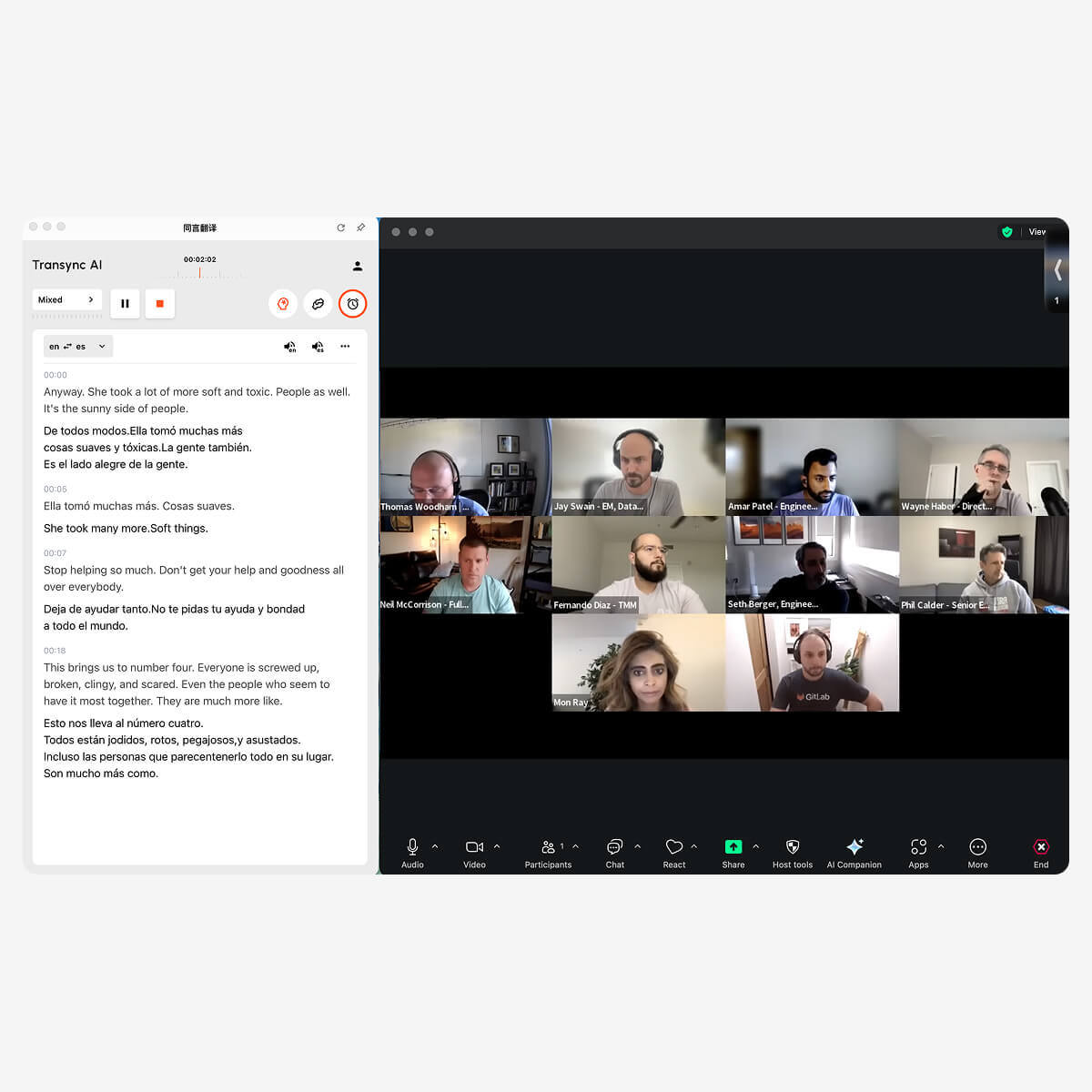
ज़ूम अनुवाद होस्ट दृश्य
ज़ूम मीटिंग के होस्ट ट्रांससिंक एआई का उपयोग करके अन्य प्रतिभागियों की टिप्पणियों को सुन सकते हैं और उन्हें वास्तविक समय में प्रसारित कर सकते हैं।.
अन्य प्रतिभागियों को ट्रांससिंक एआई खाते की आवश्यकता नहीं है, और न ही उनसे अनुवाद के उपयोग के समय के लिए शुल्क लिया जाएगा। केवल मेजबान ही उपयोग के मिनटों का उपयोग करेगा।.
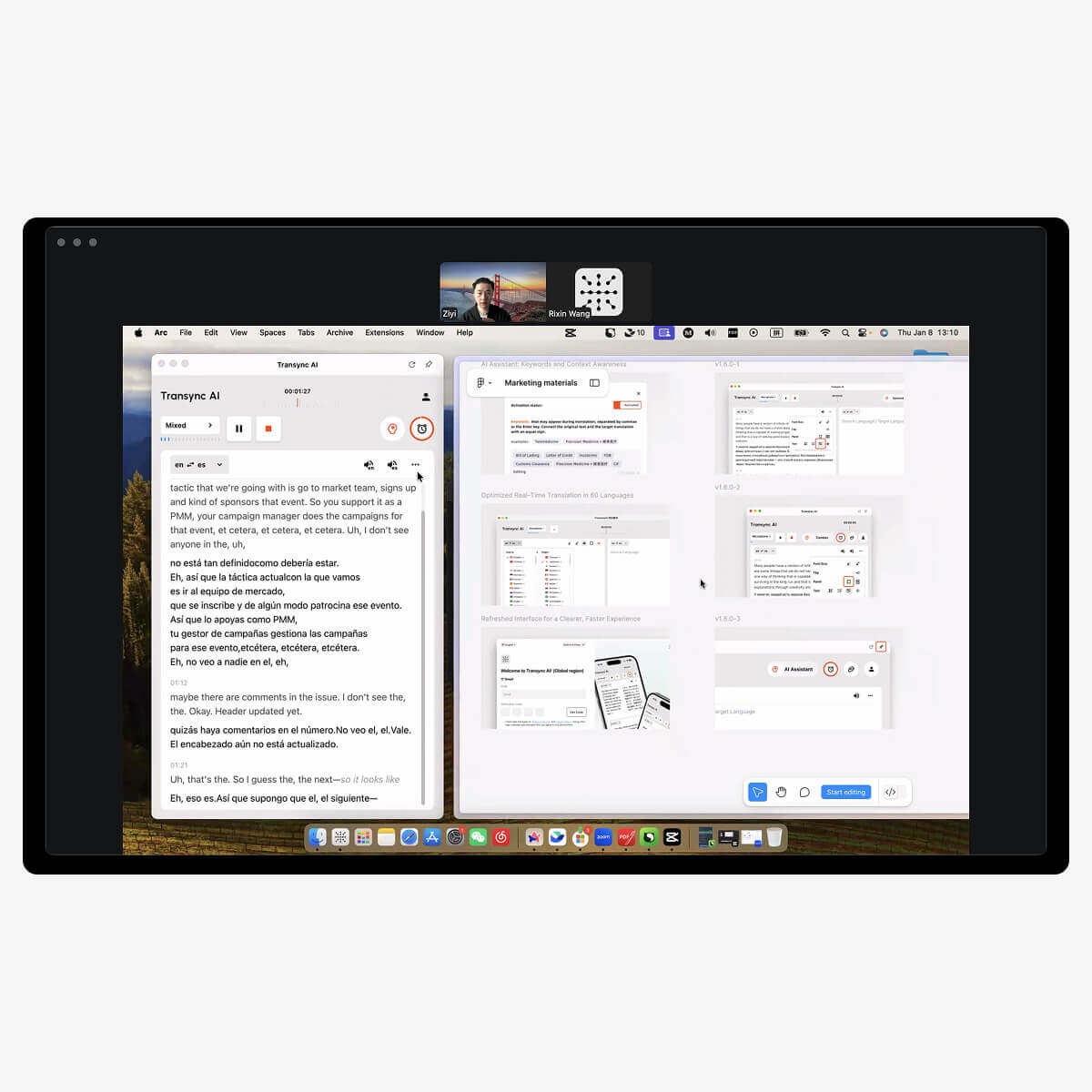
ज़ूम अनुवाद में भाग लेने वाले प्रतिभागियों का दृश्य
जूम मीटिंग में भाग लेने वालों को किसी भी सॉफ्टवेयर या प्लग-इन को डाउनलोड करने की आवश्यकता नहीं है।.
मीटिंग के आयोजक को ही ट्रांससिंक एआई खोलकर वॉइस ब्रॉडकास्ट फ़ीचर चालू करना होगा ताकि प्रतिभागी अनुवादित ऑडियो सुन सकें। अगर आयोजक अपनी स्क्रीन शेयर करते हैं, तो प्रतिभागी अनुवादित सबटाइटल भी देख सकेंगे।.
इसके अलावा, प्रतिभागियों से कोई शुल्क नहीं लिया जाएगा।.
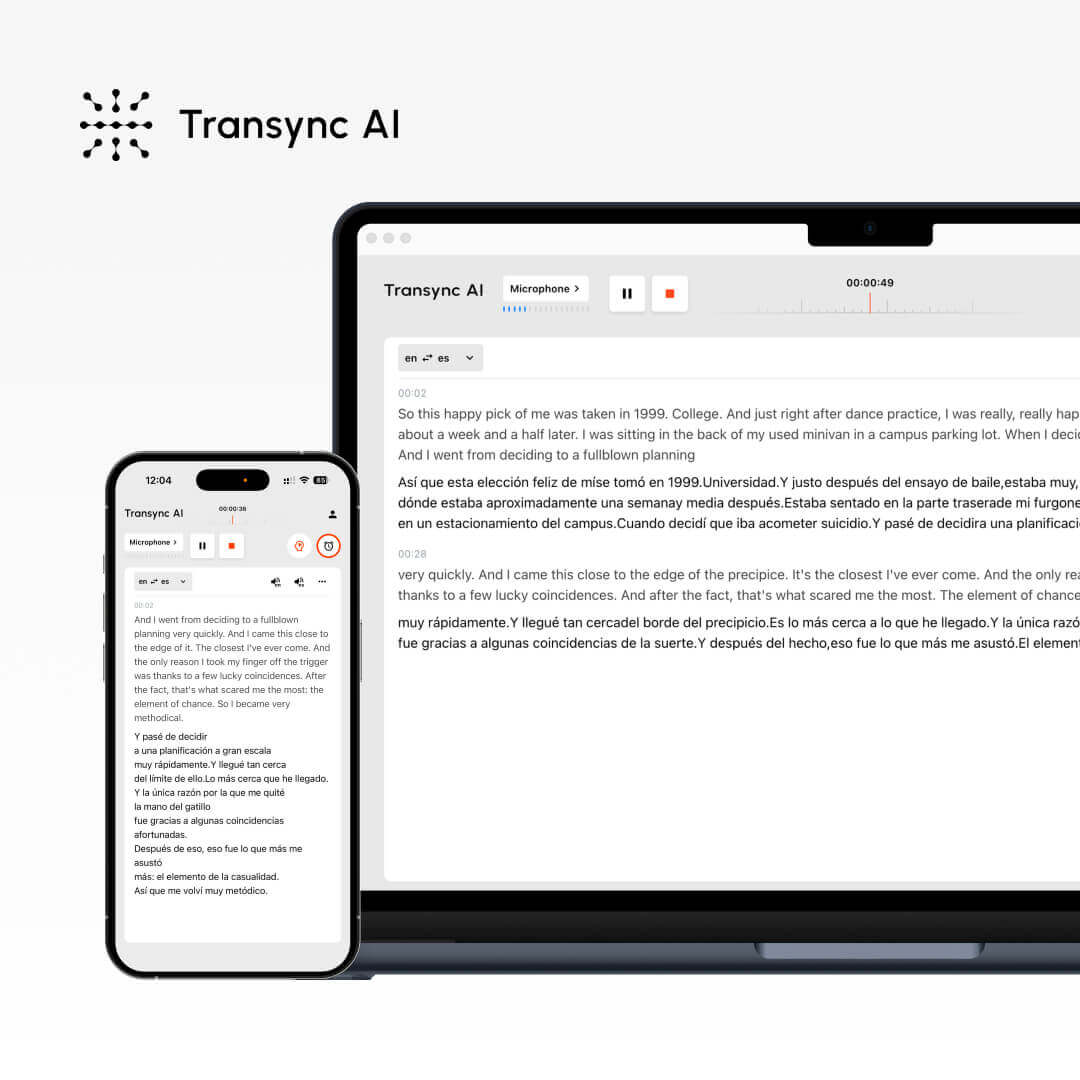
विभिन्न कॉन्फ़्रेंस सॉफ़्टवेयर के साथ संगत, किसी प्लग-इन की आवश्यकता नहीं

औजार
ज़ूम के साथ उपयोग किए जाने पर ट्रांससिंक एआई की मुख्य विशेषताएं।.
ज़ूम के लिए हमारी रीयल-टाइम अनुवाद सेवाओं में निम्नलिखित शामिल हैं: बहुभाषी वास्तविक समय अनुवाद ज़ूम मीटिंग के दौरान, वास्तविक समय ध्वनि अनुवाद सत्रों के दौरान प्रसारण, बहुभाषी बैठक सारांश और ज़ूम मीटिंग समाप्त होने के बाद तैयार किए गए मिनट्स।.
ज़ूम अनुवाद के लिए ट्रांससिंक एआई को क्यों चुनें?
1. यह सरल सामान्य अनुवाद के बजाय विशेष रूप से मीटिंग परिदृश्यों के लिए डिज़ाइन किया गया है, और यह समर्थन करता है। मुख्यशब्द और संदर्भ.
2. कम विलंबता और उच्च सटीकता इसे वास्तविक समय की चर्चाओं के लिए आदर्श बनाती है। एंड-टू-एंड स्पीच एलएलएम द्वारा संचालित, 981टीपी3टी पेशेवर संदर्भों में सटीकता प्रदान करता है।
3. यह समर्थन करता है 60 से अधिक भाषाओं, सीमित संख्या में अंतर्निहित भाषाओं के बजाय, यह बैठक समाप्त होने के बाद बैठक के कार्यवृत्त तैयार कर सकता है।
4. यह एंटरप्राइज-ग्रेड डेटा सुरक्षा और अनुपालन मानकों का समर्थन करता है, और GDPR अनुपालन आवश्यकताओं को पूरा करता है।.
ट्रांसिन्क एआई, ज़ूम की अंतर्निहित अनुवाद सुविधाओं और अन्य अनुवाद सॉफ़्टवेयर के बीच तुलना।.
विशेषताएँ
भाषाओं का समर्थन करता है।.
रीयल-टाइम कैप्शनिंग
वास्तविक समय ध्वनि अनुवाद
स्वचालित मीटिंग मिनट्स
मुख्य शब्द और संदर्भ
कम अव्यक्ता
उच्च सटीकता
ट्रांसिंक एआई
60+
✔
✔
✔
✔
★★★
★★★
ज़ूम का मूल अनुवाद
36
✔
✗
✗
✗
★★
★★
अन्य अनुवाद सॉफ़्टवेयर
10+
✗
✗
✗
✗
★
★
अब वास्तविक समय अनुवादक का उपयोग करें।
Transync AI के रीयल-टाइम अनुवादक के साथ भाषा की बाधाओं को तुरंत दूर करें — बैठकों, यात्रा और अन्य अवसरों के लिए 60 भाषाओं में ध्वनि और पाठ अनुवाद उपलब्ध है। अभी पंजीकरण करें और 40 मिनट तक निःशुल्क उपयोग का लाभ उठाएं।.