

Quelle application de traduction puis-je utiliser immédiatement pour Google Meet ?
L'importance des applications de traduction dans les réunions virtuelles
Dans un monde du travail de plus en plus globalisé, les outils de visioconférence comme Google Meet sont devenus essentiels à une communication efficace. Cependant, lorsque des équipes travaillent dans des langues différentes, des malentendus peuvent survenir. Heureusement, applications de traduction sont là pour combler ce fossé, permettant des interactions fluides quelles que soient les langues maternelles des participants.
Choisir une application de traduction efficace et compatible avec Google Meet est essentiel pour optimiser la collaboration et garantir que tous les participants partagent la même compréhension. Cet article présente les meilleures applications de traduction que vous pouvez utiliser dès maintenant lors de votre prochaine session Google Meet.
Les défis des réunions multilingues
Lors de réunions multilingues, plusieurs difficultés peuvent entraver une communication efficace :
- Barrières linguistiques : Des malentendus peuvent survenir en raison des différences linguistiques.
- Nécessité en temps réel : Les participants s'attendent à des réponses immédiates, ce qui peut s'avérer difficile sans outils de traduction appropriés.
- Terminologie technique : Le jargon technique propre à l'industrie peut être mal interprété, ce qui peut entraîner confusion et erreurs.
Meilleures applications de traduction pour Google Meet
Voici cinq applications de traduction utilisables immédiatement, sans configuration ni formation approfondies :
1. Transync AI – Puissance de traduction en temps réel
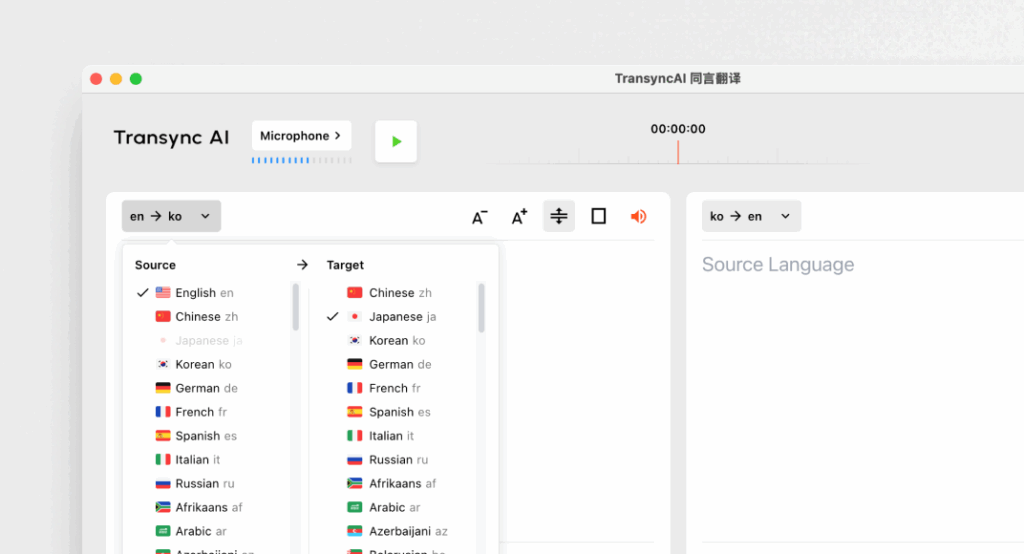
Qu'est-ce que c'est :
Transync AI est une application de traduction avancée conçue spécifiquement pour la communication en temps réel, offrant des traductions rapides et précises lors des réunions.
Caractéristiques principales :
- Précision du 95%+ : Haute précision de traduction spécifiquement adaptée aux contextes commerciaux.
- Latence < 100 ms : Temps de réponse immédiat pour des conversations fluides.
- Détection automatique de la langue : Aucune configuration requise ; l'application détecte la langue de l'orateur.
- Notes de réunion bilingues : Génération automatique de notes dans les deux langues.
- Intégration: Fonctionne parfaitement avec Google Meet.
Idéal pour : Les entreprises qui ont besoin de traductions instantanées et précises lors de leurs réunions.
2. Otter.ai – Compagnon de réunion

Qu'est-ce que c'est :
Otter.ai est spécialisé dans la transcription audio et la traduction en temps réel, ce qui le rend indispensable pour les réunions.
Caractéristiques principales :
- Transcriptions automatiques : Capture les conversations en direct et en temps réel.
- Précision du 92% : Fiable pour les conversations lors des réunions.
- Capacités d'intégration : Peut être utilisé avec Google Meet pour un fonctionnement optimal.
- Identification du locuteur : Reconnaît les locuteurs, facilitant la prise de notes.
Idéal pour : Équipes recherchant des services de transcription ainsi qu'un soutien en traduction.
3. Worldly – Cohérent et personnalisable

Qu'est-ce que c'est :
Wordly permet aux entreprises de personnaliser les options de traduction en fonction de la terminologie et du contexte spécifiques.
Caractéristiques principales :
- Précision du 94% : Fiable pour les discussions techniques et commerciales.
- Glossaires personnalisés : Les entreprises peuvent saisir des terminologies spécifiques à leur domaine.
- Traduction instantanée : Traduit rapidement les documents et les conversations.
- Intégration: Fonctionne parfaitement avec diverses plateformes de réunions virtuelles, notamment Google Meet.
Idéal pour : Des équipes qui exigent un langage cohérent lors des discussions techniques.
4. Papago – Rapide et polyvalent
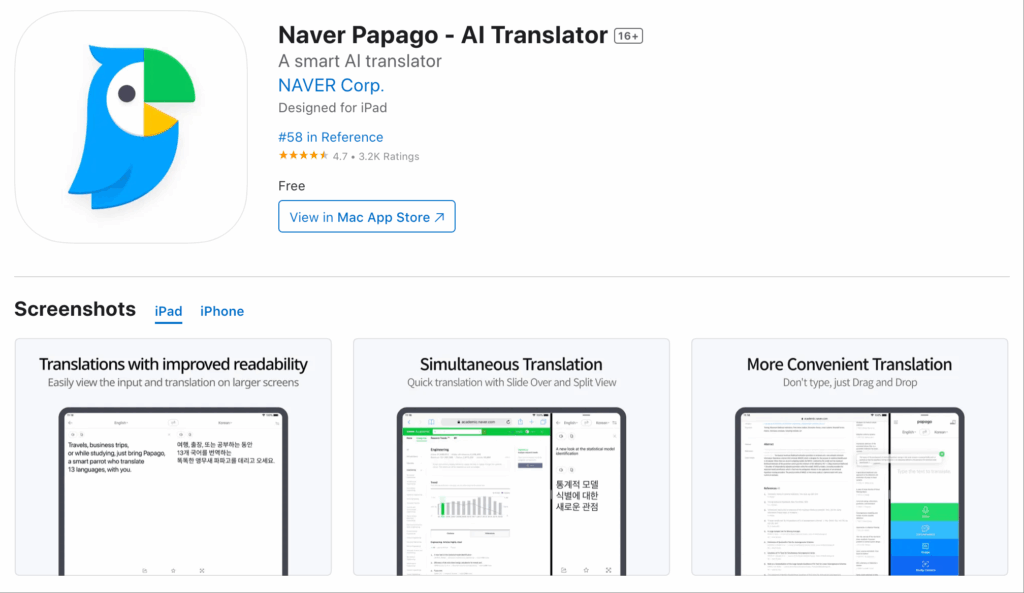
Qu'est-ce que c'est :
Papago propose un service de traduction simple et direct pour diverses langues d'Asie du Sud-Est.
Caractéristiques principales :
- Précision du 92% : Convient aux conversations informelles et semi-techniques.
- Fonctionnalités de la caméra : Traduisez du texte à l'aide de la fonction appareil photo de l'application.
- Accès gratuit : Entièrement gratuit et sans aucune limite de temps.
- Utilisation Web et mobile : Accessible aux utilisateurs sur différents appareils.
Idéal pour : Traductions rapides dans des contextes informels ou semi-formels.
5. Google Traduction – Familier et accessible
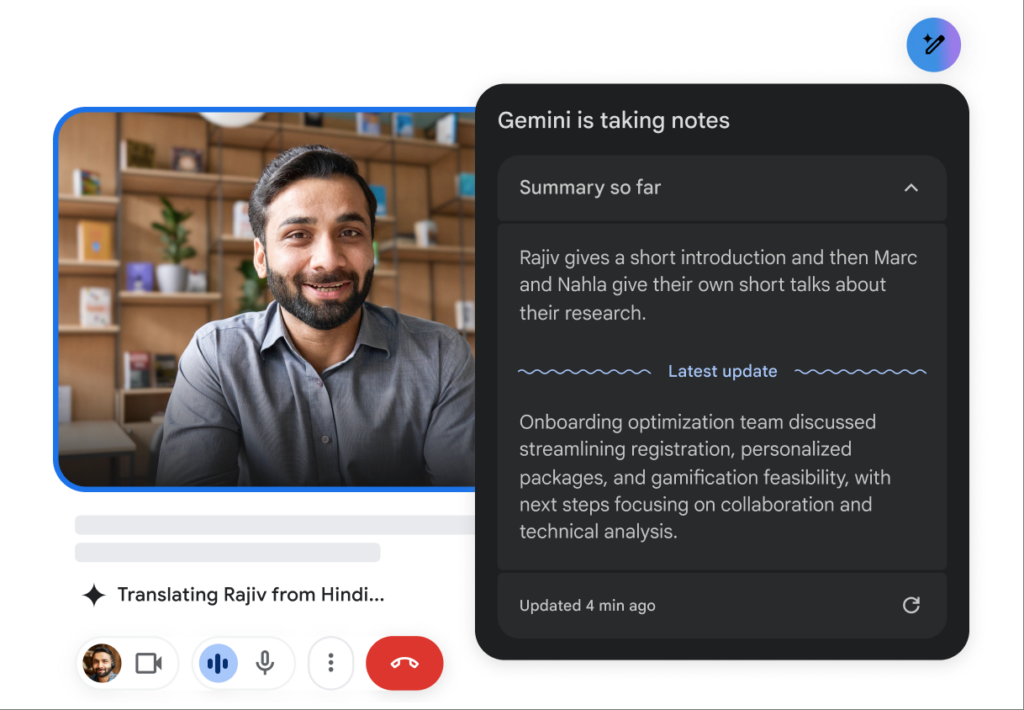
Qu'est-ce que c'est :
Google Traduction est un outil de traduction bien connu qui offre de nombreuses options linguistiques.
Caractéristiques principales :
- Précision du 83% : Des fonctionnalités de traduction de base qui conviennent aux textes simples.
- Prise en charge multilingue : Propose des traductions dans plus de 100 langues.
- Gratuit et facilement accessible : Disponible sur le web et sur mobile.
- Intégration: Peut servir d'outil complémentaire à Google Meet.
Idéal pour : Une communication simple et informelle, sans avoir besoin de fonctionnalités complexes.
Tableau comparatif : Les meilleures applications de traduction pour Google Meet
| Application de traduction | Précision | Latence | Convivial | Intégration | Idéal pour | Plan gratuit |
|---|---|---|---|---|---|---|
| Transync AI | 95%+ | <100 ms | Très facile | Google Meet | Réunions multilingues en temps réel | 40 min |
| Loutre.ai | 92% | En temps réel | Très simple | Google Meet | Transcription et traduction automatiques | $15-30/mois |
| Mondial | 94% | Instantané | Convivial | Google Meet | Traductions techniques cohérentes | Essai disponible |
| Papago | 92% | 250-350 ms | Simple et intuitif | Web et mobile | Traduction rapide pour usage informel | Entièrement gratuit |
| Google Traduction | 83% | 300 ms+ | Basique et largement utilisé | Web et mobile | Traductions générales sans spécialisation | Gratuit |
Section FAQ : Questions fréquentes sur les applications de traduction pour Google Meet
Q1 : Quelles fonctionnalités dois-je privilégier lors du choix d’une application de traduction pour Google Meet ?
UN: Recherchez des fonctionnalités telles que la précision, la faible latence, l'intégration avec Google Meet, la facilité d'utilisation et la détection automatique de la langue. Elles garantiront une communication efficace lors des réunions.
Q2 : Ces applications de traduction nécessitent-elles une installation ou une configuration complexe ?
UN: La plupart des applications mentionnées dans cet article sont faciles d'accès et d'installation, sans formation approfondie ni procédures complexes. Des applications comme Transync AI et Papago permettent un déploiement rapide.
Q3 : Comment les taux de précision de ces applications se comparent-ils à ceux des traducteurs humains ?
UN: Alors que les traducteurs humains atteignent généralement une précision de 99%+, les applications de traduction mentionnées ici ont une précision comprise entre 83% et 95%, ce qui les rend adaptées à la plupart des cas d'utilisation, mais pas un substitut complet à la supervision humaine dans les documents sensibles.
Q4 : Y a-t-il des frais associés à l’utilisation de ces applications de traduction ?
UN: Certaines applications, comme Otter.ai et Wordly, fonctionnent par abonnement, tandis que d'autres proposent des formules ou des essais gratuits. Par exemple, Transync AI offre 40 minutes de traduction gratuite pour commencer.
Q5 : Comment intégrer une application de traduction à mon Google Meet ?
UN: L'intégration se fait généralement en sélectionnant l'application dans Google Meet ou via une simple procédure d'installation. La plupart des outils facilitent la connexion afin d'optimiser son utilisation pendant les réunions.
En tirant parti de ces informations, vous pouvez améliorer vos expériences Google Meet et garantir une communication claire malgré les barrières linguistiques grâce aux applications de traduction les plus fiables disponibles !
Si vous voulez une expérience de nouvelle génération, Transync AI ouvre la voie avec une traduction en temps réel, optimisée par l'IA, qui assure un flux naturel des conversations. Vous pouvez essayez-le gratuitement maintenant.

