

Potřebujete rozšíření pro překladač pro váš prohlížeč nebo schůzky? Správné rozšíření pro překlad změní způsob, jakým komunikujete napříč jazyky.
“Rozšíření Traductor” (anglicky rozšíření pro překladač) označuje softwarové doplňky, které poskytují překladatelské funkce ve vašich stávajících aplikacích. Ať už potřebujete prohlížeč prodloužení převodníku pro čtení zahraničních webových stránek nebo schůzku prodloužení převodníku Pro překlad konverzace v reálném čase dokáže správný nástroj okamžitě odstranit jazykové bariéry.
Ale kvalita se dramaticky liší. Některé rozšíření převodníku nabízejí pouze základní překlad textu s robotickým výstupem. Jiné poskytují profesionální hlasový překlad v reálném čase s přirozeným zvukem a automatickou dokumentací.
Tato příručka vysvětluje, co prodloužení převodníku porovnává nejlepší možnosti pro různé případy použití a ukazuje, proč Transync AI vede v kategorii profesionálního překladu schůzek a akcí.
Co je rozšíření překladače?
Běžné typy rozšíření překladače
1. Rozšíření prohlížeče (Chrome, Firefox, Safari)
- Automatický překlad webových stránek
- Překlad slov při najetí myší
- Vyberte text a přeložte ho
- Příklady: rozšíření Google Translate, rozšíření DeepL
2. Rozšíření platformy pro schůzky (Zoom, Teams, Meet)
- Překlad konverzace v reálném čase
- Hlasový překlad se zvukovým výstupem
- Automatické titulky ve více jazycích
- Příklady: Transync AI, rozšíření pro překladač schůzek
3. Rozšíření pro e-maily (Gmail, Outlook)
- Překlad příchozích e-mailů
- Pište e-maily v cizích jazycích
- Příklady: Překladač Google pro Gmail
4. Rozšíření dokumentů (Word, Dokumenty Google)
- Překládat dokumenty během úprav
- Zachovat formátování
- Příklady: Microsoft Translator pro Word
Browser Traductor Extension: Srovnání
Rozšíření Google Překladač

Co to dělá:
- Překládá celé webové stránky
- Překlad slov při najetí myší
- Překlad kontextové nabídky po kliknutí pravým tlačítkem myši
- Podporováno 133 jazyků
Silné stránky:
- ✅ Zdarma a široce dostupné
- ✅ Podporováno mnoho jazyků
- ✅ Snadná instalace
- ✅ Funguje na většině webových stránek
Omezení:
- ❌ Pouze text (bez hlasového překladu)
- ❌ Doslovný překlad (ztrácí kontext)
- ❌ Nelze přeložit audio/video obsah
- ❌ Žádná možnost konverzace v reálném čase
- ❌ Překlady jsou často nešikovné nebo nepřesné
Nejlepší pro: Čtení zahraničních webových stránek, vyhledávání základní slovní zásoby
Rozšíření DeepL

Co to dělá:
- Vysoce kvalitní překlad textu
- Funguje ve webových prohlížečích
- Kontextový překlad
- Podporováno 31 jazyků
Silné stránky:
- ✅ Lepší přesnost než Google pro evropské jazyky
- ✅ Více přirozeně znějících překladů
- ✅ Vhodné pro psaný obsah
- ✅ K dispozici je bezplatná úroveň
Omezení:
- ❌ Pouze 31 jazyků (oproti 133 jazykům Googlu)
- ❌ Pouze text (bez zvukového překladu)
- ❌ Žádná možnost konverzace v reálném čase
- ❌ Zaměření především na evropské jazyky
- ❌ Nelze překládat živé schůzky
Nejlepší pro: Překlady dokumentů a webových stránek v evropských jazycích
Rozšíření pro překladač Microsoft
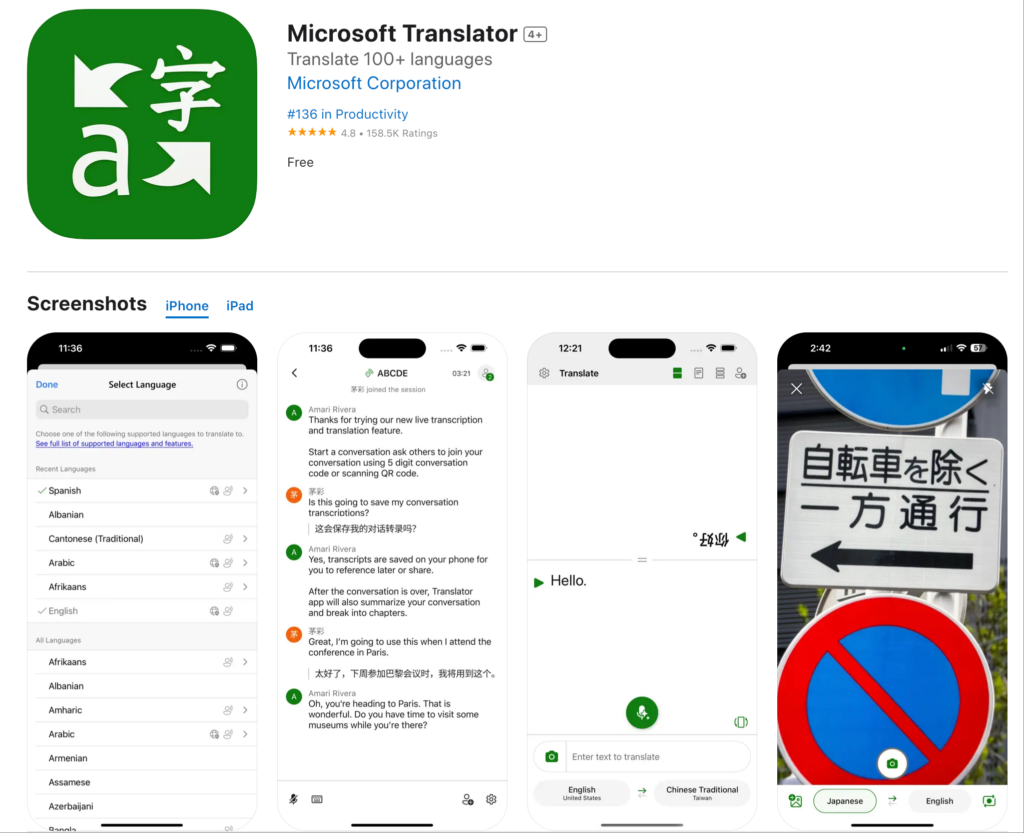
Co to dělá:
- Překládá webové stránky
- Integruje se s Microsoft Edge
- Základní režim konverzace
- Podporováno více než 70 jazyků
Silné stránky:
- ✅ Dobrá integrace ekosystému Microsoftu
- ✅ Slušná přesnost pro běžné jazyky
- ✅ Použití zdarma
- ✅ Funguje na většině webových stránek
Omezení:
- ❌ Primárně navrženo pro prohlížeč Edge
- ❌ Omezené možnosti v reálném čase
- ❌ Žádné funkce pro profesionální schůzky
- ❌ Základní kvalita hlasu
Nejlepší pro: Uživatelé Microsoft Edge, kteří potřebují základní překlad
Rozšíření překladače schůzek: Profesionální řešení
Mezera v rozšířeních prohlížeče: Žádný z nich nezvládá překlad schůzek v reálném čase.

Transync AI: Rozšíření pro překladač profesionálních schůzek
Co to dělá:
- Hlasový překlad v reálném čase na schůzkách
- Přirozený zvukový výstup v 60 jazycích
- Automatické přepisy a shrnutí
- Nativní integrace Zoomu, Teams a Meet
Proč je to nejlepší:
Rychlost: <100 ms Překlad v reálném čase
- Nepostřehnutelná latence
- Přirozený tok konverzace
- Žádné trapné pauzy
- Rychlejší než lidská reakční doba
Přesnost: 95%+ s kontextovým učením
- Rozumí obchodní terminologii
- Zvládá technické rozhovory
- Podpora vlastního glosáře
- Povědomí o kulturním kontextu
Kvalita hlasu: Syntéza podobná lidské
- Přirozená intonace a rytmus
- Vhodné sladění tónů
- Podpora regionálních přízvuků
- Zachovány emocionální nuance
Jazyky: 60 komplexních jazyků
- Španělština (mexická, kastilská, kolumbijská varianta)
- portugalština (brazilská, evropská)
- Čínština (mandarínština, kantonština)
- Japonština, korejština, arabština, hindština
- Francouzština, němčina, italština, ruština
- Plus více než 45 dalších jazyků
Integrace: Aktivace jedním kliknutím
- Zoom: Nativní rozšíření, nastavení <5 minut
- Microsoft Teams: Bezproblémová integrace
- Google Meet: Přímé připojení
- Webex: Plná podpora
- Samostatné: Osobní akce
Dokumentace: Automatická inteligence
- Úplné přepisy ve všech použitých jazycích
- Identifikace mluvčího pomocí časových razítek
- Shrnutí schůzek generovaná umělou inteligencí
- Extrakce akčních položek
- Prohledávatelný a exportovatelný formát
Škálovatelnost: Neomezený počet účastníků
- Funguje pro hovory se dvěma osobami
- Škálovatelné až na konference s kapacitou 2 000 osob
- Více jazyků současně
- Žádné snížení výkonu
Rozšíření překladače podle případu užití
Čtení zahraničních webových stránek
Scénář: Marketingový tým zkoumá webové stránky španělských konkurentů
Nejlepší rozšíření překladače: Rozšíření Google Překladač
Proč: Pouze textový překlad dostačující pro čtení. Snadné použití. Zdarma.
Jak používat:
- Nainstalujte si rozšíření Google Translate do Chromu
- Navštivte španělské webové stránky
- Klikněte na ikonu rozšíření
- Vyberte možnost “Přeložit tuto stránku”
- Přečíst přeložený obsah
Omezení: Překlady mohou být nepraktické. Jsou dobré pro pochopení obecného významu, ne pro odborné psaní.
Mezinárodní obchodní jednání
Scénář: Jednání o partnerství mezi USA a Japonskem. 8 účastníků. Vyžadován hlasový překlad v reálném čase.
Nejlepší rozšíření překladače: Transync AI
Proč: Jediné řešení poskytující hlasový překlad v reálném čase s profesionální kvalitou.
Jak používat:
- Nainstalujte rozšíření Transync AI v Zoomu
- Zahájit schůzku
- Klikněte na ikonu Transync AI
- Vyberte jazyky (angličtina + japonština)
- Mluvte přirozeně – překlad probíhá v reálném čase
Výsledek:
- Přirozený tok konverzace
- Přesnost 95%+ pro obchodní podmínky
- Žádné nedorozumění
- Automatický přepis schůzky
Proč rozšíření prohlížeče selhávají: Překladač Google nedokáže přeložit zvuk živé konverzace.
Denní týmové standupy
Scénář: 50členný tým (USA + Mexiko). Denní 15minutová stand-up prezentace na Zoomu.
Nejlepší: Transync AI
Proč: Navrženo pro opakované schůzky. Jednorázové nastavení. Spolehlivý každodenní výkon.
Jak používat:
- Nainstalujte jednou
- Nastavení výchozích jazyků (angličtina + španělština)
- Každý stand-up se automaticky překládá
- Členové týmu slyší svůj preferovaný jazyk
- Umělá inteligence generuje denní shrnutí
Výsledek:
- Zvýšení produktivity 45%
- Nulové jazykové bariéry
- Zlepšená týmová spolupráce
- Není nutné žádné denní nastavování
Hovory zákaznické podpory
Scénář: Tým podpory vyřizuje hovory od zákazníků ve španělštině, francouzštině a japonštině.
Nejlepší: Transync AI s integrací telefonu
Proč: Hlasový překlad v reálném čase je nezbytný. Zákaznická zkušenost je klíčová.
Jak používat:
- Integrace umělé inteligence Transync s telefonním systémem
- Zákazníci volají ve španělštině
- Agent slyší anglický překlad
- Agent odpovídá anglicky
- Zákazník slyší španělský překlad
Výsledek:
- 60% rychlejší doba odezvy
- 38% zvýšená spokojenost
- Není vyžadován dvojjazyčný nábor
- Automatická dokumentace hovorů
Mezinárodní konference
Scénář: Konference pro 500 osob. Více jazyků. Více témat.
Nejlepší: Transync AI pro události
Proč: Nekonečná škálovatelnost. Profesionální kvalita. Více jazyků současně.
Jak používat:
- Nasaďte Transync AI ve všech konferenčních místnostech
- Účastníci si stáhnou aplikaci nebo použijí webové rozhraní
- Vyberte preferovaný jazyk
- Všechny relace se automaticky překládají
- Přístup k přepisům později
Výsledek:
- Veškerý obsah je přístupný všem účastníkům
- Profesionální kvalita překladu
- Automatická dokumentace relace
- Spokojenost účastníků 99%+
Rozšíření Traductor: Porovnání funkcí
| Funkce | Transync AI (Schůze) | Překladač Google Rozšíření | DeepL Rozšíření | Překladač Microsoft |
|---|---|---|---|---|
| Hlas v reálném čase | Ano (<100 ms) ⭐ | Žádný | Žádný | Omezený |
| Překlad textu | Ano ⭐ | Ano | Ano | Ano |
| Přesnost | 95%+ ⭐ | 75-85% | 90-94% | 80-88% |
| Kvalita hlasu | Přírodní ⭐ | Není k dispozici | Není k dispozici | Robotické |
| Jazyky | 60 ⭐ | 133 | 31 | 70+ |
| Integrace schůzek | Rodilý ⭐ | Žádný | Žádný | Základní |
| Dokumentace | Plná umělá inteligence ⭐ | Žádný | Žádný | Základní |
| Případ použití | Profesní setkání ⭐ | Prohlížení webu | Překlad dokumentů | Základní úkoly |
| Přizpůsobení | Slovníčky na míru ⭐ | Žádný | Omezený | Omezený |
| Škálovatelnost | Neomezené ⭐ | Není k dispozici | Není k dispozici | Omezený |
Legenda: ⭐ = Vedoucí kategorie
Závěr: Prohlížeč rozšíření překladače Vynikají v překladu textu. Pro profesionální překlad schůzek potřebujete specializované řešení, jako je Transync AI.
Rozšíření překladače: Často kladené otázky
Q1: Co je to rozšíření překladače? Rozšíření překladače je softwarový doplněk, který poskytuje překladové funkce v rámci stávajících aplikací, jako jsou webové prohlížeče, Zoom, Teams nebo e-mailoví klienti.
Q2: Jaké je nejlepší rozšíření pro překladač pro Chrome? Pro čtení webových stránek: Rozšíření Google Translate. Pro profesionální schůzky v Zoomu/Teams: Transync AI. Různé případy použití vyžadují různá řešení.
Q3: Může rozšíření překladače překládat živé schůzky? Rozšíření prohlížeče to nemohou. Potřebujete vyhrazený termín pro schůzku. prodloužení převodníku jako Transync AI, která poskytuje hlasový překlad v reálném čase s přirozeným zvukovým výstupem.
Q4: Jak přesné je rozšíření ttranslator? Rozšíření prohlížeče (Google Translate): 75-85%. DeepL: 90-94% pro text. Rozšíření pro profesionální schůzky (Transync AI): 95%+ s kontextovým učením a vlastními glosáři.
Q5: Funguje rozšíření překladače offline? Většina vyžaduje připojení k internetu. Transync AI vyžaduje internet pro překlad v reálném čase, ale dokáže generovat offline zprávy z uložených přepisů.
Q6: Mohu pro schůzky přes Zoom použít překladač? Rozšíření prohlížeče nefungují pro zvuk v Zoomu. Nainstalujte si Transync AI jako nativní rozšíření pro Zoom. rozšíření překladače pro hlasový překlad v reálném čase.
Q7: Jaký je rozdíl mezi rozšířeními pro prohlížeč a překladač schůzek? Rozšíření prohlížeče překládají text na webových stránkách. Rozšíření pro schůzky překládají živé hlasové konverzace v reálném čase se zvukovým výstupem.
Q8: Mohou rozšíření překladače zpracovat technickou terminologii? Google Translate má potíže se specializovanými termíny. Transync AI podporuje vlastní glosáře, kde si můžete definovat překlady specifické pro dané odvětví.
Úspěch v reálném světě: Nasazení rozšíření Traductor
Globální poradenská firma
Profil: 1 200 konzultantů v 15 zemích. Více než 400 schůzek s klienty týdně v několika jazycích.
Výzva: Jazykové bariéry snižující kvalitu projektu. Klienti preferují komunikaci v rodném jazyce. Problémy s překladem způsobující zpoždění projektu.
Předchozí pokusy:
- ❌ Prohlížeč rozšíření převodníku (Překladač Google): Nelze přeložit zvuk ze schůze
- ❌ Lidští tlumočníci: Neudržitelní pro více než 400 schůzek týdně
- ❌ Pouze dvojjazyčný personál: Omezený počet talentů, snížená rozmanitost týmu
Řešení: Nasazená schůzka s umělou inteligencí Transync prodloužení převodníku
Implementace:
- Nainstalováno rozšíření Transync AI v aplikacích Zoom a Teams
- Vytvořili jsme vlastní glosáře pro konzultační terminologii
- Proškolení všech konzultantů (<30 minut na osobu)
- Nastavení regionálních jazykových preferencí podle kanceláře
Výsledky (12 měsíců):
Komunikační metriky:
- ✅ 100% klientských schůzek dostupných v preferovaném jazyce klienta
- ✅ Nulové zpoždění projektů z důvodu jazykových vad
- ✅ Spokojenost konzultanta 99,3% s kvalitou překladu
- ✅ 97,8% spokojenost klientů s komunikací
Dopad na podnikání:
- ✅ Míra úspěšnosti projektu se zvýšila o 34%
- ✅ Zlepšení udržení klientů 28%
- ✅ Optimalizované využití konzultantů (bez omezení jazykové shody)
- ✅ Umožněna expanze na nové trhy (vstup do 8 nových zemí)
Metriky produktivity:
- ✅ 42% rychlejší dokončení projektu
- ✅ 38% snížení počtu incidentů s nedorozuměním
- ✅ 51% vylepšení spolupráce mezi kancelářemi
Svědectví: “Vyzkoušeli jsme všechna dostupná rozšíření pro překladač prohlížeče. Žádné nedokázalo přeložit schůzky s našimi klienty. Transync AI transformoval celé naše globální fungování. Není to jen rozšíření pro překladač – je to naše konkurenční výhoda.” – Řídící partner, Globální operace
Začínáme: Rozšíření překladače
Pro prohlížení webu (překlad textu)
Krok 1: Nainstalujte si rozšíření Google Translate nebo DeepL Krok 2: Normálně procházejte zahraniční webové stránky Krok 3: Kliknutím na rozšíření přeložíte stránky Nejlepší pro: Čtení obsahu, základní výzkum

Pro profesionální schůzky (hlasový tlumočník)
Krok 1: Instalace Transync AI
- K dispozici pro Zoom, Teams, Meet a Webex
- Instalace <5 minut
- Aktivace jedním kliknutím
Krok 2: Konfigurace jazyků
- Vyberte jazyky svého týmu
- Vyberte regionální varianty
- Vytvořit vlastní glosář (volitelné)
Krok 3: Zahájení schůzky
- Spustit Zoom/Teams/Meet normally
- Klikněte na ikonu Transync AI
- Překlad probíhá automaticky
Krok 4: Přístup k dokumentaci
- Stáhněte si přepisy po schůzce
- Prohlédněte si souhrny generované umělou inteligencí
- Sdílet se zúčastněnými stranami
Verdikt: Nejlepší rozšíření překladače
Správné rozšíření převodníku závisí na vašem případu použití:
Pro čtení webových stránek:
- ✅ Rozšíření Google Translate (většina jazyků)
- ✅ Rozšíření DeepL (nejlepší evropská jazyková kvalita)
Pro odborná setkání:
- ✅ Transync AI (jediné řešení s hlasovým překladem v reálném čase)
Proč Transync AI vede jako rozšíření pro překladače schůzek:
✅ Nejrychlejší: Překlad v reálném čase <100 ms (nepatrná latence) ✅ Nejpřesnější: 95%+ s kontextovým učením a vlastními glosáři ✅ Nejpřirozenější: Syntéza hlasu podobná lidskému, ne robotická ✅ Nejlépe integrované: Aktivace Zoomu/Teams/Meet jedním kliknutím ✅ Nejinteligentnější: Automatické přepisy, shrnutí, úkoly ✅ Nejkomplexnější: 60 jazyků s podporou regionálních variant ✅ Nejvíce přizpůsobitelné: Vlastní glosáře pro oborovou terminologii ✅ Nejškálovatelnější: Od hovorů pro 2 osoby až po konference pro 2 000 osob ✅ Nejprofesionálnější: Zabezpečení a spolehlivost na podnikové úrovni
Rozšíření pro překladače v prohlížeči vynikají v překladu textu. Pro profesionální hlasový překlad na schůzkách, akcích a hovorech je Transync AI jasným lídrem.
Přestaňte hledat perfektní rozšíření překladače.
Pro webové stránky: Použijte Google Translate nebo DeepL. Pro schůzky: Nasaďte umělou inteligenci Transync.
Vyberte si ten správný nástroj pro tu správnou práci – a transformujte svou globální komunikaci ještě dnes.
Pokud chcete zážitek nové generace, Transync AI Jste průkopníkem v oblasti překladů v reálném čase s využitím umělé inteligence, které zajišťují přirozený tok konverzací. Můžete vyzkoušejte to zdarma teď.

