
Vaše zařízení Android má sílu okamžitě odstranit jazykové bariéry. Se správným překladatelské aplikace pro Android, můžete komunikovat s kýmkoli, kdekoli, v jakémkoli jazyce. Ale se stovkami překladatelské aplikace pro Android dostupné na Google Play, jak si vybrat ten správný?
Nejlepší překladatelské aplikace pro Android dělají víc než jen převod slov – umožňují přirozené konverzace, udržují profesionální důvěryhodnost a bezproblémově se integrují do vašeho každodenního pracovního postupu. Špatná volba plýtvá časem, poškozuje kvalitu komunikace a frustruje uživatele.
Tato komplexní příručka porovnává nejlepší překladatelské aplikace pro Android k dispozici v roce 2025, analyzuje jejich silné a slabé stránky a pomáhá vám vybrat perfektní řešení pro vaše specifické potřeby. Ať už potřebujete překladatelské aplikace pro Android Ať už jde o cestování, podnikání, vzdělávání nebo každodenní komunikaci, tento průvodce vám pomůže.
Co dělá skvělé překladatelské aplikace pro Android?
Základní funkce překladatelských aplikací pro Android
Před porovnáním konkrétních překladatelské aplikace pro Android, pochopit, které funkce jsou nejdůležitější:
Hlasový překlad v reálném čase: Nejlepší překladatelské aplikace pro Android okamžitě překládejte mluvenou řeč a umožňujte přirozenou konverzaci bez nepříjemných zpoždění.
Překlad textu: Kvalitní překladatelské aplikace pro Android zpracovávat písemný obsah z dokumentů, zpráv, cedulí a webových stránek.
Překlad z kamery: Nahoře překladatelské aplikace pro Android Použijte fotoaparát k okamžitému překladu textu v obrázcích, cedulích, nabídkách a dokumentech.
Možnost offline provozu: Pojistné překladatelské aplikace pro Android fungovat bez připojení k internetu po stažení jazykových balíčků.
Režim konverzace: Moderní překladatelské aplikace pro Android umožnit obousměrnou konverzaci, kdy obě strany mluví svým rodným jazykem.
Přesnost: Profesionální překladatelské aplikace pro Android poskytují přesnost 90%+ s vědomím kontextu a učením terminologie.
Přirozený hlasový výstup: Nejlepší překladatelské aplikace pro Android produkovat přirozeně znějící hlasy, nikoli robotickou řeč.
Integrace platformy: Kvalitní překladatelské aplikace pro Android integrovat se s platformami pro zasílání zpráv, e-mailů a schůzek.
Proč jsou překladatelské aplikace pro Android důležité
Podle Statista, po celém světě je aktivních přes 3 miliardy zařízení Android. Mít kvalitní překladatelské aplikace pro Android na těchto zařízeních umožňuje:
- ✅ Okamžitá komunikace napříč jazykovými bariérami
- ✅ Rozšířené obchodní příležitosti
- ✅ Vylepšené cestovní zážitky
- ✅ Vylepšený zákaznický servis
- ✅ Lepší studijní výsledky
7 nejlepších překladatelských aplikací pro Android v porovnání
1. Transync AI – Nejlepší pro profesionální komunikaci v reálném čase
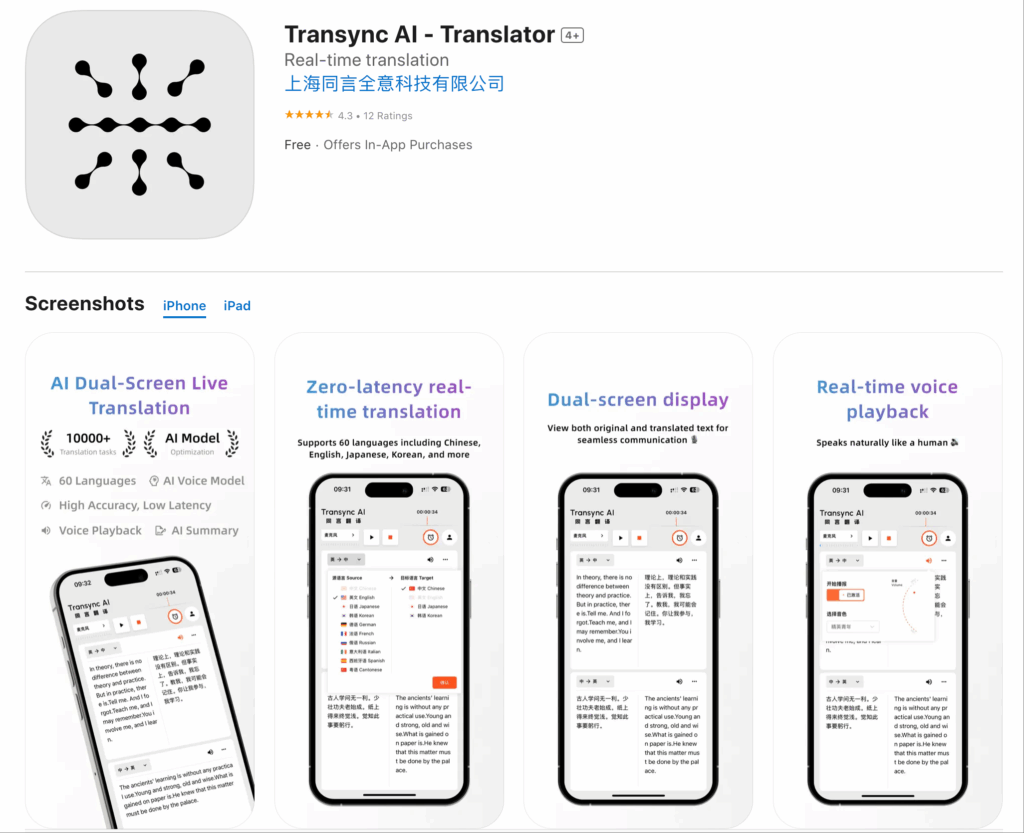
Transync AI vyniká mezi překladatelské aplikace pro Android za zaměření na profesionální komunikaci v reálném čase s přesností na obchodní úrovni.
Klíčové vlastnosti:
- ✅ Téměř nulová latence: Překlad v reálném čase <100 ms
- ✅ Přirozené hlasy: Profesionálně znějící hlasový výstup
- ✅ Kontextové učení: Přesnost 95%+ s definicí klíčových slov
- ✅ Integrace platformy: Funguje se Zoomem, Teams a Google Meet
- ✅ Poznámky ze schůze s umělou inteligencí: Automatický přepis a dokumentace
- ✅ 60+ jazyků: Komplexní jazykové pokrytí
- ✅ Automatická detekce jazyka: Není nutný ruční výběr
Nejlepší pro:
- Obchodní schůzky a jednání
- Profesionální zákaznický servis
- Týmová spolupráce napříč jazyky
- Konzultace ve zdravotnictví
- Prodejní hovory a prezentace
Silné stránky:
- Nejrychlejší překlad v reálném čase mezi překladatelské aplikace pro Android
- Profesionální kvalita hlasu udržuje důvěryhodnost
- Kontextové znalosti zajišťují překlady vhodné pro daný obor
- Bezproblémová integrace platformy pro setkání
- Automatizovaná dokumentace šetří hodiny
Omezení:
- Vyžaduje připojení k internetu
- Zaměřeno na profesionální případy použití
- Méně vhodné pro běžný turistický překlad
Ceny: Cenově dostupný model předplatného s flexibilními možnostmi
Hodnocení uživatele: 4,8/5 na Google Play
Proč zvolit Transync AI: Pokud potřebujete překladatelské aplikace pro Android Pro profesionální komunikaci, kde záleží na kvalitě, rychlosti a důvěryhodnosti, je Transync AI jasnou volbou. Schopnost vést přirozené obchodní rozhovory s přesností 95%+ a automatizovaná dokumentace z něj činí neocenitelnou volbu pro profesionály.
2. Překladač Google – Nejlepší bezplatná univerzální možnost

Překladač Google je nejpoužívanější mezi překladatelské aplikace pro Android, který nabízí komplexní funkce zdarma.
Klíčové vlastnosti:
- ✅ Více než 100 jazyků: Nejrozsáhlejší jazykové pokrytí
- ✅ Překlad z kamery: Okamžitý překlad obrázků
- ✅ Offline režim: Stažení jazyků pro offline použití
- ✅ Režim konverzace: Obousměrný překlad dialogu
- ✅ Překlad textu: Komplexní zpracování textu
- ✅ Překlad webových stránek: Přeložit celé webové stránky
Nejlepší pro:
- Překlady pro běžné cestování
- Rychlý překlad textu
- Čtení cizojazyčného obsahu
- Základní potřeby konverzace
- Studenti a běžní uživatelé
Silné stránky:
- Zcela zdarma
- Většina podporovaných jazyků mezi překladatelské aplikace pro Android
- Možnost offline
- Překlad z fotoaparátu funguje dobře
- Snadné použití
Omezení:
- 2–3sekundové zpoždění hlasového překladu
- Robotický hlasový výstup
- Přesnost 75-80% (nižší než u prémiových variant)
- Žádné kontextové učení
- Žádná integrace podniku
- Žádná dokumentace ze schůze
Ceny: Uvolnit
Hodnocení uživatele: 4,5/5 na Google Play
Proč zvolit Překladač Google: Pokud potřebujete zdarma překladatelské aplikace pro Android Pro běžné použití, cestování nebo základní překladatelské potřeby je Google Translate vynikající. Pro profesionální komunikaci vyžadující přirozený tok konverzace a vysokou přesnost však zvažte prémiové alternativy.
3. Překladač Microsoft – Nejlepší pro integraci podniků
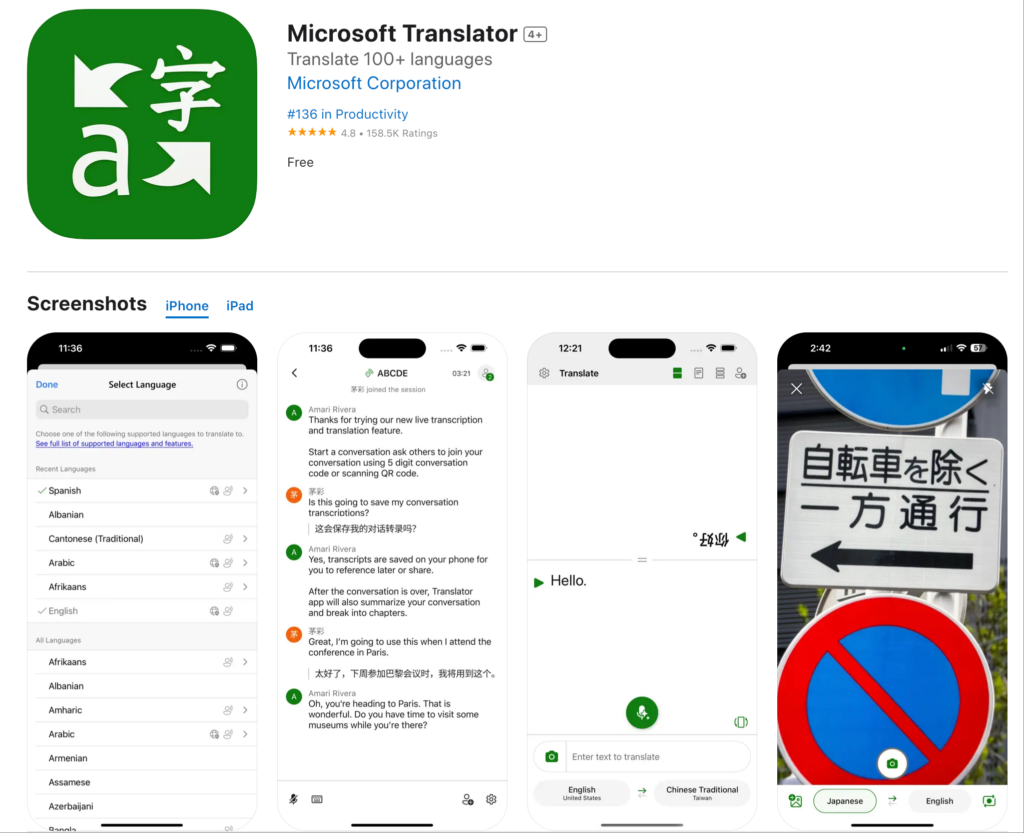
Microsoft Translator vyniká mezi překladatelské aplikace pro Android pro uživatele, kteří již v ekosystému Microsoftu jsou.
Klíčové vlastnosti:
- ✅ 70+ jazyků: Silné jazykové pokrytí
- ✅ Režim konverzace: Konverzace s více lidmi
- ✅ Offline překlad: Stáhnout jazykové balíčky
- ✅ Překlad z kamery: Překlad textu z obrázku
- ✅ Integrace s Microsoftem: Funguje s Office a Teams
- ✅ Konverzační slovník: Uložit běžné překlady
Nejlepší pro:
- Uživatelé Microsoft Office
- Komunikace založená na Teams
- Konverzace s více lidmi
- Obchodní cestující
- Vzdělávací instituce využívající Microsoft
Silné stránky:
- Hluboká integrace ekosystému Microsoftu
- Podpora konverzace s více osobami
- Možnost offline
- Čisté, profesionální rozhraní
- Zdarma pro základní použití
Omezení:
- 2–3sekundové zpoždění hlasu
- Robotická kvalita hlasu
- Přesnost 80-85%
- Omezené povědomí o kontextu
- Žádná dokumentace k umělé inteligenci
Ceny: Zdarma (k dispozici jsou prémiové funkce)
Hodnocení uživatele: 4,4/5 na Google Play
Proč zvolit Microsoft Translator: Pokud jste investovali do ekosystému Microsoftu a potřebujete překladatelské aplikace pro Android Díky integraci s Office a Teams je Microsoft Translator dobrou volbou. Kvalita hlasu a rychlost však zaostávají za prémiovými alternativami.
4. iPřekladač – Nejlepší na cestování
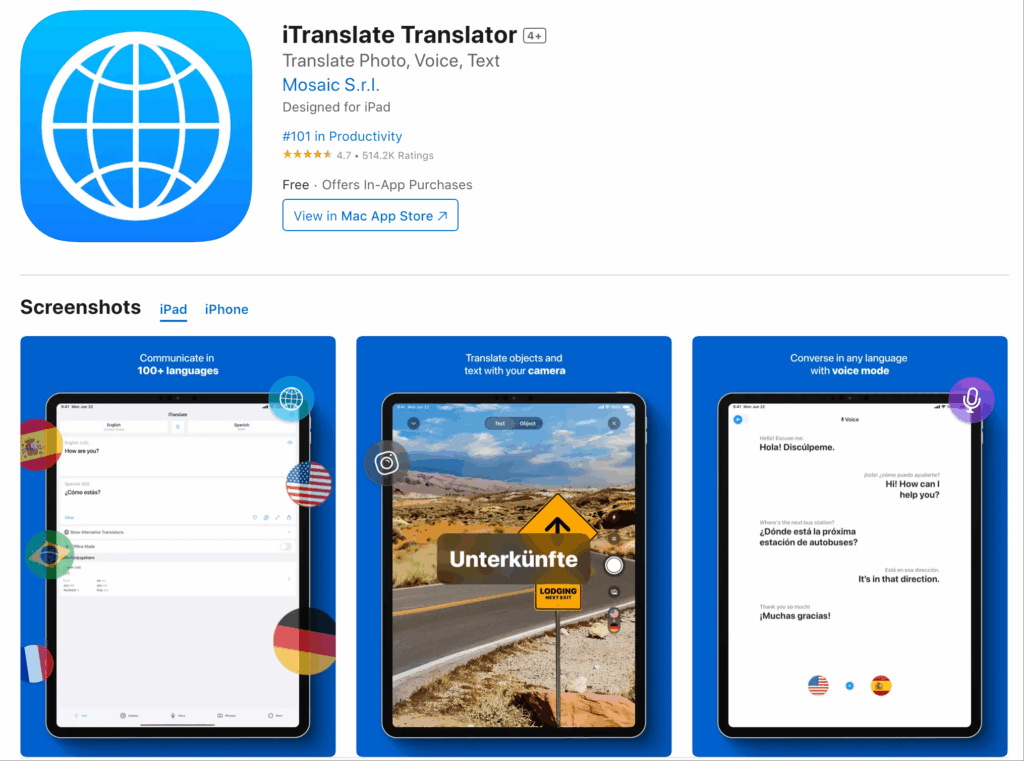
iTranslate je oblíbený mezi překladatelské aplikace pro Android pro cestovatele, kteří hledají komplexní služby v uživatelsky přívětivém balíčku.
Klíčové vlastnosti:
- ✅ Více než 100 jazyků: Rozsáhlé pokrytí
- ✅ Hlasový překlad: Převod řeči v reálném čase
- ✅ Překlad z kamery: Okamžitý překlad obrázků
- ✅ Offline režim: Funguje bez internetu
- ✅ Konverzační slovník: Běžné cestovní fráze
- ✅ Integrace klávesnice: Překládat při psaní
Nejlepší pro:
- Mezinárodní cestovatelé
- Překlad jídelního lístku restaurace
- Překlad znaků a dokumentů
- Základní konverzace
- Turistické aktivity
Silné stránky:
- Uživatelsky přívětivé rozhraní
- Dobrý offline výkon
- Komplexní cestovní funkce
- Integrace klávesnice
- Čistý design
Omezení:
- Prémiové funkce vyžadují předplatné
- Kvalita hlasu je robotická
- 1-2sekundové zpoždění překladu
- Přesnost 80-85%
- Nevhodné pro firemní použití
Ceny: Bezplatné základní / prémiové předplatné pro pokročilé funkce
Hodnocení uživatele: 4,3/5 na Google Play
Proč zvolit iTranslate: Pokud potřebujete překladatelské aplikace pro Android iTranslate je vynikající speciálně pro cestování s dobrou offline podporou a funkcemi zaměřenými na cestování. Pro profesionální komunikaci se podívejte na alternativy zaměřené na podnikání.
5. Překladač DeepL – Nejlepší pro přesnost textu

DeepL si získal uznání mezi překladatelské aplikace pro Android pro výjimečnou kvalitu překladu textu.
Klíčové vlastnosti:
- ✅ 31 jazyků: Zaměření na kvalitu před kvantitou
- ✅ Vynikající překlad textu: Přesnost 90-95%
- ✅ Překlad dokumentů: Nahrát soubory přímo
- ✅ Nastavení tónu: Formální nebo neformální styl
- ✅ Alternativní překlady: Zobrazeno více možností
Nejlepší pro:
- Překlad dokumentů
- Profesionální psaní
- Akademický překlad
- Obchodní korespondence
- Překlad textu zaměřený na kvalitu
Silné stránky:
- Nejlepší přesnost překladu textu mezi překladatelské aplikace pro Android
- Přirozeně znějící písemné překlady
- Možnost nastavení tónu
- Návrhy alternativních překladů
- Profesionální kvalita
Omezení:
- Omezený počet jazyků (31 oproti více než 100 v jiných zemích)
- Žádný hlasový překlad v reálném čase
- Žádný překlad z kamery
- Žádný offline režim
- Fokus pouze na text
Ceny: Bezplatné základní / Pro předplatné pro pokročilé funkce
Hodnocení uživatele: 4,6/5 na Google Play
Proč si vybrat DeepL: Pokud potřebujete překladatelské aplikace pro Android DeepL je bezkonkurenční, primárně pro překlad textu, kde je kvalita prvořadá. Chybí mu však hlasové a fotoaparátové funkce, které jsou pro mnoho uživatelů nezbytné.
6. Papago – Nejlepší pro asijské jazyky
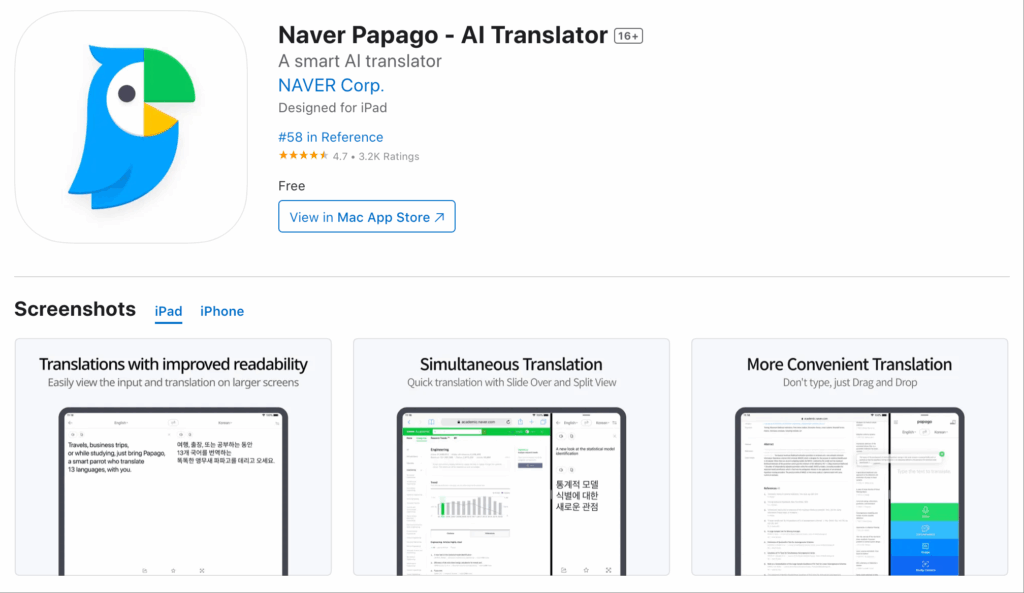
Papago se specializuje na překladatelské aplikace pro Android v překladu z asijských jazyků s ohledem na kulturní kontext.
Klíčové vlastnosti:
- ✅ 13 jazyků: Zaměření na asijské jazyky
- ✅ Hlasový překlad: Převod řeči v reálném čase
- ✅ Překlad z kamery: Překlad textu z obrázku
- ✅ Režim konverzace: Obousměrný dialog
- ✅ Offline režim: Omezené možnosti offline
- ✅ Kulturní kontext: Nuance asijského jazyka
Nejlepší pro:
- Překlad do korejštiny, japonštiny a čínštiny
- Asijská obchodní komunikace
- Cestování po Asii
- K-pop a asijský obsah
- Studenti asijských jazyků
Silné stránky:
- Vynikající přesnost v asijských jazycích
- Povědomí o kulturním kontextu
- Čisté rozhraní
- Dobrá kvalita hlasu pro asijské jazyky
- Zdarma k použití
Omezení:
- Omezeno na 13 jazyků
- Méně efektivní pro evropské jazyky
- 1-2sekundové zpoždění hlasu
- Omezená integrace podniku
- Žádná dokumentace k umělé inteligenci
Ceny: Uvolnit
Hodnocení uživatele: 4,5/5 na Google Play
Proč si vybrat Papago: Pokud potřebujete překladatelské aplikace pro Android Papago je konkrétně vhodný pro asijské jazyky s kulturním povědomím. Pro širší jazykové potřeby nebo profesionální obchodní použití zvažte komplexnější alternativy.
7. SayHi Přeložit – Nejlepší pro jednoduché konverzace
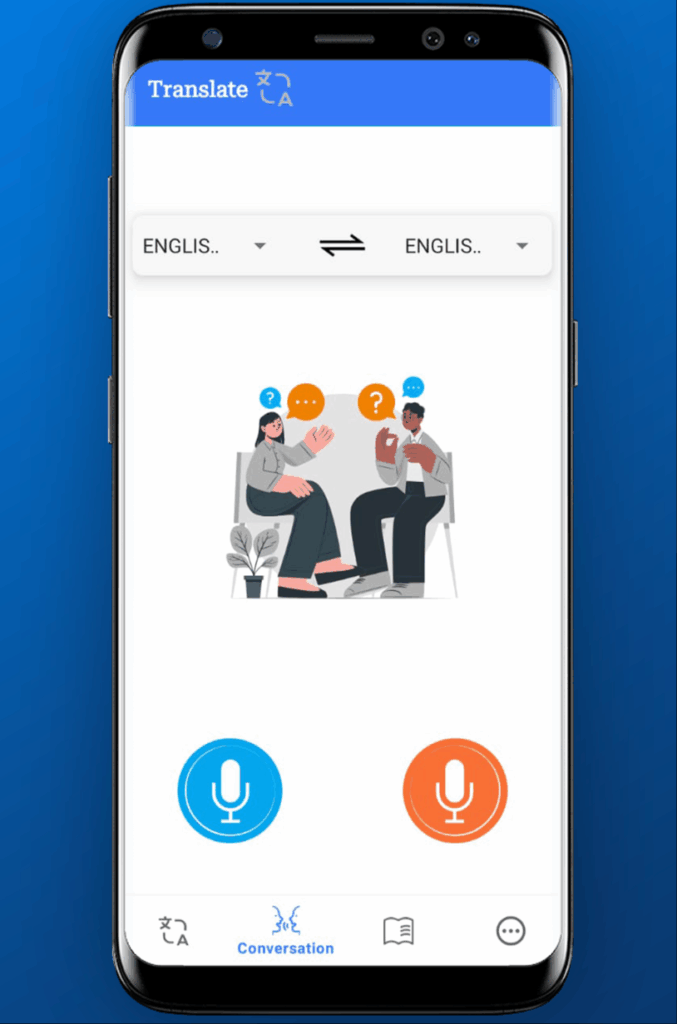
SayHi vyniká mezi překladatelské aplikace pro Android pro svou jednoduchost a zaměření na konverzaci.
Klíčové vlastnosti:
- ✅ Více než 90 jazyků: Silné jazykové pokrytí
- ✅ Hlasový překlad: Převod řeči v reálném čase
- ✅ Režim konverzace: Obousměrný dialog
- ✅ Regulace rychlosti: Úprava tempa řeči
- ✅ Jednoduché rozhraní: Minimální křivka učení
- ✅ Výběr hlasu: Vyberte si z více hlasů
Nejlepší pro:
- Neformální rozhovory
- Základní komunikační potřeby
- Uživatelé, kteří chtějí jednoduchost
- Rychlé interakce
- Společenské konverzace
Silné stránky:
- Extrémně jednoduché použití
- Čisté a přehledné rozhraní
- Ovládání rychlosti užitečné pro studenty
- Více hlasových možností
- Bezplatná základní verze
Omezení:
- Pouze základní funkce
- 1-2sekundové zpoždění hlasu
- Přesnost 80%
- Žádný překlad z kamery
- Žádný offline režim
- Žádné obchodní prvky
Ceny: Zdarma s reklamami / Prémiové bez reklam
Hodnocení uživatele: 4,2/5 na Google Play
Proč si vybrat SayHi: Pokud potřebujete překladatelské aplikace pro Android které jsou pro běžnou konverzaci naprosto jednoduché, SayHi je perfektní. Chybí mu však pokročilé funkce potřebné pro profesionální použití nebo na cestách.
Porovnání funkcí: Překladatelské aplikace pro Android
| Funkce | Transync AI | Překladač Google | Překladač Microsoft | iPřekladač | DeepL | Papago | SayHi |
|---|---|---|---|---|---|---|---|
| Latence v reálném čase | <100 ms | 2–3 s | 2–3 s | 1–2 s | Není k dispozici | 1–2 s | 1–2 s |
| Kvalita hlasu | Přírodní | Robotické | Robotické | Robotické | Není k dispozici | Dobrý | Základní |
| Přesnost textu | 95%+ | 75-80% | 80-85% | 80-85% | 90-95% | 85-90% | 80% |
| Jazyky | 60+ | 100+ | 70+ | 100+ | 31 | 13 | 90+ |
| Překlad z fotoaparátu | Žádný | Ano | Ano | Ano | Žádný | Ano | Žádný |
| Offline režim | Žádný | Ano | Ano | Ano | Žádný | Omezený | Žádný |
| Obchodní integrace | Rozsáhlý | Omezený | Dobrý | Žádný | Žádný | Žádný | Žádný |
| Dokumentace k umělé inteligenci | Ano | Žádný | Žádný | Žádný | Žádný | Žádný | Žádný |
| Kontextové učení | Ano | Žádný | Žádný | Žádný | Žádný | Žádný | Žádný |
| Nejlepší pro | Obchod | Generál | Uživatelé Microsoftu | Cestovat | Kvalita textu | Asijské jazyky | Jednoduchost |
| Ceny | Předplatné | Uvolnit | Uvolnit | Freemium | Freemium | Uvolnit | Freemium |
Jak vybrat správné překladatelské aplikace pro Android
Krok 1: Definujte svůj primární případ použití
Zeptejte se sami sebe:
- Obchodní komunikace? → Transync AI
- Neformální cestování? → Překladač Google nebo iTranslate
- Kvalita překladu textu? → Hluboký
- Ekosystém Microsoftu? → Překladač Microsoft
- Asijské jazyky? → Papago
- Jednoduché konverzace? → SayAhoj
Krok 2: Upřednostněte základní funkce
Seřaďte tyto funkce podle důležitosti:
- Rychlost hlasového překladu v reálném čase
- Kvalita hlasu (přirozený vs. robotický)
- Přesnost překladu textu
- Možnost překladu z kamery
- Offline funkce
- Integrace obchodních platforem
- Jazykové pokrytí
- Náklady
Krok 3: Zvažte svůj rozpočet
Bezplatné překladatelské aplikace pro Android:
- Překladač Google
- Překladač Microsoft (základní)
- Papago
- SayHi (s reklamami)
Cenově dostupné předplatné:
- Transync AI
- iPřekladač Premium
- DeepL Pro
Rozhodovací faktory:
- Jak často to budete používat?
- Je profesionální kvalita nezbytná?
- Dokážete tolerovat reklamy?
- Potřebujete pokročilé funkce?
Krok 4: Otestujte před potvrzením
Většina překladatelské aplikace pro Android nabízíme bezplatné zkušební verze nebo základní verze. Vyzkoušejte s:
- Rodilí mluvčí ve vašich cílových jazycích
- Vaše skutečné scénáře použití
- Technická terminologie, pokud je relevantní
- Různé platformy, které používáte
- Možnost offline, pokud je to potřeba
Krok 5: Vyhodnocení výkonu
Po testování zhodnoťte:
- Přesnost překladu
- Kvalita hlasu
- Rychlost odezvy
- Snadné použití
- Integrace s vaším pracovním postupem
- Poměr ceny a kvality
Případy použití: Které překladatelské aplikace pro Android se kde vyznačují
Mezinárodní obchodní jednání
Nejlepší volba: Transync AI
Proč: Téměř nulová latence umožňuje přirozený průběh konverzace. Přirozený hlasový výstup udržuje profesionální důvěryhodnost. Kontextové učení poskytuje přesnost 95%+ s obchodní terminologií. Poznámky schůzek s umělou inteligencí automatizují dokumentaci.
Alternativní: Microsoft Translator (pokud máte velké investice do ekosystému Microsoftu)
Cestování do zahraničí
Nejlepší volba: Překladač Google
Proč: Offline funkce funguje bez dat. Překlad z kamery zvládne menu a nápisy. Pokrývá prakticky kdekoli více než 100 jazyků. Bezplatná cena je vhodná pro občasné cestování.
Alternativní: iTranslate (pro lepší uživatelský zážitek s prémiovými funkcemi)
Překlad odborných dokumentů
Nejlepší volba: DeepL
Proč: Přesnost textu 90-95% je bezkonkurenční. Úprava tónu zajišťuje vhodnou formálnost. Alternativní překlady poskytují možnosti. Profesionální kvalita výstupu.
Alternativní: Google Translate (bezplatná možnost s více jazyky)
Zákaznická podpora
Nejlepší volba: Transync AI
Proč: Rychlost v reálném čase je nezbytná pro spokojenost zákazníků. Přirozené hlasy udržují profesionalitu značky. Kontextové učení se stará o produktovou terminologii. Dokumentace sleduje interakce s podporou.
Alternativní: Microsoft Translator (pro podporu založenou na Teams)
Asijská obchodní komunikace
Nejlepší volba: Papago
Proč: Vynikající přesnost pro korejštinu, japonštinu a čínštinu. Pochopení kulturního kontextu zabraňuje nedorozuměním. Optimalizováno pro asijské jazykové nuance.
Alternativní: Transync AI (pro širší jazykové potřeby s obchodními funkcemi)
Učení se jazykům
Nejlepší volba: Překladač Google
Proč: Volný přístup k více než 100 jazykům. Offline režim umožňuje procvičování kdekoli. Alternativní překlady ukazují jazykové nuance. Konverzační slovník ukládá běžné výrazy.
Alternativní: SayHi (ovládání rychlosti pomáhá studentům)
Rychlé a neformální konverzace
Nejlepší volba: SayHi
Proč: Extrémně jednoduché rozhraní. Rychlé nastavení pro rychlou interakci. Bez zdlouhavého učení. Bezplatná základní verze.
Alternativní: Google Translate (více funkcí za stejnou cenu)
Často kladené otázky: Překladatelské aplikace pro Android
Otázka: Jaké jsou nejlepší bezplatné překladatelské aplikace pro Android?
A: Google Translate nabízí nejkomplexnější bezplatné funkce s více než 100 jazyky. Microsoft Translator a Papago jsou také vynikající bezplatné možnosti. Nicméně, bezplatné překladatelské aplikace pro Android mají ve srovnání s prémiovými alternativami omezení v kvalitě hlasu, rychlosti a přesnosti.
Otázka: Které překladatelské aplikace pro Android fungují offline?
A: Google Translate, Microsoft Translator a iTranslate nabízejí offline režimy po stažení jazykových balíčků. Přesnost offline překladu je však obvykle o 10-15% nižší než u online překladu. Transync AI vyžaduje pro optimální výkon v reálném čase připojení k internetu.
Otázka: Jaké jsou nejpřesnější překladatelské aplikace pro Android?
A: Pro překlad textu dosahuje DeepL přesnosti 90-95%. Pro hlasový překlad poskytuje Transync AI přesnost 95%+ s konfigurací kontextu. Google Translate nabízí přesnost 75-80% v textu i hlasu.
Otázka: Které překladatelské aplikace pro Android jsou nejlepší pro firmy?
A: Transync AI je speciálně navržen pro obchodní komunikaci s profesionální kvalitou hlasu, integrací obchodních platforem a dokumentací s využitím umělé inteligence. Microsoft Translator je vhodný pro firmy zaměřené na Microsoft.
Otázka: Mohou překladatelské aplikace pro Android nahradit lidské překladatele?
A: Pro běžnou komunikaci, moderní překladatelské aplikace pro Android jako Transync AI jsou vynikající. Pro kritické právní dokumenty, lékařské situace nebo jednání s vysokými sázkami zůstávají profesionální lidští překladatelé nadřazení.
Otázka: Podporují překladové aplikace pro Android překlad z fotoaparátu?
A: Google Translate, Microsoft Translator, iTranslate a Papago nabízejí překlad z fotoaparátu. Tato funkce okamžitě překládá text v obrázcích, nápisech, nabídkách a dokumentech. Transync AI a DeepL se místo toho zaměřují na hlasový a textový vstup.
Otázka: Které překladatelské aplikace pro Android mají nejlepší kvalitu hlasu?
A: Transync AI nabízí nejpřirozenější hlasový výstup ze všech překladatelské aplikace pro Android. Bezplatné možnosti jako Google Translate a Microsoft Translator mají robotické hlasy, které mohou v obchodním kontextu znít neprofesionálně.
Otázka: Kolik stojí prémiové překladatelské aplikace pro Android?
A: Ceny se liší. Transync AI nabízí cenově dostupné možnosti předplatného. iTranslate Premium a DeepL Pro mají podobné cenové modely. Při hodnocení nákladů zvažte hodnotu profesionálních funkcí, vylepšení přesnosti a úsporu času.
Časté chyby při výběru překladatelských aplikací pro Android
❌ Chyba 1: Výběr pouze na základě počtu jazyků
Problém: Aplikace s více než 100 jazyky často obětují kvalitu kvůli kvantitě.
Řešení: Vybrat překladatelské aplikace pro Android na základě přesnosti ve vašich konkrétních jazycích, nikoli na základě celkového počtu jazyků.
❌ Chyba 2: Ignorování kvality hlasu
Problém: Robotické hlasy poškozují profesionální důvěryhodnost v obchodním kontextu.
Řešení: Před závazkem otestujte kvalitu hlasu překladatelské aplikace pro Android pro profesionální použití.
❌ Chyba 3: Netestování rychlosti v reálném čase
Problém: 2–3sekundové zpoždění znemožňuje přirozenou konverzaci.
Řešení: Upřednostnit překladatelské aplikace pro Android s latencí <100 ms pro komunikaci v reálném čase.
❌ Chyba 4: Přehlížení potřeb integrace
Problém: Aplikace, které se neintegrují do vašeho pracovního postupu, vytvářejí tření.
Řešení: Vybrat překladatelské aplikace pro Android které fungují s platformami, které denně používáte (Zoom, Teams atd.).
❌ Chyba 5: Předpokládat, že je zdarma, stačí
Problém: Uvolnit překladatelské aplikace pro Android často postrádají funkce nezbytné pro profesionální použití.
Řešení: Vyhodnoťte celkovou hodnotu včetně ušetřeného času, zlepšení přesnosti a profesionální důvěryhodnosti.
Budoucnost překladatelských aplikací pro Android
Gartner předpovídá že do roku 2026 bude 90% chytrých telefonů pokročilých překladatelské aplikace pro Android s funkcemi založenými na umělé inteligenci. Mezi nově vznikající trendy patří:
- Detekce emocí: Překladatelské aplikace pro Android které zachycují a vyjadřují emocionální tón
- Adaptace přízvuku: Aplikace, které neutralizují nebo zachovávají přízvuky na základě preferencí
- Kulturní kontext: Překladatelské aplikace pro Android které upravují význam pro kulturní vhodnost
- Prediktivní překlad: Systémy, které předvídají, co řeknete dál
- Rozšířená realita: Překladatelské aplikace pro Android které překrývají překlady na objektech reálného světa
- Offline umělá inteligence: Moderní překladatelské aplikace pro Android které fungují offline s kvalitou umělé inteligence
Transync AI a další přední překladatelské aplikace pro Android pokračovat v pokroku směrem k těmto inovacím.
Nejlepší postupy pro používání překladatelských aplikací pro Android
✅ Vyberte na základě případu použití – Různé aplikace vynikají v různých scénářích
✅ Před důležitým použitím vyzkoušejte – Ověřte si kvalitu s rodilými mluvčími
✅ Konfigurace kontextu – Definujte klíčová slova pro lepší přesnost
✅ Stáhnout offline jazyky – Povolit překlad bez internetu
✅ Používejte vhodné hlasové tóny – Přizpůsobení hlasu komunikačnímu kontextu
✅ Ověřte důležité překlady – Dvakrát zkontrolujte důležitý obsah
✅ Pravidelně aktualizujte – Udržujte aplikace aktuální a vylepšujte je
✅ Strategicky kombinujte nástroje – Používejte různé aplikace pro různé účely
Závěr: Výběr nejlepších překladatelských aplikací pro Android
Pravá překladatelské aplikace pro Android Proměňte své zařízení v výkonný vícejazyčný komunikační nástroj. Ať už potřebujete profesionální obchodní komunikaci, překlad pro běžné cestování nebo specializované funkce, mezi špičkovými najdete perfektní řešení. překladatelské aplikace pro Android k dispozici v roce 2025.
Pro profesionální komunikaci, Transync AI vyniká mezi překladatelské aplikace pro Android s téměř nulovou latencí, přirozeným hlasovým výstupem, přesností 95%+ díky kontextovému učení a bezproblémovou integrací obchodních platforem. Pokud vaše reputace a výsledky závisí na kvalitě komunikace, Transync AI je jasnou volbou.
Pro běžné cestování, Překladač Google zůstává nejkomplexnější bezplatnou možností mezi překladatelské aplikace pro Android, která nabízí více než 100 jazyků, offline možnosti a překlad z kamery zdarma.
Pro kvalitu textu, DeepL poskytuje bezkonkurenční přesnost mezi překladatelské aplikace pro Android, díky čemuž je ideální pro profesionální dokumenty a písemnou komunikaci.
Chytrý přístup? Používejte různé překladatelské aplikace pro Android pro různé účely:
- Transync AI pro obchodní schůzky a profesionální komunikaci
- Google Translate pro cestování a běžné použití
- DeepL pro důležité dokumenty a písemné překlady
Jste připraveni prolomit jazykové bariéry na svém zařízení Android? Stáhněte si překladatelské aplikace pro Android které odpovídají vašim potřebám a odemknou vám globální komunikaci ještě dnes.
Proměňte svůj Android ve vícejazyčný gigant. Vyberte si překladatelské aplikace pro Android, které poskytují kvalitu, rychlost a funkce potřebné pro úspěch.

Pokud chcete zážitek nové generace, Transync AI Jste průkopníkem v oblasti překladů v reálném čase s využitím umělé inteligence, které zajišťují přirozený tok konverzací. Můžete vyzkoušejte to zdarma teď.
