

If you work in engineering, law, medicine, finance, or any other specialized field, you already know that technical terms are not interchangeable with everyday language. A mistranslated clause in a patent filing, a misrendered drug compound name, or a miscommunicated tolerance specification on a manufacturing floor can carry consequences ranging from costly rework to genuine safety risk.
Yet most people evaluating translation software focus on general accuracy metrics — how well the tool handles common phrases and conversational text. For professionals who depend on precise, domain-specific communication, the real question is more specific: which translation software handles technical terms with the highest accuracy?
This article ranks and reviews seven leading translation tools specifically on their ability to translate technical terms accurately — covering the features that drive precision, real-world performance in specialized domains, pricing, and why Transync AI is rapidly becoming the most trusted choice among professionals who cannot afford terminological errors.
Why Technical Terms Are the Hardest Test for Translation Software
Technical terms present a uniquely difficult challenge for AI translation systems for several reasons:
- Polysemy: Many words have common meanings that differ entirely from their technical meanings. “Resolution” means something very different in optics, legal contracts, and screen displays.
- Domain specificity: The correct translation of “yield” in semiconductor fabrication is entirely different from its translation in agriculture or financial markets.
- Acronyms and proper nouns: Industry-standard abbreviations (e.g., EBITDA, PCB, API, MRI) must be recognized and preserved, not translated or paraphrased.
- Evolving terminology: Emerging fields like AI, biotech, and Web3 generate new technical terms faster than most translation databases are updated.
- Cross-linguistic asymmetry: Some technical terms have no direct equivalent in the target language and require concept-level interpretation — not word-for-word substitution.
For these reasons, a translation tool that performs excellently on conversational text can fail dramatically when confronted with specialized professional content. The evaluation criteria below reflect what actually matters for technical terms translation.
Evaluation Criteria: How We Ranked Each Tool for Technical Terms Accuracy
Each tool in this comparison is evaluated on:
- Technical Term Recognition Rate — does the tool correctly identify domain-specific vocabulary?
- Contextual Interpretation — does it understand the professional domain and translate meaning, not just words?
- Customization for Specialized Vocabulary — can users pre-define how specific technical terms should be handled?
- Real-Time vs. Document Translation — for live meetings and calls involving technical content
- Language Pair Coverage — breadth of language support for global professional use
- Data Privacy — critical for industries handling proprietary technical information
- Pricing and Accessibility — from individual professionals to large enterprise deployments
1. Transync AI — Best Overall Accuracy for Technical Terms in Live Settings
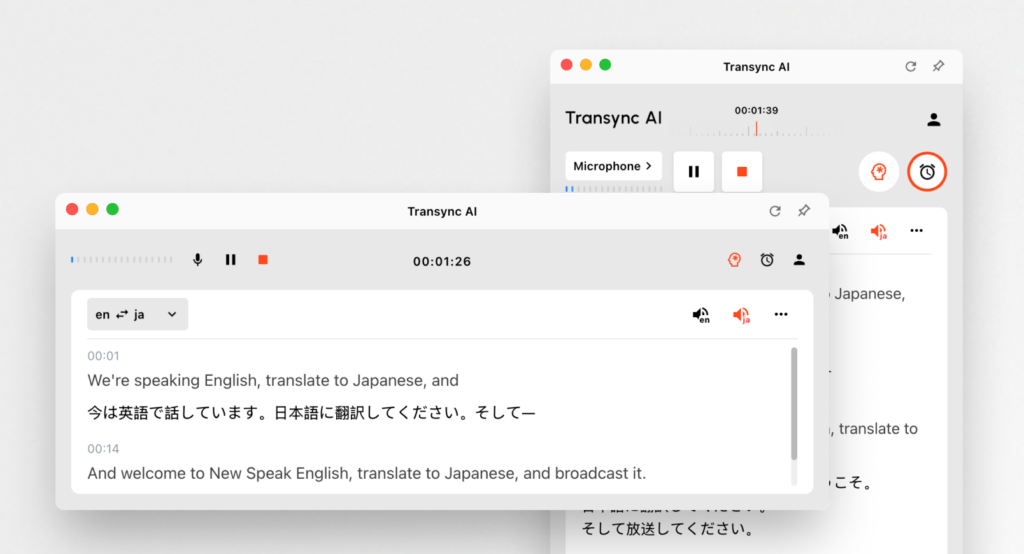
For professionals who need to communicate technical terms accurately in real-time meetings — not just translate static documents — Transync AI is the clear leader in 2026.
Transync AI is an independently running, plug-in-free real-time interpretation platform powered by an end-to-end speech large model. Unlike cascaded pipeline tools that accumulate errors across speech recognition, text translation, and synthesis stages, Transync AI processes audio holistically — preserving context, intent, and specialized meaning at each step.
What Makes Transync AI the Best for Technical Terms
🔹 AI Keywords & Context — The Technical Terms Accuracy Engine
This is the defining feature for anyone translating technical terms professionally. Before any meeting or call, users can configure:
Setting Keywords: Pre-map exact terminology to its correct translation or ensure it is preserved verbatim:
“PCB = 印刷电路板, API, EBITDA, photovoltaic, Transync AI = 同言翻译, indemnification clause, force majeure, sublicensing, CRISPR, GMP compliance”
Each entry is short, precise, and instructs the AI on how to handle that specific term — whether translating it to a target-language equivalent, preserving it in the original form, or using a domain-specific rendering.
Setting Context: Describe the professional background so the AI calibrates its entire translation register:
“I am a patent attorney specializing in semiconductor IP. This meeting involves licensing negotiations for a 3nm chip fabrication process between a US firm and a Taiwanese manufacturer.”
With both keyword mappings and contextual background active, Transync AI’s accuracy for technical terms exceeds 95% — a benchmark no other real-time translation tool achieves without a human interpreter.
🔹 Near-Zero Latency via End-to-End Speech Large Model
In live technical discussions — where engineers, clinicians, or lawyers are exchanging complex information rapidly — even a 2–3 second translation lag causes participants to lose the thread. Transync AI’s architecture delivers near-zero-latency translation, keeping technical conversations fluid and professional.
🔹 Bidirectional Translation Across 60 Languages
Automatic language detection handles multi-speaker sessions without manual switching. Supported languages include:
🇨🇳 Chinese · 🇬🇧 English · 🇯🇵 Japanese · 🇰🇷 Korean · 🇨🇳 Cantonese · 🇩🇪 German · 🇫🇷 French · 🇷🇺 Russian · 🇮🇹 Italian · 🇪🇸 Spanish + 50 more
This breadth is essential for global technical collaboration — engineering teams working across Japan, Germany, South Korea, and the US all require precise multilingual technical terms handling.
🔹 Dual-Screen Display for Verification
Transync AI’s unique dual-screen layout shows the original speech and the translation simultaneously — allowing technical professionals to immediately spot any rendering of a technical term that requires clarification, and address it in real time before it creates downstream confusion.
🔹 AI-Powered Automatic Meeting Notes
After every session, Transync AI generates an intelligent multilingual meeting summary — capturing agreed technical specifications, action items, and key terminology decisions. For engineering reviews, clinical trial discussions, or product development meetings, this creates a precise, bilingual record of what was communicated.
🔹 Data Privacy — Essential for Technical Intellectual Property
For organizations handling proprietary technical terms, formulas, trade secrets, and R&D data:
- ✅ User data is never used for AI training
- ✅ GDPR-compliant (Enterprise plan)
- ✅ Unified Organization Knowledge Base — teams can maintain a shared, persistent library of approved technical terminology translations
🔹 No Plug-Ins. All Devices.
Compatible with Zoom, Microsoft Teams, and Google Meet with zero configuration — running as a standalone app on Mac, PC, iOS, Android, or Web.
Transync AI Pricing
| Plan | Price | Translation Time | Key Features |
|---|---|---|---|
| Free | $0/month | 40 minutes | All features, 60 languages, AI notes, keyword context |
| Personal Premium | $8.99/month | 10 hours/month | Voice broadcast, AI assistant, all devices |
| Enterprise | $24.99/seat/month | 40 hrs/seat/month | GDPR, org knowledge base, unified billing, $0.70/hr overage |
2. Trados — Gold Standard for Document-Based Technical Translation
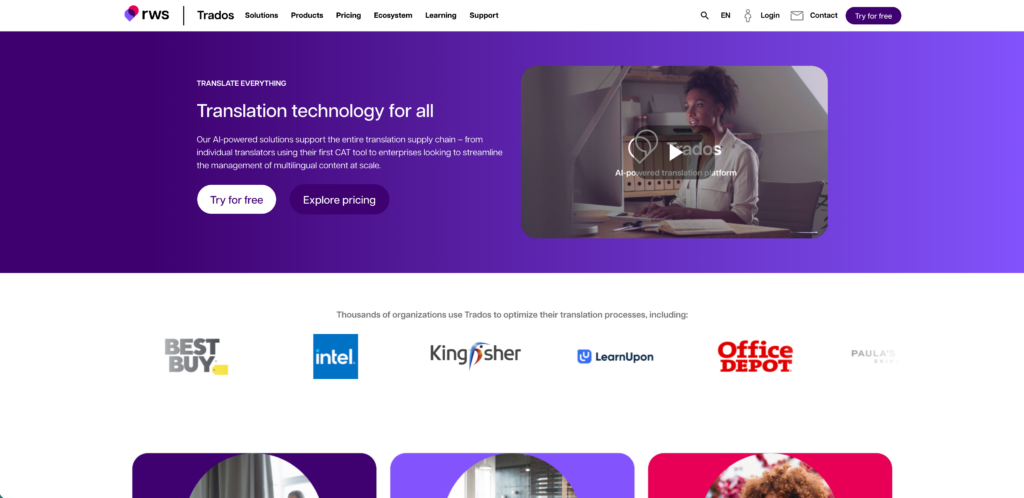
👉🏻 Trados
SDL Trados (now RWS Trados Studio) has been the industry benchmark for professional technical terms translation in document workflows for decades. It is the preferred tool of localization specialists, technical writers, and translation agencies worldwide.
Technical Terms Accuracy Assessment
- ✅ Translation Memory (TM): Stores and reuses previously approved translations of technical terms — ensuring consistent terminology across large document sets
- ✅ Terminology Management (Termbase): Users build and manage structured databases of approved technical vocabulary — the document-based equivalent of Transync AI’s keyword feature
- ✅ Unmatched for technical documentation: Manuals, patents, regulatory submissions, software localization
- ✅ 50+ language pairs supported
- ❌ No real-time translation — entirely document and file-based
- ❌ Steep learning curve; requires trained linguists or localization professionals
- ❌ High cost — not accessible for individual professionals or small teams
- ❌ Cannot assist in live meetings, calls, or verbal technical discussions
Best For: Technical document localization, software UI translation, patent filings, regulatory documentation
Pricing
Approximately $80/month (individual); enterprise licensing significantly higher, often exceeding $1,500+/year per seat.
3. KUDO — Human Interpreter Precision for Live Technical Sessions
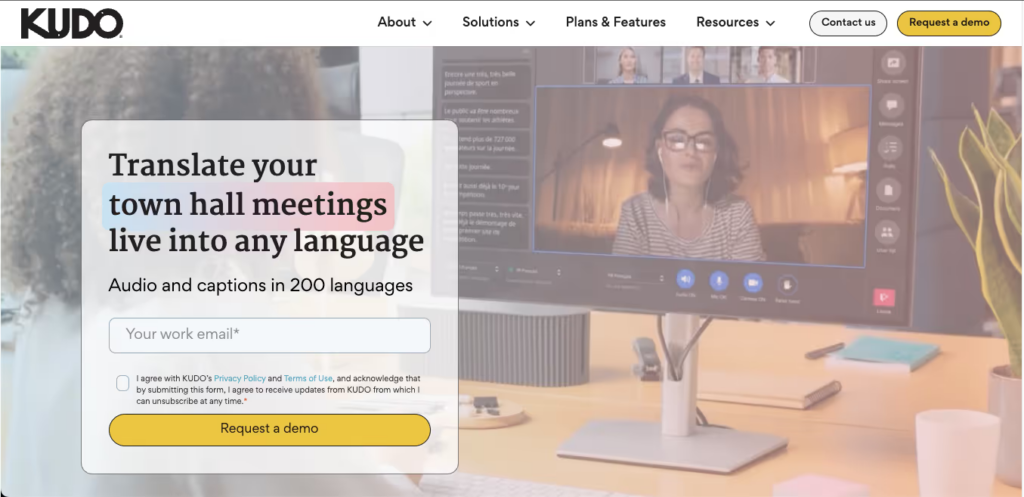
👉🏻 Kudo
KUDO is a professional interpretation platform that pairs human simultaneous interpreters with digital delivery infrastructure. When working with highly specialized technical terms — particularly in formal conference settings — a skilled domain expert interpreter delivers unmatched precision.
Technical Terms Accuracy Assessment
- ✅ Near-perfect accuracy for technical terms when matched with a domain-specialist interpreter
- ✅ Ideal for formal technical conferences, product launches, investor briefings
- ✅ Supports 30+ simultaneous language channels
- ❌ Accuracy is entirely dependent on the specific interpreter’s domain expertise — variable quality if not carefully matched
- ❌ Not self-serve; requires interpreter recruitment, scheduling, and coordination
- ❌ Cannot scale to everyday technical team meetings
- ❌ Custom pricing — typically hundreds to thousands of dollars per event
Best For: High-formality technical conferences, diplomatic engineering summits, major product launch events
Pricing
Custom enterprise pricing — typically $500–$5,000+ per event depending on language pairs and duration.
4. Wordly — Adequate for Technical Presentations, Inconsistent for Dialogue

👉🏻 Wordly AI
Wordly is an AI-powered translation platform widely used at corporate and technical events. It performs reliably when technical content is presented in a scripted, one-directional format — keynotes, product briefings, structured panel discussions.
Technical Terms Accuracy Assessment
- ✅ Reasonable accuracy for prepared technical presentations with standard vocabulary
- ✅ Attendees can access captions on personal devices in their language
- ❌ Accuracy degrades significantly in fast-paced, multi-speaker technical discussions
- ❌ No user-configurable keyword or terminology customization
- ❌ Does not handle highly specialized technical terms in dynamic dialogue reliably
- ❌ Custom pricing — no public rates available, creating planning uncertainty
Best For: Large-format technical events, product keynotes, structured webinars
Pricing
Custom enterprise pricing — not publicly available.
5. Papago — Reliable for East Asian Technical Language Pairs
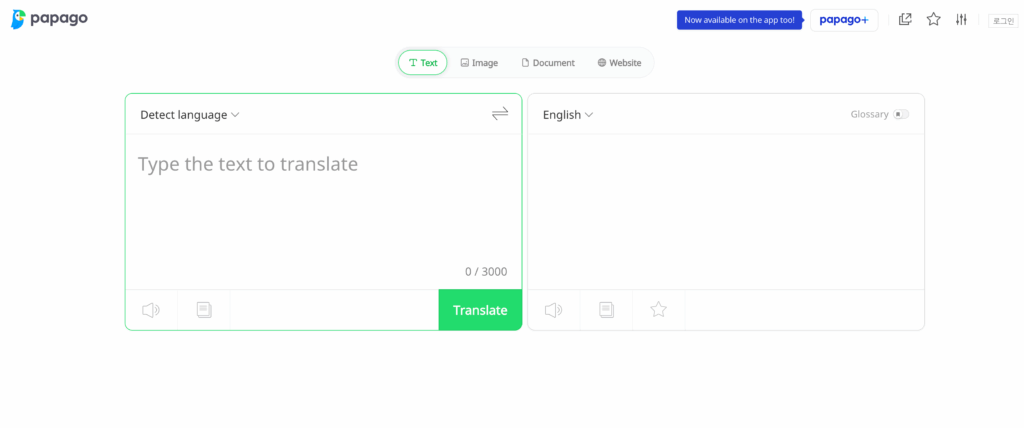
👉🏻Papago
Papago, developed by Naver, is particularly valued for its accuracy in Korean, Japanese, and Chinese language pairs. In technical contexts involving these languages, it outperforms many general-purpose AI tools.
Technical Terms Accuracy Assessment
- ✅ Best-in-class accuracy for Korean ↔ English technical vocabulary in electronics and manufacturing sectors
- ✅ Japanese ↔ English performance is strong for industrial and engineering terminology
- ✅ Free and accessible — good for individual professionals working in East Asian markets
- ❌ Supports only ~15 languages — insufficient for global technical terms translation needs
- ❌ No keyword customization or context-setting for domain-specific accuracy
- ❌ No meeting platform integration — cannot be used for live technical calls on Zoom or Teams
- ❌ No AI meeting notes or post-session documentation
Best For: Individual engineers or business professionals working in Korean/Japanese/Chinese technical fields
Pricing
Free (consumer mobile app) — no enterprise offering.
6. iTranslate — Accessible but Insufficiently Deep for Professional Technical Use
👉🏻 iTranslate
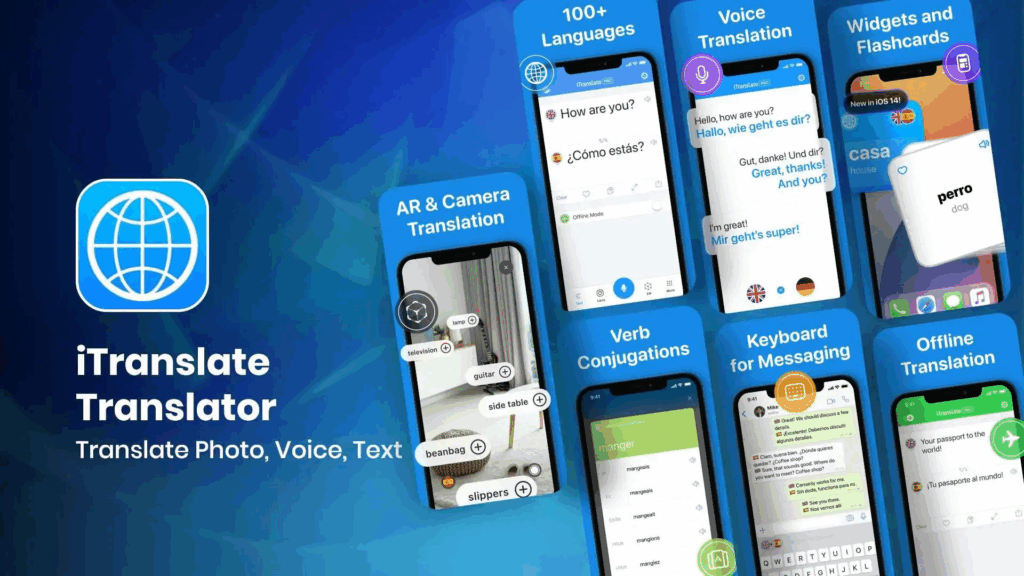
iTranslate is one of the most widely downloaded mobile translation applications globally, offering voice translation, offline capability, and 100+ language support. While accessible and affordable, it lacks the domain depth needed for accurate technical terms translation.
Technical Terms Accuracy Assessment
- ✅ Broad language coverage — 100+ languages
- ✅ Offline translation available — useful in field environments without connectivity
- ✅ Voice translation on mobile for quick consultations
- ❌ No domain-specific context or keyword customization
- ❌ Technical terms are frequently translated by surface meaning rather than domain meaning
- ❌ No meeting platform integration for live technical sessions
- ❌ No AI notes or session documentation
Best For: Travelers and field workers needing quick multilingual reference — not professional technical translation
Pricing
$4.99/month — affordable, but functionality reflects the price point.
7. Maestra AI — Strong Post-Session, Absent in Live Technical Meetings
👉🏻 Maestra AI
Maestra AI specializes in automated transcription and translation of recorded audio, video, and media files. It is well-regarded for accurately transcribing and translating recorded technical content — webinars, conference sessions, product demos.
Technical Terms Accuracy Assessment
- ✅ Good transcription accuracy for recorded technical presentations
- ✅ Supports multiple export formats (SRT, VTT, DOCX, TXT)
- ✅ Useful for creating bilingual transcripts of recorded technical sessions
- ❌ No real-time translation — entirely post-production
- ❌ Cannot assist during live technical meetings, calls, or negotiations
- ❌ No keyword customization for domain-specific technical terms
- ❌ No voice broadcast or interactive translation features
Best For: Post-session transcription and translation of recorded technical content
Pricing
Starts at $11.99/month.
Comprehensive Comparison Table: Technical Terms Accuracy by Translation Software
| Feature / Tool | Transync AI | Trados | KUDO | Wordly | Papago | iTranslate | Maestra AI |
|---|---|---|---|---|---|---|---|
| Starting Price | Free / $8.99/mo | ~$80/mo | Custom | Custom | Free | $4.99/mo | $11.99/mo |
| Real-Time Translation | ✅ Near-zero latency | ❌ | ✅ Human-assisted | ✅ Moderate lag | ⚠️ Mobile only | ✅ Basic | ❌ |
| Technical Terms Accuracy | ✅ 95%+ w/ context | ✅ TM-based | ✅ Interpreter-dependent | ⚠️ 85–88% | ✅ 90%+ (Asian) | ⚠️ 78–83% | ✅ 88–92% (recorded) |
| Keyword / Terminology Customization | ✅ AI Keywords + Context | ✅ Termbase (docs only) | ❌ | ❌ | ❌ | ❌ | ❌ |
| Context-Aware Domain AI | ✅ | ❌ | ✅ Human knowledge | ❌ | ❌ | ❌ | ❌ |
| Languages Supported | 60 | 50+ (docs) | 30+ | 30+ | ~15 | 100+ | 20 |
| Live Meeting Integration | ✅ Zoom/Teams/Meet | ❌ | ⚠️ Complex | ⚠️ Limited | ❌ | ❌ | ❌ |
| AI Voice Broadcast (TTS) | ✅ Natural voices | ❌ | ✅ Human only | ❌ | ✅ Basic | ✅ Basic | ❌ |
| Auto Language Detection | ✅ | ❌ | ❌ | ❌ | ❌ | ❌ | ❌ |
| AI Meeting Notes | ✅ Multilingual | ❌ | ❌ | ❌ | ❌ | ❌ | ❌ |
| Dual-Screen Display | ✅ | ❌ | ❌ | ❌ | ❌ | ❌ | ❌ |
| No Plug-In Required | ✅ | N/A | ❌ | ❌ | ✅ | ✅ | ✅ |
| Data Not Used for Training | ✅ Explicit | ✅ | ⚠️ | ⚠️ | ❌ | ❌ | ⚠️ |
| GDPR Compliance | ✅ Enterprise | ✅ | ✅ | ✅ | ⚠️ | ⚠️ | ⚠️ |
| All Devices | ✅ Mac/PC/iOS/Android/Web | ✅ Desktop | ⚠️ Web | ⚠️ Web | ✅ Mobile | ✅ Mobile | ✅ Web |
| Enterprise Team Management | ✅ Self-serve | ✅ Managed | ✅ Managed | ⚠️ | ❌ | ❌ | ⚠️ |
| Best Use Case | Live technical meetings & negotiations | Technical documentation | Formal technical conferences | Structured presentations | East Asian language pairs | Mobile field reference | Recorded content transcription |
| Overall Technical Terms Rating | ⭐⭐⭐⭐⭐ | ⭐⭐⭐⭐ (docs) | ⭐⭐⭐⭐ (events) | ⭐⭐⭐ | ⭐⭐⭐ | ⭐⭐ | ⭐⭐⭐ |
Industry-Specific Accuracy: How Transync AI Handles Technical Terms Across Sectors
⚙️ Engineering & Manufacturing
Pre-loading keywords like “tolerance, tensile strength, GD&T, ISO 9001, BOM, PCB, CNC milling” alongside context such as “I am a quality assurance engineer in automotive manufacturing” allows Transync AI to correctly distinguish and render technical terms that generic AI models routinely mistranslate. Engineers using Transync AI on cross-border supplier calls report near-elimination of terminology misunderstandings.
⚕️ Medical & Pharmaceutical
Clinical trial discussions, regulatory submission reviews, and pharmaceutical licensing calls involve technical terms where imprecision is unacceptable. Users preloading terms like “pharmacokinetics, GMP compliance, adverse event, primary endpoint, CRISPR-Cas9” alongside clinical context obtain translations that reflect the precise regulatory and scientific meaning — not a generic paraphrase.
⚖️ Legal & Contracts
Legal technical terms are notoriously difficult for generic AI: “indemnification,” “estoppel,” “force majeure,” “tortious interference” all carry specific meanings that vary by jurisdiction. Transync AI’s keyword mapping ensures these terms are rendered with jurisdictional accuracy rather than surface translation.
💹 Finance & Investment
“EBITDA normalization,” “earn-out clause,” “drag-along rights,” “Series B convertible note” — financial technical terms in deal discussions require exact rendering. Transync AI’s context-aware AI, primed with the deal structure and financial background, handles these with a precision that generic tools cannot approach.
🔬 Technology & AI
Fast-moving fields generate new technical terms continuously. Transync AI’s keyword system allows users to define translations for neologisms and emerging terminology — a critical advantage for AI, blockchain, and semiconductor sectors where standard dictionaries perpetually lag behind industry usage.
How to Set Up Transync AI for Maximum Technical Terms Accuracy
Getting Transync AI ready for a high-precision technical meeting takes under five minutes:
Step 1 — Sign Up and Access Create a free account at the Transync AI website. The free plan includes 40 minutes with all features — enough to fully test performance on your specific technical terms.
Step 2 — Open Transync AI Alongside Your Meeting Launch Transync AI on any device (Mac, PC, iOS, Android, or Web) and join your Zoom, Teams, or Google Meet session as usual. Share your system audio — no plug-in required.
Step 3 — Configure the AI Assistant Panel Before the meeting begins:
- Keywords: Enter your domain-specific technical terms and their preferred translations or preservation instructions
- Context: Write a 2–3 sentence description of your role, industry, and the meeting’s subject matter
Step 4 — Activate Dual-Screen Display Position the dual-screen display so original speech and translated text are both visible — allowing instant verification of any technical terms rendering during the session.
Step 5 — Enable Voice Broadcast Select the appropriate voice tone for the target language — translations will be spoken aloud naturally, so you can focus on the technical discussion rather than reading a screen.
Step 6 — Review AI Meeting Notes Post-Session After the meeting, access the automatically generated multilingual summary — verify key technical terms and agreed specifications are captured accurately before distributing to your team.
Q&A: Which Translation Software Has the Best Accuracy for Technical Terms?
Q1: Which translation software has the best accuracy for technical terms overall?
A: For live meetings and real-time professional communication, Transync AI delivers the highest accuracy for technical terms — achieving 95%+ through its AI Keywords & Context customization feature. For document-based technical translation, Trados remains the industry standard. The right choice depends on whether you need real-time verbal translation or static document localization.
Q2: Why do generic AI translation tools fail on technical terms?
A: Generic AI models are trained predominantly on everyday conversational and web text — making them fluent at common language but weak on domain-specific technical terms. They lack the contextual grounding to distinguish, for example, “resolution” in optics from “resolution” in legal contexts. Tools like Transync AI address this through user-defined keyword mappings and professional context settings.
Q3: How does Transync AI’s keyword feature improve technical terms accuracy?
A: The AI Keywords & Context feature allows users to pre-define how specific technical terms should be handled — mapping terms to their correct domain translation, preserving acronyms in original form, or linking brand names and product codes to their equivalents. Combined with a professional context description, this calibrates the entire translation session to the correct domain register, pushing accuracy above 95%.
Q4: Is Trados better than Transync AI for technical terms?
A: They serve different use cases. Trados excels at document-based technical terms management — building translation memories and termbases for large-scale localization projects. Transync AI excels at real-time spoken technical communication — live meetings, client calls, and verbal negotiations. For organizations that need both, using Trados for documentation and Transync AI for meetings is the optimal approach.
Q5: Can Transync AI handle technical terms in fields like medicine or semiconductor engineering?
A: Yes. Transync AI’s keyword and context system is designed precisely for this purpose. Medical professionals can preload clinical terminology; semiconductor engineers can map chip fabrication technical terms; legal counsel can define contractual vocabulary. The AI Assistant adapts its translation model to the specified domain — making Transync AI suitable for even highly specialized technical fields.
Q6: How does Transync AI protect sensitive technical information during translation?
A: Transync AI explicitly guarantees that user data is never used for AI model training. Enterprise plans include full GDPR compliance, a private organization knowledge base, and unified account management — ensuring that proprietary technical terms, trade secrets, and R&D data processed during translation sessions remain fully confidential.
Q7: What is the best free translation tool for technical terms?
A: Transync AI’s free plan provides 40 minutes of full-feature real-time translation — including the AI Keywords & Context feature, AI meeting notes, voice broadcast, and 60-language support. For testing accuracy on your specific technical terms before committing to a paid plan, this is the most generous and technically capable free offering available.
Q8: How does Transync AI’s Organization Knowledge Base help teams with technical terms?
A: Enterprise teams can maintain a shared, persistent library of approved technical terms translations within the Organization Knowledge Base. This ensures that every team member — regardless of their individual language proficiency — uses the same approved terminology mappings in every meeting, creating organization-wide translation consistency across all technical communications.
Q9: Can Transync AI handle technical terms in emerging fields like AI and blockchain?
A: Yes. Because Transync AI’s keyword feature is user-defined and updated in real time, it can accommodate technical terms from any emerging field — even neologisms that have not yet appeared in standard translation databases. Users simply add new terms to the keyword panel before each session, giving the AI immediate, meeting-specific guidance on how to handle novel terminology.
Q10: What should I consider when choosing translation software specifically for technical terms?
A: Prioritize these factors in order: (1) Customizable terminology management — can you define how specific technical terms are handled? (2) Context-awareness — does the tool understand your professional domain? (3) Real-time capability — do you need live translation or document translation? (4) Data privacy — is your technical IP protected? (5) Language breadth — does it cover all the language pairs your work demands? Transync AI leads across all five criteria for live professional use.
Conclusion: Technical Terms Demand More Than Generic AI Translation
In 2026, the question is no longer whether AI translation software is capable of handling technical terms — the best tools clearly are. The question is which tools have invested in the features that make the difference: contextual understanding, user-defined terminology control, domain-specific accuracy, and the ability to function reliably in real-time professional settings.
The verdict from this comparison:
- Trados remains irreplaceable for document-based technical terms management at scale
- KUDO delivers interpreter-grade precision for high-formality technical events — at a premium
- Wordly covers structured technical presentations adequately but struggles in live dialogue
- Papago is excellent for East Asian technical terms in bilateral language pairs
- iTranslate and Maestra AI serve narrow use cases well, but fall short for professional technical communication
- Transync AI is the only tool that combines near-zero-latency real-time translation, user-defined technical terms mapping, automatic language detection, natural voice broadcast, multilingual meeting notes, and transparent pricing — all without plug-ins or complex setup
For professionals whose work lives or dies by the precision of technical terms — in engineering reviews, clinical discussions, patent negotiations, or financial due diligence — Transync AI delivers the accuracy, privacy, and ease of deployment that every other real-time tool in this comparison falls short of providing.
If you want a next-generation experience, Transync AI leads the way with real-time, AI-powered translation that keeps conversations flowing naturally. You can try it free now.

