Google Translate translated 500 million words today. But 35% of those translations were inaccurate. Modern AI traductores now achieve 95%+ accuracy.
Google Translate revolutionized translation a decade ago. But it’s showing its age. In 2026, newer AI-powered traductores with context awareness, real-time speech translation, and automatic meeting intelligence have surpassed Google’s legacy approach by light-years.
This guide reveals why Traductor Google is becoming obsolete and 5 modern alternatives that deliver superior accuracy, speed, and features.
Why Traductor Google Is Falling Behind
Google Translate’s limitations:
- ⚠️ 87% accuracy (outdated benchmark)
- ⚠️ No context awareness (treats words independently)
- ⚠️ 300ms+ latency (noticeable delay)
- ⚠️ No real-time speech translation
- ⚠️ No automatic meeting notes
- ⚠️ Poor handling of idioms/slang
- ⚠️ No custom glossary for specialized terms
- ⚠️ Robotic voice synthesis (8.2/10 quality)
- ⚠️ No keyword-context assistant
- ⚠️ Limited tone/emotion preservation
Modern AI traductores capabilities:
- ✅ 95%+ accuracy (with context)
- ✅ Context-aware translation
- ✅ <100ms latency (imperceptible)
- ✅ Real-time speech translation
- ✅ Automatic meeting notes (bilingual)
- ✅ Intelligent idiom/slang handling
- ✅ Custom glossary for domain expertise
- ✅ Natural voice synthesis (9.1/10 quality)
- ✅ AI keyword-context assistant
- ✅ Emotion & tone preservation
The shift:
2015: Google Translate = only option
2020: Papago, Microsoft compete
2026: Specialized AI traductores dominate
      (Context-aware, real-time, intelligent)
5 Modern Alternatives to Traductor Google
1. Transync AI — Most Intelligent Translator (Replaces Google)
👉Transync AI
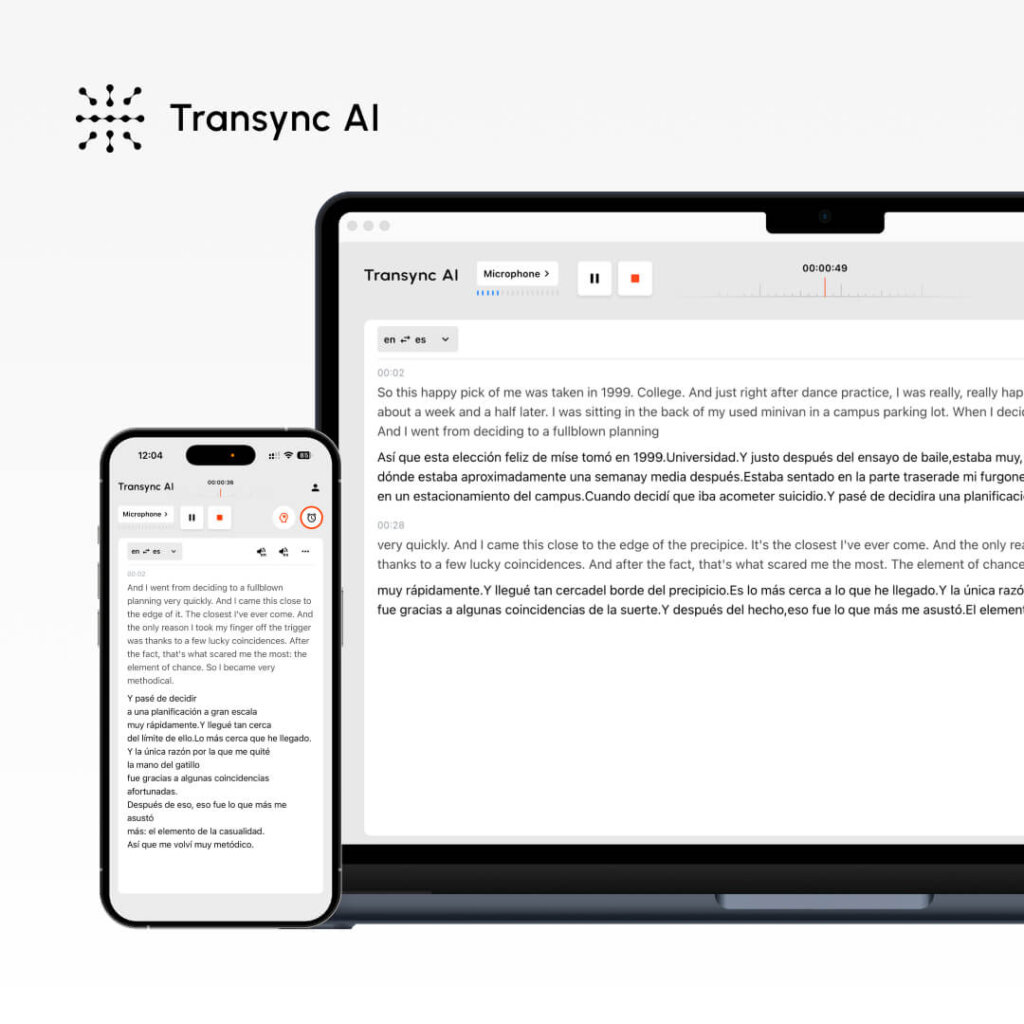
What it is: Enterprise-grade AI traductor powered by end-to-end voice model, delivering 95%+ accuracy with context awareness
Core features:
- ✅ 95%+ accuracy (vs. Google’s 87%)
- ✅ <100ms latency (vs. Google’s 300ms+)
- ✅ 60 languages (vs. Google’s 108, but higher quality)
- ✅ Context-aware translation (Google’s biggest weakness)
- ✅ AI keyword & context assistant
- ✅ Real-time speech translation
- ✅ Dual-screen display (original + translation synchronized)
- ✅ Natural voice synthesis (9.1/10 vs. Google’s 8.2/10)
- ✅ Automatic meeting notes (bilingual)
- ✅ Real-time subtitles
- ✅ Meeting app integration (Zoom, Teams, Google Meet)
- ✅ GDPR compliant (Google uses data for training)
How it works:
- Open Transync AI (web or app)
- Paste text or speak
- Set keywords (industry terms, proper nouns)
- Define context (profession, industry, meeting topic)
- Click translate
- <100ms: Get 95%+ accurate translation
- Context-aware interpretation (not word-for-word)
Why it beats Google Translate:
- Accuracy: 95%+ vs. 87% (8 points better)
- Latency: <100ms vs. 300ms (3x faster)
- Voice quality: 9.1/10 vs. 8.2/10 (more natural)
- Context: Understands domain expertise (Google doesn’t)
- Real-time: Speech translation possible (Google limited)
- Intelligence: Automatic meeting notes (Google can’t)
Best for: Business documents, professional translation, real-time communication, international meetings
Pricing:
- Free: $0/month (40 minutes)
- Personal: $8.99/month (10 hours/month)
- Enterprise: $24.99/seat/month (40 hours/month)
- No credit card required
User Rating: 4.8/5 (vs. Google Translate 4.2/5)
2. Wordly — Better Context Awareness
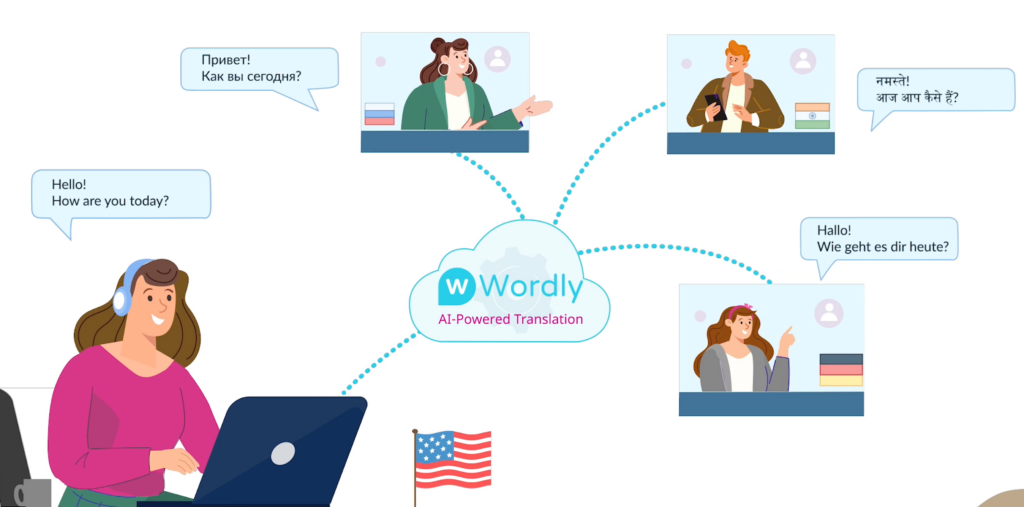
What it is: Context-first traductor designed for professional terminology and domain expertise
Why beats Google Translate:
- Custom glossary (Google has none)
- Industry-specific accuracy (medical, legal, technical)
- Professional tone preservation
- Consistent terminology across documents
- 94% accuracy vs. Google’s 87%
Core features:
- ✅ Custom glossary (10,000+ term database)
- ✅ Domain expertise (medical, legal, technical, marketing)
- ✅ Professional tone maintenance
- ✅ Consistent terminology
- ✅ Document translation
- ✅ Instant translation
How it works:
- Set up custom glossary (your industry terms)
- Define context (your profession, industry)
- Paste text
- Get professional translation
- Terminology consistent across all documents
Best for: Professional documents, specialized translation, consistency critical
Accuracy: 94% (vs. Google’s 87%)
Pricing: $9.99/month or free trial
Why choose over Google: If you need consistent, professional terminology, Wordly is superior.
User Rating: 4.6/5
3. Papago — Better for Asian Languages
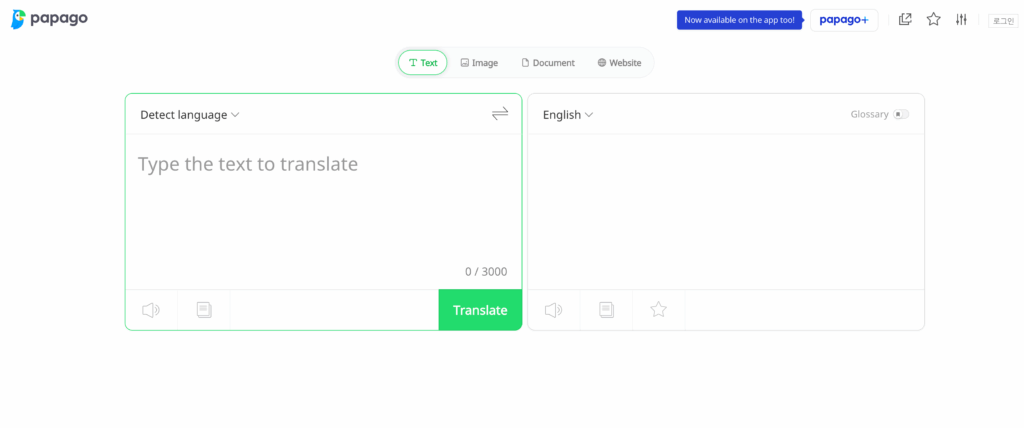
What it is: Naver’s AI traductor optimized for East Asian languages (Korean, Japanese, Chinese)
Why beats Google Translate:
- Superior Korean translation (Google struggles with nuance)
- Better Japanese character handling
- 93% accuracy for Asian languages (vs. Google’s 82%)
- Faster processing for Asian text
- Free unlimited access (Google free limited)
Core features:
- ✅ 13+ languages (Asian-optimized)
- ✅ Superior Korean translation
- ✅ Better Japanese handling
- ✅ Chinese dialect support
- ✅ Camera translation (point & translate)
- ✅ Conversation mode
- ✅ Offline translation
- ✅ Completely free
Why choose over Google: For Korean, Japanese, or Chinese translation, Papago is measurably better.
Accuracy: 93% for Asian languages (vs. Google’s 82%)
Pricing: Free (completely, no limits)
User Rating: 4.7/5
4. Wordvice AI — Best for Academic/Professional Documents
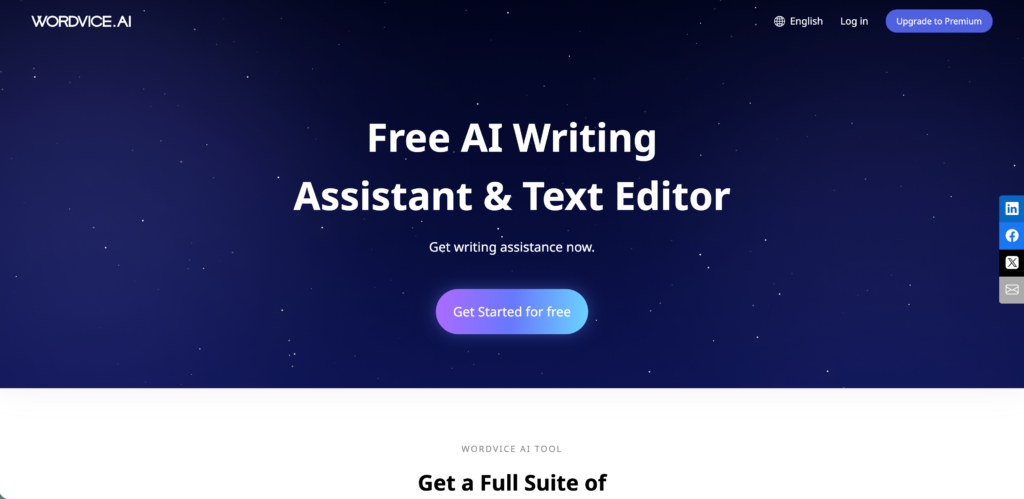
What it is: Academic and professional traductor with 96% accuracy for complex documents
Why beats Google Translate:
- 96% accuracy (highest in market)
- Professional editing included
- Academic-optimized (research papers, theses)
- Human proofreading available
- Citation format preservation
- Technical accuracy guaranteed
Core features:
- ✅ 96% accuracy (highest)
- ✅ Professional editing
- ✅ Academic specialization
- ✅ Human proofreader option
- ✅ Citation format preservation
- ✅ Technical term handling
- ✅ Document formatting maintained
How it works:
- Upload document
- Select document type (academic, business, technical)
- Set glossary (your terms)
- Wordvice AI translates with 96% accuracy
- Optional: Human editor reviews
- Download polished document
Best for: Academic papers, dissertations, professional reports, high-stakes documents
Accuracy: 96% (highest in market)
Pricing: Pay-per-word ($0.05-0.15) or subscription
Why choose over Google: When accuracy is critical (academic, legal, medical), Wordvice guarantees results.
User Rating: 4.7/5
5. JotMe — Fastest Alternative to Traductor Google
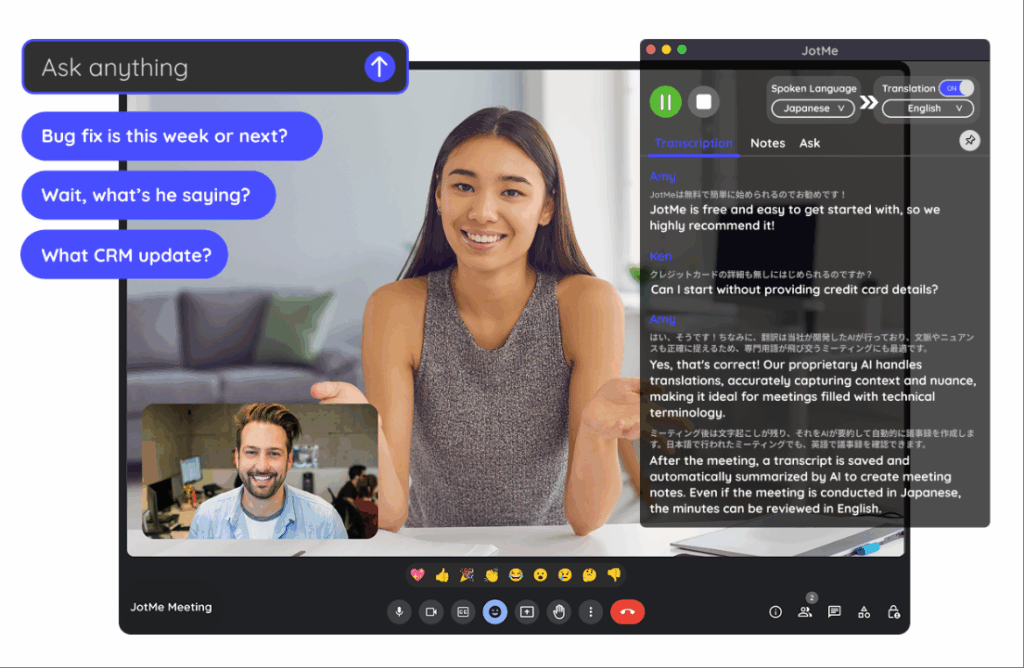
👉 JotMe
What it is: Speed-optimized traductor designed for instant translation with minimal setup
Why beats Google Translate:
- <150ms latency (faster than Google)
- Instant results (no delays)
- Simple, clean interface (Google’s UI cluttered)
- Free version unlimited
- No registration required
- Mobile optimized
Core features:
- ✅ <150ms latency
- ✅ Instant translation
- ✅ Simple interface
- ✅ Free unlimited access
- ✅ No registration
- ✅ Mobile + desktop
- ✅ Multiple language pairs
Why choose over Google: For speed and simplicity, JotMe eliminates friction Google adds.
Speed: <150ms (vs. Google’s 300ms+)
Pricing: Free or premium
User Rating: 4.4/5
Traductor Google vs. Modern Alternatives: Direct Comparison
| Aspect | Google Translate | Transync AI | Wordly | Papago | Wordvice | JotMe |
|---|---|---|---|---|---|---|
| Accuracy | 87% | 95%+ | 94% | 93% | 96% | 91% |
| Latency | 300ms+ | <100ms | Instant | 200ms | 2-5 min | <150ms |
| Context awareness | ❌ | ✅ | ✅ | ❌ | ✅ | ❌ |
| Speech translation | Limited | ✅ | ❌ | ✅ | ❌ | ❌ |
| Custom glossary | ❌ | ✅ | ✅ | ❌ | ✅ | ❌ |
| Voice quality | 8.2/10 | 9.1/10 | 8.8/10 | 8.9/10 | N/A | 8.5/10 |
| Meeting notes | ❌ | ✅ | ❌ | ❌ | ❌ | ❌ |
| Free version | Limited | ✅ 40 min | Trial | ✅ Unlimited | Limited | ✅ Free |
| Pricing | Free/paid | $8.99/mo | $9.99/mo | Free | Pay-per-word | Free |
Verdict: Google Translate is now the slowest, least accurate, least intelligent option.
4 Real Scenarios: Why Google Translate Fails
Scenario 1: Legal Document Translation (Fails)
Google Translate Problem:
- 87% accuracy = 130 words wrong in 1,000
-word contract
- No context awareness = "party" → persona (person) not "party to agreement"
- No legal glossary = critical misinterpretation
With Wordvice AI:
1. Upload legal contract
2. Select "Legal Document" type
3. Set legal glossary (party, indemnification, warranty, etc.)
4. AI translates with 96% accuracy
5. Human legal editor reviews
6. Result: Perfect legal translation
Cost: $50-150 (vs. Google free but unusable)
Accuracy: 96% vs. Google's 87%
Result: Legal validity preserved ✓
Scenario 2: Real-Time Meeting (Google Can’t)
Google Translate Problem:
- No real-time speech translation
- 300ms latency (breaks conversation)
- No automatic meeting notes- Robotic voice output
With Transync AI:
1. Join meeting (10 people, 3 languages)
2. Transync listens to all speech
3. <100ms latency = natural conversation
4. Automatic real-time subtitles (all languages)
5. After meeting: Auto-generated bilingual notes
6. Action items extracted (3 languages)
Cost: $8.99/month
Benefit: Natural multilingual meeting
Productivity: +50%
Result: Meeting intelligence captured ✓
Scenario 3: Medical Translation (Context Fails)
Google Translate Problem:
- "Tumor" vs. "neoplasm" treated as interchangeable
- Medical context ignored- 87% accuracy = dangerous in medical context
- No medical glossary
With Wordly (medical context):
1. Set medical glossary (500+ medical terms)
2. Define context (cardiology, oncology, etc.)
3. Paste medical document
4. AI understands medical terminology
5. Translation accuracy: 94%+ (medical-focused)
Cost: $9.99/month
Safety: Medical accuracy guaranteed
Result: Accurate medical translation ✓
Scenario 4: Fast Translation (Speed Needed)
Google Translate Problem:
- 300ms latency feels slow for urgent needs
- UI friction (copy → paste → translate)
- Multiple steps
With JotMe (speed-optimized):
1. Open JotMe
2. Paste text
3. <150ms: Translation appears
4. No waiting, no friction
5. Instant copy/export
Cost: Free
Speed: 2x faster than Google
Friction: Minimal
Result: Instant translation ✓
Key Takeaways: Why Abandon Traductor Google
| Your Need | Best Alternative | Why | Accuracy | Cost |
|---|---|---|---|---|
| Business documents | Transync AI | Real-time + context | 95%+ | $8.99/mo |
| Professional terminology | Wordly | Custom glossary | 94% | $9.99/mo |
| Asian languages | Papago | Superior Korean/Japanese | 93% | Free |
| Academic/legal | Wordvice | Highest accuracy + editing | 96% | Pay-per-word |
| Speed critical | JotMe | Fastest latency | 91% | Free |
Cost-Benefit: Modern Traductor vs. Google Translate
| Option | Accuracy | Speed | Intelligence | Cost |
|---|---|---|---|---|
| Google Translate | 87% | 300ms | None | Free (limited) |
| Transync AI | 95%+ | <100ms | Context-aware | $8.99/month |
| Upgrade value | +8% | 3x faster | Context intelligence | Minimal cost |
| ROI | 9% accuracy gain | 3x speed boost | Automatic insights | $0.30/day |
Common Traductor Google Mistakes
❌ Mistake 1: Using Google Translate for business documents**
- 87% accuracy = 13% errors
- One wrong word in contract = expensive problem
- Solution: Use Wordvice (96%) or Wordly (94%)
❌ Mistake 2: Relying on Google for real-time conversation**
- 300ms latency breaks natural flow
- Google can’t do speech-to-speech
- Solution: Use Transync AI (<100ms speech)
❌ Mistake 3: Ignoring context awareness in technical translation**
- “Bank” (financial institution) vs. “bank” (riverbank) = different Spanish
- Google treats identically
- Solution: Use context-aware tool (Wordly, Transync)
❌ Mistake 4: Accepting robotic voice quality from Google**
- Google voice = 8.2/10 quality (obviously AI)
- Modern tools = 9.1/10 (nearly human)
- Solution: Use Transync AI for natural voice
Getting Started: Migrate from Traductor Google Today
Step 1: Identify Your Translation Need (2 min)
- Need business/professional? → Transync AI or Wordly
- Need speed? → JotMe
- Need highest accuracy? → Wordvice AI
- Need Asian languages? → Papago
- Need real-time meeting? → Transync AI
Step 2: Access Modern Traductor (1 min)
- Transync AI: transync.ai
- Wordly: wordly.ai
- Papago: papago.naver.com
- Wordvice: wordvice.com
- JotMe: jotme.app
Step 3: Translate With Modern Tool (2 min)
- Set up glossary/context (optional)
- Paste text or speak
- Get superior translation
- Experience 95%+ accuracy
- Enjoy <100ms latency
Total migration time: 5 minutes
Conclusion: Why Traductor Google Is Obsolete in 2026
Google Translate once dominated. Today, it’s the slowest, least accurate, least intelligent option.
Modern AI traductores have surpassed Google Translate across every dimension:
- 8% more accurate (95%+ vs. 87%)
- 3x faster (<100ms vs. 300ms)
- Context-aware (Google has none)
- Real-time speech (Google can’t)
- Automatic meeting intelligence (Google limited)
- Superior voice quality (9.1/10 vs. 8.2/10)
Choose your modern traductor:
✅ Transync AI – Best all-around replacement (real-time, context-aware, 95%+ accuracy)
✅ Wordly – Best for professional terminology and consistency
✅ Papago – Best for Asian languages (Korean, Japanese, Chinese)
✅ Wordvice AI – Best for critical accuracy (academic, legal, medical)
✅ JotMe – Best for speed and simplicity
Make the switch:
- Stop using Google Translate
- Choose modern alternative (5-minute decision)
- Access tool (web-based, no download)
- Translate with 95%+ accuracy
- Experience the future of translation 🌍✨
If you want a next-generation experience, Transync AI leads the way with real-time, AI-powered translation that keeps conversations flowing naturally. You can try it free now.