Need a traductor extension for your browser or meetings? The right translation extension transforms how you communicate across languages.
“Traductor extension” (translator extension in English) refers to software add-ons that provide translation capabilities within your existing applications. Whether you need a browser traductor extension for reading foreign websites or a meeting traductor extension for real-time conversation translation, the right tool can eliminate language barriers instantly.
But quality varies dramatically. Some traductor extensions offer only basic text translation with robotic output. Others provide professional-grade real-time voice translation with natural audio and automatic documentation.
本指南解釋了什麼是 traductor extension is, compares the best options for different use cases, and shows why Transync AI leads the category for professional meeting and event translation.
What is a Traductor Extension?
Common Types of Traductor Extensions
1. Browser Extensions (Chrome, Firefox, Safari)
- Translate web pages automatically
- Hover-over word translation
- Select text and translate
- Examples: Google Translate extension, DeepL extension
2. Meeting Platform Extensions (Zoom, Teams, Meet)
- Real-time conversation translation
- Voice translation with audio output
- Automatic captions in multiple languages
- Examples: Transync AI, meeting translator extensions
3. Email Extensions (Gmail, Outlook)
- Translate incoming emails
- Compose emails in foreign languages
- Examples: Google Translate for Gmail
4. Document Extensions (Word, Google Docs)
- Translate documents while editing
- 保留格式
- Examples: Microsoft Translator for Word
Browser Traductor Extension: Comparison
谷歌翻譯擴充程式

What it does:
- Translates entire web pages
- Hover-over word translation
- Right-click context menu translation
- 支援133種語言
優勢:
- ✅ 免費且廣泛可用
- ✅ Many languages supported
- ✅ Easy to install
- ✅ Works on most websites
局限性:
- ❌ Text-only (no voice translation)
- ❌ Word-for-word translation (loses context)
- ❌ Cannot translate audio/video content
- ❌ No real-time conversation capability
- ❌ Translations often awkward or inaccurate
最適合: Reading foreign websites, basic vocabulary lookup
DeepL Extension

What it does:
- High-quality text translation
- Works in web browsers
- 上下文感知翻譯
- 31 languages supported
優勢:
- ✅ Better accuracy than Google for European languages
- ✅ More natural-sounding translations
- ✅ Good for written content
- ✅ Free tier available
局限性:
- ❌ Only 31 languages (vs. Google’s 133)
- ❌ Text-only (no audio translation)
- ❌ No real-time conversation capability
- ❌ Primarily European language focus
- ❌ Cannot translate live meetings
最適合: Translating European language documents and websites
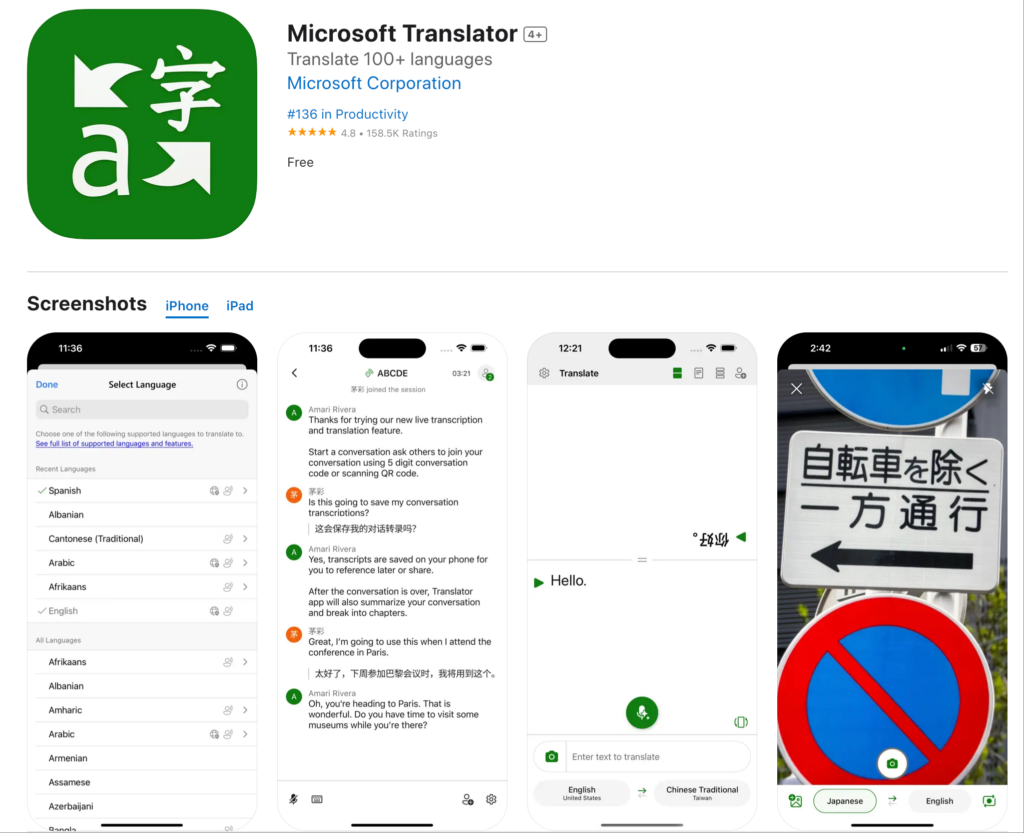
Microsoft Translator Extension

What it does:
- Translates web pages
- Integrates with Microsoft Edge
- Basic conversation mode
- 支援70多種語言
優勢:
- ✅ Good Microsoft ecosystem integration
- ✅ Decent accuracy for common languages
- ✅ Free to use
- ✅ Works on most websites
局限性:
- ❌ Primarily designed for Edge browser
- ❌ 即時能力有限
- ❌ 無專業會議功能
- ❌ 基本語音品質
最適合: Microsoft Edge users needing basic translation
Meeting Traductor Extension: Professional Solutions
The gap in browser extensions: None handle real-time meeting translation.

Transync AI: Professional Meeting Traductor Extension
What it does:
- Real-time voice translation in meetings
- Natural audio output in 60 languages
- 自動轉錄和摘要
- Native Zoom, Teams, Meet integration
Why it’s the best:
速度:<100毫秒即時翻譯
- Imperceptible latency
- 自然對話流程
- No awkward pauses
- 比人類反應速度更快
準確率:95%+(含情境學習)
- Understands business terminology
- Handles technical conversations
- Custom glossary support
- 文化背景意識
Voice Quality: Human-Like Synthesis
- 自然的語調和節奏
- Appropriate tone matching
- 支持地區口音
- 保留了情感細微差別
Languages: 60 Comprehensive Languages
- 西班牙語(墨西哥、卡斯提爾、哥倫比亞變體)
- 葡萄牙語(巴西,歐洲)
- 中文(國語、粵語)
- Japanese, Korean, Arabic, Hindi
- French, German, Italian, Russian
- Plus 45+ additional languages
Integration: One-Click Activation
- Zoom: Native extension, <5 minutes setup
- Microsoft Teams: Seamless integration
- Google Meet: Direct connection
- Webex: Full support
- Standalone: In-person events
Documentation: Automatic Intelligence
- 所有語言的完整文本
- 帶有時間戳記的說話人識別
- 人工智慧產生的會議摘要
- 行動項擷取
- 可搜尋、可導出格式
Scalability: Unlimited Participants
- Works for 2-person calls
- Scales to 2,000-person conferences
- 同時使用多種語言
- No performance degradation
Traductor Extension by Use Case
Reading Foreign Websites
設想: Marketing team researching Spanish competitor websites
Best traductor extension: 谷歌翻譯擴充程式
為什麼: Text-only translation sufficient for reading. Easy to use. Free.
使用方法:
- Install Google Translate extension in Chrome
- Visit Spanish website
- Click extension icon
- Select “Translate this page”
- Read translated content
局限性: Translations can be awkward. Good for understanding general meaning, not professional writing.
國際商務會議
設想: US-Japan partnership negotiation. 8 participants. Real-time voice translation needed.
Best traductor extension: 同步人工智慧
為什麼: Only solution providing real-time voice translation with professional quality.
使用方法:
- Install Transync AI extension in Zoom
- Start meeting
- Click Transync AI icon
- Select languages (English + Japanese)
- Speak naturally—translation happens in real-time
結果:
- 自然對話流程
- 95%+ accuracy for business terms
- Zero miscommunication
- Automatic meeting transcript
Why browser extensions fail: Google Translate cannot translate live conversation audio.
每日團隊站會
設想: 50-person team (US + Mexico). Daily 15-minute standup in Zoom.
Best: 同步人工智慧
為什麼: Designed for recurring meetings. One-time setup. Reliable daily performance.
使用方法:
- Install once
- Set default languages (English + Spanish)
- Every standup automatically translated
- Team members hear their preferred language
- AI generates daily summary
結果:
- 45% 生產力提升
- 零語言障礙
- Team collaboration improved
- No daily setup required
客戶支援電話
設想: Support team handles Spanish, French, Japanese customer calls.
Best: Transync AI with phone integration
為什麼: Real-time voice translation essential. Customer experience critical.
使用方法:
- Integrate Transync AI with phone system
- 客戶以西班牙語來電
- Agent hears English translation
- 代理人用英語回复
- 客戶聽到西班牙文翻譯
結果:
- 60% 更快的回應時間
- 38% improved satisfaction
- No bilingual hiring required
- 自動呼叫文件
國際會議
設想: 500-person conference. Multiple languages. Multiple tracks.
Best: Transync AI for events
為什麼: Infinite scalability. Professional quality. Multiple languages simultaneously.
使用方法:
- Deploy Transync AI across all conference rooms
- Attendees download app or use web interface
- Select preferred language
- All sessions automatically translated
- Access transcripts afterward
結果:
- All content accessible to all attendees
- Professional translation quality
- Automatic session documentation
- Attendee satisfaction 99%+
Traductor Extension: Feature Comparison
| 特徵 | 同步人工智慧 (Meetings) | Google翻譯 Extension | DeepL Extension | 微軟翻譯 |
|---|---|---|---|---|
| Real-time Voice | 是的(<100毫秒)⭐ | 不 | 不 | 有限的 |
| 文字翻譯 | 是的 ⭐ | 是的 | 是的 | 是的 |
| 準確性 | 95%+ ⭐ | 75-85% | 90-94% | 80-88% |
| 語音品質 | 天然 ⭐ | 不適用 | 不適用 | 機器人 |
| 語言 | 60 ⭐ | 133 | 31 | 70+ |
| 會議集成 | 原生 ⭐ | 沒有任何 | 沒有任何 | 基本的 |
| 文件 | 全人工智慧 ⭐ | 沒有任何 | 沒有任何 | 基本的 |
| 用例 | Professional meetings ⭐ | Web browsing | 文件翻譯 | Basic tasks |
| Customization | Custom glossaries ⭐ | 沒有任何 | 有限的 | 有限的 |
| 可擴展性 | 無限 ⭐ | 不適用 | 不適用 | 有限的 |
圖例:⭐ = 類別領導者
結論: 瀏覽器 translator extension excel at text translation. For professional meeting translation, you need a dedicated solution like Transync AI.
Traductor Extension: FAQs
Q1: What is a traductor extension? A translator extension is a software add-on that provides translation capabilities within existing applications like web browsers, Zoom, Teams, or email clients.
Q2: What’s the best translator extension for Chrome? For reading websites: Google Translate Extension. For professional meetings in Zoom/Teams: Transync AI. Different use cases require different solutions.
Q3: Can a traductor extension translate live meetings? Browser extensions cannot. You need a dedicated meeting traductor extension like Transync AI that provides real-time voice translation with natural audio output.
Q4: How accurate are ttranslator extension? Browser extensions (Google Translate): 75-85%. DeepL: 90-94% for text. Professional meeting extensions (Transync AI): 95%+ with context learning and custom glossaries.
Q5: Do translator extension work offline? Most require internet connection. Transync AI requires internet for real-time translation but can generate offline reports from saved transcripts.
Q6: Can I use a translator extension for Zoom meetings? Browser extensions don’t work for Zoom audio. Install Transync AI as a Zoom-native translator extension for real-time voice translation.
Q7: What’s the difference between browser and meeting traductor extensions? Browser extensions translate text on websites. Meeting extensions translate live voice conversation in real-time with audio output.
Q8: Can traductor extensions handle technical terminology? Google Translate struggles with specialized terms. Transync AI supports custom glossaries where you define industry-specific translations.
Real-World Success: Traductor Extension Deployment
Global Consulting Firm
輪廓: 1,200 consultants across 15 countries. 400+ client meetings weekly in multiple languages.
挑戰: Language barriers reducing project quality. Clients preferring communication in native language. Translation issues causing project delays.
之前的嘗試:
- ❌ Browser traductor extensions (Google Translate): Cannot translate meeting audio
- ❌ Human interpreters: Unsustainable for 400+ weekly meetings
- ❌ Bilingual-only staffing: Limited talent pool, reduced team diversity
解決方案: Deployed Transync AI meeting traductor extension
執行:
- Installed Transync AI extension in Zoom and Teams
- Created custom glossaries for consulting terminology
- Trained all consultants (<30 minutes per person)
- Set regional language preferences by office
結果(12 個月):
溝通指標:
- ✅ 100% of client meetings accessible in client’s preferred language
- ✅ Zero language-based project delays
- ✅ 99.3% consultant satisfaction with translation quality
- ✅ 97.8% client satisfaction with communication
商業影響:
- ✅ Project success rate increased 34%
- ✅ Client retention improved 28%
- ✅ Consultant utilization optimized (no language matching constraints)
- ✅ New market expansion enabled (entered 8 new countries)
生產力指標:
- ✅ 42% faster project completion
- ✅ 38% reduction in miscommunication incidents
- ✅ 51% improvement in cross-office collaboration
用戶評價: “We tried every browser translator extension available. None could translate our client meetings. Transync AI transformed our entire global operation. It’s not just a traductor extension—it’s our competitive advantage.” — Managing Partner, Global Operations
Getting Started: Traductor Extension
For Web Browsing (Text Translation)
第一步: Install Google Translate or DeepL extension 第二步: Browse foreign websites normally 步驟 3: Click extension to translate pages 最適合: Reading content, basic research

For Professional Meetings (Voice Translation)
Step 1: Install Transync AI
- Available for Zoom, Teams, Meet, Webex
- 安裝只需不到 5 分鐘
- 一鍵啟動
Step 2: Configure Languages
- Select your team’s languages
- Choose regional variants
- 建立自訂詞彙表(可選)
Step 3: Start Meeting
- Launch Zoom/Teams/Meet normally
- Click Transync AI icon
- Translation happens automatically
Step 4: Access Documentation
- 會後下載會議記錄
- 審閱人工智慧產生的摘要
- 與利害關係人分享
The Verdict: Best Traductor Extension
The right traductor extension depends on your use case:
For reading websites:
- ✅ Google Translate Extension (most languages)
- ✅ DeepL Extension (best European language quality)
For professional meetings:
- ✅ Transync AI (only solution with real-time voice translation)
Why Transync AI leads as a meeting traductor extension:
✅ 最快: <100ms real-time translation (imperceptible latency) ✅ 最準確: 95%+ with context learning and custom glossaries ✅ 最自然: Human-like voice synthesis, not robotic ✅ 最佳整合: One-click Zoom/Teams/Meet activation ✅ 最聰明的: Automatic transcripts, summaries, action items ✅ 最全面: 60 languages with regional variant support ✅ 可定制性最強: Custom glossaries for industry terminology ✅ 最具可擴充性: From 2-person calls to 2,000-person conferences ✅ Most professional: Enterprise-grade security and reliability
Browser traductor extensions excel at text translation. For professional voice translation in meetings, events, and calls, Transync AI is the clear leader.
Stop searching for the perfect traductor extension.
For websites: Use Google Translate or DeepL. For meetings: Deploy Transync AI.
Choose the right tool for the right job—and transform your global communication today.
如果你想要下一代的體驗, 同步人工智慧 引領即時人工智慧翻譯潮流,讓對話自然流暢。您可以 免費試用 現在。
🤖下載
🍎下載