
คู่มือผู้ใช้
กรณีการใช้งาน
การแปลภาษาใน Microsoft Teams สำหรับการประชุมหลายภาษา
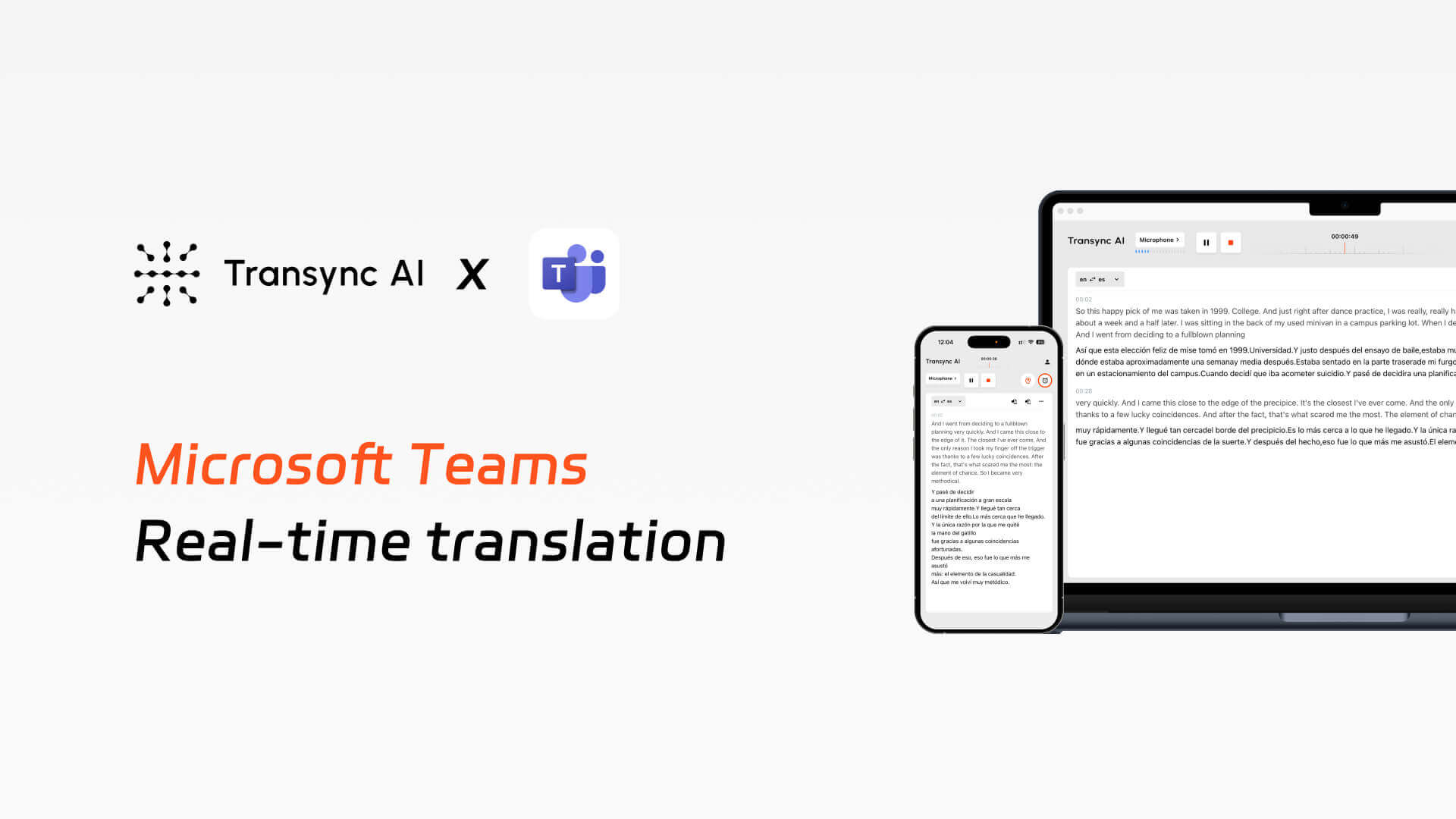
ทรานซิงค์ เอไอ ช่วยให้สามารถแปลสองภาษาแบบเรียลไทม์ได้ ไมโครซอฟท์ทีม, โดยมีบริการคำบรรยายสด การถ่ายทอดเสียง และการบันทึกรายงานการประชุมอัตโนมัติ.
บทช่วยสอน
วิดีโอ
ปัญหาที่พบได้จริงในการประชุมหลายภาษาผ่าน Teams.
1. ประสิทธิภาพต่ำในการสื่อสารข้ามภาษา
ผู้เข้าร่วมประชุมประสบปัญหาในการทำความเข้าใจผู้พูดภาษาต่างประเทศ การแปลด้วยตนเองทำให้การประชุมไม่ราบรื่น และผู้ที่ไม่ใช่เจ้าของภาษามักลังเลที่จะพูด ซึ่งลดประสิทธิภาพการสื่อสารลงอย่างมาก.
2. ความสามารถพื้นฐานในทีมไม่เพียงพอ
คำบรรยายในตัวของ Teams รองรับภาษาได้จำกัด มีความล่าช้าสูง ความแม่นยำไม่คงที่ และขาดตัวเลือกในการปรับแต่งบริบท คำศัพท์ และคำสำคัญ.
3. การคงไว้ซึ่งความรู้หลังการประชุมไม่มีประสิทธิภาพ
ในระหว่างการประชุม ข้อมูลต่างๆ มักถูกเข้าใจเพียงบางส่วน ทำให้ต้องใช้ความพยายามเพิ่มเติมในการจัดระเบียบจดบันทึกหลังจากนั้น ในขณะที่ผู้เข้าร่วมประชุมไม่มีสิทธิ์เข้าถึงบันทึกการประชุมร่วมกันอย่างเป็นระบบ.
Transync AI ทำงานร่วมกับ Teams ได้อย่างไร?
ใช้งานระบบแปลภาษาแบบสองภาษาแบบเรียลไทม์ระหว่างการประชุม Teams รวมถึงคำบรรยายและการกระจายเสียง และสร้างรายงานการประชุมโดยอัตโนมัติ.
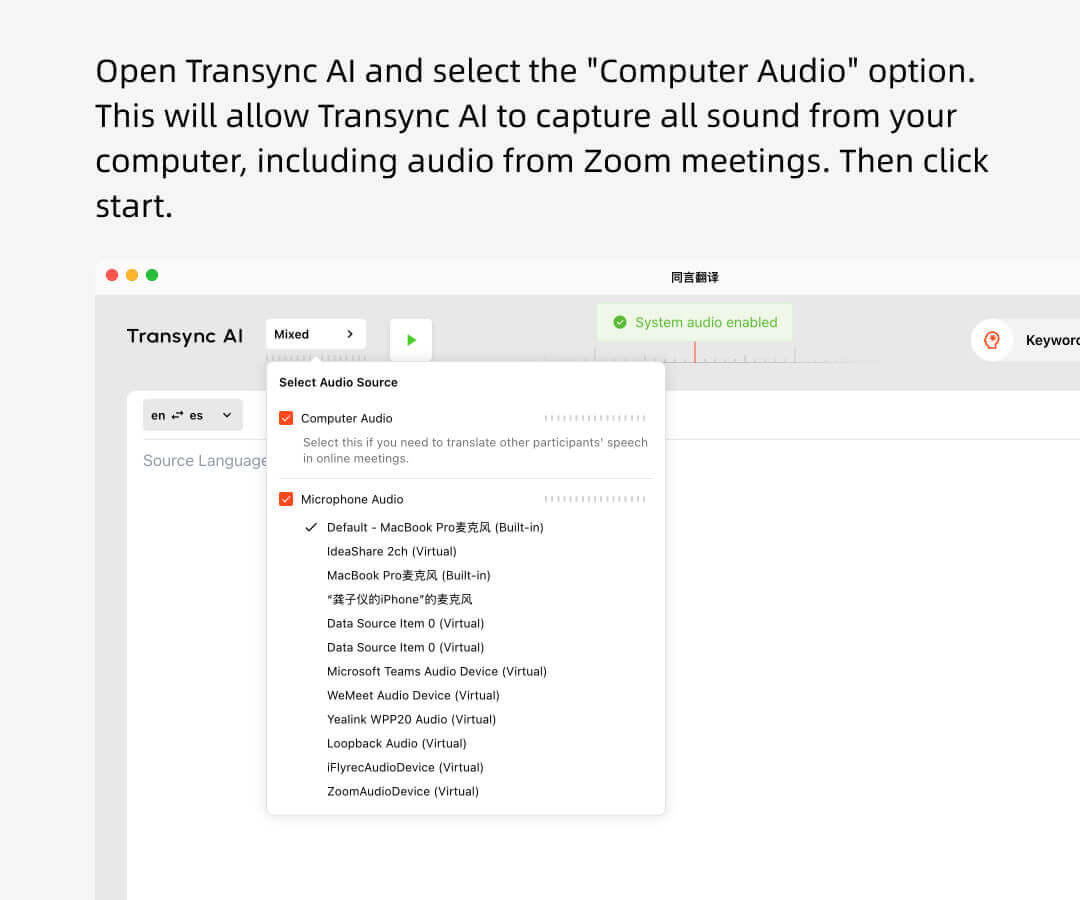
1. เปิดโปรแกรม Transync AI เลือกคู่ภาษาที่เหมาะสม ติ๊กช่องเสียงคอมพิวเตอร์ และเริ่มการแปล.
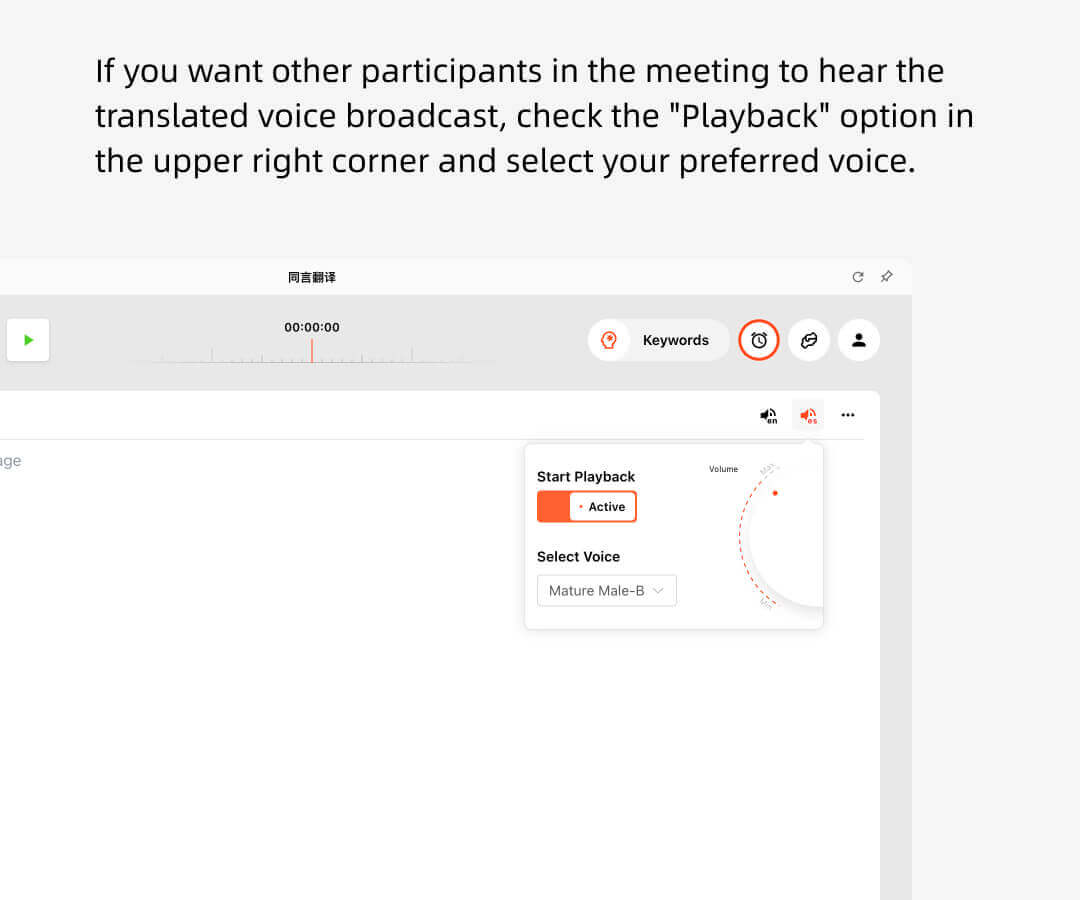
2. หากคุณต้องการให้ผู้อื่นได้ยินการออกอากาศเสียงที่แปลแล้ว ให้เลือกตัวเลือก “เริ่มเล่น” ที่มุมบนขวามือ.
3. เปิด Teams และเริ่มการประชุม Transync AI จะฟังเสียงจากคอมพิวเตอร์ของคุณและทำการแปลแบบเรียลไทม์.
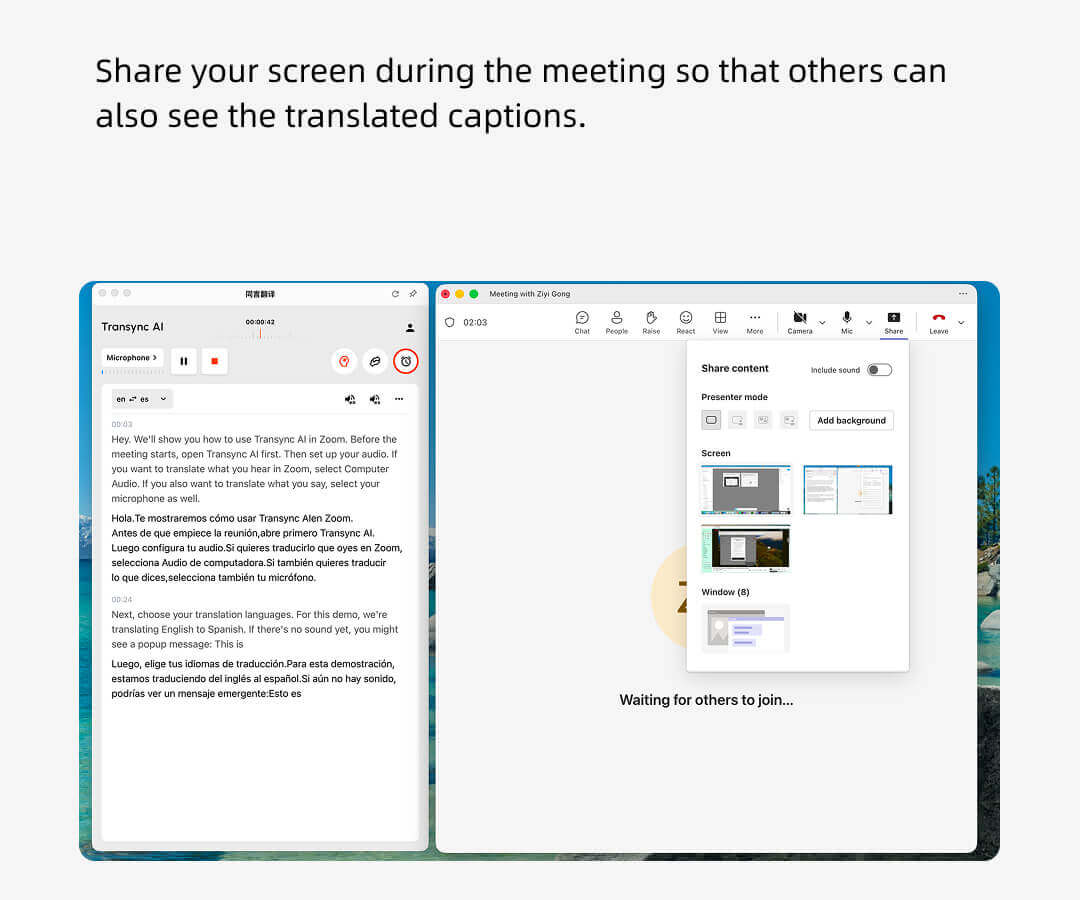
4. บางครั้งคุณจำเป็นต้องแชร์หน้าจอและเลือกตัวเลือก “รวมเสียงคอมพิวเตอร์” เพื่อให้ผู้อื่นได้ยินเสียงที่เล่นอยู่.
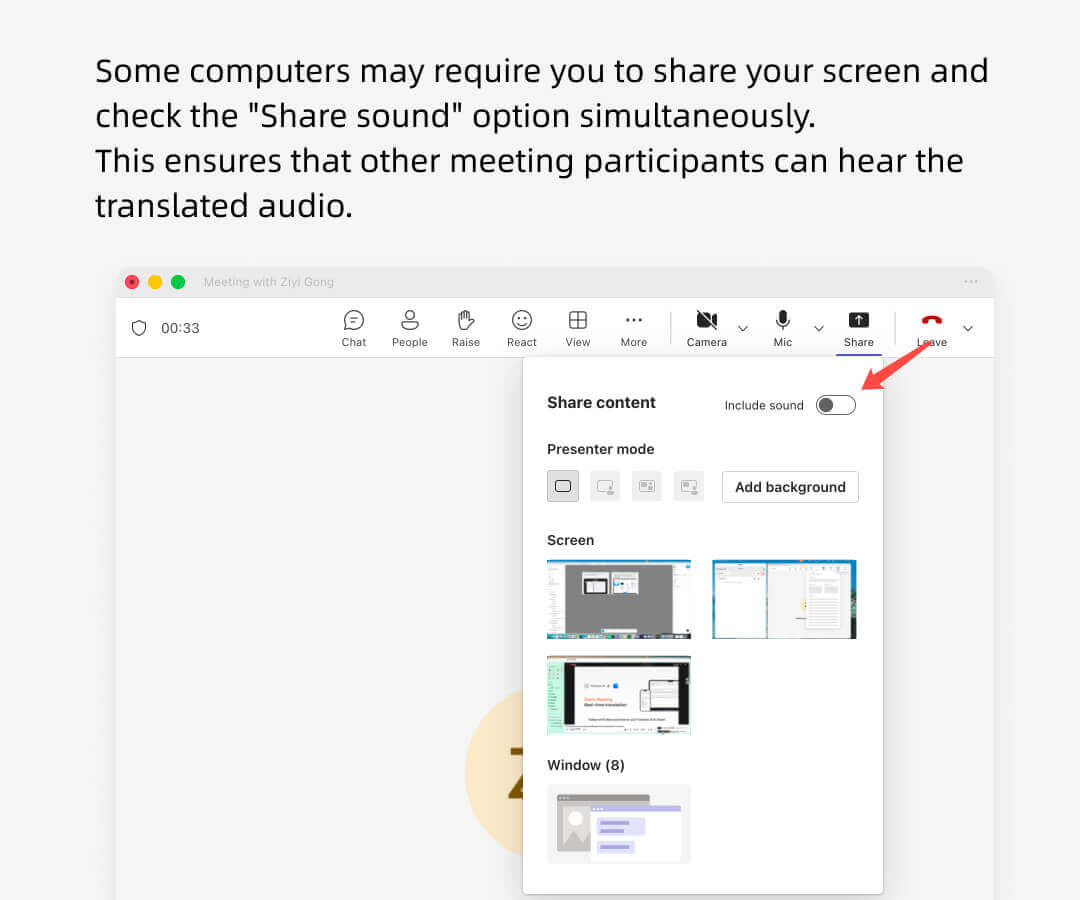
มุมมองโฮสต์การแปลของ Teams
ผู้จัดประชุมใน Teams สามารถใช้ Transync AI เพื่อฟังความคิดเห็นของผู้เข้าร่วมคนอื่นๆ และถ่ายทอดความคิดเห็นเหล่านั้นแบบเรียลไทม์ได้.
ผู้เข้าร่วมท่านอื่นๆ ไม่จำเป็นต้องมีบัญชี Transync AI และจะไม่ถูกเรียกเก็บค่าใช้จ่ายสำหรับการใช้งานการแปล มีเพียงผู้จัดงานเท่านั้นที่จะถูกเรียกเก็บค่าใช้จ่ายเป็นนาที.
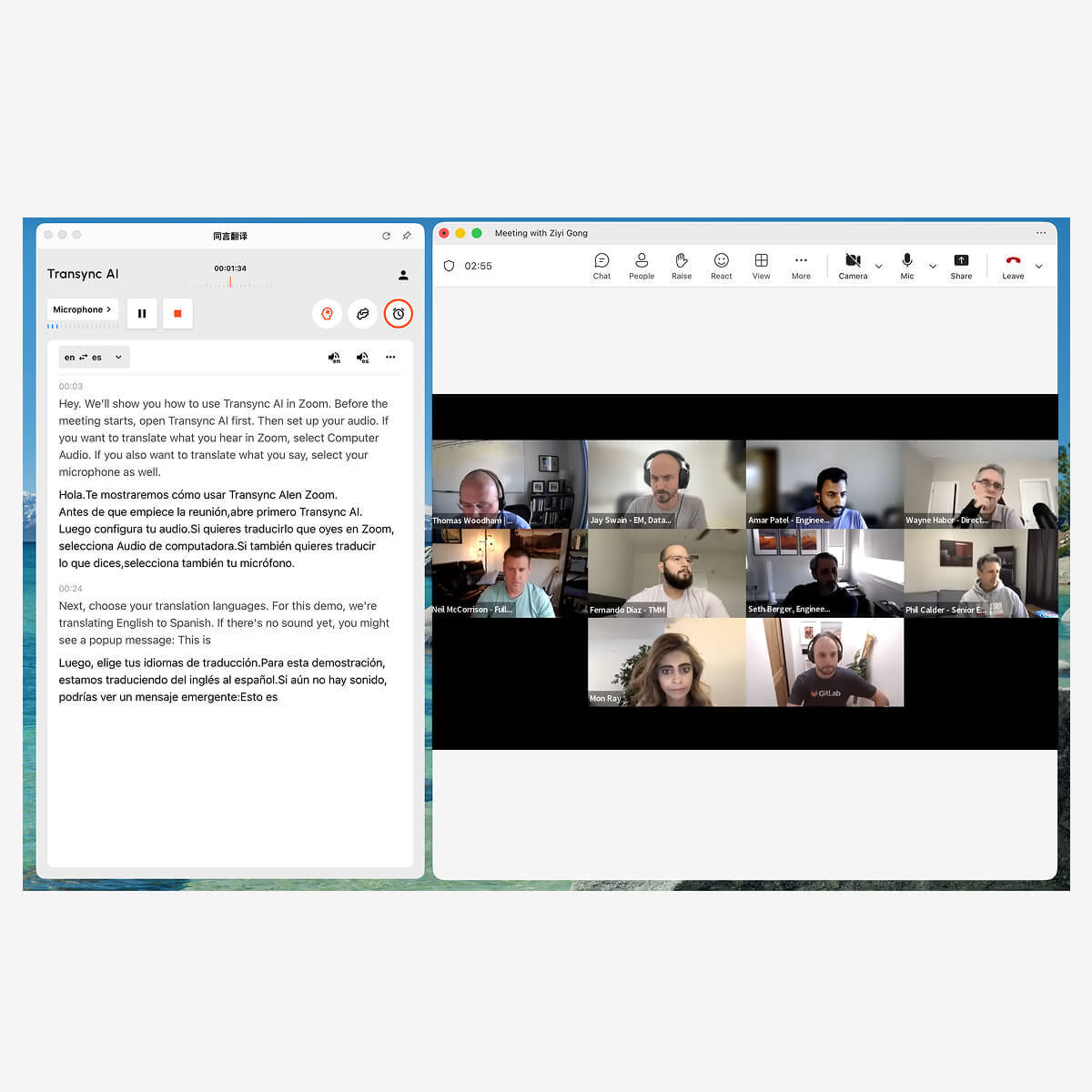
ผู้เข้าร่วมการแปลของทีมดู
ผู้เข้าร่วมการประชุมผ่าน Teams ไม่จำเป็นต้องดาวน์โหลดซอฟต์แวร์หรือปลั๊กอินใดๆ.
เฉพาะผู้จัดประชุมเท่านั้นที่ต้องเปิด Transync AI และเปิดใช้งานฟีเจอร์การกระจายเสียงเพื่อให้ผู้เข้าร่วมได้ยินเสียงแปล หากผู้จัดประชุมแชร์หน้าจอ ผู้เข้าร่วมจะสามารถเห็นคำบรรยายแปลได้เช่นกัน.
นอกจากนี้ ผู้เข้าร่วมจะไม่เสียค่าธรรมเนียมใดๆ.
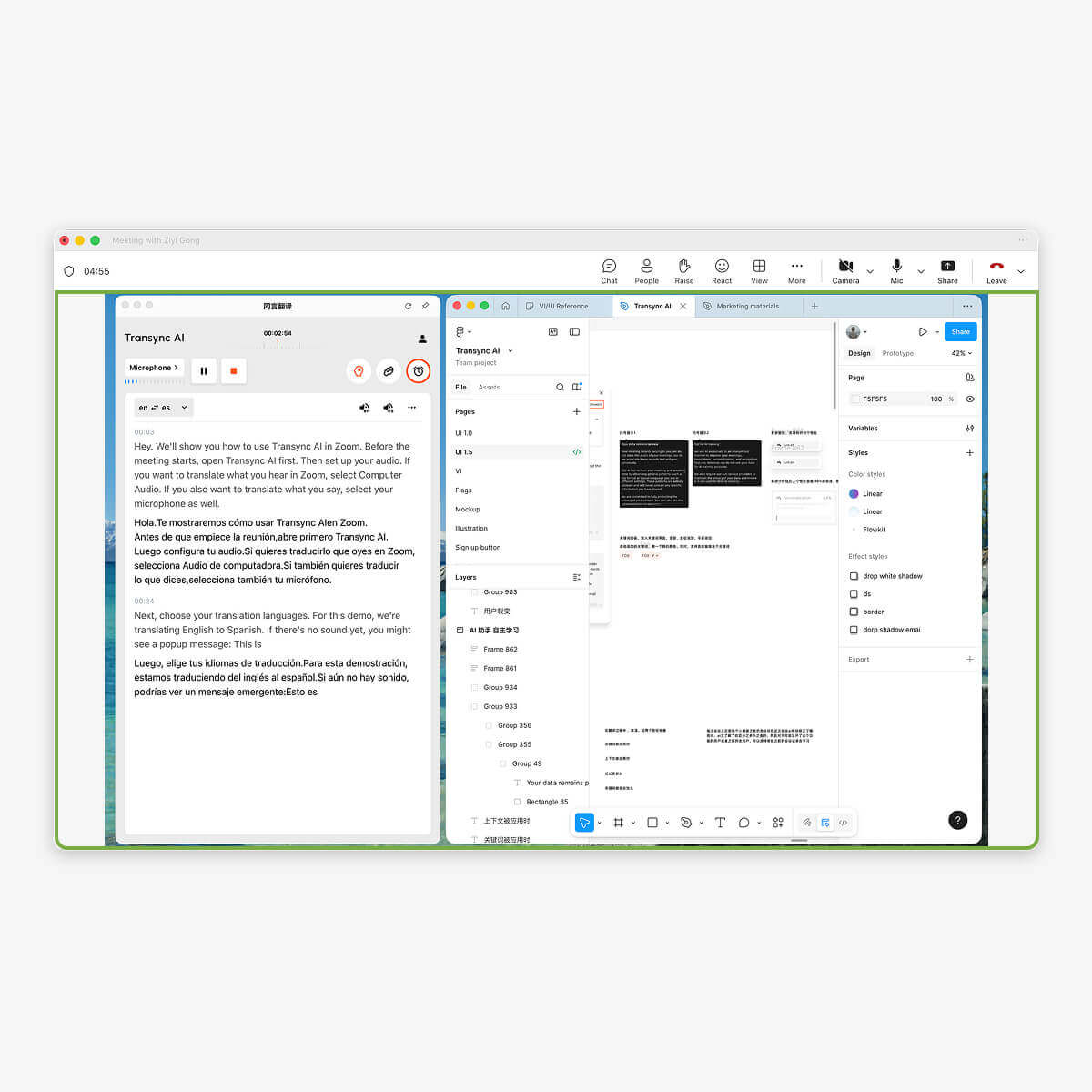
เข้ากันได้กับซอฟต์แวร์การประชุมต่างๆ ไม่ต้องใช้ปลั๊กอิน
Transync AI รับฟังคำพูดของคุณและของผู้อื่นในการประชุมโดยตรง แยกแยะผู้พูดและแปลคำพูดโดยอัตโนมัติ และสามารถใช้งานได้บนแพลตฟอร์มการประชุมต่างๆซูม, ทีมงาน, Google มีต, วาส, หรือซอฟต์แวร์การประชุมอื่นๆ)

เครื่องมือ
คุณสมบัติหลักของ Transync AI เมื่อใช้งานร่วมกับ Teams.
บริการแปลภาษาแบบเรียลไทม์สำหรับ Teams ของเราประกอบด้วยรายการต่อไปนี้: การแปลแบบเรียลไทม์หลายภาษา ระหว่างการประชุม Teams, การแปลเสียงแบบเรียลไทม์ และการออกอากาศระหว่างการประชุม หลายภาษา สรุปการประชุม และรายงานการประชุมจะถูกสร้างขึ้นหลังจากที่การประชุม Teams สิ้นสุดลง.
เหตุใดจึงควรเลือก Transync AI สำหรับสถานการณ์การแปลใน Teams?
1. ออกแบบมาโดยเฉพาะสำหรับสถานการณ์การประชุม ไม่ใช่การแปลทั่วไปแบบง่ายๆ จึงรองรับการใช้งานที่หลากหลาย คำหลักและบริบท.
2. ความหน่วงต่ำและความแม่นยำสูงทำให้เหมาะสำหรับการสนทนาแบบเรียลไทม์ ขับเคลื่อนโดย End-to-End Speech LLM, 98% ความแม่นยำในบริบทระดับมืออาชีพ
3. มันรองรับ มากกว่า 60 ภาษา, แทนที่จะเป็นชุดภาษาฝังตัวที่มีจำกัดกว่า และสามารถสร้างรายงานการประชุมหลังจากสิ้นสุดการประชุมได้
4. รองรับมาตรฐานการรักษาความปลอดภัยข้อมูลและการปฏิบัติตามกฎระเบียบระดับองค์กร และตรงตามข้อกำหนดการปฏิบัติตาม GDPR.
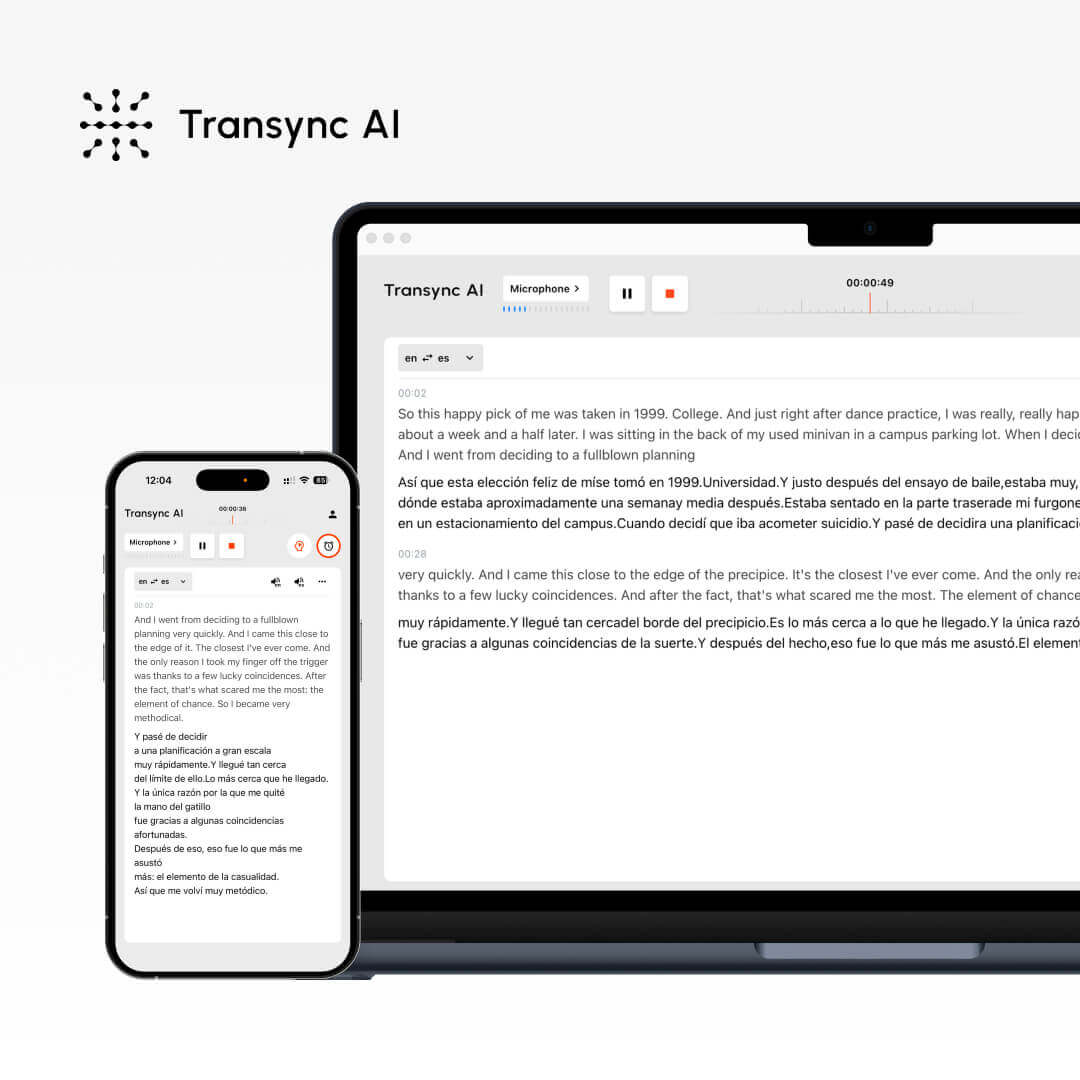
การเปรียบเทียบระหว่าง Transync AI, ฟีเจอร์การแปลในตัวของ Teams และซอฟต์แวร์การแปลอื่นๆ.
คุณสมบัติ
รองรับหลายภาษา.
การสร้างคำบรรยายแบบเรียลไทม์
การแปลเสียงแบบเรียลไทม์
บันทึกการประชุมอัตโนมัติ
คำสำคัญและบริบท
ความหน่วงต่ำ
ความแม่นยำสูง
ทรานซิงค์ เอไอ
60+
✔
✔
✔
✔
★★★
★★★
ทีมแปลภาษาดั้งเดิม
40
✔
✗
✗
✗
★★
★★
ซอฟต์แวร์แปลภาษาอื่นๆ
10+
✗
✗
✗
✗
★
★