
เครื่องมือแปลภาษาแบบพร้อมใช้งานที่ดีที่สุดสำหรับการสนทนาทางวิดีโอด่วน
บทนำ: ความจำเป็นของการสื่อสารแบบทันทีทันใด
ในสภาพแวดล้อมทางธุรกิจที่เปลี่ยนแปลงอย่างรวดเร็วในปัจจุบัน การสนทนาทางวิดีโอเร่งด่วนได้กลายเป็นสิ่งจำเป็นที่ขาดไม่ได้ โดยมักต้องเชื่อมต่อผู้เข้าร่วมจากหลากหลายภาษาอย่างรวดเร็ว เพื่ออำนวยความสะดวกในการสื่อสารอย่างมีประสิทธิภาพโดยปราศจากอุปสรรคทางภาษา การมีระบบการสนทนาทางวิดีโอที่เชื่อถือได้จึงเป็นสิ่งสำคัญ เครื่องมือแปลภาษาสำหรับการสนทนาทางวิดีโอเร่งด่วน เป็นสิ่งสำคัญอย่างยิ่ง โซลูชันที่ดีที่สุดคือแบบเสียบปลั๊กแล้วใช้งานได้ทันที ช่วยให้ทีมสามารถเข้าร่วมการประชุมสำคัญได้อย่างรวดเร็วด้วยการตั้งค่าที่น้อยที่สุดและประสิทธิภาพสูงสุด.
บทความนี้กล่าวถึงเครื่องมือแปลภาษาที่ดีที่สุดที่เหมาะสำหรับการสนทนาทางวิดีโออย่างเร่งด่วน ช่วยให้ทีมสามารถทำงานร่วมกันได้อย่างราบรื่นแม้จะมีความแตกต่างทางภาษา.
ความท้าทายของอุปสรรคทางภาษาในการโทรศัพท์ด่วน
อุปสรรคทางภาษาอาจก่อให้เกิดปัญหาหลายประการระหว่างการสนทนาทางวิดีโอเร่งด่วน ซึ่งรวมถึง:
- การสื่อสารผิดพลาด: ข้อมูลสำคัญอาจสูญหายไปในระหว่างการแปล ทำให้เกิดความเข้าใจผิดได้.
- ข้อจำกัดด้านเวลา: ความล่าช้าในการล่ามหรือการแปลอาจส่งผลกระทบต่อประสิทธิภาพและผลลัพธ์ของการประชุม.
- ขาดความเป็นมืออาชีพ: การสื่อสารที่ผิดพลาดอาจส่งผลเสียต่อภาพลักษณ์ของธุรกิจ และกระทบต่อความสัมพันธ์กับลูกค้าและพันธมิตร.
เครื่องมือแปลภาษาแบบพร้อมใช้งานที่ดีที่สุดสำหรับการสนทนาทางวิดีโอเร่งด่วน
นี่คือรายชื่อเครื่องมือแปลภาษาที่มีประสิทธิภาพซึ่งคัดสรรมาแล้ว และสามารถใช้งานร่วมกับการสนทนาทางวิดีโอเร่งด่วนได้อย่างราบรื่นโดยไม่ต้องตั้งค่าที่ซับซ้อน:
1. Transync AI – พลังแห่งการแปลแบบเรียลไทม์

มันคืออะไร:
Transync AI เป็นแอปพลิเคชันแปลภาษาขั้นสูงที่ออกแบบมาโดยเฉพาะสำหรับการสื่อสารแบบเรียลไทม์ ให้การแปลที่รวดเร็วและแม่นยำระหว่างการประชุม ทำให้เป็นตัวเลือกที่เหมาะสมสำหรับการสนทนาทางวิดีโอที่เร่งด่วน.
คุณสมบัติหลัก:
- ความแม่นยำ 95%+: ความแม่นยำในการแปลสูง ออกแบบมาให้เหมาะสมกับบริบททางธุรกิจโดยเฉพาะ.
- ความหน่วง <100 มิลลิวินาที: ตอบสนองทันทีเพื่อการสนทนาที่ราบรื่น.
- การตรวจจับภาษาอัตโนมัติ: ไม่ต้องตั้งค่าใดๆ แอปจะตรวจจับภาษาของผู้พูดโดยอัตโนมัติ.
- บันทึกการประชุมสองภาษา: บันทึกย่อที่สร้างขึ้นโดยอัตโนมัติในทั้งสองภาษา.
- การผสานรวมกับแพลตฟอร์มหลัก: ใช้งานร่วมกับ Google Meet, Zoom และอื่นๆ ได้อย่างราบรื่น.
👉เรียนรู้เพิ่มเติมเกี่ยวกับ Transync AI
เหมาะสำหรับ: บริษัทต่างๆ ที่ต้องการการแปลที่รวดเร็วและแม่นยำระหว่างการประชุมเร่งด่วน.
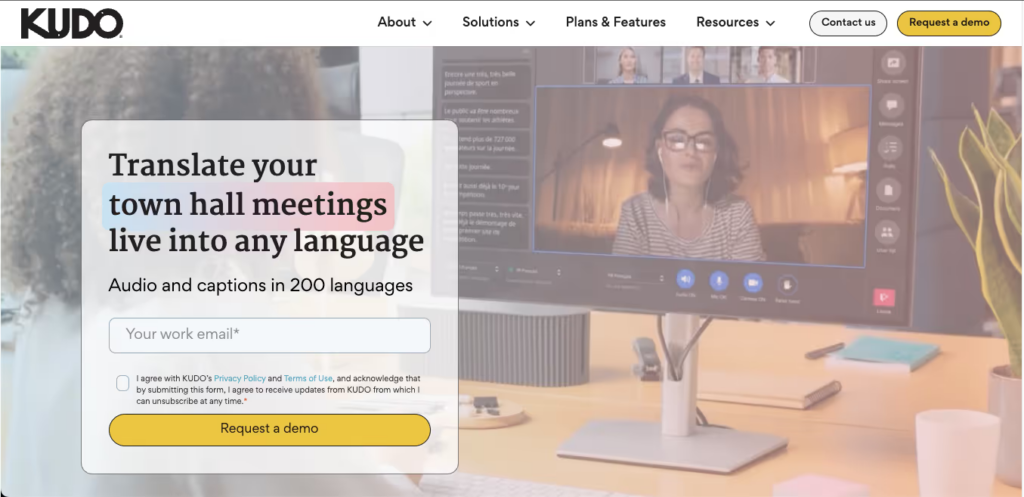
2. Kudo – โซลูชันครบวงจรสำหรับการประชุมทางธุรกิจ
👉 คูโด
มันคืออะไร:
Kudo เป็นโซลูชันบนระบบคลาวด์ที่ให้บริการการแปลภาษาแบบเรียลไทม์ระหว่างการประชุมทางวิดีโอ.
คุณสมบัติหลัก:
- รองรับหลายภาษา: มีบริการล่ามสดในหลายภาษา.
- อินเทอร์เฟซที่ใช้งานง่าย: ใช้งานง่ายโดยไม่ต้องฝึกอบรมมาก่อน.
- ผ่านทางเว็บ: ไม่ต้องติดตั้ง เพียงแค่เชื่อมต่อระหว่างการโทร.
เหมาะสำหรับ: ธุรกิจที่จัดการประชุมสำคัญซึ่งต้องการล่ามมืออาชีพ.
3. Otter AI – ระบบถอดเสียงและแปลอัจฉริยะ

มันคืออะไร:
Otter AI มีชื่อเสียงในด้านความสามารถในการถอดเสียงแบบเรียลไทม์ควบคู่ไปกับการแปล.
คุณสมบัติหลัก:
- การถอดเสียงอัตโนมัติ: สามารถบันทึกเสียงพูดได้อย่างแม่นยำสูง.
- การสนับสนุนด้านภาษา: แปลบทสนทนาแบบเรียลไทม์เพื่ออำนวยความสะดวกในการสื่อสาร.
- การเชื่อมต่อกับ Zoom: สามารถจัดการการสนทนาทางวิดีโอได้อย่างง่ายดายด้วยฟังก์ชันการทำงานของ Otter AI.
เหมาะสำหรับ: ทีมงานที่ต้องการทั้งการถอดเสียงและการแปลระหว่างการประชุมเร่งด่วน.
4. Maestra AI – เครื่องมือแปลและแก้ไขอเนกประสงค์
มันคืออะไร:
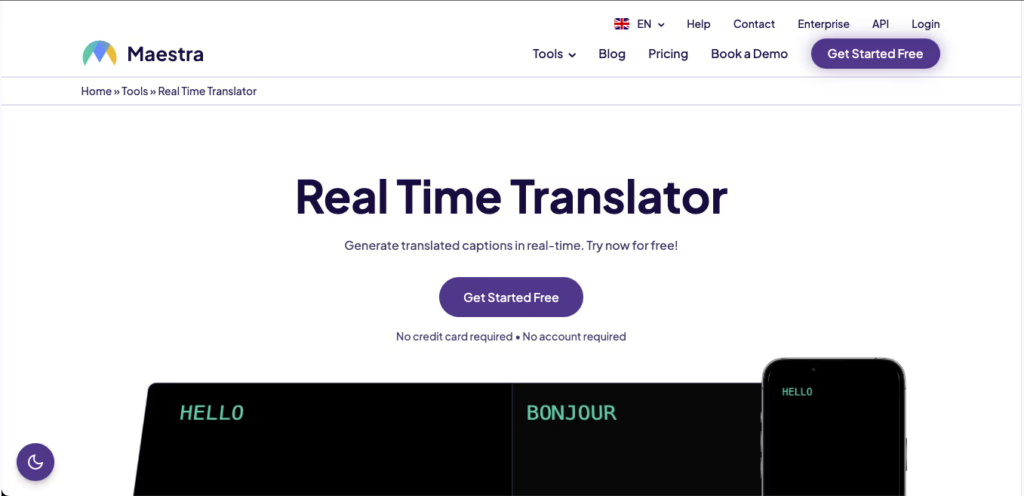
Maestra AI ช่วยลดความยุ่งยากของกระบวนการแปลเนื้อหาวิดีโอแบบเรียลไทม์.
คุณสมบัติหลัก:
- การแปลแบบเรียลไทม์: รองรับหลายภาษาด้วยความแม่นยำสูง.
- เครื่องมือแก้ไข: มีตัวเลือกให้แก้ไขและตรวจสอบงานแปลได้อย่างง่ายดาย.
- ติดตั้งง่าย: ฟังก์ชันเสียบปลั๊กแล้วใช้งานได้ทันที ช่วยให้ติดตั้งใช้งานได้อย่างรวดเร็ว.
เหมาะสำหรับ: ผู้สร้างเนื้อหาและธุรกิจที่ผลิตเนื้อหาวิดีโอซึ่งต้องการการแปล.
5. VoicePing – การสื่อสารที่เน้นเสียงเป็นหลัก

👉วอยซ์ปิง
มันคืออะไร:
VoicePing เชี่ยวชาญด้านการแปลเสียงเพื่อการสื่อสารที่ราบรื่นระหว่างการโทร.
คุณสมบัติหลัก:
- การแปลเสียงแบบเรียลไทม์: แปลงเสียงเป็นข้อความและข้อความได้ทันที.
- ใช้งานง่าย: ออกแบบมาให้ใช้งานได้ทันทีโดยไม่ต้องตั้งค่าใดๆ.
- การเข้าถึง: เหมาะสำหรับผู้ใช้งานที่เดินทางบ่อยและไม่ต้องการระบบที่ซับซ้อน.
เหมาะสำหรับ: การโทรและการสนทนาสั้นๆ ที่ต้องการการแปลภาษาด้วยเสียงที่ชัดเจน.
6. iTranslate – ระบบสนับสนุนด้านภาษาแบบครบวงจร
มันคืออะไร:
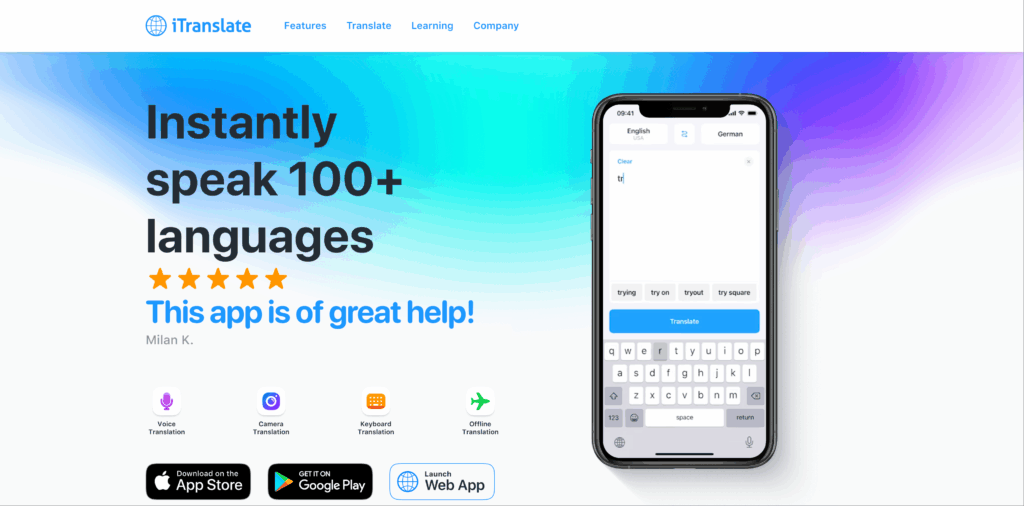
iTranslate เป็นแอปพลิเคชันที่รู้จักกันดีซึ่งมีฟีเจอร์การแปลที่ครอบคลุมสำหรับการสนทนา.
คุณสมบัติหลัก:
- การแปลด้วยเสียง: ระบบแปลเสียงแบบเรียลไทม์ระหว่างการโทร.
- มีตัวเลือกภาษาให้เลือกมากมาย: รองรับมากกว่า 100 ภาษา.
- อินเทอร์เฟซที่เรียบง่าย: ไม่ต้องตั้งค่าอะไรยุ่งยาก พร้อมใช้งานได้ทันที.
เหมาะสำหรับ: การสนทนาทางวิดีโอแบบไม่เป็นทางการและทั่วไปที่ต้องใช้การแปล.
ตารางเปรียบเทียบ: เครื่องมือแปลภาษาที่ดีที่สุดสำหรับการสนทนาทางวิดีโอเร่งด่วน
| เครื่องมือแปลภาษา | ความแม่นยำ | ความเร็ว | ใช้งานง่าย | การบูรณาการ | ดีที่สุดสำหรับ | แผนฟรี |
|---|---|---|---|---|---|---|
| Transync เอไอ | 95%+ | <100 มิลลิวินาที | ง่ายมาก | Google Meet, Zoom | การประชุมหลายภาษาแบบเรียลไทม์ | 40 นาที |
| คูโด | 95%+ | แบบเรียลไทม์ | ง่ายมาก | การประชุมทางวิดีโอ | การประชุมระดับมืออาชีพ | ทดลองใช้งานฟรีได้ |
| ออตเตอร์ AI | 92% | ทันที | ตรงไปตรงมามาก | การผสานรวม Zoom | การถอดเสียงและการแปล | มีแผนบริการฟรี |
| มาเอสตรา AI | 90% | แบบเรียลไทม์ | ใช้งานง่าย | การตัดต่อเนื้อหาวิดีโอ | ตัดต่อเนื้อหาวิดีโอที่แปลแล้ว | ทดลองใช้งานฟรีได้ |
| วอยซ์ปิง | 92% | ทันที | เรียบง่าย | แพลตฟอร์มต่างๆ | การโทรด่วนที่เน้นเสียง | การเข้าถึงพื้นฐานฟรี |
| ไอทรานสเลท | 85% | เร็ว | ใช้กันอย่างแพร่หลาย | เว็บและมือถือ | การสนทนาทางวิดีโอแบบไม่เป็นทางการ | แผนพื้นฐานฟรี |
ส่วนถาม-ตอบ: คำถามที่พบบ่อยเกี่ยวกับเครื่องมือแปลภาษาแบบพร้อมใช้งานสำหรับการสนทนาทางวิดีโอเร่งด่วน
คำถามที่ 1: ฉันควรพิจารณาอะไรบ้างในการเลือกใช้เครื่องมือแปลภาษาสำหรับการสนทนาทางวิดีโอที่ต้องการความรวดเร็ว?
ก: ให้ความสำคัญกับคุณสมบัติต่างๆ เช่น ความสามารถในการแปลแบบเรียลไทม์ ความง่ายในการใช้งาน ตัวเลือกการเชื่อมต่อกับแพลตฟอร์มการประชุมทางวิดีโอ และอัตราความแม่นยำสูง เพื่อให้มั่นใจได้ว่าการสื่อสารจะมีประสิทธิภาพ.
Q2: ต้องมีการตั้งค่าอะไรบ้างสำหรับเครื่องมือเหล่านี้?
ก: เครื่องมือส่วนใหญ่ที่กล่าวถึงนั้นแทบไม่ต้องมีการตั้งค่าใดๆ ทำให้ผู้ใช้สามารถเริ่มต้นใช้งานได้ทันทีโดยไม่ต้องมีการฝึกอบรมหรือกระบวนการติดตั้งที่ยุ่งยาก.
คำถามที่ 3: เครื่องมือแปลเหล่านี้รับประกันความถูกต้องแม่นยำในบริบทต่างๆ ได้อย่างไร?
ก: เครื่องมือเหล่านี้จำนวนมากถูกสร้างขึ้นด้วยอัลกอริธึมขั้นสูงและความสามารถในการตีความแบบมืออาชีพ ทำให้มีความแม่นยำสูงแม้ในการอภิปรายทางเทคนิคและเฉพาะทาง.
คำถามที่ 4: การใช้เครื่องมือเหล่านี้มีค่าใช้จ่ายใดบ้างหรือไม่?
ก: เครื่องมือส่วนใหญ่มีเวอร์ชันทดลองใช้ฟรีหรือแผนพื้นฐานให้เลือกใช้ ในขณะที่บางเครื่องมือ เช่น Kudo และ Otter AI อาจต้องเสียค่าสมัครสมาชิกเพื่อใช้งานฟีเจอร์ระดับพรีเมียม.
Q5: ฉันจะผสานรวมเครื่องมือแปลภาษาเข้ากับการตั้งค่าการสนทนาทางวิดีโอได้อย่างไร?
ก: โดยทั่วไป การผสานรวมนั้นเกี่ยวข้องกับการเข้าถึงเว็บไซต์หรือแอปพลิเคชันของเครื่องมือ สมัครสมาชิกหากจำเป็น และทำตามคำแนะนำเพื่อเชื่อมต่อกับแพลตฟอร์มการประชุมทางวิดีโอของคุณ ซึ่งมักใช้เวลาเพียงไม่กี่นาที.
โดยการใช้ประโยชน์จากเครื่องมือแปลเหล่านี้ โดยเฉพาะอย่างยิ่ง Transync เอไอ, องค์กรต่างๆ สามารถเพิ่มประสิทธิภาพการสื่อสารระหว่างการประชุมทางวิดีโอเร่งด่วนได้ โดยมั่นใจได้ว่าอุปสรรคทางภาษาจะไม่เป็นอุปสรรคต่อการทำงานร่วมกันและประสิทธิภาพการทำงาน!
หากคุณต้องการประสบการณ์รุ่นถัดไป Transync เอไอ นำทางด้วยการแปลแบบเรียลไทม์ที่ขับเคลื่อนด้วย AI ซึ่งช่วยให้การสนทนาไหลลื่นอย่างเป็นธรรมชาติ คุณสามารถ ทดลองใช้ฟรี ตอนนี้.

