

ฉันสามารถใช้แอปแปลภาษาใดกับ Google Meet ได้ทันที?
ความสำคัญของแอปพลิเคชันแปลภาษาในการประชุมเสมือนจริง
ในสภาพแวดล้อมการทำงานที่เป็นโลกาภิวัตน์มากขึ้นเรื่อย ๆ เครื่องมือการประชุมทางวิดีโอ เช่น Google Meet ได้กลายเป็นสิ่งจำเป็นสำหรับการสื่อสารที่มีประสิทธิภาพ อย่างไรก็ตาม เมื่อทีมทำงานโดยใช้ภาษาที่แตกต่างกัน ความเข้าใจผิดอาจเกิดขึ้นได้ โชคดีที่..., แอปแปลภาษา เราอยู่ที่นี่เพื่อเชื่อมช่องว่างนั้น ทำให้เกิดปฏิสัมพันธ์ที่ราบรื่นโดยไม่คำนึงถึงภาษาแม่ของผู้เข้าร่วม.
การเลือกแอปแปลภาษาที่มีประสิทธิภาพและทำงานร่วมกับ Google Meet ได้อย่างราบรื่นนั้นมีความสำคัญอย่างยิ่งต่อการเพิ่มประสิทธิภาพการทำงานร่วมกันและทำให้ทุกคนเข้าใจตรงกัน บทความนี้จะแนะนำแอปแปลภาษาที่ดีที่สุดที่คุณสามารถนำไปใช้ได้ทันทีในการประชุม Google Meet ครั้งต่อไปของคุณ.
ความท้าทายของการประชุมหลายภาษา
ในการประชุมที่มีผู้เข้าร่วมหลายภาษา อาจมีปัญหาหลายประการที่ขัดขวางการสื่อสารที่มีประสิทธิภาพ:
- อุปสรรคทางภาษา: ความเข้าใจผิดอาจเกิดขึ้นได้จากความแตกต่างทางภาษา.
- ความจำเป็นในเวลาจริง: ผู้เข้าร่วมคาดหวังการตอบกลับทันที ซึ่งอาจทำได้ยากหากไม่มีเครื่องมือแปลที่เหมาะสม.
- ศัพท์เทคนิค: ศัพท์เฉพาะทางในอุตสาหกรรมอาจถูกตีความผิด ทำให้เกิดความสับสนและข้อผิดพลาดได้.
แอปแปลภาษาที่ดีที่สุดสำหรับ Google Meet
ต่อไปนี้คือแอปพลิเคชันแปลภาษา 5 แอปที่สามารถใช้งานได้ทันทีโดยไม่ต้องตั้งค่าหรือฝึกอบรมอย่างละเอียด:
1. Transync AI – พลังแห่งการแปลแบบเรียลไทม์
มันคืออะไร:
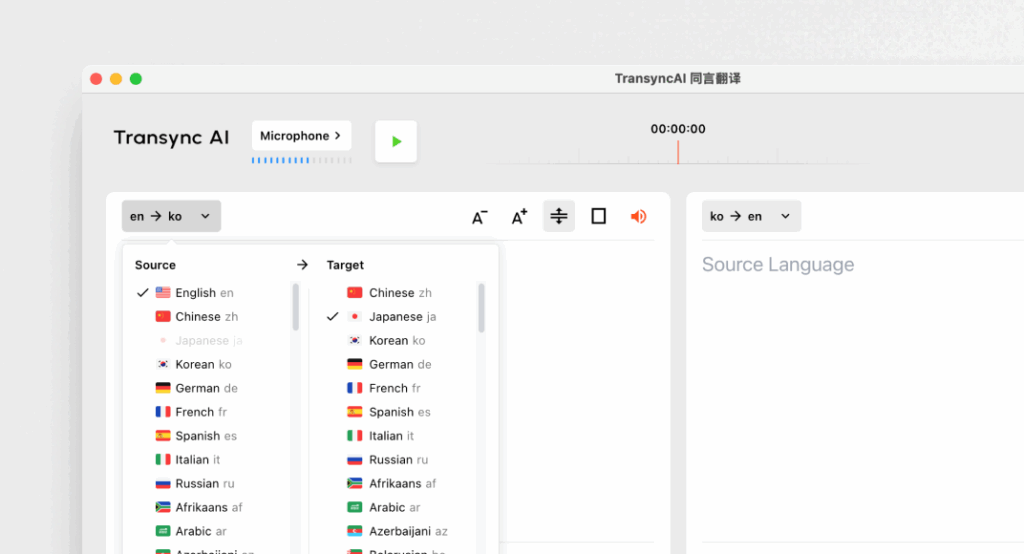
Transync AI เป็นแอปพลิเคชันแปลภาษาขั้นสูงที่ออกแบบมาโดยเฉพาะสำหรับการสื่อสารแบบเรียลไทม์ โดยนำเสนอการแปลที่รวดเร็วและแม่นยำระหว่างการประชุม.
คุณสมบัติหลัก:
- ความแม่นยำ 95%+: ความแม่นยำในการแปลสูง ออกแบบมาให้เหมาะสมกับบริบททางธุรกิจโดยเฉพาะ.
- ความหน่วง <100 มิลลิวินาที: ตอบสนองทันทีเพื่อการสนทนาที่ราบรื่น.
- การตรวจจับภาษาอัตโนมัติ: ไม่ต้องตั้งค่าใดๆ แอปจะตรวจจับภาษาของผู้พูดโดยอัตโนมัติ.
- บันทึกการประชุมสองภาษา: สร้างบันทึกอัตโนมัติในทั้งสองภาษา.
- การบูรณาการ: ใช้งานร่วมกับ Google Meet ได้อย่างราบรื่น.
เหมาะสำหรับ: บริษัทต่างๆ ที่ต้องการการแปลที่รวดเร็วและแม่นยำระหว่างการประชุม.
2. Otter.ai – เพื่อนร่วมประชุม

มันคืออะไร:
Otter.ai เชี่ยวชาญด้านการถอดเสียงและการแปลแบบเรียลไทม์ ทำให้มีประโยชน์อย่างยิ่งสำหรับการประชุม.
คุณสมบัติหลัก:
- การถอดเสียงอัตโนมัติ: บันทึกบทสนทนาแบบสดๆ แบบเรียลไทม์.
- ความแม่นยำของรหัส 92%: เหมาะสำหรับการสนทนาในระหว่างการประชุม.
- ความสามารถในการบูรณาการ: สามารถใช้งานร่วมกับ Google Meet เพื่อการใช้งานที่ราบรื่น.
- ระบุตัวตนผู้พูด: ระบบจะจดจำเสียงผู้พูด ช่วยให้การจดบันทึกมีประสิทธิภาพยิ่งขึ้น.
เหมาะสำหรับ: ทีมงานที่ต้องการบริการถอดเสียงควบคู่ไปกับบริการแปลภาษา.
3. Wordly – สม่ำเสมอและปรับแต่งได้

มันคืออะไร:
Wordly ช่วยให้ธุรกิจต่างๆ สามารถปรับแต่งตัวเลือกการแปลตามคำศัพท์และบริบทเฉพาะได้.
คุณสมบัติหลัก:
- ความแม่นยำของ 94%: น่าเชื่อถือสำหรับการสนทนาทางเทคนิคและธุรกิจ.
- คำศัพท์เฉพาะที่กำหนดเอง: ธุรกิจต่างๆ สามารถป้อนคำศัพท์เฉพาะทางได้.
- แปลทันที: แปลเอกสารและบทสนทนาได้อย่างรวดเร็ว.
- การบูรณาการ: ใช้งานได้ดีกับแพลตฟอร์มการประชุมเสมือนจริงต่างๆ รวมถึง Google Meet.
เหมาะสำหรับ: ทีมที่ต้องการใช้ภาษาที่สอดคล้องกันในการพูดคุยทางเทคนิค.
4. Papago – รวดเร็วและใช้งานได้หลากหลาย
มันคืออะไร:
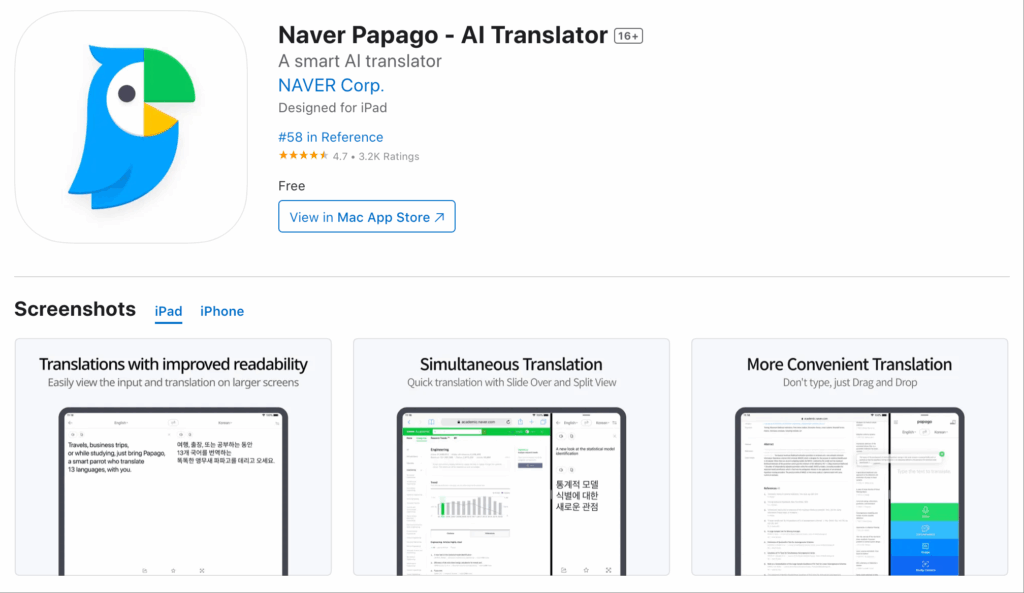
Papago ให้บริการแปลภาษาที่ง่ายและตรงไปตรงมาสำหรับภาษาต่างๆ ในเอเชียตะวันออกเฉียงใต้.
คุณสมบัติหลัก:
- ความแม่นยำของรหัส 92%: เหมาะสำหรับการสนทนาทั่วไปและกึ่งเทคนิค.
- ฟังก์ชันการทำงานของกล้อง: แปลภาษาเขียนโดยใช้ฟีเจอร์กล้องของแอป.
- เข้าใช้ได้ฟรี: ฟรีโดยสมบูรณ์ ไม่มีข้อจำกัดด้านเวลา.
- การใช้งานผ่านเว็บและมือถือ: สามารถใช้งานได้บนอุปกรณ์หลากหลายประเภท.
เหมาะสำหรับ: บริการแปลภาษาอย่างรวดเร็วในสถานการณ์ที่ไม่เป็นทางการหรือกึ่งทางการ.
5. Google Translate – คุ้นเคยและใช้งานง่าย
มันคืออะไร:
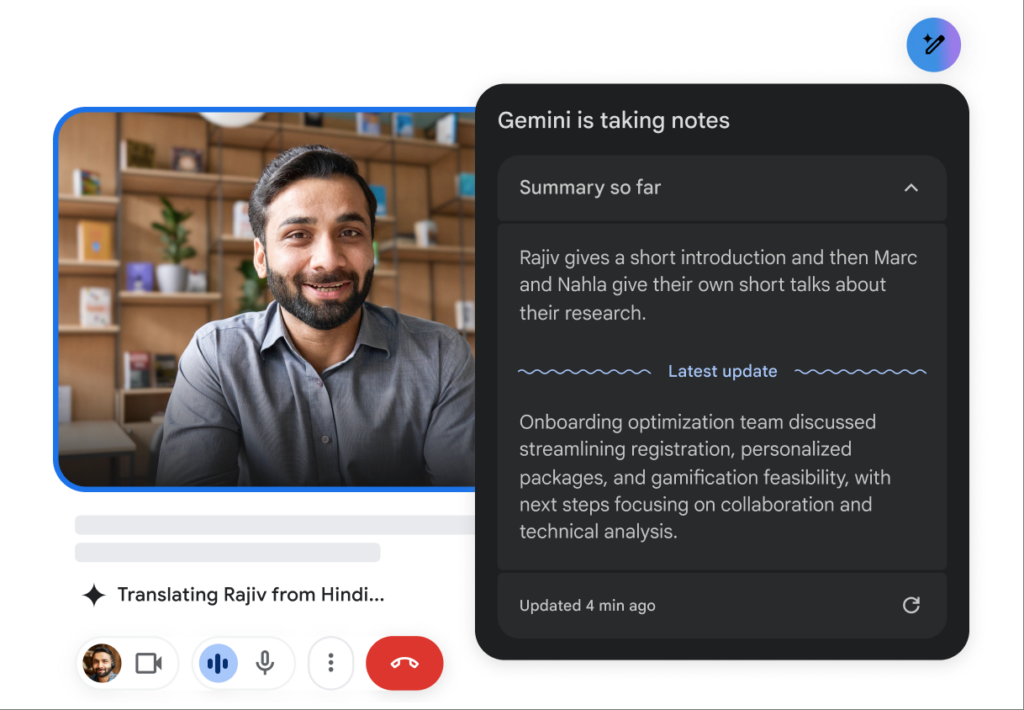
Google Translate เป็นเครื่องมือแปลภาษาที่รู้จักกันดีและมีตัวเลือกภาษาให้เลือกมากมาย.
คุณสมบัติหลัก:
- ความแม่นยำของ 83%: ความสามารถในการแปลขั้นพื้นฐานที่ใช้ได้กับข้อความธรรมดา.
- รองรับหลายภาษา: ให้บริการแปลภาษามากกว่า 100 ภาษา.
- ฟรีและเข้าถึงได้ง่าย: สามารถใช้งานได้ทั้งบนเว็บไซต์และบนมือถือ.
- การบูรณาการ: สามารถใช้เป็นเครื่องมือเสริมควบคู่กับ Google Meet ได้.
เหมาะสำหรับ: การสื่อสารแบบไม่เป็นทางการที่เรียบง่าย โดยไม่จำเป็นต้องมีฟังก์ชันการใช้งานมากมาย.
ตารางเปรียบเทียบ: แอปแปลภาษาที่ดีที่สุดสำหรับ Google Meet
| แอปแปลภาษา | ความแม่นยำ | ความหน่วงเวลา | ใช้งานง่าย | การบูรณาการ | ดีที่สุดสำหรับ | แผนฟรี |
|---|---|---|---|---|---|---|
| Transync เอไอ | 95%+ | <100 มิลลิวินาที | ง่ายมาก | Google Meet | การประชุมหลายภาษาแบบเรียลไทม์ | 40 นาที |
| ออตเตอร์.เอไอ | 92% | แบบเรียลไทม์ | ตรงไปตรงมามาก | Google Meet | การถอดเสียงและการแปลอัตโนมัติ | $15-30/เดือน |
| โลกแห่งโลก | 94% | ทันที | ใช้งานง่าย | Google Meet | การแปลทางเทคนิคที่สอดคล้องกัน | มีให้ทดลองใช้แล้ว |
| ปาปาโก | 92% | 250-350 มิลลิวินาที | เรียบง่ายและใช้งานง่าย | เว็บและมือถือ | คำแปลด่วนสำหรับใช้ทั่วไป | ฟรีโดยสมบูรณ์ |
| Google แปล | 83% | 300 มิลลิวินาทีขึ้นไป | พื้นฐานและใช้งานกันอย่างแพร่หลาย | เว็บและมือถือ | งานแปลทั่วไปที่ไม่เจาะจงเฉพาะด้าน | ฟรี |
ส่วนถาม-ตอบ: คำถามที่พบบ่อยเกี่ยวกับแอปแปลภาษาสำหรับ Google Meet
Q1: ฉันควรให้ความสำคัญกับฟีเจอร์ใดบ้างเมื่อเลือกแอปแปลภาษาสำหรับ Google Meet?
ก: มองหาคุณสมบัติต่างๆ เช่น ความแม่นยำ ความหน่วงต่ำ ความสามารถในการผสานรวมกับ Google Meet ความง่ายในการใช้งาน และการตรวจจับภาษาอัตโนมัติ คุณสมบัติเหล่านี้จะช่วยให้การสื่อสารระหว่างการประชุมมีประสิทธิภาพมากขึ้น.
Q2: แอปแปลภาษาเหล่านี้จำเป็นต้องติดตั้งหรือตั้งค่าอย่างละเอียดหรือไม่?
ก: แอปพลิเคชันส่วนใหญ่ที่กล่าวถึงในบทความนี้ สามารถเข้าถึงและตั้งค่าได้ง่ายโดยไม่ต้องมีการฝึกอบรมมากมายหรือขั้นตอนที่ซับซ้อน แอปพลิเคชันอย่าง Transync AI และ Papago ช่วยให้สามารถใช้งานได้อย่างรวดเร็ว.
คำถามที่ 3: อัตราความแม่นยำของแอปเหล่านี้เมื่อเทียบกับนักแปลที่เป็นมนุษย์เป็นอย่างไร?
ก: ในขณะที่นักแปลที่เป็นมนุษย์โดยทั่วไปจะมีความแม่นยำ 99% ขึ้นไป แอปแปลภาษาที่กล่าวถึงในที่นี้มีความแม่นยำระหว่าง 83%-95% ทำให้เหมาะสำหรับกรณีทางธุรกิจส่วนใหญ่ แต่ไม่สามารถทดแทนการตรวจสอบโดยมนุษย์ได้อย่างสมบูรณ์ในเอกสารที่มีความละเอียดอ่อน.
คำถามที่ 4: การใช้แอปแปลภาษาเหล่านี้มีค่าใช้จ่ายหรือไม่?
ก: แอปบางตัว เช่น Otter.ai และ Wordly มีรูปแบบการสมัครสมาชิก ในขณะที่แอปอื่นๆ เสนอแผนบริการฟรีหรือช่วงทดลองใช้ ตัวอย่างเช่น Transync AI ให้บริการแปลฟรี 40 นาทีเพื่อเริ่มต้นใช้งาน.
Q5: ฉันจะผสานแอปแปลภาษาเข้ากับ Google Meet ได้อย่างไร?
ก: โดยทั่วไป การเชื่อมต่อจะเกี่ยวข้องกับการเลือกแอปภายใน Google Meet หรือกระบวนการติดตั้งง่ายๆ ที่เชื่อมต่อแอปเข้าด้วยกัน เครื่องมือส่วนใหญ่ช่วยให้การเชื่อมต่อทำได้ง่าย เพื่อให้การใช้งานระหว่างการประชุมราบรื่นยิ่งขึ้น.
ด้วยการนำข้อมูลเชิงลึกเหล่านี้ไปใช้ คุณจะสามารถยกระดับประสบการณ์การใช้งาน Google Meet และรับประกันการสื่อสารที่ชัดเจนแม้จะมีอุปสรรคทางภาษา โดยใช้แอปแปลภาษาที่น่าเชื่อถือที่สุด!
หากคุณต้องการประสบการณ์รุ่นถัดไป Transync เอไอ นำทางด้วยการแปลแบบเรียลไทม์ที่ขับเคลื่อนด้วย AI ซึ่งช่วยให้การสนทนาไหลลื่นอย่างเป็นธรรมชาติ คุณสามารถ ทดลองใช้ฟรี ตอนนี้.

