

Butuh ekstensi penerjemah untuk browser atau rapat Anda? Ekstensi terjemahan yang tepat akan mengubah cara Anda berkomunikasi lintas bahasa.
“Ekstensi penerjemah” (translator extension dalam bahasa Inggris) mengacu pada perangkat lunak tambahan yang menyediakan kemampuan penerjemahan di dalam aplikasi Anda yang sudah ada. Baik Anda membutuhkan browser atau tidak. ekstensi penerjemah untuk membaca situs web asing atau rapat ekstensi penerjemah Untuk penerjemahan percakapan secara real-time, alat yang tepat dapat menghilangkan hambatan bahasa secara instan.
Namun kualitasnya sangat bervariasi. Beberapa ekstensi penerjemah Hanya menawarkan terjemahan teks dasar dengan keluaran robotik. Yang lain menyediakan terjemahan suara waktu nyata tingkat profesional dengan audio alami dan dokumentasi otomatis.
Panduan ini menjelaskan apa itu ekstensi penerjemah Artikel ini membandingkan opsi terbaik untuk berbagai kasus penggunaan, dan menunjukkan mengapa Transync AI memimpin kategori penerjemahan rapat dan acara profesional.
Apa itu Ekstensi Penerjemah?
Jenis-Jenis Ekstensi Penerjemah yang Umum
1. Ekstensi Browser (Chrome, Firefox, Safari)
- Terjemahkan halaman web secara otomatis.
- Terjemahan kata saat kursor diarahkan ke kata tersebut
- Pilih teks dan terjemahkan
- Contoh: Ekstensi Google Translate, Ekstensi DeepL
2. Ekstensi Platform Rapat (Zoom, Teams, Meet)
- Terjemahan percakapan secara waktu nyata
- Terjemahan suara dengan keluaran audio.
- Teks terjemahan otomatis dalam berbagai bahasa.
- Contoh: Transync AI, ekstensi penerjemah rapat
3. Ekstensi Email (Gmail, Outlook)
- Terjemahkan email masuk
- Menulis email dalam bahasa asing
- Contoh: Google Translate untuk Gmail
4. Ekstensi Dokumen (Word, Google Docs)
- Terjemahkan dokumen sambil mengeditnya.
- Pertahankan format
- Contoh: Microsoft Translator untuk Word
Ekstensi Traductor Browser: Perbandingan
Ekstensi Google Terjemahan

Fungsi dari perangkat ini:
- Menerjemahkan seluruh halaman web
- Terjemahan kata saat kursor diarahkan ke kata tersebut
- Terjemahan menu konteks klik kanan
- Mendukung 133 bahasa.
Kelebihan:
- ✅ Gratis dan tersedia luas
- ✅ Mendukung banyak bahasa
- ✅ Mudah dipasang
- ✅ Berfungsi di sebagian besar situs web
Keterbatasan:
- ❌ Hanya teks (tidak ada terjemahan suara)
- ❌ Terjemahan kata demi kata (menghilangkan konteks)
- ❌ Tidak dapat menerjemahkan konten audio/video
- ❌ Tidak ada kemampuan percakapan waktu nyata
- ❌ Terjemahan seringkali canggung atau tidak akurat
Terbaik untuk: Membaca situs web asing, mencari kosakata dasar.
Ekstensi DeepL

Fungsi dari perangkat ini:
- Terjemahan teks berkualitas tinggi
- Berfungsi di peramban web
- Terjemahan yang sadar konteks
- Mendukung 31 bahasa.
Kelebihan:
- ✅ Akurasi lebih baik daripada Google untuk bahasa-bahasa Eropa
- ✅ Terjemahan yang terdengar lebih alami
- ✅ Cocok untuk konten tertulis
- ✅ Tersedia tingkatan gratis
Keterbatasan:
- ❌ Hanya 31 bahasa (dibandingkan dengan 133 bahasa milik Google)
- ❌ Hanya teks (tidak ada terjemahan audio)
- ❌ Tidak ada kemampuan percakapan waktu nyata
- ❌ Fokus utama pada bahasa Eropa
- ❌ Tidak dapat menerjemahkan rapat langsung
Terbaik untuk: Menerjemahkan dokumen dan situs web berbahasa Eropa.
Ekstensi Penerjemah Microsoft
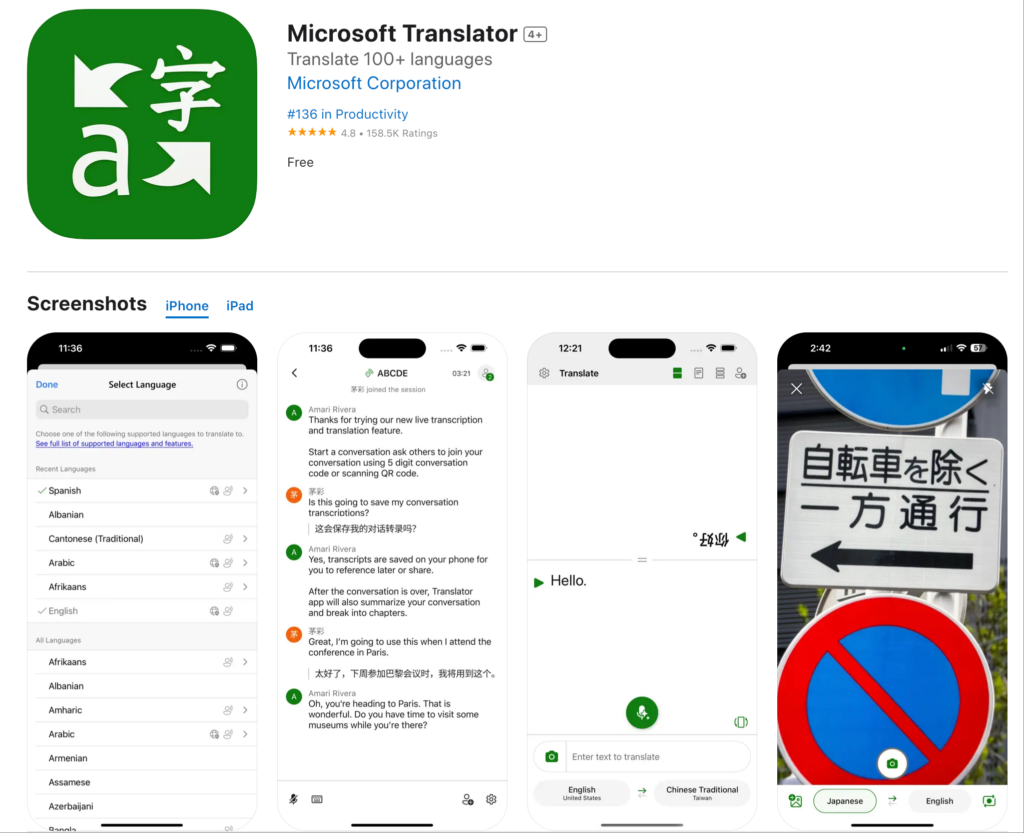
Fungsi dari perangkat ini:
- Menerjemahkan halaman web
- Terintegrasi dengan Microsoft Edge
- Mode percakapan dasar
- Mendukung lebih dari 70 bahasa.
Kelebihan:
- ✅ Integrasi ekosistem Microsoft yang baik
- ✅ Akurasi yang cukup baik untuk bahasa umum
- ✅ Gratis untuk digunakan
- ✅ Berfungsi di sebagian besar situs web
Keterbatasan:
- ❌ Dirancang terutama untuk browser Edge
- ❌ Kemampuan waktu nyata terbatas
- ❌ Tidak ada fitur rapat profesional
- ❌ Kualitas suara dasar
Terbaik untuk: Pengguna Microsoft Edge yang membutuhkan terjemahan dasar
Ekstensi Penerjemah Rapat: Solusi Profesional
Kesenjangan pada ekstensi peramban: Tidak ada yang menangani penerjemahan rapat secara waktu nyata.

Transync AI: Ekstensi Penerjemah Rapat Profesional
Fungsi dari perangkat ini:
- Terjemahan suara waktu nyata dalam rapat
- Output audio alami dalam 60 bahasa
- Transkrip dan ringkasan otomatis
- Integrasi asli Zoom, Teams, dan Meet.
Mengapa ini yang terbaik:
Kecepatan: <100ms Terjemahan Waktu Nyata
- Latensi yang tidak terasa
- Alur percakapan alami
- Tidak ada jeda yang canggung
- Lebih cepat dari waktu reaksi manusia
Akurasi: 95%+ dengan Pembelajaran Konteks
- Memahami terminologi bisnis
- Menangani percakapan teknis.
- Dukungan glosarium khusus
- Kesadaran akan konteks budaya
Kualitas Suara: Sintesis Mirip Suara Manusia
- Intonasi dan ritme alami
- Pencocokan nada yang tepat
- Dukungan aksen regional
- Nuansa emosional tetap terjaga.
Bahasa: 60 Bahasa Komprehensif
- Bahasa Spanyol (varian Meksiko, Kastilia, Kolombia)
- Bahasa Portugis (Brasil, Eropa)
- Bahasa Tionghoa (Mandarin, Kanton)
- Bahasa Jepang, Bahasa Korea, Bahasa Arab, Bahasa Hindi
- Prancis, Jerman, Italia, Rusia
- Ditambah 45+ bahasa tambahan
Integrasi: Aktivasi Sekali Klik
- Zoom: Ekstensi bawaan, pengaturan kurang dari 5 menit
- Microsoft Teams: Integrasi tanpa batas
- Google Meet: Koneksi langsung
- Webex: Dukungan penuh
- Mandiri: Acara tatap muka
Dokumentasi: Kecerdasan Otomatis
- Transkrip lengkap dalam semua bahasa yang digunakan
- Identifikasi pembicara dengan cap waktu
- Ringkasan rapat yang dihasilkan AI
- Ekstraksi item tindakan
- Format yang dapat dicari dan diekspor
Skalabilitas: Peserta Tidak Terbatas
- Cocok untuk panggilan dua orang.
- Dapat diskalakan untuk konferensi hingga 2.000 peserta.
- Beberapa bahasa secara bersamaan
- Tidak ada penurunan kinerja.
Ekstensi Penerjemah berdasarkan Kasus Penggunaan
Membaca Situs Web Asing
Skenario: Tim pemasaran sedang meneliti situs web pesaing Spanyol.
Ekstensi penerjemah terbaik: Ekstensi Google Terjemahan
Mengapa: Terjemahan teks saja yang cukup untuk dibaca. Mudah digunakan. Gratis.
Cara penggunaan:
- Instal ekstensi Google Translate di Chrome.
- Kunjungi situs web Spanyol
- Klik ikon ekstensi
- Pilih “Terjemahkan halaman ini”
- Baca konten terjemahan
Keterbatasan: Terjemahan bisa jadi canggung. Cocok untuk memahami makna umum, bukan untuk tulisan profesional.
Pertemuan Bisnis Internasional
Skenario: Negosiasi kemitraan AS-Jepang. 8 peserta. Diperlukan terjemahan suara secara langsung.
Ekstensi penerjemah terbaik: Transink AI
Mengapa: Satu-satunya solusi yang menyediakan terjemahan suara waktu nyata dengan kualitas profesional.
Cara penggunaan:
- Instal ekstensi Transync AI di Zoom.
- Mulai rapat
- Klik ikon Transync AI
- Pilih bahasa (Inggris + Jepang)
- Berbicaralah secara alami—terjemahan terjadi secara waktu nyata.
Hasil:
- Alur percakapan alami
- Akurasi 95%+ untuk istilah bisnis
- Tidak ada salah komunikasi
- Transkrip rapat otomatis
Mengapa ekstensi browser gagal: Google Translate tidak dapat menerjemahkan audio percakapan langsung.
Rapat Harian Tim
Skenario: Tim beranggotakan 50 orang (AS + Meksiko). Pertemuan harian singkat selama 15 menit di Zoom.
Terbaik: Transink AI
Mengapa: Dirancang untuk rapat berkala. Pengaturan sekali saja. Kinerja harian yang andal.
Cara penggunaan:
- Instal sekali saja
- Tetapkan bahasa default (Inggris + Spanyol)
- Setiap standup diterjemahkan secara otomatis.
- Anggota tim dapat mendengar bahasa pilihan mereka.
- AI menghasilkan ringkasan harian
Hasil:
- Peningkatan produktivitas 45%
- Tidak ada kendala bahasa.
- Kolaborasi tim meningkat.
- Tidak perlu pengaturan harian.
Panggilan Dukungan Pelanggan
Skenario: Tim dukungan menangani panggilan pelanggan dalam bahasa Spanyol, Prancis, dan Jepang.
Terbaik: Transync AI dengan integrasi telepon.
Mengapa: Terjemahan suara secara waktu nyata sangat penting. Pengalaman pelanggan sangat penting.
Cara penggunaan:
- Integrasikan Transync AI dengan sistem telepon.
- Pelanggan menelepon dalam bahasa Spanyol
- Agen mendengar terjemahan bahasa Inggris
- Agen menjawab dalam bahasa Inggris.
- Pelanggan mendengarkan terjemahan bahasa Spanyol.
Hasil:
- 60% waktu respons lebih cepat
- 38% meningkatkan kepuasan
- Tidak diperlukan perekrutan bilingual.
- Dokumentasi panggilan otomatis
Konferensi Internasional
Skenario: Konferensi 500 orang. Berbagai bahasa. Berbagai sesi.
Terbaik: Transync AI untuk acara
Mengapa: Skalabilitas tak terbatas. Kualitas profesional. Mendukung berbagai bahasa secara bersamaan.
Cara penggunaan:
- Terapkan Transync AI di semua ruang konferensi.
- Peserta dapat mengunduh aplikasi atau menggunakan antarmuka web.
- Pilih bahasa pilihan Anda
- Semua sesi diterjemahkan secara otomatis.
- Akses transkrip setelahnya.
Hasil:
- Semua konten dapat diakses oleh semua peserta.
- Kualitas terjemahan profesional
- Dokumentasi sesi otomatis
- Kepuasan peserta 99%+
Ekstensi Traductor: Perbandingan Fitur
| Fitur | Transink AI (Pertemuan) | Google Terjemahan Perpanjangan | DeepL Perpanjangan | Penerjemah Microsoft |
|---|---|---|---|---|
| Suara waktu nyata | Ya (<100ms) ⭐ | TIDAK | TIDAK | Terbatas |
| Terjemahan Teks | Ya ⭐ | Ya | Ya | Ya |
| Ketepatan | 95%+ ⭐ | 75-85% | 90-94% | 80-88% |
| Kualitas Suara | Alami ⭐ | Tidak tersedia | Tidak tersedia | Robotik |
| Bahasa | 60 ⭐ | 133 | 31 | 70+ |
| Integrasi Rapat | Asli ⭐ | Tidak ada | Tidak ada | Dasar |
| Dokumentasi | AI Penuh ⭐ | Tidak ada | Tidak ada | Dasar |
| Kasus Penggunaan | Pertemuan profesional ⭐ | penjelajahan web | Terjemahan dokumen | Tugas dasar |
| Kustomisasi | Glosarium khusus ⭐ | Tidak ada | Terbatas | Terbatas |
| Skalabilitas | Tak Terbatas ⭐ | Tidak tersedia | Tidak tersedia | Terbatas |
Keterangan: ⭐ = Pemimpin Kategori
Kesimpulan: Peramban ekstensi penerjemah Unggul dalam penerjemahan teks. Untuk penerjemahan rapat profesional, Anda memerlukan solusi khusus seperti Transync AI.
Ekstensi Penerjemah: Pertanyaan yang Sering Diajukan
Q1: Apa itu ekstensi transduser? Ekstensi penerjemah adalah perangkat lunak tambahan yang menyediakan kemampuan penerjemahan di dalam aplikasi yang sudah ada seperti peramban web, Zoom, Teams, atau klien email.
Q2: Apa ekstensi penerjemah terbaik untuk Chrome? Untuk membaca situs web: Ekstensi Google Translate. Untuk rapat profesional di Zoom/Teams: Transync AI. Kasus penggunaan yang berbeda membutuhkan solusi yang berbeda pula.
Q3: Dapatkah ekstensi penerjemah menerjemahkan rapat langsung? Ekstensi browser tidak bisa. Anda perlu pertemuan khusus. ekstensi penerjemah seperti Transync AI yang menyediakan terjemahan suara secara real-time dengan output audio alami.
Q4: Seberapa akurat ekstensi ttranslator? Ekstensi peramban (Google Translate): 75-85%. DeepL: 90-94% untuk teks. Ekstensi rapat profesional (Transync AI): 95%+ dengan pembelajaran konteks dan glosarium khusus.
Q5: Apakah ekstensi penerjemah berfungsi secara offline? Sebagian besar memerlukan koneksi internet. Transync AI memerlukan internet untuk terjemahan waktu nyata tetapi dapat menghasilkan laporan offline dari transkrip yang tersimpan.
Q6: Bisakah saya menggunakan ekstensi penerjemah untuk rapat Zoom? Ekstensi browser tidak berfungsi untuk audio Zoom. Instal Transync AI sebagai aplikasi bawaan Zoom. ekstensi penerjemah untuk terjemahan suara secara real-time.
Q7: Apa perbedaan antara ekstensi browser dan ekstensi penerjemah rapat? Ekstensi browser menerjemahkan teks di situs web. Ekstensi rapat menerjemahkan percakapan suara langsung secara real-time dengan output audio.
Q8: Dapatkah ekstensi penerjemah menangani terminologi teknis? Google Translate kesulitan dengan istilah-istilah khusus. Transync AI mendukung glosarium khusus di mana Anda dapat menentukan terjemahan spesifik industri.
Keberhasilan di Dunia Nyata: Penerapan Ekstensi Penerjemah
Perusahaan Konsultasi Global
Profil: 1.200 konsultan di 15 negara. Lebih dari 400 pertemuan klien setiap minggu dalam berbagai bahasa.
Tantangan: Kendala bahasa mengurangi kualitas proyek. Klien lebih menyukai komunikasi dalam bahasa ibu mereka. Masalah penerjemahan menyebabkan penundaan proyek.
Upaya sebelumnya:
- ❌ Browser ekstensi penerjemah (Google Translate): Tidak dapat menerjemahkan audio rapat
- ❌ Penerjemah manusia: Tidak berkelanjutan untuk 400+ pertemuan mingguan
- ❌ Staf hanya dwibahasa: Keterbatasan sumber daya manusia, mengurangi keragaman tim.
Larutan: Mengadakan pertemuan AI Transync ekstensi penerjemah
Pelaksanaan:
- Ekstensi Transync AI telah terpasang di Zoom dan Teams.
- Membuat glosarium khusus untuk terminologi konsultasi.
- Melatih semua konsultan (<30 menit per orang)
- Atur preferensi bahasa regional berdasarkan kantor.
Hasil (12 bulan):
Metrik komunikasi:
- ✅ 100% pertemuan klien dapat diakses dalam bahasa pilihan klien
- ✅ Tidak ada penundaan proyek yang disebabkan oleh kendala bahasa
- ✅ 99,31% kepuasan konsultan terhadap kualitas terjemahan
- ✅ Kepuasan klien terhadap komunikasi sebesar 97,81% (TP3T)
Dampak bisnis:
- ✅ Tingkat keberhasilan proyek meningkat 34%
- ✅ Retensi klien meningkat 28%
- ✅ Pemanfaatan konsultan dioptimalkan (tidak ada batasan pencocokan bahasa)
- ✅ Ekspansi pasar baru berhasil (memasuki 8 negara baru)
Metrik produktivitas:
- ✅ Penyelesaian proyek 42% lebih cepat
- ✅ Pengurangan insiden miskomunikasi sebesar 38%
- ✅ Peningkatan 51% dalam kolaborasi lintas kantor
Testimoni: “Kami mencoba semua ekstensi penerjemah browser yang tersedia. Tidak satu pun yang mampu menerjemahkan rapat klien kami. Transync AI mengubah seluruh operasi global kami. Ini bukan hanya ekstensi penerjemah—ini adalah keunggulan kompetitif kami.” — Managing Partner, Global Operations
Memulai: Ekstensi Penerjemah
Untuk Penjelajahan Web (Terjemahan Teks)
Langkah 1: Instal ekstensi Google Translate atau DeepL. Langkah 2: Jelajahi situs web asing secara normal. Langkah 3: Klik ekstensi untuk menerjemahkan halaman. Terbaik untuk: Membaca isi, riset dasar

Untuk Pertemuan Profesional (Terjemahan Suara)
Langkah 1: Instal Transync AI
- Tersedia untuk Zoom, Teams, Meet, Webex
- Instalasi kurang dari 5 menit
- Aktivasi sekali klik
Langkah 2: Konfigurasi Bahasa
- Pilih bahasa tim Anda
- Pilih varian regional
- Buat glosarium khusus (opsional)
Langkah 3: Memulai Rapat
- Buka Zoom/Teams/Meet seperti biasa.
- Klik ikon Transync AI
- Penerjemahan terjadi secara otomatis.
Langkah 4: Akses Dokumentasi
- Unduh transkrip setelah rapat.
- Tinjau ringkasan yang dihasilkan AI
- Bagikan dengan pemangku kepentingan
Kesimpulan: Ekstensi Penerjemah Terbaik
Ekstensi penerjemah yang tepat bergantung pada kasus penggunaan Anda:
Untuk membaca situs web:
- ✅ Ekstensi Google Translate (sebagian besar bahasa)
- ✅ Ekstensi DeepL (kualitas bahasa Eropa terbaik)
Untuk pertemuan profesional:
- ✅ Transync AI (satu-satunya solusi dengan terjemahan suara waktu nyata)
Mengapa Transync AI unggul sebagai ekstensi penerjemah rapat:
✅ Tercepat: Terjemahan waktu nyata <100ms (latensi tak terasa) ✅ Paling akurat: 95%+ dengan pembelajaran kontekstual dan glosarium khusus ✅ Paling alami: Sintesis suara mirip manusia, bukan robot ✅ Terintegrasi terbaik: Aktivasi Zoom/Teams/Meet sekali klik ✅ Paling cerdas: Transkrip otomatis, ringkasan, poin tindakan ✅ Paling komprehensif: 60 bahasa dengan dukungan varian regional ✅ Paling mudah disesuaikan: Glosarium khusus untuk terminologi industri ✅ Paling mudah diskalakan: Dari panggilan 2 orang hingga konferensi 2.000 orang ✅ Paling profesional: Keamanan dan keandalan tingkat perusahaan
Ekstensi penerjemah browser unggul dalam penerjemahan teks. Untuk penerjemahan suara profesional dalam rapat, acara, dan panggilan, Transync AI adalah pemimpin yang jelas.
Berhentilah mencari ekstensi penerjemah yang sempurna.
Untuk situs web: Gunakan Google Translate atau DeepL. Untuk rapat: Gunakan Transync AI.
Pilih alat yang tepat untuk pekerjaan yang tepat—dan ubah komunikasi global Anda hari ini.
Jika Anda menginginkan pengalaman generasi berikutnya, Transink AI memimpin dengan terjemahan real-time bertenaga AI yang membuat percakapan mengalir secara alami. Anda bisa coba gratis Sekarang.

