
使用者指南
教學
影片
多語言會議中真正存在的痛點。.
1. 跨語言溝通效率低下
與會者難以理解外語發言者,人工翻譯會擾亂會議流程,非母語人士往往猶豫不決,大大降低了溝通效率。.
2. Zoom 的原生功能不足
Zoom 的內建字幕支援的語言有限,延遲高,準確性不穩定,而且缺乏對上下文、術語和關鍵字的自訂功能。.
3.會後知識保留效果不佳
會議期間資訊只能部分理解,會後需要額外努力整理筆記,且與會者沒有共享、同步的會議記錄存取權限。.
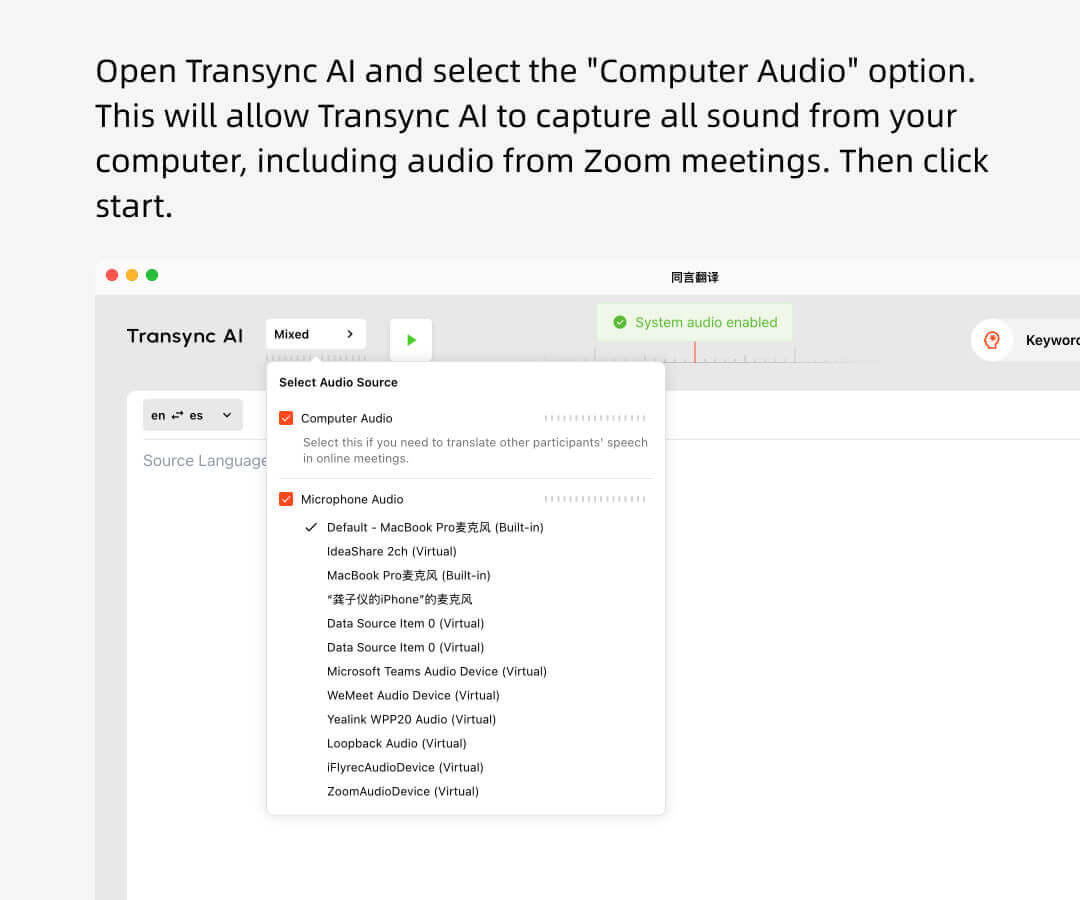
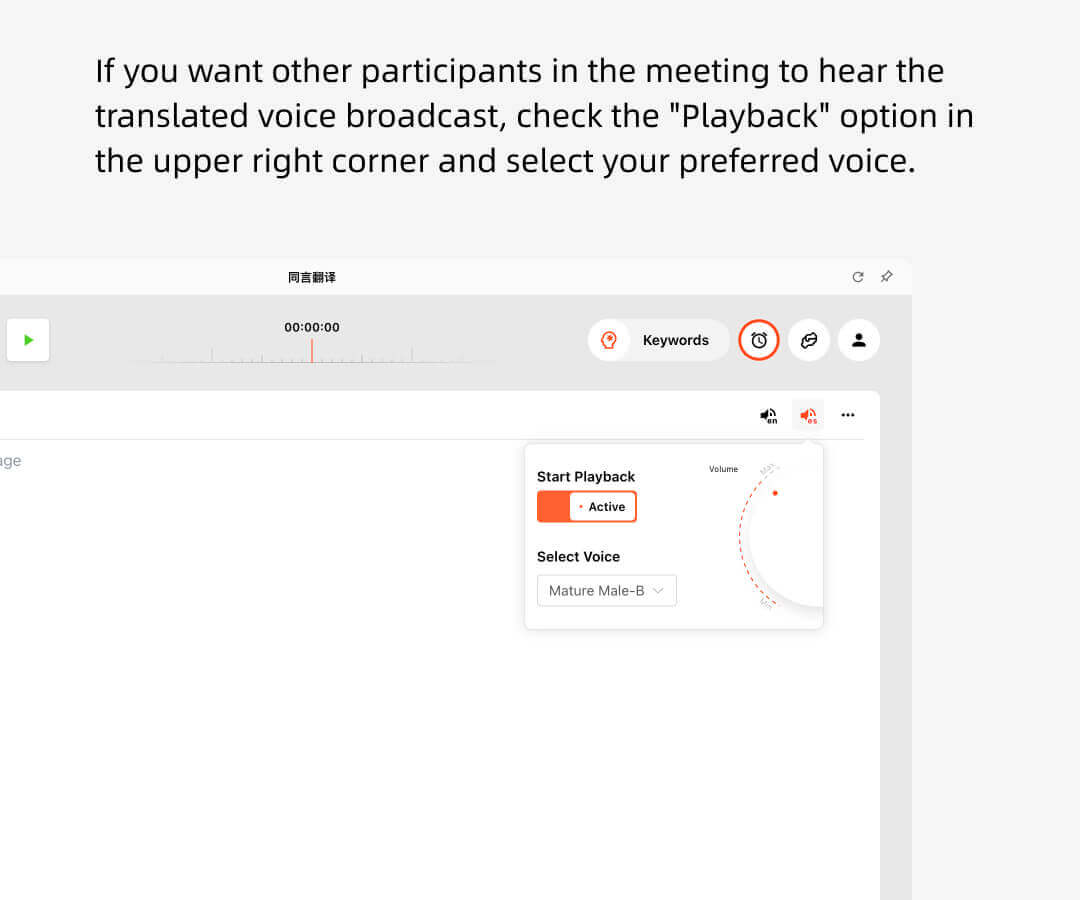
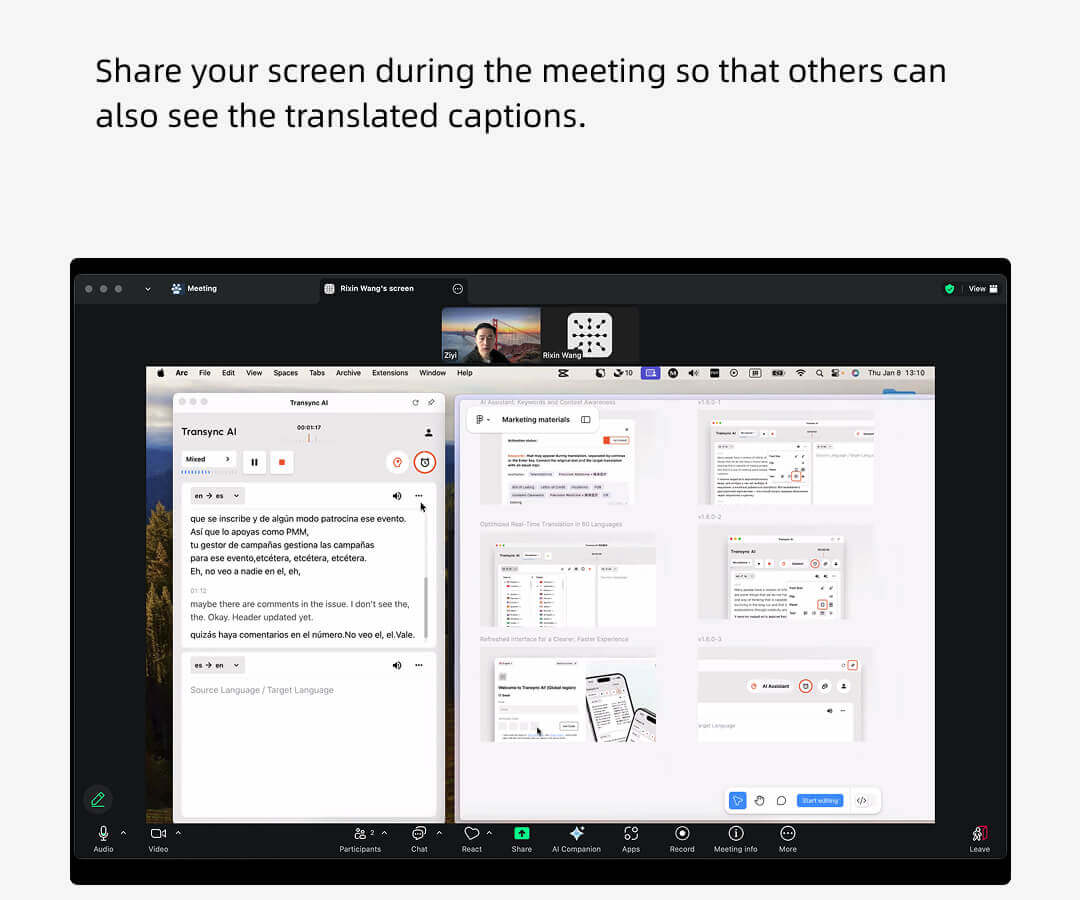
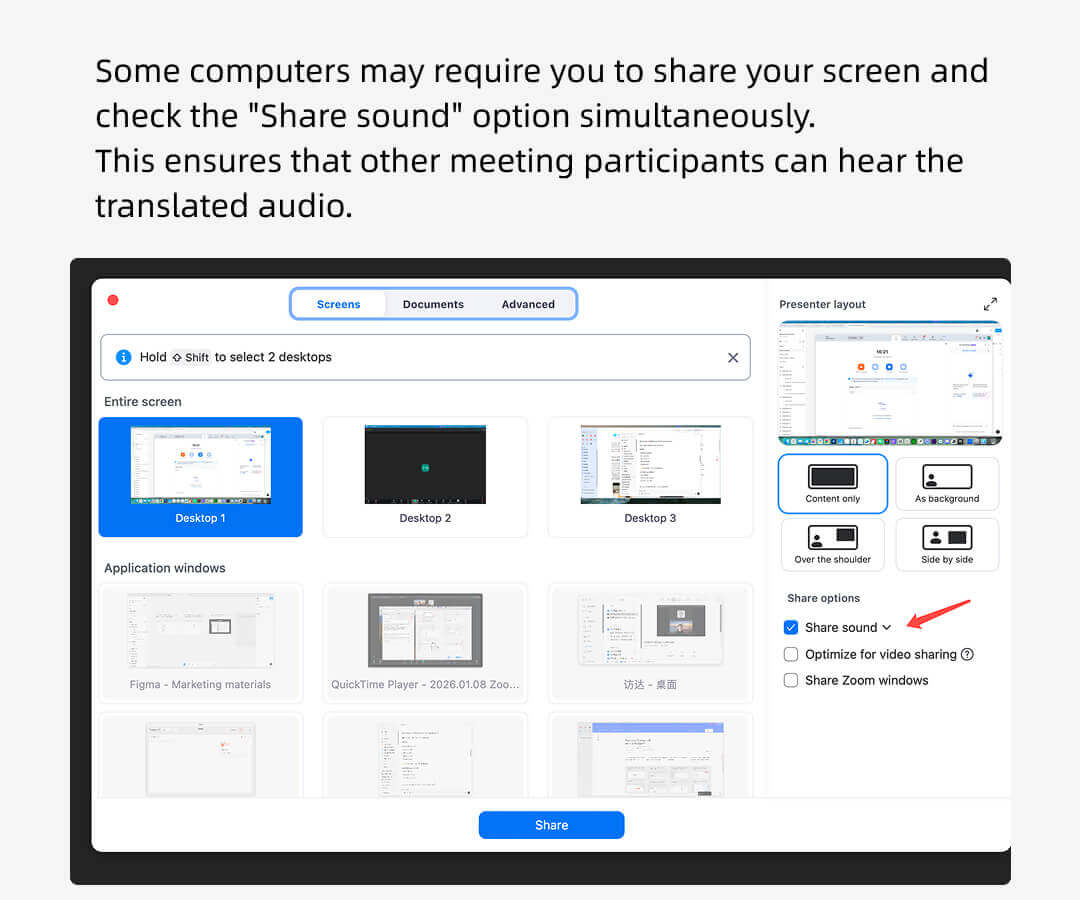
Zoom翻譯主持人視圖
Zoom 會議主持人可以使用 Transync AI 來收聽其他參與者的發言,並將其實時廣播出去。.
其他與會者無需擁有 Transync AI 帳戶,也不會被收取翻譯使用費用。只有主持人才會消耗翻譯時長。.
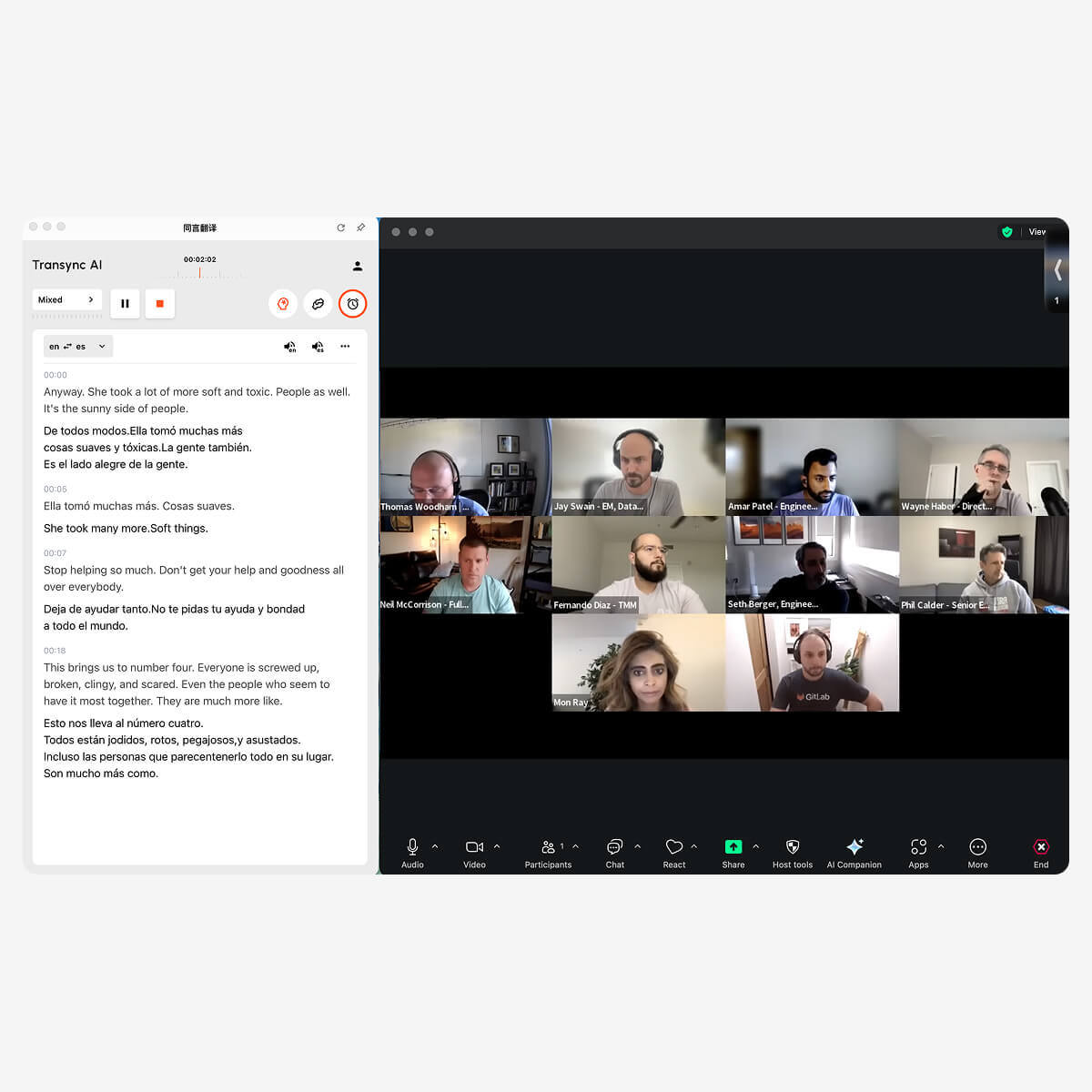
Zoom翻譯參與者視圖
Zoom 會議參與者無需下載任何軟體或外掛程式。.
會議主持人只需開啟 Transync AI 並啟用語音廣播功能,與會者即可聽到翻譯後的音訊。如果主持人共享螢幕,與會者還可以看到翻譯後的字幕。.
此外,參與者無需支付任何費用。.
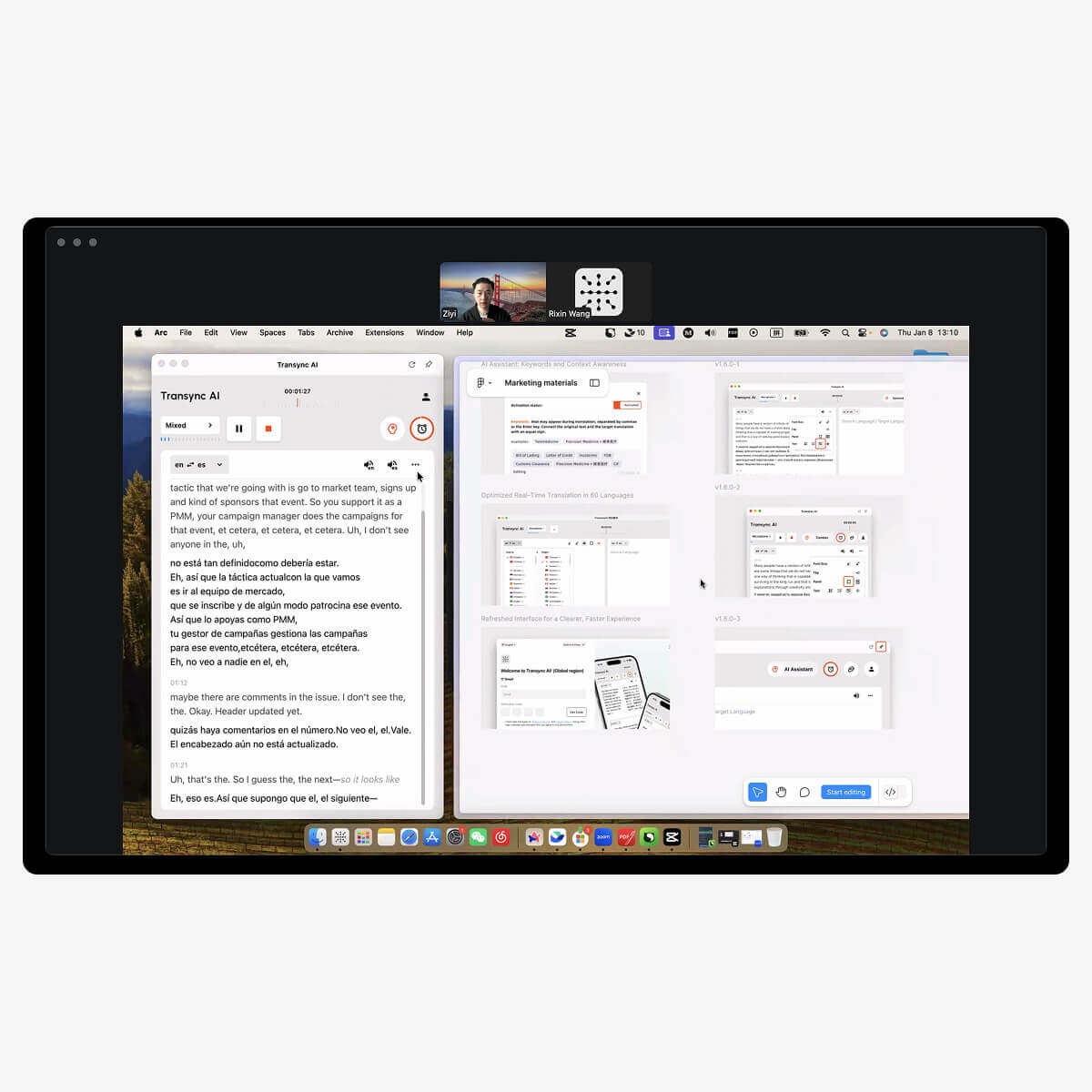
相容於多種會議軟體,無需插件
Transync AI 直接監聽您和會議中其他人的發言,自動區分發言者並進行翻譯,可用於各種會議平台。飛漲, 團隊, Google Meet, WhatsApp, 或其他會議軟體。 )

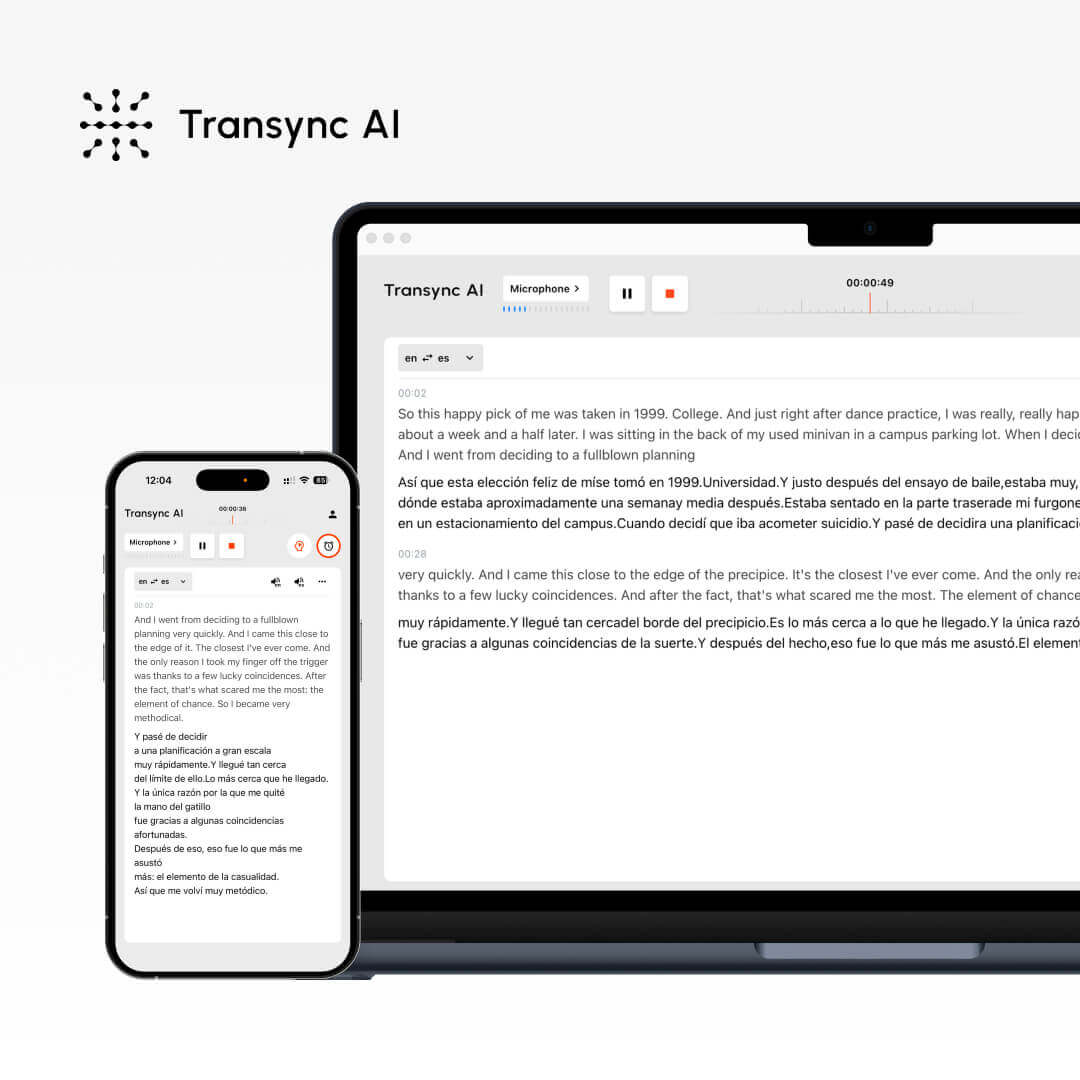
Transsync AI、Zoom 的原生翻譯功能和其他翻譯軟體的比較。.
特徵
支援多種語言。.
即時字幕
即時語音翻譯
自動會議記錄
關鍵字和上下文
低延遲
高精度
同步人工智慧
60+
✔
✔
✔
✔
★★★
★★★
Zoom 的原生翻譯
36
✔
✗
✗
✗
★★
★★
其他翻譯軟體
10+
✗
✗
✗
✗
★
★