

คู่มือเปรียบเทียบแอปแปลภาษา 7 แอป สำหรับการประชุม เอกสาร การเดินทาง เสียงสด เสียงบันทึก คำบรรยาย และบันทึกย่อด้วย AI.
การเลือก แอปแปลภาษา ไม่ใช่แค่เรื่องจำนวนภาษาเท่านั้น นักเดินทางอาจต้องการการแปลผ่านกล้อง ผู้สร้างเนื้อหาอาจต้องการคำบรรยาย และทีมงานนานาชาติอาจต้องการการแปลเสียงสดระหว่างการประชุมผ่าน Zoom.
ที่สุด แอปแปลภาษา คือเครื่องมือที่ออกแบบมาเพื่อเนื้อหาหรือบทสนทนาที่คุณกำลังเผชิญหน้า คู่มือนี้จะเปรียบเทียบเครื่องมือเจ็ดอย่างสำหรับใช้ในการประชุม เอกสาร การเดินทาง การบันทึกเสียง วิดีโอ และบันทึกหลังการประชุม.
คำตอบโดยสรุป: คุณควรเลือกโปรแกรมแปลแอปพลิเคชันตัวไหนดี?
| ข้อกำหนดหลัก | ตัวเลือกที่ดีที่สุดอันดับแรก |
|---|---|
| การประชุมสดหลายภาษา | Transync เอไอ |
| เอกสารและข้อความทางวิชาชีพ | ดีพแอล |
| การแปลพร้อมบันทึกการประชุม | โจทมี |
| การแปลเสียงโดยใช้บอท | ทาโล |
| การแปลสดและการปรับสื่อให้เข้ากับท้องถิ่น | อาจารย์ |
| บันทึกเสียง วิดีโอ และคำบรรยาย | โซนิกซ์ |
| การแปลเกี่ยวกับการเดินทางและกล้องถ่ายรูป | ทอล์คาโอ |
ไม่มีโปรแกรมใดที่เหมาะสมที่สุดสำหรับทุกโปรแกรม โปรแกรมสำหรับการประชุมอาจไม่จำเป็นสำหรับการแปลเมนู ในขณะที่โปรแกรมสำหรับการเดินทางอาจไม่ให้การควบคุมที่เพียงพอสำหรับการสนทนากับลูกค้าในประเด็นทางเทคนิค.
นักแปลแอปควรทำอะไรบ้าง?
| งานแปล | คุณสมบัติที่ควรให้ความสำคัญเป็นอันดับแรก |
|---|---|
| ข้อความและเอกสาร | การใช้คำ การจัดรูปแบบ และการเรียบเรียงที่เป็นธรรมชาติ |
| การประชุมสด | ความหน่วงต่ำ การสนทนาสองทาง คำบรรยาย และเสียง |
| เสียงที่บันทึกไว้ | การถอดเสียง, การระบุผู้พูด, การประทับเวลา และการแปล |
| วิดีโอ | คำบรรยายภาพ คำบรรยายย่อย การพากย์เสียง และการส่งออก |
| การท่องเที่ยว | การป้อนข้อมูลจากกล้อง การเล่นเสียง และการเข้าถึงผ่านมือถือ |
| กิจกรรม | รองรับหลายภาษาสำหรับกลุ่มเป้าหมาย และการเข้าถึงที่ปรับขนาดได้ |
มีประโยชน์ แอปแปลภาษา ควรเหมาะสมกับแพลตฟอร์ม สภาพแวดล้อมทางเสียง ระยะเวลาของเซสชัน และผลลัพธ์ที่ต้องการหลังจากการแปล.
การเปรียบเทียบแอปแปลภาษา
| เครื่องมือ | ตำแหน่งหลัก | ดีที่สุดสำหรับ | ข้อจำกัดหลัก |
|---|---|---|---|
| Transync เอไอ | การแปลการประชุมแบบเรียลไทม์ | คำบรรยายสองภาษา เสียง และหมายเหตุ | ไม่ได้ออกแบบมาสำหรับรูปภาพหรือเอกสาร |
| ดีพแอล | ข้อความ เอกสาร การเขียน และเสียง | งานแปลเอกสารระดับมืออาชีพ | การเข้าถึงด้วยเสียงขึ้นอยู่กับผลิตภัณฑ์และแพ็กเกจ |
| โจทมี | ผู้ช่วยด้านการแปลและการประชุม | การแปลสดพร้อมหมายเหตุ | เน้นการประชุมเป็นหลัก |
| ทาโล | บอทแปลภาษา AI | การแปลเสียงภายในวิดีโอคอล | บอทปรากฏตัวในฐานะผู้เข้าร่วม |
| อาจารย์ | การแปลสื่อสดและสื่อบันทึก | คำบรรยาย, การพากย์เสียง, สัมมนาออนไลน์ และวิดีโอ | กว้างกว่าที่บางทีมต้องการ |
| โซนิกซ์ | การถอดเสียงและการแปลด้วย AI | บันทึกเสียง วิดีโอ คำบรรยาย และการวิเคราะห์ | ให้ความสำคัญกับการประชุมแบบสองทางสดน้อยลง |
| ทอล์คาโอ | โปรแกรมแปลภาษามือถือสำหรับผู้บริโภค | การเดินทาง การแปลด้วยกล้อง และการพูดคุยแบบไม่เป็นทางการ | ขั้นตอนการประชุมทางธุรกิจที่มีข้อจำกัด |
1. Transync เอไอเหมาะที่สุดสำหรับการประชุมสด
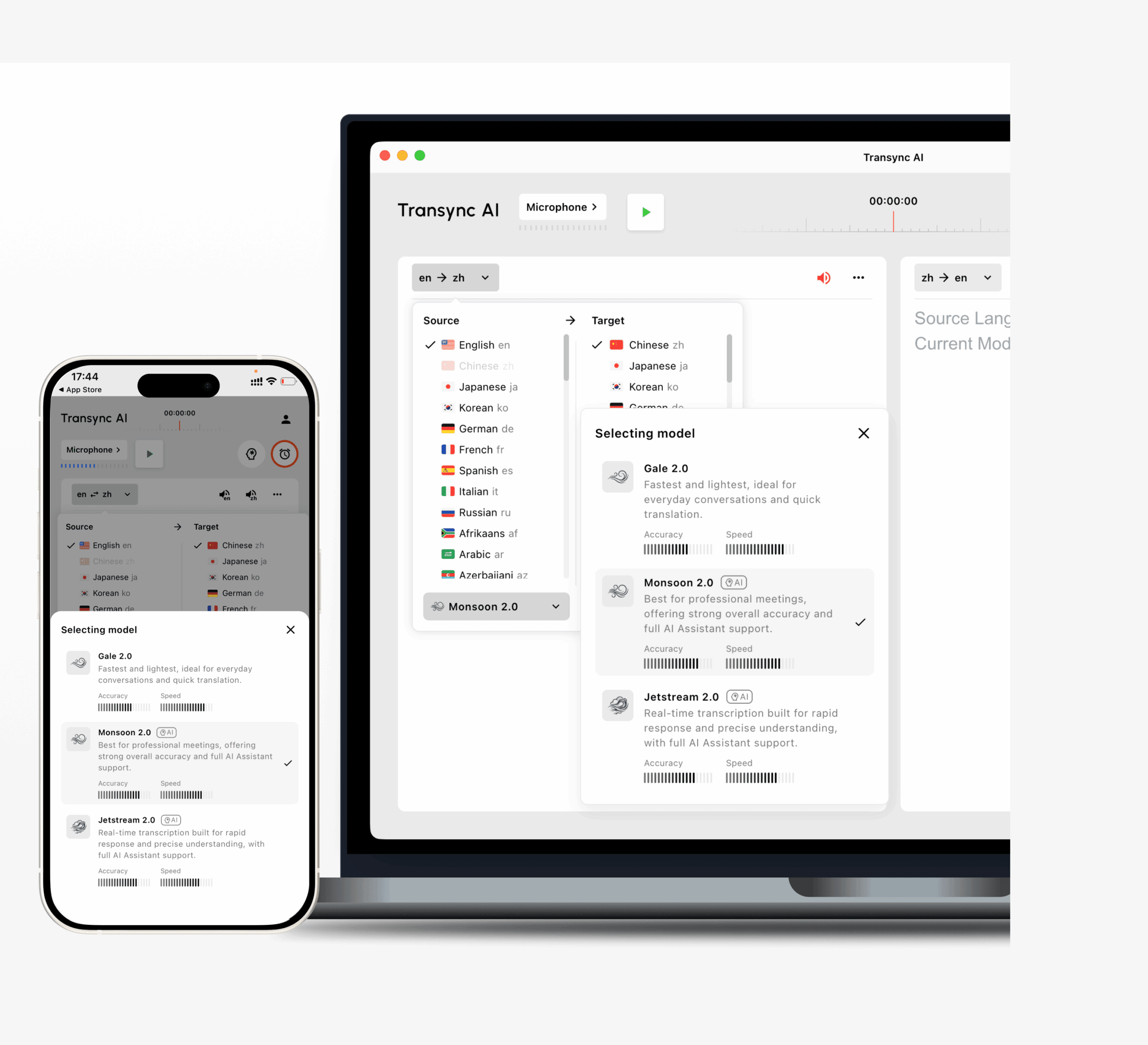 Transync AI มุ่งเน้นการประชุมเป็นหลัก แอปแปลภาษา สำหรับผู้ที่ต้องการทำความเข้าใจและตอบสนองขณะที่การสนทนากำลังดำเนินอยู่.
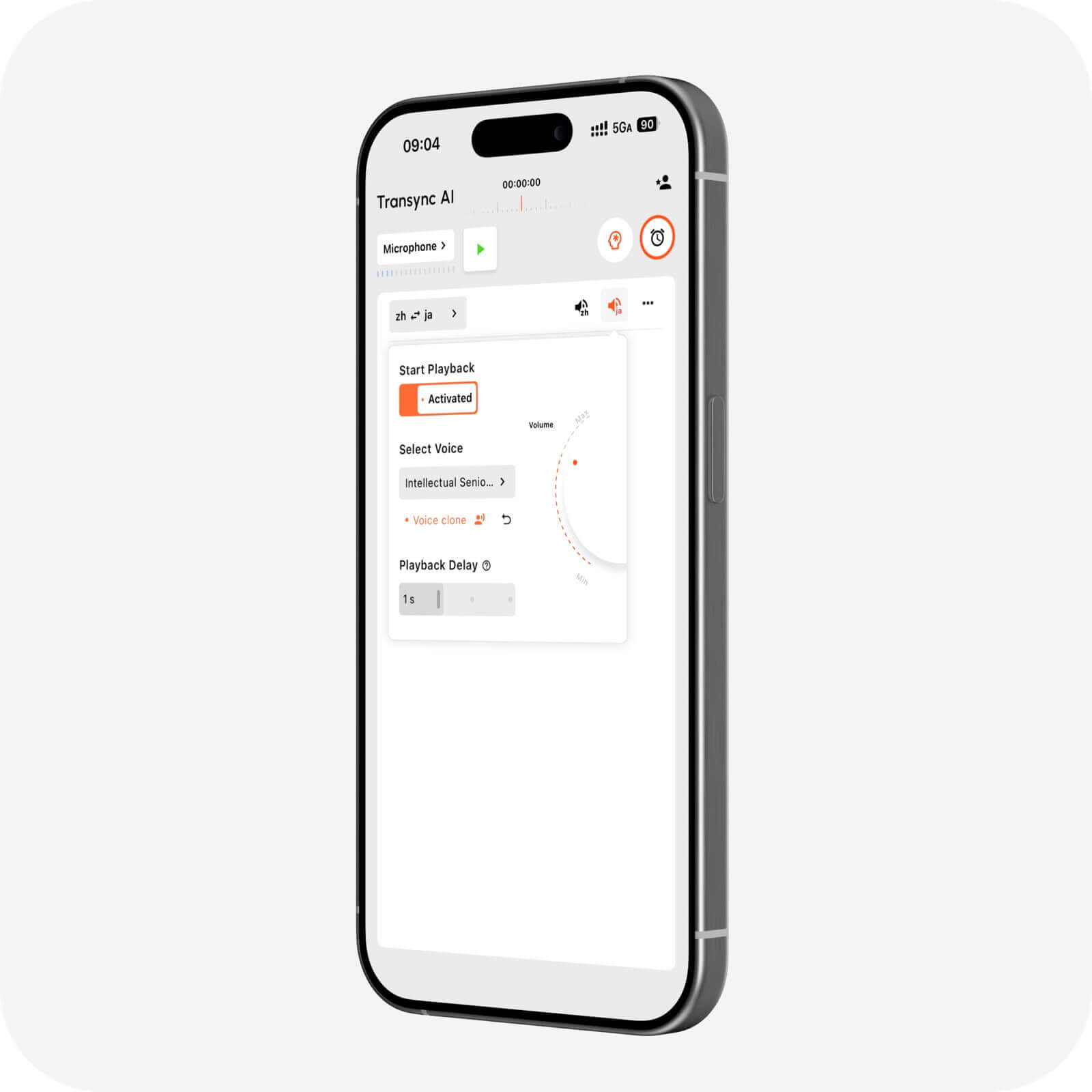
รองรับการแปลสองทางในภาษาต่างๆ มากกว่า 60 ภาษา และทำงานควบคู่กันไป Zoom, Microsoft Teams และ Google Meet. ผู้ใช้สามารถดูคำบรรยายสองภาษาและเปิดใช้งานคำแปลได้ การเล่นเสียง, เตรียมตัว คำหลักและบริบท, และสร้าง บันทึกการประชุม AI.
เหมาะที่สุดสำหรับการสนทนากับลูกค้า การพูดคุยกับซัพพลายเออร์ การสัมภาษณ์ การสอน การสาธิต และการประชุมทีมหลายภาษา ข้อจำกัดหลักคือเน้นที่การพูดสดมากกว่าการแปลจากกล้อง ภาพ หรือเอกสาร.
2. ดีพแอลเหมาะที่สุดสำหรับข้อความและเอกสาร
 DeepL เป็นตัวเลือกที่เหมาะสมกว่าเมื่อจำเป็นต้องแก้ไข ตรวจสอบ หรือเผยแพร่เนื้อหาที่แปลแล้ว.
ครอบคลุมถึงข้อความ เอกสาร การสนับสนุนการเขียน API และเวิร์กโฟลว์เสียงที่เลือกไว้ การใช้งานทั่วไป ได้แก่ รายงาน งานนำเสนอ คู่มือ อีเมล และเนื้อหาเว็บไซต์ ผู้ใช้ที่สนใจเสียงพูดแบบเรียลไทม์ควรตรวจสอบว่าผลิตภัณฑ์และแผน DeepL Voice ใดที่เหมาะสมกับความต้องการของตน.
3. โจทมีเหมาะที่สุดสำหรับการแปลและการจดบันทึก

JotMe ผสานรวมการแปลแบบเรียลไทม์ การถอดเสียง ความช่วยเหลือจาก AI และการบันทึกการประชุมเข้าไว้ด้วยกัน.
เหมาะสำหรับใช้ในการประชุมโครงการ การสัมภาษณ์ การโทรศัพท์เพื่อการวิจัย และชั้นเรียน ที่ผู้ใช้ต้องการคำบรรยายสด รวมถึงบทสรุป รายการดำเนินการ และบันทึกที่ค้นหาได้ แต่ไม่ค่อยเหมาะสมสำหรับการใช้งานทั่วไปในกล้องหรือการแปลระหว่างเดินทาง.
4. ทาโลเหมาะที่สุดสำหรับการแปลเสียงโดยใช้บอท
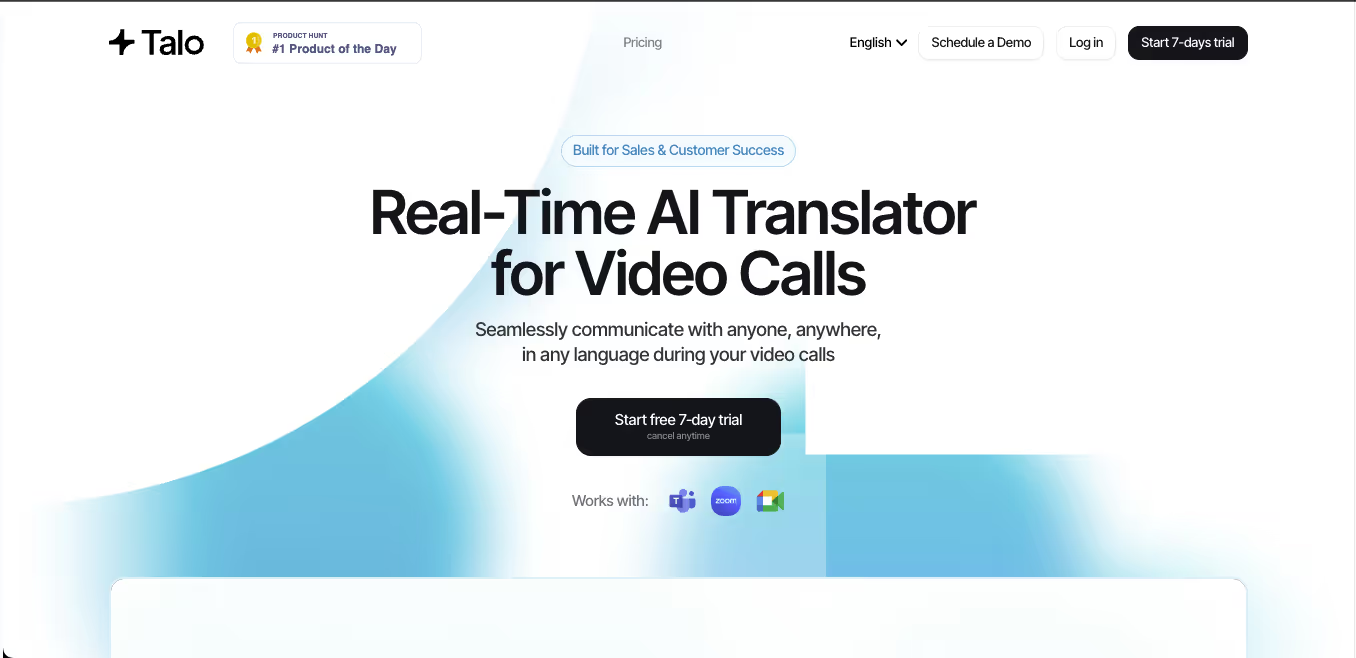 Talo ใช้บอท AI ที่เข้าร่วมการสนทนาทางวิดีโอและให้การแปลเสียงแบบเรียลไทม์.
สิ่งนี้ใช้ได้ดีกับการโทรขาย การสนทนาเพื่อการสนับสนุน การสาธิต และการสัมมนาออนไลน์ บางทีมชอบเวิร์กโฟลว์บอทที่เรียบง่าย ในขณะที่บางทีมชอบแบบสแตนด์อโลนมากกว่า แอปแปลภาษา สิ่งที่ไม่ได้ปรากฏในการประชุมกับลูกค้า.
5. อาจารย์เหมาะที่สุดสำหรับสื่อถ่ายทอดสดและสื่อบันทึก
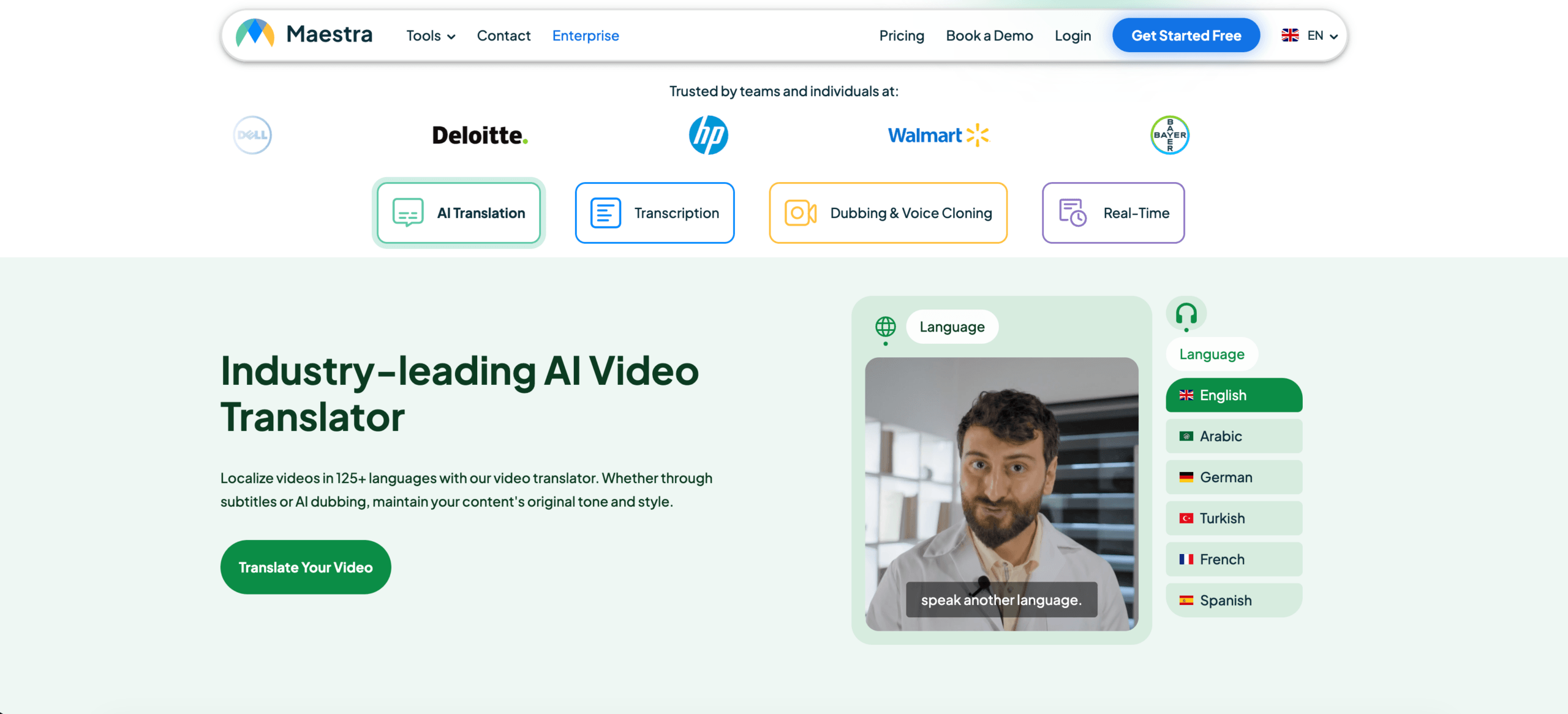 Maestra ครอบคลุมฟังก์ชันต่างๆ เช่น คำบรรยายสด การถอดเสียง การแปลคำบรรยาย การพากย์เสียงด้วย AI การโคลนเสียง การแปลวิดีโอเป็นภาษาต่างๆ และการสรุปเนื้อหา.
อาจเหมาะสำหรับสัมมนาออนไลน์ หลักสูตรออนไลน์ การสัมภาษณ์ พอดแคสต์ วิดีโอ และการถ่ายทอดสดหลายภาษา แต่สำหรับการประชุมแบบง่ายๆ ที่มีผู้เข้าร่วมเพียงสองคน ชุดเครื่องมืออาจมีมากเกินไปกว่าที่จำเป็น.
6. โซนิกซ์เหมาะที่สุดสำหรับการบันทึกเสียงและวิดีโอ
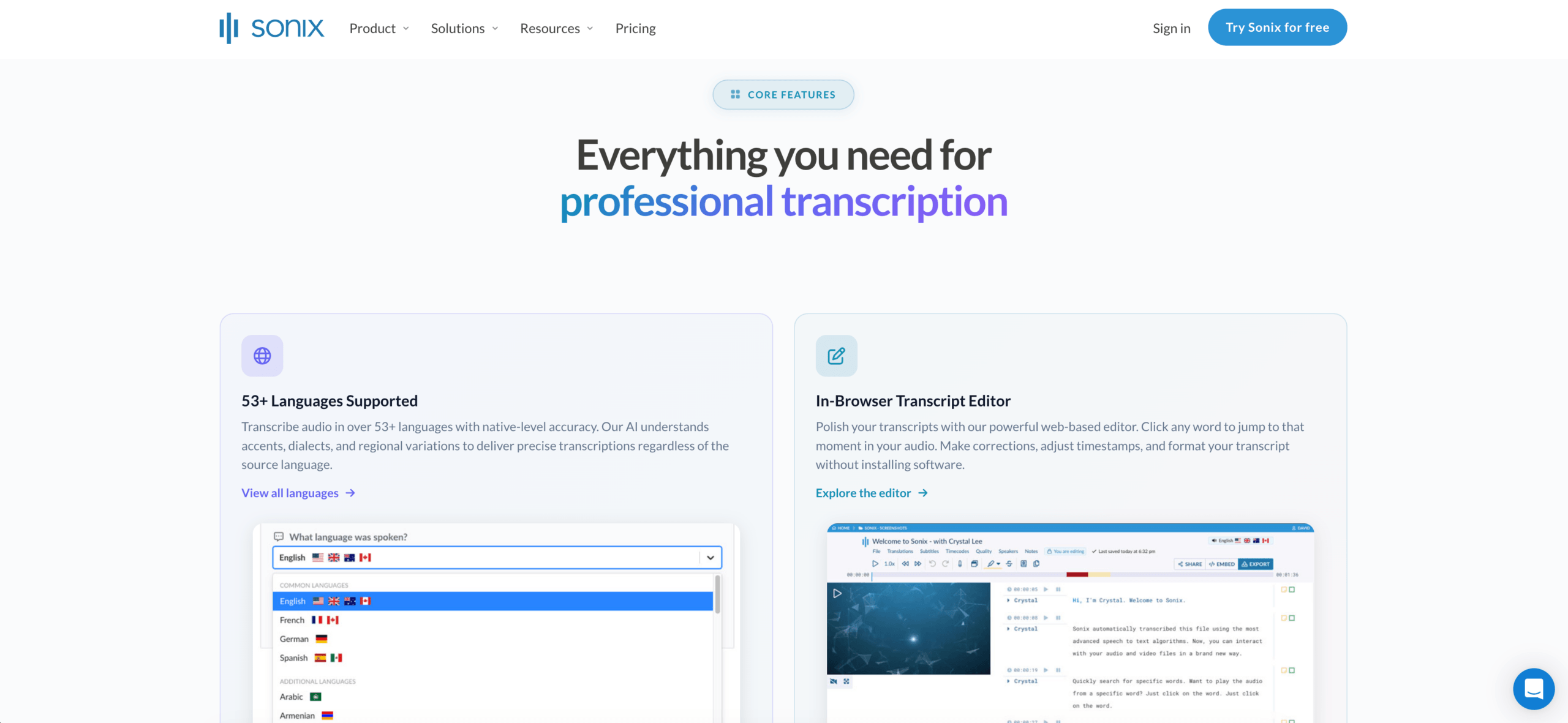 Sonix เป็นแพลตฟอร์มที่เน้นการถอดเสียงเป็นหลัก มากกว่าจะเป็นโปรแกรมแปลภาษาสำหรับการประชุมสด.
ผู้ใช้สามารถอัปโหลดไฟล์เสียงหรือวิดีโอที่บันทึกไว้ สร้างบทถอดเสียงพร้อมระบุชื่อผู้พูด แปลบทถอดเสียงเหล่านั้น สร้างคำบรรยาย และใช้การวิเคราะห์ด้วย AI เพื่อสรุปและให้ข้อมูลเชิงลึกอย่างเป็นระบบ.
Sonix เป็นบริษัทที่แข็งแกร่ง แอปแปลภาษา เหมาะสำหรับการบันทึกการสัมภาษณ์ พอดแคสต์ การบรรยาย การบันทึกการประชุม การวิจัย และคลังสื่อ ข้อจำกัดหลักคือเรื่องเวลา: มันทำงานได้ดีกว่าในการประมวลผลเนื้อหาหลังจากบันทึกแล้ว มากกว่าการรองรับการสนทนาสองทางที่รวดเร็วระหว่างการโทรสด.
7. ทอล์คาโอเหมาะสำหรับการเดินทาง
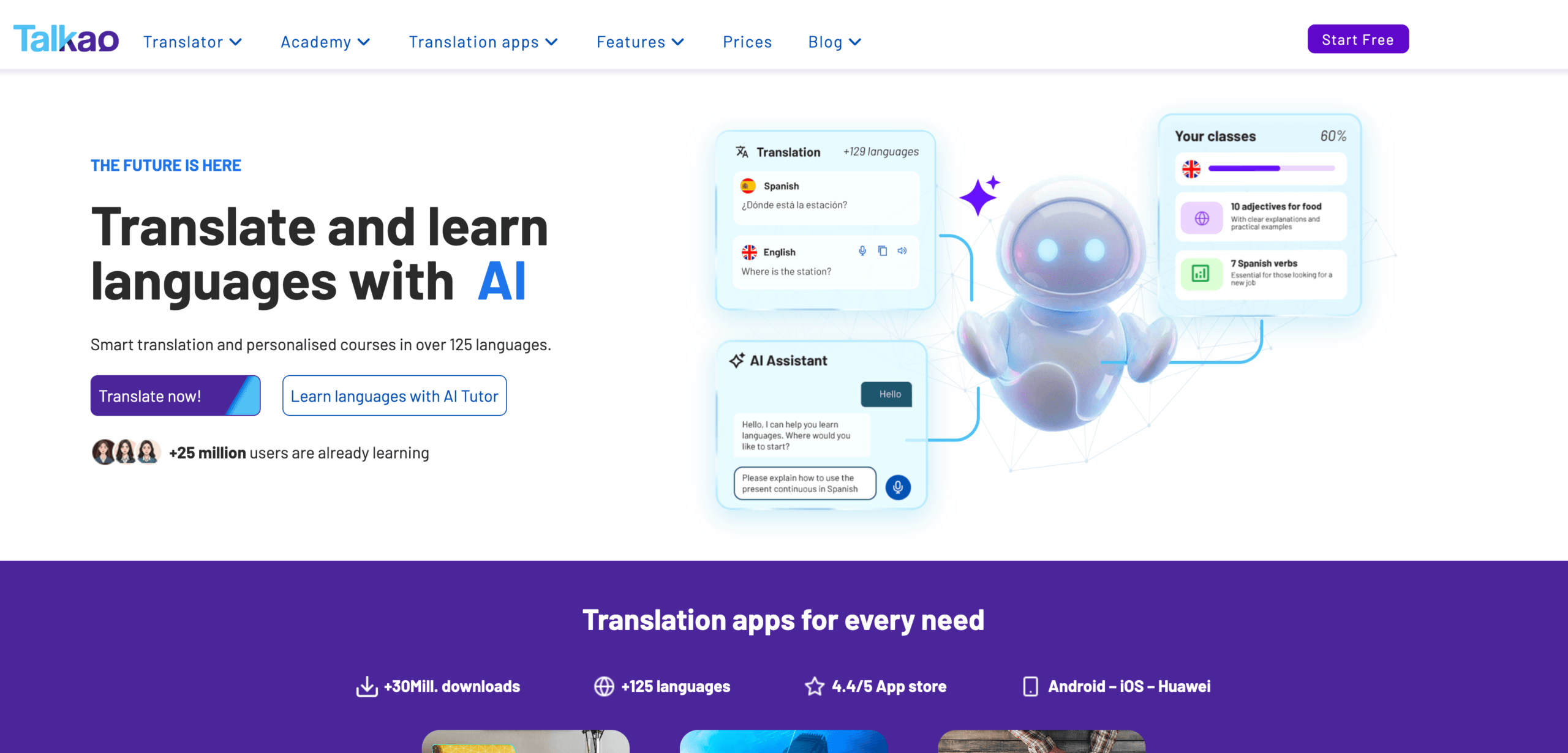 Talkao เป็นแอปพลิเคชันแปลภาษาและเรียนรู้ภาษาบนมือถือที่เน้นกลุ่มผู้บริโภคเป็นหลัก.
ซอฟต์แวร์นี้อาจรวมการแปลด้วยเสียง ข้อความ การแปลด้วยกล้อง การออกเสียง และการสแกนเอกสาร ทำให้มีประโยชน์สำหรับเมนู ป้ายบอกทาง คำแนะนำ และการสนทนาทั่วไป แต่ไม่ค่อยเหมาะสมสำหรับการจดบันทึกการประชุมอย่างเป็นทางการหรือการเตรียมคำศัพท์เฉพาะทาง.
การเปรียบเทียบคุณสมบัติ: เครื่องมือแปลแอป
| คุณสมบัติ | Transync เอไอ | ดีพแอล | โจทมี | ทาโล | อาจารย์ | โซนิกซ์ | ทอล์คาโอ |
|---|---|---|---|---|---|---|---|
| การแปลข้อความ | จำกัด | ใช่ | อ้างอิงจากบันทึกการถอดเสียง | จำกัด | ใช่ | อ้างอิงจากบันทึกการถอดเสียง | ใช่ |
| การแปลเอกสาร | เลขที่ | ใช่ | จำกัด | เลขที่ | ใช่ | ขั้นตอนการทำงานของเนื้อหาที่บันทึกไว้ | มีอยู่ |
| การแปลภาษาด้วยกล้อง | เลขที่ | ไม่มีจุดสนใจหลัก | เลขที่ | เลขที่ | ไม่มีจุดสนใจหลัก | เลขที่ | ใช่ |
| การแปลคำพูดแบบเรียลไทม์ | ใช่ | ผลิตภัณฑ์เสียง | ใช่ | ใช่ | ใช่ | ไม่ใช่ขั้นตอนการทำงานหลัก | ใช่ |
| การประชุมแบบสองทาง | ใช่ | ขึ้นอยู่กับผลิตภัณฑ์ | ใช่ | ใช่ | มีอยู่ | จำกัด | การใช้งานทั่วไป |
| คำบรรยายสองภาษา | ใช่ | ขึ้นอยู่กับเสียง | ใช่ | มีอยู่ | ใช่ | ขั้นตอนการทำงานของคำบรรยาย | ขึ้นอยู่กับแอป |
| เสียงแปล | ใช่ | มีอยู่ | ขึ้นอยู่กับผลิตภัณฑ์ | ใช่ | ใช่ | ไม่มีจุดสนใจหลัก | ใช่ |
| บันทึกหรือการวิเคราะห์ของ AI | บันทึกการประชุม | ไม่ใช่แกนหลัก | บันทึกการประชุม | ขึ้นอยู่กับผลิตภัณฑ์ | บทสรุป | การวิเคราะห์ AI | ไม่มีจุดสนใจหลัก |
| เหมาะสมที่สุด | การประชุม | เอกสาร | การประชุมและบันทึก | การโทรผ่านบอท | สื่อ | บันทึกเสียง/วิดีโอ | การท่องเที่ยว |
โปรแกรมแปลแอปใดที่เหมาะกับขั้นตอนการทำงานของคุณ?
| สถานการณ์ | ตัวเลือกที่แนะนำ |
|---|---|
| การประชุม Zoom ระหว่างประเทศ | Transync เอไอ |
| รายงานการแปลระดับมืออาชีพ | ดีพแอล |
| การประชุมที่ต้องดำเนินการตามแผน | โจทมี |
| ทีมที่ต้องการใช้บอทแปลภาษา | ทาโล |
| การสัมมนาออนไลน์ หรือ วิดีโอที่แปลแล้ว | อาจารย์ |
| การสัมภาษณ์ที่บันทึกไว้หรือพอดแคสต์ | โซนิกซ์ |
| การเดินทางไปต่างประเทศ | ทอล์คาโอ |
| การสื่อสารทางกฎหมายหรือทางการแพทย์ | ผู้เชี่ยวชาญด้านมนุษย์ |
ใช้ Transync AI, JotMe หรือ Talo เมื่อจำเป็นต้องแปลระหว่างการประชุม ใช้ DeepL สำหรับเนื้อหาที่เป็นลายลักษณ์อักษรที่สมบูรณ์แบบ Maestra สำหรับการแปลสื่อ Sonix สำหรับเสียงและวิดีโอที่บันทึกไว้ และ Talkao สำหรับการเดินทาง.
วิธีทดสอบแอปแปลภาษา
ควรใช้เนื้อหาที่เป็นรูปธรรมมากกว่าประโยคโฆษณาแบบง่ายๆ.
สำหรับเสียงพูดสด จะทดสอบชื่อ คำบริษัท วันที่ ราคา เสียงรบกวนพื้นหลัง การขัดจังหวะ และการแปลทั้งสองทิศทาง สำหรับสื่อที่บันทึกไว้ จะทดสอบการระบุตัวผู้พูด ความถูกต้องของข้อความถอดเสียง การประทับเวลา การซิงโครไนซ์คำบรรยาย การแก้ไข และการส่งออก.
ตรวจสอบว่าเครื่องมือดังกล่าวรักษาความหมาย จัดการคำศัพท์ได้อย่างสม่ำเสมอ ส่งมอบผลลัพธ์ได้ตรงเวลา และเข้ากับขั้นตอนการทำงานของคุณโดยไม่ต้องตั้งค่ามากเกินไปหรือไม่.
คำถามที่พบบ่อย: โปรแกรมแปลภาษาแอป
แอปแปลภาษาที่ดีที่สุดคืออะไร?
ตัวเลือกที่ดีที่สุดนั้นขึ้นอยู่กับลักษณะงาน Transync AI เหมาะสำหรับการประชุมสด DeepL เหมาะสำหรับเอกสาร JotMe เหมาะสำหรับบันทึกการประชุม Maestra เหมาะสำหรับสื่อ Sonix เหมาะสำหรับไฟล์เสียงและวิดีโอที่บันทึกไว้ และ Talkao เหมาะสำหรับการเดินทาง.
ฉันควรใช้แอปใดในการบันทึกเสียง?
Sonix เป็นตัวเลือกที่ยอดเยี่ยมสำหรับการถอดเสียงจากเสียงหรือวิดีโอที่บันทึกไว้ การแปลข้อความ การสร้างคำบรรยาย และการวิเคราะห์ข้อความที่ได้.
แอปแปลภาษาใดดีที่สุดสำหรับการประชุมสด?
มองหาคุณสมบัติที่มีความหน่วงต่ำ การแปลสองทาง คำบรรยายสองภาษา เสียงแปล การควบคุมคำศัพท์ และบันทึกการประชุม.
แอปเดียวสามารถแปลทุกอย่างได้หรือไม่?
แอปแปลภาษาส่วนใหญ่มีความเชี่ยวชาญเฉพาะด้าน แอปแปลภาษาที่ใช้กับกล้องอาจไม่เหมาะกับการแปลการประชุม ในขณะที่แอปแปลภาษาสำหรับการประชุมอาจไม่รองรับการตัดต่อเอกสารหรือสื่อบันทึก.
ความคิดสุดท้าย
ด้านขวา แอปแปลภาษา ขึ้นอยู่กับรูปแบบ เวลา และความเสี่ยง.
สำหรับการประชุมสด ให้เน้นที่ความหน่วงต่ำ การสนทนาสองทาง คำบรรยาย การออกเสียง การใช้คำศัพท์เฉพาะ และการจดบันทึก สำหรับเอกสาร ให้เน้นที่คุณภาพการเขียนและการจัดรูปแบบ สำหรับสื่อ ให้เน้นที่การถอดเสียง คำบรรยาย การพากย์เสียง และการส่งออก สำหรับการเดินทาง ให้เน้นที่ฟีเจอร์เสียงและกล้องของอุปกรณ์พกพา.
Transync AI เหมาะที่สุดสำหรับการประชุมสดหลายภาษา DeepL เหมาะกับเนื้อหาที่เป็นลายลักษณ์อักษร JotMe เหมาะกับเอกสารการประชุม Talo เหมาะสำหรับการโทรผ่านบอท Maestra เหมาะสำหรับการแปลสื่อ Sonix เหมาะสำหรับเสียงและวิดีโอที่บันทึกไว้ และ Talkao เหมาะสำหรับการเดินทาง.
แอปแปลภาษาที่ดีไม่จำเป็นต้องทำได้ทุกอย่าง มันแค่ต้องแก้ปัญหาด้านภาษาตรงหน้าคุณโดยไม่สร้างขั้นตอนการทำงานใหม่ขึ้นมาก็พอ.
หากคุณต้องการประสบการณ์รุ่นถัดไป Transync เอไอ นำทางด้วยการแปลแบบเรียลไทม์ที่ขับเคลื่อนด้วย AI ซึ่งช่วยให้การสนทนาไหลลื่นอย่างเป็นธรรมชาติ คุณสามารถ ทดลองใช้ฟรี ตอนนี้.
 🤖
🤖