

Руководство по инструментам перевода с использованием ИИ на 2026 год: сравните текстовый, голосовой, оперативный (совещания, мероприятия) и автоматизированный (с участием человека) перевод, чтобы выбрать подходящее решение.
Инструменты перевода на основе ИИ больше не являются одной категорией программного обеспечения.
Один инструмент может отлично справляться с переводом отполированного документа, но быть непригодным для телефонного разговора с клиентом. Другой может быстро предоставлять двуязычные субтитры во время встречи, но не предлагать перевод изображений. Платформа, разработанная для конференций, может оказаться избыточной для разговора между двумя людьми, а легкий мобильный переводчик может оказаться неэффективным во время технического семинара.
Именно поэтому поиск по запросу "лучший переводчик на основе ИИ" часто выдает неверный результат.
Более уместный вопрос:
Какой алгоритм перевода с использованием ИИ подходит именно для решения моей коммуникационной проблемы?
В этом руководстве описаны основные типы инструментов перевода на основе ИИ, объясняется, в чем преуспевает каждая категория, и показано, как выбрать между переводом текста, голосовым переводом, инструментами для проведения онлайн-встреч, платформами для мероприятий и устным переводом с участием человека.
Краткий ответ: Что такое инструменты перевода на основе искусственного интеллекта?
Инструменты перевода на основе ИИ использовать искусственный интеллект для преобразования письменного или устного контента с одного языка на другой.
В зависимости от продукта, они могут переводиться следующим образом:
- Напечатанный текст
- Документы
- Веб-сайты
- Изображения
- Записанный аудиофайл
- Прямая трансляция выступления
- Онлайн-встречи
- Вебинары
- Конференции
- Субтитры
- Голосовой вывод
Некоторые инструменты ориентированы только на один формат. Другие сочетают перевод с транскрипцией, синтезом голоса, составлением резюме совещаний, контролем терминологии или человеческим переводом.
Основные категории:
| Категория | Основной ввод | Типичный результат |
|---|---|---|
| Переводчик текста | Напечатанный или вставленный текст | Переведённый текст |
| переводчик документов | PDF-файлы, файлы Word или презентации. | Переведённый документ |
| Аудиопереводчик | Записанная речь | Транскрипт и перевод |
| голосовой переводчик | Прямая трансляция выступления | Субтитры или переведенный аудиоматериал |
| Переводчик на совещании | Аудиозапись онлайн-совещания | Двуязычные субтитлы, озвучка и примечания. |
| Платформа для перевода мероприятий | Аудио для конференций или вебинаров | Многоязычные каналы |
| Платформа с участием человека | Контент в прямом эфире или в письменном виде | Искусственный интеллект в сочетании с профессиональной проверкой или интерпретацией. |
Выбор подходящей категории зависит от того, насколько качественным, оперативным, разговорным, масштабируемым или юридически надежным должен быть перевод.
Почему один ИИ-переводчик не может делать всё хорошо
Качество перевода зависит не только от охвата языков.
Система текстового перевода имеет время для обработки целого абзаца. Инструмент для ведения онлайн-беседы должен начать выдавать результат до того, как выступающий завершит всю дискуссию. Конференц-платформа может обслуживать сотни слушателей одновременно. Юридический переводчик должен сохранять точный смысл и нести профессиональную ответственность.
Эти рабочие процессы требуют разных приоритетов.
| Рабочий процесс | Самое важное требование |
| Письменная статья | Естественная формулировка и редактирование |
| Деловой документ | Единообразие форматирования и терминологии. |
| Разговор о путешествиях | Скорость и удобство использования на мобильных устройствах |
| Онлайн-встреча | Низкая задержка и двусторонний перевод |
| Лекция | Стабильные субтитры и поддержка длительных сеансов. |
| Конференция | Масштабируемость аудитории и поддержка нескольких языков вывода. |
| Юридическая или медицинская коммуникация | Экспертиза и ответственность человеческих ресурсов |
Самый длинный список функций не гарантирует автоматического определения лучшего инструмента.
Дерево решений инструментов искусственного интеллекта для перевода
Перед сравнением товаров воспользуйтесь этим простым алгоритмом принятия решений.
Вам нужен письменный или устный перевод?
Выберите переводчик текста или документа для:
- Электронные письма
- Отчеты
- Статьи
- Контракты для первоначального рассмотрения
- Презентации
- Текст для веб-сайта
- Описание товаров
Выберите переводчика для голосовых сообщений или проведения совещаний, если:
- Онлайн-встречи
- Интервью
- Классы
- Звонки поставщика
- Торговые переговоры
- Вебинары
- Личные беседы
Обязательно ли перевод должен осуществляться в режиме реального времени?
Если нет, расставьте приоритеты:
- Качество монтажа
- Поддержка форматов файлов
- Последовательность терминологии
- Параметры экспорта
- Проверка человеком
Если да, то расставьте приоритеты:
- Задержка
- Распознавание речи
- Двусторонняя языковая поддержка
- читаемость субтитров
- Голосовой вывод
- Маршрутизация звука
- Стабильность в течение длительного сеанса
Сколько человек нуждаются в переводе?
Для одного или двух человек может быть достаточно переводчика.
Для проведения регулярного командного собрания обратите внимание на следующее:
- Поддержка платформы для проведения совещаний
- Примечания по ИИ
- Настройки контекста
- Подписи, которыми можно делиться
При выборе конференции обратите внимание на следующее:
- Доступ для аудитории по ссылке или QR-коду.
- Множественное одновременное использование языков
- Органайзер управляет
- Техническая поддержка
- Варианты интерпретации с использованием ИИ и человеческого перевода
Что произойдет, если перевод окажется неверным?
Для рутинной внутренней коммуникации может быть достаточно ИИ.
Для юридической, медицинской, финансовой, нормативной или критически важной с точки зрения безопасности коммуникации используйте квалифицированную экспертизу или профессиональный перевод.
Категория 1: Инструменты искусственного интеллекта для перевода текста и документов
Инструменты, ориентированные на текст, предназначены для работы с письменным языком.
Они обычно используются для:
- Электронные письма
- Статьи
- Отчеты
- Презентации
- Документация по продукту
- Внутренняя коммуникация
- Локализация с первого прохода
DeepL — это один из примеров платформы, которая, помимо новых голосовых продуктов, занимается переводом текста и документов.
На что обратить внимание
- Естественная структура предложения
- Варианты формального и неформального тона
- Сохранение формата документа
- Глоссарии
- Последовательная терминология
- Меры контроля безопасности данных
- Рабочий процесс редактирования
- доступ к API
Основное ограничение
Квалифицированный переводчик документов может оказаться не очень квалифицированным устным переводчиком.
При письменном переводе можно подождать, пока будет переведено целое предложение или абзац. При переводе речи в реальном времени системе необходимо найти баланс между скоростью и неполным контекстом.
Категория 2: Голосовые переводчики на основе ИИ для диалогов
Искусственный интеллект, выполняющий голосовые переводы, анализирует разговорную речь и создает переведенный текст или речь.
Они лучше всего подходят для:
- Личные беседы
- Путешествовать
- Взаимодействие с клиентами
- Интервью
- Визиты в офис
- Обсуждения в малых группах
Что должен уметь полезный голосовой переводчик?
- Чётко распознавать речь
- Поддерживается оба направления перевода
- Различите выбранные языки
- Отображение читаемых подписей
- Обеспечьте естественное звучание.
- Обрабатывайте короткие ответы.
- Сохраните номера и имена.
- Избегайте чрезмерной задержки воспроизведения.
Удобство использования для пользователя имеет такое же важное значение, как и сам перевод.
Правильный перевод, полученный после того, как разговор перешёл в другую тему, всё ещё может оказаться непригодным для использования.
Категория 3: Инструменты перевода совещаний в режиме реального времени
Перевод совещаний — одна из самых быстрорастущих категорий, поскольку глобальное общение все чаще происходит в Zoom, Microsoft Teams и Google Meet.
Эти инструменты могут предоставить:
- Транскрипция в реальном времени
- Перевод в реальном времени
- Двуязычные субтитры
- Перевод с голоса на голос
- Протокол совещания
- Стенограммы
- Вопросы и ответы по искусственному интеллекту
- Настройки терминологии
Transync AI
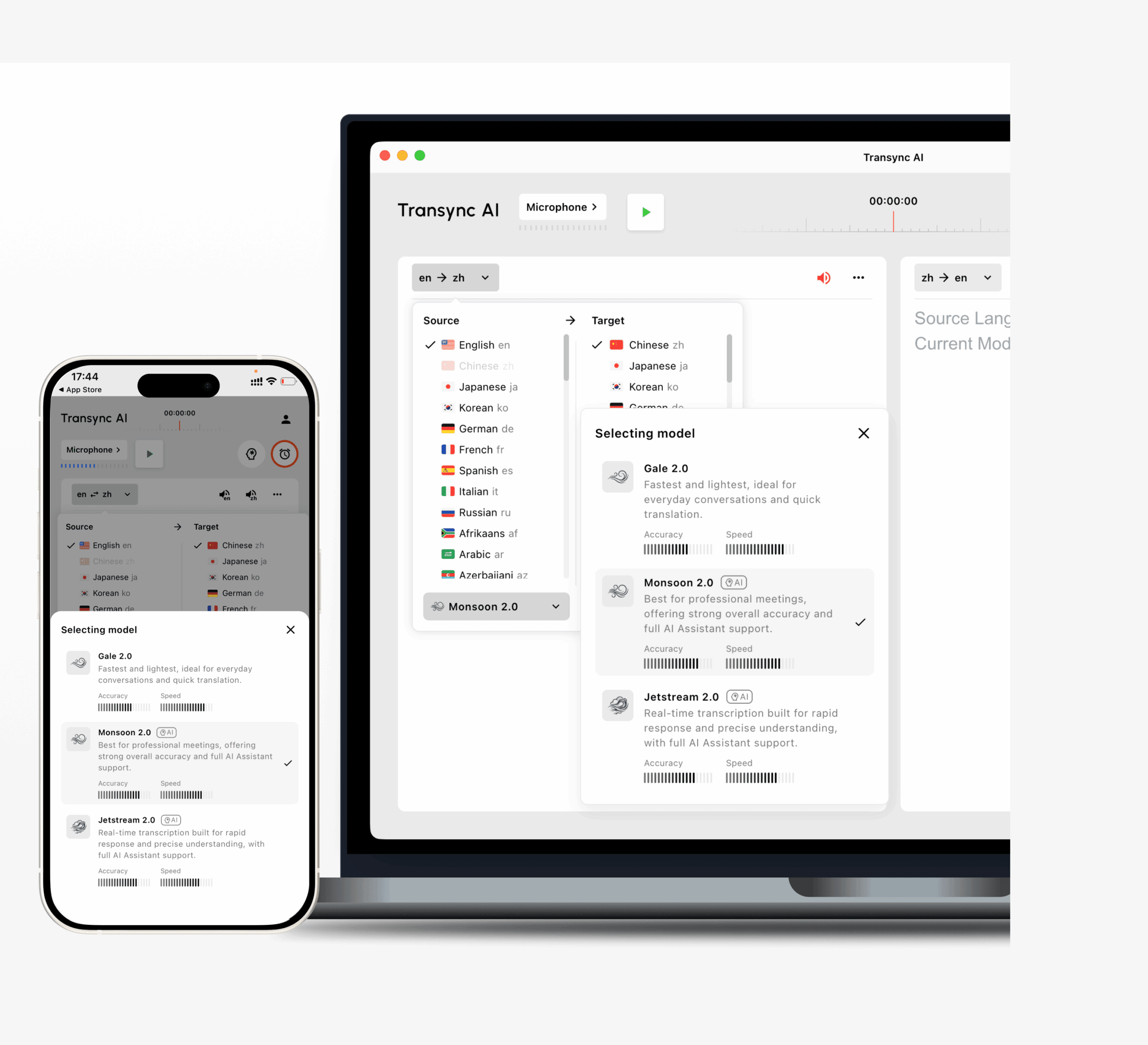
Его рабочий процесс включает в себя:
- Двусторонний перевод на 60 языков.
- Более 1000 языковых пар
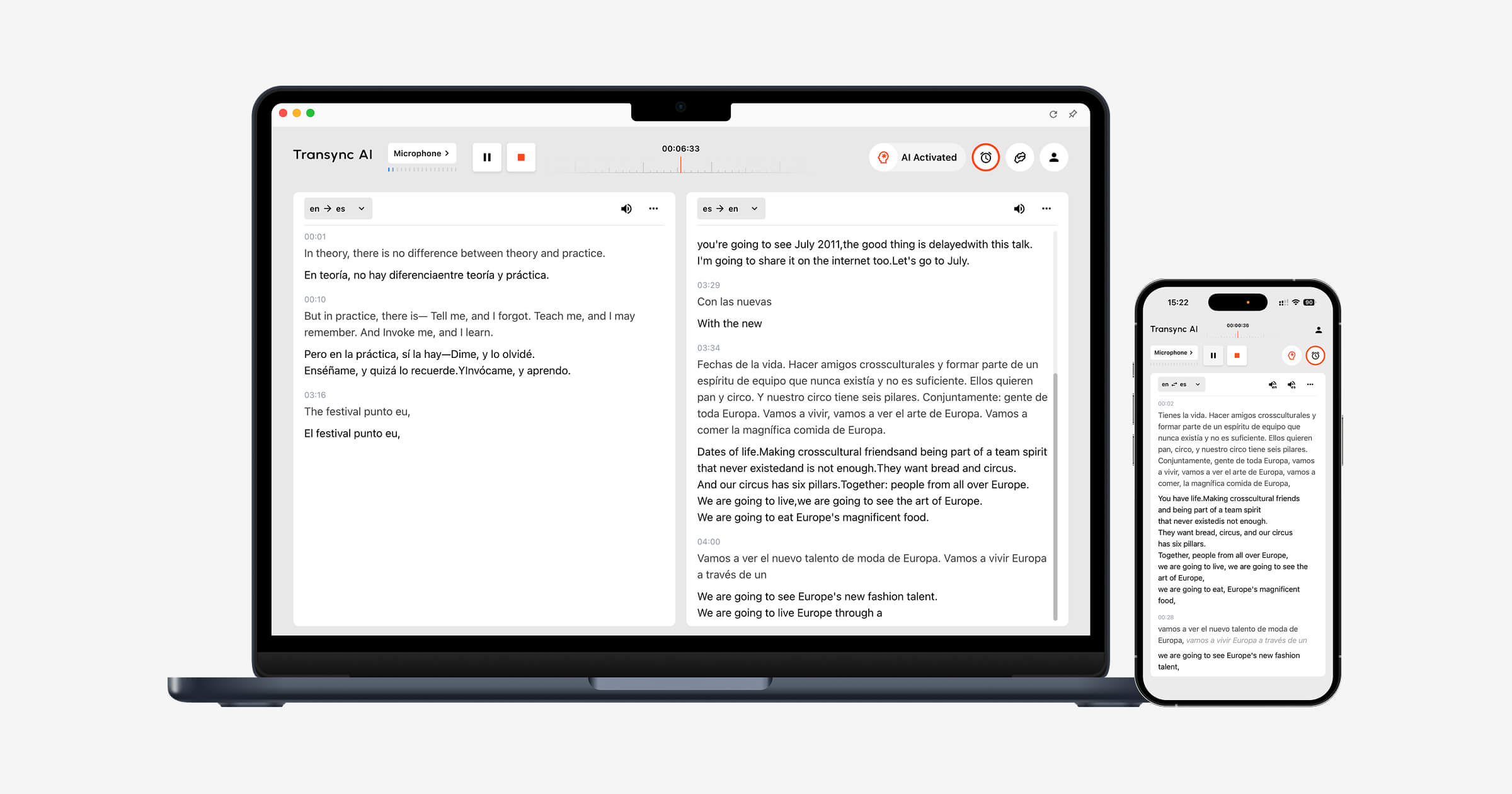
- Субтитры в оригинальном и переведенном виде отображаются рядом.
- ИИ-голосовая трансляция
- Несколько вариантов выбора голоса
- Предварительный просмотр голоса
- клонирование голоса
- Ключевые слова и контекст
- Заметки о встречах ИИ
- Субтитры «картинка в картинке»
- Поддержка рабочих процессов Zoom, Teams и Google Meet.
Transync AI работает как автономное программное обеспечение, а не как плагин для проведения совещаний.
Это делает его полезным для людей, использующих несколько платформ для проведения совещаний и желающих иметь единый интерфейс перевода для всех них.
JotMe

JotMe специализируется на организации многоязычных совещаний, сочетая перевод в режиме реального времени с транскрипцией и ведением протоколов совещаний.
Это может заинтересовать пользователей, которым необходим перевод и оформление документации по итогам встречи в рамках одного рабочего процесса.
Тало
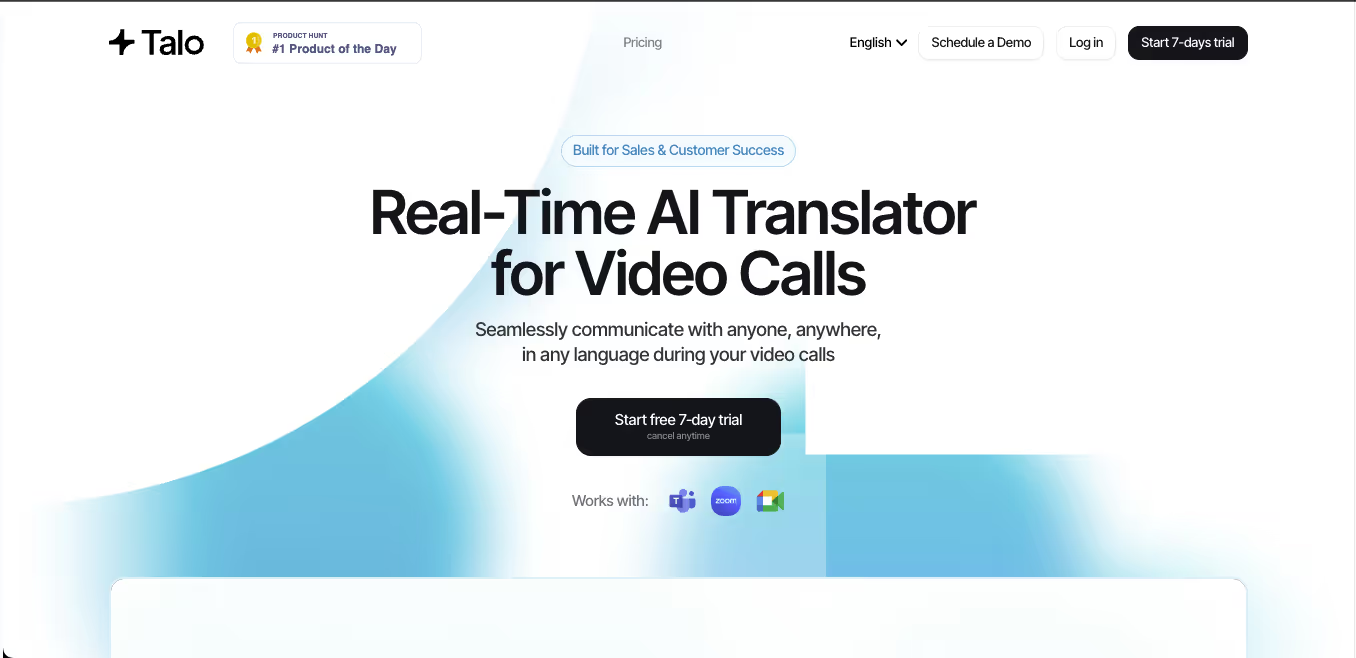 Talo специализируется на переводе речи в режиме реального времени во время видеозвонков.
Его рабочий процесс, основанный на использовании ботов, разработан для работы с такими платформами, как Zoom, Teams и Google Meet.
Такой подход может быть удобен, когда участники не хотят самостоятельно настраивать системное аудио, хотя некоторые организации предпочитают настройку без ботов или в автономном режиме.
DeepL Voice
 DeepL Voice расширяет возможности технологии распознавания речи DeepL для проведения живых разговоров и совещаний.
Это актуально для организаций, которые уже используют DeepL для профессионального письменного перевода и хотят добавить голосовую связь в тот же рабочий процесс.
Категория 4: Инструменты искусственного интеллекта для перевода мероприятий
Командное совещание и конференция — это не одно и то же, это разные проблемы перевода.
Платформа для проведения мероприятий может нуждаться в поддержке следующих функций:
- Сотни или тысячи слушателей
- Несколько целевых языков
- Вебинары
- Основные доклады
- Гибридные площадки
- Доступ по QR-коду
- прослушивание мобильных устройств
- Отдельные языковые каналы
- Профессиональные переводчики
- Аналитика организатора
Маэстра
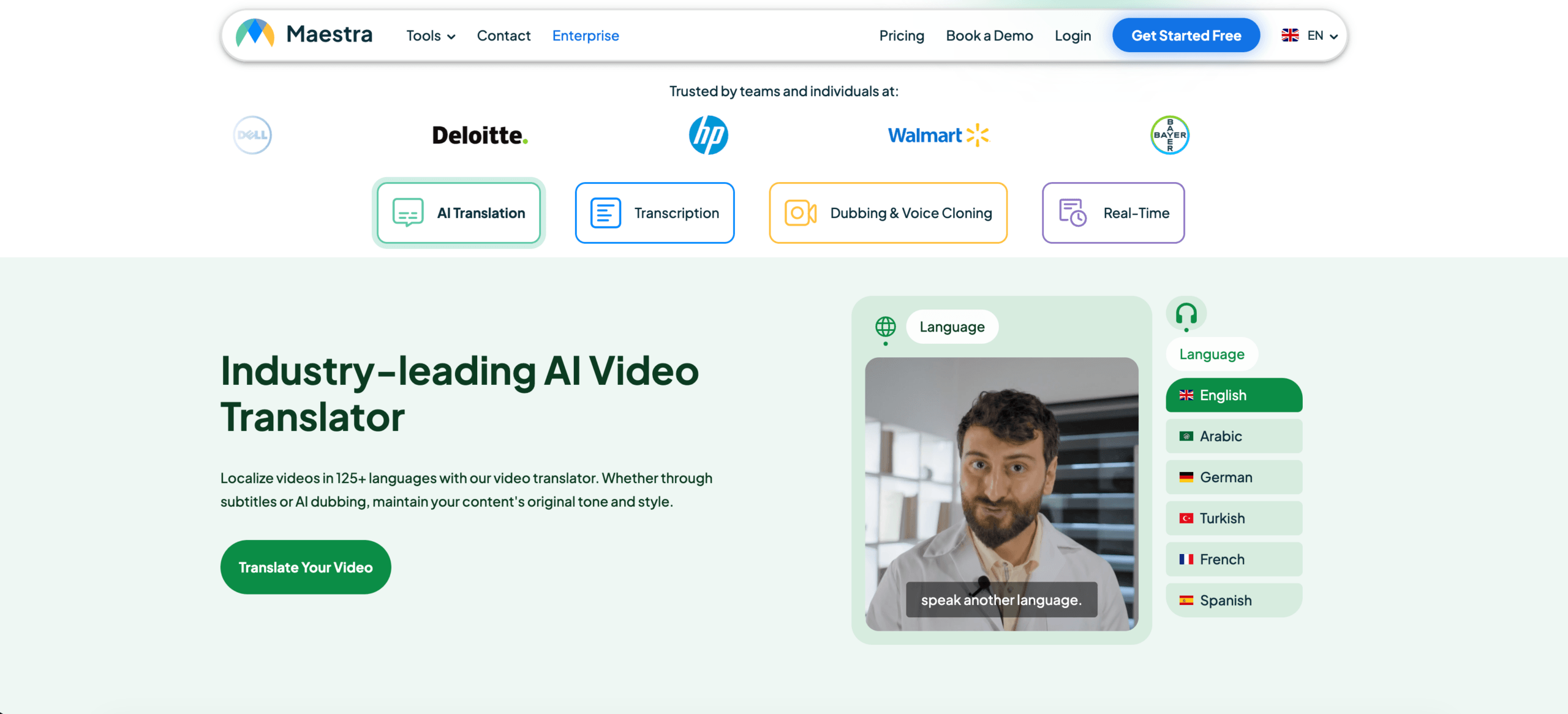 Maestra предоставляет услуги перевода в режиме реального времени и по запросу, транскрипции, создания субтитров и дубляжа.
В режиме реального времени система может предоставлять переведенные субтитры или озвученный текст, а участники могут получить доступ к переводу через общие ссылки или QR-коды.
Это делает его актуальным для совещаний, вебинаров, онлайн-трансляций и масштабных многоязычных сессий.
КУДО
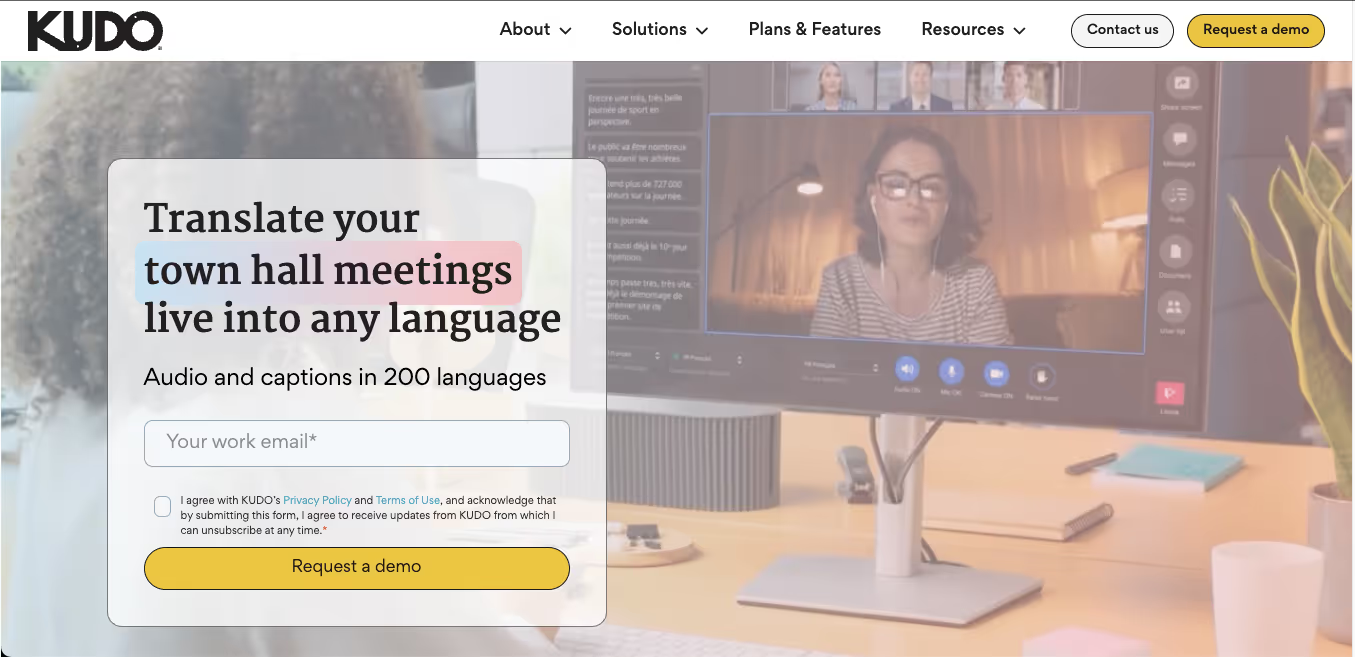 KUDO сочетает в себе речевой перевод с использованием искусственного интеллекта и профессиональный человеческий перевод.
Эта гибридная модель полезна, когда организации сталкиваются с различными уровнями риска в ходе своих мероприятий.
Например:
- Перевод с помощью ИИ для повторяющихся внутренних презентаций
- Услуги переводчиков для заседаний исполнительной власти, правительственных органов или заседаний, имеющих важное юридическое значение.
- Сочетание искусственного интеллекта и человеческого языка на крупном мероприятии.
Словесный
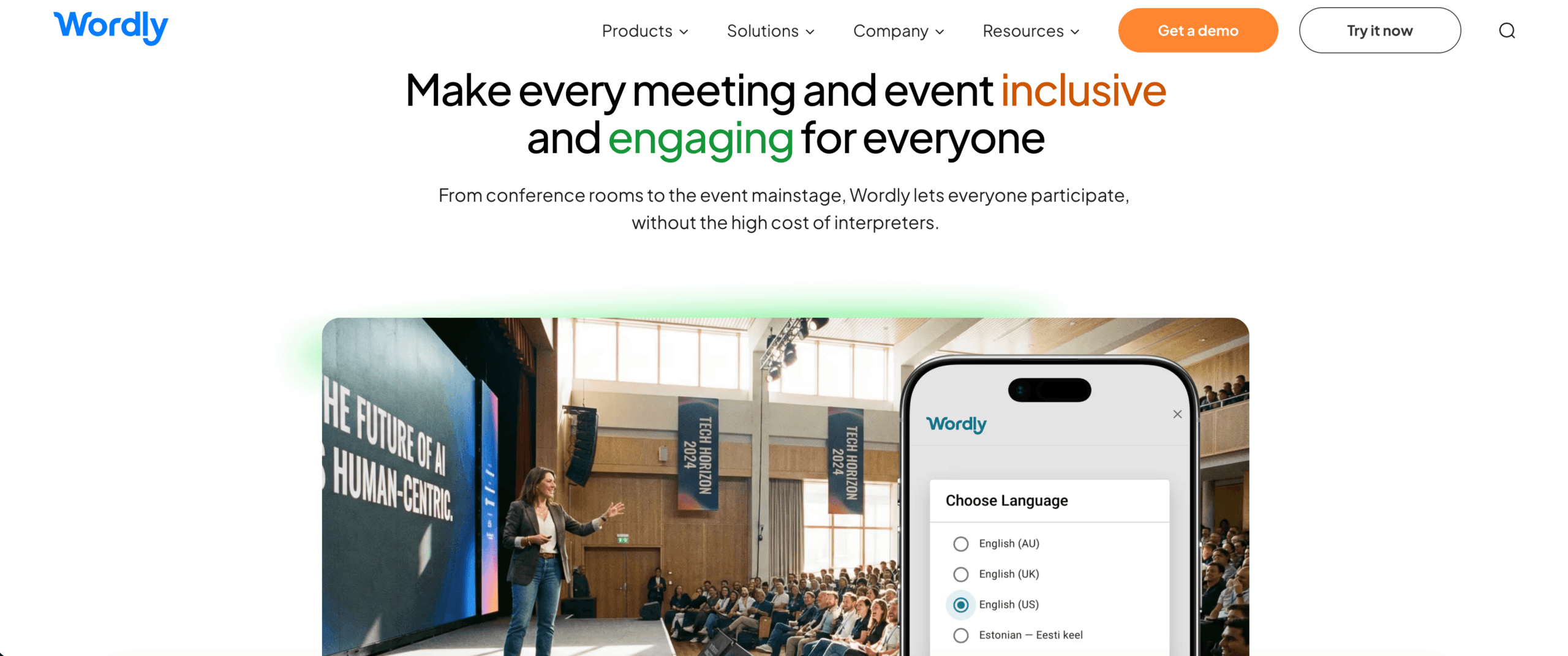 Wordly ориентирован на проведение многоязычных встреч, вебинаров и мероприятий, где участникам необходимы переведенные субтитры или аудиоматериалы на предпочитаемом ими языке.
Платформы, ориентированные на проведение мероприятий, могут быть более масштабируемыми, чем инструменты для индивидуальных встреч, но их настройка и стоимость могут быть чрезмерно высокими для нечастых звонков один на один.
Категория 5: Инструменты для перевода аудио и видео.
Не весь озвученный контент транслируется в прямом эфире.
Записанный контент может включать в себя:
- Интервью
- Подкасты
- Обучающие видеоролики
- Лекции
- Маркетинговые видеоролики
- Исследование пользователей
- Контент YouTube
- Записанные встречи
Для выполнения этого процесса пользователям может потребоваться:
- Транскрипция
- Перевод
- тайминг субтитров
- Озвучивание
- Идентификация говорящего
- Экспорт в медиаформатах
Такие инструменты, как Maestra, Sonix, Notta, Descript и ElevenLabs, решают различные задачи в рамках этого рабочего процесса.
Что следует поставить в приоритет
- Поддерживаемые форматы загрузки
- разделение динамиков
- экспорт субтитров
- Точность временной метки
- Качество голоса
- Синхронизация дубляжа
- Инструменты редактирования
- Обзор перевода
Платформа для записи медиафайлов может предоставлять лучшие возможности редактирования и экспорта, чем переводчик для проведения онлайн-совещаний.
Категория 6: Искусственный интеллект плюс человеческий перевод
Искусственный интеллект быстр и масштабируем. Люди лучше справляются с ответственностью, тонкостью понимания нюансов, культурными особенностями и нестандартными ситуациями.
Гибридные платформы для перевода сочетают в себе оба подхода.
Данная модель может быть уместна в следующих случаях:
- Первый черновик проекта ИИ нуждается в профессиональной проверке.
- Большой объем контента необходимо перевести быстро.
- Некоторые сеансы являются рутинными, в то время как другие сопряжены с высоким риском.
- Для проведения мероприятия необходимы как каналы искусственного интеллекта, так и профессиональные переводчики.
- Компании необходима эскалация поддержки от автоматизированных систем к поддержке со стороны людей.
KUDO, Interprefy, Unbabel, Gengo, Boostlingo и другие поставщики используют различные комбинации искусственного интеллекта, человеческого перевода и устного перевода.
Важный вопрос не в том, что лучше в целом: искусственный интеллект или люди.
Именно здесь следует использовать каждый из них.
Сравнение инструментов перевода с использованием ИИ по типу рабочего процесса
| Инструмент | Наиболее эффективный рабочий процесс | Ключевой аспект |
| Transync AI | Двусторонние встречи, перевод речи, двуязычные субтитры и заметки. | Основное внимание уделяется живой речи; перевод в офлайн-режиме, с изображениями или статическим текстом не предусмотрен. |
| DeepL | Текст, документы, профессиональная языковая работа и озвучка. | Уточните, какой продукт Voice и платформа для проведения совещаний подходят для организации. |
| JotMe | Перевод, транскрипция и заметки, созданные с помощью ИИ, для совещаний. | Наилучшим образом подходит для рабочих процессов, ориентированных на проведение совещаний. |
| Тало | Перевод голоса с помощью бота в видеозвонках | Бот для проведения совещаний может не подойти для всех, кто предпочитает определенный уровень конфиденциальности или удобный рабочий процесс. |
| Маэстра | Перевод в режиме реального времени и в записи, субтитры, дубляж и мероприятия. | Широкий охват медиаконтента может выходить за рамки простых совещаний. |
| КУДО | Корпоративные мероприятия с использованием ИИ и человеческого перевода | Предназначено для более крупных или структурированных многоязычных программ. |
| Словесный | Многоязычный доступ для аудитории на встречах и мероприятиях. | Для пользователей, использующих сервис лишь изредка, ценообразование, ориентированное на событие, может быть излишним. |
Это не универсальный рейтинг.
Каждый продукт оптимизирован для решения различных задач перевода.
Как объективно оценить инструменты искусственного интеллекта для перевода
На маркетинговых страницах часто демонстрируются идеальные аудиозаписи и заранее подготовленные предложения. Реальный тест должен максимально точно имитировать реальную работу пользователя.
Метод тестирования
Записывать:
- Дата тестирования
- Версия инструмента
- Устройство
- Операционная система
- Платформа для проведения встреч
- Языковая пара
- Микрофон
- Сетевое подключение
- Количество выступающих
- Аудиосреда
Используйте реалистичный сценарий.
Включать:
- Неформальное знакомство
- техническое объяснение
- Имена
- Терминология продукции
- Числа
- Даты
- Проценты
- Исправление
- Прерывание предложения
- Речь на разных языках
- В заключение подведем итоги.
Пример:
Мы сможем отгрузить 1250 единиц модели X300 к 18 октября — точнее, к 28 октября — если инженерная группа Азиатско-Тихоокеанского региона утвердит пересмотренные технические характеристики в эту пятницу.
Оцените рабочий процесс.
| Метрическая система | Что измерять |
| Признание | Правильно ли инструмент распознал оригинальную речь? |
| Точность | Сохранился ли первоначальный смысл? |
| Задержка | Перевод был получен до того, как тема разговора изменилась? |
| Терминология | Были ли названия и специализированные термины согласованы? |
| Двусторонний поток | Смогли бы оба участника ответить естественно? |
| Подписи | Были ли субтитлы читаемыми и стабильными? |
| Голос | Перевод речи был четким и естественным? |
| Интеграция | Соответствовал ли данный инструмент существующему рабочему процессу проведения совещаний или работы со СМИ? |
| Стабильность | Сохранялась ли стабильная производительность в течение более длительной сессии? |
| Значение после сессии | Были ли полезны стенограммы, заметки или экспортированные данные? |
Проведите тест в обоих направлениях перевода.
Результаты перевода с английского на японский могут отличаться от результатов перевода с японского на английский. То же самое относится и к другим языковым парам.
Как Transync AI вписывается в ландшафт инструментов искусственного интеллекта для перевода
Transync AI не предназначен для замены всех категорий.
Это наиболее актуально, когда пользователю требуется перевод во время живого разговора.
Наиболее подходящие сценарии
- Международные встречи с клиентами
- Звонки поставщика
- Удаленные командные обсуждения
- Онлайн-занятия
- Интервью
- Демонстрация продукции
- Многоязычные презентации
- Тренировочные сессии
- Личные профессиональные беседы
Основной рабочий процесс
Перед началом встречи пользователи могут:
- Выберите языковую пару
- Добавьте названия и технические ключевые слова.
- Опишите контекст встречи.
- Предварительный просмотр переведенного текста
- Проверьте настройки микрофона и звука.
В ходе встречи пользователи могут:
- Читать двуязычные субтитлы
- Включить перевод голоса
- Пусть система различает выбранные языки.
- Используйте плавающие субтитры при переключении между приложениями.
- Используйте Transync AI совместно с Zoom, Teams или Google Meet.
После встречи пользователи могут:
- Проверьте запись о переводе.
- Проверьте протоколы совещания по ИИ.
- Подтвердите имена, номера и решения.
- Экспорт или повторное использование важного контента
Изучите инструмент перевода в реальном времени, перевод онлайн-встреч, и Заметки о встречах ИИ страницы.
 Ключевые слова и контекст: функция, которая важнее, чем количество слов на языке.
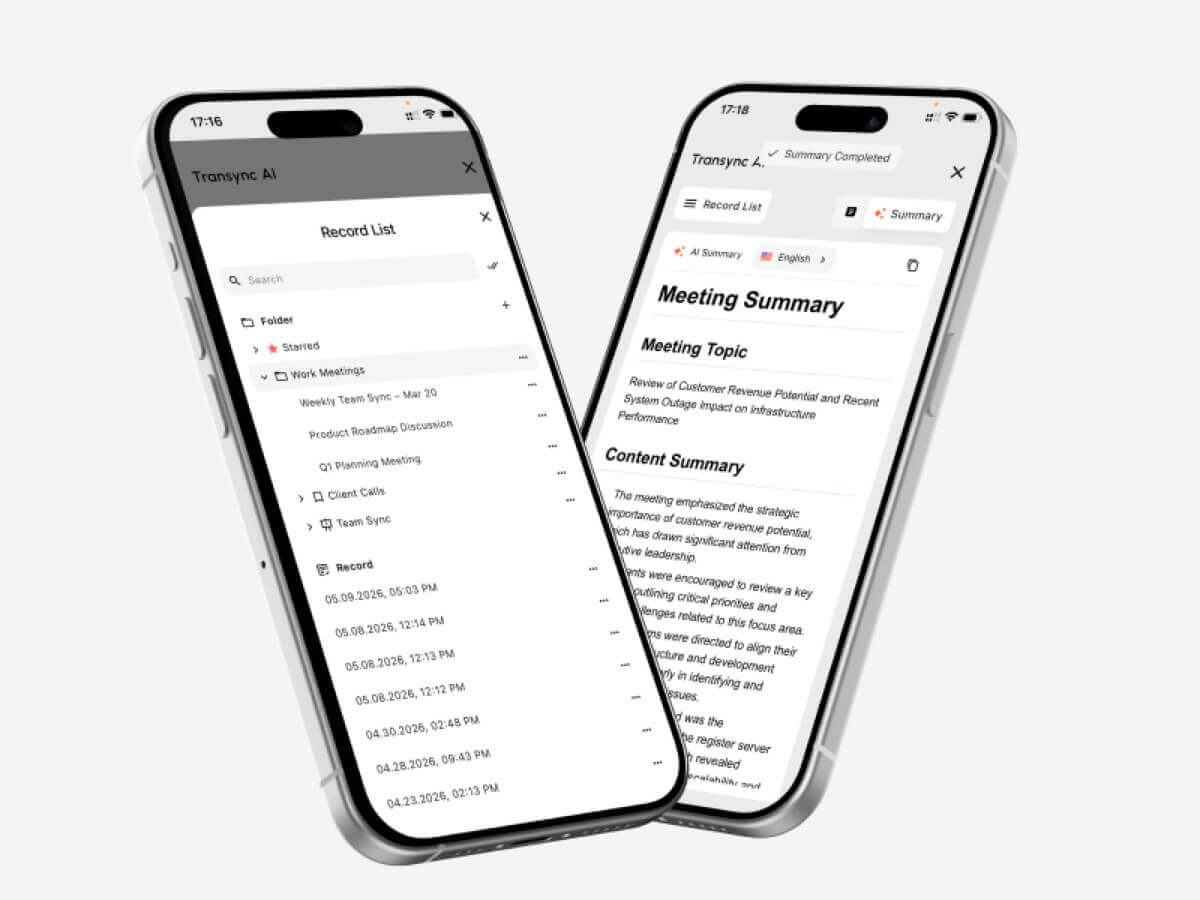 Ключевые слова и контекст: функция, которая важнее, чем количество слов на языке.
Количество языков легко сравнить. Качество контекста измерить сложнее.
Профессиональные беседы включают в себя:
- Названия компаний
- имена сотрудников
- Модели продукции
- Аббревиатуры
- Технические термины
- Региональные выражения
- Значения, специфичные для конкретной отрасли
Обычный переводчик может распознать каждое слово, но всё равно выбрать неверное значение.
Transync AI позволяет пользователям добавлять такие ключевые слова, как:
- Transync AI = 同言翻译
- фотоэлектрический инвертор
- упаковка полупроводников
- Азиатско-Тихоокеанский регион
- Джон Смит
- Модель X300
- нейронная сеть
- оптимизация цепочки поставок
Пользователи также могут добавлять контекст:
Это встреча с поставщиками, посвященная вопросам производства полупроводников, производственных мощностей, контроля качества, графиков поставок и соответствия региональным требованиям.
Эта информация помогает искусственному интеллекту более последовательно интерпретировать неоднозначные термины.
Узнайте больше от Ключевые слова помощника ИИ Контекст.
 Озвучка или субтитры: что лучше?
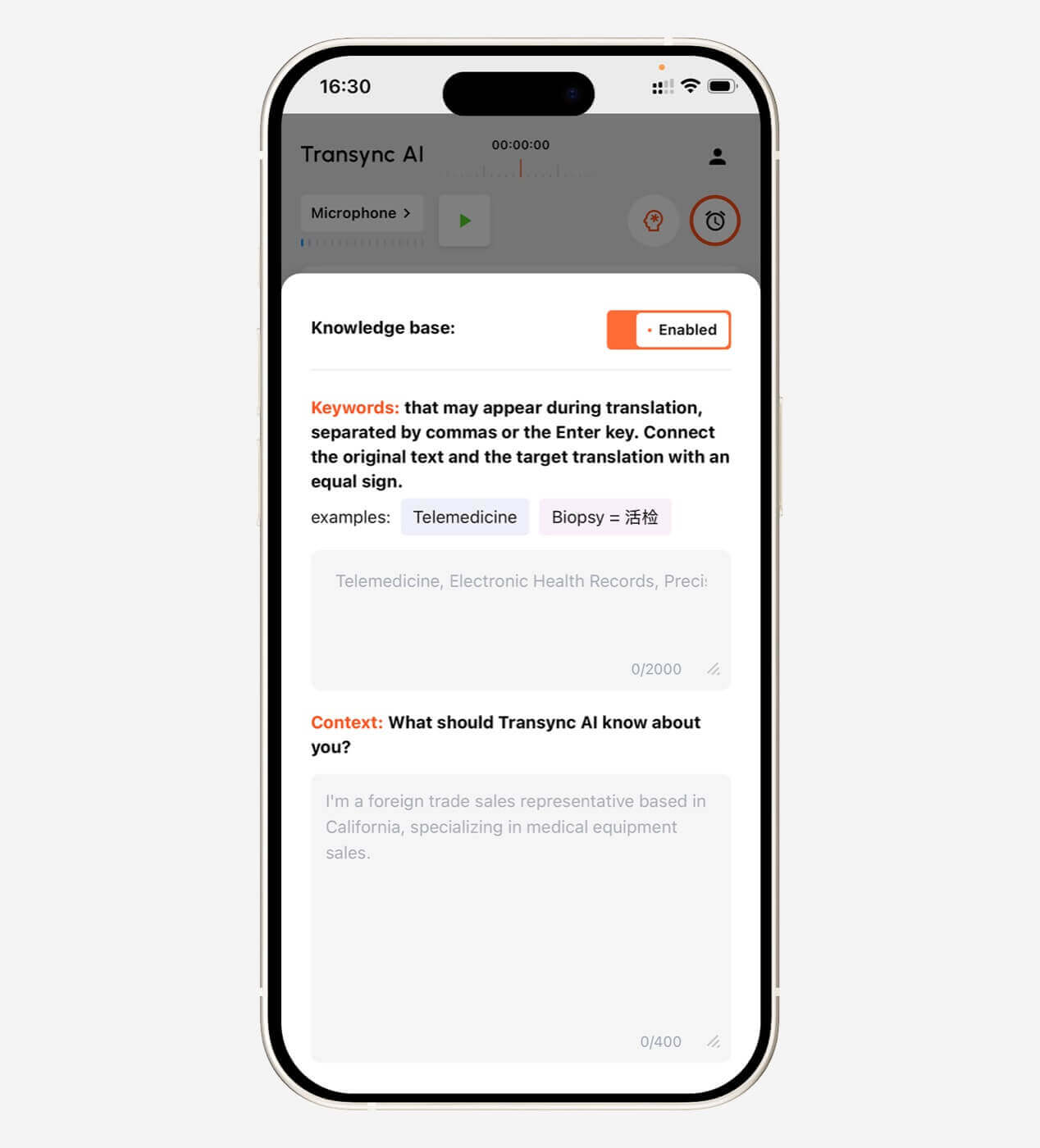 Озвучка или субтитры: что лучше?
Ни один из вариантов не всегда лучше.
Выбирайте субтитры, когда:
- Необходимо проверить имена и номера телефонов.
- В окружающей среде шумно.
- Участники предпочитают чтение.
- Воспроизведение голоса прервет говорящего.
- Пользователям необходимо сравнить оригинальный и переведенный контент.
Выбирайте переведенный голос в следующих случаях:
- Участники не могут смотреть на экран.
- Перевод нужно прослушать вслух.
- Презентация требует устного выступления.
- Слушатель читает медленно на изучаемом языке.
- Встреча должна больше напоминать беседу.
Transync AI предоставляет двуязычные субтитлы, трансляцию голоса с помощью ИИ, предварительный просмотр голоса и клонирование голоса.
Окно субтитров в режиме «картинка в картинке» может оставаться видимым поверх других приложений в поддерживаемых средах Mac, Windows и iOS.
Исследовать Искусственный интеллект для перевода голоса и вывода речи. и Плавающие субтитлы «картинка в картинке».

Цены: сравнивайте объем использования, а не только ежемесячные платежи.
Инструменты перевода на основе искусственного интеллекта могут взимать плату следующим образом:
- Характер
- Слово
- Страница
- Аудиоминута
- Час перевода
- Пользователь
- Встреча
- Событие
- использование API
- Ежемесячная подписка
В сфере синхронного перевода количество включенных часов важнее, чем указанная в названии стоимость подписки.
| План Transync AI | Цена | Включено в использование | Лучше всего подходит для |
| Бесплатно | $0 | 40 минут для новых пользователей | Первоначальное тестирование |
| Персональная премия | $8.99/месяц | 10 часов в течение периода действия активного членства | Индивидуальные и регулярные встречи |
| Предприятие | $24.99/месяц/место | До 40 часов в месяц на одно рабочее место | Команды и организации |
| Карта времени | От $0,70/час | Дополнительное время на перевод | Пользователи с изменяющимся ежемесячным спросом |
Часы, отмеченные на карте учета рабочего времени, не сгорают, но могут быть использованы только в течение действия абонемента.
Перед использованием любого инструмента оцените:
- Часы проведения ежемесячных встреч
- Количество пользователей
- Количество целевых языков
- размер аудитории мероприятия
- Том файлов
- Обязательная проверка человеком.
- Дополнительные расходы на озвучивание или дубляж
Ограничения инструментов искусственного интеллекта для перевода
Ни один инструмент перевода на основе искусственного интеллекта не работает идеально во всех условиях.
К числу распространенных ограничений относятся:
- Фоновый шум
- Эхо в комнате
- Слабые микрофоны
- Перекрывающиеся динамики
- Сильный акцент
- Неполные предложения
- Региональный сленг
- Технические термины
- Нестабильный интернет
- Быстрое переключение языков
- Неоднозначная формулировка
- Задержка голосового вывода
У Transync AI также есть ряд ограничений, специфичных для данного продукта:
- Автономный режим недоступен
- Распознавание изображений не поддерживается.
- Перевод статического текста не является его основным назначением.
- Это программное обеспечение работает как автономная программа, а не как плагин для проведения совещаний.
- Качество перевода по-прежнему зависит от качества звука и сети.
Эти ограничения проясняют его позицию: Transync AI — это инструмент для многоязычной коммуникации в режиме реального времени, а не универсальный переводчик документов, изображений или программ для работы в автономном режиме.
В каких случаях следует воспользоваться услугами переводчика или устного переводчика?
В случае ошибок, которые могут повлиять на:
- Юридические права
- Медицинская помощь
- Личная безопасность
- Иммиграционный статус
- Договорные обязательства
- Финансовые решения
- Соответствие нормативным требованиям
- Общественная репутация
- Конфиденциальные вопросы, касающиеся сотрудников.
Искусственный интеллект может поддерживать повседневное общение, но ответственность по-прежнему лежит на людях, использующих его результаты.
В практичной организации могут использоваться:
- Искусственный интеллект для регулярных внутренних совещаний
- Проверка общедоступных документов человеком
- Профессиональные переводчики для важных сессий
- Гибридные инструменты для крупных многоязычных мероприятий
Часто задаваемые вопросы: Инструменты перевода с использованием ИИ
Что представляют собой инструменты перевода на основе искусственного интеллекта?
Инструменты перевода на основе искусственного интеллекта используют искусственный интеллект для преобразования письменного или устного контента с одного языка на другой. Они могут поддерживать текст, документы, аудио, речь в реальном времени, записи совещаний, субтитры или голосовой вывод.
Какой инструмент для перевода с использованием искусственного интеллекта является лучшим?
Не существует единого лучшего инструмента для всех рабочих процессов. DeepL подходит для письменной и профессиональной работы с языком, Transync AI — для многоязычных разговоров в реальном времени, JotMe — для совещаний и ведения заметок, Maestra — для работы с медиаконтентом в реальном времени и в записи, а KUDO — для более масштабных программ искусственного интеллекта и человеческого перевода.
Какие инструменты перевода на основе ИИ подходят для проведения совещаний?
В число ориентированных на проведение совещаний вариантов входят Transync AI, JotMe, Talo, DeepL Voice, Maestra, KUDO и Wordly. Сравните совместимость платформ, задержку, поддержку языков, вывод голоса, заметки и требования к настройке.
Могут ли инструменты искусственного интеллекта переводить речь в режиме реального времени?
Да. Инструменты, работающие в режиме реального времени, могут распознавать речь, переводить её, отображать субтитры, а иногда и генерировать переведённый голос с небольшой задержкой.
Могут ли инструменты искусственного интеллекта заменить переводчиков-людей?
Они могут справиться со многими рутинными задачами, но квалифицированный перевод или устный перевод, выполненный человеком, по-прежнему рекомендуется для юридических, медицинских, нормативных, финансовых и других важных коммуникационных ситуаций.
Поддерживает ли Transync AI перевод речи?
Да. Transync AI поддерживает трансляцию голоса с помощью ИИ, несколько вариантов голоса, предварительный просмотр голоса и клонирование голоса.
Может ли Transync AI переводить онлайн-совещания?
Да. Он может работать параллельно с Zoom, Microsoft Teams и Google Meet, обеспечивая двуязычные субтитры в реальном времени и перевод голосовых сообщений.
Сколько языков поддерживает Transync AI?
Transync AI поддерживает двусторонний перевод на 60 языках и более чем 1000 языковых пар.
Работает ли Transync AI в автономном режиме?
Нет. Transync AI требует подключения к интернету и в настоящее время не поддерживает перевод в автономном режиме.
Заключительные мысли: Выбирайте инструменты перевода с использованием ИИ, ориентируясь на рабочий процесс.
Наиболее полезный способ сравнения Инструменты перевода на основе ИИ Не стоит спрашивать, какой продукт обладает наибольшим количеством функций.
Вместо этого спросите:
- Какой контент я перевожу?
- Обязательно ли это должно происходить в прямом эфире?
- Сколько человек нуждаются в этом результате?
- Нужны ли им субтитры, озвучка или и то, и другое?
- Имеет ли значение терминология?
- Что происходит после сессии?
- Насколько серьёзной будет эта ошибка?
Для документов выбирайте отлаженный процесс письменного перевода. Для аудио- и видеоматериалов отдавайте приоритет субтитрам, дубляжу и монтажу. Для конференций отдавайте приоритет масштабу аудитории. Для важных коммуникационных мероприятий привлекайте профессионалов.
Для проведения многоязычных онлайн-встреч и бесед Transync AI объединяет двусторонний перевод, двуязычные субтитры, трансляцию голоса с помощью ИИ, клонирование голоса, ключевые слова и контекст, заметки к встрече с помощью ИИ и плавающие субтитры.
Правильный инструмент перевода с использованием ИИ — это не тот, который заявляет о своих универсальных функциях.
Это тот вариант, который устраняет языковой барьер, не создавая при этом новых проблем в рабочем процессе.
Для начала посетите Transync AI, просмотрите поддерживаемые языки, или загрузите приложение для предпочитаемого вами устройства.
 🤖
🤖 