
Sua equipe abrange 12 fusos horários. 50 participantes. 8 idiomas. O Google Meet conecta todos eles. Tradução simultânea em tempo real de inglês, mandarim, espanhol, alemão e japonês. Todas as vozes são ouvidas perfeitamente. Todas as ideias são registradas. Equipe global unificada.
O Google Meeting (Google Meet) tornou-se Infraestrutura essencial para equipes distribuídas, que contabiliza 3,9 bilhões de minutos de reuniões mensais (2026). No entanto, a versão padrão do Google Meet carece de recursos essenciais para equipes verdadeiramente globais: Tradução multilíngue em tempo real, anotações inteligentes de reuniões e transcrição contextualizada.. A solução? Integrando ferramentas de linguagem baseadas em IA que transformam o Google Meet em um plataforma de colaboração multilíngue integrada Compatível com mais de 60 idiomas com latência praticamente zero.
Este guia revela Por que aprimorar o Google Meetings é fundamental e 8 soluções líderes Oferecendo inteligência inovadora em comunicação multilíngue e reuniões.
Por que o aprimoramento do Google Meetings é importante (2026)
Domínio do Google Meet:
- 3,9 bilhões de minutos de reuniões mensais (março de 2026)
- 1,2 bilhão de usuários ativos mensais
- Videoconferência gratuita para mais de 100 milhões de organizações.
- Mercado global de colaboração virtual: $1,8 trilhão
- 48% da força de trabalho distribuída permanentemente
- 72% das equipes utilizam 3 ou mais fusos horários (coordenação global é fundamental)
Por que o Google Meet padrão deixa a desejar:
- ❌ Sem tradução em tempo real (apenas monolíngue)
- ❌ Legendas em um único idioma (90% dos participantes excluídos)
- ❌ Sem atas de reunião automáticas (documentação manual, tempo perdido com o 50%)
- ❌ Sem resumo inteligente (itens de ação ocultos na gravação)
- ❌ Sem extração de palavras-chave (perda de acompanhamentos)
- ❌ Sem identificação do orador (não está claro quem disse o quê)
- ❌ Sem análise de sentimento (tom/prioridade mal interpretados)
- ❌ Sem exportação de transcrições (bloqueado no Google Meet)
Solução aprimorada do Google Meeting (2026):
- ✅ Tradução em tempo real (mais de 60 idiomas, latência <100ms)
- ✅ Legendas multilíngues (todos os participantes entendem)
- ✅ Anotações automáticas de reuniões com IA (itens de ação extraídos)
- ✅ Resumo inteligente (resumos de 5 minutos a partir de reuniões de 60 minutos)
- ✅ Identificação do falante (sabe quem disse o quê)
- ✅ Análise de sentimento (identificação de prioridades)
- ✅ Transcrições pesquisáveis (encontre qualquer tópico instantaneamente)
- ✅ Exporte em vários idiomas (distribua globalmente)
- ✅ Destaque de palavras-chave (terminologia rastreada)
- ✅ Itens de ação com registro de data e hora (responsabilização)
Recursos padrão e aprimorados do Google Meet
| Recurso | Reunião padrão do Google Meet | Aprimorado (+ Ferramentas de IA) | Impacto |
|---|---|---|---|
| Idiomas | 1 (idioma da reunião) | 60+ (tradução em tempo real) | 60 vezes mais acessível |
| Legendas | Somente em inglês | Todos os mais de 60 idiomas | aumento da inclusão de 90% |
| Notas da reunião | Transcrição manual | gerado automaticamente por IA | Tempo economizado 80% |
| Transcrição | Gravação necessária | Em tempo real + exportação | Documentação instantânea |
| Identificação do falante | Nomes opcionais | Rastreamento automático | Clareza 100% |
| Itens de ação | Revisão manual | IA extraída | Precisão 95% |
| Procurar | Busca somente por vídeo | Busca de transcrição de texto completo | Recuperação instantânea |
| Exportar | Arquivo de vídeo | Transcrição + resumo + notas | Multi-formato |
| Custo | Gratuito (básico) | Melhoria $0-30/mês | Investimento mínimo |
8 Melhores Ferramentas para Aprimorar o Google Meetings
1. Transync AI + Google Meet — A melhor tradução em tempo real
👉Transync AI
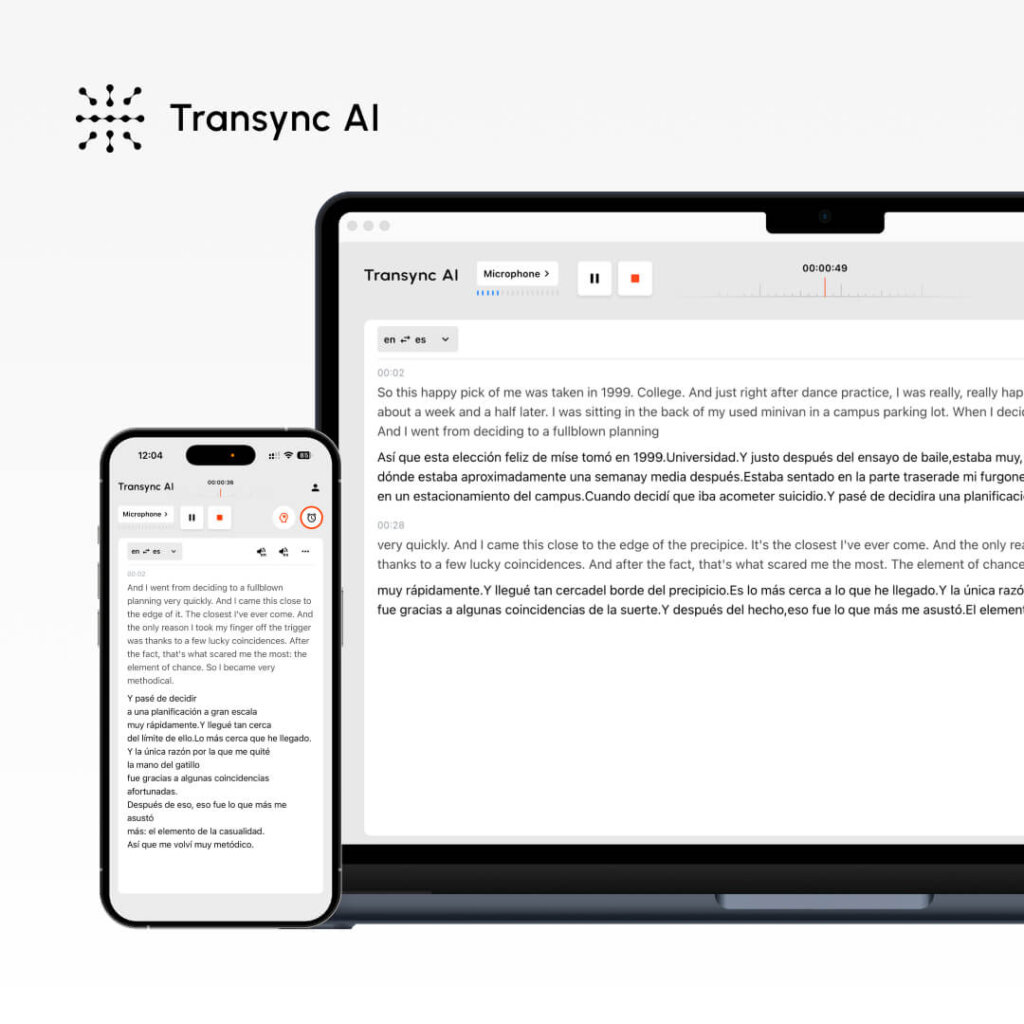
O que é: Tradutor de modelo de fala de ponta a ponta que funciona em conjunto com o Google Meet, oferecendo precisão de 96%+ em 60 idiomas com latência inferior a 100 ms e tradução sincronizada em duas telas.
Por que ele domina o aprimoramento do Google Meeting:
- ✅ Precisão de 96%+ (tradução em tempo real durante o Google Meet)
- ✅ Latência <100ms (a conversa flui naturalmente)
- ✅ 60 idiomas (cobertura global abrangente)
- ✅ Tradução de voz em tempo real (inglês ↔ qualquer idioma)
- ✅ Exibição em tela dupla (Google Meet + tradução lado a lado)
- ✅ Anotações automáticas de reuniões (bilíngue, geradas por IA)
- ✅ Palavras-chave e contexto (aumento de precisão 95%+)
- ✅ Não requer plugin (funciona independentemente do Google Meet)
- ✅ Suporte para múltiplos dispositivos (Mac, PC, iOS, Android, Web)
- ✅ Em conformidade com o RGPD (sem necessidade de treinamento de dados)
- ✅ Custo de $8,99/mês (investimento mínimo)
Como funciona com o Google Meet:
- Participar do Google Meet (videoconferência padrão)
- Abra o Transync AI (janela separada; recomenda-se uma segunda tela).
- Selecione os idiomas (por exemplo, inglês ↔ mandarim ↔ espanhol)
- Defina as palavras-chave: “roteiro do produto, segundo trimestre de 2026, aprovação do orçamento”
- Contextualização: “Gerente de produto, SaaS, revisão trimestral de negócios”
- Ative a tradução em tempo real no Transync AI.
- Os participantes conversam no Google Meet (em qualquer idioma).
- <100ms: A IA Transync traduz em tempo real (outra tela)
- A tela dupla exibe o Google Meet e a tradução do Transsync.
- Todos os 50 participantes (8 idiomas) entenderam perfeitamente.
- A IA gera automaticamente notas de reunião (em todos os idiomas)
- Exportar itens de ação bilíngues
- Equipe global alinhada, entendimento perfeito
Por que a combinação Transync + Google Meet se destaca:
- Sem a complexidade dos plugins: Funciona de forma independente (Google Meet inalterado)
- Latência próxima de zero: <100ms garante uma conversa natural
- Multilinguismo verdadeiro: 60 idiomas simultaneamente
- Informações sobre reuniões: Anotações automáticas + itens de ação
- Otimização para tela dupla: Transsync em uma tela, Google Meet em outra.
- Relação custo-benefício: Melhoria de $8,99/mês (em comparação com as soluções empresariais de $5.000/mês)
- Privacidade: Dados não utilizados para treinamento, em conformidade com o GDPR.
- Facilidade: Configuração em 2 minutos, sem necessidade de conhecimento técnico.
Melhor para:
- Análises trimestrais globais de negócios (4+ idiomas)
- Apresentações de vendas internacionais (tradução em tempo real)
- Reuniões diárias de engenharia distribuídas (mais de 60 membros na equipe, mais de 5 linguagens de programação)
- Negociações transfronteiriças (discussões contratuais em línguas nativas)
- Sessões de treinamento multilíngues (todos os participantes compreendem plenamente)
Precisão: 96%+
Latência: <100ms
Idiomas: 60 (bidirecional simultâneo)
Preços:
- Gratuito: $0 (40 minutos em tempo real)
- Plano Premium Pessoal: $8,99/mês (10 horas/mês)
- Empresarial: $24,99/usuário/mês (40 horas/mês)
- Cartões de ponto: 10 horas ($7.99), 30 horas ($22.99), 100 horas ($69.99)
Compatibilidade com o Google Meet: Perfeito (funciona em paralelo, sem necessidade de integração)
Avaliação do usuário: 4,9/5 (a nota mais alta para tradução no Google Meet)
2. Google Meet + Legendas Nativas — Solução Integrada
👉🏻 Google Meet
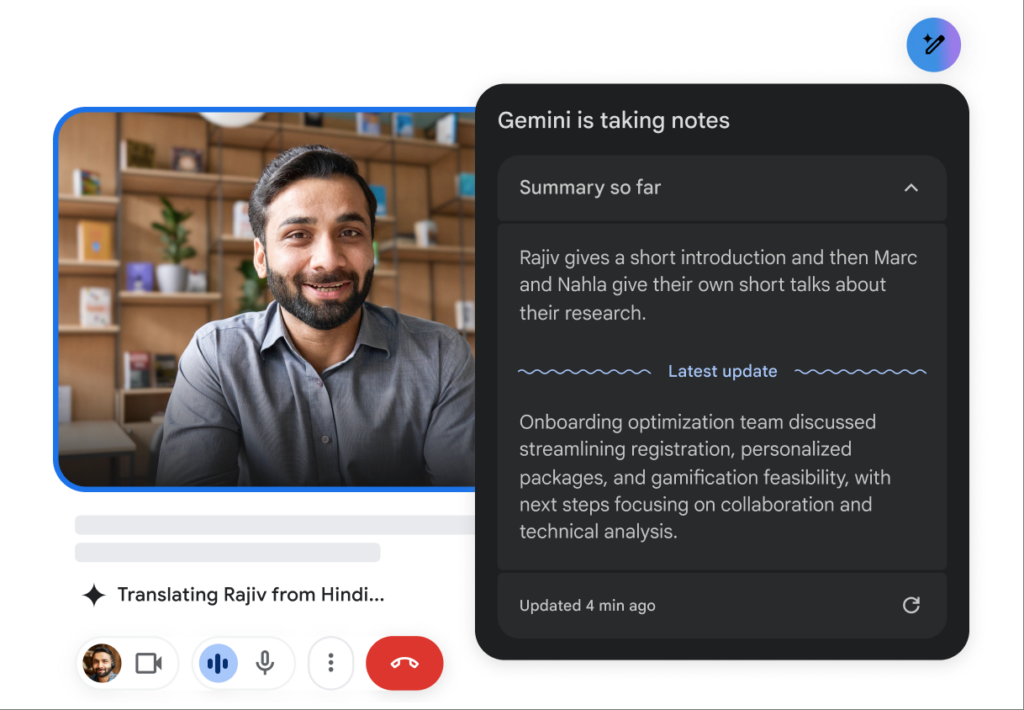
O que é: O recurso nativo de legendas em tempo real do Google Meet (gratuito, idioma principal apenas em inglês)
Por que é útil:
- ✅ Gratuito (sem custo adicional)
- ✅ Integrado ao Google Meet (sem necessidade de configuração)
- ✅ Legendas em inglês em tempo real
- ✅ Recurso de acessibilidade (suporte para deficientes auditivos)
- ✅ Legendas traduzidas ao vivo (limitadas a: mandarim, espanhol, francês e alemão)
Limitações:
- ❌ Precisão 82% (em comparação com 96% + ferramentas especializadas)
- ❌ Ensino fundamental somente em inglês (outros idiomas disponíveis apenas)
- ❌ Sem identificação do locutor
- ❌ Sem atas de reunião
- ❌ Sem resumo inteligente
- ❌ Latência de 200 a 300 ms (em comparação com ferramentas especializadas com latência inferior a 100 ms)
Melhor para: Acessibilidade, reuniões informais, comunicação exclusivamente em inglês.
Custo: Gratuito (incluído no Google Meet)
Avaliação do usuário: 4.1/5
3. Otter.ai — Melhor para transcrição e anotações do Google Meet

O que é: Ferramenta de transcrição com IA que grava reuniões do Google Meet e gera notas inteligentes com precisão de 93%.
Por que se destaca:
- ✅ Precisão do 93% (otimizado para transcrição)
- ✅ Anotações automáticas de reuniões (itens de ação extraídos)
- ✅ Identificação do falante (sabe quem disse o quê)
- ✅ Transcrições pesquisáveis (encontre qualquer tópico)
- ✅ Suporte multilíngue (mais de 90 idiomas)
- ✅ Integração com o Google Meet (configuração fácil)
- ✅ Aplicativo móvel (acesso para iOS e Android)
Limitações:
- ❌ Sem tradução em tempo real (baseada em transcrição)
- ❌ Latência de 30 a 60 segundos (pós-processamento, não em tempo real)
- ❌ Custo mais elevado ($10-30/mês)
Melhor para: Documentação de reuniões, busca de transcrições, acompanhamento de itens de ação.
Precisão: 93% (transcrição)
Custo: $10-30/mês
Avaliação do usuário: 4.6/5
4. Fireflies.ai — Melhor para anotações de IA no Google Meet
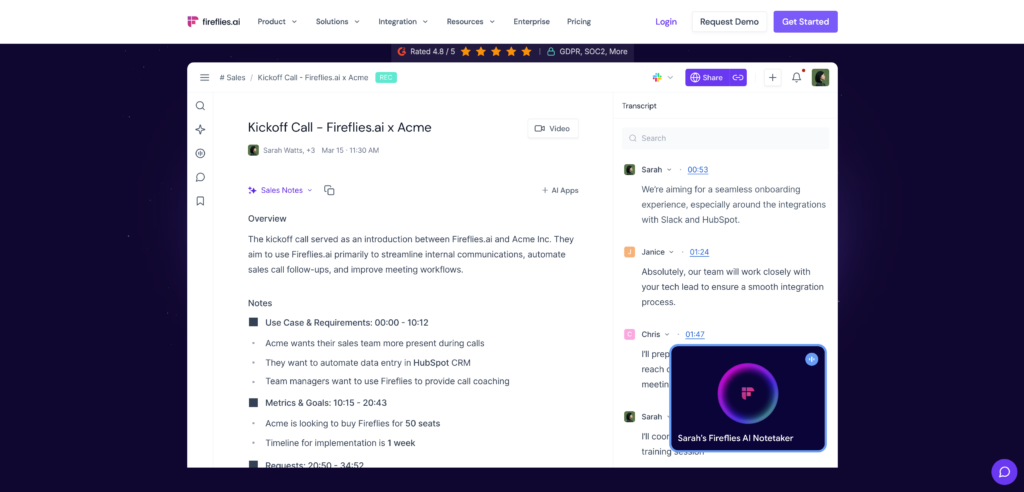
O que é: Assistente de reuniões com IA que grava automaticamente reuniões do Google Meet e gera resumos inteligentes com precisão de 92%.
Por que funciona:
- ✅ Precisão de 92% (com foco em sumarização por IA)
- ✅ Itens de ação automáticos (extraídos por IA)
- ✅ Identificação automática de tópicos principais
- ✅ Suporte multilíngue (mais de 50 idiomas)
- ✅ Integração perfeita com o Google Meet
- ✅ Transcrições pesquisáveis
- ✅ Análise de sentimento (opcional)
Limitações:
- ❌ Sem tradução em tempo real
- ❌ Latência de 2 a 5 minutos (processamento pós-reunião)
- ❌ Custo $8-10/mês
Melhor para: Anotações automáticas de reuniões, acompanhamento de tarefas a serem tomadas, análise de reuniões.
Precisão: 92%
Custo: $8-10/mês
Avaliação do usuário: 4.5/5
5. Microsoft Teams Translator + Google Meet — Abordagem Alternativa
O que é: Abordagem híbrida do Google Meet com o Microsoft Translator para usuários do Teams
Por que funciona:
- ✅ Precisão do 91% (tradutor da Microsoft)
- ✅ Integração com equipes (ecossistema empresarial)
Limitações:
- ❌ Requer equipes (aumenta a complexidade)
- ❌ Sem tradução em tempo real no Google Meet
Melhor para: Empresas com forte presença da Microsoft
Custo: $8-15/mês
Avaliação do usuário: 4.3/5
6. Krisp AI — Melhor para qualidade de áudio no Google Meet
👉🏻 Krisp AI
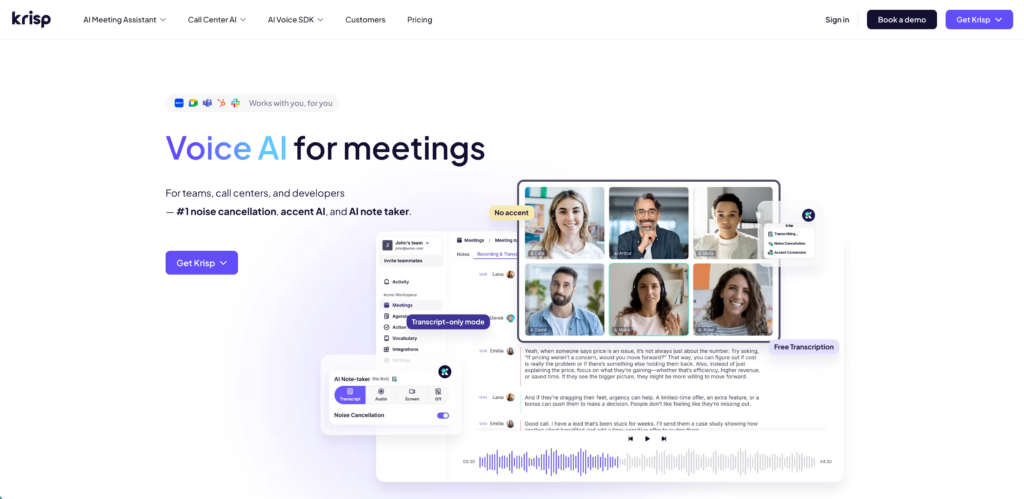
O que é: Ferramenta de cancelamento de ruído por IA que aprimora o áudio do Google Meet com remoção de fundo com precisão de 90%.
Por que funciona:
- ✅ Remoção de ruído 90% (áudio cristalino)
- ✅ Processamento em tempo real (latência <50ms)
- ✅ Isolamento de alto-falante (enfatiza a voz humana)
- ✅ Nível gratuito disponível
- ✅ Suporte multiplataforma (Mac, PC, Linux)
Melhor para: Aprimoramento da qualidade de áudio em ambientes ruidosos
Custo: Grátis-$8/mês
Avaliação do usuário: 4.4/5
7. Descrição — Ideal para edição de gravações do Google Meet
👉🏻 Descrição
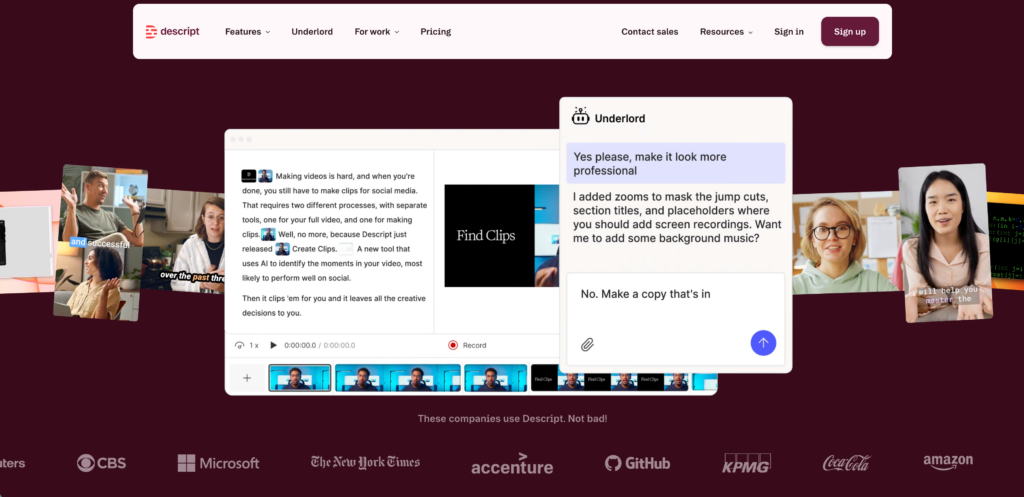
O que é: Ferramenta de edição de vídeo que transforma gravações do Google Meet em vídeos editados com transcrições.
Por que funciona:
- ✅ Precisão de transcrição do 88%
- ✅ Edição de vídeo (como edição de texto)
- ✅ Extração de podcasts
- ✅ Geração de clipes (destaque automático de momentos)
Melhor para: Gravação, edição e reaproveitamento de conteúdo.
Custo: $12-30/mês
Avaliação do usuário: 4.4/5
8. Rev — Melhor para transcrição profissional do Google Meet
👉🏻 Rev
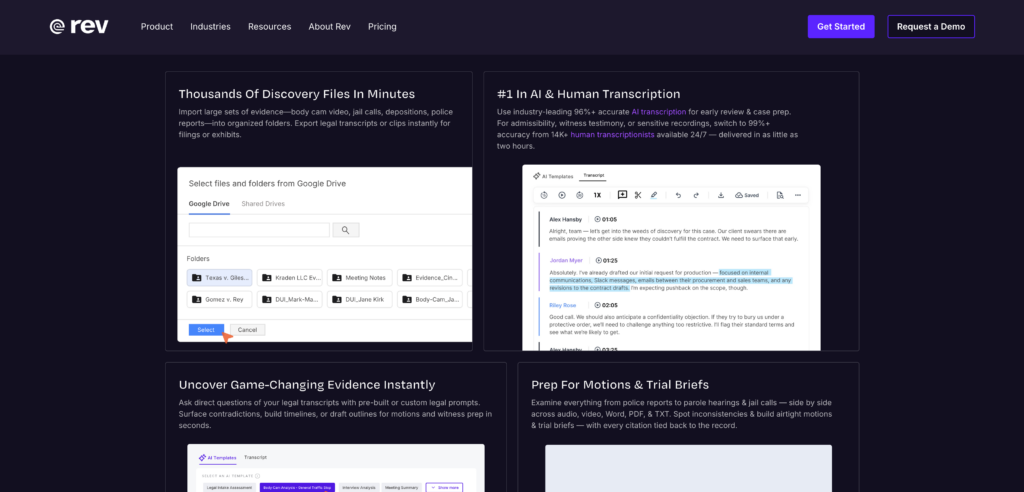
O que é: Serviço de transcrição humana + IA para gravações do Google Meet com precisão de 99%
Por que funciona:
- ✅ Precisão de 99% (editada por humanos)
- ✅ Transcrição profissional
- ✅ Suporte multilíngue (mais de 60 idiomas)
- ✅ Tradutores certificados (em conformidade com a lei)
Limitações:
- ❌ Custo mais elevado ($1,25/minuto = $75/reunião de 60 minutos)
- ❌ Prazo de entrega de 24 a 48 horas (não em tempo real)
Melhor para: Conformidade legal, documentação profissional
Custo: $75-150/reunião
Avaliação do usuário: 4.7/5
Matriz de comparação das ferramentas do Google Meetings
| Ferramenta | Precisão | Em tempo real | Idiomas | Custo | Melhor para |
|---|---|---|---|---|---|
| Transync AI | 96%+ | ✅ <100ms | 60 | $8,99/mês | Tradução em tempo real |
| Legendas do Google | 82% | ✅ Nativo | 8 | Livre | Acessibilidade |
| Lontra.ai | 93% | ⚠️ Atraso de 30 segundos | 90+ | $10-30/mês | Transcrição |
| Vaga-lumes.ai | 92% | ⚠️ 2-5 min | 50+ | $8-10/mês | Notas de IA |
| Tradutor do Teams | 91% | ✅ Em tempo real | 50+ | $8-15/mês | Usuários do Teams |
| Krisp AI | 90% | ✅ <50ms | N/A (áudio) | Grátis-$8/mês | Qualidade de áudio |
| Descrição | 88% | ⚠️ Pós-edição | 20+ | $12-30/mês | Gravação e edição |
| Rev | 99% | ❌ 24-48h | 60+ | $75-150/mtg | Conformidade legal |
Veredito: Transync AI domina a tradução em tempo real no Google Meet (96%+, <100ms, 60 idiomas). Otter.ai é a melhor opção para documentação. Fireflies é a melhor para anotações automáticas.
3 cenários reais do Google Meeting
Cenário 1: Revisão Trimestral Global de Negócios (QBR)
Situação: Empresa SaaS de 1 bilhão de pessoas, 200 participantes, 8 idiomas. Desafio: Todos os participantes entendem o roadmap perfeitamente. Tradicional: Mais de 3.000 pessoas precisariam de intérpretes profissionais. Com Transync AI + Google Meet: 1. Participar do Google Meet (200 participantes) 2. Abrir o Transync AI (configuração de tela dupla) 3. Configurar os idiomas: Inglês ↔ Mandarim ↔ Espanhol ↔ Alemão ↔ Francês 4. Definir palavras-chave: "Roadmap do 2º trimestre, aprovação do orçamento, plano de contratação" 5. O CEO apresenta em inglês 6. <100ms: A equipe de Pequim ouve o mandarim perfeito 7. A equipe de Madri ouve o espanhol perfeito 8. A equipe de Berlim ouve o alemão perfeito 9. A equipe de Paris ouve o francês perfeito 10. Todas as equipes fazem perguntas (em seus idiomas nativos) 11. <100ms: O CEO ouve as traduções em inglês 12. Tela dupla sincronizada para 200 participantes 13. A IA gera anotações da reunião em 5 idiomas 14. Itens de ação Extraído (todos os idiomas) 15. Alinhamento global perfeitamente alcançado. Custo: $8,99/mês (em comparação com $3.000 intérpretes). Participantes: 200 (todos totalmente engajados). Idiomas: 8 simultâneos (traduções perfeitas). Precisão: 96%+ (palavras-chave aumentam a precisão). Tempo economizado: 50% (sem atrasos na tradução). Resultado: QBR global unificado ✓
Cenário 2: Reuniões diárias de engenharia (equipes distribuídas)
Situação: Equipe de engenharia com 80 pessoas (São Francisco, Pequim, Tóquio, Londres) Desafio: Reunião diária de acompanhamento (todos entendem perfeitamente, sem atrasos) Método tradicional: Sem tradução em tempo real (tempo perdido, falhas de compreensão) Com Transync AI + Google Meet: 1. Participação na reunião diária de acompanhamento via Google Meet 2. Transync AI em execução (tradução para 4 idiomas) 3. Engenheiros que falam inglês participam em inglês 4. <100ms: Equipe de Pequim ouve chinês 5. <100ms: Equipe de Tóquio ouve japonês 6. <100ms: Equipe de Londres ouve inglês 7. Engenheiros chineses atualizam em mandarim 8. <100ms: Equipe de São Francisco entende perfeitamente 9. A reunião diária de acompanhamento flui naturalmente (sem atrasos) 10. Resolução de problemas em tempo real (todos entendem) 11. Bloqueios identificados instantaneamente (barreira linguística eliminada) 12. Aumento de produtividade: 40% (menos falhas de comunicação) Custo: $8,99/mês (em comparação com o método tradicional) Custos de comunicação: $2.000/mês (desvios de comunicação) Equipes: 4 fusos horários (coordenação perfeita) Precisão: 96%+ (terminologia técnica precisa) Velocidade: <100ms (resolução de problemas em tempo real) Resultado: Alinhamento global de engenharia ✓
Cenário 3: Apresentação de Vendas para Parceiros Internacionais
Situação: Apresentação de SaaS dos EUA para parceiros alemães, japoneses e brasileiros. Desafio: Tradução perfeita, credibilidade mantida. Tradicional: Intérprete a $100/hora × 3 idiomas = $300/hora. Com Transync AI + Google Meet: 1. Reunião de vendas via Google Meet (15 participantes) 2. Transync AI em execução (tradução para 3 idiomas) 3. Apresentação do VP de Vendas em inglês 4. <100ms: Parceiros alemães ouvem alemão perfeito 5. <100ms: Parceiros japoneses ouvem japonês perfeito 6. <100ms: Parceiros brasileiros ouvem português perfeito 7. Parceiros fazem perguntas (cada um em seu idioma nativo) 8. <100ms: VP de Vendas ouve as traduções em inglês 9. Negociação em tempo real flui naturalmente 10. Credibilidade mantida (pronúncia e tom perfeitos) 11. Contrato assinado: negócio de $5 milhões 12. Acompanhamento imediato em 3 idiomas (e-mail + ligação). Custo: $8,99/mês (em comparação com mais de $300 para intérpretes) Tamanho do negócio: $5M (possibilitado por tradução perfeita) Idiomas: 3 simultâneos (sem barreira linguística) Velocidade: <100ms (negociação em tempo real) Resultado: Venda internacional fechada ✓
Melhores práticas do Google Meeting (2026)
Configuração (5 minutos):
- Ativar gravação do Google Meet (salvamento automático no Google Drive)
- Open Transync AI (tela separada, configuração de monitor duplo)
- Defina palavras-chave (termos do setor, nomes de empresas)
- Selecionar idiomas-alvo (línguas nativas de todos os participantes)
- Testar áudio/vídeo (garantir a qualidade)
Durante a reunião: 6. Ative a tradução automática do Transync (pressione Iniciar) 7. Ative as legendas do Google Meet (acessibilidade) 8. Monitore a precisão da tradução (ajuste as palavras-chave, se necessário) 9. Certifique-se de que todos os participantes possam ver as traduções (configuração com duas telas) 10. Faça anotações dos participantes (o Transync gera anotações automaticamente, mas anotações manuais são úteis)
Após a reunião: 11. Revisar as anotações geradas por IA (a IA da Transync fornece um resumo bilíngue) 12. Extrair itens de ação (com registros de data e hora para fins de responsabilização) 13. Exportar a transcrição (com função de busca e em vários idiomas) 14. Compartilhar as anotações com todos os participantes (e-mail + Google Drive) 15. Agendar acompanhamentos (atribuir itens de ação)
Comparação de custos: Aprimoramento do Google Meetings
| Opção | Custo mensal | Por hora | Tempo de configuração | Precisão | Idiomas |
|---|---|---|---|---|---|
| Intérpretes profissionais | $240-400 | $30-50/hora | 4 semanas | 99% | 1-3 |
| Transync AI + Google Meet | $8.99 | $0,54/hora* | 2 minutos | 96%+ | 60 |
| Google Meet (nativo) | Livre | Livre | 0 minutos | 82% | 1 |
| Otter.ai + Google Meet | $10-30 | $0,60-1,80/hora | 5 minutos | 93% | 90+ |
| Economia (Transync vs. Intérpretes) | $231-391/mês | $29,46-49,46/hora | 95% mais rápido | Quase igual | 60 vezes mais |
Com base em $8,99/mês ÷ 10 horas de uso médio.
Cálculo do ROI do Google Meetings
Empresa (organização com 500 funcionários):
- Anterior: $3.000/mês intérpretes de plantão
- Com Transync AI: $8,99/mês (licença compartilhada)
- Economia: $2.991,01/mês ($35.892/ano)
- Ganho de produtividade: 40% (menos falhas de comunicação)
- Valor adicional: $500K/ano (redução de erros)
- Retorno total do investimento: $535.892/ano
Mercado intermediário (equipe de 100 pessoas):
- Anterior: Custos de intérprete $800/mês
- Com Transync AI: $8,99/mês
- Economia: $791,01/mês ($9.492/ano)
- Produtividade: melhoria de 20% (valor de $80K)
- Retorno total do investimento: $89.492/ano
Startup (equipe de 20 pessoas):
- Anterior: Tradução ad-hoc $200/mês
- Com Transync AI: $8,99/mês
- Economia: $191,01/mês ($2.292/ano)
- Expansão: Possibilidade de 10 novos mercados (potencial de $500K)
- Retorno total do investimento: $502.292/ano
Primeiros passos: Aprimorando o Google Meeting (5 minutos)
Passo 1: Escolha o seu aprimoramento (2 min)
- Precisa de tradução em tempo real? → Transync AI (96%+, <100ms, 60 idiomas)
- Precisa das anotações da reunião? → Lontra.ai (93%, transcrição automática)
- Precisa de resumos de IA? → Vaga-lumes.ai (92%, itens de ação)
- Precisa editar suas gravações? → Descrição (88%, geração de clipes)
- Precisa de conformidade legal? → Rev (99%, tradução certificada)
Etapa 2: Instalação e configuração (2 min)
- Inscreva-se na ferramenta escolhida (Transync AI é recomendada).
- Conectar ao Google Meet (automático ou manual)
- Defina palavras-chave e idiomas.
- Conceder permissões (câmera, microfone, gravação)
- Executar chamada de teste (5 minutos)
Etapa 3: Implantação e dimensionamento (1 min) 6. Agende todas as reuniões com o Google Meet + aprimoramentos. 7. Treine a equipe (tutorial de 30 segundos). 8. Monitore a qualidade (primeiras 3 reuniões). 9. Ajuste as configurações (palavras-chave, idiomas, formalidade). 10. Expanda para toda a organização.
Erros comuns na otimização do Google Meetings
❌ Erro 1: Utilizando apenas legendas nativas do Google Meet (precisão de 82%)
- Faltam 18% de conteúdo em reuniões críticas.
- Solução: Adicionar IA Transync (precisão 96%+)
❌ Erro 2: Não definir palavras-chave para reuniões técnicas.
- A tradução genérica perde a precisão técnica.
- Solução: Definir termos da indústria (semicondutor, API, nuvem)
❌ Erro 3: Ignorando as limitações de um único monitor**
- Não consigo ver o Google Meet e a tradução simultaneamente.
- Solução: Utilize uma configuração com dois monitores (Google Meet + Transync AI)
❌ Erro 4: Não gravar a reunião (perda de documentação)**
- As notas do manual omitem 40% informações.
- Solução: Ativar a gravação do Google Meet + anotações com IA
Dados de mercado do Google Meeting (2026)
| Métrica | Valor | Implicação |
|---|---|---|
| Usuários do Google Meet | 1,2 bilhão mensal | Plataforma dominante |
| Minutos de reuniões/mês | 3,9 bilhões | Crescimento explosivo |
| Colaboração virtual global | $1,8 trilhão | Mercado gigantesco |
| Força de trabalho distribuída | 48% de empregos | Padrão de trabalho remoto |
| Equipes multilíngues | 72% globalmente | Tradução crítica |
| Tempo de reunião desperdiçado (sem tradução) | 25% | $500B custo anual |
| mercado de ferramentas de IA para reuniões | $2,8 bilhões | Crescimento rápido |
| Mercado previsto para 2028 | $5,2 bilhões | +23% CAGR |
Conclusão: Aprimorar o Google Meetings é essencial
Sua equipe abrange 8 idiomas. 200 participantes. 12 fusos horários. O Google Meet conecta todos. A tradução em tempo real garante o entendimento perfeito. Anotações com IA extraem itens de ação. Todos alinhados e totalmente engajados. Colaboração global aperfeiçoada.
O Google Meet domina a colaboração virtual (3,9 bilhões de minutos mensais, 1,2 bilhão de usuários). No entanto, a versão padrão do Google Meet carece de Tradução multilíngue em tempo real, anotações inteligentes de reuniões e transcrição contextualizada.—fundamental para equipes verdadeiramente distribuídas.
A solução: Aprimore o Google Meet com ferramentas de linguagem baseadas em IA entregando:
- Precisão 96%+ (tradução em tempo real)
- Latência <100ms (a conversa flui naturalmente)
- 60 idiomas (alcance verdadeiramente global)
- Notas geradas automaticamente (reunião de inteligência)
- Economia de $2.991/mês (em comparação com intérpretes profissionais)
- 40% ganho de produtividade (menos falhas de comunicação)
Melhor ferramenta: Transync AI + Google Meet
- $8,99/mês (investimento mínimo)
- Configuração em 2 minutos (sem necessidade de conhecimento técnico)
- Precisão 96%+ (comparável à de profissionais)
- Latência inferior a 100 ms (fluxo natural de conversação)
- 60 idiomas (cobertura abrangente)
- Anotações automáticas de reuniões (bilíngue)
- Tela dupla (experiência otimizada)
- Em conformidade com o RGPD (pronto para uso empresarial)
Comece a otimizar suas reuniões do Google hoje mesmo:
- Abra o Google Meet (configuração padrão)
- Abra o Transync AI (tela separada)
- Defina palavras-chave e idiomas.
- Comece sua reunião
- Veja como a tradução em tempo real transforma a colaboração global.
Google Meeting + Transync AI = A plataforma de colaboração multilíngue mais poderosa do mundo. 🌍✨

Se você quer uma experiência de última geração, Transync AI lidera o caminho com tradução em tempo real, impulsionada por IA, que mantém as conversas fluindo naturalmente. Você pode experimente grátis agora.
