

मैं Google Meet के लिए तुरंत कौन सा अनुवाद ऐप इस्तेमाल कर सकता हूँ?
वर्चुअल मीटिंग्स में अनुवाद ऐप्स का महत्व
तेजी से वैश्वीकृत होते कार्यस्थल में, गूगल मीट जैसे वीडियो कॉन्फ्रेंसिंग उपकरण प्रभावी संचार के लिए आवश्यक हो गए हैं। हालांकि, जब टीमें अलग-अलग भाषाओं में काम करती हैं, तो गलतफहमियां उत्पन्न हो सकती हैं। सौभाग्य से, अनुवाद ऐप्स हम उस अंतर को पाटने के लिए यहां हैं, जिससे प्रतिभागियों की मातृभाषाओं की परवाह किए बिना निर्बाध बातचीत संभव हो सके।.
गूगल मीट के साथ अच्छी तरह से एकीकृत होने वाला प्रभावी अनुवाद ऐप चुनना सहयोग बढ़ाने और यह सुनिश्चित करने के लिए महत्वपूर्ण है कि सभी लोग एक ही बात समझें। यह लेख उन बेहतरीन अनुवाद ऐप्स पर प्रकाश डालता है जिन्हें आप अपने अगले गूगल मीट सत्र में तुरंत उपयोग कर सकते हैं।.
बहुभाषी बैठकों की चुनौतियाँ
बहुभाषी बैठकों में भाग लेते समय, कई चुनौतियाँ प्रभावी संचार में बाधा उत्पन्न कर सकती हैं:
- भाषा संबंधी बाधाएँ: भाषा में अंतर के कारण गलतफहमियां उत्पन्न हो सकती हैं।.
- वास्तविक समय की आवश्यकता: प्रतिभागी तत्काल प्रतिक्रिया की अपेक्षा करते हैं, जो उचित अनुवाद उपकरणों के बिना मुश्किल हो सकता है।.
- पारिभाषिक शब्द: उद्योग जगत की विशिष्ट शब्दावली को गलत समझा जा सकता है, जिससे भ्रम और त्रुटियां हो सकती हैं।.
गूगल मीट के लिए शीर्ष अनुवाद ऐप्स
यहां पांच अनुवाद ऐप दिए गए हैं जिनका उपयोग बिना किसी व्यापक सेटअप या प्रशिक्षण के तुरंत किया जा सकता है:
1. ट्रांससिंक एआई – वास्तविक समय अनुवाद की क्षमता
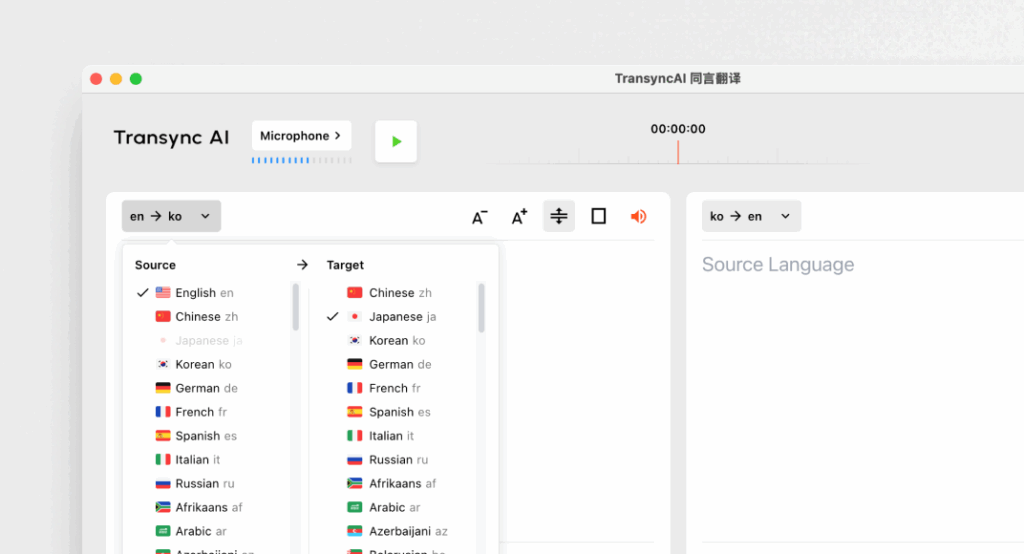
यह क्या है:
ट्रांससिंक एआई एक उन्नत अनुवाद एप्लिकेशन है जिसे विशेष रूप से वास्तविक समय संचार के लिए डिज़ाइन किया गया है, जो बैठकों के दौरान तेज़ और सटीक अनुवाद प्रदान करता है।.
प्रमुख विशेषताऐं:
- 95%+ सटीकता: व्यावसायिक संदर्भों के अनुरूप उच्च स्तर की अनुवाद सटीकता।.
- विलंबता <100ms: सुगम वार्तालाप के लिए त्वरित प्रतिक्रिया समय।.
- स्वचालित भाषा पहचान: किसी सेटअप की आवश्यकता नहीं है; ऐप बोलने वाले की भाषा का पता लगा लेता है।.
- द्विभाषी बैठक के नोट्स: दोनों भाषाओं में नोट्स का स्वचालित निर्माण।.
- एकीकरण: यह गूगल मीट के साथ सहजता से काम करता है।.
इसके लिए सर्वोत्तम: कंपनियों को बैठकों के दौरान त्वरित और सटीक अनुवाद की आवश्यकता होती है।.
2. Otter.ai – मीटिंग साथी

यह क्या है:
Otter.ai ऑडियो ट्रांसक्रिप्शन और रीयल-टाइम अनुवाद में विशेषज्ञता रखता है, जो इसे बैठकों के लिए अमूल्य बनाता है।.
प्रमुख विशेषताऐं:
- स्वचालित प्रतिलेखन: यह बातचीत को वास्तविक समय में रिकॉर्ड करता है।.
- 92% सटीकता: बैठकों के दौरान बातचीत के लिए विश्वसनीय।.
- एकीकरण क्षमताएँ: निर्बाध संचालन के लिए इसे गूगल मीट के साथ इस्तेमाल किया जा सकता है।.
- वक्ता की पहचान: वक्ताओं को पहचानता है, जिससे नोट्स लेना आसान हो जाता है।.
इसके लिए सर्वोत्तम: वे टीमें जो अनुवाद सहायता के साथ-साथ प्रतिलेखन सेवाओं की तलाश कर रही हैं।.
3. वर्डली – सुसंगत और अनुकूलनीय

यह क्या है:
वर्डली व्यवसायों को विशिष्ट शब्दावली और संदर्भों के आधार पर अनुवाद विकल्पों को अनुकूलित करने की अनुमति देता है।.
प्रमुख विशेषताऐं:
- 94% सटीकता: तकनीकी और व्यावसायिक चर्चाओं के लिए विश्वसनीय।.
- अनुकूलित शब्दावलियाँ: व्यवसाय क्षेत्र-विशिष्ट शब्दावली दर्ज कर सकते हैं।.
- तुरंत अनुवाद: यह दस्तावेज़ों और बातचीत का तुरंत अनुवाद करता है।.
- एकीकरण: यह गूगल मीट सहित विभिन्न वर्चुअल मीटिंग प्लेटफॉर्म के साथ अच्छी तरह से काम करता है।.
इसके लिए सर्वोत्तम: ऐसी टीमें जिन्हें तकनीकी चर्चाओं में एक समान भाषा की आवश्यकता होती है।.
4. पापैगो – झटपट और बहुमुखी
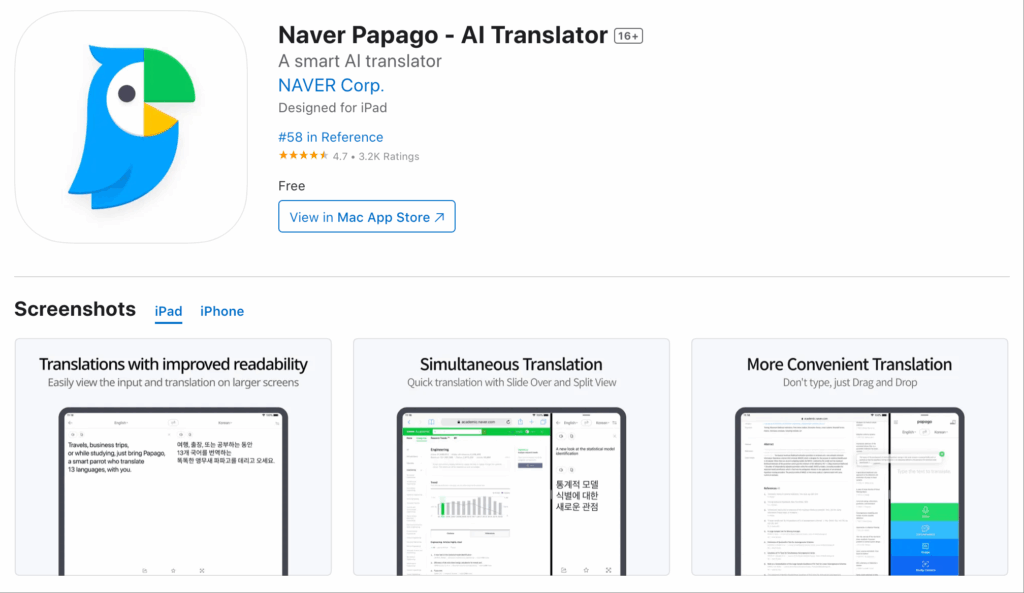
यह क्या है:
पापागो दक्षिणपूर्व एशियाई भाषाओं की एक विस्तृत श्रृंखला के लिए एक सरल और सीधी अनुवाद सेवा प्रदान करता है।.
प्रमुख विशेषताऐं:
- 92% सटीकता: अनौपचारिक और अर्ध-तकनीकी बातचीत के लिए उपयुक्त।.
- कैमरा कार्यक्षमता: ऐप के कैमरा फ़ीचर का उपयोग करके लिखित भाषा का अनुवाद करें।.
- निःशुल्क पहुँच: बिना किसी समय सीमा के पूरी तरह से निःशुल्क।.
- वेब और मोबाइल उपयोग: विभिन्न उपकरणों पर उपयोगकर्ताओं के लिए सुलभ।.
इसके लिए सर्वोत्तम: अनौपचारिक या अर्ध-औपचारिक परिवेश में त्वरित अनुवाद।.
5. गूगल ट्रांसलेट – परिचित और सुलभ
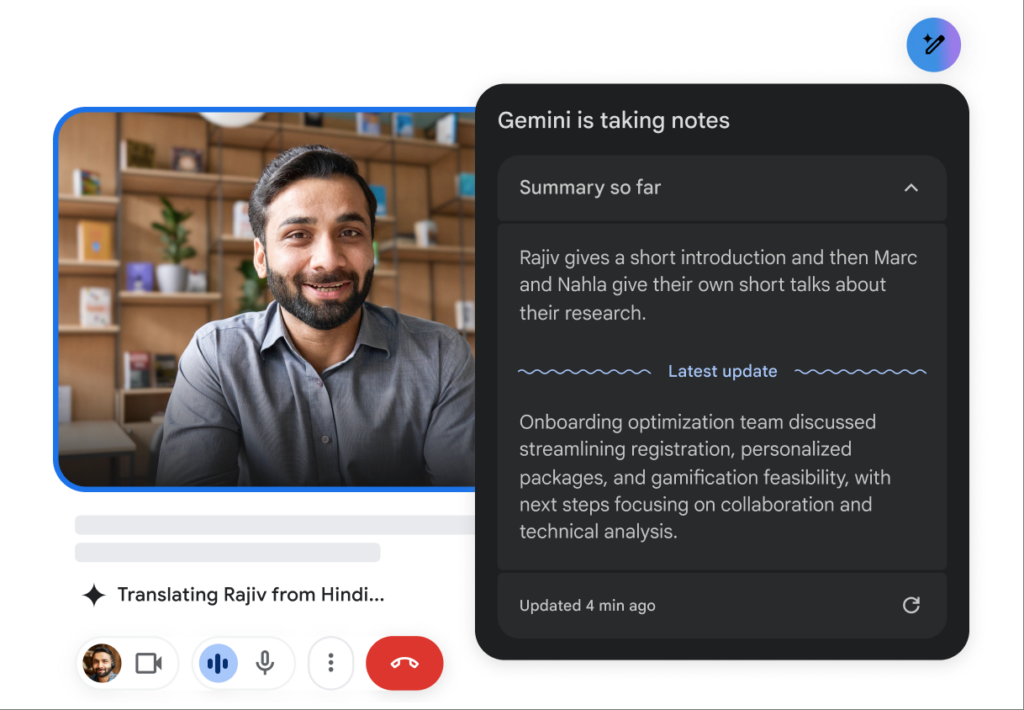
यह क्या है:
गूगल ट्रांसलेट एक प्रसिद्ध अनुवाद उपकरण है जो कई भाषाओं के विकल्प प्रदान करता है।.
प्रमुख विशेषताऐं:
- 83% सटीकता: बुनियादी अनुवाद क्षमताएं जो सरल पाठों के लिए काम करती हैं।.
- एकाधिक भाषा समर्थन: 100 से अधिक भाषाओं में अनुवाद उपलब्ध कराता है।.
- नि:शुल्क और आसानी से उपलब्ध: वेब और मोबाइल पर उपलब्ध है।.
- एकीकरण: यह गूगल मीट के साथ एक पूरक उपकरण के रूप में काम कर सकता है।.
इसके लिए सर्वोत्तम: जटिल सुविधाओं की आवश्यकता के बिना सरल, अनौपचारिक संचार।.
तुलनात्मक तालिका: गूगल मीट के लिए सर्वश्रेष्ठ अनुवाद ऐप्स
| अनुवाद ऐप | शुद्धता | विलंब | यूजर फ्रेंडली | एकीकरण | सर्वश्रेष्ठ के लिए | निःशुल्क योजना |
|---|---|---|---|---|---|---|
| Transync AI | 95%+ | <100 मिलीसेकंड | बहुत आसान | Google Meet | वास्तविक समय में बहुभाषी बैठकें | 40 मिनट |
| ओटर.एआई | 92% | रियल टाइम | बहुत सीधा-सादा | Google Meet | स्वचालित प्रतिलेखन और अनुवाद | $15-30/माह |
| संसार में | 94% | तुरंत | यूजर फ्रेंडली | Google Meet | सुसंगत तकनीकी अनुवाद | परीक्षण उपलब्ध है |
| पापागो | 92% | 250-350 मिलीसेकंड | सरल और सहज | वेब और मोबाइल | सामान्य उपयोग के लिए त्वरित अनुवाद | पूरी तरह से निःशुल्क |
| गूगल अनुवाद | 83% | 300ms+ | बुनियादी और व्यापक रूप से उपयोग किया जाता है | वेब और मोबाइल | सामान्य अनुवाद, विशेषज्ञता रहित | मुक्त |
प्रश्न-उत्तर अनुभाग: गूगल मीट के लिए अनुवाद ऐप्स के बारे में अक्सर पूछे जाने वाले प्रश्न
प्रश्न 1: गूगल मीट के लिए अनुवाद ऐप चुनते समय मुझे किन विशेषताओं को प्राथमिकता देनी चाहिए?
ए: सटीकता, कम विलंबता, गूगल मीट के साथ एकीकरण क्षमता, उपयोग में आसानी और स्वचालित भाषा पहचान जैसी सुविधाओं पर ध्यान दें। ये सुविधाएं बैठकों के दौरान प्रभावी संचार सुनिश्चित करेंगी।.
प्रश्न 2: क्या इन अनुवाद ऐप्स को इंस्टॉल करने या व्यापक सेटअप की आवश्यकता होती है?
ए: इस लेख में सूचीबद्ध अधिकांश ऐप्स को व्यापक प्रशिक्षण या जटिल प्रक्रियाओं के बिना आसानी से उपयोग और स्थापित किया जा सकता है। ट्रांससिंक एआई और पापागो जैसे ऐप्स तेजी से तैनाती की सुविधा प्रदान करते हैं।.
प्रश्न 3: इन ऐप्स की सटीकता दर की तुलना मानव अनुवादकों से कैसे की जाती है?
ए: जबकि मानव अनुवादक आमतौर पर 99%+ की सटीकता प्राप्त करते हैं, यहाँ उल्लिखित अनुवाद ऐप्स 83%-95% की सटीकता के बीच हैं, जो उन्हें अधिकांश व्यावसायिक मामलों के लिए उपयुक्त बनाते हैं, लेकिन संवेदनशील दस्तावेजों में मानव पर्यवेक्षण का पूर्ण विकल्प नहीं हैं।.
प्रश्न 4: क्या इन अनुवाद ऐप्स के उपयोग से संबंधित कोई लागत है?
ए: Otter.ai और Wordly जैसे कुछ ऐप्स में सब्सक्रिप्शन मॉडल हैं, जबकि अन्य मुफ्त प्लान या ट्रायल ऑफर करते हैं। उदाहरण के लिए, Transync AI शुरुआत करने के लिए 40 मिनट का मुफ्त अनुवाद प्रदान करता है।.
प्रश्न 5: मैं अपने Google Meet में अनुवाद ऐप को कैसे एकीकृत करूँ?
ए: एकीकरण में आमतौर पर Google Meet के भीतर ऐप का चयन करना या ऐप को कनेक्ट करने के लिए एक सरल इंस्टॉलेशन प्रक्रिया शामिल होती है। अधिकांश टूल मीटिंग के दौरान उपयोग को सुव्यवस्थित करने के लिए आसान लिंकिंग की सुविधा प्रदान करते हैं।.
इन जानकारियों का लाभ उठाकर, आप अपने Google Meet के अनुभव को बेहतर बना सकते हैं और उपलब्ध सबसे विश्वसनीय अनुवाद ऐप्स का उपयोग करके भाषा की बाधाओं को पार करते हुए स्पष्ट संचार सुनिश्चित कर सकते हैं!
यदि आप अगली पीढ़ी का अनुभव चाहते हैं, Transync AI वास्तविक समय, AI-संचालित अनुवाद के साथ अग्रणी है जो बातचीत को स्वाभाविक रूप से प्रवाहित रखता है। आप मुफ्त में आजमाएं अब।

