



User Guide
The ultimate AI real-time translation software for your enterprise
Transync AI — AI translator, low-latency interpretation, captions and voice playback, plus AI meeting notes that turn conversations into reusable knowledge.
Trusted by over 100,000 users worldwide
From cross-border sales to global ops, training and events—Transync AI keeps multilingual collaboration fast, reliable and controllable.
Learn more about: AI real time translation, AI live meeting translation, AI meeting notes, AI assistant, supported languages.
How to self-serve create an organization within Transync AI?
We won’t proactively have sales reach out to you. You can start by using the personal plan self-serve, and if you’re happy with it, you can create an organization to top up and pay centrally for the teammates you invite.
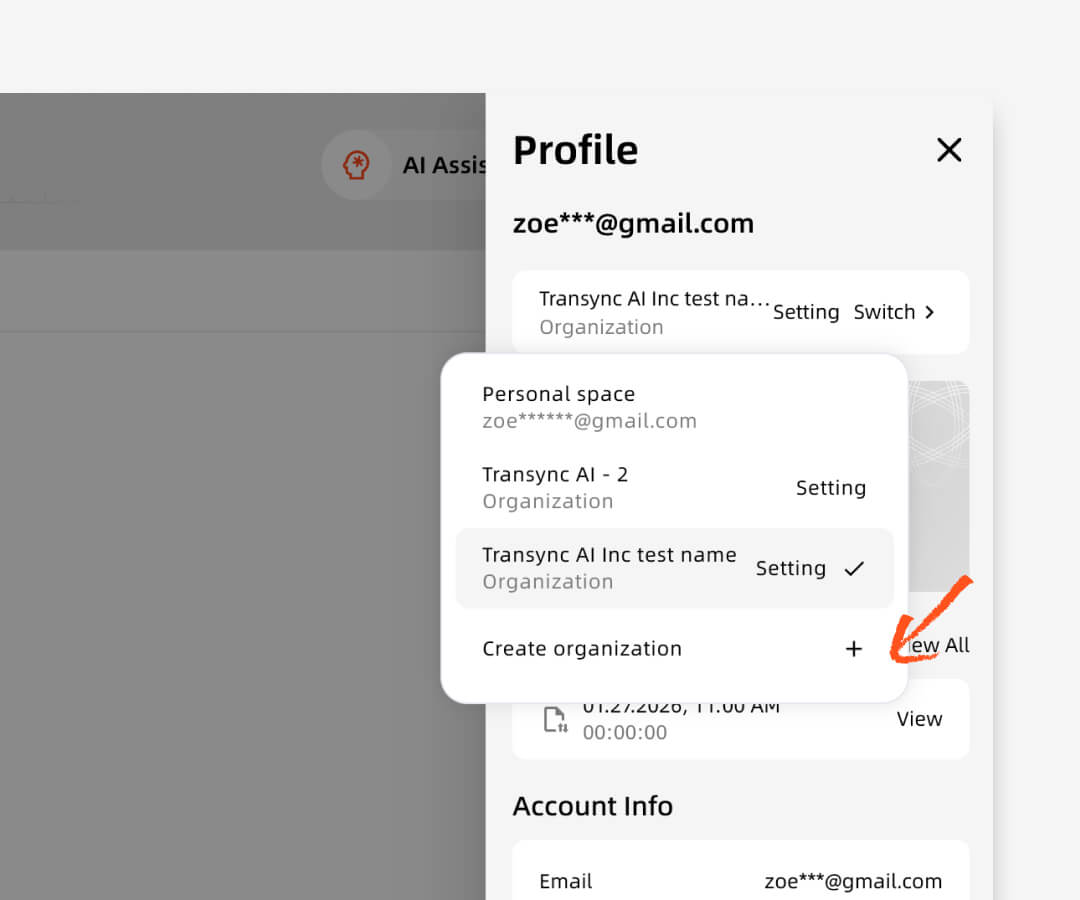
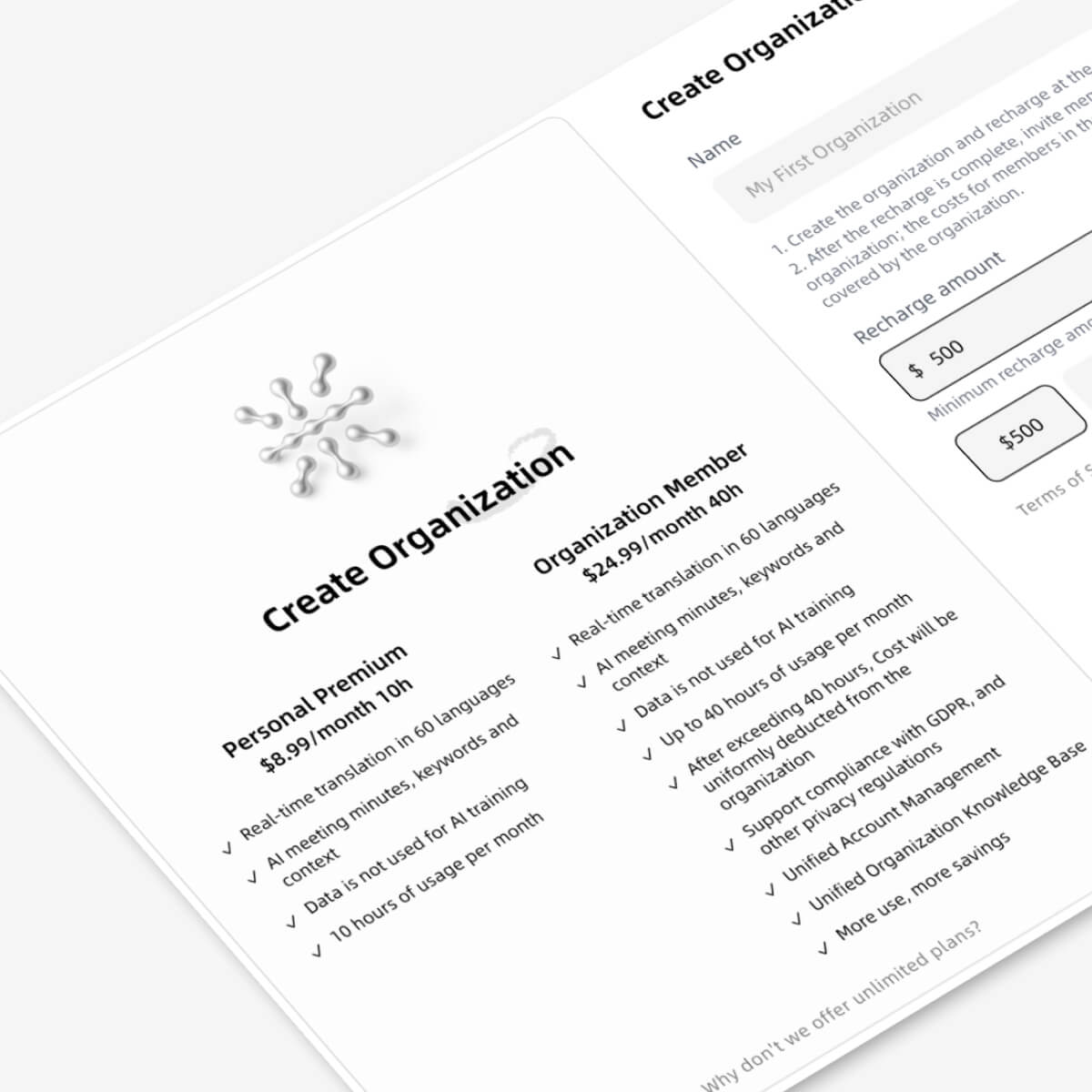
1.Open Transync AI, go to the personal center in the upper right corner, and find “Create Organization.”
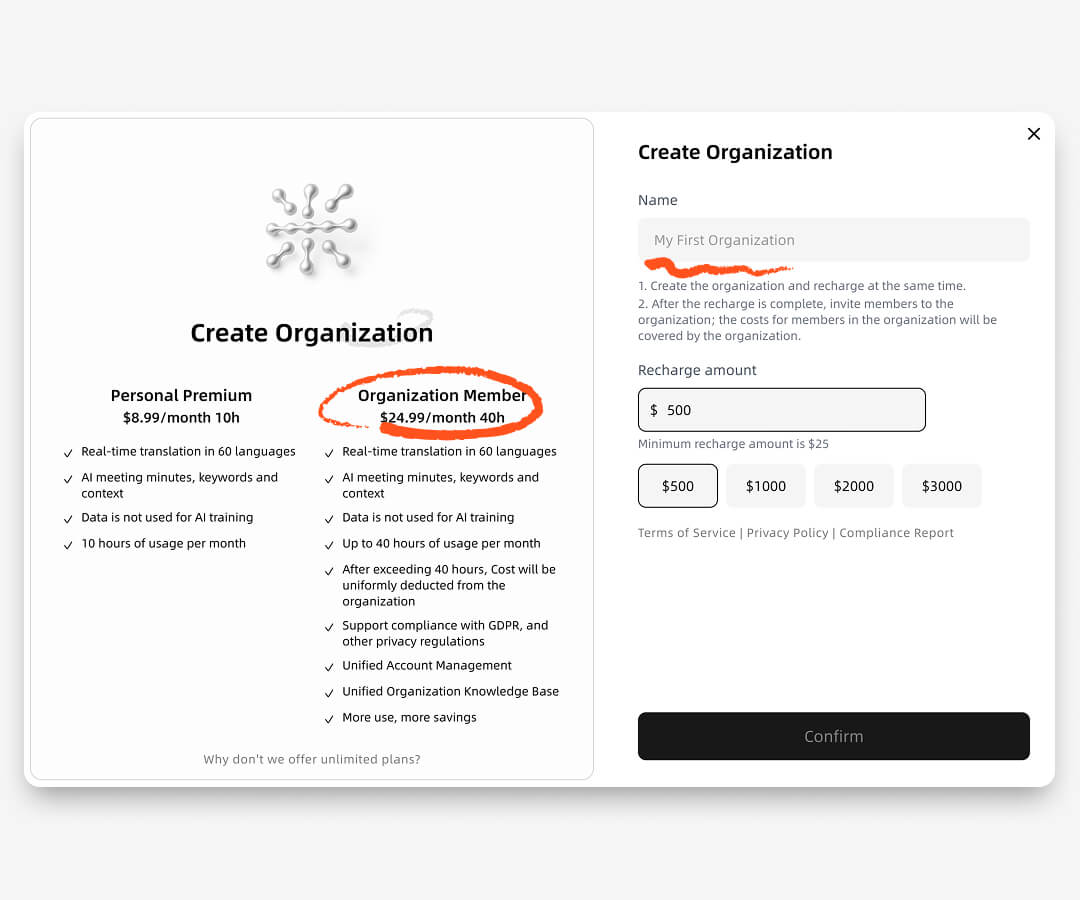
2.Enter the name of the organization and the recharge amount. In this pop-up window, you can compare the value of organizational memberships versus individual memberships.
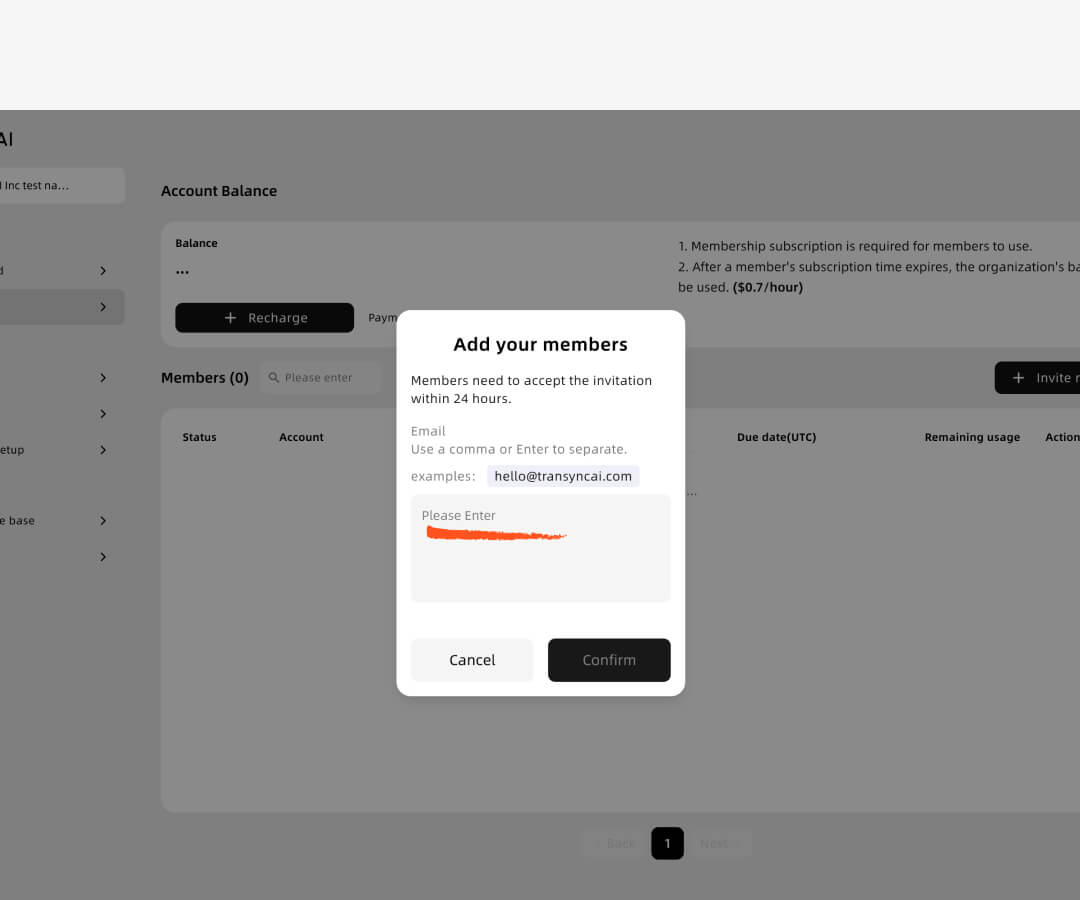
3. After the organization is created, enter the invitee’s email address. The invitee will then receive an email or can join the application directly to accept the invitation.
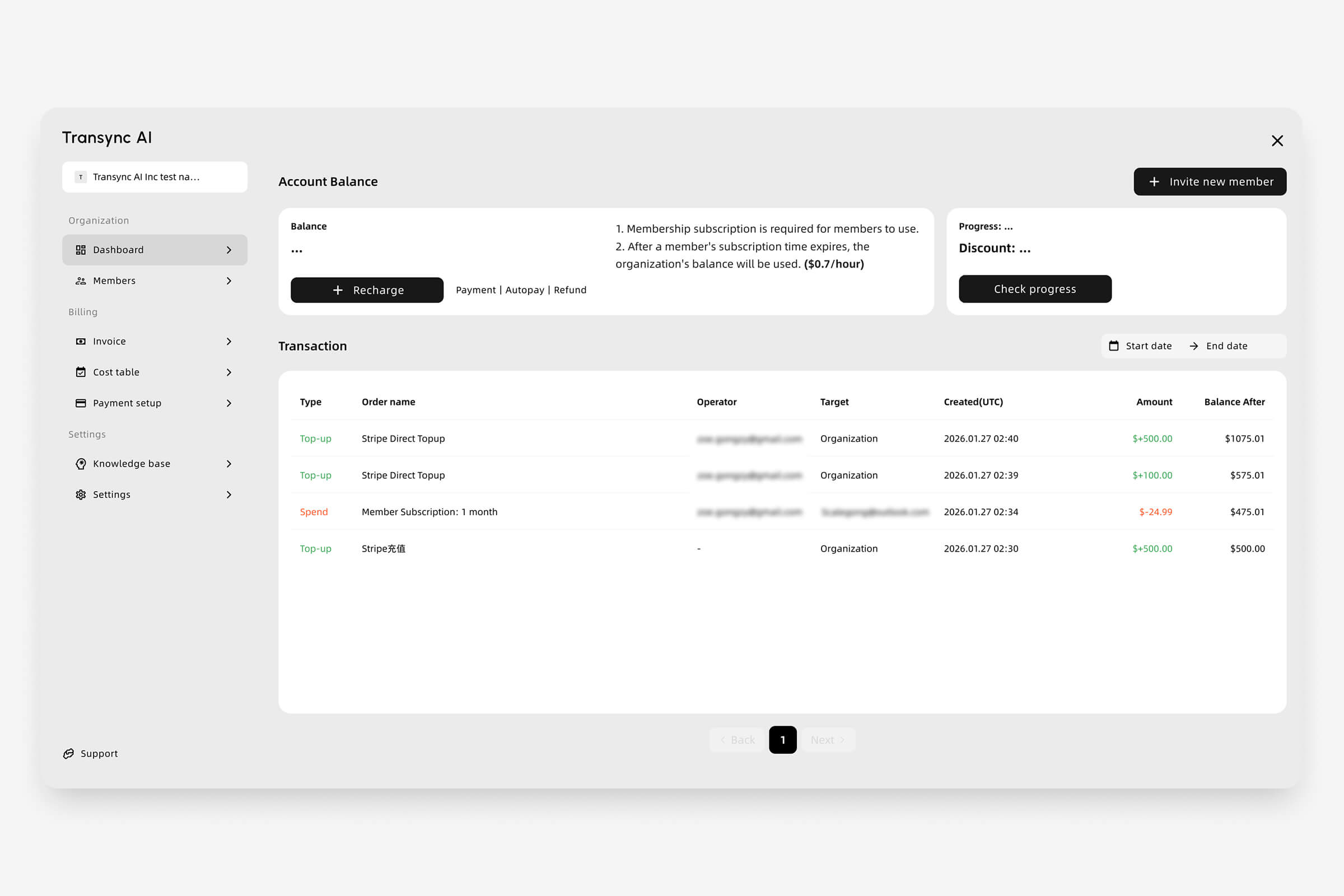
4. Organizations will directly pay the subscription fees for members who join. You can also view invoices, cost table, and other settings.
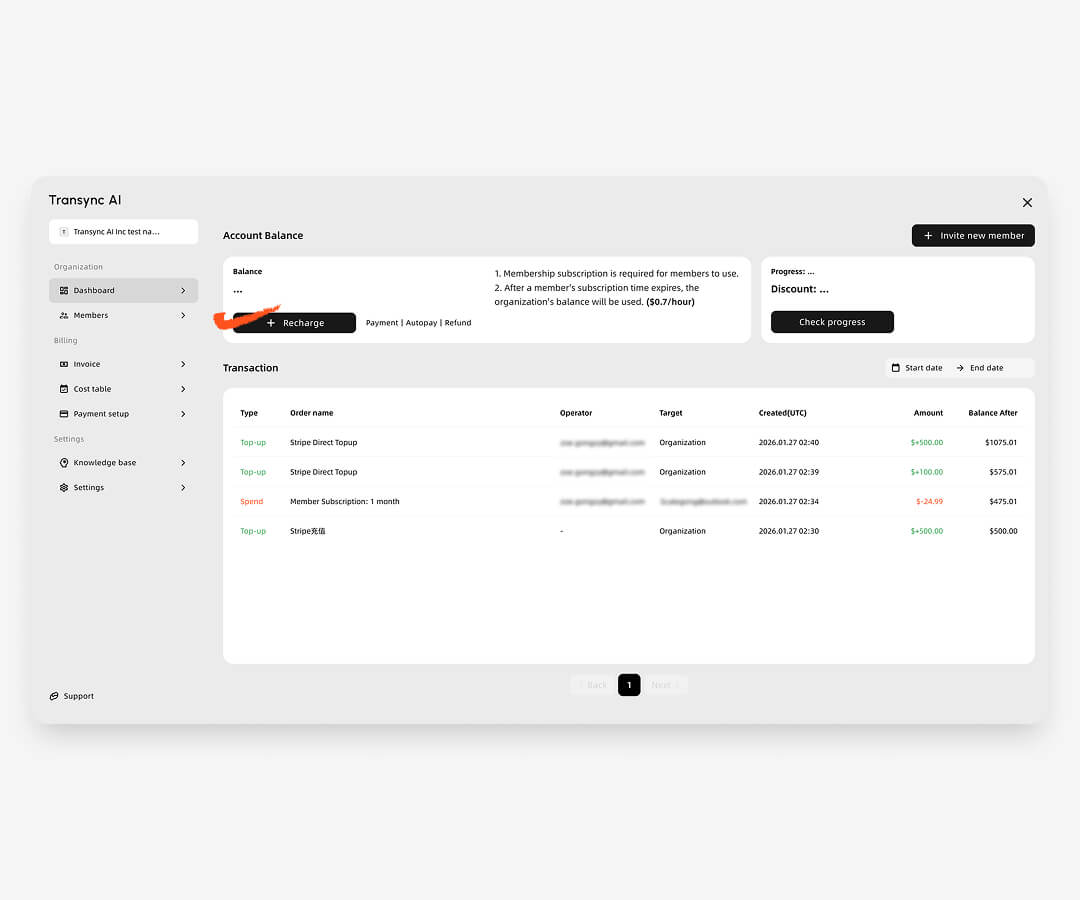
Billing & usage rules
1.Create an organization and add balance to get started.
2.Each invited member is billed $24.99/month once they join.
3.Each member includes 40 hours/month, which resets monthly.
4.Extra usage is charged at $0.70/hour from the organization balance.
Administrators can view billing and usage at any time in organization settings. Discounts are applied automatically when usage thresholds are met.
Click to view pricing details.
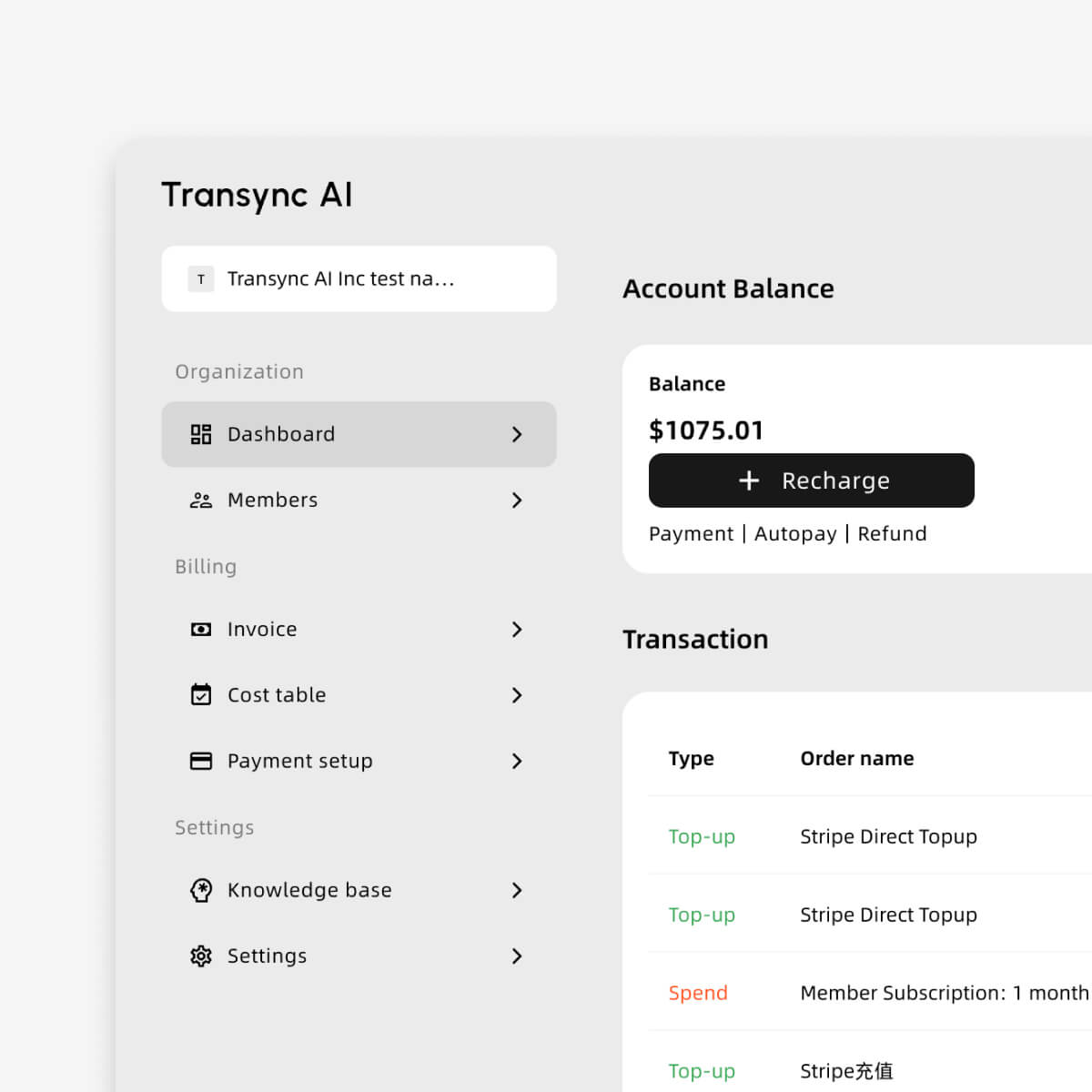
Invoice & VAT info
For international users, we accept credit card payments via Stripe. During checkout, please provide your tax information, and an invoice will be automatically sent to your email. For users in China, invoices can be requested from customer support after payment is completed.
You can also view your invoice history, organization-wide transaction records, and detailed usage reports at any time in your account center (Organization Settings).
Click to view the Enterprise guide.
More use, More savings.
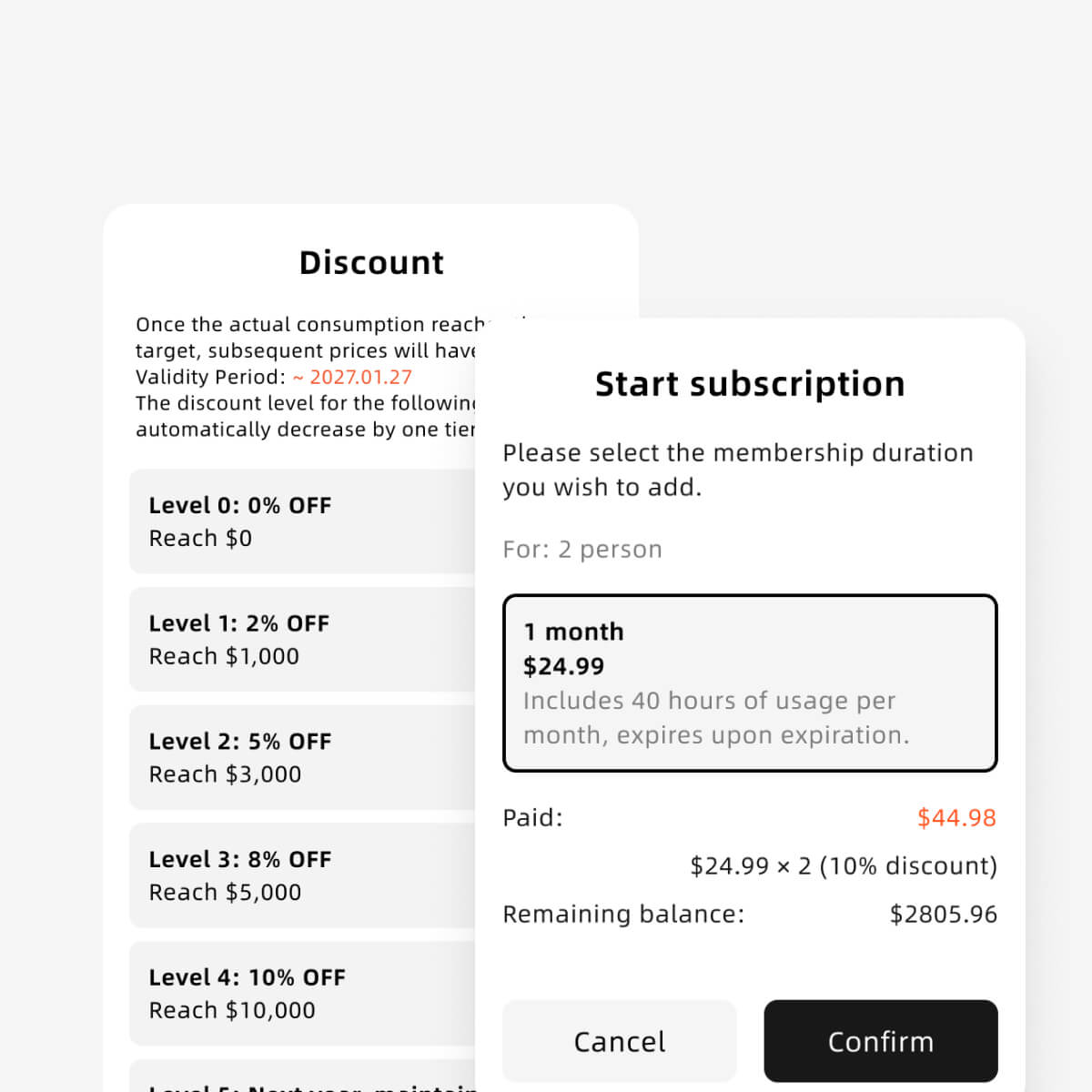
When a organization’s total spending for the current year reaches a specific threshold, a corresponding discount will be applied to all subsequent membership subscriptions and pay-as-you-go charges.
To ensure you continue to enjoy these preferential rates, The discount level for the second year will only decrease by one tier.
Click to view discount rules.
Privacy and Security
Your privacy and data security always come first. Transsync AI delivers enterprise-grade protection for your voice, text, and meeting data.
Click to view the compliance report.
01
Comprehensive Encryption System
All voice and text data are protected with industry-leading encryption, including end-to-end AES-256 encryption, TLS 1.3 secure transmission, and server-side encryption with KMS key management, ensuring your translation, transcription, and meeting data remain fully secured at all times.
02
Immediate Voice Data Deletion
All audio is immediately deleted after processing and never stored; the raw audio is unrecoverable, eliminating any risk of voice-data exposure. Only processed text is retained for translation or meeting summaries, and it remains fully encrypted under strict access control.
03
No Use for AI Training
Transync AI guarantees that user data is never used for AI model training—including internal optimization, commercial training, or third-party model updates—unless the user explicitly opts in; your data will never be used for training by default.
04
Communication & Network Security
Our multi-layer network security architecture includes firewalls, DDoS protection, intrusion detection, anomaly monitoring, and strict least-privilege access control, ensuring all communication channels, API calls, and backend services operate within a secure and protected environment.
Built for every role in your organization
From sales and operations to training and leadership, Transync AI helps every team work across languages—without changing how they already collaborate.

Paul Johnson
I need to host an international meeting—what should I do?

Josh Smith
You should try Transync AI. It provides real-time translation during meetings.
Paul Johnson
I’ve just tried! — the experience is excellent. It offers real-time translation and an AI assistant that automatically generates meeting notes, with impressive speed and accuracy.
The choice of thousands
Over 100,000 users trust Transync AI to connect their teams
2
x
Meeting efficiency has significantly improved, and team collaboration has become much closer.
-92
%
Save significantly on costs that would otherwise be spent on hiring translators or expensive translation services.
FAQs
How do I get started with Transync AI Enterprise?
You can start by using the personal plan self-serve. When you’re ready, create an organization, invite your team, and upgrade by seats. No sales contact is required.
Will a sales representative contact me after I sign up?
No. Transync AI is self-serve by default. You can try, purchase, and scale on your own. We only engage sales support if you explicitly request it.
What meeting platforms does Transync AI support?
Transync AI works across major meeting platforms, including Zoom, Microsoft Teams, and Google Meet, without requiring changes to your existing workflows.
How does Transync AI handle data privacy and security?
Audio is deleted immediately after processing, data is encrypted in transit, and content is not used for model training by default. Privacy and security controls are enabled by default for all enterprise accounts.
Can administrators view usage, billing, and invoices?
Yes. Administrators can access detailed usage reports, billing records, and invoices at any time in the organization settings. Regular members do not have access to billing or invoice information.
Is there a difference in features between personal and enterprise plans?
No. There is no difference in product features between personal and enterprise plans. The primary differences are in pricing structure, usage limits, and centralized billing, which are designed to support team and organizational use.
From trial to enterprise—without the sales process
Start with a self-serve trial, then purchase seats and scale across your organization with centralized billing and security by default.