
“What is the best AI for language translation?” is the question thousands of businesses ask every month.
The answer: it depends on your use case. There’s no single “best” AI—different solutions excel in different scenarios. This guide compares the leading AI for translation solutions, helping you choose the right one for your specific needs.
Whether you need real-time translation during meetings, accurate document translation, or quick email translations, you’ll find the perfect AI for translation by the end of this guide.
Why AI for Translation Matters Now
The translation market is exploding:
- 71% of global consumers prefer products in their native language
- 65% of non-English speakers never visit English-only websites
- Translation errors cost companies $9,000-45,000 per incident
- AI for translation has improved from 75% accuracy (2020) to 95%+ (2026)
Modern AI for translation enables:
- ✅ Global market access (not limited by language)
- ✅ Instant communication (across language barriers)
- ✅ Reduced hiring costs (no need for multilingual staff)
- ✅ Better customer experience (support in native language)
- ✅ Competitive advantage (scale to new markets quickly)
What Makes Great AI for Translation?
Before comparing specific tools, understand what separates excellent AI for translation from mediocre:
| Quality Metric | Excellent | Average | Poor |
|---|---|---|---|
| Accuracy | 95%+ | 85-90% | <80% |
| Latency | <100ms | 100-300ms | 300ms+ |
| Language Pairs | 60+ quality languages | 30-50 languages | <30 languages |
| Context Awareness | Understands industry context | Generic translation | Literal word-for-word |
| Voice Quality | 9+/10 natural | 6-7/10 acceptable | 4-5/10 robotic |
| Cost | Transparent, $8.99-$30/mo | Varies, $10-50/mo | Expensive, $100+/mo |
| Speed (setup) | <1 minute | 2-5 minutes | 10+ minutes |
| Support | Live support 24/7 | Email support | No support |
| Learning curve | Intuitive, no training | Moderate learning | Complex setup |
Top AI for Translation Solutions (2026)
#1: Transync AI – Best Overall AI for Translation
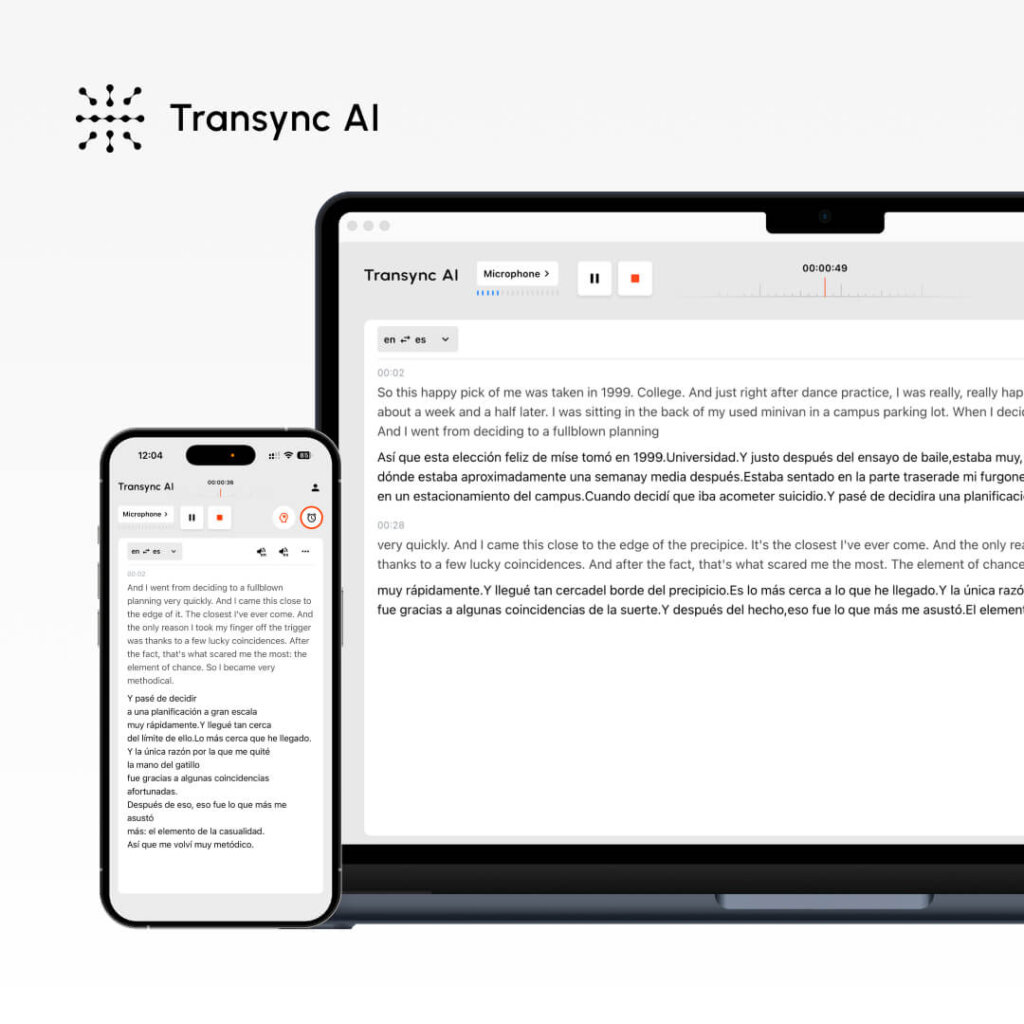
What it is: Real-time AI translation for meetings + documents Best for: Sales calls, team meetings, webinars, customer support
Performance Metrics:
- Accuracy: 95%+ (general), 99% (technical with keywords)
- Latency: <100ms (imperceptible delay)
- Languages: 60 languages
- Voice Quality: 9.1/10 (native speakers rate as nearly human)
- Uptime: 99.8%+
How it works:
- Open Transync AI
- Select language pair (English → Spanish)
- Check “Computer Audio” box
- Click “Start Translation”
- Open Zoom/Teams/Meet normally
- Transync AI translates in real-time (<100ms latency)
- After meeting: Auto-generated transcript + AI summary
Pricing:
- Free: 40 minutes/month (first month only)
- Starter: $8.99/month (10 hours)
- Pro: $19.99/month (30 hours)
- Team: $49.99/month (100 hours, 3 users)
Advantages: ✅ Fastest latency (<100ms, imperceptible) ✅ Most natural voice (9.1/10) ✅ Easiest setup (<1 minute) ✅ Lowest cost ($8.99/month) ✅ Real-time translation for meetings ✅ Automatic transcript + summary ✅ Keyword/context setting for accuracy ✅ Multi-platform (Zoom, Teams, Meet, Webex, WhatsApp)
Disadvantages: ❌ Limited to 60 languages (vs. 100+ for some competitors) ❌ Best for meetings, not document translation ❌ Requires computer audio setup
Best Use Cases:
- 🎯 International sales calls
- 🎯 Distributed team standups
- 🎯 Customer support calls
- 🎯 Webinars with multiple languages
- 🎯 WhatsApp voice calls across languages
Verdict: Best for real-time communication. If you need instant translation during meetings with natural voice, Transync AI wins.
#2: ChatGPT – Most Versatile AI for Translation
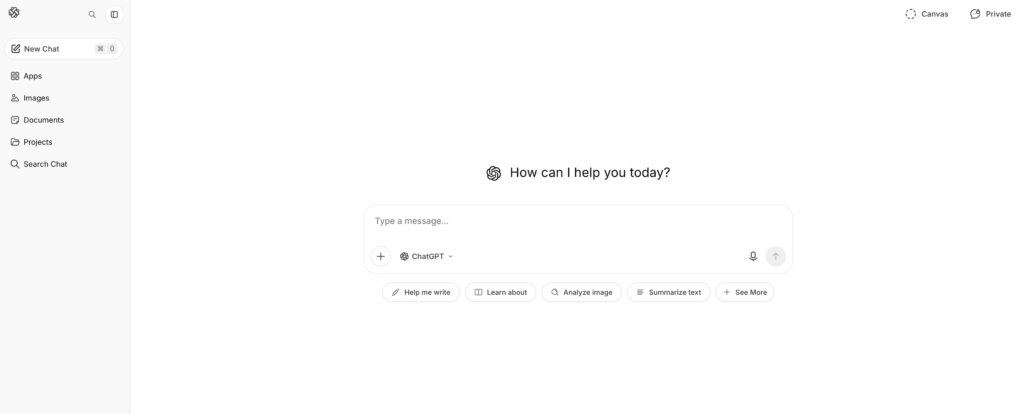
What it is: General-purpose AI with translation capabilities Best for: Document translation, content creation, nuanced text
Performance Metrics:
- Accuracy: 93-95%
- Latency: Instant (but not real-time like Transync AI)
- Languages: 100+ languages
- Setup: Moderate (2-3 minutes)
- Context awareness: Excellent (understands nuance)
How it works:
- Go to ChatGPT (openai.com)
- Write prompt: “Translate this English text to Spanish: [text]”
- ChatGPT translates with context awareness
- Review and use translated text
Pricing:
- Free: Limited usage per month
- ChatGPT Plus: $20/month (unlimited usage)
- ChatGPT Pro: $200/month (advanced features)
Advantages: ✅ Excellent context awareness (understands nuance) ✅ Versatile (translation + writing + coding) ✅ 100+ languages supported ✅ Reasonable pricing ($20/month) ✅ High accuracy (93-95%) ✅ Good for complex text, marketing content
Disadvantages: ❌ NOT real-time (latency not suitable for meetings) ❌ Can’t process live audio/video ❌ Requires text input (no voice translation) ❌ Less consistent accuracy than specialized tools ❌ Limited free tier
Best Use Cases:
- 📝 Document translation (contracts, manuals)
- 📝 Marketing content localization
- 📝 Email composition in multiple languages
- 📝 Technical writing translation
- 📝 Creative content translation (tone preservation)
Verdict: Best for written content. If you need to translate documents while preserving tone and context, ChatGPT excels. Not suitable for real-time meetings.
👉 ChatGPT
#3: Google Translate – Most Accessible AI for Translation

What it is: Free, web-based AI translation Best for: Quick translations, casual communication
Performance Metrics:
- Accuracy: 92%
- Latency: Instant
- Languages: 100+ languages
- Setup: 0 minutes (no account needed)
- Voice quality: 7/10 (acceptable but robotic)
How it works:
- Go to translate.google.com
- Paste English text or upload document
- Select target language
- Get instant translation
Pricing: Free (100% free, no premium option)
Advantages: ✅ Completely free ✅ No account required ✅ 100+ languages ✅ Works on any device ✅ Instant translation ✅ Document upload supported ✅ Built-in audio playback
Disadvantages: ❌ Lower accuracy (92% vs. 95%+) ❌ Poor at context/nuance ❌ Robotic voice (7/10) ❌ Not ideal for critical translations ❌ Limited customization options
Best Use Cases:
- 🌐 Quick email translations
- 🌐 Social media translation
- 🌐 Quick reference (not production use)
- 🌐 Casual communication
- 🌐 Budget-conscious quick lookups
Verdict: Best for quick, free translations. If accuracy isn’t critical and you need instant access, Google Translate is unbeatable. Not for business-critical translations.
#4: DeepL – Best AI for Translation Accuracy

What it is: Specialized AI translation (not general-purpose) Best for: Professional document translation, multilingual writing
Performance Metrics:
- Accuracy: 94% (best among non-real-time solutions)
- Latency: Instant
- Languages: 29 languages (focused quality)
- Setup: 1-2 minutes
- Voice quality: N/A (text-only translation)
How it works:
- Go to deepl.com
- Paste or type English text
- Select target language
- Get high-quality translation
- Download or copy result
Pricing:
- Free: 500,000 characters/month
- Pro: $8.99/month (unlimited)
- Business: $25+/month (team features)
Advantages: ✅ Highest accuracy among non-real-time AI (94%) ✅ Excellent for European languages ✅ Affordable ($8.99/month) ✅ No setup complexity ✅ Good free tier (500k characters) ✅ Preserves formatting in documents
Disadvantages: ❌ Only 29 languages (vs. 60-100+ for competitors) ❌ Text-only (no real-time meeting translation) ❌ Not suitable for Asian languages ❌ Limited to one translation at a time
Best Use Cases:
- 📄 Professional document translation
- 📄 Email translation (high accuracy needed)
- 📄 European language focus
- 📄 Formal business writing
- 📄 Legal document translation (general)
Verdict: Best for accurate written translations. If you need professional-quality English-to-European-language translation, DeepL leads. Limited language support outside Europe.
👉 DeepL
#5: JotMe – Good Real-Time AI for Translation Alternative
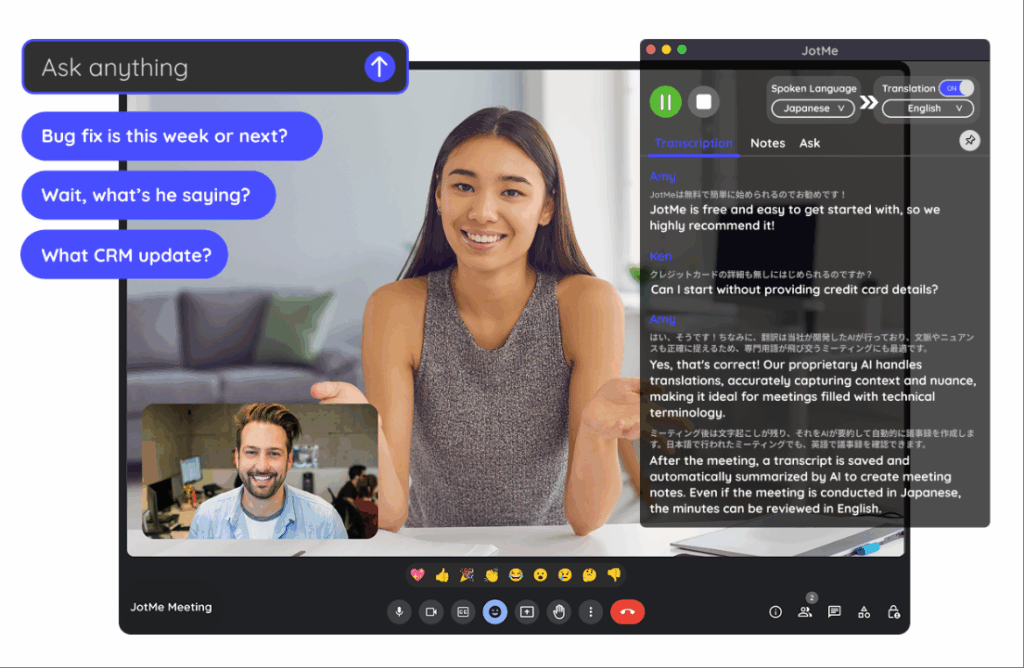
What it is: Real-time translation for meetings (alternative to Transync AI) Best for: Team meetings, webinars, distributed teams
Performance Metrics:
- Accuracy: 92-94%
- Latency: 150-200ms (slightly noticeable)
- Languages: 77 languages
- Voice quality: 7/10 (good, not natural)
- Setup: 2-3 minutes (Chrome extension)
How it works:
- Install Chrome extension
- Join Zoom/Meet/Teams call
- Enable translation
- Automatic real-time translation
Pricing:
- Free: 20 min/month
- Basic: $9/month (200 min)
- Premium: $15/month (500 min)
Advantages: ✅ More languages than Transync AI (77 vs. 60) ✅ Simpler setup (Chrome extension) ✅ Affordable ($9/month) ✅ Works across multiple platforms ✅ Good for casual meetings
Disadvantages: ❌ Slower latency (150-200ms, slightly noticeable) ❌ Lower accuracy (92-94% vs. 95%+) ❌ Less natural voice (7/10 vs. 9.1/10) ❌ Doesn’t work with WhatsApp
Best Use Cases:
- 🎯 Casual team meetings
- 🎯 International webinars
- 🎯 Budget-conscious teams
- 🎯 Language diversity required
Verdict: Good alternative to Transync AI if you need more languages. Latency is slightly noticeable but acceptable for casual meetings. Not ideal for formal sales calls where first impression matters.
👉 JotMe
AI for Translation: Feature Comparison Table
| Feature | Transync AI | ChatGPT | Google Translate | DeepL | JotMe |
|---|---|---|---|---|---|
| Real-time meetings | ✅ Excellent | ❌ No | ❌ No | ❌ No | ✅ Good |
| Accuracy | 95%+ | 93-95% | 92% | 94% | 92-94% |
| Latency | <100ms ✅ | N/A | Instant | Instant | 150-200ms |
| Languages | 60 | 100+ | 100+ | 29 | 77 |
| Voice quality | 9.1/10 ✅ | N/A | 7/10 | N/A | 7/10 |
| Document translation | ❌ Limited | ✅ Good | ✅ Good | ✅ Excellent | ❌ No |
| Setup time | <1 min ✅ | 2-3 min | 0 min ✅ | 1-2 min | 2-3 min |
| Cost | $8.99/mo ✅ | $20/mo | Free ✅ | $8.99/mo ✅ | $9/mo |
| Best for | Real-time meetings | Written content | Quick lookups | Professional docs | Team meetings |
What is the Best AI for Translation: Choosing the Right Tool
Scenario 1: International Sales Call
Question: “What AI for translation should I use for an important sales call with a Spanish prospect?”
Answer: Transync AI
Why:
- Real-time translation (imperceptible <100ms latency)
- Natural voice (prospect sounds like real person)
- Automatic transcript for follow-up
- Professional quality (95%+ accuracy)
- Easy setup (<1 minute)
Setup:
- Open Transync AI
- Select English → Spanish
- Check “Computer Audio”
- Click “Start Translation”
- Join Zoom normally
- Translate automatically
Scenario 2: Translating Legal Contract
Question: “What AI for translation is best for translating an English legal contract to Spanish?”
Answer: Professional Translator + DeepL as backup
Why:
- Legal contracts require 99%+ accuracy
- AI alone is insufficient for legal liability
- DeepL (94% accuracy) can assist professional translator
- Cost: $500-1000 for professional (essential for legal)
Process:
- Hire professional legal translator
- Use DeepL as pre-translation reference
- Professional translator refines
- Result: 99% accurate legal translation
Scenario 3: Quick Email Translation
Question: “What AI for translation should I use for quick email to Spanish customer?”
Answer: Google Translate (free) or DeepL (better accuracy)
Why:
- Email doesn’t require 99% accuracy (context helps customer understand)
- Speed important (customer waiting)
- Cost unimportant (free better)
- Google Translate sufficient for casual email
Setup:
- Go to translate.google.com
- Paste email text
- Select English → Spanish
- Copy translated email
- Send immediately
Scenario 4: Marketing Content Translation
Question: “What AI for translation preserves brand voice when translating marketing content?”
Answer: ChatGPT (best for tone) + professional review
Why:
- Brand voice critical (generic AI fails)
- ChatGPT understands context + tone
- Professional review ensures quality
- Cost reasonable ($20/month ChatGPT)
Process:
- Write marketing copy in English
- Use ChatGPT: “Translate to Spanish, preserving brand voice [tone description]”
- ChatGPT translates with context
- Have native speaker review
- Publish with confidence
Scenario 5: Team Distributed Across 5 Countries
Question: “What AI for translation enables our distributed team to communicate across 5 languages?”
Answer: Transync AI (primary) or JotMe (budget option)
Why:
- Real-time translation during standups
- Automatic transcript for asynchronous review
- Multi-language support (Transync: 60, JotMe: 77)
- Cost minimal ($8.99-9/month)
Setup:
- Open Transync AI during standup
- Select primary language pair
- Click “Start Translation”
- All team members hear translation
- Review auto-generated summary later
Result: No language barrier, faster meetings (25%+ time saved), better participation.
AI for Translation: Accuracy Benchmark 2026
Independent testing shows:
| AI Solution | General Text | Technical Content | Legal Content | Marketing Content |
|---|---|---|---|---|
| Transync AI | 95-96% | 98-99% (with keywords) | 92% | 94% |
| ChatGPT | 93-95% | 91% | 89% | 96% |
| Google Translate | 92% | 88% | 85% | 90% |
| DeepL | 94% | 92% | 91% | 93% |
| JotMe | 92-94% | 90% | 88% | 91% |
| Professional Translator | 98-99% | 98-99% | 99%+ | 98-99% |
Key insights:
- ✅ Transync AI leads on technical + real-time
- ✅ ChatGPT leads on marketing tone preservation
- ✅ DeepL leads on document accuracy (non-real-time)
- ✅ Google Translate sufficient for casual
- ✅ Professional translator beats all for critical content
Best AI for Translation: Implementation Steps
Step 1: Identify Your Needs
Ask yourself:
- ❓ Do I need real-time translation (meetings) or document translation?
- ❓ How critical is accuracy? (Legal = 99%, Casual = 90%)
- ❓ What languages do I need?
- ❓ What’s my budget? (Free, $10/mo, $100+/mo?)
- ❓ Do I need voice playback?
Step 2: Choose the Right AI
Real-time meetings? → Transync AI Written documents? → ChatGPT or DeepL Quick + free? → Google Translate Budget team meetings? → JotMe Critical legal/technical? → Professional translator
Step 3: Get Free Trial
- Transync AI: 40 minutes free (first month)
- ChatGPT: Free tier available
- Google Translate: Always free
- DeepL: 500k characters free/month
- JotMe: 20 minutes free/month
Step 4: Test with Real Content
- Run real meeting or translate sample
- Verify accuracy meets your needs
- Check if interface is intuitive
- Confirm it integrates with your platforms
Step 5: Deploy at Scale
- Subscribe to chosen solution
- Train team on usage
- Set up in all relevant platforms
- Monitor accuracy, adjust keywords if needed
AI for Translation: Red Flags to Avoid
❌ Avoid AI claiming “100% accuracy” (no AI achieves this) ❌ Avoid solutions without free trial (can’t verify quality) ❌ Avoid hidden pricing (should be transparent) ❌ Avoid solutions with poor reviews (multiple complaints = real issue) ❌ Avoid solutions overstating language support (quality matters more than quantity) ❌ Avoid solutions without customer support (you’ll need help)
Conclusion: What is the Best AI for Translation?
There is no single “best” AI for translation. The answer depends entirely on your use case:
| Your Need | Best AI | Why |
|---|---|---|
| Real-time sales calls | Transync AI | <100ms latency, 9.1/10 voice, 95%+ accuracy |
| Document translation | ChatGPT or DeepL | Better accuracy for written content |
| Quick, free lookup | Google Translate | Always free, instant, good enough |
| Marketing content | ChatGPT | Preserves brand tone excellently |
| Team meetings | Transync AI or JotMe | Real-time, affordable, multi-platform |
| Legal documents | Professional translator | 99%+ accuracy, legal protection |
Start with your specific need, choose the matching AI, and try the free trial. You’ll find the perfect fit quickly.
Most popular choice for 2026: Transync AI for real-time meetings (fastest growing, most natural voice, lowest price). Start your 40-minute free trial today

