
2026 için yapay zeka çeviri araçları rehberi: Doğru çözümü seçmek için metin, ses, toplantı, etkinlik ve insan destekli iş akışlarını karşılaştırın.
Yapay zeka çeviri araçları Artık tek bir yazılım kategorisi değiller.
Bir araç, özenle hazırlanmış bir belgeyi çevirmede mükemmel olabilir ancak canlı bir müşteri görüşmesi için uygun olmayabilir. Başka bir araç, toplantı sırasında hızlı iki dilli altyazı sağlayabilir ancak görüntü çevirisi sunmayabilir. Konferanslar için tasarlanmış bir platform, iki kişilik bir görüşme için aşırı olabilirken, hafif bir mobil çevirmen teknik bir atölye çalışması sırasında yetersiz kalabilir.
Bu nedenle "en iyi yapay zeka çevirmeni" araması genellikle yanlış sonuçlara yol açar.
Daha doğru soru şu:
Hangi yapay zeka çeviri iş akışı, yaşadığım iletişim sorununa en uygun olanıdır?
Bu kılavuz, yapay zeka çeviri araçlarının ana türlerini haritalandırır, her kategorinin hangi alanlarda başarılı olduğunu açıklar ve metin çevirisi, ses çevirisi, canlı toplantı araçları, etkinlik platformları ve insan destekli tercüme arasında nasıl seçim yapılacağını gösterir.
Kısa Cevap: Yapay Zeka Çeviri Araçları Nelerdir?
Yapay zeka çeviri araçları Yapay zekayı kullanarak yazılı veya sözlü içeriği bir dilden diğerine çevirmek.
Ürüne bağlı olarak, şu şekilde çevirebilirler:
- Yazılı metin
- Belgeler
- Web siteleri
- Görseller
- Kaydedilmiş ses
- Canlı konuşma
- Çevrimiçi toplantılar
- Web seminerleri
- Konferanslar
- Altyazılar
- Ses çıkışı
Bazı araçlar yalnızca tek bir formata odaklanır. Diğerleri ise çeviriyi transkripsiyon, ses sentezi, toplantı özetleri, terminoloji kontrolü veya insan tercümesiyle birleştirir.
Ana kategoriler şunlardır:
| Kategori | Ana giriş | Tipik çıktı |
|---|---|---|
| Metin çevirici | Yazılan veya yapıştırılan metin | Çevrilmiş metin |
| Belge çevirmeni | PDF, Word veya sunum dosyaları | Çevrilmiş belge |
| Sesli çevirmen | Kaydedilmiş konuşma | Transkript ve çeviri |
| Sesli çevirmen | Canlı konuşma | Altyazılar veya çevrilmiş ses |
| Toplantı tercümanı | Çevrimiçi toplantı ses kaydı | İki dilli altyazı, seslendirme ve notlar |
| Etkinlik çeviri platformu | Konferans veya web semineri ses kaydı | Çoklu dil kanalları |
| İnsan destekli platform | Canlı veya yazılı içerik | Yapay zeka artı profesyonel inceleme veya yorumlama |
Doğru kategori, çevirinin kusursuz, hızlı, konuşma diline uygun, ölçeklenebilir veya yasal olarak güvenilir olması gerekip gerekmediğine bağlıdır.
Neden Tek Bir Yapay Zeka Çevirmeni Her Şeyi İyi Yapamaz?
Çeviri kalitesi, dil kapsamından daha fazlasına bağlıdır.
Bir metin çeviri sisteminin, bir paragrafın tamamını işlemek için zamanı vardır. Canlı bir konuşma aracı, konuşmacı tüm tartışmayı bitirmeden önce çıktı üretmeye başlamalıdır. Bir konferans platformunun aynı anda yüzlerce dinleyiciye hizmet vermesi gerekebilir. Bir hukuk çevirmeni, anlamı tam olarak korumalı ve mesleki sorumluluk kabul etmelidir.
Bu iş akışları farklı öncelikler gerektirir.
| İş Akışı | En önemli şart |
| Yazılı makale | Doğal ifade ve düzenleme |
| İş belgesi | Biçimlendirme ve terminoloji tutarlılığı |
| Seyahat sohbeti | Hız ve mobil kolaylık |
| Çevrimiçi toplantı | Düşük gecikme süresi ve çift yönlü çeviri |
| Ders | Kararlı altyazılar ve uzun süreli oturum desteği |
| Konferans | Hedef kitle ölçeği ve çoklu çıktı dilleri |
| Hukuki veya tıbbi iletişim | İnsan uzmanlığı ve hesap verebilirlik |
En uzun özellik listesi, otomatik olarak en iyi aracı belirlemez.
Yapay Zeka Çeviri Araçları Karar Ağacı
Ürünleri karşılaştırmadan önce bu basit karar verme sürecini kullanın.
Yazılı mı yoksa sözlü çeviriye mi ihtiyacınız var?
Aşağıdakiler için bir metin veya belge çevirmeni seçin:
- E-postalar
- Raporlar
- Makaleler
- İlk inceleme için sözleşmeler
- Sunumlar
- Web sitesi kopyası
- Ürün açıklamaları
Aşağıdakiler için sesli veya toplantı çevirmeni seçin:
- Çevrimiçi toplantılar
- Röportajlar
- Sınıflar
- Tedarikçi aramaları
- Satış görüşmeleri
- Web seminerleri
- Yüz yüze görüşmeler
Çevirinin canlı olarak yapılması gerekiyor mu?
Hayır ise, önceliklendirin:
- Düzenleme kalitesi
- Dosya formatı desteği
- Terminoloji tutarlılığı
- Dışa aktarma seçenekleri
- İnsan incelemesi
Eğer cevabınız evet ise, önceliklendirin:
- Gecikme
- Konuşma tanıma
- İki yönlü dil desteği
- Altyazı okunabilirliği
- Ses çıkışı
- Ses yönlendirme
- Uzun dönem istikrarı
Çeviriye kaç kişinin ihtiyacı var?
Bir veya iki kişi için, konuşma çeviricisi yeterli olabilir.
Düzenli ekip toplantıları için şunlara dikkat edin:
- Toplantı platformu desteği
- Yapay zeka notları
- Bağlam ayarları
- Paylaşılabilir altyazılar
Konferans için şunlara bakın:
- Bağlantı veya QR kodu aracılığıyla erişim sağlanabilir.
- birden fazla eş zamanlı dil
- Organizatör kontrolleri
- Teknik destek
- Yapay zeka ve insan yorumlama seçenekleri
Çeviri yanlış olursa ne olur?
Rutin iç iletişim için yapay zeka yeterli olabilir.
Hukuki, tıbbi, finansal, düzenleyici veya güvenlik açısından kritik iletişimlerde, nitelikli insan incelemesi veya profesyonel tercüme kullanın.
Kategori 1: Metin ve Belge Yapay Zeka Çeviri Araçları
Metin odaklı araçlar, yazılı dil için tasarlanmıştır.
Bunlar genellikle şu amaçlarla kullanılır:
- E-postalar
- Makaleler
- Raporlar
- Sunumlar
- Ürün dokümantasyonu
- İç iletişim
- İlk aşama yerelleştirme
DeepL, metin ve belge çevirisinin yanı sıra yeni nesil sesli çeviri ürünlerini de kapsayan bir platforma örnek teşkil etmektedir.
Nelere dikkat etmeli?
- Doğal cümle yapısı
- Resmi ve gayri resmi ton seçenekleri
- Belge biçiminin korunması
- Sözlükler
- Tutarlı terminoloji
- Veri güvenliği kontrolleri
- Düzenleme iş akışı
- API erişimi
Ana sınırlama
İyi bir belge çevirmeni, canlı yayında iyi bir tercüman olmayabilir.
Yazılı çeviri, tam bir cümle veya paragrafın tamamlanmasını bekleyebilir. Canlı konuşma ise sistemin hızı eksik bağlamla dengelemesini gerektirir.
Kategori 2: Konuşmalar için Yapay Zeka Sesli Tercümanları
Yapay zekâ ses çevirmenleri konuşulan dili dinler ve çevrilmiş metin veya konuşma üretir.
En iyi sonuç şu durumlarda elde edilir:
- Yüz yüze görüşmeler
- Seyahat
- Müşteri etkileşimleri
- Röportajlar
- Ofis ziyaretleri
- Küçük grup tartışmaları
Faydalı bir ses çeviricinin yapması gerekenler
- Konuşmayı net bir şekilde algılayın.
- Her iki çeviri yönünü de destekleyin.
- Seçilen diller arasında ayrım yapın.
- Okunabilir altyazıları göster
- Doğal ses çıkışı sağlayın.
- Kısa yanıtları ele alın.
- Sayıları ve isimleri koruyun.
- Aşırı oynatma gecikmesinden kaçının.
Kullanıcı deneyimi, çeviri kadar önemlidir.
Konuşma ilerledikten sonra gelen doğru bir çeviri bile yine de kullanılamaz olabilir.
Kategori 3: Gerçek Zamanlı Toplantı Çeviri Araçları
Toplantı çevirisi, küresel iletişimin giderek Zoom, Microsoft Teams ve Google Meet gibi platformlarda gerçekleşmesi nedeniyle en hızlı büyüyen kategorilerden biridir.
Bu araçlar şunları sağlayabilir:
- Canlı transkripsiyon
- Gerçek zamanlı çeviri
- İki dilli altyazılar
- Sesli çeviri
- Toplantı notları
- Transkriptler
- Yapay zeka ile ilgili sorular ve cevaplar
- Terminoloji ayarları
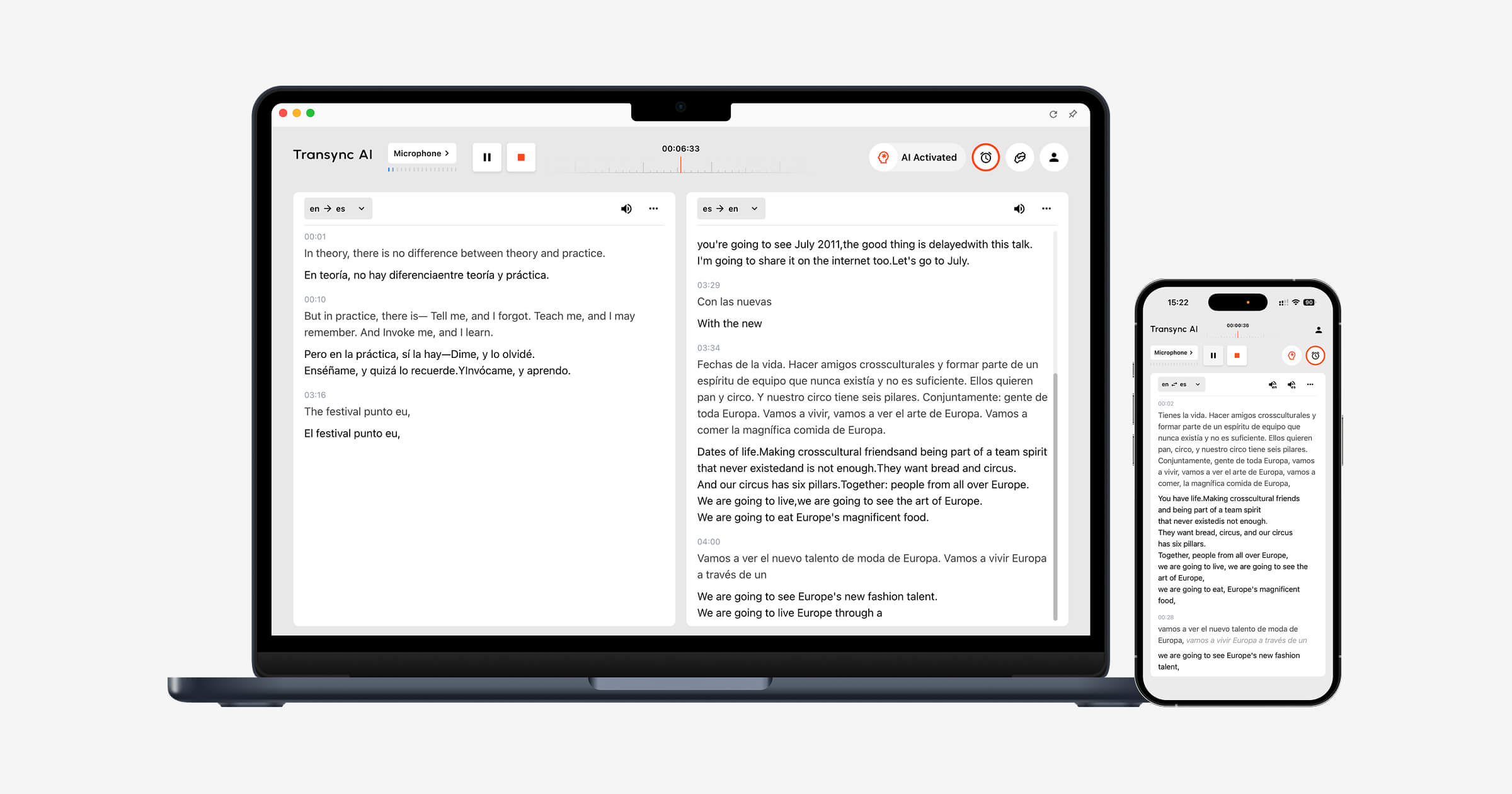
Transync AI
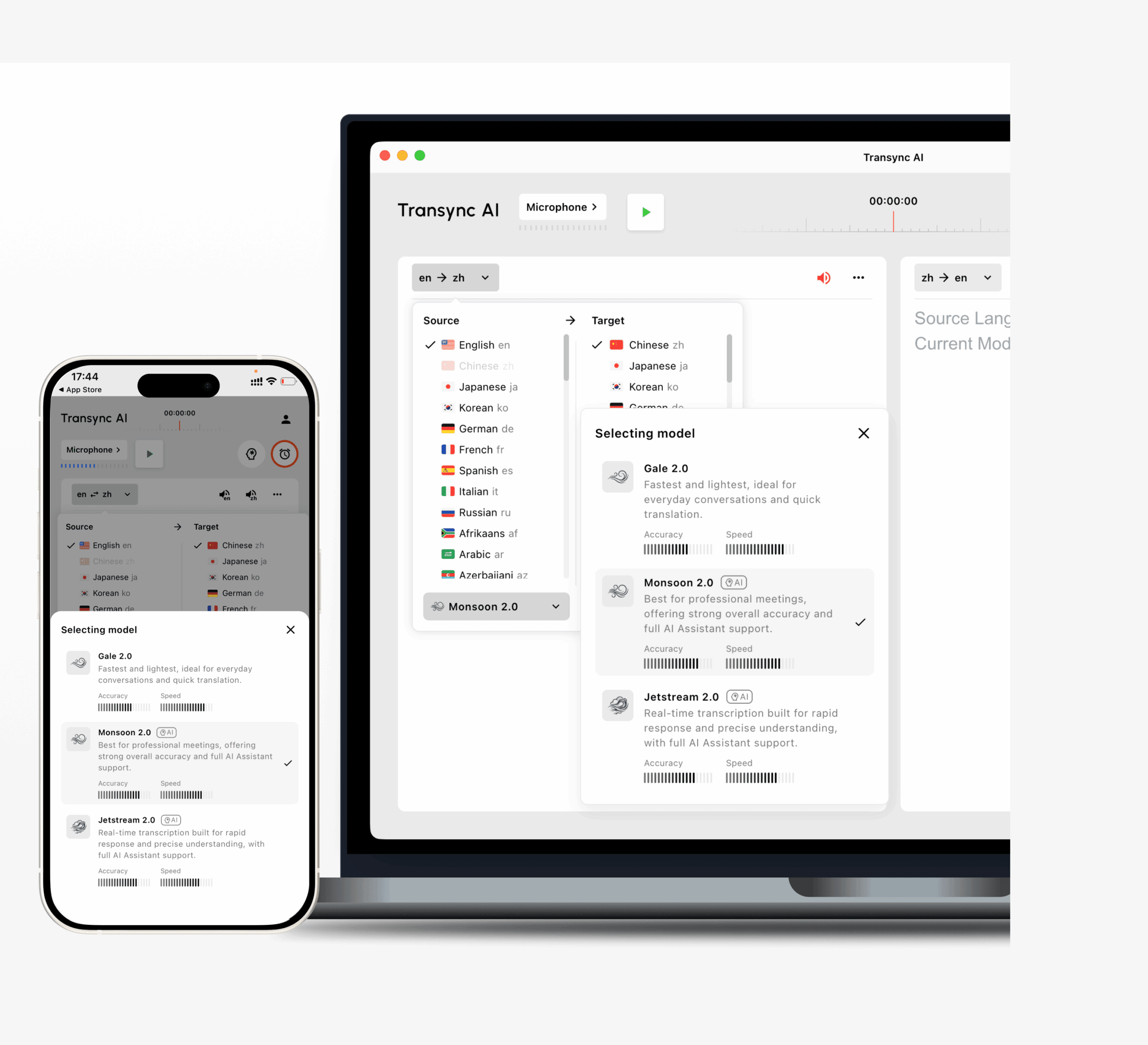
İş akışı şunları içerir:
- 60 dilde çift yönlü çeviri
- 1.000'den fazla dil çifti
- Orijinal ve çevrilmiş altyazılar yan yana.
- Yapay zeka ses yayını
- Çoklu ses seçenekleri
- Ses önizlemesi
- Ses klonlama
- Anahtar kelimeler ve bağlam
- Yapay zeka toplantı notları
- Resim içinde resim altyazıları
- Zoom, Teams ve Google Meet iş akışları için destek.
Transync AI, toplantı eklentisi olarak değil, bağımsız bir yazılım olarak çalışır.
Bu özellik, birden fazla toplantı platformu kullanan ve bunlar arasında tek bir çeviri arayüzü isteyen kişiler için faydalı hale geliyor.
JotMe

JotMe, canlı çeviri, transkripsiyon ve toplantı notlarını birleştirerek çok dilli toplantı işlemlerine odaklanmaktadır.
Bu özellik, çeviri ve toplantı sonrası dokümantasyonu aynı iş akışı içinde isteyen kullanıcılara hitap edebilir.
Talo
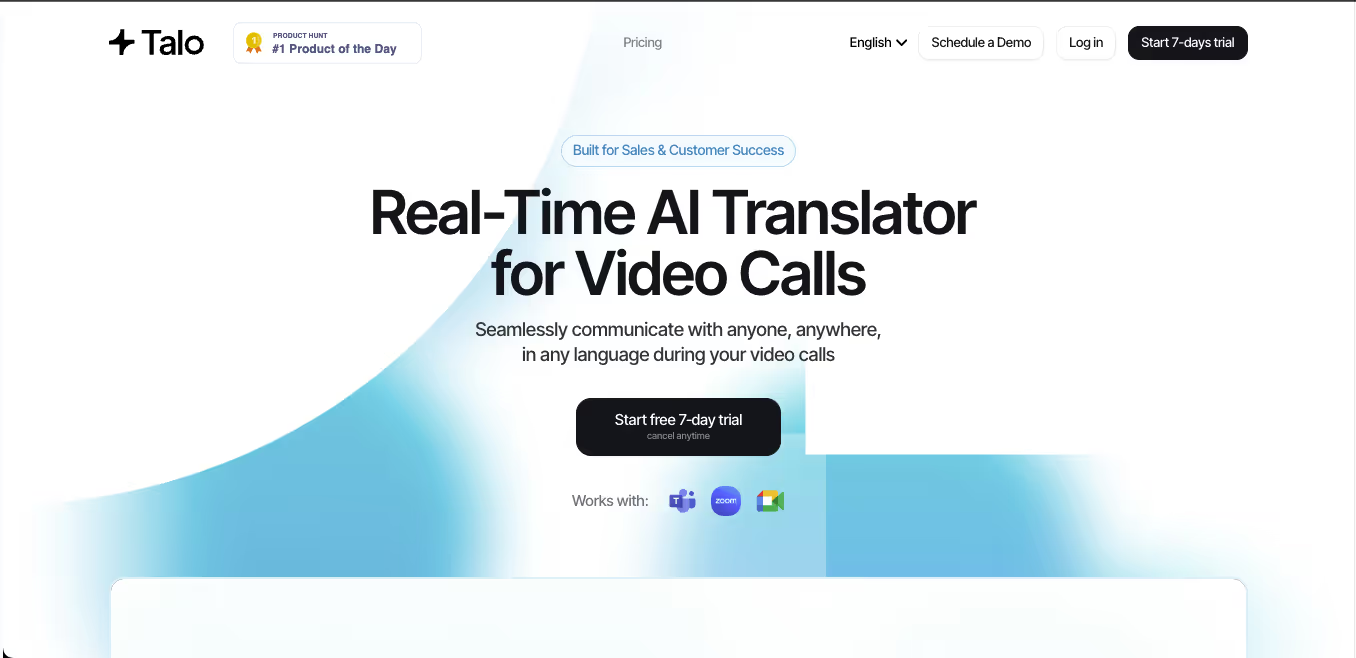 Talo, görüntülü aramalar için gerçek zamanlı ses çevirisine odaklanmaktadır.
Bot tabanlı iş akışı, Zoom, Teams ve Google Meet gibi platformlar etrafında tasarlanmıştır.
Bu yaklaşım, katılımcıların sistem sesini kendileri yapılandırmak istemediği durumlarda uygun olabilir; ancak bazı kuruluşlar bot içermeyen veya bağımsız bir kurulumu tercih eder.
DeepL Sesi
 DeepL Voice, DeepL'in dil teknolojisini canlı konuşmalara ve toplantılara taşıyor.
Bu, halihazırda profesyonel yazılı çeviri için DeepL kullanan ve aynı dil iş akışına ses tabanlı iletişimi eklemek isteyen kuruluşlar için önemlidir.
Kategori 4: Etkinlikler için Yapay Zeka Çeviri Araçları
Bir ekip toplantısı ve bir konferans aynı çeviri problemi değildir.
Bir etkinlik platformunun aşağıdaki özelliklere sahip olması gerekebilir:
- Yüzlerce veya binlerce dinleyici
- Çeşitli hedef diller
- Web seminerleri
- Açılış konuşmaları
- Hibrit mekanlar
- QR kod erişimi
- Mobil dinleme
- Ayrı dil kanalları
- Profesyonel tercümanlar
- Organizatör analizi
Maestra
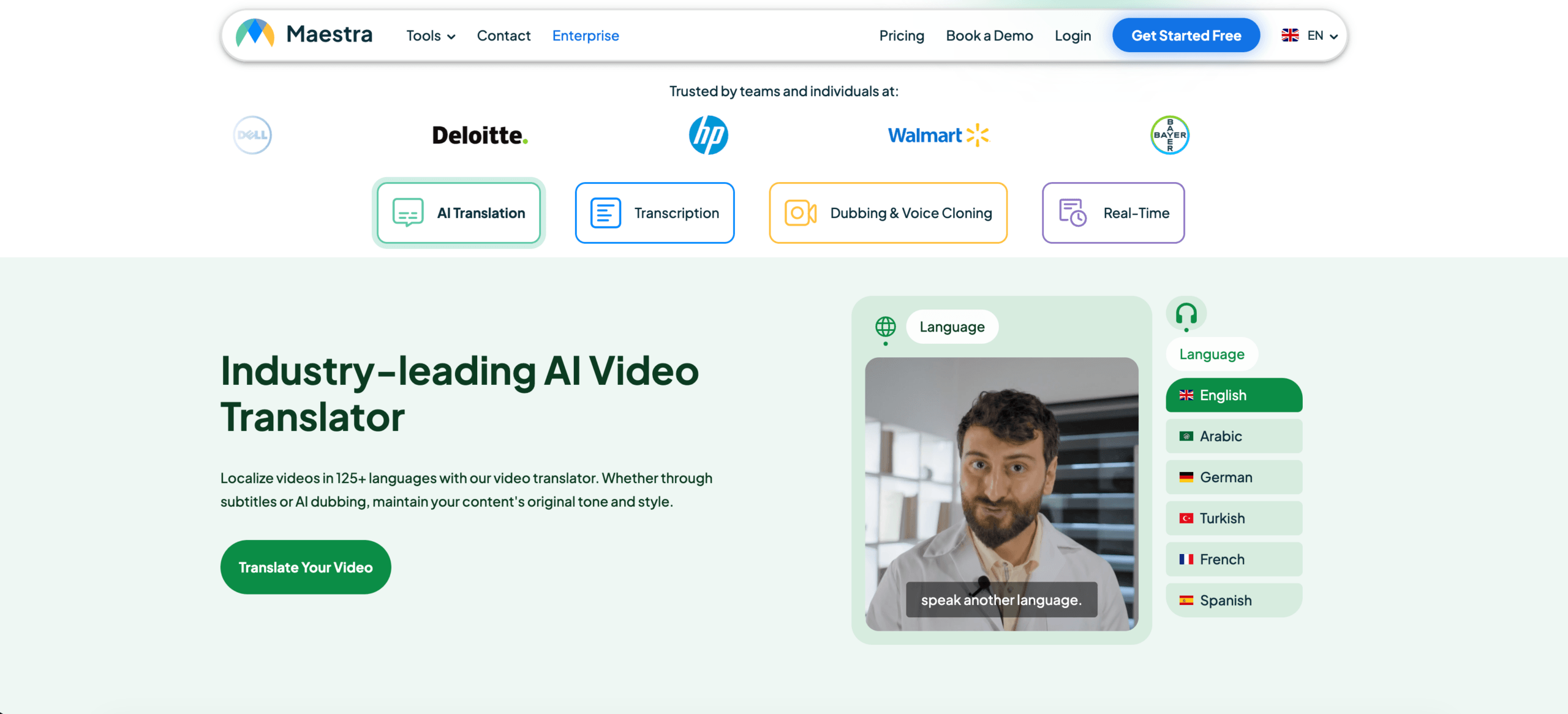 Maestra, gerçek zamanlı ve isteğe bağlı çeviri, transkripsiyon, altyazı ve dublaj hizmetlerini kapsar.
Canlı iş akışı, çevrilmiş altyazılar veya sesli çıktı sağlayabilirken, katılımcılar paylaşılan bağlantılar veya QR kodları aracılığıyla çeviriye erişebilirler.
Bu da onu toplantılar, web seminerleri, canlı yayınlar ve daha büyük çok dilli oturumlar için uygun hale getiriyor.
KUDO
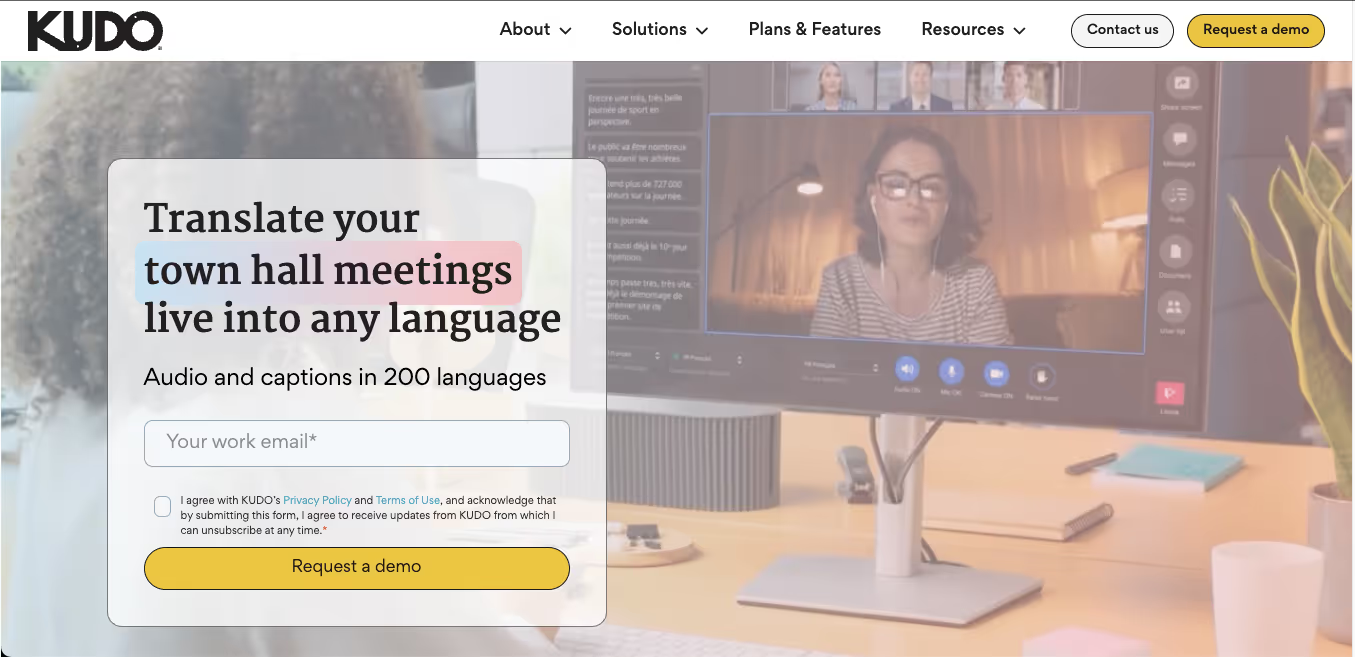 KUDO, yapay zekâ destekli konuşma çevirisini profesyonel insan tercümesiyle birleştiriyor.
Bu hibrit model, kuruluşların etkinlikleri genelinde farklı risk seviyelerine sahip olduklarında kullanışlıdır.
Örneğin:
- Tekrarlanan şirket içi sunumlar için yapay zeka çevirisi
- Yürütme organları, hükümet yetkilileri veya hukuki açıdan hassas oturumlar için insan tercümanlar.
- Büyük bir etkinlik sırasında yapay zeka ve insan dili kanallarının bir karışımı.
Dünyevi
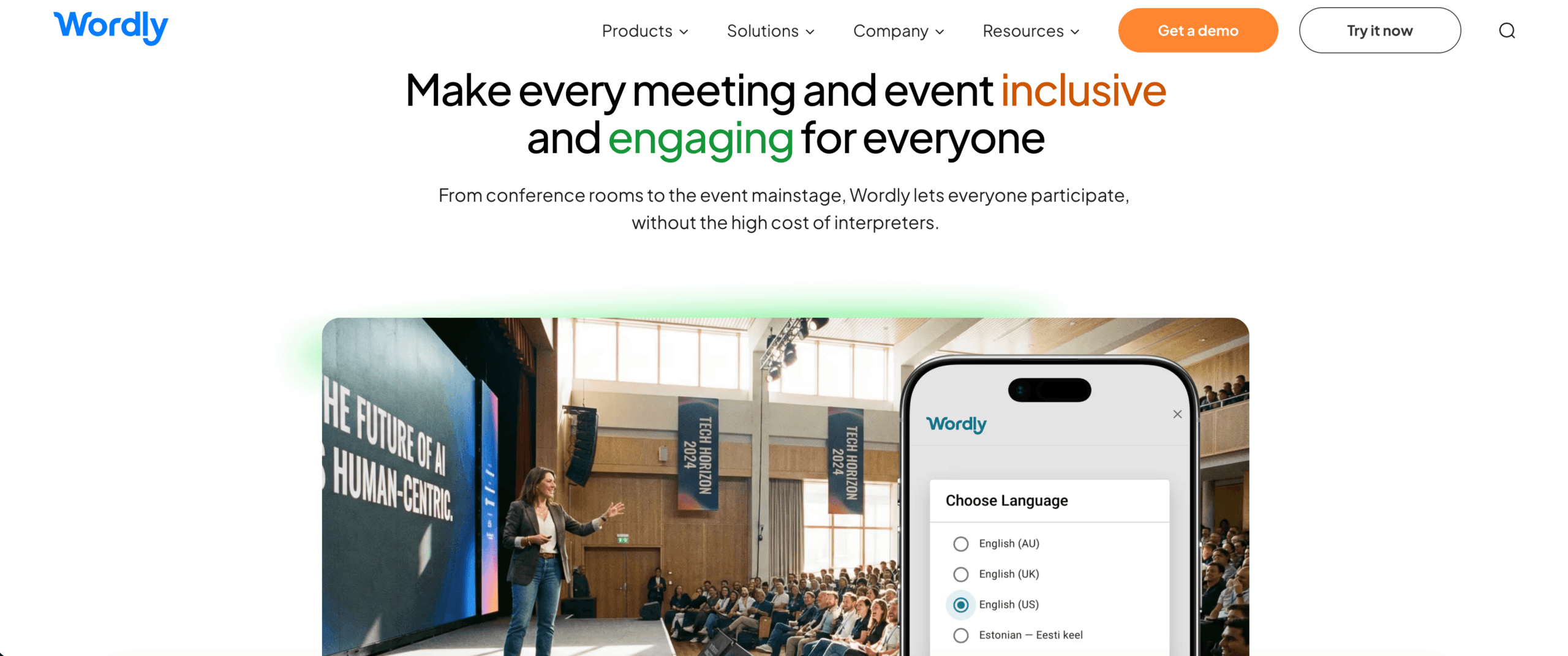 Wordly, katılımcıların tercih ettikleri dilde çevrilmiş altyazılara veya ses kayıtlarına ihtiyaç duyduğu çok dilli toplantılar, web seminerleri ve etkinlikler için konumlandırılmıştır.
Etkinlik odaklı platformlar, bireysel toplantı araçlarına göre daha ölçeklenebilir olabilir, ancak kurulumları ve fiyatlandırmaları, ara sıra yapılan bire bir görüşmeler için aşırı yüksek olabilir.
Kategori 5: Ses ve Video Çeviri Araçları
Konuşma içeriklerinin tamamı canlı yayınlanmaz.
Kaydedilen içerik şunları içerebilir:
- Röportajlar
- Podcastler
- Eğitim videoları
- Dersler
- Pazarlama videoları
- Kullanıcı araştırması
- YouTube içeriği
- Kayıtlı toplantılar
Bu iş akışı için kullanıcıların şunlara ihtiyacı olabilir:
- Transkripsiyon
- Çeviri
- Altyazı zamanlaması
- Seslendirme
- Konuşmacı kimliği
- Medya formatlarında dışa aktar
Maestra, Sonix, Notta, Descript ve ElevenLabs gibi araçlar bu iş akışının farklı bölümlerine yönelik çözümler sunar.
Neye öncelik verilmeli?
- Desteklenen yükleme formatları
- Hoparlör ayrımı
- Altyazı dışa aktarımı
- Zaman damgası doğruluğu
- Ses kalitesi
- Seslendirme senkronizasyonu
- Düzenleme araçları
- Çeviri incelemesi
Kaydedilmiş medya platformu, canlı toplantı çeviricisinden daha iyi düzenleme ve dışa aktarma özellikleri sunabilir.
Kategori 6: Yapay Zeka Artı İnsan Çevirisi
Yapay zekâ hızlı ve ölçeklenebilir. İnsanlar ise sorumluluk, incelik, kültürel değerlendirme ve sıra dışı durumlar konusunda daha iyidir.
Hibrit çeviri platformları her ikisini de birleştirir.
Bu model şu durumlarda uygun olabilir:
- Yapay zekâya ait ilk taslak profesyonel incelemeye ihtiyaç duyar.
- Büyük miktarda içeriğin hızlı bir şekilde çevrilmesi gerekiyor.
- Bazı seanslar rutin nitelikteyken, diğerleri yüksek risklidir.
- Bir etkinlik hem yapay zeka kanallarına hem de profesyonel tercümanlara ihtiyaç duyar.
- Bir şirketin otomatik destekten insan desteğine geçiş yapması gerekiyor.
KUDO, Interprefy, Unbabel, Gengo, Boostlingo ve diğer sağlayıcılar yapay zeka, insan çevirisi ve tercümenin farklı kombinasyonlarını kullanmaktadır.
Önemli soru, yapay zekanın mı yoksa insanların mı evrensel olarak daha iyi olduğu değil.
Her birinin nerede kullanılacağı işte burada belirtiliyor.
İş Akışına Göre Karşılaştırılan Yapay Zeka Çeviri Araçları
| Alet | En güçlü iş akışı | Önemli husus |
| Transync AI | İki yönlü toplantılar, sesli çeviri, iki dilli altyazılar ve notlar | Canlı konuşmaya odaklanılmıştır; çevrimdışı, görüntü veya statik metin çevirisi yapılmaz. |
| DerinL | Metin, dokümanlar, profesyonel dil çalışmaları ve ses | Hangi Voice ürününün ve toplantı platformunun kuruluşa uygun olduğunu doğrulayın. |
| JotMe | Toplantı çevirisi, transkripsiyonu ve yapay zeka notları | Toplantı odaklı iş akışları için en uygunudur. |
| Talo | Video görüşmelerinde bot tabanlı ses çevirisi | Toplantı botları her gizlilik veya iş akışı tercihine uygun olmayabilir. |
| Maestra | Canlı ve kayıtlı çeviri, altyazı, dublaj ve etkinlikler | Geniş kapsamlı medya içerikleri, basit toplantıların ihtiyaçlarını aşabilir. |
| KUDO | Yapay zekâ ve insan yorumlamasıyla gerçekleştirilen kurumsal etkinlikler | Daha büyük veya daha yapılandırılmış çok dilli programlar için tasarlanmıştır. |
| Dünyevi | Toplantı ve etkinlikler için çok dilli kitle erişimi | Ara sıra kullananlar için etkinliğe dayalı fiyatlandırma gereksiz olabilir. |
Bu evrensel bir sıralama değildir.
Her ürün farklı bir çeviri sorununa göre optimize edilmiştir.
Yapay Zeka Çeviri Araçlarını Adil Bir Şekilde Değerlendirme Yöntemleri
Pazarlama sayfaları genellikle ideal ses kayıtları ve hazırlanmış cümleler sergiler. Gerçek bir test, kullanıcının gerçek işine benzemelidir.
Test yöntemi
Kayıt:
- Test tarihi
- Araç sürümü
- Cihaz
- İşletim sistemi
- Toplantı platformu
- Dil çifti
- Mikrofon
- Ağ bağlantısı
- Konuşmacı sayısı
- Ses ortamı
Gerçekçi bir senaryo kullanın.
Katmak:
- Sıradan bir giriş
- Teknik bir açıklama
- İsimler
- Ürün terminolojisi
- Sayılar
- Tarihler
- Yüzdeler
- Bir düzeltme
- Cümle kesintisi
- Karma dilli konuşma
- Son bir özet
Örnek:
Eğer APAC mühendislik ekibi revize edilmiş teknik özellikleri bu Cuma onaylarsa, 18 Ekim'e kadar (özür dilerim, 28 Ekim'e kadar) 1.250 adet Model X300 ünitesini sevk edebiliriz.
İş akışını puanlayın
| Metrik | Neyi ölçmeli? |
| Tanıma | Cihaz orijinal konuşmayı doğru anladı mı? |
| Kesinlik | Amaçlanan anlam korunmuş mu? |
| Gecikme | Çeviri, konu değişmeden önce mi ulaştı? |
| Terminoloji | İsimler ve uzmanlık terimleri tutarlı mıydı? |
| İki yönlü akış | Her iki katılımcı da doğal bir şekilde yanıt verebilir miydi? |
| Altyazılar | Altyazılar okunabilir ve sabit miydi? |
| Ses | Çevrilen konuşma anlaşılır ve doğal mıydı? |
| Entegrasyon | Bu araç mevcut toplantı veya medya iş akışına uygun muydu? |
| İstikrar | Daha uzun bir oturum boyunca performans istikrarlı kaldı mı? |
| Seans sonrası değer | Transkriptler, notlar veya dışa aktarılan dosyalar işinize yaradı mı? |
Testi her iki çeviri yönünde de çalıştırın.
İngilizce-Japonca çeviri performansı, Japonca-İngilizce çeviri performansından farklılık gösterebilir. Aynı durum diğer dil çiftleri için de geçerlidir.
Transync AI, Yapay Zeka Çeviri Araçları Ortamına Nasıl Uyum Sağlıyor?
Transync AI her kategorinin yerini almayı amaçlamamaktadır.
Bu özellik, kullanıcının canlı bir görüşme sırasında çeviriye ihtiyaç duyduğu durumlarda en uygunudur.
En uygun senaryolar
- Uluslararası müşteri toplantıları
- Tedarikçi aramaları
- Uzaktan ekip görüşmeleri
- Çevrimiçi dersler
- Röportajlar
- Ürün tanıtımları
- Çok dilli sunumlar
- Eğitim oturumları
- Yüz yüze profesyonel görüşmeler
Ana iş akışı
Toplantı öncesinde kullanıcılar şunları yapabilir:
- Dil çiftini seçin
- İsimleri ve teknik anahtar kelimeleri ekleyin.
- Toplantının bağlamını açıklayın.
- Çevrilmiş sesin önizlemesini yapın
- Mikrofon ve ses ayarlarını test edin.
Toplantı sırasında kullanıcılar şunları yapabilir:
- İki dilli altyazıları okuyun
- Ses çevirisini etkinleştir
- Sistemin seçilen diller arasında ayrım yapmasına izin verin.
- Uygulamalar arasında geçiş yaparken kayan altyazıları kullanın.
- Transync AI'yı Zoom, Teams veya Google Meet ile birlikte çalıştırın.
Toplantıdan sonra kullanıcılar şunları yapabilir:
- Çeviri kaydını inceleyin.
- Yapay zeka toplantı notlarını inceleyin.
- İsimleri, numaraları ve kararları onaylayın.
- Önemli içeriği dışa aktarın veya yeniden kullanın.
Keşfedin gerçek zamanlı çeviri aracı, canlı toplantı çevirisi, Ve Yapay zeka toplantı notları sayfalar.
 Anahtar Kelimeler ve Bağlam: Dil Sayısından Daha Önemli Bir Özellik
 Anahtar Kelimeler ve Bağlam: Dil Sayısından Daha Önemli Bir Özellik
Dil sayısını karşılaştırmak kolaydır. Bağlam kalitesini ölçmek ise daha zordur.
Profesyonel görüşmeler şunları içerir:
- Şirket isimleri
- Çalışan isimleri
- Ürün modelleri
- Kısaltmalar
- Teknik terimler
- Bölgesel ifadeler
- Sektöre özgü anlamlar
Genel bir çevirmen her kelimeyi tanıyabilir ancak yine de yanlış anlamı seçebilir.
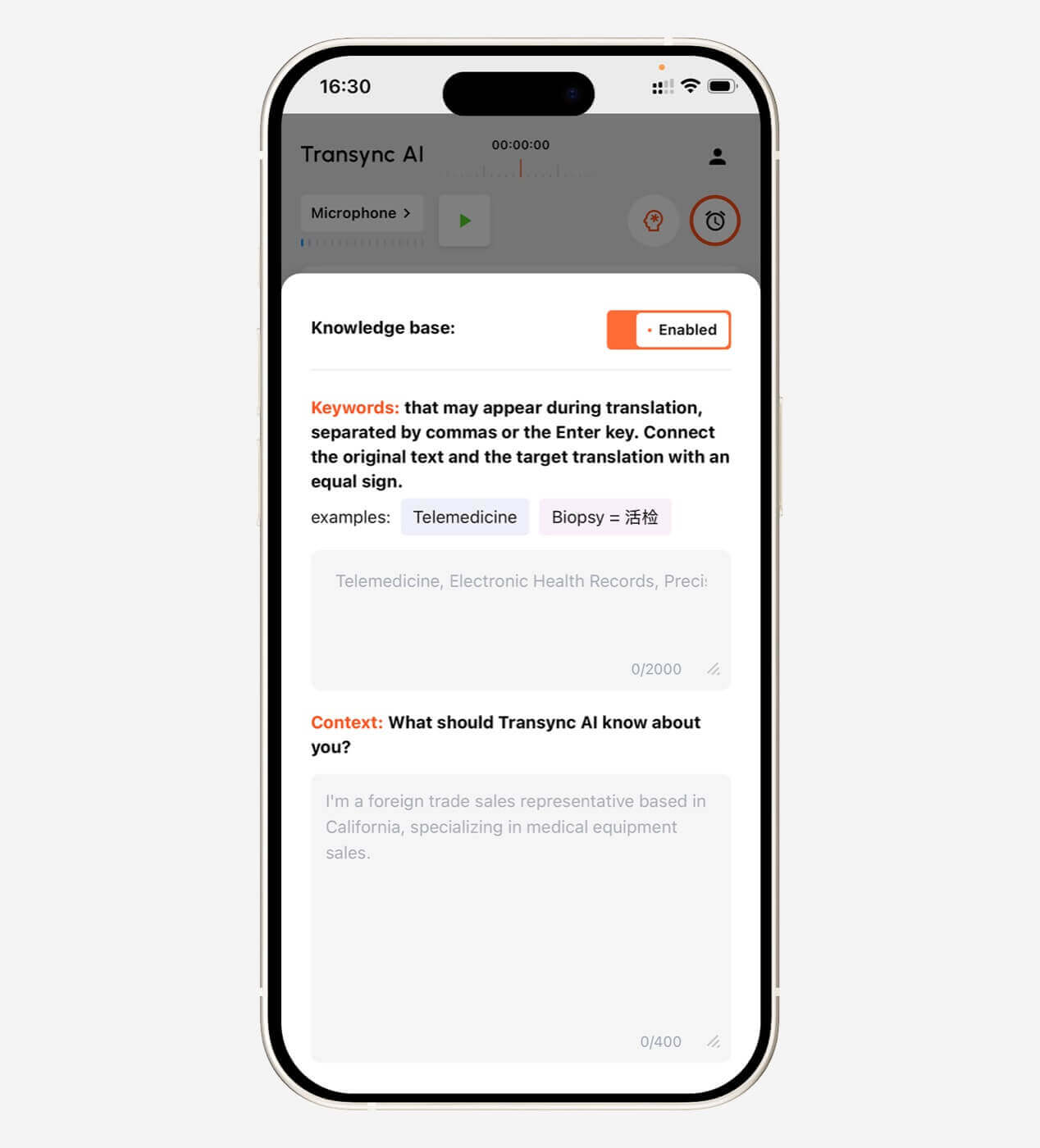
Transync AI, kullanıcıların aşağıdaki gibi anahtar kelimeler eklemesine olanak tanır:
- Transsync AI = Otomatik Geçiş
- fotovoltaik invertör
- yarı iletken paketleme
- Asya-Pasifik
- John Smith
- Model X300
- sinir ağı
- tedarik zinciri optimizasyonu
Kullanıcılar ayrıca bağlam da ekleyebilirler:
Bu, yarı iletken üretimi, üretim kapasitesi, kalite kontrolü, teslimat programları ve bölgesel uyumluluk konularını ele alan bir tedarikçi toplantısıdır.
Bu bilgi, yapay zekanın belirsiz terimleri daha tutarlı bir şekilde yorumlamasına yardımcı olur.
Daha fazla bilgi edinin AI Asistanı Anahtar Sözcükleri Bağlamı.
 Seslendirme mi, Altyazı mı Daha İyi?
 Seslendirme mi, Altyazı mı Daha İyi?
İkisi de her zaman daha iyi değildir.
Şu durumlarda altyazı seçin:
- İsimler ve numaralar kontrol edilmelidir.
- Ortam gürültülü.
- Katılımcılar okumayı tercih ediyor.
- Ses oynatımı konuşmacının konuşmasını kesintiye uğratırdı.
- Kullanıcıların orijinal ve çevrilmiş içeriği karşılaştırması gerekiyor.
Aşağıdaki durumlarda çevrilmiş ses seçeneğini tercih edin:
- Katılımcılar ekrana bakamazlar.
- Çevirinin sesli olarak duyulması gerekiyor.
- Bir sunum sözlü ifade gerektirir.
- Dinleyici hedef dilde yavaşça okur.
- Toplantı daha sohbet havasında geçmeli.
Transync AI, çift dilli altyazı, yapay zeka destekli ses yayını, ses önizleme ve ses kopyalama özellikleri sunmaktadır.
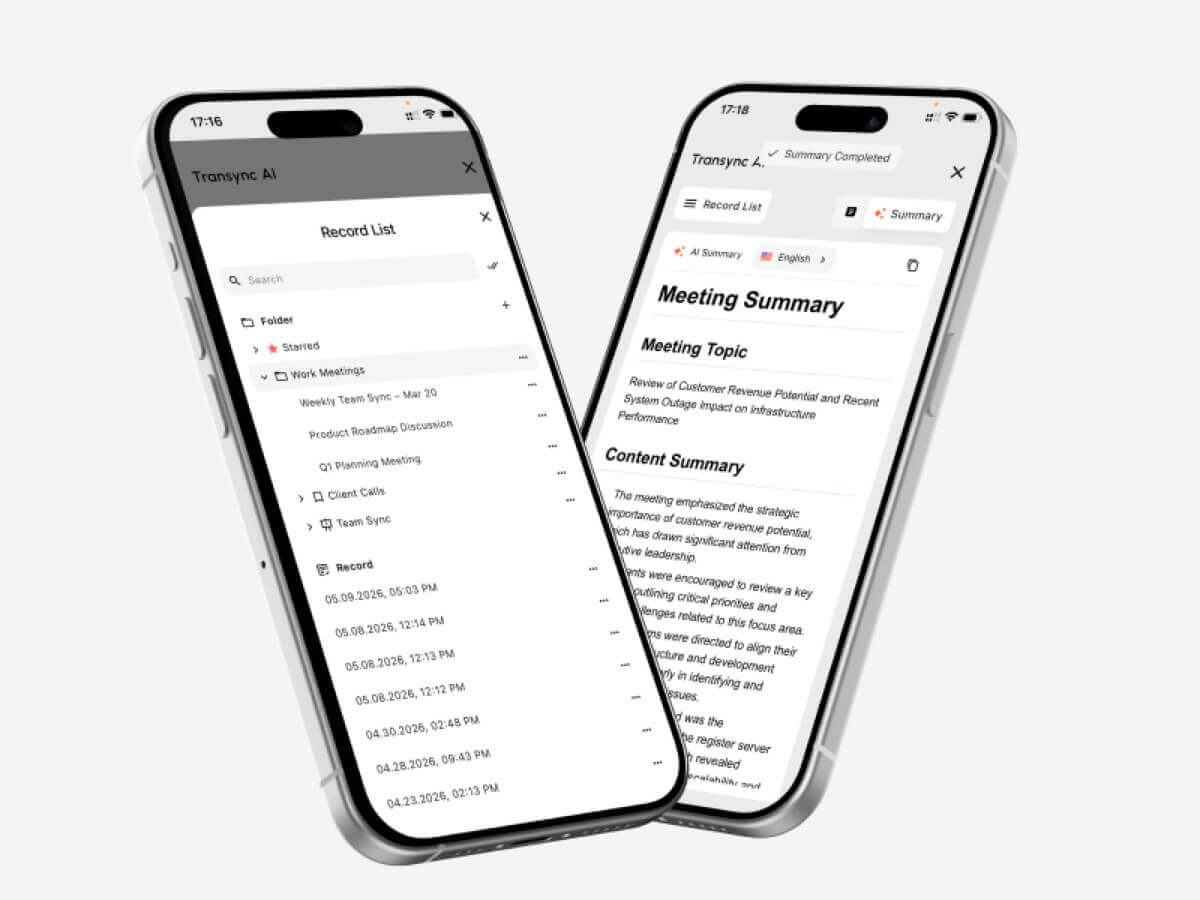
Resim içinde resim alt yazı penceresi, desteklenen Mac, Windows ve iOS iş akışlarında diğer uygulamaların üzerinde görünür kalabilir.
Keşfetmek Yapay Zeka Ses Çevirmeni ve Konuşma Çıkışı Ve Resim içinde resim şeklinde kayan altyazılar.

Fiyatlandırma: Sadece Aylık Ücretleri Değil, Kullanımı da Karşılaştırın
Yapay zekâ çeviri araçları şu şekillerde ücretlendirme yapabilir:
- Karakter
- Kelime
- Sayfa
- Ses kaydı dakikası
- Çeviri saati
- Kullanıcı
- Toplantı
- Etkinlik
- API kullanımı
- Aylık abonelik
Canlı çeviri için, abonelik fiyatından ziyade dahil edilen saatler daha önemlidir.
| Transync yapay zeka planı | Fiyat | Dahil edilen kullanım | En iyisi için |
| Özgür | $0 | Yeni kullanıcılar için 40 dakika | İlk testler |
| Kişisel Premium | $8.99/ay | Aktif üyelik dönemi boyunca 10 saat | Bireyler ve düzenli toplantılar |
| Girişim | $24,99/ay/koltuk | Koltuk başına ayda en fazla 40 saat | Takımlar ve organizasyonlar |
| Zaman Kartı | $0.70/saat'ten itibaren | Ek çeviri süresi | Aylık talebi değişen kullanıcılar |
Zaman kartı saatlerinin geçerlilik süresi yoktur, ancak yalnızca üyelik aktifken kullanılabilirler.
Herhangi bir alet satın almadan önce şunları tahmin edin:
- Aylık toplantı saatleri
- Kullanıcı sayısı
- Hedef dil sayısı
- Etkinlik izleyici sayısı
- Dosya hacmi
- İnsan incelemesi gereklidir.
- Ek seslendirme veya dublaj maliyetleri
Yapay Zeka Çeviri Araçlarının Sınırlamaları
Hiçbir yapay zeka çeviri aracı her ortamda mükemmel çalışmaz.
Yaygın sınırlamalar şunlardır:
- Arka plan gürültüsü
- Oda yankısı
- Zayıf mikrofonlar
- Üst üste gelen konuşmacılar
- Güçlü aksanlar
- Eksik cümleler
- Bölgesel argo
- Teknik terimler
- Kararsız internet
- Hızlı dil değiştirme
- Belirsiz ifade
- Ses çıkışı gecikmesi
Transync AI'ın ayrıca ürüne özgü çeşitli sınırlamaları da bulunmaktadır:
- Çevrimdışı mod kullanılamıyor.
- Görüntü tanıma desteklenmiyor.
- Statik metin çevirisi, birincil kullanım alanı değildir.
- Toplantı eklentisi olarak değil, bağımsız bir yazılım olarak çalışır.
- Ses ve ağ koşulları hala çeviri kalitesini etkiliyor.
Bu sınırlamalar konumunu netleştiriyor: Transync AI, evrensel bir belge, resim veya çevrimdışı çevirmen değil, canlı çok dilli bir iletişim aracıdır.
Ne zaman insan tercüman veya çevirmen kullanmalısınız?
Hataların şu durumları etkileyebileceği durumlarda profesyonel insan desteğinden yararlanın:
- Yasal haklar
- Tıbbi bakım
- Kişisel güvenlik
- Göçmenlik statüsü
- Sözleşme yükümlülükleri
- Finansal kararlar
- Mevzuat uyumluluğu
- Kamuoyu ünü
- Hassas çalışan konuları
Yapay zekâ rutin iletişimi destekleyebilir, ancak sorumluluk çıktıyı kullanan kişilerde kalır.
Pratik bir kuruluş şunları kullanabilir:
- Tekrarlayan iç toplantılar için yapay zeka
- Kamu belgeleri için insan incelemesi
- Önemli oturumlar için profesyonel tercümanlar
- Büyük çok dilli etkinlikler için hibrit araçlar
Sıkça Sorulan Sorular: Yapay Zeka Çeviri Araçları
Yapay zekâ çeviri araçları nelerdir?
Yapay zekâ çeviri araçları, yazılı veya sözlü içeriği bir dilden diğerine çevirmek için yapay zekâyı kullanır. Metin, belge, ses, canlı konuşma, toplantılar, altyazılar veya ses çıktısını destekleyebilirler.
En iyi yapay zekâ çeviri aracı hangisidir?
Her iş akışı için tek bir en iyi araç yoktur. DeepL yazılı ve profesyonel dil çalışmaları için, Transync AI çok dilli canlı konuşmalar için, JotMe toplantılar ve notlar için, Maestra canlı ve kayıtlı medya için ve KUDO daha büyük yapay zeka ve insan tercüme programları için uygundur.
Toplantılar için hangi yapay zeka çeviri araçları uygundur?
Toplantı odaklı seçenekler arasında Transync AI, JotMe, Talo, DeepL Voice, Maestra, KUDO ve Wordly yer almaktadır. Platform uyumluluğu, gecikme süresi, dil desteği, ses çıkışı, notlar ve kurulum gereksinimlerini karşılaştırın.
Yapay zekâ çeviri araçları konuşmayı gerçek zamanlı olarak çevirebilir mi?
Evet. Gerçek zamanlı araçlar konuşmayı tanıyabilir, çevirebilir, altyazı gösterebilir ve bazen kısa bir gecikmeyle çevrilmiş ses üretebilir.
Yapay zekâ araçları insan çevirmenlerin yerini alabilir mi?
Birçok rutin görevi yerine getirebilirler, ancak yasal, tıbbi, düzenleyici, finansal ve diğer yüksek riskli iletişimler için nitelikli insan çevirisi veya tercümanı yine de önerilir.
Transync yapay zekası ses çevirisini destekliyor mu?
Evet. Transync AI, yapay zeka destekli ses yayını, çoklu ses seçenekleri, ses önizleme ve ses kopyalama özelliklerini destekler.
Transync yapay zekası çevrimiçi toplantıları tercüme edebilir mi?
Evet. Gerçek zamanlı çift dilli altyazı ve çevrilmiş ses iş akışları için Zoom, Microsoft Teams ve Google Meet ile birlikte çalışabilir.
Transync AI kaç dili destekliyor?
Transync AI, 60 dilde ve 1.000'den fazla dil çiftinde çift yönlü çeviriyi desteklemektedir.
Transync AI çevrimdışı çalışıyor mu?
Hayır. Transync AI internet bağlantısı gerektirir ve şu anda çevrimdışı çeviriyi desteklememektedir.
Sonuç: İş Akışına Göre Yapay Zeka Çeviri Araçlarını Seçin
Karşılaştırmanın en faydalı yolu Yapay zeka çeviri araçları Hangi ürünün en fazla özelliğe sahip olduğunu sormak doğru değildir.
Bunun yerine şunu sorun:
- Hangi içeriği çeviriyorum?
- İlla canlı olarak mı gerçekleşmesi gerekiyor?
- Bu sonuca kaç kişi ihtiyaç duyuyor?
- Altyazıya mı, sese mi, yoksa her ikisine de mi ihtiyaçları var?
- Terminoloji önemli mi?
- Seansın ardından ne olacak?
- Bir hata ne kadar ciddi sonuçlar doğurabilir?
Belgeler için güçlü bir yazılı çeviri iş akışı seçin. Kayıtlı medya için altyazı, dublaj ve kurguya öncelik verin. Konferanslar için hedef kitle ölçeğine öncelik verin. Kritik iletişimlerde profesyonel insanları dahil edin.
Çok dilli canlı toplantılar ve görüşmeler için Transync AI, çift yönlü çeviri, iki dilli altyazılar, yapay zeka destekli ses yayını, ses klonlama, anahtar kelimeler ve bağlam, yapay zeka destekli toplantı notları ve kayan altyazıları bir araya getiriyor.
Doğru yapay zeka çeviri aracı, her şeyi yapabileceğini iddia eden araç değildir.
Bu, yeni bir iş akışı sorunu yaratmadan dil engelini ortadan kaldıran çözümdür.
Başlamak için ziyaret edin. Transync AI, gözden geçirin desteklenen diller, Ya da tercih ettiğiniz cihaz için uygulamayı indirin.
 🤖
🤖 