
“"Qual é a melhor IA para tradução de idiomas?" é a pergunta que milhares de empresas fazem todos os meses.
A resposta: Depende do seu caso de uso. Não existe uma única IA "melhor" — diferentes soluções se destacam em diferentes cenários. Este guia compara as principais soluções de IA para tradução, ajudando você a escolher a mais adequada às suas necessidades específicas.
Seja para traduções em tempo real durante reuniões, traduções precisas de documentos ou traduções rápidas de e-mails, você encontrará a IA perfeita para suas necessidades de tradução ao final deste guia.
Por que a IA para tradução é importante agora?
O mercado de traduções está em plena expansão:
- 71% dos consumidores globais preferem produtos em seu idioma nativo.
- 65% dos falantes de línguas não inglesas nunca visitam sites exclusivamente em inglês.
- Erros de tradução custam às empresas entre £9.000 e £45.000 por incidente.
- A inteligência artificial para tradução melhorou de uma precisão de 75% (2020) para 95%+ (2026).
A IA moderna para tradução possibilita:
- ✅ Acesso ao mercado global (sem restrições de idioma)
- ✅ Comunicação instantânea (apesar das barreiras linguísticas)
- ✅ Redução dos custos de contratação (não há necessidade de funcionários multilíngues)
- ✅ Melhor experiência do cliente (suporte no idioma nativo)
- ✅ Vantagem competitiva (expansão rápida para novos mercados)
O que torna uma IA excelente para tradução?
Antes de comparar ferramentas específicas, entenda o que diferencia uma IA excelente para tradução de uma mediana:
| Métrica de Qualidade | Excelente | Média | Pobre |
|---|---|---|---|
| Precisão | 95%+ | 85-90% | <80% |
| Latência | <100ms | 100-300ms | 300ms+ |
| Pares de idiomas | Mais de 60 idiomas de qualidade | 30-50 idiomas | <30 idiomas |
| Consciência de Contexto | Compreende o contexto da indústria | Tradução genérica | Literalmente, palavra por palavra |
| Qualidade da voz | 9+/10 natural | 6-7/10 aceitável | Robótica 4-5/10 |
| Custo | Transparente, $8,99-$30/mês | Varia, $10-50/mês | Caro, $100+/mês |
| Velocidade (configuração) | <1 minuto | 2 a 5 minutos | 10+ minutos |
| Apoiar | Suporte ao vivo 24 horas por dia, 7 dias por semana. | Suporte por e-mail | Sem suporte |
| Curva de aprendizado | Intuitivo, sem necessidade de treinamento. | Aprendizado moderado | Configuração complexa |
Principais soluções de IA para tradução (2026)
#1: Transync AI – Melhor IA geral para tradução
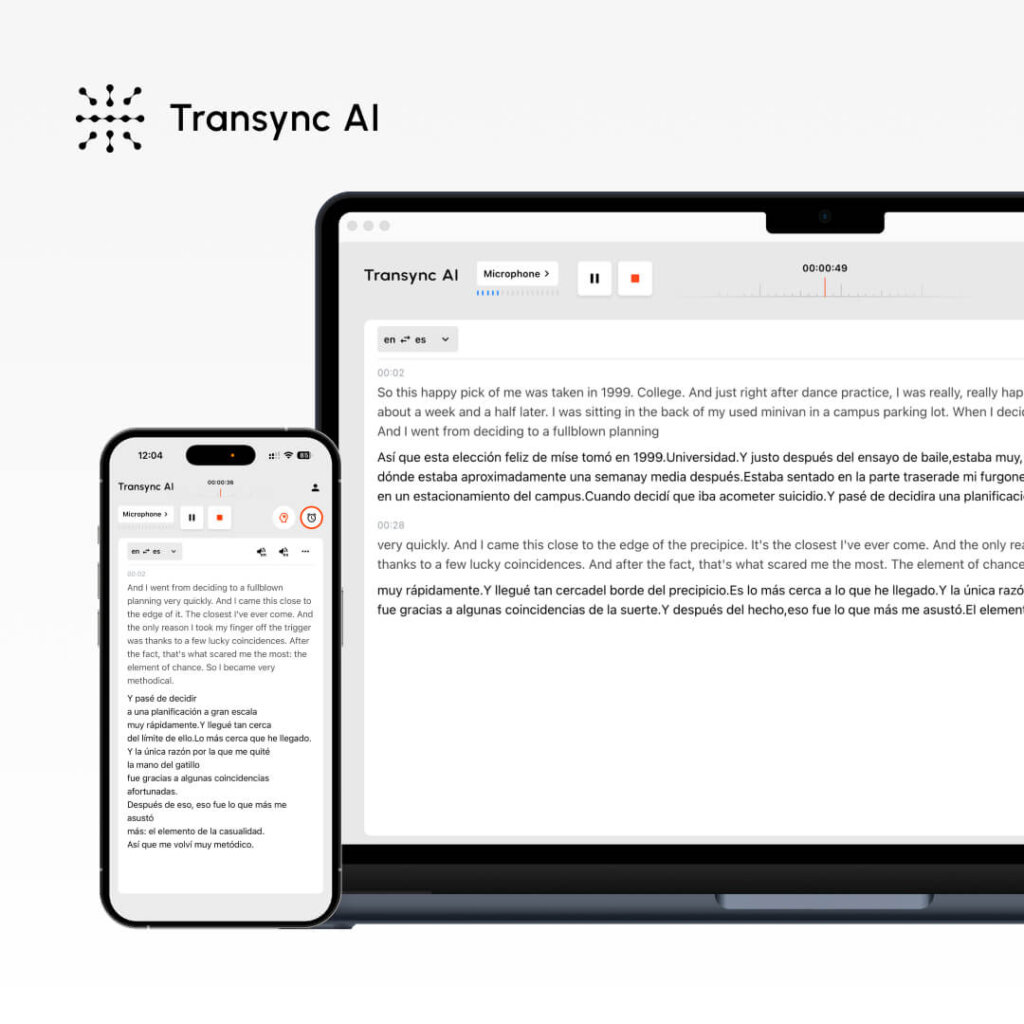
O que é: Tradução de IA em tempo real para reuniões e documentos. Melhor para: Ligações de vendas, reuniões de equipe, webinars, suporte ao cliente
Métricas de desempenho:
- Precisão: 95%+ (geral), 99% (técnico com palavras-chave)
- Latência: <100ms (atraso imperceptível)
- Idiomas: 60 idiomas
- Qualidade de voz: 9,1/10 (falantes nativos classificam como quase humano)
- Tempo de atividade: 99.8%+
Como funciona:
- IA Transync aberta
- Selecione o par de idiomas (inglês → espanhol)
- Marque a caixa “Áudio do computador”
- Clique em “Iniciar Tradução”
- Abra o Zoom/Teams/Meet normalmente
- A IA Transync traduz em tempo real (latência <100ms)
- Após a reunião: transcrição gerada automaticamente + resumo por IA
Preços:
- Grátis: 40 minutos/mês (apenas no primeiro mês)
- Plano inicial: $8,99/mês (10 horas)
- Pro: $19,99/mês (30 horas)
- Equipe: $49,99/mês (100 horas, 3 usuários)
Vantagens: ✅ Latência ultrarrápida (<100ms, imperceptível) ✅ Voz mais natural (9,1/10) ✅ Configuração mais fácil (<1 minuto) ✅ Menor custo ($8,99/mês) ✅ Tradução em tempo real para reuniões ✅ Transcrição automática + resumo ✅ Configuração de palavras-chave/contexto para maior precisão ✅ Multiplataforma (Zoom, Teams, Meet, Webex, WhatsApp)
Desvantagens: ❌ Limitado a 60 idiomas (contra mais de 100 em alguns concorrentes) ❌ Ideal para reuniões, não para tradução de documentos ❌ Requer configuração de áudio no computador
Melhores casos de uso:
- 🎯 Visitas de vendas internacionais
- 🎯 Reuniões diárias de equipes distribuídas
- 🎯 Chamadas de suporte ao cliente
- 🎯 Webinários em vários idiomas
- 🎯 Chamadas de voz do WhatsApp em vários idiomas
Veredito: Ideal para comunicação em tempo real. Se você precisa de tradução instantânea com voz natural durante reuniões, a IA da Transync é a melhor opção.
#2: ChatGPT – A IA mais versátil para tradução
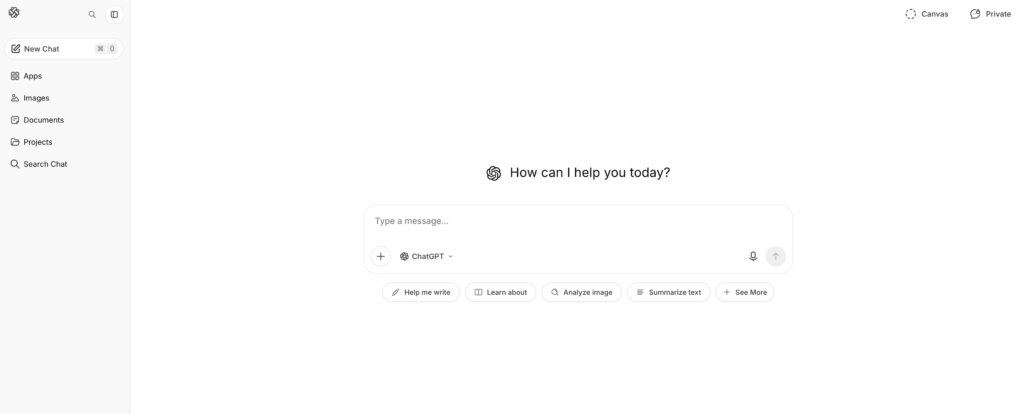
O que é: Inteligência artificial de uso geral com capacidades de tradução Melhor para: Tradução de documentos, criação de conteúdo, texto com nuances
Métricas de desempenho:
- Precisão: 93-95%
- Latência: Instantâneo (mas não em tempo real como a IA da Transync)
- Idiomas: Mais de 100 idiomas
- Configurar: Moderado (2-3 minutos)
- Consciência de contexto: Excelente (compreende nuances)
Como funciona:
- Acesse o ChatGPT (openai.com)
- Escreva a seguinte pergunta: “Traduza este texto em inglês para espanhol: [texto]”
- O ChatGPT traduz levando em consideração o contexto.
- Revisar e utilizar o texto traduzido
Preços:
- Gratuito: Uso limitado por mês
- ChatGPT Plus: $20/mês (uso ilimitado)
- ChatGPT Pro: $200/mês (recursos avançados)
Vantagens: ✅ Excelente percepção de contexto (compreende nuances) ✅ Versátil (tradução + redação + codificação) ✅ Suporte para mais de 100 idiomas ✅ Preço acessível ($20/mês) ✅ Alta precisão (93-95%) ✅ Ideal para textos complexos e conteúdo de marketing
Desvantagens: ❌ Não é em tempo real (latência inadequada para reuniões) ❌ Não processa áudio/vídeo ao vivo ❌ Requer entrada de texto (sem tradução de voz) ❌ Precisão menos consistente do que ferramentas especializadas ❌ Plano gratuito limitado
Melhores casos de uso:
- 📝 Tradução de documentos (contratos, manuais)
- 📝 Localização de conteúdo de marketing
- 📝 Redação de e-mails em vários idiomas
- 📝 Tradução de textos técnicos
- 📝 Tradução criativa de conteúdo (preservação do tom)
Veredito: Ideal para conteúdo escrito. Se você precisa traduzir documentos preservando o tom e o contexto, o ChatGPT é excelente. Não é adequado para reuniões em tempo real.
👉 ChatGPT
#3: Google Translate – A IA mais acessível para tradução

O que é: Tradução gratuita por IA baseada na web Melhor para: Traduções rápidas, comunicação informal
Métricas de desempenho:
- Precisão: 92%
- Latência: Instant
- Idiomas: Mais de 100 idiomas
- Configurar: 0 minutos (não é necessário ter uma conta)
- Qualidade da voz: 7/10 (aceitável, mas robótico)
Como funciona:
- Acesse translate.google.com
- Cole o texto em inglês ou carregue o documento.
- Selecione o idioma de destino
- Obtenha tradução instantânea
Preços: Gratuito (100% gratuito, sem opção premium)
Vantagens: ✅ Totalmente gratuito ✅ Não requer conta ✅ Mais de 100 idiomas ✅ Funciona em qualquer dispositivo ✅ Tradução instantânea ✅ Suporte para upload de documentos ✅ Reprodução de áudio integrada
Desvantagens: ❌ Precisão inferior (92% vs. 95%+) ❌ Dificuldade em captar contexto/nuances ❌ Voz robótica (7/10) ❌ Não é ideal para traduções críticas ❌ Opções de personalização limitadas
Melhores casos de uso:
- 🌐 Traduções rápidas de e-mail
- 🌐 Tradução para redes sociais
- 🌐 Referência rápida (não para uso em produção)
- 🌐 Comunicação informal
- 🌐 Consultas rápidas para quem tem orçamento limitado
Veredito: Ideal para traduções rápidas e gratuitas. Se a precisão não for essencial e você precisar de acesso instantâneo, o Google Tradutor é imbatível. Não é indicado para traduções críticas para os negócios.
#4: DeepL – A melhor IA para precisão de tradução

O que é: Tradução especializada por IA (não de uso geral) Melhor para: Tradução profissional de documentos, redação multilíngue
Métricas de desempenho:
- Precisão: 94% (melhor entre as soluções que não são em tempo real)
- Latência: Instant
- Idiomas: 29 idiomas (qualidade focada)
- Configurar: 1-2 minutos
- Qualidade da voz: N/A (tradução apenas de texto)
Como funciona:
- Acesse deepl.com
- Cole ou digite o texto em inglês
- Selecione o idioma de destino
- Obtenha traduções de alta qualidade.
- Baixe ou copie o resultado
Preços:
- Gratuito: 500.000 caracteres/mês
- Pro: $8,99/mês (ilimitado)
- Negócios: $25+/mês (recursos da equipe)
Vantagens: ✅ Maior precisão entre as IAs não em tempo real (94%) ✅ Excelente para idiomas europeus ✅ Acessível ($8,99/mês) ✅ Configuração simples ✅ Bom plano gratuito (500 mil caracteres) ✅ Preserva a formatação dos documentos
Desvantagens: ❌ Apenas 29 idiomas (contra mais de 60 a 100 dos concorrentes) ❌ Somente texto (sem tradução simultânea em reuniões) ❌ Não adequado para idiomas asiáticos ❌ Limitado a uma tradução por vez
Melhores casos de uso:
- 📄 Tradução profissional de documentos
- 📄 Tradução de e-mail (alta precisão necessária)
- 📄 Foco em línguas europeias
- 📄 Redação comercial formal
- 📄 Tradução de documentos jurídicos (geral)
Veredito: Ideal para traduções escritas precisas. Se você precisa de traduções profissionais de inglês para idiomas europeus, a DeepL é a melhor opção. Suporte limitado a idiomas fora da Europa.
👉 DeepL
#5: JotMe – Uma boa alternativa de IA em tempo real para tradução
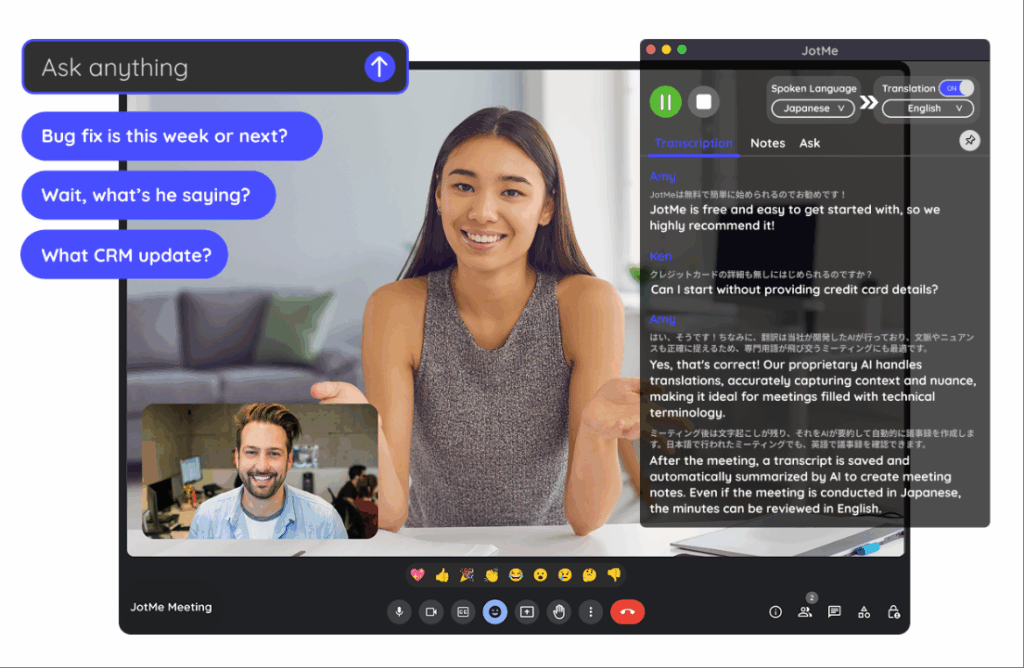
O que é: Tradução em tempo real para reuniões (alternativa ao Transync AI) Melhor para: Reuniões de equipe, webinars, equipes distribuídas
Métricas de desempenho:
- Precisão: 92-94%
- Latência: 150-200ms (ligeiramente perceptível)
- Idiomas: 77 idiomas
- Qualidade da voz: 7/10 (bom, não natural)
- Configurar: 2-3 minutos (extensão do Chrome)
Como funciona:
- Instalar extensão do Chrome
- Participe da chamada do Zoom/Meet/Teams
- Ativar tradução
- Tradução automática em tempo real
Preços:
- Gratuito: 20 min/mês
- Básico: $9/mês (200 min)
- Premium: $15/mês (500 min)
Vantagens: ✅ Mais idiomas que o Transync AI (77 vs. 60) ✅ Configuração mais simples (extensão do Chrome) ✅ Preço acessível ($9/mês) ✅ Funciona em várias plataformas ✅ Ideal para reuniões informais
Desvantagens: ❌ Latência mais lenta (150-200 ms, ligeiramente perceptível) ❌ Precisão menor (92-94% vs. 95%+) ❌ Voz menos natural (7/10 vs. 9,1/10) ❌ Não funciona com o WhatsApp
Melhores casos de uso:
- 🎯 Reuniões informais de equipe
- 🎯 Webinários internacionais
- 🎯 Equipes com orçamento limitado
- 🎯 Necessária diversidade linguística
Veredito: Boa alternativa ao Transync AI se você precisar de mais idiomas. A latência é ligeiramente perceptível, mas aceitável para reuniões informais. Não é ideal para reuniões de vendas formais, onde a primeira impressão é importante.
👉 JotMe
IA para Tradução: Tabela Comparativa de Recursos
| Recurso | Transync AI | ChatGPT | Google Tradutor | DeepL | JotMe |
|---|---|---|---|---|---|
| Reuniões em tempo real | ✅ Excelente | ❌ Não | ❌ Não | ❌ Não | ✅ Bom |
| Precisão | 95%+ | 93-95% | 92% | 94% | 92-94% |
| Latência | <100ms ✅ | N / D | Instant | Instant | 150-200 ms |
| Idiomas | 60 | 100+ | 100+ | 29 | 77 |
| Qualidade da voz | 9,1/10 ✅ | N / D | 7/10 | N / D | 7/10 |
| Tradução de documentos | ❌ Limitado | ✅ Bom | ✅ Bom | ✅ Excelente | ❌ Não |
| Tempo de configuração | <1 min ✅ | 2-3 minutos | 0 min ✅ | 1-2 minutos | 2-3 minutos |
| Custo | $8,99/mês ✅ | $20/mês | Grátis ✅ | $8,99/mês ✅ | $9/mês |
| Melhor para | Reuniões em tempo real | Conteúdo escrito | Pesquisas rápidas | Documentos profissionais | Reuniões de equipe |
Qual a melhor IA para tradução: como escolher a ferramenta certa
Cenário 1: Visita de Vendas Internacional
Pergunta: “Qual sistema de IA para tradução devo usar para uma importante chamada de vendas com um potencial cliente espanhol?”
Responder: Transync AI
Por que:
- Tradução em tempo real (latência imperceptível <100ms)
- Voz natural (a voz do candidato soa como a de uma pessoa real)
- Transcrição automática para acompanhamento
- Qualidade profissional (precisão 95%+)
- Configuração fácil (menos de 1 minuto)
Configurar:
- IA Transync aberta
- Selecione Inglês → Espanhol
- Verifique “Áudio do computador”
- Clique em “Iniciar Tradução”
- Participe normalmente das reuniões do Zoom
- Traduzir automaticamente
Cenário 2: Traduzindo um Contrato Jurídico
Pergunta: “Qual sistema de IA para tradução é o mais indicado para traduzir um contrato jurídico do inglês para o espanhol?”
Responder: Tradutor profissional + DeepL como backup
Por que:
- Contratos legais exigem precisão de 99% ou superior.
- A inteligência artificial por si só é insuficiente para a responsabilidade legal.
- O DeepL (com precisão de 94%) pode auxiliar tradutores profissionais.
- Custo: $500-1000 para profissionais (essencial para assuntos jurídicos)
Processo:
- Contrate um tradutor jurídico profissional.
- Use o DeepL como referência de pré-tradução.
- Tradutor profissional aprimora
- Resultado: 99% tradução jurídica precisa
Cenário 3: Tradução rápida de e-mail
Pergunta: “Qual sistema de IA para tradução devo usar para enviar um e-mail rápido para um cliente espanhol?”
Responder: Google Translate (gratuito) ou DeepL (maior precisão)
Por que:
- O envio de e-mails não exige precisão de 99% (o contexto ajuda o cliente a entender).
- Rapidez importante (cliente à espera)
- Custo irrelevante (gratuito é melhor)
- O Google Tradutor é suficiente para e-mails informais.
Configurar:
- Acesse translate.google.com
- Cole o texto do e-mail
- Selecione Inglês → Espanhol
- Copiar e-mail traduzido
- Enviar imediatamente
Cenário 4: Tradução de Conteúdo de Marketing
Pergunta: “Qual sistema de IA para tradução preserva a voz da marca ao traduzir conteúdo de marketing?”
Responder: ChatGPT (melhor para tom de voz) + revisão profissional
Por que:
- A voz da marca é crucial (a IA genérica falha)
- O ChatGPT entende o contexto e o tom.
- A revisão profissional garante a qualidade.
- Custo razoável ($20/mês ChatGPT)
Processo:
- Escreva textos de marketing em inglês.
- Use o ChatGPT: “Traduzir para espanhol, preservando a voz da marca [descrição do tom]”
- O ChatGPT traduz com contexto.
- Peça para um falante nativo revisar.
- Publique com confiança
Cenário 5: Equipe distribuída por 5 países
Pergunta: “Que IA para tradução permite que nossa equipe distribuída se comunique em 5 idiomas?”
Responder: Transync AI (principal) ou JotMe (opção econômica)
Por que:
- Tradução em tempo real durante reuniões diárias
- Transcrição automática para revisão assíncrona
- Suporte a vários idiomas (Transync: 60, JotMe: 77)
- Custo mínimo ($8,99-9/mês)
Configurar:
- Abra o Transync AI durante a reunião diária.
- Selecione o par de idiomas principal
- Clique em “Iniciar Tradução”
- Todos os membros da equipe ouvem a tradução.
- Revise o resumo gerado automaticamente mais tarde.
Resultado: Sem barreiras linguísticas, reuniões mais rápidas (economia de tempo de 25%+), melhor participação.
Inteligência Artificial para Tradução: Avaliação de Precisão até 2026
Testes independentes mostram:
| Solução de IA | Texto geral | Conteúdo técnico | Conteúdo Legal | Conteúdo de marketing |
|---|---|---|---|---|
| Transync AI | 95-96% | 98-99% (com palavras-chave) | 92% | 94% |
| ChatGPT | 93-95% | 91% | 89% | 96% |
| Google Tradutor | 92% | 88% | 85% | 90% |
| DeepL | 94% | 92% | 91% | 93% |
| JotMe | 92-94% | 90% | 88% | 91% |
| Tradutor profissional | 98-99% | 98-99% | 99%+ | 98-99% |
Principais conclusões:
- ✅ A Transync AI lidera em tecnologia e tempo real.
- ✅ A ChatGPT lidera na preservação do tom de marketing
- ✅ DeepL lidera em precisão de documentos (não em tempo real)
- ✅ O Google Tradutor é suficiente para uso casual.
- ✅ Tradutor profissional é imbatível quando se trata de conteúdo crítico.
Melhor IA para Tradução: Etapas de Implementação
Passo 1: Identifique suas necessidades
Pergunte a si mesmo:
- ❓ Preciso de tradução simultânea (reuniões) ou de tradução de documentos?
- ❓ Quão crítica é a precisão? (Jurídico = 99%, Informal = 90%)
- ❓ De quais idiomas eu preciso?
- ❓ Qual é o meu orçamento? (Gratuito, $10/mês, $100+/mês?)
- ❓ Preciso de reprodução de voz?
Etapa 2: Escolha a IA certa
Reuniões em tempo real? → Transync AI Documentos escritos? → ChatGPT ou DeepL Rápido e grátis? → Google Tradutor Reuniões da equipe de orçamento? → JotMe Questões jurídicas/técnicas críticas? → Tradutor profissional
Passo 3: Obtenha um teste gratuito
- Transync AI: 40 minutos grátis (primeiro mês)
- ChatGPT: Plano gratuito disponível
- Google Translate: Sempre grátis
- DeepL: 500 mil caracteres grátis por mês
- JotMe: 20 minutos grátis por mês
Etapa 4: Teste com conteúdo real
- Realizar reunião real ou traduzir amostra
- Verifique se a precisão atende às suas necessidades.
- Verifique se a interface é intuitiva.
- Confirme se ele se integra às suas plataformas.
Etapa 5: Implantação em escala
- Inscreva-se na solução escolhida
- Treinar a equipe no uso
- Configurado em todas as plataformas relevantes.
- Monitore a precisão e ajuste as palavras-chave, se necessário.
Inteligência Artificial para Tradução: Sinais de Alerta a Evitar
❌ Evite sistemas de IA que afirmam ter "precisão de 100%".“ (nenhuma IA consegue isso) ❌ Evite soluções sem período de teste gratuito. (Não foi possível verificar a qualidade) ❌ Evite preços ocultos (deve ser transparente) ❌ Evite soluções com avaliações ruins. (Múltiplas reclamações = problema real) ❌ Evite soluções que superestimem o suporte linguístico. (Qualidade é mais importante que quantidade) ❌ Evite soluções sem suporte ao cliente. (Você precisará de ajuda)
Conclusão: Qual é a melhor IA para tradução?
Não existe uma única IA "ideal" para tradução. A resposta depende inteiramente do seu caso de uso:
| Sua necessidade | Melhor IA | Por que |
|---|---|---|
| Chamadas de vendas em tempo real | Transync AI | Latência <100ms, voz 9.1/10, precisão 95%+ |
| Tradução de documentos | ChatGPT ou DeepL | Maior precisão para conteúdo escrito |
| Pesquisa rápida e gratuita | Google Tradutor | Sempre grátis, instantâneo, bom o suficiente |
| Conteúdo de marketing | ChatGPT | Preserva de forma excelente a identidade da marca. |
| Reuniões de equipe | Transync AI ou JotMe | Em tempo real, acessível e multiplataforma. |
| Documentos legais | Tradutor profissional | Precisão 99%+, proteção legal |
Comece definindo sua necessidade específica, escolha a IA mais adequada e experimente o teste gratuito. Você encontrará a solução perfeita rapidamente.
Opção mais popular para 2026: Transync AI Para reuniões em tempo real (crescimento mais rápido, voz mais natural, preço mais baixo). Comece seus 40 minutos Experimente gratuitamente hoje mesmo!

