

If you’ve ever sat through a multilingual meeting struggling to keep up, you already know how much the right translation apps for meetings can change everything. With AI-powered interpretation tools evolving rapidly, the gap between free workarounds and purpose-built solutions has never been wider.
This article compiles real-world user feedback on the most talked-about translation apps for meetings in 2026 — covering accuracy, ease of use, latency, pricing, and overall value. Whether you’re a remote team manager, a global enterprise coordinator, or an individual professional navigating cross-language calls, this guide is built for you.
Why Real User Reviews of Translation Apps Matter
With so many tools claiming to offer “seamless real-time translation,” it can be overwhelming to separate genuine performance from marketing copy. Real user reviews cut through the noise by revealing:
- Actual latency during live meetings
- Accuracy in professional or technical contexts
- Ease of setup — especially whether plug-ins or extra hardware are required
- Value for money across free and paid tiers
- Integration quality with platforms like Zoom, Microsoft Teams, and Google Meet
Let’s dig into what users are actually saying about today’s leading translation apps for meetings.
1. Transync AI — The Best Translation App for Meetings Overall
“I stopped worrying about language barriers entirely. Transync AI just works — no setup headaches, no lag.” — Product Manager, Japan
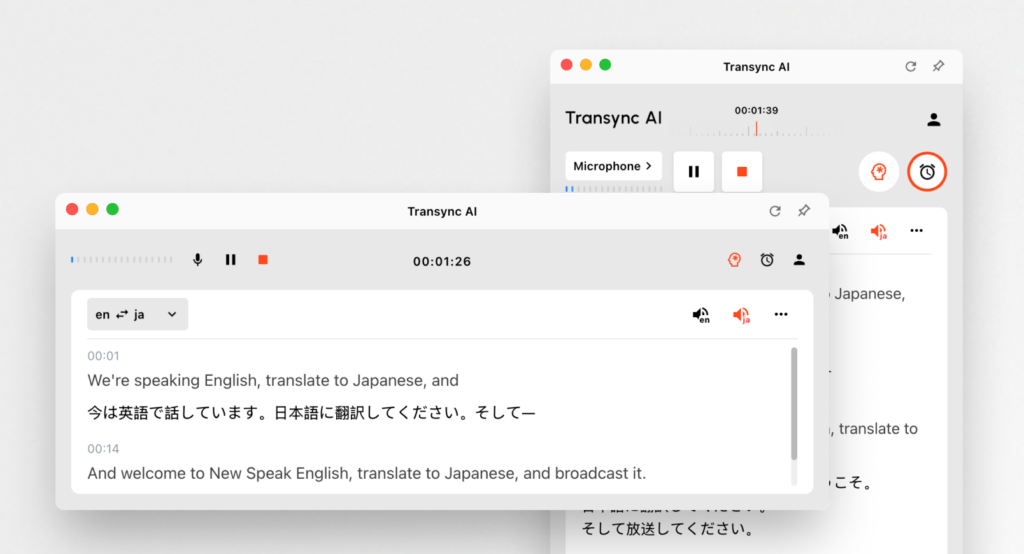
Transync AI is an independently running, no-plug-in-required real-time interpretation tool powered by an end-to-end speech large model. Users consistently highlight its near-zero latency as the standout feature, with translations appearing almost simultaneously as the speaker talks.
What Real Users Love About Transync AI
- Bidirectional translation in 60 languages — including Chinese, English, Japanese, Korean, Cantonese, German, French, Russian, Italian, and Spanish — with automatic language detection. No button switching required.
- Dual-screen display design — original and translated text appear side by side, dramatically improving comprehension during fast-paced discussions.
- AI voice broadcast (TTS) — the tool doesn’t just show translations; it speaks them aloud in natural voices, making it feel like a real interpreter in the room.
- AI-powered automatic meeting summaries — after the meeting, Transync AI generates intelligent notes capturing key decisions and action items, even across languages.
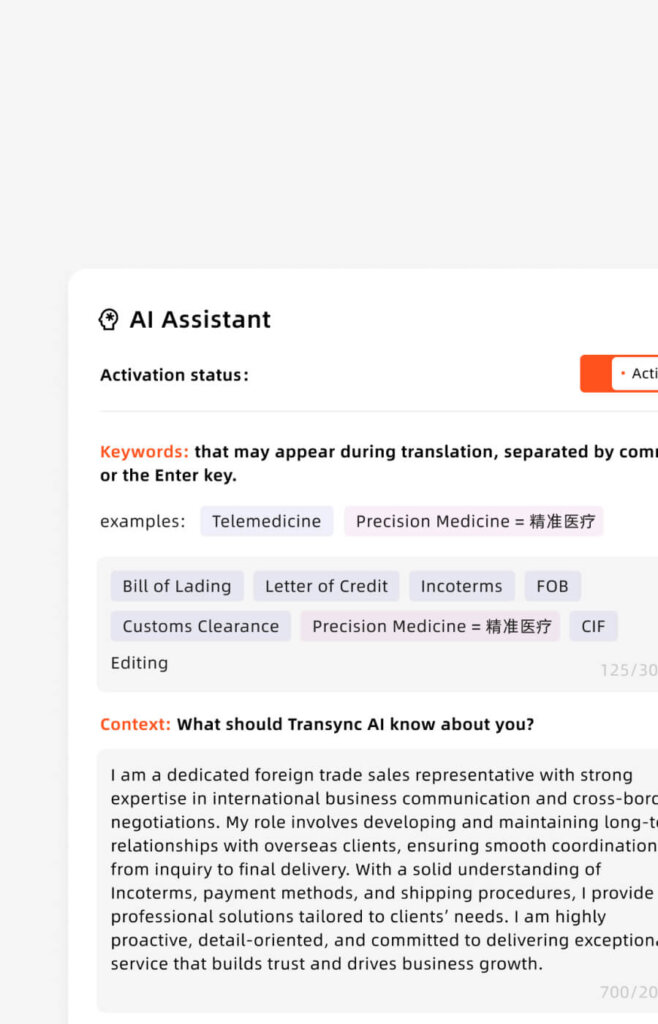
- AI Assistant Keywords & Context — users can preload industry terms, brand names, and contextual background to push translation accuracy above 95%. Particularly praised by legal, medical, and tech professionals.
- Works across all devices — Mac, PC, iOS, Android, and Web. No additional plugins needed for Zoom, Microsoft Teams, or Google Meet.
- 📹 View the tutorial
Pricing
| Plan | Price | Includes |
|---|---|---|
| Free | $0/month | 40 min trial, all features, 60 languages |
| Personal Premium | $8.99/month | 10 hours/month, all features |
| Enterprise | $24.99/seat/month | 40 hrs/seat/month, GDPR compliance, unified billing, org knowledge base |
“The keyword context feature is a game-changer for our semiconductor client meetings. Accuracy went from decent to remarkably precise.” — Technical Sales Engineer, South Korea
2. Wordly — Solid for Events, Less Ideal for Dynamic Meetings
“Great for conference-style events where one person speaks at a time. Gets messier with back-and-forth dialogue.” — Event Coordinator, USA

👉🏻 Wordly AI
Wordly is frequently recommended for large-scale multilingual events such as webinars, summits, and town halls. Users appreciate its clean interface and the ability for attendees to select their language via a personal device.
User Pros & Cons
- ✅ Easy for attendees to access translation on their own device
- ✅ Good caption quality for scripted presentations
- ❌ Noticeably higher latency in conversational settings compared to Transync AI
- ❌ Less effective in small, dynamic breakout discussions
- ❌ Pricing not publicly listed; often requires custom quotes
3. KUDO — Premium Professional Interpretation with a High Price Tag
“Excellent if you have the budget and a professional interpreter lined up. Not a DIY tool.” — Conference Organizer, Germany
👉🏻 Kudo
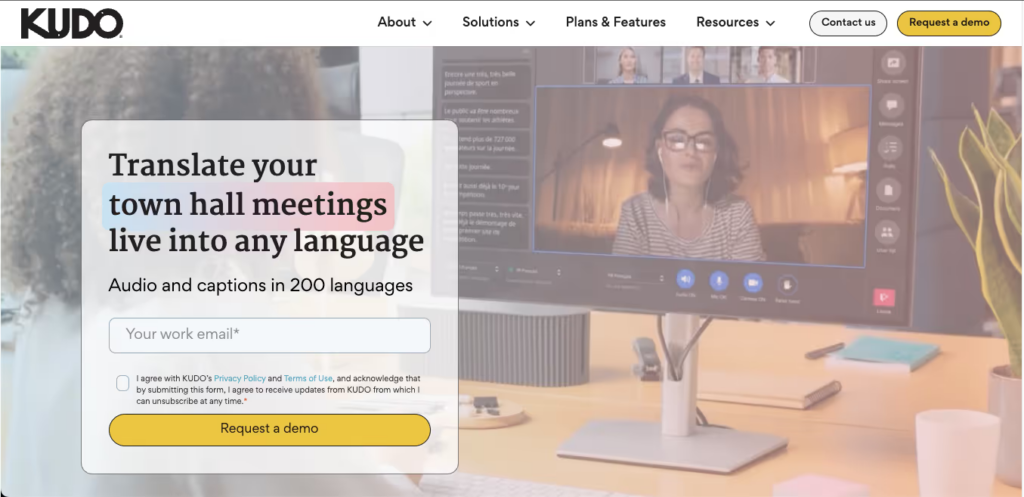
KUDO is built around human interpreter support, making it a powerful but expensive and complex solution. It’s widely used in international diplomacy, large conferences, and UN-style multilingual events.
User Pros & Cons
- ✅ Highest-quality output when paired with professional interpreters
- ✅ Supports simultaneous interpretation in a structured way
- ❌ Requires interpreter recruitment and technical setup
- ❌ Not suitable for everyday team meetings or SME use
- ❌ Custom enterprise pricing — significantly more expensive than AI-only tools
4. Otter AI — Strong Transcription, Weak on Real-Time Translation
“Perfect for English-only transcription. The moment you need another language, it falls short.” — Marketing Director, Singapore

👉🏻Otter AI
Otter AI has earned a loyal following for its English-language meeting transcription and note-taking, but users routinely point out its limitations as a true translation tool.
User Pros & Cons
- ✅ Highly accurate English transcription
- ✅ Clean, searchable meeting notes
- ❌ Not a translation app — limited multilingual support
- ❌ Does not offer real-time voice translation
- ❌ Cannot auto-detect foreign languages during meetings
- 💲 Pricing: Free plan available; Pro at $16.99/month
5. iTranslate — Great for Casual Use, Not Built for Professional Meetings
“I use it when traveling for quick phrase lookups. Would never rely on it for a business negotiation.” — Business Development Manager, Brazil
👉🏻 iTranslate
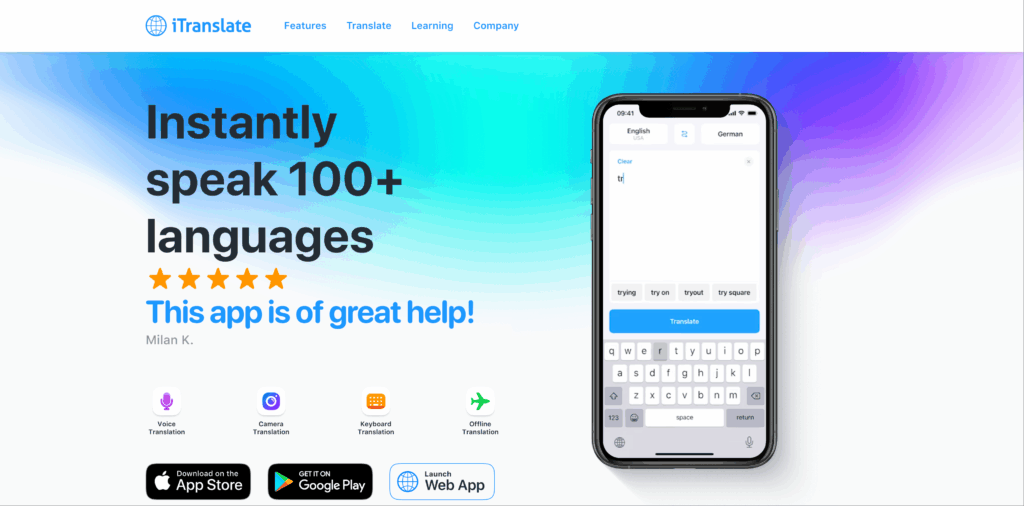
iTranslate is a mobile-first translation app popular among travelers and casual users. While it supports voice translation and offline use, its meeting-specific capabilities are limited.
User Pros & Cons
- ✅ Supports 100+ languages
- ✅ Offline translation available
- ✅ Affordable at $4.99/month
- ❌ No meeting platform integration (Zoom, Teams, etc.)
- ❌ No AI meeting notes or summaries
- ❌ Not designed for real-time multi-speaker environments
6. VoicePing — Functional but Niche, with Workflow Limitations
“Works for simple bilingual calls, but the interface feels dated and setup is clunky.” — Remote Team Lead, Thailand
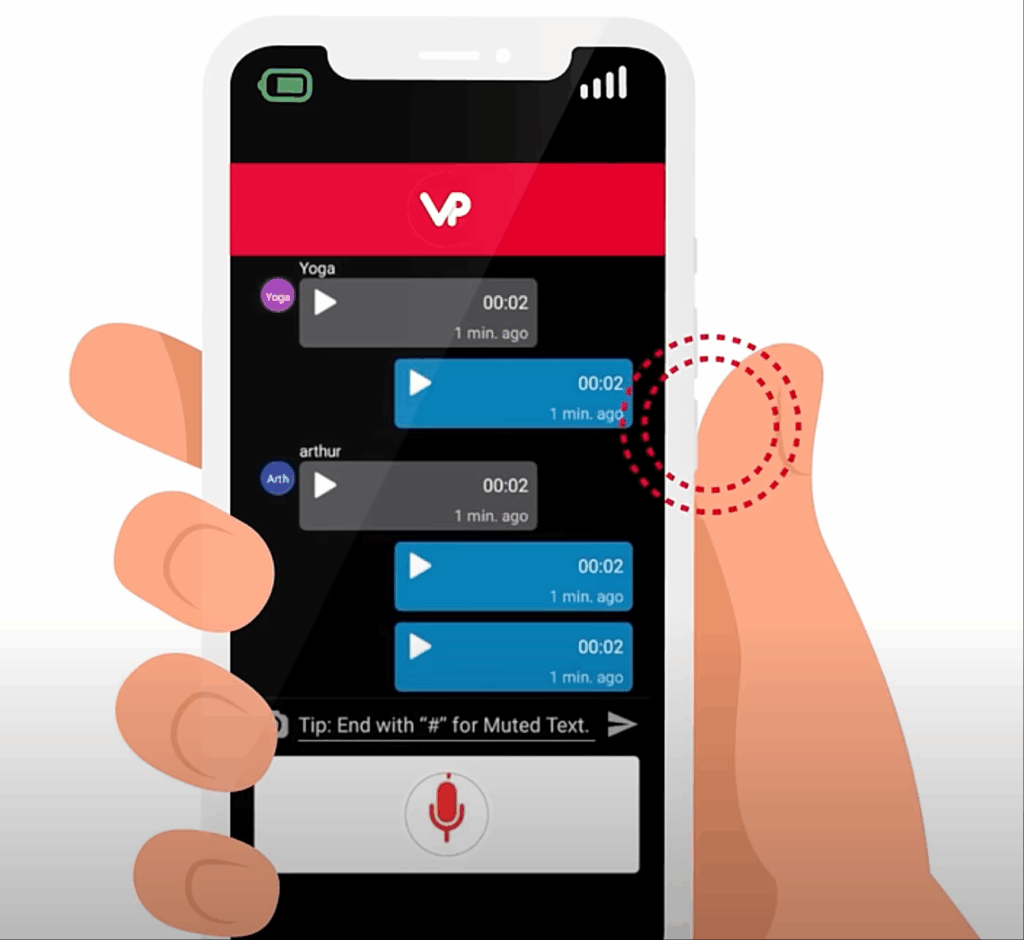
VoicePing is a voice communication platform with built-in translation features. It has a dedicated user base in the Asia-Pacific region, particularly for Japanese-English workplace communication.
User Pros & Cons
- ✅ Designed with multilingual team communication in mind
- ✅ Includes a virtual office feature
- ❌ Limited language range compared to Transync AI’s 60 languages
- ❌ Requires all participants to be on the same platform
- ❌ No standalone translation mode for use with Zoom or Teams
Side-by-Side Comparison: Translation Apps for Meetings
| Feature | Transync AI | Wordly | KUDO | Otter AI | iTranslate | VoicePing |
|---|---|---|---|---|---|---|
| Pricing (Starting) | Free / $8.99/mo | Custom | Custom | Free / $16.99/mo | $4.99/mo | Custom |
| Real-Time Translation | ✅ Near-zero latency | ✅ Moderate latency | ✅ Human-assisted | ❌ | ✅ Limited | ✅ Limited |
| Voice Output (TTS) | ✅ Natural voices | ❌ | ✅ Human only | ❌ | ✅ Basic | ✅ Basic |
| AI Meeting Notes | ✅ Multilingual | ❌ | ❌ | ✅ English only | ❌ | ❌ |
| Languages Supported | 60 | 30+ | 30+ | English focus | 100+ | ~10 |
| No Plug-In Required | ✅ | ❌ | ❌ | ✅ | ✅ | ❌ |
| Zoom/Teams/Meet Integration | ✅ Seamless | ⚠️ Limited | ⚠️ Complex | ✅ English only | ❌ | ❌ |
| Auto Language Detection | ✅ | ❌ | ❌ | ❌ | ❌ | ❌ |
| Keyword & Context AI | ✅ | ❌ | ❌ | ❌ | ❌ | ❌ |
| Dual-Screen Display | ✅ | ❌ | ❌ | ❌ | ❌ | ❌ |
| GDPR Compliant (Enterprise) | ✅ | ✅ | ✅ | ✅ | ❌ | ❌ |
| All Devices (Mac/PC/iOS/Android) | ✅ | ⚠️ Web-only | ⚠️ | ✅ | ✅ Mobile | ⚠️ |
What Makes Transync AI the Top-Rated Translation App for Meetings?
Based on aggregated user reviews, Transync AI consistently scores highest across the dimensions that matter most for professional meeting translation:
🏆 Near-Zero Latency
Unlike competitors that introduce 2–5 second delays, Transync AI’s end-to-end speech large model delivers translations in real time — so conversations flow naturally without awkward pauses.
🏆 No Setup, No Plug-Ins
Simply open the app, share your system audio, and translation begins. No integration wizards, no browser extensions, no IT department required.
🏆 Intelligent Context Awareness
The AI Assistant Keywords & Context feature allows users to pre-input industry-specific terminology and meeting background. This is unique among translation apps for meetings and directly addresses one of the biggest pain points: mistranslated jargon.
🏆 All-in-One: Translation + Notes
Most translation tools stop at translation. Transync AI also auto-generates multilingual meeting summaries — a feature no competing app in this comparison fully matches.
🏆 Accessible Pricing for Every Scale
From a free trial with 40 minutes of full-feature access to an enterprise plan at $24.99/seat/month with 40 hours included, Transync AI offers the most transparent and scalable pricing among its peers.
How to Get Started with Transync AI
Getting up and running with one of the best translation apps for meetings takes under two minutes:
- Sign up at the Transync AI website — free plan includes immediate access to all features.
- Join your meeting on Zoom, Microsoft Teams, or Google Meet as usual.
- Open Transync AI on any device (Mac, PC, iOS, Android, or Web).
- Share your system audio — Transync AI begins detecting and translating speech instantly.
- (Optional) Set keywords and context in the AI Assistant panel to boost accuracy for your specific industry or meeting topic.
For enterprise teams, administrators can create an organization, invite members via email, and manage centralized billing and usage tracking — all self-serve, with no sales call required.
Q&A: Frequently Asked Questions About Translation Apps for Meetings
Q1: What is the best translation app for meetings in 2026?
A: Based on real user reviews, Transync AI ranks as the top translation app for meetings in 2026, praised for its near-zero latency, 60-language support, no-plug-in design, AI meeting notes, and flexible pricing starting at $0/month.
Q2: Can translation apps work inside Zoom breakout rooms?
A: Yes. Transync AI, as a standalone app that captures system audio, works seamlessly across Zoom breakout rooms, main sessions, and any other meeting environment — no platform-specific plug-in is needed.
Q3: How accurate is real-time AI translation in meetings?
A: General accuracy ranges from 80–90% for most tools. Transync AI’s AI Assistant Keywords & Context feature pushes accuracy above 95% for professional and technical meetings by preloading relevant terminology and background context.
Q4: Do translation apps for meetings require installation on all participants’ devices?
A: Most tools require either a plug-in or app installation for all users. Transync AI is an exception — only the host needs the app. Translations can be shared via the dual-screen display or voice broadcast, removing the burden from all other participants.
Q5: Is there a free translation app for business meetings?
A: Yes. Transync AI’s free plan gives new users 40 minutes of real-time translation with access to all features — including AI meeting notes, voice broadcast, and 60-language support — with no credit card required.
Q6: How does Transync AI differ from Otter AI for meeting translation?
A: Otter AI excels at English transcription but is not a real-time translation tool. Transync AI supports bidirectional live translation in 60 languages, voice output, and multilingual meeting notes — making it far more suitable for global teams.
Q7: What is the enterprise pricing for Transync AI?
A: Enterprise plans are $24.99/seat/month, including 40 hours of translation per seat per month. Additional usage is billed at $0.70/hour from the organization’s shared balance. The plan includes GDPR compliance, unified account management, and a shared organization knowledge base.
Q8: Can I use translation apps for meetings without disrupting other participants?
A: Yes. With Transync AI, the translation experience is personal — you hear translations through your own device via voice broadcast or read them on the dual-screen display. Other participants are not affected, making it ideal for discrete, professional use.
Conclusion: Which Translation App for Meetings Should You Choose?
For travelers and casual users, iTranslate covers the basics affordably. For scripted multilingual webinars, Wordly performs reliably. For ultra-premium events with professional interpreters, KUDO delivers — at a cost.
But for the widest range of real-world meeting scenarios — from daily standups on Zoom to high-stakes enterprise negotiations — Transync AI stands in a league of its own among translation apps for meetings. Its combination of near-zero latency, no-plug-in design, 60-language bidirectional translation, voice broadcast, AI meeting notes, and transparent pricing makes it the most complete and practical real-time translation solution available today.
If you want a next-generation experience, Transync AI leads the way with real-time, AI-powered translation that keeps conversations flowing naturally. You can try it free now.

